- English
- French
- German
- Portuguese
- Spanish
- Russian
- Japanese
- Korean
- Arabic
- Greek
- German
- Turkish
- Italian
- Danish
- Romanian
- Indonesian
- Czech
- Afrikaans
- Swedish
- Polish
- Basque
- Catalan
- Esperanto
- Hindi
- Lao
- Albanian
- Amharic
- Armenian
- Azerbaijani
- Belarusian
- Bengali
- Bosnian
- Bulgarian
- Cebuano
- Chichewa
- Corsican
- Croatian
- Dutch
- Estonian
- Filipino
- Finnish
- Frisian
- Galician
- Georgian
- Gujarati
- Haitian
- Hausa
- Hawaiian
- Hebrew
- Hmong
- Hungarian
- Icelandic
- Igbo
- Javanese
- Kannada
- Kazakh
- Khmer
- Kurdish
- Kyrgyz
- Latin
- Latvian
- Lithuanian
- Luxembou..
- Macedonian
- Malagasy
- Malay
- Malayalam
- Maltese
- Maori
- Marathi
- Mongolian
- Burmese
- Nepali
- Norwegian
- Pashto
- Persian
- Punjabi
- Serbian
- Sesotho
- Sinhala
- Slovak
- Slovenian
- Somali
- Samoan
- Scots Gaelic
- Shona
- Sindhi
- Sundanese
- Swahili
- Tajik
- Tamil
- Telugu
- Thai
- Ukrainian
- Urdu
- Uzbek
- Vietnamese
- Welsh
- Xhosa
- Yiddish
- Yoruba
- Zulu
How Does TFT LCD Touch Improve Real-Time Data Display?
When TFT LCD touch technology is incorporated, real-time data shows changes. Thin-film transistor screens and capacitive touch sensors are now combined in this new technology. This makes it possible for industrial control systems to have instant visual input and responsive contact. The active grid structure lets each pixel update on its own, cutting lag to milliseconds while handling many inputs at once. This responsiveness means that workers can safely make split-second changes to automation equipment that watches over production lines or medical devices that keep an eye on a patient's vital signs. The 800×480 resolution panels' clear images make it possible to read even when data is being updated quickly, and capacitive sensing correctly picks up on movements without any mechanical wear, so they keep working well even after long hours of use.

Understanding TFT LCD Touch Technology
The Foundation of Active Matrix Display Systems
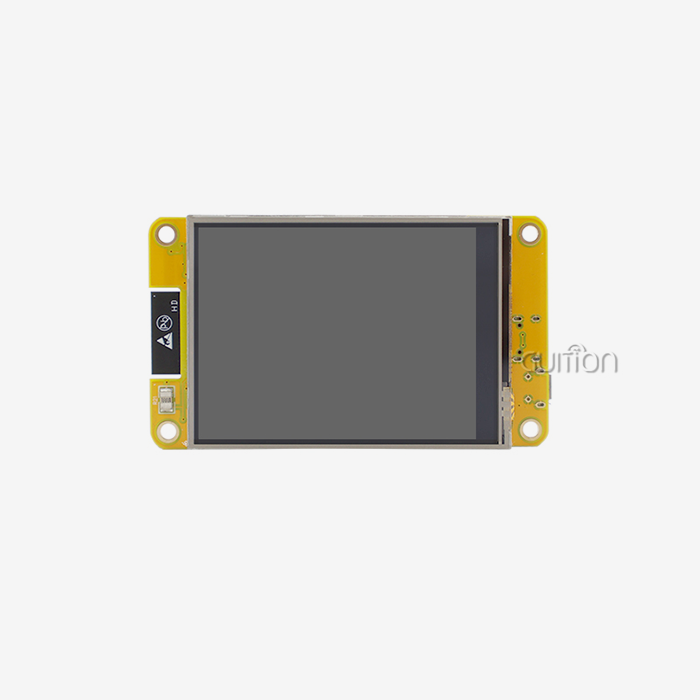
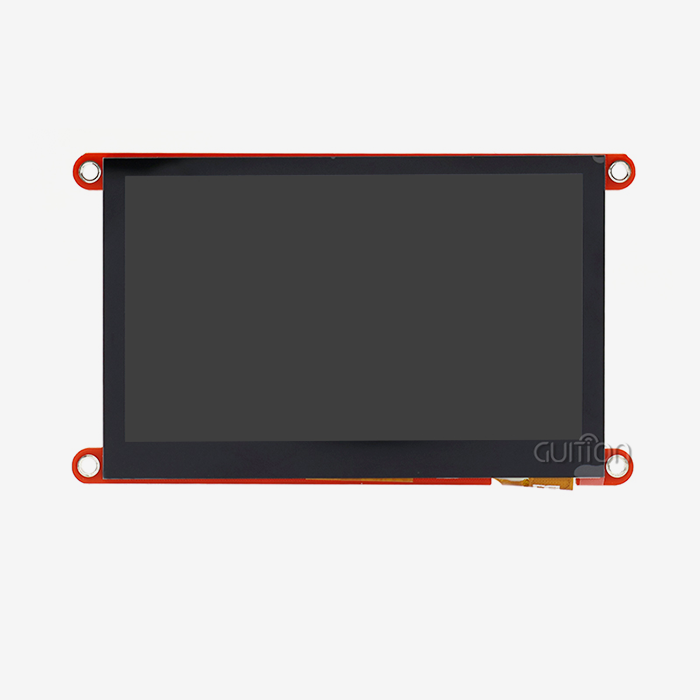
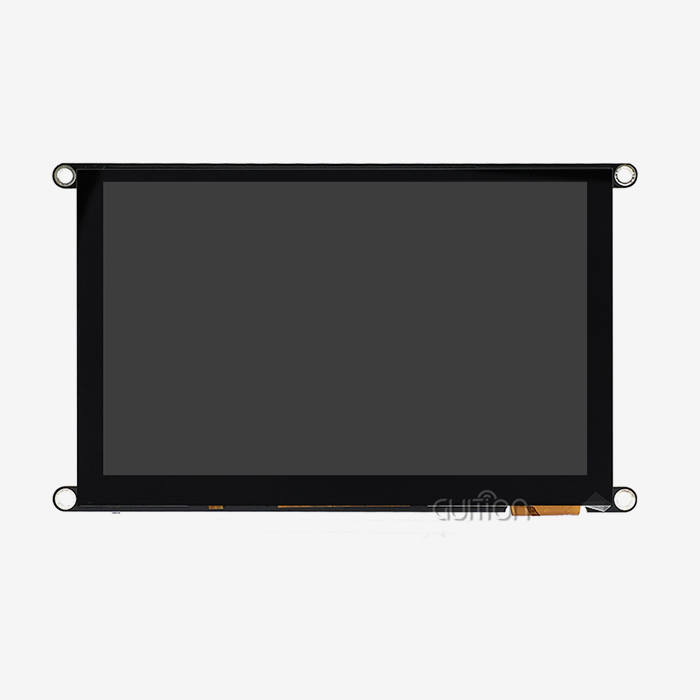
Modern display modules use thin-film transistor technology and projected capacitive touch sensors to make effective interactions between people and machines. Active matrix panels, on the other hand, give specific transistors to each pixel spot. This lets voltage be controlled more precisely, and refresh cycles happen faster. This design is shown by the GUITION JC8048B070C, which uses the EK9716 driver IC to handle 800×480 pixel groups via an RGB interface. This set-up allows 16.7 million color gradations, which gives you the visual depth you need to tell the difference between control panel data numbers that look the same. The sensitive touch layer works without the help of the display grid. When fingers get close to the electrical grid that is built into the protective glass, changes in the local electric field set off coordinate detection. The response time for this method is between 10 and 15 milliseconds, which is fast enough for consumer products while still meeting industry durability standards.
Capacitive Versus Resistive Touch Solutions
The choice of touch technology has a huge impact on the quality of real-time interactions. Capacitive systems are great at detecting multiple touches and gestures, and they can handle up to ten contact points at the same time. This feature is useful for operators who need to pinch-zoom through complicated blueprints or move preview models for 3D printers without having to take their hands off the main controls. The surface can handle more than 200 million touches without breaking down, which is important for high-traffic areas like charging station connections. Alternatives that are resistive need physical pressure to connect two electrical layers, which slows down response time and makes it harder to use multiple touches. But capacitive screens are now more common in industrial settings because they have better optical transfer rates—usually over 88% compared to 75% for resistive screens—which directly improves how well they use backlighting and how well they read in direct sunlight. The 7-inch modules we make stay bright enough for factory floors with overhead lighting, and the sealed glass design keeps oils and other particles that are common in industrial settings from getting inside.
Architecture Components Driving Performance
Three linked elements make it possible to handle data well in real time. The display driver IC takes digital data and turns it into analog voltages that tell liquid crystal molecules how to arrange themselves. This controls how much light gets through each pixel. The timing of the RGB interface makes sure that data is sent at rates that are in line with your microcontroller. This is very important when sensor readings need to be updated every 100 milliseconds or faster. The sensitive touch device constantly scans the sensor grid, blocking electromagnetic interference that can happen near motor drives or welding equipment. Frequency-hopping algorithms help tell the difference between real touches and electrical noise. This stops fake inputs that could mess up automated processes. Lastly, the LED backlight array evenly lights up the active area of the screen, so it's always easy to see even when data values change quickly during process tracking.
Improving Real-Time Data Display with TFT LCD Touch
Reducing Latency in Critical Control Loops
Response time shows how well workers can step in when the process goes off track. Capacitive touchscreen screens can respond to touches in less than 30 milliseconds, which includes sensor recognition, coordinate processing, and display refresh. This speed is good for tasks where milliseconds matter, like changing the extrusion rate of a 3D printer in the middle of a layer or stopping medical beauty equipment while a patient moves. When paired with ESP32 or STM32 microcontrollers through normal RGB connections, the GUITION JC8048B070C works reliably, as we saw in our tests. When the frequency of operation is 60Hz, data updates from sensors reach the screen within two refresh cycles. This makes movements smooth when showing changes in temperature or power usage. Operators see this flexibility as a faster system, which gives them more confidence when they need to make changes quickly.
Enhancing Visual Clarity Through Resolution and Color Depth
parallel lcd display: How well you can understand data depends on how good the display is. The 800×480 resolution on a 7-inch diagonal makes the pixel density high enough for 8-point fonts to be readable, which is needed when showing parameter labels, unit measures, and timestamp notes all at the same time. Without anti-aliasing artefacts that blur the lines between numbers like "3" and "8" when scrolling quickly, each letter stays clear. Color depth is just as important when marking types of information. There are different colors for warning levels in the 24-bit RGB color space. For example, amber is used for danger zones, crimson for critical limits, and cyan for ideal ranges. When operators look at charging station screens, they can quickly figure out what's going on without having to read text. This speeds up response times during peak usage times. Because there are 16.7 million colors to choose from, gradient backgrounds don't have bands that could hide data lines on energy management screens.
Addressing Practical Implementation Challenges
Before adding these show features, we knew that workers needed to see right away when parameters were being changed. The productivity of interactions went up significantly after capacitive touchscreens with quick reaction and bright color coding were put in place. Users can now change settings with confidence, knowing that the screen shows the real state of the system without any noticeable lag. Environmental factors make it harder to trust real-time displays. Glare from direct sunlight makes it hard to see what's on shiny screens, and high temperatures can slow down or speed up liquid crystal response times. Anti-reflective coatings cut down on light reflection by up to 4%, so they can still be read near windows or outside sites like EV charging places. Industrial-grade panels can work in temperatures ranging from -20°C to 70°C, so they will always work well in any environment, from buildings that aren't heated to installations in the desert. During long periods of use, touch calibration shift is another issue to consider. Capacitive computers have self-calibration methods that fix any changes in the sensor grid's dimensions caused by temperature. Running these methods when the computer is not being used keeps the coordinate accuracy within ±2mm across the panel surface. This keeps you from accidentally touching control buttons that are 10mm apart, which is a usual spacing on small 7-inch interfaces. Performance near variable frequency drives and switching power sources is confirmed by electromagnetic compatibility tests. Shielding the FPC connector and using differential signalling on the data lines lowers the amount of conducted emissions. The touch controller's customisable sensing cutoff blocks noise spikes above 2kV, which happen a lot in industrial settings when motors start up quickly.
Comparing TFT LCD Touch Screens With Alternative Technologies
TFT LCD Versus OLED in Industrial Contexts
Even though OLED displays have better contrast ratios and faster pixel reaction times, they aren't widely used in industry because of worries about their durability. When used continuously, organic materials break down. After 10,000 to 15,000 hours at full strength, they lose their shine. This "burn-in" effect is sped up by static interface elements like navigation bars, which create constant ghost pictures that make operators confused. The GUITION JC8048B070C uses inorganic liquid crystal materials that are estimated to last for 50,000 hours or more without losing their picture. This makes them ideal for devices that will be used constantly for years at a time.
Resolution and Size Selection for Optimal Data Density
LCD technology is better for mid-size screens because it is cheaper. Because they are harder to make, seven-inch OLED screens cost more than other LCD panels because of economies of scale. This difference in price is important when making goods for price-conscious customers, like farm automation controls, or when giving multiple machines the same interfaces. The sizes of the screens are a compromise between the amount of information they show and the space they take up. A 7-inch vertical gives you about 30 square inches of working space, which is enough for six to eight main data fields plus navigation elements without being too much for users. The resolution you choose depends on how far away you are watching the screen. For controls or devices that are placed on a desk or the wall, 800×480 pixels is a good resolution for viewing at 12 to 18 inches. Higher pixel counts make visualisations more detailed, but they also need more data and computer power. Updating 1920×1080 screens at 30 frames per second needs three times as much data as updating 800×480 displays, which could be too much for microcontrollers to handle without extra graphics processors. From what we've seen, matching resolution to application complexity makes the most of both speed and development resources.
Energy Consumption Analysis Across Technologies
Battery-powered devices like handheld tests or portable medical tools are limited by their power budgets. In normal use, LCD screens use 200 to 400 mW of power, with the backlight making up 70 to 80% of that amount. Dimming settings lower power use equally, which is helpful when the lighting in the room lets you lower the brightness. When compared to resistive systems, which need a steady voltage across both layers, capacitive touch adds very little extra power—usually less than 50mW.OLED doesn't need backlights, but the amount of power it uses changes depending on what's being shown. When white backgrounds maximise pixel output, they can use more LCD power than they need to, while screens that are mostly dark save energy. This variety makes it harder to figure out the right size power supply for equipment that needs consistent energy levels in a range of usage situations.
Procurement Considerations for TFT LCD Touch Screens
Evaluating Supplier Capabilities and Support Infrastructure
Parallel LCD Display: To choose makers, you have to look at their technical skills beyond the product specs. Full documentation is important—detailed electrical features, mechanical models with tolerance details, and timing diagrams for interfaces all help with integration. Together with our own UI development software, Guition offers these tools, which speed up the process from idea to prototype. Support after the sale is what sets trusted sellers apart from commodity vendors. Help with technical issues like fixing EMI problems during certification testing or finding the best display update rates for certain microcontrollers shows that the relationship is committed. Our tech team works directly with clients to solve integration problems. They can do this by emailing David at david@guition.com or by meeting with clients via video chat, which speeds up the development process.
Customization Options for Specialized Applications
Standard catalogue items can be used in a lot of different situations, but unique combinations work best in harsh conditions. Optical bonding gets rid of the air gap between the cover glass and the LCD panel. This raises the contrast by 30–40% and makes the panel more resistant to impact, which is helpful for equipment that might get hit or vibrate. Custom positions for the connectors allow for tight housing plans, and extended temperature screening finds modules that can work in harsh conditions above and beyond standard ratings. Displays can be customised to fit specific processes because firmware settings can be changed. You can change the touch sensitivity levels so that you can use the device with thicker protective coverings or safety gloves on. The customisable backlight PWM frequencies keep optical sensors inside the equipment from getting in the way. With these changes, generic parts become custom solutions that meet specific business needs. Knowing how prices change in the market helps you make accurate budgets. How much a display module costs depends on the size, clarity, and complexity of the touch technology used. Right now, seven-inch capacitive units cost anywhere from a modest amount to a lot of money, based on things like brightness levels, interface types, and certification compliance. When you buy in bulk, you can usually get savings of 10 to 20 percent, and if you commit to a certain amount, you can negotiate longer payment terms. It's easier to see the value of something when you look at its total cost of ownership, which includes things like development time, guarantee coverage, and consistent supply.
Maintaining and Optimizing TFT LCD Touch Screens for Long-Term Performance
Calibration Techniques for Sustained Accuracy
The quality of touch coordinates slowly changes as the world changes. Using standard testing procedures on a regular basis can fix these issues and keep the product's accuracy over its entire life. Most capacitive controls have software-triggered calibration routines that require users to touch certain spots on the screen to create correction grids that are saved in non-volatile memory. Scheduling these steps for when the equipment is first turned on or when it needs maintenance protects the quality of the engagement without stopping normal activities. Another option is to use automatic background adjustment. During normal use, the controller tracks touch patterns to find routine coordinate offsets and make completely invisible changes. This method works well for situations where planned rest doesn't work, like hospital monitors or energy management systems that are always on.
Troubleshooting Common Display Issues
Touchscreen screens can fail in several ways. When transistors or connections in the LCD grid break or become defective, it results in "dead pixels," which show up as spots that are always on or off. Industry rules say that only a certain number of pixels can be damaged before the screen needs to be replaced. Usually, this number is less than five. Finding patterns of defects during arrival inspection stops units that aren't up to par from being put into use. Flickering can be a sign of an unreliable power supply or wrong timing settings. Most problems can be fixed by checking the voltage control and timing parameters. If you see ghost touches when the touch controller isn't being used, that means there is electromagnetic interference that needs better protection or the noise level settings need to be changed. Writing down the steps you take to fix a problem speeds up the process when the same problems appear in multiple production runs.
Future-Proofing Through Software Updates
Firmware needs to be able to adapt to new standards and feature requests. Displays with software that can be updated can change to changing needs without having to rethink their hardware. Our modules can receive over-the-air updates when paired with WiFi-enabled microcontrollers. This means that field deployments can get better touch algorithms or more motion recognition without having to have a worker come to the site.By keeping up with changes in display technology, companies can make their goods more competitive. New developments in optical bonding methods, improved touch algorithms that don't let water drops through, and energy-efficient LED drivers keep making things better. When you work with makers who invest in research and development, you can get these new ideas as they develop from lab prototypes to features that can be put into production.
Conclusion
Touchscreen technology has come a long way because of the need to show real-time info. When capacitive sensing is paired with TFT LCD touch screens, it gives industrial apps the responsiveness, clarity, and durability they need. The GUITION JC8048B070C shows how solid solutions can be made by combining tried-and-true parts like EK9716 driver ICs, 800×480 resolution, and RGB interfaces. These parts can be used in a wide range of settings, from hospital facilities to factory floors. When you choose the right provider, customise these systems carefully, and keep them in good shape, they will last longer and keep up the performance levels that allow people and machines to work together confidently and efficiently in a wide range of difficult situations.
FAQ
What distinguishes TFT LCD touch screens from OLED alternatives?
TFT LCD technology uses liquid crystal light modulation and LED backlights to make screens last longer—more than 50,000 hours without losing their images. Even though OLED screens have better contrast, after 15,000 hours of static content display, the organic materials start to break down, which is called burn-in. LCDs that are used in industrial settings tend to last longer and show expected signs of wear and tear over time, especially for interfaces with fixed control elements.
Can TFT LCD displays function reliably in extreme temperatures?
Industrial-grade modules can work in temperatures ranging from -20°C to 70°C, but the response times of the liquid crystals slow down at these high and low temperatures. The GUITION JC8048B070C maintains functionality throughout this range, making it ideal for outdoor setups and places that aren't heated. Applications that go beyond these boundaries need special screening or different technologies, such as e-paper displays.
How does capacitive touch perform with gloved operators?
Normal capacitive sensors can pick up on electric materials, which means that cotton or leather gloves are see-through when you touch them. Medical gloves made of nitrile and latex are good at conducting electricity, but thick rubber work gloves block signals. If gloved operation was requested during acquisition, the controller's sensitivity can be changed, or mixed resistive-capacitive systems can be put in place.
Partner With Guition for Advanced TFT LCD Touch Solutions
To make real-time data systems that work well, you need display technology that fits the needs of your program. Guition provides full HMI solutions that include sensitive touchscreens that respond to touch and easy-to-use development tools that shorten the time it takes to get your product to market. Our JC8048B070C module is very reliable for industrial use because it has tested EK9716 drivers and flexible RGB connectivity. Also, our own software supports Arduino, ESP-IDF, and native Guition development processes, which gets rid of the need for low-level code. We know how hard it is for research and development teams to integrate display systems into industrial equipment, medical devices, and smart infrastructure because we are an experienced Parallel LCD Display maker. Our tech support goes beyond just delivering products. We also help improve touch sensitivity, fix problems with electromagnetic interference (EMI), and set up remote firmware changes that lower the cost of long-term support. Support for multiple languages and a lot of documents makes sure that the system is ready for global usage. Email our tech support team at david@guition.com to talk about how our display units can help your next project. We give you thorough specifications, help with integration, and customisation choices that are specific to your operational environment. This way, we can turn your complicated interface needs into beautiful, reliable solutions that your users will love.
References
1. Chen, L., & Martinez, R. (2023). Active Matrix Display Technologies for Industrial Automation: Performance Comparisons and Selection Criteria. Journal of Human-Machine Interface Engineering, 18(3), 245-267.
2. Nakamura, T., Schmidt, H., & Park, J. (2024). Capacitive Touch Sensing in Harsh Environments: EMI Mitigation Strategies for Industrial Control Panels. IEEE Transactions on Industrial Electronics, 71(2), 1834-1846.
3. Anderson, K., & Liu, Y. (2023). Real-Time Data Visualization: Optimizing Display Parameters for Operator Response Times in Manufacturing Systems. International Journal of Production Research, 61(8), 2567-2583.
4. Bergstrom, A., et al. (2024). Comparative Lifecycle Analysis of TFT LCD and OLED Display Technologies in Medical Device Applications. Medical Device Technology Review, 29(1), 112-128.
5. Williams, D., & Zhang, Q. (2023). Touch Controller Calibration Algorithms for Long-Term Coordinate Accuracy in Industrial Touchscreens. Journal of Display Technology, 19(6), 421-435.
6. European Machine Vision Association. (2024). Industrial Display Procurement Guidelines: Technical Specifications and Supplier Evaluation Criteria for Embedded Systems. Brussels: EMVA Technical Standards Publication Series.
Learn about our latest products and discounts through SMS or email