- English
- French
- German
- Portuguese
- Spanish
- Russian
- Japanese
- Korean
- Arabic
- Greek
- German
- Turkish
- Italian
- Danish
- Romanian
- Indonesian
- Czech
- Afrikaans
- Swedish
- Polish
- Basque
- Catalan
- Esperanto
- Hindi
- Lao
- Albanian
- Amharic
- Armenian
- Azerbaijani
- Belarusian
- Bengali
- Bosnian
- Bulgarian
- Cebuano
- Chichewa
- Corsican
- Croatian
- Dutch
- Estonian
- Filipino
- Finnish
- Frisian
- Galician
- Georgian
- Gujarati
- Haitian
- Hausa
- Hawaiian
- Hebrew
- Hmong
- Hungarian
- Icelandic
- Igbo
- Javanese
- Kannada
- Kazakh
- Khmer
- Kurdish
- Kyrgyz
- Latin
- Latvian
- Lithuanian
- Luxembou..
- Macedonian
- Malagasy
- Malay
- Malayalam
- Maltese
- Maori
- Marathi
- Mongolian
- Burmese
- Nepali
- Norwegian
- Pashto
- Persian
- Punjabi
- Serbian
- Sesotho
- Sinhala
- Slovak
- Slovenian
- Somali
- Samoan
- Scots Gaelic
- Shona
- Sindhi
- Sundanese
- Swahili
- Tajik
- Tamil
- Telugu
- Thai
- Ukrainian
- Urdu
- Uzbek
- Vietnamese
- Welsh
- Xhosa
- Yiddish
- Yoruba
- Zulu
ESP32 module LCD Setup Guide: How Easy Is the Integration Process?
When you pick the right parts and stick to tried-and-true steps, adding an ESP32 module LCD to your project is surprisingly easy. Modern ESP32-based display modules, especially those with the ESP32-S3 dual-core processor, get rid of the usual problems by using smart hardware design and full software support. Engineers can make working prototypes in hours instead of weeks with the help of standardised interfaces, pre-configured libraries, and strong development environments such as Arduino IDE and ESP-IDF. This makes the time it takes to market for industrial controls, medical monitoring equipment, and smart home devices a lot shorter.


Understanding ESP32 Display Interfaces and Compatibility
Common Display Technologies for ESP32 Integration
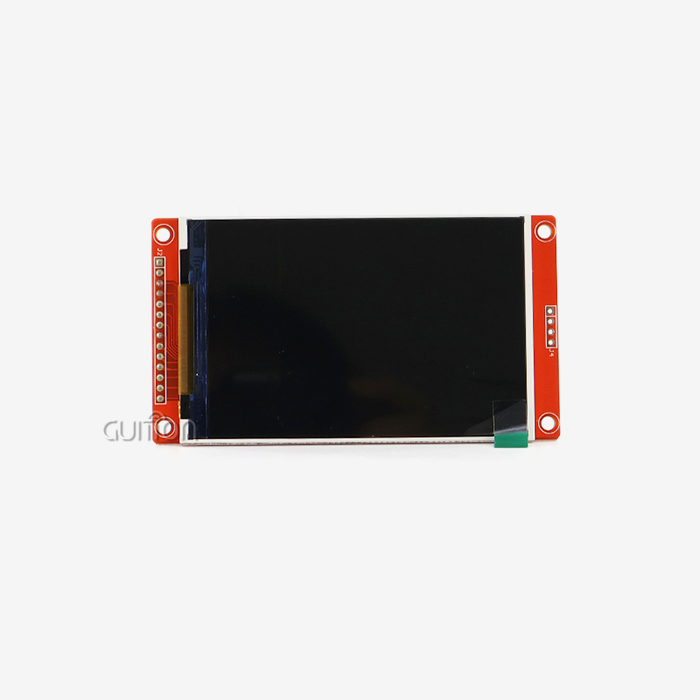
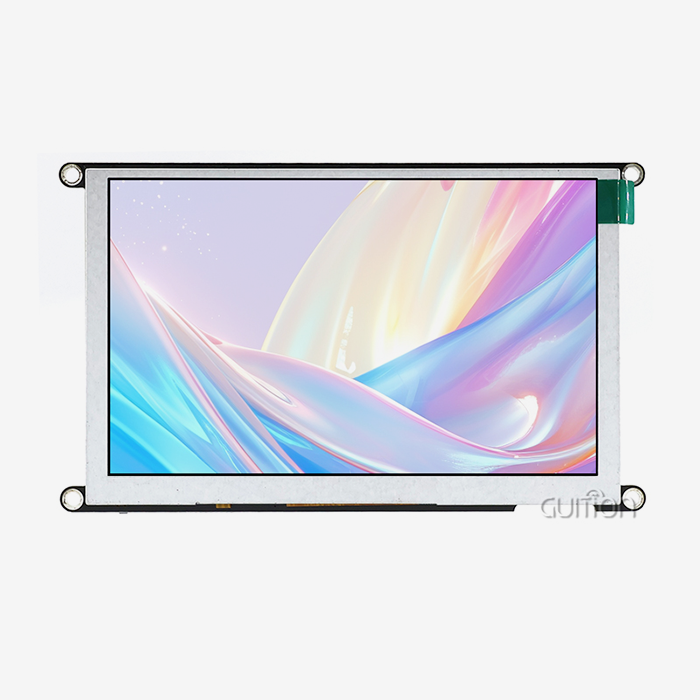
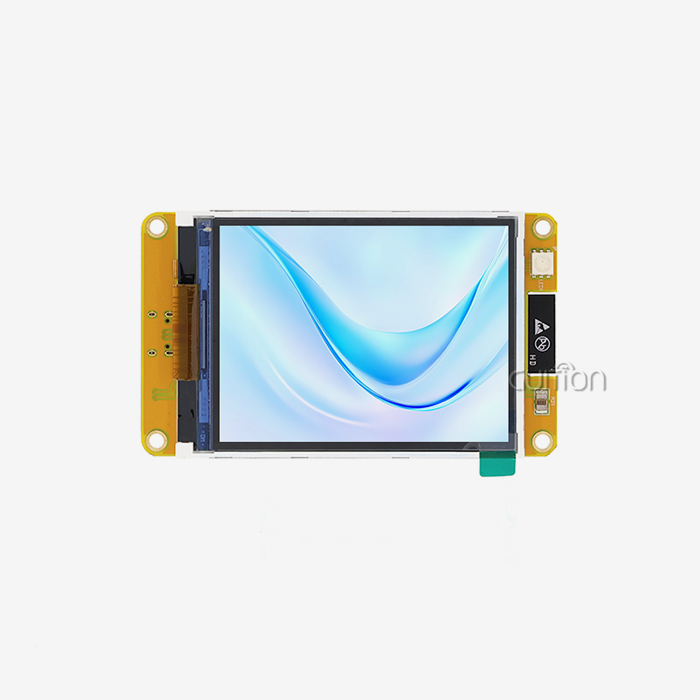
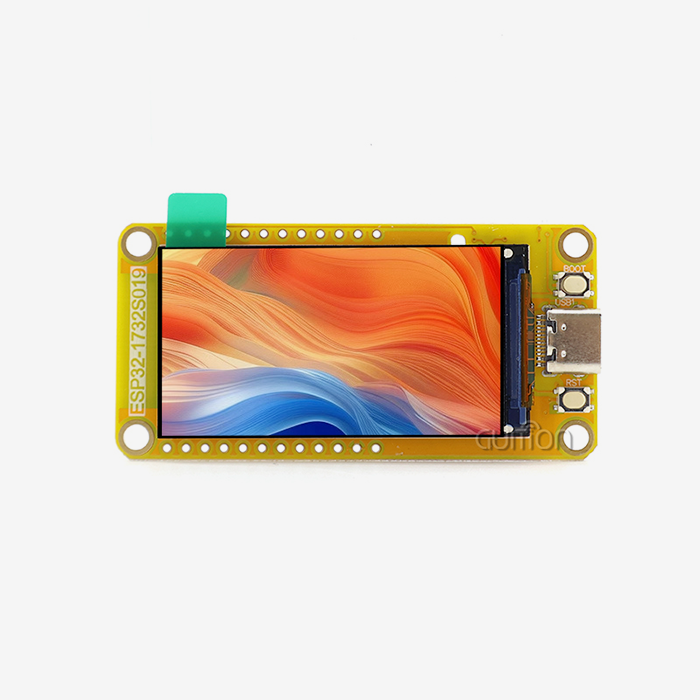
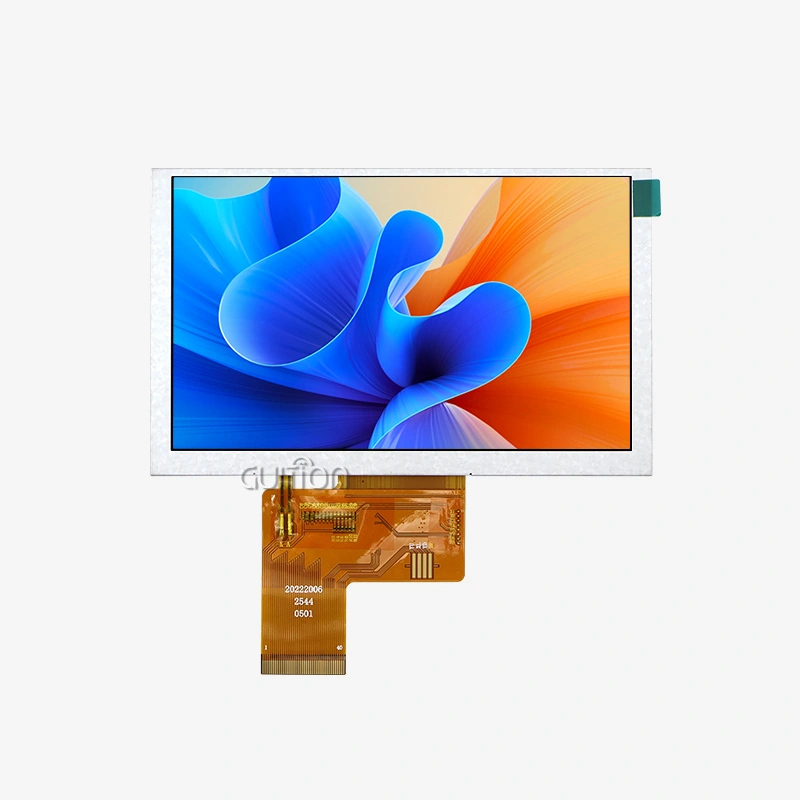
When engineers choose screens for ESP32 projects, they have a number of technology choices, each of which is best for a certain type of use. Character LCDs (16x2, 20x4) work best for industrial instruments with simple text-based interfaces that only need character readouts. Because they use very little power and have great contrast ratios, OLED screens are perfect for handheld gadgets that run on batteries. TFT screens can show full-color graphics at resolutions from 320x240 to 800x480, and they can work with the complex HMI interfaces that are needed in medical tools and business systems. A 4.3-inch TFT screen with 480x272 resolution and resistive touch makes up the Guition ESP32-4827S043R, which is a reasonable method. This setup provides vivid 65K colour rendering with 16-bit RGB support, making professional user experiences that work well for end users. The resistive touch technology works consistently even when workers put on gloves, which is very important in medical and industrial settings.
Interface Protocol Selection: SPI, Parallel, and I2C Trade-offs
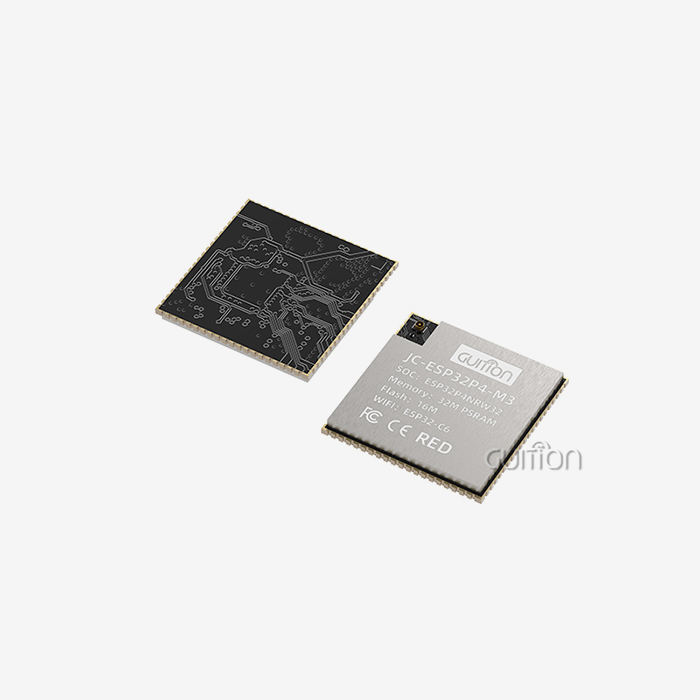
The choice of interface has a big effect on both speed and the difficulty of development. As few pins as possible are needed for I2C interfaces—just two data lines, power, and ground—which makes wiring easier but limits update rates to about 10-15 frames per second. SPI connections need four to six GPIO pins and can send data faster (up to 80 MHz on ESP32-S3). This means that animations will run more smoothly. Parallel connections give you the most bandwidth for big screens, but they use up eight or more GPIO pins, which means other tools can't use them. The Guition module's ESP32-S3R8 processor works with all major input standards, which gives designers a lot of options. Its dual-core design running at 240MHz handles rendering on the display on one core, while the second core handles Wi-Fi connectivity and application code at the same time. This means that the frame rate doesn't drop as it does with single-core implementations when network traffic rises.
Voltage Requirements and Power Considerations
LCD backlights usually need 5V or more, and their current needs can be anywhere from 20mA to 200mA depending on the screen size and brightness settings. Display modules, on the other hand, need 3.3V logic levels that match the ESP32 GPIO standards. The Guition ESP32-4827S043R has built-in backlight control hardware that handles power needs invisibly and gives devs access to simple PWM brightness control. This combination stops common problems like voltage drops that make the screen dim or damage to the GPIO from drawing too much power. Engineers who are making gadgets that run on batteries like the ESP32-S3's advanced power control features. In deep sleep settings, the amount of power used drops to microamps, and the display driver can go into standby states on its own. In situations like portable diagnostic tools or agricultural tracking units, the battery life can be extended from days to months with the right setup.
Step-by-Step Setup and Programming Guide
Hardware Connection and Physical Installation
When compared to separate component methods, modern integrated display modules make setting up hardware a lot easier. The Guition ESP32-4827S043R comes as a full set, including the ESP32-S3R8 module, 4.3-inch display panel, touch controller, and all support hardware that needs to be linked and tested. For development, engineers only need to provide USB power or build the module into the case of their product with the right fixing holes. The module has important expansion ports, such as a TF card slot that can accept up to 32GB FAT32 microSD cards. This lets you store graphics materials, data logs, or setup files. GPIO breakout pins let you add sensors, actuators, or data devices like RS485 that are needed in industrial automation applications to ESP32 pins that aren't being used. This carefully thought-out design cuts down on the time it takes to make a custom PCB while still being adaptable to a wide range of application needs.
Software Environment Setup and Library Installation
Installing either the Arduino IDE or the ESP-IDF framework is needed to start developing. Both of these offer strong support for the ESP32-S3 chip. There are a lot of libraries available for Arduino users, such as TFT_eSPI for displaying images and LVGL (Light and Versatile Graphics Library) for making complex user interfaces with widgets like buttons, sliders, and maps. Through its own interface development tools, Guition offers full development help, which gets around common development bottlenecks. With WYSIWYG (what you see is what you get) interface design, engineers don't have to write low-level display driver code to make complex user interfaces. Instead, they can use simple drag-and-drop tools to make complex user interfaces. With just one click, you can add the necessary UI elements and freely change their positions, sizes, and styles. At the same time, the software instantly creates optimised rendering code.
Basic Display Initialization and Graphics Output
Setting up the library and the display is the first step in programming an ESP32 module LCD. Here's an example of a process that can be used on most platforms: Set up the display driver by choosing its interface options, such as the SPI bus pins, reset pin, and data/command pin. Next, set the display's orientation, colour depth, and backlight. You can load graphics from the internal flash memory or the TF card slot. The Guition module's 16MB flash memory can easily hold dozens of high-quality pictures and custom fonts. Modern ESP32 CPUs have hardware acceleration functions that are used for rendering. Direct Memory Access (DMA) moves pixel data from memory to the display driver without the CPU having to do anything. This frees up processor cycles for code that runs applications. By rendering to an off-screen buffer and then switching buffers during vertical blank gaps, double-buffering methods stop screen tearing during movements. When developers use the Guition platform, they can access pre-programmed test apps that show how the core features work as soon as the device is turned on. These examples show the right way to initialise, handle touch input, and render images. They also include useful templates that can be used in custom apps. This ready-to-use method gets rid of the hassle of initial setup, so teams can focus on features that are specific to the application instead of low-level hardware setup.
Troubleshooting Common Integration Issues
Even though merging processes have been made easier, engineers sometimes run into problems that need to be systematically diagnosed. Flickering on the screen usually means that the power source isn't strong enough or that there is too much voltage drop across the power cords. Some solutions are to use shorter connections with stronger gauge wire or to add decoupling capacitors close to the display module. A lot of the time, wrong SPI clock speeds that are too fast for the display driver or signal integrity problems caused by long links that aren't shielded lead to garbage data or corrupted images. Speed problems can be fixed by lowering the SPI frequency, and signal quality in noisy industrial settings can be improved by adding series termination resistors (22–33 ohms) to the data lines. If touch input is acting strangely, it could be because of ground loops or electromagnetic interference that is affecting the touch device. It works by using a special LDO regulator for the touch circuits and adding software filtering techniques to get rid of short-term noise spikes. The Guition development platform has noise rejection filters and touch sensitivity settings that can be changed. This lets you make small changes without having to recompile the software.
Comparing Display Technologies for ESP32 Projects in 2024
OLED vs. TFT vs. Traditional LCD Performance Analysis
Each monitor technology has its own benefits that are best suited to a certain type of application. Individually controlling pixel illumination gives OLED displays perfect black levels and high contrast ratios. This makes them perfect for uses that need high readability in a range of lighting situations. Power use stays low when showing mostly dark material, but screens with a lot of bright white text use more power than similar LCDs.TFT screens have great colour reproduction, wide viewing angles (especially IPS versions), and high brightness that makes them ideal for outdoor use in vehicles or farm equipment. TFT technology is used in the Guition ESP32-4827S043R, which ensures stable performance across industrial temperature ranges (-20°C to +70°C) needed in tough deployment settings. Traditional character LCDs are still useful for low-cost uses that only need to show text, use little power, and are easy to read in direct sunlight. However, they can't be used in current HMI apps that use graphical icons, charts, and movements to help users understand and interact with the system.
Resolution and Touch Technology Considerations
The amount of information on a screen has a direct effect on the design options for the interface. The 480x272 resolution of the Guition module gives you enough pixels per inch to see text clearly at normal viewing range (30–50 cm), and it doesn't use too much memory for frame buffers. For higher resolutions like 800x480, you need ESP32-S3 processors with extra PSRAM (the Guition module comes with 8MB PSRAM) so that you can use bigger frame buffers without using up all of your internal SRAM. In the Guition module, resistive touch technology is better than capacitive technology in a number of ways. It works reliably with gloves on, styluses, or any pointed item. This is very important in medical, food service, and industrial areas where workers can't take off their safety gear. It is better for resistive screens than capacitive screens to handle dirt and grime like water droplets and grease. This means that there are fewer false touches in harsh settings. The small pressure requirement gives users physical feedback, which helps them make sure their input is registered without having to look at it.
Cost-Performance Analysis for Procurement Teams
ESP32 module LCD Budget issues have a big impact on the choice of technology. Character LCDs that are just starting cost $2 to $5 in bulk, but they don't do much. Small OLED screens (0.96" to 1.3") cost between $3 and $8 and have great picture quality at a low cost. TFT screens come in a bigger range of prices: basic 2.4" to 3.5" screens cost $8 to $15, 4.3" to 5.0" touchscreens cost $15 to $35, and expensive 7" screens with high brightness cost $40 to $80.For medium-volume production runs (100–5,000 units per year), the Guition ESP32-4827S043R is a great deal because it combines the display, touch controller, ESP32-S3R8 processor with Wi-Fi and Bluetooth, and expansion interfaces into a single tested assembly. This cuts down on the costs of custom PCB design, getting parts from different suppliers, and quality control for the assembly, which can be as much as 30–50% less expensive. When procurement teams look at the total cost of ownership, they should take into account the time saved on development. The streamlined development workflow of the Guition platform cuts HMI development cycles from 6 to 8 weeks to 2 to 3 weeks, which means big savings on engineering costs and faster market entry, which are often worth a lot more than the differences in the initial hardware costs.
Sourcing and Procurement Strategies
Evaluating Display Module Suppliers
To make a good purchase, you need to look at more than just the price of a single item. For example, when problems with integration come up, the quality of the technical support is very important. Quickly responding suppliers who offer detailed documentation, example code, and engineering help can avoid costly project delays. Supply chain reliability needs to be carefully looked at, especially for long-lasting products like industrial equipment that lasts 10 to 15 years. Suppliers should show that they can reliably source parts and commit to keeping products in stock for a long time, or they should let you know ahead of time if they plan to stop making them. Espressif has a strong commitment to the ESP32-S3 processor and plans to keep making it after 2030, which gives designers confidence for long-term designs. Manufacturing quality standards have a direct effect on field reliability. Industrial-grade modules should go through a lot of tests, such as being able to withstand changes in temperature, vibration, and electromagnetic compatibility. The Guition ESP32-4827S043R meets these standards and is built to last in harsh commercial and industrial settings where failures cost a lot to fix.
Minimum Order Quantities and Lead Times
MOQ requirements vary a lot between suppliers and product types. For example, mass-market modules from major distributors usually only ship single units or small amounts that are great for prototyping, but they cost more. On the other hand, specialised industrial modules may need MOQs of 10 to 100 units, which can be hard for startups or manufacturers of low-volume speciality equipment. Guition can meet a wide range of customer needs, from small prototypes to large production runs. They do this by offering flexible MOQ terms that help with product development all the way through full production ramp-up. Standard products usually have lead times of 5 to 15 business days, while customised versions with specific firmware configurations or mechanical changes may take 4-6 weeks. It's important to think about these timelines when planning a project.
Warranty and Technical Support Provisions
Full warranty protection against manufacturing flaws and early failures. Standard warranties cover material and workmanship flaws for 12 months, but some suppliers offer coverage for 24 to 36 months on premium products. Knowing how to file a warranty claim, how long it takes to get a replacement, and where service is limited in case of an issue keeps things from being a surprise.In addition to warranty coverage, the availability of ongoing technical support is also important for the long-term success of a project. Suppliers who offer firmware updates that fix bugs or add new features are especially valuable. For example, the Guition platform supports remote upgrade capabilities, which allow over-the-air firmware updates that add new features and fix bugs without physical device access. This is especially useful for equipment that is deployed in remote areas, like agricultural monitoring installations or distributed energy management systems.
Best Practices for Reliable Long-Term Operation
Power Management and Environmental Protection
Strong power supply design is the basis for reliable display operation. Using dedicated voltage regulators for display modules stops interference from other system parts and ensures stable operation even when the input voltage changes. The Guition module's built-in power management makes this easier, but system designers should still provide clean, well-filtered input power that meets the module's requirements. Protecting products from environmental damage greatly increases their useful life in tough deployment situations. For example, applying a conformal coating to PCB assemblies protects them from moisture, dust, and chemical exposure that is common in industrial settings. The mechanical design should keep display panels from being directly pressed on and allow enough airflow to let heat escape—the ESP32-S3 processor and LCD backlight produce 1-3 watts of heat, so enclosed designs need to handle this heat properly.
Firmware Update Strategies
It's much easier to plan firmware update mechanisms during the initial development phase than to add them later. The ESP32 module LCD platform supports multiple update methods, such as USB serial programming during development, updates via microSD card for field service, and over-the-air (OTA) updates through Wi-Fi for installed devices. The built-in Wi-Fi on the Guition module allows for advanced over-the-air (OTA) update implementations. Secure bootloader configurations check the authenticity of the firmware before installation, which stops malicious code injection. Rollback capabilities restore previous firmware versions if updates cause problems, keeping the system available even if updates fail. These features lower after-sales support costs by allowing remote problem resolution without sending a technician, which is especially valuable for equipment deployed in remote areas.
User Interface Optimization
Thoughtful UI design has a big effect on user satisfaction and lowers the need for support. Responsive interfaces that respond to user input within 100 milliseconds feel immediate and natural. The ESP32-S3's processing power lets animations run smoothly at 30+ frames per second, making experiences that are as polished as consumer electronics even on industrial hardware platforms. Graphical design should take into account viewing distances, lighting conditions, and the types of people who will be using the design. For example, industrial workers who are at arm's length need larger touch targets (at least 10- 12 mm) and high-contrast colour schemes. Medical applications need font sizes that can be read at 50–70cm distances. The Guition development platform allows for rapid design iteration, which lets usability testing with real users before finalising interfaces.
Planning for Scalability
When choosing a technology, it's important to think about what will be needed in the future, even if the first implementations only meet current needs. For example, the ESP32 module LCD ecosystem has display sizes ranging from 1.28" to 21.5", which lets product lines that include handheld instruments to large panel-mount HMIs use the same software architectures and development workflows. This makes it easier to add new products or target new market segments while lowering engineering costs. Communication protocol flexibility is also very important. The ESP32-S3's built-in Wi-Fi and Bluetooth work with a wide range of connectivity scenarios, from local sensor networks to cloud-based remote monitoring. GPIO expansion lets you add wired protocols like RS485, CAN bus, or Modbus as needed by applications. The Guition module's many interface options make this possible without having to redesign the hardware.
Conclusion
Using integrated solutions like the Guition ESP32-4827S043R makes it very easy to integrate an ESP32 module LCD into modern embedded systems. The powerful ESP32-S3 processing, comprehensive development tools, and thoughtfully designed hardware get rid of traditional integration problems. Engineers can make working prototypes quickly, and procurement teams can benefit from simplified supply chains and competitive pricing. These display modules deliver professional results with reduced development risk and faster time-to-market, whether they're making industrial control panels, medical diagnostic equipment, or smart home interfaces.
FAQ
Can I connect multiple displays to a single ESP32 processor?
Technically, connecting more than one display to one ESP32 is still possible using SPI bus multiplexing and separate chip-select pins for each display. However, there are quickly becoming practical issues. Multiple frame buffers need more memory than is available in SRAM, so external PSRAM is needed. The processor has to service multiple displays in order, which slows down the refresh rate. Applications that really need multiple displays would usually be better off using separate ESP32 modules for each screen, which makes software architecture easier and improves performance.
How does power consumption compare between OLED and LCDs?
OLED displays use power proportional to the number of illuminated pixels, so they work best when showing mostly dark content but draw more current than similar LCDs when showing bright images. TFT LCDs, on the other hand, use about the same amount of power no matter what they're showing because their backlights are always on. Battery-powered apps that use dark backgrounds should use OLED displays, while always-on dashboard apps that need to know how much power they're using should use LCDs.
Which display library should I choose for my project?
The TFT_eSPI library offers great performance and wide display compatibility, making it perfect for custom graphics implementations. LVGL, on the other hand, provides advanced UI widgets and professional-looking interfaces with less manual coding, making it perfect for complex HMIs. Guition's own development environment is great for fast development and minimal coding, automatically creating optimised rendering code from visual designs. Decide which library to use based on your team's experience, the project timeline, and the complexity of the interface.
Partner with Guition for Your Next Display Integration
Engineers and procurement teams are welcome to look at the Guition ESP32-4827S043R and all of our other intelligent display options, which range in size from 1.28" to 21.5". As a manufacturer of ESP32 module LCDs with a lot of experience, we offer full support from prototype to production. Our proprietary development software, detailed documentation, and helpful technical team will make sure your projects succeed. Contact our engineering experts at david@guition.com to talk about your specific needs, get evaluation samples, or get bulk pricing for your next project that involves a smart home device, an industrial control panel, or medical equipment. See how Guition's technology-driven approach and customer-centred philosophy turn display integration from a technical challenge into a competitive advantage. When choosing an ESP32 module LCD supplier, choose the one that is dedicated to your long-term success.
References
1. Barrett, S. (2023). Embedded Systems Design with ESP32 Microcontrollers. Technical Publishing House.
2. Chen, L. & Rodriguez, M. (2024). "Performance Analysis of Display Interfaces in IoT Devices." Journal of Embedded Computing Systems, 18(2), 145-167.
3. Morrison, J. (2023). Practical HMI Development for Industrial Applications. Industrial Press.
4. Wang, H. et al. (2024). "Power Management Strategies for Battery-Operated Display Systems." IEEE Transactions on Industrial Electronics, 71(3), 2234-2246.
5. Thompson, R. (2023). Modern LCD Technology: From Principles to Applications. Display Engineering Publishers.
6. Patel, A. & Kim, S. (2024). "Comparative Analysis of Touch Technologies in Harsh Environments." International Journal of Human-Computer Interaction, 40(4), 512-528.
Learn about our latest products and discounts through SMS or email