- English
- French
- German
- Portuguese
- Spanish
- Russian
- Japanese
- Korean
- Arabic
- Greek
- German
- Turkish
- Italian
- Danish
- Romanian
- Indonesian
- Czech
- Afrikaans
- Swedish
- Polish
- Basque
- Catalan
- Esperanto
- Hindi
- Lao
- Albanian
- Amharic
- Armenian
- Azerbaijani
- Belarusian
- Bengali
- Bosnian
- Bulgarian
- Cebuano
- Chichewa
- Corsican
- Croatian
- Dutch
- Estonian
- Filipino
- Finnish
- Frisian
- Galician
- Georgian
- Gujarati
- Haitian
- Hausa
- Hawaiian
- Hebrew
- Hmong
- Hungarian
- Icelandic
- Igbo
- Javanese
- Kannada
- Kazakh
- Khmer
- Kurdish
- Kyrgyz
- Latin
- Latvian
- Lithuanian
- Luxembou..
- Macedonian
- Malagasy
- Malay
- Malayalam
- Maltese
- Maori
- Marathi
- Mongolian
- Burmese
- Nepali
- Norwegian
- Pashto
- Persian
- Punjabi
- Serbian
- Sesotho
- Sinhala
- Slovak
- Slovenian
- Somali
- Samoan
- Scots Gaelic
- Shona
- Sindhi
- Sundanese
- Swahili
- Tajik
- Tamil
- Telugu
- Thai
- Ukrainian
- Urdu
- Uzbek
- Vietnamese
- Welsh
- Xhosa
- Yiddish
- Yoruba
- Zulu
How Does OpenHASP lcd Improve Home Automation Interfaces?
An OpenHASP LCD improves home automation interfaces by putting a dedicated touchscreen on the wall and keeping control on the local network. The openHASP firmware draws each screen from a JSONL layout and exchanges commands with Home Assistant, Node-RED, or openHAB through MQTT. A tap on a button changes a light, thermostat, or scene without a cloud server. I find this approach practical because residents, guests, and installers see the same clear status without opening a phone app. Below, I explain how it works, how to choose hardware, and where the Guition ESP32-4848S040C_I_Y_3 fits.

Why Traditional Home Automation Interfaces Need an Upgrade
Where phone apps and cloud dashboards fall short
You can check it remotely using phone apps and cloud monitors, but they aren't very good at controlling a shared wall. You can't change the lights without getting an app. Someone in the family has to unlock the phone, open the app, and wait for the cloud to go around again before the scene changes. Many cloud-connected screens lose all power when the internet goes down. Companies also have different interfaces, meaning each room in a house has its own setup for lights, temperature, and safety. It happens in hotel rooms, in offices, and in shared homes quite often. Here, a sleek, consistent interface beats a well-designed mobile app.
What a dedicated local touchscreen adds
With an OpenHASP LCD, all can manage lighting, HVAC, scenes, access, and energy readings from a fixed location. The screen shows statistics, so people can see ahead of time if a heater is on or a door is locked. Because it talks to a local MQTT broker, the panel can still work on the home network if the internet connection drops. They don't have to deal with different apps for each room; they only have to deal with one type of device. In hotel rooms, home renovations, and small businesses where guests and employees need quick, repeatable control without having to use their own phones, this setup works well.
How MQTT and Home Assistant fit the picture
The OASIS MQTT 5.0 standard says MQTT is a lightweight messaging system that can connect remote objects with little code. Devices talk to each other through a broker like Mosquitto and Home Assistant’s MQTT port. The screen then sends a touch event to a topic, and Home Assistant processes it. The screen then displays the new device status again. They bounce back and forth to keep the screen and device in sync. I think you should try the whole chain before installing in a client home, as how well it works is very dependent on the monitor, controller, firmware, and network design.
How an OpenHASP LCD Works and Improves Control
Hardware and firmware working together
A full display and controller system, not just one screen, is what an OpenHASP LCD is. It normally has an LCD screen, a touch layer that can be capacitive or resistive, an ESP32-class controller, drivers for the screen and touch, power circuits, and ways to talk to other devices. The LVGL graphics library is used by the openHASP firmware to make the interface, and JSONL configuration files are read to get the pages. A lot of the low-level graphics code is gone now. The order is sent to the automation platform through MQTT when you hit the ESP32. The new state of the device is then shown on the screen. Before I buy, I check the exact resolution, driver IC, GPIO assignment, touch controller, software support, and board version.
Custom layouts and local control
Every gauge, button, and slider is an object with properties, such as its location, colour, and opacity. This enables artists to build pages for each room, shortcuts for scenes, status lights, energy panels and visual alerts. The MQTT messages change these, so a temperature gauge or light switch will reflect new data when the broker sends it. An OpenHASP LCD lives on your local network and does not need a cloud account, also eliminating the vendor lock-in of proprietary smart panels. You can save images and fonts you own to flash memory. This gives a hotel or smart home brand its own appearance.
Display sizing and repeatable deployment
The size of the screen affects how easy it is to read, how much space it takes up, how much power it uses, and how much it costs. The wall plate works best with screens between 2.8 and 4.3 inches. Large screens are best for control rooms and booths. I test layouts with real samples, not datasheets, because text and button sizes should be the same distance away when you see them. Each new unit is a copy of an existing design in an OpenHASP LCD project with more than one room or site. You can do this with standard software versions, pinouts, UI templates, MQTT topics, and naming rules. It can be used more than once, which reduces installation time and makes customer service easier since a technician can compare a broken unit to a known configuration.
Comparing Display Options and Choosing an OpenHASP LCD
OpenHASP LCD vs. Nextion, ESPHome, and Tasmota
Not every project is going to work on every platform. Nextion is more of a “turnkey” service, whereas OpenHASP gives you more power over the hardware and software. OpenHASP is designed for specific touch-screen HMIs. ESPHome is good at making devices smart and automating them. It is based on LVGL and can manage more complex objects like gauges, arc sliders, and tab views. Tasmota is better for controlling IoT devices linked via MQTT, though. I think OpenHASP LCD is the best option when the touchscreen is the most important thing and the team wants to be in charge of the files of the interface. If you have a quick show that only does one thing, a turn-key option could save you time. Long-term supply and software support are equal for the same amount of weight; that's fair.
Resistive or capacitive touch
Touch screens have changed our daily life. Most of the time, the GT911 drives capacitive panels. These panels are multi-touch and will work with modern home interfaces. Often used with the XPT2046, these panels can be used with a stylus or gloves. It may also be advantageous in workshops and some industrial panels due to potentially lower costs. In places where a lot of people walk by, durability and glass strength are also important. When I ask providers about touch linearity and ghost-touch tests, I look for it around the screen edges. This is because bad boards can receive false input when the power goes out or when there is electrical interference. Buy the best touch layer for you, not the cheapest one.
Selection checks before you order an OpenHASP LCD
I start with where it is installed, how far away it is to see, and how difficult it is to navigate the interface. Then I look at the total cost, screen size, resolution, button size, housing space, power consumption and power consumption. Verified that the memory, GPIOs, colour depth, firmware support, update method, etc. are working with the ESP32 controller, LCD driver, touch controller and other parts. They should be what they say on paper. Voltage, backlight, connectors, pinout, mounting dimensions, and bezel design. I also look to see if they have samples, whether the product can be customised, whether there quality controls, what is the wait time, is there a guarantee, and if there will be a steady supply of refills for OEM or bulk sales. And that’s because pulling a show from the catalogue can mean redoing the whole thing.
Guition ESP32-4848S040C_I_Y_3 for OpenHASP LCD Projects
Hardware specifications
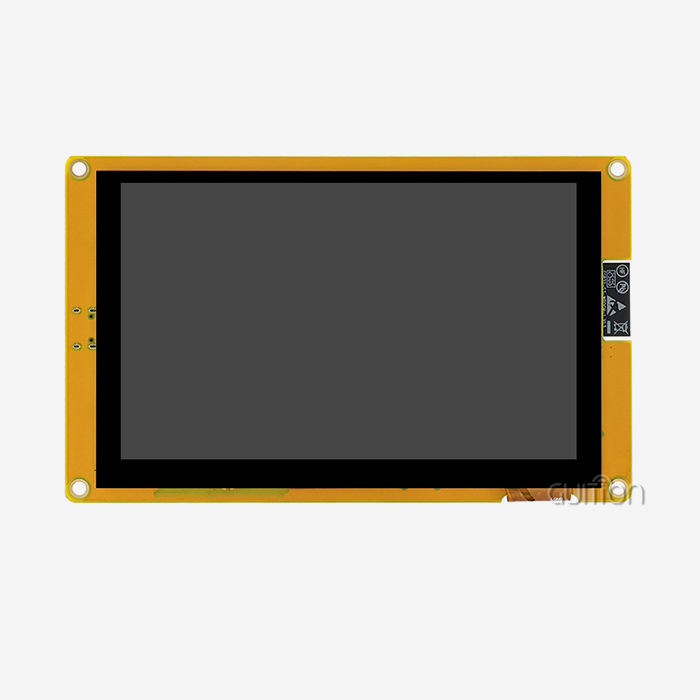
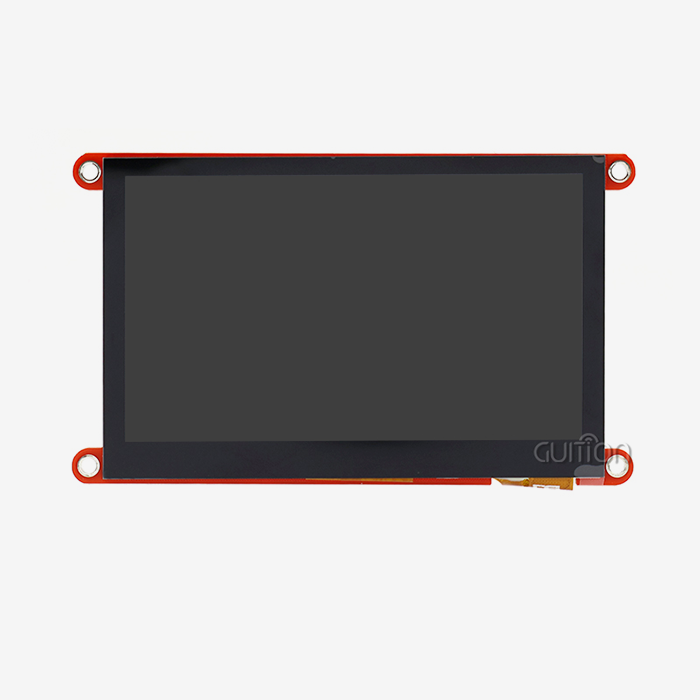
The Guition ESP32-4848S040C_I_Y_3 has an ESP32-S3R8 core processor and a clock speed of up to 240MHz. It has Wi-Fi and Bluetooth and has two cores. It has 16MB flash, 512KB SRAM, 384KB ROM, and 8MB PSRAM, so it has room for fonts, pictures, and layouts with more than one page. That's 480x480 on the 4-inch IPS screen, which can show 16-bit RGB colours and 65K colours. It also has a touch screen. It has circuits that control the touch screen and the backlight. A TF card interface and an IO port interface give you more ways to connect and store things. It shows up in GitHub as an OpenHASP LCD module, so you might want to check how the firmware is set up for your build.
Development options and guidance software
That's why these are the best things about the growth options:
- Multiple development modes: This module works with Arduino IDE, ESP-IDF, MicroPython, and Guition software, so you can build things in a lot of different ways. Built-in coders can stay in settings they know, and designers can make screens in Guition without needing to know how to code low-level graphics. This makes it easier for mixed teams to learn. Each group picks the setting that works best for their project and their skills.
- Drag-and-drop interface design: The Guition online GUI tool lets you add built-in controls like buttons, sliders, and gauges, and then you can drag them to change where they are, how big they are, and what style they are. For simple interfaces, this WYSIWYG method makes it easier to go from a sketch to a screen that works. These pages don't need any complicated code.
- Debugging and upload tools: You can upload code and fix bugs with tools like cross-platform online debugging and one-click programming. Cross-platform online debugging makes it easy to find problems quickly, and you can do this for every small change. Getting rid of bugs takes more time and costs more money, which is helpful for small teams that need to quickly move from prototypes to test units.
These features address the slow UI work that delays many OpenHASP LCD products.
Remote updates, language support, and build quality
Over time, the devices that are used change, and Guition lets users make changes to their work from anywhere. Teams don't have to go to each wall unit to add features or fix bugs. This makes it cheaper for hotels, apartment buildings, and installations with more than one site to get help after the sale. UTF-8 encoding provides interfaces for people all over the world, even those who use different character sets, and lets you switch between languages. A lot of care went into making the module so that it will work well for a long time even in rough circumstances. We sell screens from 1.28 inches to 21.5 inches, so a project can start with this 4-inch panel and then move on to other sizes from the same source when the booth or control panel needs more room.
Installation, Troubleshooting, and Supplier Support
A controlled installation workflow
A solid OpenHASP LCD project goes according to plan, from checking the hardware to putting it all together. First, I check that the model, board revision, driver, touch controller, cable orientation, power needs, and firmware compatibility are all correct. Once I finish flashing the right firmware, I set the device's name, Wi-Fi, rotation, touch coordinates, how the backlight works, and many other things. Then I check how the screen reads, how hard it is to switch pages, how well the touch works, how well the states sync, and how it works when the network goes down. It's important to be clear about the topics, payloads, available messages, saved states, and broker details so that Home Assistant can work with other apps. A one-time success can become a process that can be used again in the next room or at the next customer site by writing down all the settings.
Troubleshooting common OpenHASP LCD problems
Many issues can be connected to the power source, the way the hardware is set up, the software, the way the buttons are mapped, or the way communication is set up. When the screen is black, it generally means that the power is low, the polarity is off, the backlight is off, the driver is wrong, or the resolution can't be used. It's often because of the way the touch sensor is set up, its orientation, rotation, or GPIO. When an OpenHASP LCD doesn't respond over MQTT, I look for Wi-Fi, the broker address and port, authentication, topic names, payload types, and network split. If you watch the traffic to the broker, you can tell if the issue is with the screen, the broker, or the automation platform. I make a copy of the configuration and a plan for undoing any changes that might go wrong before I update the firmware. If the update fails, the device could get stuck in a boot loop.
Supplier support and decision criteria
Suppliers offer both bare panels and HMI units that are already put together. Your engineering team should pick the one that works best for them. Development boards are good for proving an idea, standard modules are good for tests, and unique solutions are great for rolling out a business. As well as test results, datasheets, pinout diagrams, firmware files, and MQTT examples, you should ask for these things. You should also look at the MOQ, the wait time, the warranty, and the supply of parts, in addition to the unit price. You should also add the cost of engineering time and the chance of having to do more work. You can't do certain things. Not all boards are instantly compatible, and you need to know a lot about tech to set up and try MQTT. A complete HMI might be best for teams that don't have those skills.
Conclusion
An OpenHASP lcd makes home automation interfaces better by replacing app-based, cloud-linked control with a special tablet that can talk to platforms like Home Assistant through MQTT. As the article shows, the results depend on the battery, the firmware, the touch technology, the screen, and how the network is set up. Since the method can be changed to fit the situation, it can be used in homes, restaurants, and small businesses. It can also be set up in the same way over and over. You can also compare it to Nextion, ESPHome, and Tasmota to see that each project has different goals and needs a different platform. There is less risk when there are careful checks on the choices made, a controlled installation process, and well-planned debugging. The Guition ESP32-4848S040C_I_Y_3 serves as proof of this. It has an ESP32-S3R8 controller, a 4-inch 480x480 capacitive display, a lot of development options, and the ability to be upgraded from afar. It's not always guaranteed that hardware and firmware will work together, so teams should look at the specifics of both and plan for engineering work.
FAQ
Q: What does an OpenHASP LCD need to work with Home Assistant?
A: It needs to be linked to Wi-Fi, have an MQTT server like Mosquitto, and have well-defined subjects and payloads. You don't need a cloud account to set up the display and Home Assistant because they talk to each other over the Wi-Fi. I always test the whole message path, from the touch event to the device response, before I connect a new device.
Q: Which development tools does the ESP32-4848S040C_I_Y_3 support?
A: It can be used with software like ESP-IDF, MicroPython, Guition, and Arduino IDE. You can also make changes to user projects from away, so you don't have to go to each unit to fix bugs or add new ideas. Before you plan an openHASP build, use Guition to check how the firmware is set up.
Q: What happens to an OpenHASP LCD if Wi-Fi drops?
A: You can still use the screen because it remembers the last state it was in. As long as the MQTT link is down, button actions are either stopped or thrown away until the QoS settings are changed in the configuration. As a backup for important settings while the network is being worked on, I think you should keep a real switch.
Request an OpenHASP LCD sample from Guition
Guition, a company that sells OpenHASP LCDs, has the ESP32-4848S040C_I_Y_3, which has a 4-inch capacitive display, Wi-Fi, Bluetooth, and software for Arduino, ESP-IDF, MicroPython, and Guition. Go to https://jingcaizhineng.aixdb.cn/ or email david@guition.com with the number of items you want to order, how you'd like them customized, and who you want to sell to. We'll help you make sure that the firmware, pinout, and mechanical fit are all right before you ship the pilot.
References
1. openHASP Project, openHASP Documentation, 2024
2. Home Assistant, MQTT Integration Documentation, 2024
3. LVGL, Documentation for the Light and Versatile Graphics Library, 2024
4. OASIS, MQTT Version 5.0 Standard, 2019
5. Espressif Systems, ESP32-S3 Series Datasheet, 2023
6. Espressif Systems, ESP-IDF Programming Guide, 2024
Learn about our latest products and discounts through SMS or email