- English
- French
- German
- Portuguese
- Spanish
- Russian
- Japanese
- Korean
- Arabic
- Greek
- German
- Turkish
- Italian
- Danish
- Romanian
- Indonesian
- Czech
- Afrikaans
- Swedish
- Polish
- Basque
- Catalan
- Esperanto
- Hindi
- Lao
- Albanian
- Amharic
- Armenian
- Azerbaijani
- Belarusian
- Bengali
- Bosnian
- Bulgarian
- Cebuano
- Chichewa
- Corsican
- Croatian
- Dutch
- Estonian
- Filipino
- Finnish
- Frisian
- Galician
- Georgian
- Gujarati
- Haitian
- Hausa
- Hawaiian
- Hebrew
- Hmong
- Hungarian
- Icelandic
- Igbo
- Javanese
- Kannada
- Kazakh
- Khmer
- Kurdish
- Kyrgyz
- Latin
- Latvian
- Lithuanian
- Luxembou..
- Macedonian
- Malagasy
- Malay
- Malayalam
- Maltese
- Maori
- Marathi
- Mongolian
- Burmese
- Nepali
- Norwegian
- Pashto
- Persian
- Punjabi
- Serbian
- Sesotho
- Sinhala
- Slovak
- Slovenian
- Somali
- Samoan
- Scots Gaelic
- Shona
- Sindhi
- Sundanese
- Swahili
- Tajik
- Tamil
- Telugu
- Thai
- Ukrainian
- Urdu
- Uzbek
- Vietnamese
- Welsh
- Xhosa
- Yiddish
- Yoruba
- Zulu
How Does an Hmi Screen Panel Improve User Interaction with ESP32 Modules?
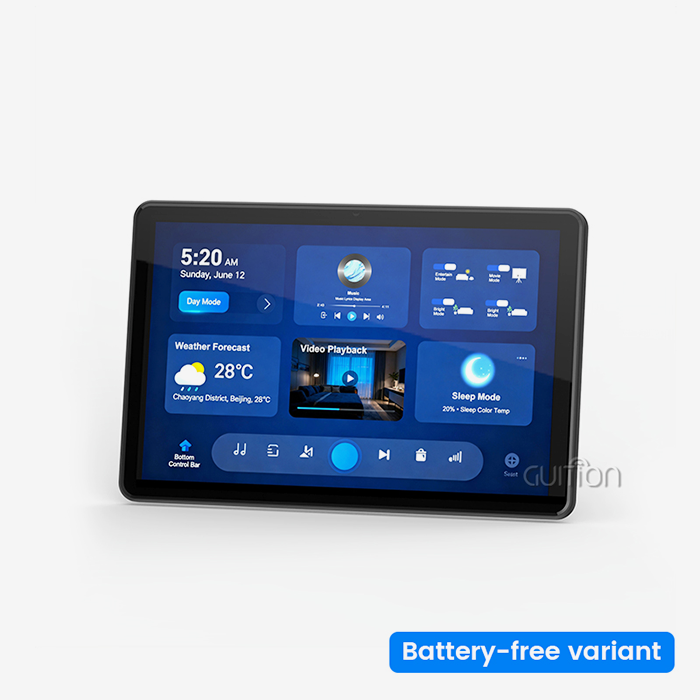
An HMI screen panel changes how people use ESP32 modules by changing complicated button groups and simple LED indicators with easy-to-use touchscreens that show real-time data and make operation simpler. When these screens are combined with ESP32's dual-core processing and wireless connection, they let operators see sensor data, change settings, and react to system alerts using simple graphical user interfaces instead of complicated command-line interactions. This integration cuts down on the time needed to train operators, lowers the number of mistakes made when entering data, and speeds up decision-making in smart home, medical devices, and industrial automation settings where clarity and response directly affect safety and efficiency.

Understanding HMI Screen Panels and Their Role with ESP32 Modules
What Defines an HMI Screen Panel
Human-machine interface screens are special computers that were made so that operators can work with automated systems. These screens put longevity, protocol compatibility, and environmental resilience ahead of general-purpose computers, unlike consumer tablets or smartphones. Industrial-grade TFT-LCD modules with LED lights are usually used for the display technology. These modules offer brightness levels ranging from 300 to 1000+ nits so that the screen can be read in a variety of lighting situations. There are two main types of touch interfaces: resistive touch sensors, which react to pressure and can be used with gloves; and projected capacitive screens, which can detect multiple touches and have better visual clarity.
ESP32 Module Capabilities and Architecture
Based on the version, the ESP32 family is a flexible microcontroller device built around a dual-core Xtensa LX6 or RISC-V processor. There is no need for separate connection units because these chips have Wi-Fi 802.11 b/g/n and Bluetooth 4.2/5.0 built right in. ESP32 modules can handle complicated real-time jobs while keeping wireless communication going. They have clock speeds of up to 240MHz, 520KB SRAM, and support for external flash and PSRAM. There are many UART, SPI, I2C, I2S, PWM, and ADC channels in the platform's port set. These give you the hardware connections you need to connect sensors and talk to displays.
Communication Protocols Between Display and Controller
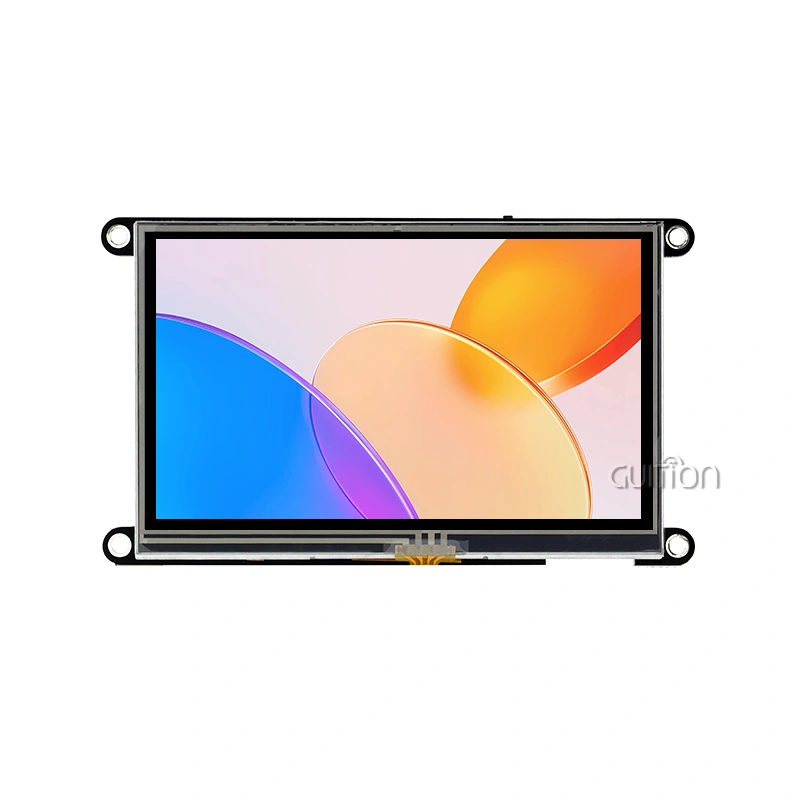
Serial protocols are used by HMI screen panel interface panels to talk to ESP32 modules. These protocols are designed for different speed and complexity needs. UART links are easy to use and work with a lot of different devices. They send data over TX and RX lines at baud rates that can be set, usually between 9600 and 921600 bps. This method works well for situations where the show only needs to be updated every so often and the command structures stay simple. Through separate clock, data in, data out, and chip select lines, SPI connections offer higher throughput, allowing for faster screen refreshes for apps that use a lot of graphics. I2C is a two-wire option that works well with simpler screens or systems that can't have too many pins. This combination is shown by the GUITION JC8048W550N_I, which puts the ESP32-S3R8 module directly into the display assembly to get rid of the need for external wires and make hardware design easier.
Enhancing User Interaction: Benefits of Using HMI Panels with ESP32 Modules
The switch from button-based controls to graphical interfaces is more than just an improvement in how things look; it also changes how people use automatic systems in a basic way. In the past, industrial controls were based on real buttons, number keypads, and segmented LED screens that showed data through a few characters or lights. With this method, operators have to remember what each button does, press buttons in a certain order to move through screens with multiple levels, and figure out what the confusing status codes mean. The brain load goes up as the system gets more complicated, which makes training take longer and raises the risk of making mistakes when things are most important.
Intuitive Visual Feedback and Real-Time Monitoring
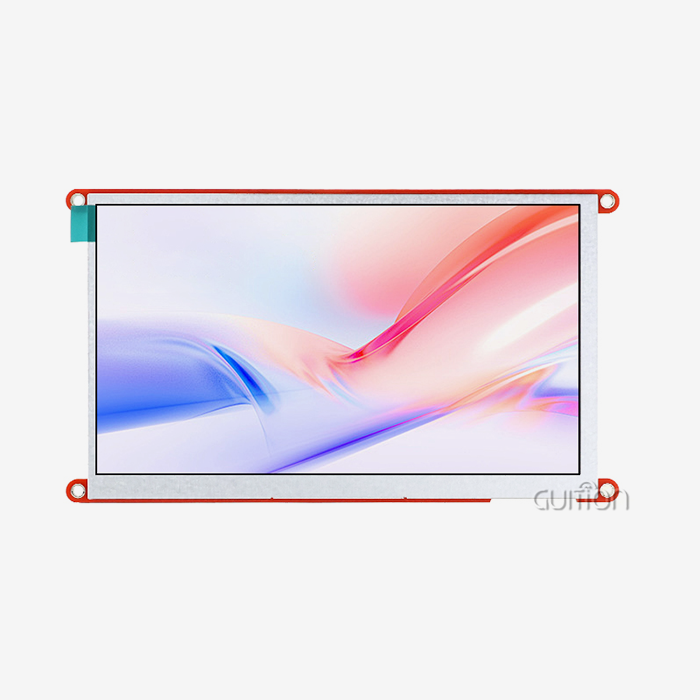
By showing system state through graphics that look like physical processes, touchscreen displays get rid of the need for abstraction layers. Instead of showing straight numbers, temperature readings are shown as gauge widgets with color-coded danger zones. Process flows look like moving pictures that show how materials move through the steps of production. When there is an alarm situation, visual messages appear that show where the fault is and how bad it is. The ESP32 module takes care of getting sensor data and translating protocols, while the display shows this data in ways that can be set up by the user. Panels with an 800x480 resolution, like the JC8048W550N_I, have enough pixels to show multiple data lines at the same time without workers having to switch between screens. This lets them stay aware of what's going on even when operations are complicated.
Customizable Interface Design and Workflow Optimization
Engineers can make custom control layouts without having to do a lot of graphics code with development tools that are made just for making interfaces. Drag-and-drop control placement in the Guition software environment lets designers put buttons, sliders, number entry fields, and progress markers exactly where workflow logic says they should be. Rich control libraries have pre-made tools for common industrial tasks like mode selectors, emergency stops, recipe planners, and trend charts that developers can add with just one click. Position and size changes are made by touching the screen directly instead of entering coordinates. This uses WYSIWYG design principles to speed up testing processes.
Reduced Training Requirements and Operational Errors
Graphical user interfaces use visual metaphors to explain function, rather than knowing specifics about the tools being used. Icons of pumps, valves, and motors are easier to understand than buttons that are written with acronyms or function codes. Touch interactions follow patterns that have already been set up on consumer devices. This makes it easier for new users to learn how to use the device while still keeping its professional features. Color codes, like green for normal operation, yellow for caution, and red for trouble conditions, make it possible for places with people from different languages to work together without any problems.
Systematic Approach to Implementing HMI Panels with ESP32
Addressing Common Interface Development Challenges
When putting user interfaces on HMI screen panel microprocessor systems, embedded engineers often run into problems. For even simple show elements, low-level graphics libraries need thorough programming, which takes up development time that could be used to work on core features. Optimizing screen refresh requires careful management of memory and knowledge of the time needs of the display driver. Touch input handling is more complicated because it includes debouncing methods, coordinate transformation, and logic for recognizing gestures. These technical requirements make projects take longer to finish and require specific knowledge that may not be available on lean development teams. The GUITION method solves these problems by hiding the complexity at the hardware level behind a development environment designed for making interfaces. Engineers don't write drawing directions down to the pixel level; instead, they use logical controls that take care of displaying details automatically. The system takes care of memory buffers, screen updates, and communication protocols, so writers can focus on designing the structure of the app and the user experience. Cross-platform debugging lets you test in real time in programming tools like Arduino IDE, ESP-IDF, and MicroPython, so you can work with a team of people with different skills and meet the needs of your project.
Best Practices for Hardware Integration
For projects to go well, communication needs and electrical interface standards must be clearly defined. When ESP32 units and display screens are physically connected, signal integrity needs to be taken into account, especially when cable lengths are more than a few centimeters. In noisy industrial settings, differential communication through twisted-pair wires cuts down on electromagnetic interference. The current drawn by the LED lighting peaks at startup and changes depending on the brightness setting. This must be taken into account when designing the power source. Integrated options like the JC8048W550N_I make these things easier to think about because they put the microprocessor right into the display unit, so there is no need for extra wiring and the system takes up less space. Well-defined interfaces should split display management from the main reasoning of a program in the software design. Event-driven programming models can handle touch inputs and changes in the system's state without getting in the way of time-sensitive control methods or communication loops. State machines control how screens change and make sure that the user interface always acts the same way in all operating modes. When sensor sampling rates are higher than the screen's refresh rate, data buffering stops display update problems. Advanced ESP32 models have 16MB flash storage that can hold graphics files, fonts, and interface settings without the need for extra memory chips.
Real-World Implementation Case Studies
Touchscreen displays have been added to patient tracking systems by medical device makers to replace proprietary button panels that needed special training. The graphical user interfaces show vital signs in layouts that can be changed by doctors based on the patient's state and the most important things to watch. Touch interactions let you quickly change parameters in critical situations, which speeds up response time compared to button control with multiple steps. The built-in Wi-Fi feature sends data to electronic health record systems, which gets rid of the need for human transcription and helps meet legal requirements. These screens are used by people who put together smart home systems as the main control points for entertainment, lighting, HVAC, and security systems. The interface brings together controls that are usually spread out among many physical switches and remote controls into a single tablet form. Users don't use text-based setup files to make automation scenes; instead, they use visual programming tools. Bluetooth connection lets battery-powered sensors talk to each other without the need for separate gateway gear. This makes installation easier and lowers the cost of the system.
Choosing the Right HMI Screen Panel for ESP32-Driven Industrial Applications
Defining Application Requirements and Environmental Constraints
The selection process starts with a full analysis of the working conditions and the ways that users interact with the system. Display size affects the amount of information shown and the distance from which it can be seen. Small 3.5-inch panels work well for handheld devices and setups with limited room, while 7-inch and bigger screens are better for operator stations that need to show multiple data lines at the same time. To keep readability, the resolution needs to go up or down with screen size. For professional apps that show small text or detailed images, 800x480 pixels is the bare minimum.
Evaluating Technical Specifications and Connectivity
Processing power and memory in the esp32 display module must be able to handle the complexity of the interface and the needs of the program. The ESP32-S3R8 dual-core design running at 240MHz provides enough power for fast graphical user interfaces while keeping control loops running in real time. Advanced models come with 8MB of PSRAM, which lets you use complex images and animations without giving up utility for visual effects. Flash memory saves application software, graphical assets, and data logging. Its 16MB capacity is enough for most apps that don't need external storage, but TF card expansion can add unlimited capacity for specific needs.
Comparative Analysis and Evaluation of Suppliers
Leading makers set their goods apart by offering software platforms, providing high-quality expert support, and committing to long-term supply. Well-known industrial names have a history of being reliable and offer a lot of protocol support, but they usually come with their own development tools and cost a lot. Specialized providers focus on certain parts of the market and offer the best solutions at the best prices, with lots of ways to make them your own. In this market, Guition stands out by providing industrial-grade hardware along with easy-to-use software tools that lower the level of skill needed for creating professional user interfaces.
Troubleshooting and Maintaining HMI Screen Panels in ESP32-Based Systems
Diagnosing Communication and Integration Issues
If there are problems with communication between the display panels and the ESP32 controls, you might see blank screens, displays that won't move, or touch feedback that doesn't work. Systematic analysis starts with checking the actual connections, like making sure the cables are properly seated and the pins are lined up. Measurements with a multimeter prove the voltage levels and current draw of the power source, revealing issues with regulation or not enough capacity. By looking at serial communication lines with an oscilloscope, you can find problems with signal integrity, timing, or protocol mistakes that stop data from being sent successfully. When troubleshooting at the software level, initialization steps, baud rate settings, and protocol execution are all looked at. Even when hardware links work properly, handshaking can't happen because the communication parameters don't match. When the rate of data transmission is higher than the working capacity, a buffer overflow event happens. This means that communication speeds need to be slowed down or flow control methods need to be put in place. When trying to keep firmware versions compatible between display screens and controller libraries, changes can sometimes be made that break things and need to be updated on both parts at the same time.
Preventive Maintenance and Lifecycle Management
Regular repair increases the life of an operation and keeps it from breaking down at crucial times for production. Cleaning methods get rid of dust and other contaminants that have built up on touchscreens by using the right tools that won't scratch or damage the protected coatings. Most industrial screens can be cleaned safely with isopropyl alcohol and microfiber cloths. They don't leave behind any residue or let water into the casings. Routine inspections check the tightness of the mounting hardware, the effectiveness of the wire strain relief, and the integrity of the container seal. This finds wear before it happens. Firmware patches fix bugs that have been found, make the software work better, and keep it compatible with new peripherals and transmission standards. Because ESP32-based systems have built-in Wi-Fi connectivity, they can be updated remotely. This lets changes be made without having to physically touch the installed equipment. This feature is especially useful for sites that are spread out geographically or for equipment that is in a hard-to-reach place. Scheduled update rounds weigh the benefits of using the most recent software versions against the problems they can cause and the chance of introducing bugs.
Conclusion
Putting special interface panels together with ESP32 microcontroller platforms is a great way to solve current problems with how people and machines communicate. When these two systems work together, they give users professional-level experiences while still being flexible and cost-effective, which is important for making competitive products. The technical features of ESP32 modules, such as their dual-core processing, wireless connection, and full support for peripherals, go well with touchscreen screens' easy-to-see and use interface models. Development environments like Guition speed up execution even more by hiding the details of the hardware and giving you tools that are better at making interfaces than general-purpose code. These solutions can help companies that make industrial equipment, medical devices, and smart home systems cut down on development times, training needs, and make sure that their products meet users' growing standards for control interfaces that are both advanced and easy to use.
FAQ
Are all versions of the ESP32 module suitable with the HMI screen panels?
It's not just certain types of ESP32 that work together; it also depends on the transmission methods and voltage levels. ESP32, ESP32-S2, ESP32-S3, and ESP32-C3 modules can work with panels that use normal UART, SPI, or I2C interfaces as long as the right pin assignments and protocol settings are made. When connecting 5V screens to 3.3V ESP32 GPIO pins, voltage level translation may be needed. However, many current panels have level shifters built in or work at 3.3V by default. The ESP32-S3R8 module is directly integrated into the GUITION JC8048W550N_I. This ensures confirmed compatibility without the need for an external link.
What kind of computer skills do you need to build an interface?
How hard it is to develop depends on the setting you choose and how much you customize it. GUI software lets users create interfaces using graphical tools that don't require a lot of code. Users can arrange pre-built controls, set settings using dialog boxes, and add logic using simple scripting. Engineers who already know how to use Arduino or MicroPython can use their current skills with only a small amount of additional learning. For advanced customization or protocol integration, knowing C/C++ and embedded system ideas is helpful, but in most cases, you don't need to do low-level programming because there are so many tools available.
How can I make sure that panels will last in tough manufacturing settings?
Protecting the environment starts with having the right entry protection ratings. Ratings of IP65 or higher keep out dust and water that are common in industrial settings. Putting screens in NEMA-rated shelters protects them even more from high and low temperatures, chemicals, and physical damage. When workers wear gloves or there may be dirt on the screen, choosing resistive touch technology over capacitive screens makes them more reliable. Circuit boards that have a conformal covering protect them from dampness and corrosive atmospheres. Regular maintenance, such as cleaning and inspection, finds wear and tear before it happens, and replacing parts that have limited lives on a set timeline avoids unplanned downtime.
Partner with a Trusted HMI Screen Panel Manufacturer for Your Next Project
Guition offers complete solutions for embedded engineers and product makers who want to speed up interface development without sacrificing reliability or usefulness. The ESP32-S3R8 dual-core microcontroller and a 5.0-inch 800x480 display are both built into our GUITION JC8048W550N_I. It comes with all the hardware and software tools you need for fast prototyping and production release. The easy-to-use Guition development environment gets rid of low-level complexity with its drag-and-drop interface, large control libraries, and support for cross-platform testing in the Arduino, ESP-IDF, and MicroPython environments. Built-in Wi-Fi and Bluetooth make it possible for IoT apps to work, and the ability to update devices remotely makes maintenance easier for setups that are spread out. Our research team gives expert advice to make sure that solutions meet the needs of the application, resulting in the best performance and lowest cost. Contact david@guition.com to talk about the details of your project and find out how our HMI screen panel provider services can help you reach your development goals by providing you with reliable, professionally designed parts that come with full documentation and quick technical support.
References
1. Smith, J.A., & Thompson, R.K. (2022). Industrial Human-Machine Interface Design: Principles and Best Practices for Embedded Systems. Cambridge Technical Press.
2. Chen, L., Rodriguez, M., & Patel, S. (2023). ESP32 Microcontroller Architecture and IoT Applications: A Comprehensive Engineering Guide. IEEE Industrial Electronics Society.
3. Wagner, D.H. (2021). Touchscreen Technology in Industrial Automation: Comparative Analysis of Resistive and Capacitive Systems. Journal of Manufacturing Systems Integration, 45(3), 127-143.
4. Anderson, K.M., & Liu, Y. (2023). Human Factors in Industrial Control Interface Design: Reducing Operator Error Through Effective HMI Implementation. Ergonomics Research Quarterly, 38(2), 89-104.
5. Martinez, F.J., & O'Connor, B.P. (2022). Serial Communication Protocols for Embedded Display Systems: UART, SPI, and I2C Performance Comparison. Embedded Systems Engineering Review, 29(4), 211-228.
6. Taylor, S.R., Nakamura, H., & Goldstein, E. (2023). Wireless Connectivity in Industrial IoT: Implementation Strategies for ESP32-Based Human-Machine Interfaces. International Journal of Advanced Manufacturing Technology, 67(1), 45-62.
Learn about our latest products and discounts through SMS or email