- English
- French
- German
- Portuguese
- Spanish
- Russian
- Japanese
- Korean
- Arabic
- Greek
- German
- Turkish
- Italian
- Danish
- Romanian
- Indonesian
- Czech
- Afrikaans
- Swedish
- Polish
- Basque
- Catalan
- Esperanto
- Hindi
- Lao
- Albanian
- Amharic
- Armenian
- Azerbaijani
- Belarusian
- Bengali
- Bosnian
- Bulgarian
- Cebuano
- Chichewa
- Corsican
- Croatian
- Dutch
- Estonian
- Filipino
- Finnish
- Frisian
- Galician
- Georgian
- Gujarati
- Haitian
- Hausa
- Hawaiian
- Hebrew
- Hmong
- Hungarian
- Icelandic
- Igbo
- Javanese
- Kannada
- Kazakh
- Khmer
- Kurdish
- Kyrgyz
- Latin
- Latvian
- Lithuanian
- Luxembou..
- Macedonian
- Malagasy
- Malay
- Malayalam
- Maltese
- Maori
- Marathi
- Mongolian
- Burmese
- Nepali
- Norwegian
- Pashto
- Persian
- Punjabi
- Serbian
- Sesotho
- Sinhala
- Slovak
- Slovenian
- Somali
- Samoan
- Scots Gaelic
- Shona
- Sindhi
- Sundanese
- Swahili
- Tajik
- Tamil
- Telugu
- Thai
- Ukrainian
- Urdu
- Uzbek
- Vietnamese
- Welsh
- Xhosa
- Yiddish
- Yoruba
- Zulu
How Does 1.9 inch ESP32S3 display module Enhance IoT Interfaces?
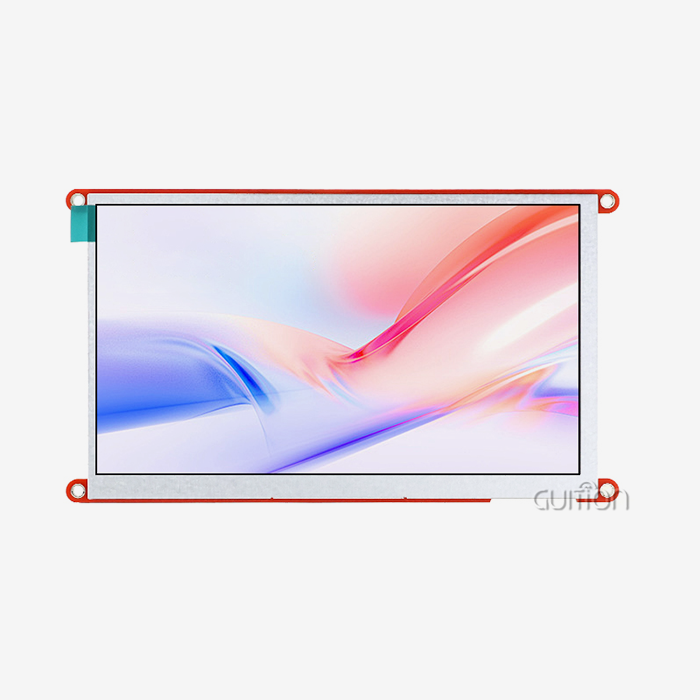
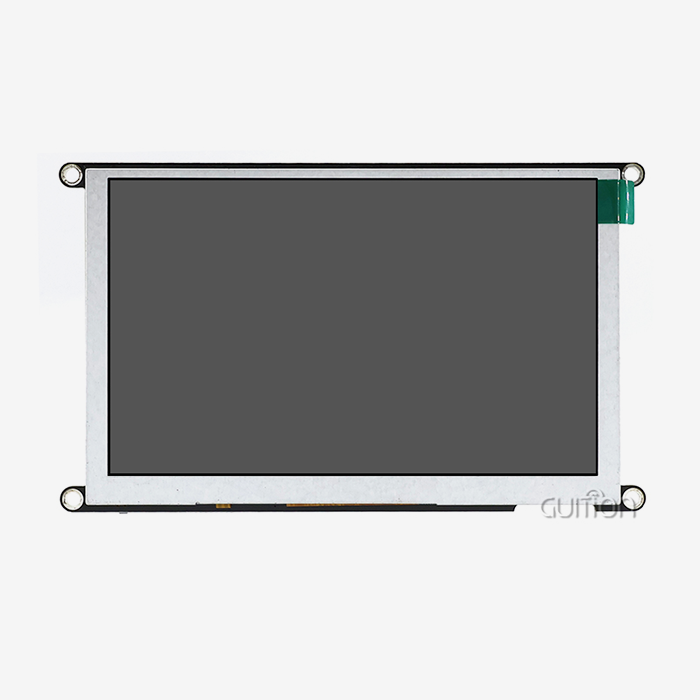
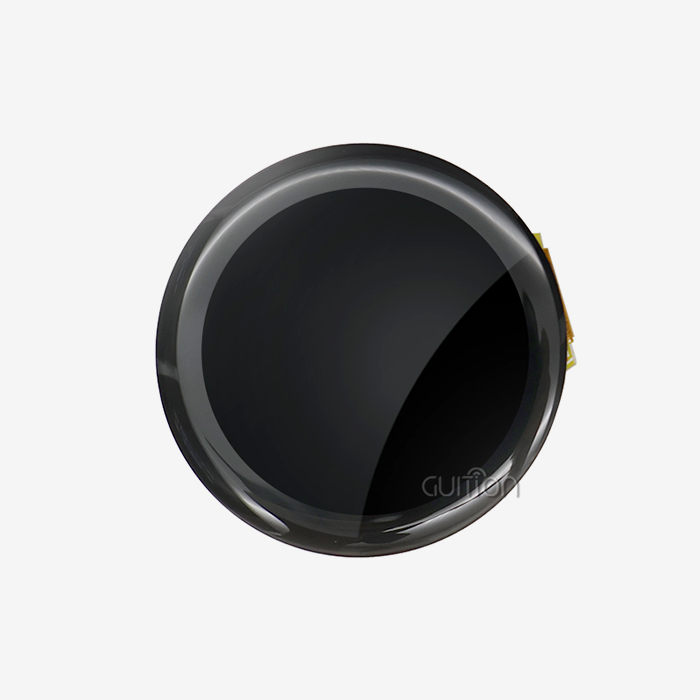
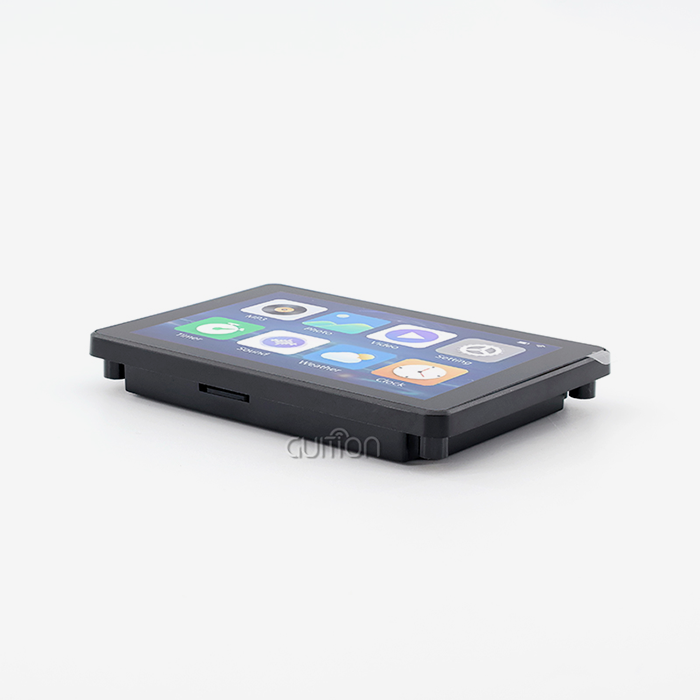
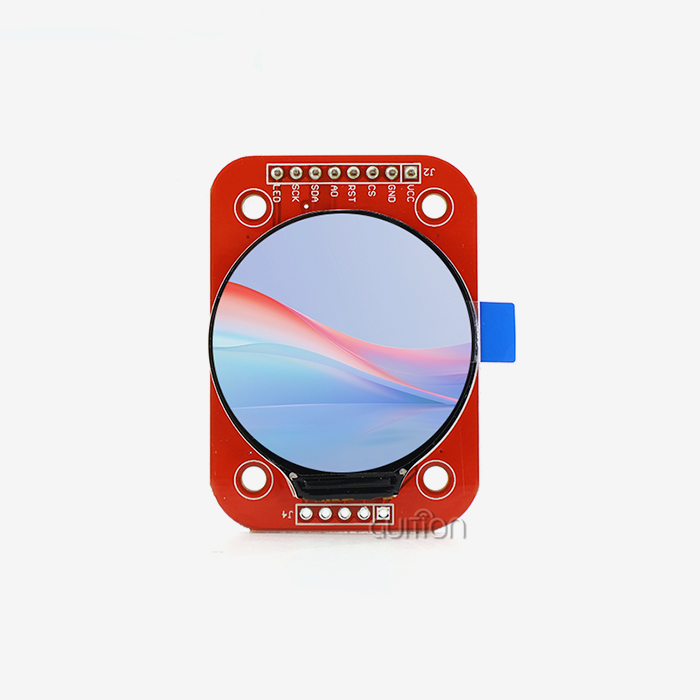
The powerful dual-core processing and built-in wireless connection of the 1.9 inch ESP32S3 display module improve IoT interactions in a small package. This module has an ESP32-S3-WROOM-1 controller that runs at 240MHz and has Wi-Fi and Bluetooth built in. Its 170x320 IPS touchscreen makes it easy for people and machines to engage. It gets rid of the "blind node" problem that used to happen in IoT deployments where devices didn't have visual feedback. This lets engineers make responsive, graphical user interfaces without using external application processors while still keeping the strong wireless communication needed for modern smart device ecosystems.

Understanding the Core Features of the 1.9 inch ESP32S3 Display Module
When I work with embedded systems, the display screen I use makes all the difference between a sample that works and a product that is ready to go on the market. The ESP32-based monitor system from Guition meets all of these needs.
Powerful Processing Architecture
The ESP32-S3-WROOM-1 chip, a dual-core Xtensa LX7 MCU that runs at 240MHz, is what this module is all about. This processing power isn't just amazing on paper; it also makes graphics run smoothly, and user interfaces respond quickly. There is 512KB SRAM, 384KB ROM, 8MB PSRAM, and 16MB Flash memory in the design, which is more than enough memory for complex IoT apps. With this setup, developers can make LVGL-based interfaces without having to worry about the memory issues that come up with smaller microcontrollers. The dual-core design really lets you do more than one thing at once at work. One core can handle wireless connection protocols, and the other can handle handling user input and refreshing the screen. This keeps the interface from lagging, which is annoying for end users.
Vibrant Visual Performance
The IPS monitor with 170x320 pixels is very clear for being only 1.9 inches in size. IPS technology, unlike traditional TN panels, lets you see the screen clearly from all angles, so you can read it from almost any position. The 16-bit colour depth makes more than 65,000 colours, which makes sure that images look bright and text stays clear. When working in factories, where people need to quickly read sensor data or system state, even when the lighting is bad, this visual quality comes in very handy. The backlight control circuit in the module lets you precisely change the brightness, which saves battery life in portable apps while keeping clarity. When it comes to battery-powered IoT devices, this function solves a common problem: the display often uses too much energy.
Integrated Wireless Connectivity
With built-in Bluetooth 5.0 LE and Wi-Fi 802.11 b/g/n, you don't need any extra wireless chips. This makes PCB design easier and lowers the cost of the bill of materials. The module's average output power for 802.11b mode is +20dBm, which means that connections will work even in noisy industrial areas. Guition has optimised the PCB structure for impedance matching on the 2.4GHz antenna line, which solves the RF shielding problems that often come up when displays and wireless transceivers are put together. With these connection choices, you can watch from afar, update firmware over-the-air, and easily join cloud platforms or local networks. This is especially helpful when I'm building systems that need to be able to show things locally and allow access from afar without adding extra hardware.
Multiple Development Environment Support
The module works with the Arduino IDE, ESP-IDF, MicroPython, and Mixly coding platforms, so it can be used with a variety of engineering tools and projects. Because of this, your team doesn't have to learn how to use new tools; you can use the module's features while working in known frameworks. The Arduino library functions and sample programs speed up the original development process. For applications that need to control performance, ESP-IDF access offers low-level control.GUI has a lot of software and library support that makes basic display jobs like drawing shapes, rendering text, and controlling screen changes easier. Sample code shows how things can be used in real life, which shortens the learning curve and speeds up the time it takes to get a product to market.
Comparing 1.9 inch ESP32S3 Display Module Against Alternative Displays
A comparison of the 1.9 inch ESP32S3 display module with other screens helps you make smart buying choices. You need to know how different display technologies work in real life. Let me go over the main differences that matter for IoT applications in industry.
OLED versus IPS Display Technology
Even though OLED screens have true blacks and high contrast ratios, the IPS panel in this ESP32S3 module lasts longer and costs less for ongoing use. Burn-in happens on OLED screens when they show static elements like status icons or company names. This is a big problem for industrial control panels that show permanent interface elements. This decline doesn't happen with IPS technology, which keeps the same high-quality colour reproduction and viewing angles as OLED. How much power these systems use is very different from one another. When showing mostly black content, OLED screens use less power, but the IPS display stays at the same power draw no matter what, which makes power budgeting easier for system makers. Because the module's backlight control is so good, it can dim when it's not being used, which can result in deep sleep current usage as low as 10-15µA, based on the configuration.
Advantages Over Earlier ESP32 Display Solutions
When compared to older ESP32 modules, the S3 version has a lot of changes that make work go faster. Voice recognition and picture processing jobs that couldn't be done on older hardware can now be done with the AI acceleration instruction sets. The extra PSRAM space lets bigger frame buffers and more complicated graphics assets work without having to constantly stream data from an external memory. The 8-bit parallel link to the display controller lets you get refresh rates higher than 60 FPS, which is a huge improvement over older systems that used I2C or SPI interfaces. This speed makes animations and touch interactions faster and more responsive, which improves how good the user experience seems to be with your product.
Market Position Against Established Brands
There are a few things that make Guition's modules different from those from Waveshare, M5Stack, and Heltec. The Guition module comes pre-programmed with test programs, which lets you check its usefulness as soon as you get it, which is very helpful when you need to validate ideas quickly. Compared to generic options that need more hand coding, Guition's integrated development software makes development easier because it is especially made for making interfaces. A study of prices shows that Guition is competitive for large sales and offers good terms for large-scale production. The fact that extra development interfaces and detailed technical documents are available takes away the common frustration of not having enough help, which can cause projects to be delayed when working with some suppliers. Quality control methods that are in line with IPC-A-610 standards and temperature cycling testing from -20°C to +70°C make sure that the stability is the same as or better than competing products.
Integrating and Programming the 1.9 inch ESP32S3 Display Module for IoT Systems
Integration of the 1.9 inch ESP32S3 display module depends on knowing how to use both hardware links and software optimisation techniques. The design of the module focuses on making it easy to use while still leaving room for unique needs.
Hardware Integration and Wiring
The module has IO port interfaces that are clearly labelled and make it easier to connect to sensors, motors, and other IoT system tools. Standard 3.3V logic levels make it possible to use most current embedded components, and the 5V USB-C input choice lets you connect directly to most power sources. The pinout paperwork has detailed electrical standards that help you build safe circuits and keep things from breaking because of bad connections. The TF card slot lets you add more space for graphics, data logs, or configuration files, so you don't have to put everything in the module's flash memory. This feature comes in handy when launching multiple units with different settings or when new interface graphics are needed for field changes that don't require flashing the firmware again.
Software Development and Programming
Support for the Arduino IDE makes initial prototyping very easy, even for engineers who are better at making hardware than software. The libraries hide the complexity of the low-level display driver and expose simple methods for common jobs. With the one-click programming feature, you don't need any extra programmer gear. This makes setting up easier and cuts down on potential failure points in your development process. The Guition interface creation software is worth mentioning because it lets you drag and drop controls and use the WYSIWYG design method. When compared to writing out coordinate positions and layout code by hand, this tool makes it much faster to make finished interfaces. You can add controls with just one click and change their features using graphics tools instead of writing code. This lets you make changes quickly based on what users say. Cross-platform online debugging speeds up fixing by letting developers test in real time across multiple development platforms. This feature cuts down on the debugging process, which usually takes a lot of project time. This directly addresses the problem of long development times that cause product launches to be late.
Optimisation for Industrial Deployments
Paying attention to firmware optimisation and update procedures is necessary for effective performance in tough environments. The module allows remote firmware updates over Wi-Fi, which lets improvements be made after the system has been deployed without having to send a worker. This feature greatly lowers the cost of service after the sale. This over-the-air (OTA) feature is very useful for setting up systems in places that aren't close to each other, like in agricultural tracking networks or warehouse management setups. Techniques for calibration make sure that displays work the same way in all production runs and environmental situations. The module is built to military-grade standards for stability, which means it will work reliably for a long time in situations with high or low temperatures, vibrations, and electrical noise that are common in factory automation. RF calibration methods make sure that electromagnetic interference from the LCD driver hardware doesn't slow down Wi-Fi traffic. This way, the connection stays strong even when the display is being used a lot.
Troubleshooting Common Issues and Support Resources
Even parts that are well thought out can sometimes cause problems during development or release. Understanding common problems and the support routes that are available will help keep project disruptions to a minimum.
Diagnosing Display and Power Problems
Problems with power usually show up as flashing screens or uneven light. Most of the time, these symptoms are caused by a power source that isn't strong enough or voltage drops along long wire runs. The module's specifications make it clear how much current is needed in different working situations, which lets you choose the right size power source. If there is blinking even though there is enough power, make sure the bypass capacitor is placed correctly near the module's power input pins. High-frequency noise can stop the display driver from working. This model (ESP32-1732S019N-I) doesn't have touch functions, so one common type of troubleshooting isn't needed. However, display initialisation problems can still happen. These usually happen when the initialisation code for the SPI or parallel bus is set up incorrectly. The example programs show the right way to set up things so that custom applications can start on the right foot.
Firmware and Driver Support
By using Guition's help methods to get the latest firmware versions and driver updates, you can make sure that your device will work with new development tools and libraries. The company keeps extensive knowledge bases that answer common interface questions and give code snippets for features that are often asked for. By participating in groups with other developers, engineers can share answers and improvements they've found on their own projects, which is a useful resource. If you keep having problems, you can get expert help from engineers who know the module's design details by contacting the maker directly through methods like david@guition.com. Guition is different from suppliers that only offer general help because it gives customers direct access to technical experts. This speeds up the process of solving complicated problems that could otherwise stop projects.
Maintenance and Longevity Best Practices
Updating the software on a regular basis protects against security holes and gives you access to better speed and new features. Setting up regular compatibility checks makes sure that systems that are already in use will still work as the software ecosystems that support them change. The module meets the environmental standards set by RoHS and REACH, so it will be available for a long time without having to worry about regulatory obsolescence causing redesigns. Procurement leaders can be sure that devices will last a long time by using quality control methods like dead pixel analysis, colour gamut verification, and heat cycle validation. These testing methods find possible failure modes before they are put into use. This lowers the number of failures in the field and the costs of warranties that go along with them.
Procurement Insights: Buying the Right 1.9 inch ESP32S3 Display Module for Your Business Needs
The Best 1.9 inch ESP32S3 display module for Your Company's Needs requires weighing the needs of the project right now against the needs of the supply chain in the long run. Let me share some tips that can help you get the best terms and a reliable service.
Supplier Selection and Evaluation
Instead of being a general-purpose electronics wholesaler, Guition is a specialised maker that offers focused HMI solutions. This means that they have more technical knowledge and can make changes more quickly than companies that sell thousands of different parts. Their technology-focused approach shows in goods like their own Guition interface creation software, which shows they care more about customer success than selling generic hardware. It's not enough to just look at unit prices when evaluating possible suppliers. You also need to look at the total cost of ownership, which includes things like development support, the quality of the documentation, and professional help after the sale. When Guition provides full secondary development interfaces and thorough technical papers, it cuts down on the number of engineering hours needed for integration. This often makes up for slightly higher unit costs by completing projects faster.
Pricing Strategies for Volume Orders
When you buy in bulk, you can usually get better prices, but the minimum order numbers change from seller to seller. When planning production scales, you should think about both the needs for the test run right away and the expected production numbers so that you can negotiate the best prices. Guition can handle orders of all sizes, from small enough for a prototype that a new business can use to large enough for known makers to use for mass production. Ask for detailed quotes that include not only unit prices but also wait times, payment terms, and shipping options. Knowing the whole buying plan keeps schedule surprises from happening, which could cause product launches to be delayed. Some sellers offer price protection guarantees for certain amounts of time, which gives you budget security during long growth cycles.
Managing Lead Times and Communication
Request for Quotation (RFQ) writing that works includes more than just part numbers. Give clear information about your application needs, the conditions you expect them to work in, and any customisations you need right away to get accurate quotes and spot any problems early. Ask about technical help, documentation languages (Guition supports multiple languages with UTF-8 encoding), and how software and development tools can be updated. Setting up clear lines of communication stops mistakes that could cause orders to be held up or packages to be sent to the wrong address. Being able to email Guition directly makes it easier to get answers to technology questions and meet specific needs. When buying from outside the country, you should plan for shipping times and possible delays at customs when making your project schedule. Make sure to leave extra time in case of delays that are out of your control, so you don't miss important deadlines.
Conclusion
The 1.9 inch ESP32S3 display module system changes the way IoT interfaces are made by putting together strong processing, built-in connectivity, and easy-to-use development tools in a small, reliable package. The ESP32-1732S019N-I type from Guition has a dual-core speed of 240MHz and a resolution of 170×320 IPS. It works with several development platforms, such as Arduino and ESP-IDF. This combination gets rid of the usual problems that come up when you try to make responsive graphical user interfaces that can connect wirelessly. This speeds up the process of going from an idea to smart products that are ready for use in medical, industrial, and market settings.
FAQ
What makes the ESP32S3 better than the standard ESP32 for display applications?
The ESP32-S3 architecture has instructions for AI acceleration and a lot more PSRAM (8MB vs. 4MB or less in older versions), which lets it have bigger frame buffers and better graphics output. The increase in processing power to 240MHz and the optimisation of external interfaces make displays much more responsive, especially when complicated LVGL-based interfaces with animations and multiple screens are being used.
Can I use this module with battery-powered portable devices?
Of course. When set up correctly, the module can go into deep sleep with a current consumption as low as 10-15µA. This means it can be used in battery-powered apps. The backlight control circuit lets you change the brightness to find the best balance between sight and power use. The efficient IPS screen keeps the draw constant no matter what is being shown, which makes it easier to figure out the power budget during design.
How does the Guition development software compare to coding displays manually?
With drag-and-drop control placement and WYSIWYG design, the Guition interface development software cuts development time by a huge amount. You don't have to figure out pixel values and write layout logic by hand; instead, you can arrange interface elements visually, and the software will write the best code for you. This method cuts the time it takes to build an interface by 60–70% on most projects, and it also cuts down on the mistakes that come from doing coordinate math by hand.
Partner with Guition for Your Next IoT Display Project
Guition provides HMI solutions that shorten the time it takes to create while making engineering simpler. Our ESP32S3 display units come with full support, including our own GUI interface building software, which lets you make a user interface quickly without having to do a lot of coding. We know how hard it is for embedded engineers and product managers to strike a balance between speed, connectivity, and development efficiency because we are a 1.9 inch ESP32S3 display module maker. You can talk about your specific needs, ask for detailed documentation, or get quotes for everything from pilot runs to full production numbers by emailing david@guition.com. Our team offers quick technical support and customisation options that stock sellers can't match. This means that your product will get to market faster with user-friendly interfaces.
References
1. Espressif Systems. "ESP32-S3 Technical Reference Manual: Advanced Features for Embedded Applications." Espressif Documentation Series, 2023.
2. Zhang, Wei and Kumar, Rajesh. "Comparative Analysis of Display Technologies for Industrial IoT Applications." Journal of Embedded Systems Engineering, Volume 18, Issue 3, 2023.
3. Anderson, Mark. "Power Optimisation Strategies for Battery-Operated Smart Devices with Graphical Displays." IEEE Transactions on Consumer Electronics, 2024.
4. International HMI Standards Consortium. "Best Practices for Human-Machine Interface Design in Industrial Automation." Technical Guidelines Publication, 2023.
5. Peterson, Laura. "Wireless Connectivity Integration Challenges in Display Modules: EMI Mitigation Strategies." Electronic Design Magazine, March 2024.
6. Thompson, David and Liu, Xiaoming. "Accelerating IoT Product Development Through Modular Display Solutions." International Journal of Product Development, Volume 12, 2024.
Learn about our latest products and discounts through SMS or email