- English
- French
- German
- Portuguese
- Spanish
- Russian
- Japanese
- Korean
- Arabic
- Greek
- German
- Turkish
- Italian
- Danish
- Romanian
- Indonesian
- Czech
- Afrikaans
- Swedish
- Polish
- Basque
- Catalan
- Esperanto
- Hindi
- Lao
- Albanian
- Amharic
- Armenian
- Azerbaijani
- Belarusian
- Bengali
- Bosnian
- Bulgarian
- Cebuano
- Chichewa
- Corsican
- Croatian
- Dutch
- Estonian
- Filipino
- Finnish
- Frisian
- Galician
- Georgian
- Gujarati
- Haitian
- Hausa
- Hawaiian
- Hebrew
- Hmong
- Hungarian
- Icelandic
- Igbo
- Javanese
- Kannada
- Kazakh
- Khmer
- Kurdish
- Kyrgyz
- Latin
- Latvian
- Lithuanian
- Luxembou..
- Macedonian
- Malagasy
- Malay
- Malayalam
- Maltese
- Maori
- Marathi
- Mongolian
- Burmese
- Nepali
- Norwegian
- Pashto
- Persian
- Punjabi
- Serbian
- Sesotho
- Sinhala
- Slovak
- Slovenian
- Somali
- Samoan
- Scots Gaelic
- Shona
- Sindhi
- Sundanese
- Swahili
- Tajik
- Tamil
- Telugu
- Thai
- Ukrainian
- Urdu
- Uzbek
- Vietnamese
- Welsh
- Xhosa
- Yiddish
- Yoruba
- Zulu
How Do You Select the Best SPI LCD Display for Your Application?
Selecting the right SPI LCD Display starts with understanding your application's core requirements: display size, resolution, touch capability, environmental conditions, and integration complexity. An optimal choice balances technical specifications—such as driver IC compatibility, color depth, and communication speed—with practical considerations like supplier reliability, development ecosystem support, and long-term availability. Whether you're designing industrial control panels, medical devices, or smart home products, the display must deliver consistent performance while simplifying your development workflow. Matching these criteria to a trusted supplier who offers comprehensive technical support, flexible customization, and robust quality assurance ensures your project meets time-to-market goals and operational reliability standards.


Comparing SPI LCD Displays with Other Display Technologies
Procurement teams can make better choices that fit the needs of the project and meet performance goals when they know how different input protocols and SPI LCD Display technologies compare.
Interface Protocol Comparisons
Parallel connections move eight or sixteen bits at the same time, which gives them a higher possible bandwidth but makes them use too many GPIO resources. An 8080-series parallel link needs at least ten pins, which makes routing more difficult on PCBs with more than one layer. I2C connections only need two lines (SDA and SCL), but they give up a lot of speed. They're fine for simple alphanumeric SPI LCD Displays, but not for graphical interfaces that need to change the screen often.
SPI finds the best balance. Well-optimized implementations can reach 30 to 60 frames per second (FPS) on QVGA resolutions with clock speeds of 50 to 80 MHz and DMA (Direct Memory Access) support. This performance is good enough for industrial control panels that show real-time sensor data and medical tracking tools that show waveforms, without the need for complicated wiring that comes with parallel options.
Display Technology Considerations
Because each pixel emits light instead of relying on backlights, OLED screens have better contrast ratios and use less power when showing mostly black content. But OLED technology has higher unit costs and can have burn-in problems when a static picture is shown for a long time. This is a problem for industrial HMIs that need to show persistent status signs.
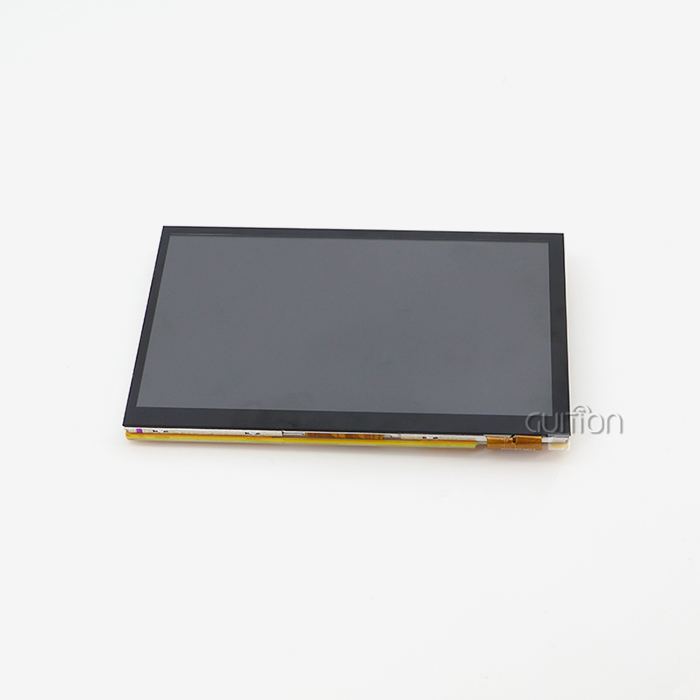
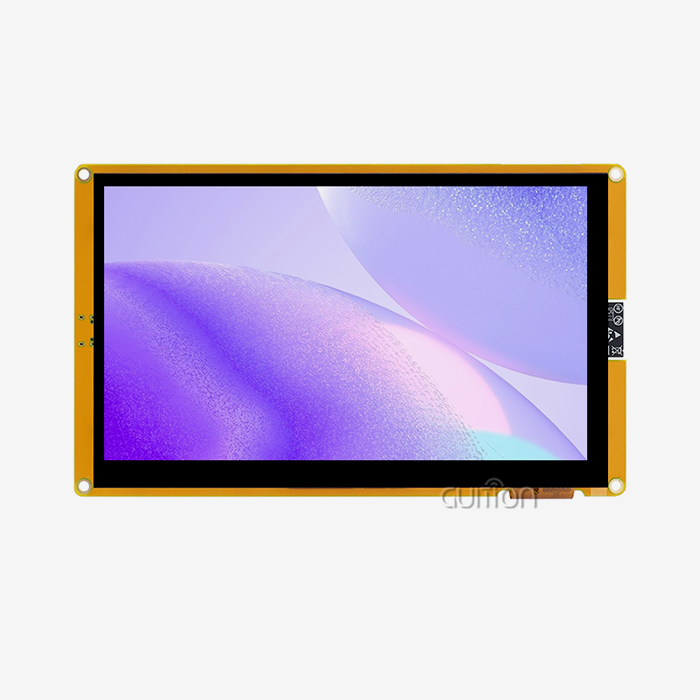
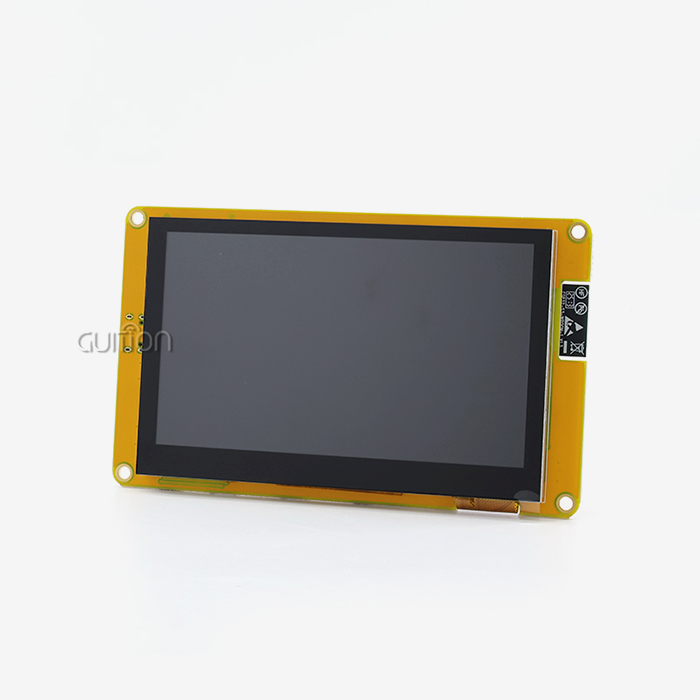
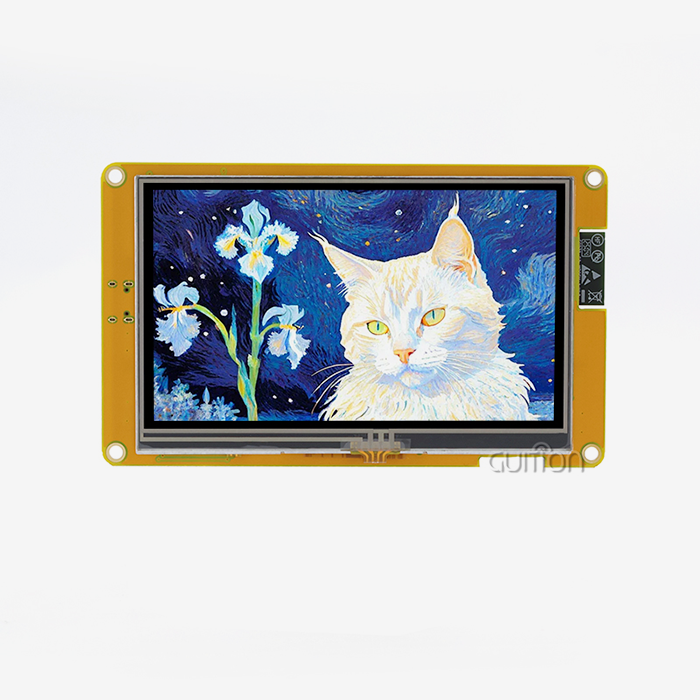
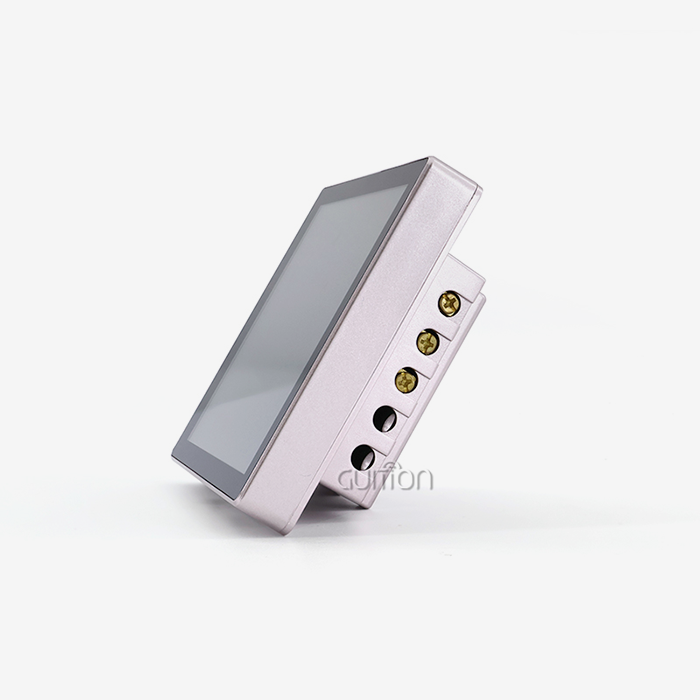
Standard SPI LCD Displays are very bright, have wide viewing angles, and are cheaper when used in large quantities. Adding LED backlights, like the six-LED setup in Guition's 3.5-inch SPI LCD Display, makes it possible to see in a variety of lighting conditions. This dependability is very important in places like business terminals and smart device interfaces where readability must always be maintained.
Key Criteria for Selecting the Best SPI LCD Display
To pick the best SPI LCD Display, you need to carefully consider a number of factors, with each factor being given a certain amount of importance based on your unique use case and the needs of your company.
Application-Specific Requirements Analysis
Durability and temperature tolerance are important to companies that make industrial tools. When SPI LCD Displays are sent to factory floors, they have to be able to handle vibrations, dust, and changes in temperature. Medical device makers have to follow strict rules about reliability and tracking, and they need to work with sellers who have stable supply chains and lots of quality paperwork.
IoT solution providers need more than just simple SPI LCD Display features to be able to connect devices. Modules like the ones in Guition's product line that have WiFi and Bluetooth built in allow for remote tracking and OTA (Over-The-Air) firmware changes. This lowers the cost of field service and makes products last longer. Multi-language support and UTF-8 encoding are good for smart home makers because they make it easier to sell their products around the world without having to change the hardware.
Technical Specification Alignment
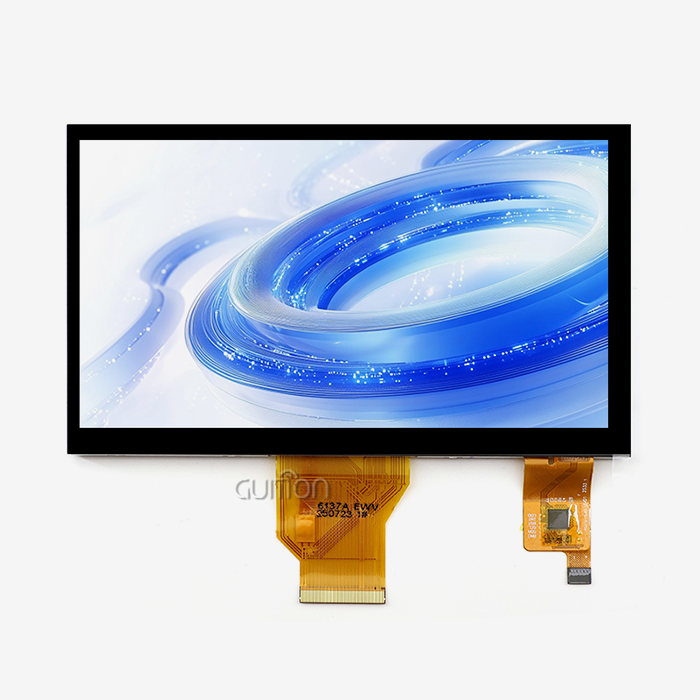
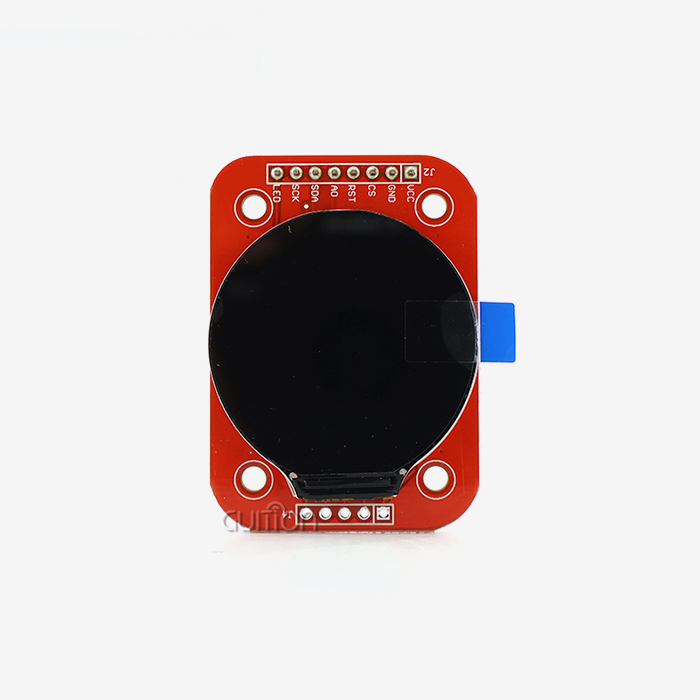
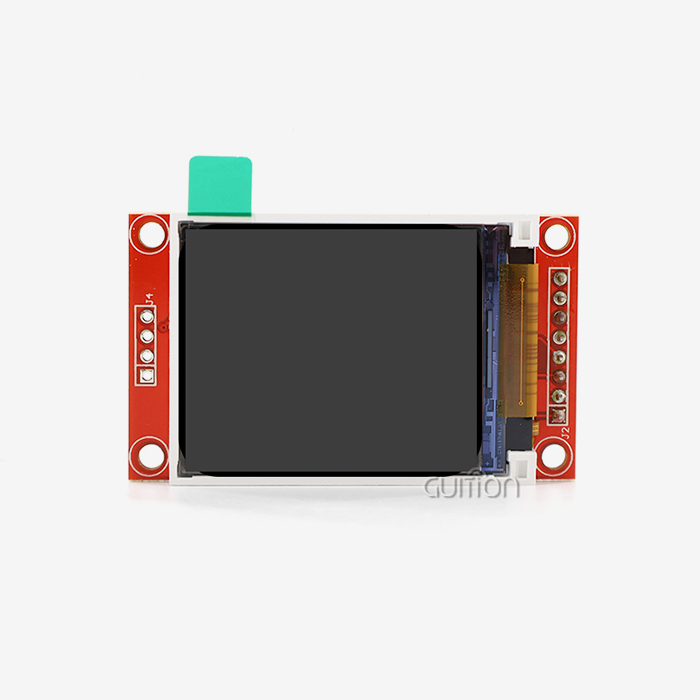
The screen size and resolution must be right for your interface design. A 3.5-inch SPI LCD Display with a resolution of 320x480 gives you enough pixels to see detailed graphics while keeping text sizes that are easy to read. Wearable tech and small sensors can use 1.28-inch SPI LCD Displays, while business kiosks and building control touchscreens can use 21.5-inch panels.
The choice of driver IC has a big effect on the development process. The ST7796 chip supports a lot of libraries for the Arduino, ESP-IDF, and Raspberry Pi environments, which speeds up the building process. Make sure that the SPI LCD Display you choose comes with detailed datasheets that show timing graphs, register maps, and startup routines. This information is very helpful when solving integration issues.
Supplier Evaluation Criteria
Project risk profiles are directly affected by the reputation of the brand and the quality of its technical support. Suppliers like Guition that have been around for a while and have a track record in industrial fields give customers trust by always having SPI LCD Displays available and offering quick engineering help. Check to see if the sellers offer extra help with development, like example code repositories, wiring lessons, and access to application engineers who know the platform you want to use.
Lead times and minimum order amounts limit the freedom of buying. During prototyping, sample orders need to be filled quickly, and when production starts to ramp up, prices need to be lowered, and delivery dates need to be guaranteed. When your suppliers keep inventory in the United States, there are fewer delays in logistics and problems with customs. This makes your supply chain operations run more smoothly.
Practical Guide – Integrating and Programming SPI LCD Displays
To successfully implement SPI LCD Displays, you need to follow both best practices for hardware connections and software configuration strategies that cut down on development cycles and debugging time.
Hardware Integration Best Practices
Correct wiring is the basis for an SPI LCD Display that works reliably. To allow multiple devices to share the SPI bus, connect the CS pin to a dedicated GPIO. Controlled resistance is used to route SCK and MOSI traces, especially on four-layer PCBs where ground planes improve signal integrity. Stability of the power supply is very important. Make sure that your 3.3V rail can deliver the peak current needed to turn on the backlight, which is usually 150–200mA for small modules.
For capacitive touch panels, the touch controller IC needs its own I2C connections. To keep electrostatic discharge interference to a minimum, make sure the touch frame is properly grounded. This is especially important in dry settings or situations where users will be touching the screen a lot. When attaching mechanically, it's important to leave room for FPC (Flexible Printed Circuit) connectors and stay away from pressure points that could damage the SPI LCD Display glass.
Software Development and Library Selection
Platform-specific tools make writing code a lot easier. A library like TFT_eSPI helps Arduino users because it supports DMA transfers and hardware SPI acceleration on ESP32 platforms. Setting the right pin definitions, SPI frequency, and color order in the library header files is part of configuration. To avoid common initialization failures, make sure these values match the ones listed on your SPI LCD Display's datasheet.
Another option is the Guition UI development tool, which lets you design a graphical user interface with drag-and-drop controls instead of writing low-level code. This WYSIWYG (What You See Is What You Get) setting speeds up the development of HMIs by letting product managers and designers make changes to plans quickly. There are built-in controls for common patterns like progress bars, gauges, and data tables, and you can also make your own widgets for specific needs.
Real-World Implementation Insights
Projects that use medical aesthetics equipment show how important responsive touch interfaces are. Capacitive sensing lets people connect with SPI LCD Displays in a way that feels like using a smartphone, without having to use as much force. By rendering frames in memory first and then sending them to the SPI LCD Display, double-buffering methods get rid of visual tearing during dynamic content changes like video playback or animated transitions.
Setting up charging stations shows the need for environmental resilience. Wide temperature range operation keeps SPI LCD Displays from breaking in outdoor installations that get hot in the summer and cold in the winter. Anti-glare films and high-brightness backlights keep the screens readable in direct sunlight, and strong covers keep out water and damage from drops.
Final Recommendations and Best Practices for Procurement Managers
Strategic SPI LCD Display selection balances the needs of the current project with those of the product's lifecycle over the long term. This way, common mistakes that lower quality or raise costs can be avoided.
Balancing Cost and Quality
When making a budget, unit price is important, but total cost of ownership includes things like development time, failure rates, and support costs. A slightly more expensive SPI LCD Display from a well-known supplier is often a better deal because it requires less troubleshooting and has a lower rate of warranty returns. To avoid being surprised by extra costs during assembly, make sure that the prices given include all the parts and pieces you'll need, such as FPC cables and mounting hardware.
Verification and Risk Mitigation
Ask for a sample to be tested before agreeing to large amounts of production. Test SPI LCD Displays in the ways they are likely to be used, such as at extreme temperatures, with high and low vibrations, and for long periods of time. Check the real power use, refresh rates, and touch sensitivity to make sure they match what the manual says and what the application needs.
For example, for European markets, ask for RoHS compliance, REACH statements for chemical safety, and UL listings for electrical safety. Medical device users might need SPI LCD Display providers to have ISO 13485 certification, which shows that their quality management systems are in line with what regulators want.
Conclusion
To choose the best SPI LCD Display, you need to carefully look at its technical specs, the supplier's skills, and the needs of the application. For embedded systems like small IoT devices and industrial control panels, SPI protocols offer a great mix of speed, simplicity, and GPIO economy. SPI LCD Displays like the Guition JC3248A035C, which has a 320x480 screen, the ST7796 driver, and sensitive touch, work reliably in tough conditions. Give more weight to suppliers who offer full development support, a history of quality, and a range of flexible integration options. By matching the SPI LCD Display's features to the way your project works and working with responsive makers, you can make sure that your products start successfully, meet market expectations, and stay reliable over time.
FAQ
1. What microcontroller platforms work best with SPI displays?
ESP32, STM32, Arduino Mega, and Raspberry Pi are all well-known platforms. The ESP32 has great SPI performance, supports DMA, and has two cores of processing, making it perfect for applications that use a lot of graphics for SPI LCD Displays. Industrial-grade reliability and a wide range of peripheral options are available with STM32. To be compatible, you need to make sure that your chosen driver IC has enough GPIO pins, processing power, and library availability.
2. How does power consumption compare across interface types?
The amount of power used is mostly determined by how bright the lighting is and not by the link protocol. At 3.3V, backlight LEDs usually use 100–200mA. The transmission link itself doesn't use much power. SPI uses a little more than I2C because its clock speeds are faster, but the difference isn't noticeable when you compare it to how much power the SPI LCD Display and backlight use. Using sleep modes and dimming backlights when devices are not being used cuts overall power budgets by a large amount.
3. Where can I source reliable display modules for production?
Suppliers with a good reputation, like Guition, offer industrial-grade SPI LCD Displays with full technical support. Check that providers have quality certifications, that their datasheets are full, that samples are available, and that they respond quickly to technical questions. Make sure they keep enough inventory on hand and that you can change the amount you order to fit your prototyping and production phases.
Partner with Guition for Your Display Solutions
Guition specializes in providing high-performance HMI SPI LCD Displays that are made for companies that make industrial tools, work with the Internet of Things (IoT), and design embedded systems. Our JC3248A035C model has a ST7796 driver IC, a resolution of 320x480, and a sensitive touch that responds. It can be used in 3D printers and medical aesthetics equipment. We know how hard it is for you to meet tight development deadlines, make sure your app works on multiple platforms, and work in a tough workplace.
As an experienced SPI LCD Display supplier, we offer full secondary development support through our Guition UI software. Our units work with both the Arduino and ESP-IDF ecosystems, come with detailed wiring instructions, and have WiFi and Bluetooth built in for easy connection. Email our team at david@guition.com to talk about your unique needs, get datasheets, or set up a sample review. Together, let's make SPI LCD Display options that will work well now and in the future.
References
1. Smith, J. & Chen, L. (2022). Serial Communication Protocols in Embedded Systems: Performance Analysis and Selection Criteria. IEEE Transactions on Industrial Electronics, 69(5), 4832-4841.
2. Anderson, M. (2021). LCD Driver IC Technology: Architecture, Integration, and Application Guidelines. Journal of Display Technology, 17(8), 645-658.
3. Roberts, K. et al. (2023). Touch Interface Technologies for Industrial HMI: Comparative Study of Resistive versus Capacitive Systems. International Journal of Human-Computer Interaction, 39(4), 712-728.
4. Williams, P. (2022). Embedded Display Integration Best Practices: Hardware Design and Software Optimization Techniques. CRC Press, Boca Raton, FL.
5. Zhang, H. & Kumar, S. (2021). Supply Chain Management for Electronic Components: Supplier Selection and Risk Mitigation Strategies. Journal of Purchasing and Supply Management, 27(3), 100692.
6. Thompson, R. (2023). IoT Device Design: Display Selection, Connectivity Options, and Power Management. Springer Nature, Berlin, Germany.
Learn about our latest products and discounts through SMS or email