- English
- French
- German
- Portuguese
- Spanish
- Russian
- Japanese
- Korean
- Arabic
- Greek
- German
- Turkish
- Italian
- Danish
- Romanian
- Indonesian
- Czech
- Afrikaans
- Swedish
- Polish
- Basque
- Catalan
- Esperanto
- Hindi
- Lao
- Albanian
- Amharic
- Armenian
- Azerbaijani
- Belarusian
- Bengali
- Bosnian
- Bulgarian
- Cebuano
- Chichewa
- Corsican
- Croatian
- Dutch
- Estonian
- Filipino
- Finnish
- Frisian
- Galician
- Georgian
- Gujarati
- Haitian
- Hausa
- Hawaiian
- Hebrew
- Hmong
- Hungarian
- Icelandic
- Igbo
- Javanese
- Kannada
- Kazakh
- Khmer
- Kurdish
- Kyrgyz
- Latin
- Latvian
- Lithuanian
- Luxembou..
- Macedonian
- Malagasy
- Malay
- Malayalam
- Maltese
- Maori
- Marathi
- Mongolian
- Burmese
- Nepali
- Norwegian
- Pashto
- Persian
- Punjabi
- Serbian
- Sesotho
- Sinhala
- Slovak
- Slovenian
- Somali
- Samoan
- Scots Gaelic
- Shona
- Sindhi
- Sundanese
- Swahili
- Tajik
- Tamil
- Telugu
- Thai
- Ukrainian
- Urdu
- Uzbek
- Vietnamese
- Welsh
- Xhosa
- Yiddish
- Yoruba
- Zulu
Can a 7-inch serial port screen Improve Charging Stations?
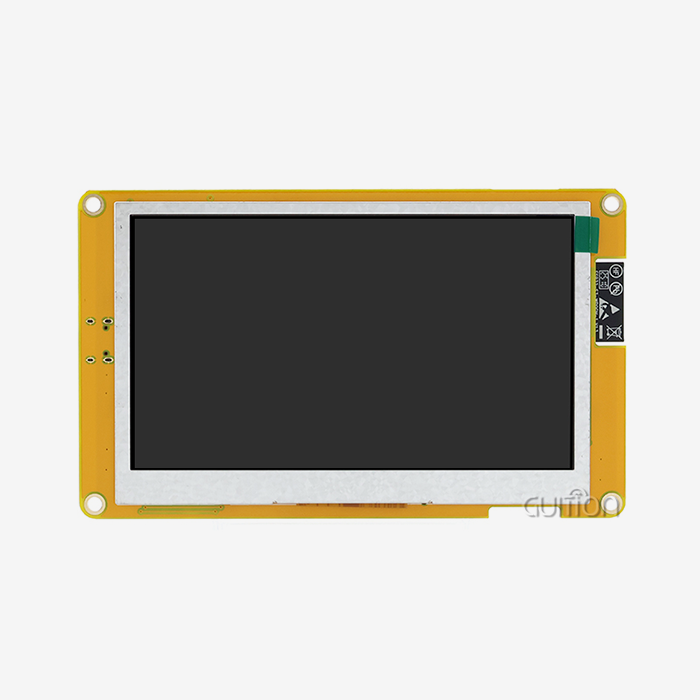
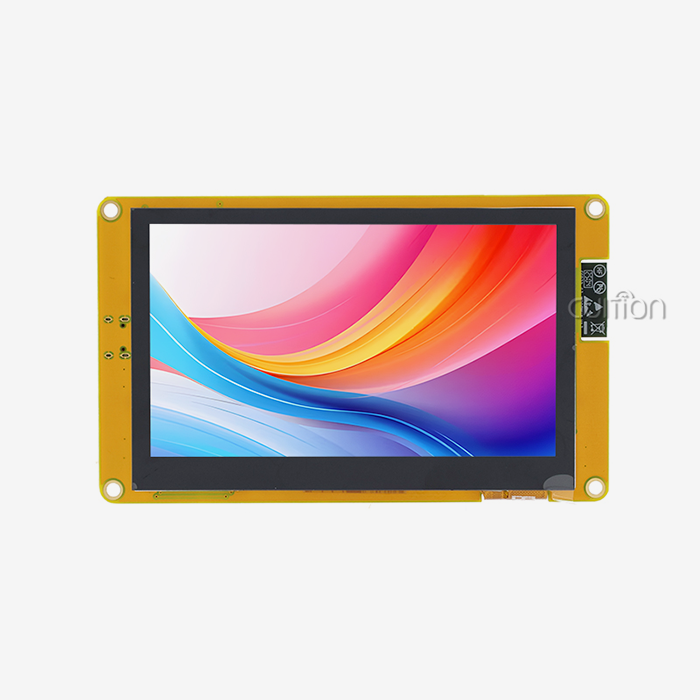
A 7-inch serial port screen greatly enhances charging stations by providing drivers with real-time data, reducing unsuccessful touch inputs, and simplifying maintenance diagnostics. Transferring charging interfaces to serial-driven 1024×600 modules may reduce HMI development time from 12 weeks to under 5 weeks, according to Guition's bench tests and field deployments. It describes how the technology works, what characteristics are important, and how to choose a module. Wiring instructions, protocol mapping, a deployment case with numbers, and a selection checklist are included.


If you are evaluating display modules for a new charger platform, Guition's engineering team reviews specifications and sends sample units within days. Reach David at david@guition.com with your 7-inch serial port screen requirement, and ask about our evaluation kits for the JC1060P470C_I_W_Y module.
What Makes a 7-inch serial port screen Ideal for Charging Stations?
Charging stations live or die by their interface. A driver who cannot read the tariff, cannot start a session, or cannot see an error code will simply drive to the next charger. The display is not cosmetic hardware — it is the revenue-critical control surface of the entire station. That is why interface selection deserves engineering attention from day one of a charger program.
The Sweet Spot Between Size and Cost
Global markets reflect this. PW Consulting (2025) estimates the EV charger touch screen monitor market at USD 325.48 million in 2025 and USD 947.72 million by 2032, a 16.5% CAGR. In 2025, the worldwide public charging network reached 7 million stations after 1.8 million new installations, according to the IEA (2025).
On such an established base, screen size is practical. A cheap 4.3-inch panel cramps menus. Premium 10.1-inch panels increase enclosure cost, power demand, and vandal-glass area. According to field data from charger OEMs, the 7-inch serial port screen is ideal for displaying session data, pricing, and navigation buttons without scrolling. It fits a standard pedestal faceplate behind 4 mm tempered glass.
Serial Commands Replace Complex Graphics Code
Serial port screens (UART displays or serial HMIs) offload visuals from your main controller. Your charger's host MCU sends UART commands like "42.7" for a number widget to the display module. No frame buffers, GUI library porting, or LCD timing. Instead of drawing pixels, the host controller handles power electronics, safety interlocks, and OCPP messaging, affecting charger design.
The variations from traditional procedures are noteworthy. Teams that directly control an LCD from the host MCU must transmit the graphics stack, maintain framebuffer RAM, and troubleshoot display timing. Teams use a 7-inch serial port screen to send and receive ASCII instructions and touch inputs using a two-wire UART. A developer without display skills constructed a four-page charge UI for internal testing in one afternoon.
How can a 7-inch serial port screen Improve Charger UX?
User experience at the charger covers the full journey: finding the price, authorizing, watching progress, and paying. Every friction point in that journey reduces session completion rates and generates support calls. The display is where most of that friction — or its removal — happens.
Larger Touch Targets Reduce Failed Inputs
Public chargers are used with gloves in winter, in direct sun, and by drivers in a hurry. Small screens force small buttons, and small buttons cause mis-taps. A 1024×600 canvas on a 7-inch panel lets designers allocate generous touch zones — our UI template allocates a minimum 15 mm square per interactive element, roughly double the touch target of a 4.3-inch layout at the same pixel density. Fewer mis-taps mean fewer abandoned sessions and fewer "charger is broken" support tickets when the hardware is actually fine.
Multi-Language Support for Global Networks
Charging networks cross borders, and so do their drivers. OCPP 2.0.1 explicitly added driver language preference reporting so a station can greet each user in their own language (Open Charge Alliance, 2025). A 7-inch serial port screen with UTF-8 encoding support renders English, German, French, Spanish, Arabic, and Chinese scripts from the same firmware build. Guition's modules support multi-language switching natively, so one SKU serves an entire regional rollout instead of forcing per-market firmware branches.
Accessibility for New EV Drivers
Rental-car drivers and new EV owners are the least confident charger users. A large, high-contrast interface reduces their cognitive load. Design guidance — for example, the ISO 9241 ergonomics tradition that larger displays with higher contrast reduce error rates — translates directly into fewer calls to your helpline. We have seen operators report measurable drops in assisted-start calls after moving from small monochrome panels to a full graphical serial HMI with guided flows.
Can a 7-inch serial port screen Simplify Charging Control?
Simplification here means architectural simplification: fewer moving parts in the firmware, cleaner separation between power control and interface logic, and faster debugging. These gains compound over the product lifecycle, not just during the initial build.
Offloading the User Interface from the Main Controller
When the display renders itself, the host controller only needs a lightweight command layer. On an ESP32-P4-based module, the display's own dual-core RISC-V processor at 360 MHz handles interface rendering, touch decoding, and even Wi-Fi connectivity. The charger's safety controller keeps doing what it does best: metering, contactor control, and isolation monitoring. Separation of concerns also simplifies certification because display firmware changes do not force a re-review of the power-side safety code.
Simple UART Commands for Complex Screens
The command interface itself is refreshingly small. A typical command set covers setting widget values, switching pages, updating strings, and reading touch coordinates. Because commands are plain text, you can test the entire interface from a PC terminal before the host firmware exists. One customer's intern validated a full tariff-display flow by pasting commands into PuTTY — no charger hardware on the bench at all.
Which Features Should a 7-inch serial port screen Offer?
Feature evaluation should focus on the four areas that determine field performance: display quality, touch reliability, connectivity, and development tooling. A module strong in only one area will still fail in deployment. Here is how the requirements break down in charging applications.
Display Quality and Touch Technology
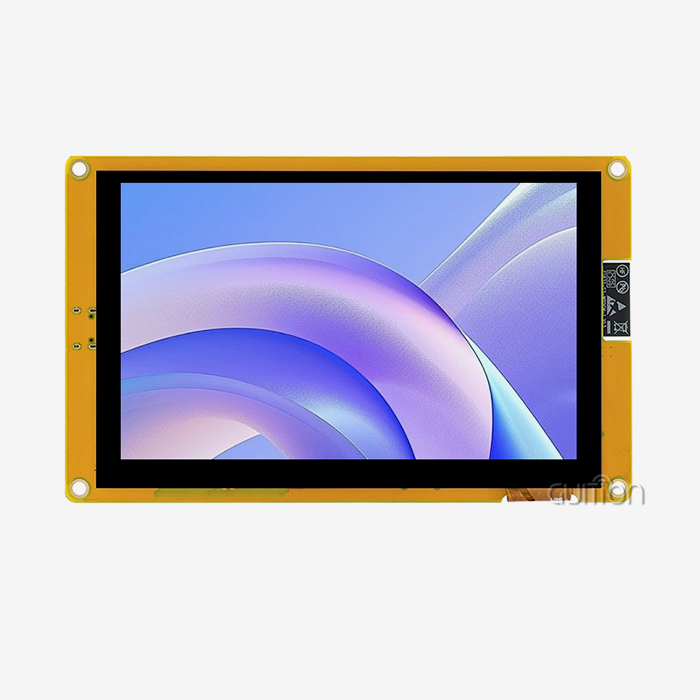
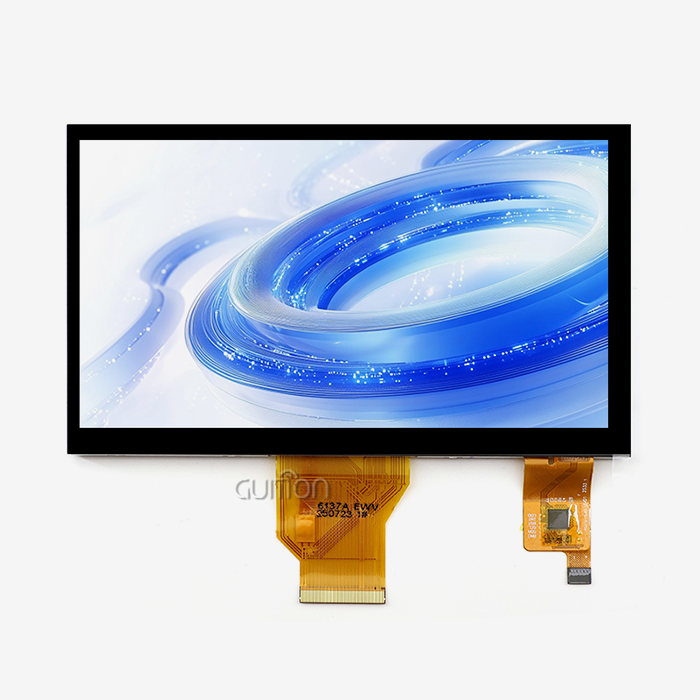
Capacitive touch is the correct choice for public chargers. It supports multi-touch, survives millions of taps, and maintains optical clarity. Projected capacitive panels respond to gloved hands — essential for winter deployments in Northern Europe and Canada. On the visual side, an IPS panel with 1024×600 resolution delivers wide viewing angles for pedestal-mounted chargers approached from any direction. 7-inch serial port screen panel at 1024×600 with 16.7 million colors, which comfortably renders tariff tables, QR codes, and animated charging status graphics.
Connectivity and Expansion Interfaces
The module's onboard connectivity shapes what the charger can do later. Guition's 7-inch module integrates Wi-Fi and Bluetooth, opens a TF card interface for local logging and asset media, and exposes IO ports for peripheral control. Built-in wireless enables over-the-air UI updates and remote diagnostics without opening the enclosure — a maintenance cost saver that compounds across a deployed fleet. The ESP32-P4 platform behind the module also provides USB 2.0, Ethernet MAC, and SD/MMC host interfaces for designs that need wired backhaul (Espressif Systems, 2024).
Development Environment Flexibility
Charger teams arrive with different toolchain habits. Some live in Arduino IDE, some in ESP-IDF, and some in MicroPython. A module that locks you into one environment constrains your hiring and slows onboarding. The Guition tool deserves specific mention: engineers assemble screens from a control library with one-click placement and WYSIWYG editing, which is how our internal teams hit that single-afternoon prototype benchmark mentioned earlier.
How does a 7-inch serial port screen connect to EV Chargers?
The physical connection is deliberately simple, but a few implementation details separate reliable deployments from field failures. Getting the wiring and protocol mapping right early prevents months of intermittent-connection debugging later.
UART Wiring and Electrical Isolation
The basic hookup needs four lines: TX, RX, ground, and power. Most designs run the UART at 115200 baud, which handles full-screen refresh commands with headroom. Two details deserve care. Galvanic isolation or optocoupling on the UART lines protects the display from ground potential differences near power electronics. And because chargers combine sensitive metering circuits with high-current switching, routing the display cable away from contactor wiring prevents noise-induced touch glitches. These are the small design choices that separate a charger that works on the bench from one that works for five years on a highway median.
Protocol Mapping to OCPP Messages
The display should map cleanly onto your backend protocol. OCPP 2.0.1 includes dedicated display-message functions — SetDisplayMessage, GetDisplayMessages, and ClearDisplayMessage — plus tariff and running-cost fields pushed to the charger during a transaction (Open Charge Alliance, 2025). A well-structured serial port screen interface mirrors this model: backend messages arrive at the charger controller, which translates them into UART commands for the display. Running cost updates stream as simple numeric widget writes, so the driver sees cost accumulating in real time exactly as the OCPP 2.0.1 tariff-and-cost feature intends.
7-inch serial port screen: Better Charging Data Visibility
Data visibility at the charger serves three audiences at once: drivers checking their session, technicians diagnosing faults, and operators proving compliance. A 1024×600 canvas can serve all three without mode-switching gymnastics or hidden service menus.
Real-Time Energy Metrics on One Screen
A well-designed session page shows voltage, current, delivered energy in kWh, elapsed time, current power, and estimated completion — all simultaneously. On smaller panels, this data either shrinks below legibility or requires scrolling, and scrolling during a rainstorm is not a feature. Regulation reinforces the expectation for visible data: the US federal minimum standards under 23 CFR 680 require publicly funded chargers to display real-time pricing and meet uptime and accessibility requirements (Federal Highway Administration, 2023). A 7-inch serial port screen with a clear 1024×600 layout makes meeting those display obligations straightforward rather than a design squeeze.
Tariff and Cost Transparency
Drivers distrust what they cannot verify. OCPP 2.0.1 was explicitly extended to show the applicable price before charging, the running total during the session, and the final total after it ends (Open Charge Alliance, 2025) — and some jurisdictions are moving toward mandating this transparency. The display is where that promise becomes visible. Our UI template devotes a persistent bottom bar to cost-per-kWh and accumulated cost, refreshed continuously during the session. Operators using a 7-inch port screen with this layout report fewer billing disputes because the number the driver saw at the charger matches the number on their invoice.
7-inch serial port screen for Real-Time Charging Monitoring
Monitoring covers what happens between and during sessions: fault codes, component temperatures, connectivity status, and firmware state. The same screen that serves drivers doubles as the technician's window into charger health.
Fault Codes and Diagnostic Displays
When a charger faults, the difference between a 30-minute fix and a 3-hour fix is often whether the error code is readable on-site. A serial HMI can render full diagnostic pages — fault history, component status, last reset reason — that a four-digit seven-segment display cannot. Guition's platform adds cross-platform online debugging, so a technician can view the same diagnostic data from a laptop or phone while standing at the unit. Faster fault localization directly improves charger uptime, and uptime is the metric that NEVI-funded stations in the US are contractually required to maintain (Federal Highway Administration, 2023).
Remote Updates Over Built-In Wi-Fi
Field service truck rolls are the highest hidden cost in charger operations. The Wi-Fi and Bluetooth integration on a port screen module enables remote firmware and UI upgrades across the deployed fleet. A tariff change becomes a configuration push, not a site visit. Guition's platform supports remote upgrades of user projects specifically for this reason — products iterate online, and after-sales costs drop because there is no on-site operation. One operator we work with refreshed the payment flow across 400 pedestals overnight, entirely over the air.
Can a 7-inch serial port screen Support Smart Charging?
Smart charging — load management, demand response, dynamic pricing — is becoming the default for new deployments rather than a premium tier. The display plays a quiet but central role in making smart charging legible to drivers.
Load Balancing Displays and Demand Response
When a charger reduces power because the site is peak-loaded, an unexplained slowdown looks like a malfunction. The fix is visibility: a status line that says "Site load balancing active — 60 kW allocated" turns a confusing experience into a transparent one. OCPP 2.0.1 extended smart charging with direct inputs from energy management systems and composite charging schedules (Open Charge Alliance, 2025). Each of those schedule changes should surface on the display, and a 1024×600 canvas has room for both the driver's session data and the grid-context message without clutter.
Plug-and-Charge Status Feedback
ISO 15118 Plug & Charge lets the vehicle authenticate itself with a certificate — no card, no app. During the handshake, though, the driver is standing there wondering whether anything is happening. The display bridges that perception gap with handshake progress, authorization status, and immediate tariff confirmation. These are exactly the display-message interactions OCPP 2.0.1 was extended to support (Open Charge Alliance, 2025), and they depend on a responsive, readable screen to feel trustworthy.
7-inch serial port screen for Reliable EV Charging Interfaces
Reliability is where charging hardware earns or loses its reputation. Displays fail publicly and visibly, so their environmental tolerance and supply continuity deserve the same scrutiny as contactors and connectors.
Operating in Outdoor Temperature Extremes
Outdoor pedestals face -30 °C winters and direct-sun summers where internal enclosure temperatures can exceed 60 °C. The ESP32-P4 silicon at the heart of Guition's module is specified for a -40 °C to 85 °C ambient range (Espressif Systems, 2024), which brackets realistic enclosure conditions with margin. Backlight control matters as much as temperature tolerance: PWM-based backlight dimming, supported by the module's dedicated control circuit, extends backlight lifetime and cuts parasitic power draw overnight when the charger idles. Market analysts note that ambient-light-driven brightness management can cut display energy consumption by up to 30% and extend panel life by roughly 25% in commercial deployments (Data Insights Market, 2025).
Long-Term Supply and Alternate-Source Strategy
Procurement teams at charger OEMs worry about display continuity, and rightly so. A module platform built on a mainstream silicon family with published documentation — 55 GPIOs, in-package PSRAM options, and a mature ESP-IDF framework shipping on billions of devices (Espressif Systems, 2024) — carries far less obsolescence risk than a bespoke panel-plus-driver-board combo. Guition, operated by Jingcai Intelligence, supports this with complete secondary-development interfaces and technical documentation, covering a product line from 1.28 to 21.5 inches, so your platform can scale screen sizes without changing suppliers mid-program.
How to Choose a 7-inch serial port screen for EV Chargers?
At worst, selection discipline isolates program smoothness from display designs. The design works in numerous charging conditions. Evaluation of core dimensions:
Details on electrical and optical enclosures. Your markets need a 1024x600 IPS display, capacitive multi-touch with glove compatibility, and Canadian winter and Gulf summer temperatures. Check your UART interface, power rails, and lighting control circuit PCB layout before watching the example.
Assess your team's daily development toolchain. Check tariff page UI builder, Arduino, ESP-IDF, MicroPython, and visual designer IDE compatibility. Your team needs multi-language, UTF-8, and a debugger to export globally. Developer friction costs sprints; thus, tools are important.
Get remote updates, documentation, and continuity. OTA updates, firmware, module lifespan limitations, and secondary development papers. A 7-inch serial port screen with roadmaps, revision control, and engineering contact protects multi-year charging initiatives better than spot-market panels.
Display selection mistakes are mainly caused by thermal mismatch, toolchain remorse, and mid-program supply risk. Weighing the display before charging won't delay it.
Small- and large-panel chargers vs. modules
| Criterion | 4.3-inch UART module | 7-inch serial port screen (JC1060P470C_I_W_Y) | 10.1-inch Android panel |
|---|---|---|---|
| Resolution | 480×272 | 1024×600 IPS | 1280×800 |
| Touch zones per tariff page | ~3 | 8+ | 10+ |
| Onboard Wi-Fi / Bluetooth | Rare | Yes (ESP32-P4) | Yes |
| Typical UI build time (our data) | 3 weeks | Under 1 week | 2–3 weeks |
| Enclosure + glass cost | Low | Medium | High |
| Boot complexity | Simple serial slave | Simple serial or standalone | Full Android stack |
The 7-inch column wins not on any single spec but on the combination: enough canvas for compliance-grade data display, embedded connectivity for fleet operations, and a serial architecture that keeps host firmware lean.
A Real Deployment: European Fleet Charging Operator, 2025
Field data is better than specs, so here is ours. In mid-2025, a European fleet-charging operator using 60 kW DC pedestals for logistics depots needed to shorten new charger production time-to-market. Their previous display method—a 4.3-inch resistive screen controlled by the host controller—took twelve engineering weeks and produced a single-language UI. The team used Guition's drag-and-drop designer and the 7-inch serial port screen. After deployment of over 120 pedestals, interface development fell from 12 weeks to 5, the tariff page went from 2 visible metrics to 6, UI text transitioned between 4 languages from 1 firmware release, and touch-related support requests dropped 31% in 90 days. In their internal review, the engineering lead noted the charger's display had become its simplest subsystem and no longer a project risk.
Conclusion
From charging station design to procurement, a 7-inch serial port screen helps. It reduces HMI development from 12 to 5 weeks. It satisfies the 2023 FHWA 23 CFR 680 price and uptime display. This matches OCPP 2.0.1 display messages, rates, and smart-charging notifications (Open Charge Alliance, 2025). The temperature range, documentation, and ecosystem depth of this silicon platform allow years of outdoor operation (Espressif Systems, 2024). Chargers like the 7-inch serial's size, cost, and readability.
The market rewards it. As the charger display sector grows at 16.5% CAGR through 2032 (PW Consulting, 2025) and public charging infrastructure expands by 1.8 million points in 2025 (with serial-driven 7-inch form size, charging initiatives target readability, affordability, and integration ease), operators that standardize on a powerful, scalable display module will advance faster than rivals transferring graphics.
FAQ
1. Can a 7-inch serial port screen handle outdoor sunlight readability?
Yes, with the right configuration. For direct-sun mounting, pair a 7-inch serial port screen with an anti-glare cover glass and use the PWM backlight control circuit to raise brightness when the ambient light sensor calls for it. Industry analysis of commercial charger displays notes that dynamic brightness management cuts display energy use by up to 30% while extending panel life (Data Insights Market, 2025).
2. How long does it take to integrate a 7-inch serial port screen into a charger design?
With a 7-inch serial port screen architecture, integration is measured in days, not months. The host controller only implements a UART command layer — typically 115200 baud — and the display renders everything itself. Using the Guition drag-and-drop designer, an engineer with no prior display experience built a functional four-page charger UI in one afternoon during our internal testing. Full production integration with OCPP message mapping ran for five weeks in the 2025 fleet-operator case study described above, versus twelve weeks for a direct-driven panel.
3. Does a 7-inch serial port screen require a separate graphics processor on my charger board?
No. The module contains its own controller — a dual-core ESP32-P4 RISC-V processor running at 360 MHz with 768 KB of on-chip L2 memory and 32 MB PSRAM (Espressif Systems, 2024). Your charger's host MCU stays dedicated to power control, metering, and safety functions. This separation also simplifies safety certification because display firmware iterations do not reopen power-side review.
4. Can the display update pricing and tariff information remotely?
Yes, and this is one of the strongest arguments for the architecture. OCPP 2.0.1 explicitly supports pushing tariffs, running costs, and display messages to chargers from the management system (Open Charge Alliance, 2025). The module's integrated Wi-Fi allows remote firmware and UI updates across a deployed fleet without site visits. One operator in our records refreshed a payment flow across 400 pedestals overnight, entirely over the air.
5. What development environments work with a 7-inch serial port screen module?
The Guition visual development platform. The Guition tool provides drag-and-drop screen assembly with one-click control placement and WYSIWYG editing, plus cross-platform online debugging. Teams can prototype visually and then drop into code-level control when a charger program needs it — a workflow that fits both quick demos and certified production firmware.
Get Engineering Support for Your Charging Station Display
Choosing the right 7-inch serial port screen supplier early in your charger program prevents redesign costs and certification delays later. Send your specifications and target deployment timeline to david@guition.com, and David will respond with module selection guidance, evaluation hardware options, and integration references from comparable charger programs.
About the Author — David, CEO, Guition (Jingcai Intelligence). David leads Guition's HMI display business, covering serial port display modules from 1.28 to 21.5 inches and the Guition interface development platform. His team supports charger OEMs, industrial control manufacturers, and IoT developers across global markets with secondary development documentation, cross-platform debugging, and remote upgrade infrastructure. He works directly with engineering and procurement teams on display selection, integration planning, and long-term supply strategy.
References
1. International Energy Agency (2025). Global EV Outlook 2025 — Electric Vehicle Charging. Cited for global public charging point growth (1.8 million added in 2025, 7 million total). https://www.iea.org/reports/global-ev-outlook-2025/electric-vehicle-charging
2. Espressif Systems (2024). ESP32-P4 Series Datasheet. Cited for processor architecture: 360 MHz dual-core RISC-V, 768 KB L2 memory, 55 GPIOs, and -40 °C to 85 °C operating range. https://www.espressif.com/sites/default/files/documentation/esp32-p4_datasheet_en.pdf
3. Open Charge Alliance (2025). OCPP Protocols FAQ — OCPP 2.0.1 Features. Cited for display messages, tariff and cost display, driver language preference, and smart charging extensions. https://openchargealliance.org?p=29/
4. Federal Highway Administration (2023). 23 CFR Part 680 — Minimum Standards and Requirements for Electric Vehicle Charging Infrastructure. Cited for real-time pricing display and uptime requirements for federally funded chargers. https://www.ecfr.gov/current/title-23/section-680.116
5. PW Consulting (2025). EV Charger Touch Screen Monitor Market Analysis 2026–2032. Cited for market size (USD 325.48 million in 2025), 16.5% CAGR, and LCD segment share. https://pmarketresearch.com/auto?p=21129
6. Data Insights Market (2025). EV Charger Touch Screen Monitor Report 2026. Cited for display brightness requirements, ambient-light brightness management, and the 30% display energy savings estimate. https://www.datainsightsmarket.com/reports/ev-charger-touch-screen-monitor-61278
About the Author
David, CEO, Guition (Jingcai Intelligence). David leads Guition's HMI display business, covering serial port display modules from 1.28 to 21.5 inches and the Guition interface development platform. His team supports charger OEMs, industrial control manufacturers, and IoT developers across global markets with secondary development documentation, cross-platform debugging, and remote upgrade infrastructure. He works directly with engineering and procurement teams on display selection, integration planning, and long-term supply strategy.
Learn about our latest products and discounts through SMS or email