- English
- French
- German
- Portuguese
- Spanish
- Russian
- Japanese
- Korean
- Arabic
- Greek
- German
- Turkish
- Italian
- Danish
- Romanian
- Indonesian
- Czech
- Afrikaans
- Swedish
- Polish
- Basque
- Catalan
- Esperanto
- Hindi
- Lao
- Albanian
- Amharic
- Armenian
- Azerbaijani
- Belarusian
- Bengali
- Bosnian
- Bulgarian
- Cebuano
- Chichewa
- Corsican
- Croatian
- Dutch
- Estonian
- Filipino
- Finnish
- Frisian
- Galician
- Georgian
- Gujarati
- Haitian
- Hausa
- Hawaiian
- Hebrew
- Hmong
- Hungarian
- Icelandic
- Igbo
- Javanese
- Kannada
- Kazakh
- Khmer
- Kurdish
- Kyrgyz
- Latin
- Latvian
- Lithuanian
- Luxembou..
- Macedonian
- Malagasy
- Malay
- Malayalam
- Maltese
- Maori
- Marathi
- Mongolian
- Burmese
- Nepali
- Norwegian
- Pashto
- Persian
- Punjabi
- Serbian
- Sesotho
- Sinhala
- Slovak
- Slovenian
- Somali
- Samoan
- Scots Gaelic
- Shona
- Sindhi
- Sundanese
- Swahili
- Tajik
- Tamil
- Telugu
- Thai
- Ukrainian
- Urdu
- Uzbek
- Vietnamese
- Welsh
- Xhosa
- Yiddish
- Yoruba
- Zulu
How Can a Serial LCD Display Module Simplify HMI Display Module Controls?
You're not the only embedded engineer or product manager who finds it hard to work on HMI projects because of complicated coding, never-ending testing cycles, and steep learning curves. Instead of dozens of GPIO pins, a Serial LCD display module has a single UART, SPI, or TTL serial link, which solves these problems. This simplified method makes connecting a lot easier, speeds up development, and gets rid of a lot of common interface problems. Serial connection lets the display module handle graphics processing on its own, so your main controller can focus on core system logic instead of handling pixel-by-pixel rendering through parallel interfaces. This leads to a shorter time to market, lower prices, and more stable use in medical, consumer, and industrial settings.

Understanding Serial LCD Display Modules: Features and Functionality
What Makes Serial Communication Superior
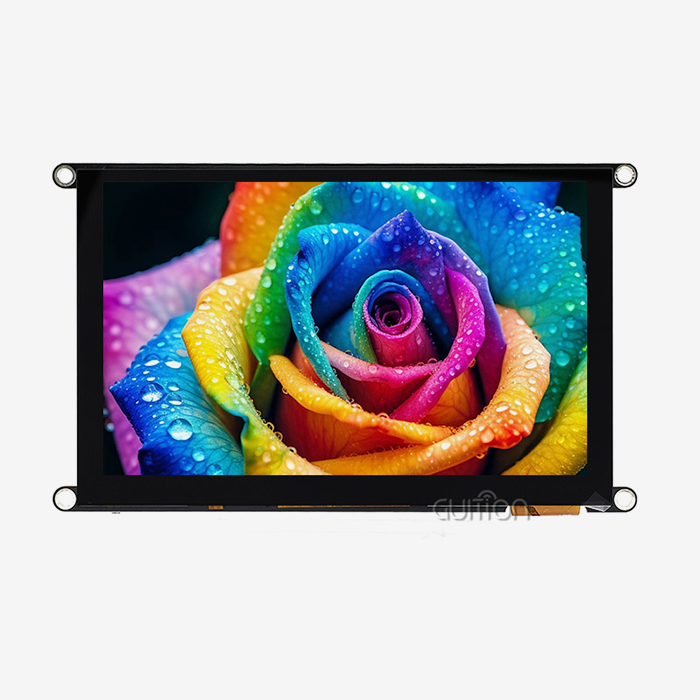
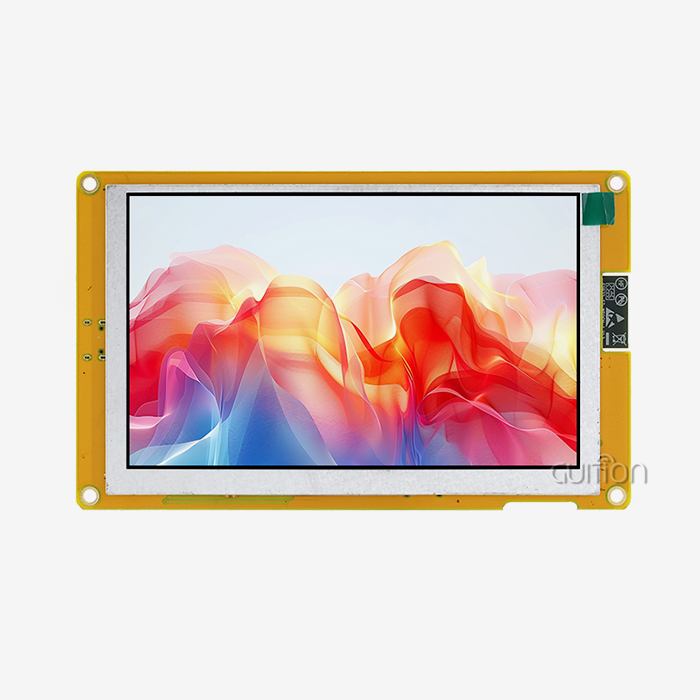
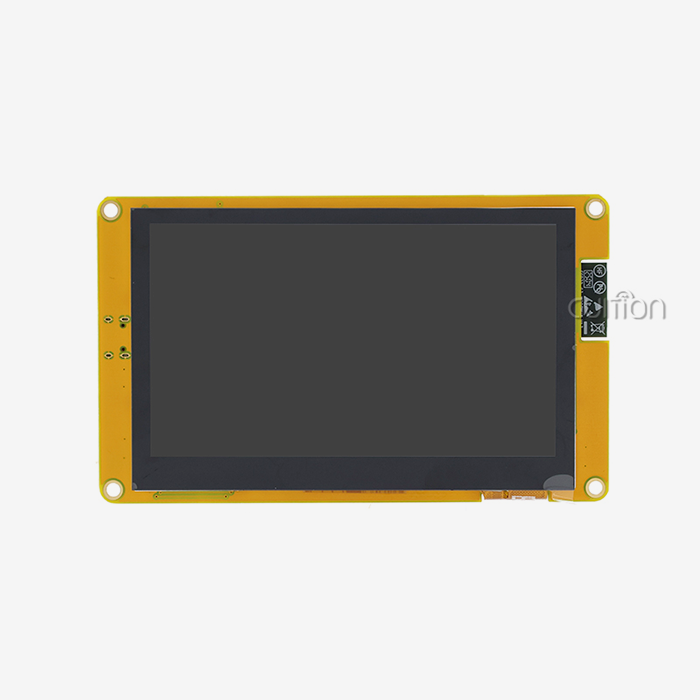
To send and receive data between your microcontroller and the display, Serial LCD display modules use standards like UART, RS232, or TTL. In contrast to parallel interfaces, which need eight, sixteen, or even more data lines, serial links only need two to four: send, receive, ground, and power, if needed. This basic change in design makes PCBs smaller and makes managing cables in enclosures easier. This method is shown by the GUITION JC8048Q350N_I_W, which has a 5.0-inch IPS screen with an 800x480 resolution and works well with a USB connection. Its built-in D121BBV processor runs at 400MHz and handles all graphics rendering jobs on its own. With this design, your host MCU doesn't send out individual pixels of data, but instead sends high-level directions like "show this image" or "update this text field."
Most of the time, communication speeds run from 9600 baud for simple text displays to 921600 baud or higher for units with more complex controllers. This speed is good enough for most HMI tasks, like showing real-time sensor data, navigating menus, and checking on the state. The built-in Flash memory saves UI images locally, so they don't have to be sent over and over again. This lets the app work without an internet connection when the host controller needs to reset or do other things.
Key Functional Benefits
Multiple parts are built into a single Serial LCD module. Backlight control circuits use simple serial messages to change the brightness, so they don't need PWM creation from the outside. IO port interfaces let you connect TF cards, sensors, and growth units without using up extra MCU pins. Reserved ports let you add new features in the future, so your product can grow without having to rethink the hardware.
Because these gadgets are modular, testing goes much faster. With standard methods, you can connect a Serial LCD display module to an Arduino, ESP32, Raspberry Pi, or any other MCU that has a serial port. With factory-burned test programs, you can check performance as soon as you open the box, making sure both the module works and the serial link is set up correctly before writing a single line of application code.
Challenges in Traditional HMI Display Controls and How Serial LCD Modules Address Them
The Pin Count Problem
Traditional parallel interface screens need between 8 and 16 data pins and a number of control signals, such as reset, read/write, chip select, and data/command lines. An integrated processor with few GPIOs is immediately limited. When you add a parallel display to a design that already has many sensors, data ports, and actuators that are all fighting for the same pins, you have to make sacrifices in other parts of the system.
To make these links, engineering teams spend hours routing traces on multilayer PCBs. Crosstalk and time skew can happen on parallel buses, especially when the wire length is more than a few inches. This makes signal integrity very important. When a display problem happens, it takes a lot of time to figure out if the problem is with the hardware links, the timing settings, or the way the software driver is set up.
These worries go away with Serial LCD display modules. The GUIDE JC8048Q350N_I_W only needs the serial interface pins that your MCU already sets aside for UART connection. This frees up GPIO that can be used for features that make your product stand out in the market, like extra sensors, control outputs, or communication channels.
Development Complexity Reduction
To write display drivers for parallel interfaces, you need to know how to handle frame files in limited MCU RAM and create graphics primitives from start. Engineers who have never programmed images before have a lot to learn. Even seasoned writers spend days tweaking code to get good frame rates while keeping memory limits in mind.
This is why we made the Guition creation tools in the first place. With the drag-and-drop interface, HMI programmers can make professional user interfaces without having to write any low-level code. You can see where buttons, sliders, gauges, and charts should go, give properties using simple choices, and see what the interface will look like in real time. The software makes code that works best with Arduino, ESP-IDF, and native Guition development modes. It doesn't force your team to use new tools; instead, it works with the way they already do things.
Cross-platform online testing finds problems while they are still being developed, not after they have been released. Before going live, you can test how fast the interface is, make sure the data is formatted correctly, and make sure the user workflows work as expected. In traditional parallel display methods, finding a font rendering bug might mean reflashing software several times while directly attached to hardware. This feature cuts down on the time needed for debugging.
Real-World Impact on Deployment
A company that makes industrial tools that we used to work with took three weeks to add a parallel display to their control panel design. Wiring complexity slowed down PCB planning, driver bugs caused the display to go bad sometimes, and GPIO conflicts required an expensive update to the MCU. When they switched to a Serial LCD display module, it only took four days for their next product version to go from breadboard to working prototype. Wiring was simplified to four connections, driver problems went away because the module took care of graphics on its own, and they were able to use their original, cheaper MCU pick because it needed fewer GPIO.
Comparing Serial LCD Display Modules to Other Display Technologies for HMI
Serial vs. Parallel LCD Interfaces
In some situations, like pixel-perfect video playing or ultra-high frame rate tasks where every millisecond counts, parallel LCDs are faster. But most HMI apps update displays at speeds that humans can understand, so these potential speed gains don't matter. Serial LCD display module capacity limits are not exceeded by a control panel that updates sensor data once a second, a medical monitor that shows vital signs at 1Hz, or a smart home thermostat that updates temperature displays every few seconds.
For 90% of embedded HMI systems, the tradeoff study shows that serial implementation is better. You give up almost no speed in exchange for a huge reduction in complexity. It's easier to route PCBs, cable setups use cheap four-conductor wire instead of special ribbon cables, and troubleshooting is easier because you only have to check one serial link instead of sixteen parallel ones.
I2C LCD Modules: When Are They Appropriate?
I2C LCD panels are another type of serial option that you can find in character-based screens that show 16x2 or 20x4 text lines. These very cheap units work well for tasks that need to send simple text, like temperature readings, status messages, or setup choices. However, I2C's slow bus speed (100kHz to 400kHz standard) and restricted graphical powers make them less useful for tasks that need complicated patterns, images, or rich visual interfaces.
When Serial LCD display modules with a UART connection are used, they can handle more data at once and show full graphics. The GUITION JC8048Q350N_I_W has a 16-bit color depth and more than 65,000 color variations. It draws curves and gradients smoothly and shows photographic pictures with great clarity thanks to its wide-viewing-angle IPS screen. Its level of potential puts it in a good spot for professional HMI applications, halfway between cheap graphical TFT systems and simple character screens.
OLED Display Considerations
OLED technology has better contrast ratios, true blacks, and bright colors that stand out in stores that sell consumer goods. These visual benefits come with big costs when used in business settings. After 10,000 to 30,000 hours of use, OLED screens lose some of their quality, mostly in the blue sub-pixels, which causes color shifts and less light. Continuously running applications, like industrial tracking systems, medical equipment in buildings that are open 24 hours a day, seven days a week, or outdoor environmental monitors, may start to show signs of wear and tear within two years.
LCD technology, especially IPS screens like the ones in the JC8048Q350N_I_W, works perfectly for more than 50,000 hours. The lighting LED may slowly lose its brightness over very long lifetimes, but the color accuracy stays the same and there is no burn-in. In industrial settings, this long-term dependability is more important than OLED's original visual effect. The difference in price is also important. Usually, OLED screens cost two to three times more than similar LCD options, which has a direct effect on product margins in competitive markets.
Integrating Serial LCD Display Modules in Embedded and Industrial Systems
Practical Wiring and Connection
The right electrical link is the first step in putting Serial LCD display modules together physically. Most modules work with either 5V or 3.3V logic levels, but some can handle both with the help of level changers. The GUITION JC8048Q350N_I_W can connect straight to Arduino boards, ESP32 modules, or STM32 microcontrollers using standard TTL UART signals. The four important connections—VCC, GND, TX, and RX—enable two-way communication, so your controller can send directions to the display and receive touch feedback or status information.
As an electrical factor, making sure there is enough power source capacity is important. At full brightness, a 5.0-inch monitor with an LED backlight uses about 200 to 300mA of power. Your power source design should be able to handle this current plus an extra amount to make sure it works reliably. Common-mode noise can damage serial data, but proper grounding stops it. This is especially important in industrial settings where motor drives or rotating power sources cause electrical interference.
The reserved APIs in the module make it more useful as tasks change. The TF card slot lets you store extra UI images, data logs, or setup files on the device itself. Sensor links let you connect directly to temperature probes, humidity monitors, or analog inputs without using up any MCU resources. This ability to grow is useful when customer needs change during development or when features are added to goods that have already been released.
Programming and Software Integration
Setting up the baud rate, data bits, parity, and stop bits for serial transmission so that they match your MCU's UART setup is the first step in software integration. The Guition programming tool makes this process easier with project setup wizards that are easy to use. You choose the MCU platform you want to use (Arduino, IDF, or native) and set the connection settings using drop-down menus. The program then automatically creates initialization code.
To make your interface, you need to drag controls from the library of components onto the surface. Grid alignment and snap-to-edge features let you clearly place buttons, sliders, progress bars, charts, and custom picture elements. You don't need to write scripts to change colors, fonts, sizes, and actions in property windows. If you need custom logic for things like conditional shows, data formatting, or calculation results, the platform makes coding easier or lets you import data from other sources using serial commands.
The platform's live testing features are used in debugging processes. By passing commands by hand, you can simulate MCU serial output. Make sure your interface answers correctly before adding real hardware. This method finds UI bugs early, when they are easy to fix, instead of finding them during system integration, when many teams are working on it at the same time. Modules like the JC8048Q350N_I_W have WiFi connection built in, which lets you do remote debugging even after the equipment has been installed. This lets you see how it works in the field and push changes without having to directly access the equipment.
Scaling for Production Environments
For example, factory lines with stations that watch over different steps of the process, building automation systems with floor displays on every level, or farming operations with environmental sensors spread out over several greenhouses are all examples of industrial deployments that need more than one display node. With the right addressing, RS485 multidrop networks make it easy for serial communication systems to grow. This lets dozens of screens share a single communication bus.
When fleet numbers get bigger, being able to update from afar becomes very important. With the GUITION JC8048Q350N_I_W's WiFi and over-the-air update support, you can make changes to the software, the user interface, or fix bugs on hundreds of units without having to send techs to each one. With this feature, lifetime upkeep costs drop by a huge amount, turning screens from fixed pieces of hardware into software platforms that are always getting better.
Support for multiple languages in the hmi display module through UTF-8 encoding meets the needs of the world market. Your single hardware design serves people all over the world by letting them load the right language packs without having to change the hardware. The Guition software handles string localization, which means that your team can make changes to translations without affecting the development of key features. This speeds up the launch of your product in other countries.
How to Choose and Procure the Best Serial LCD Module for Your Projects
Critical Technical Specifications
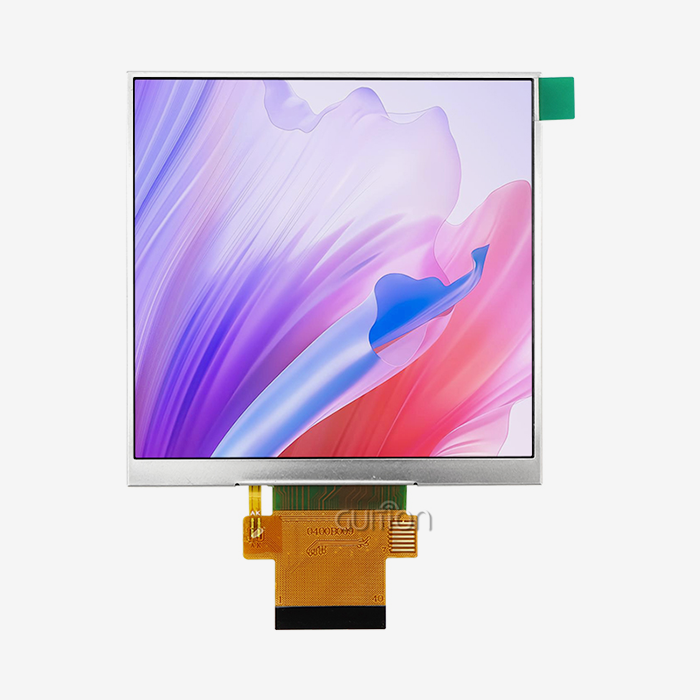
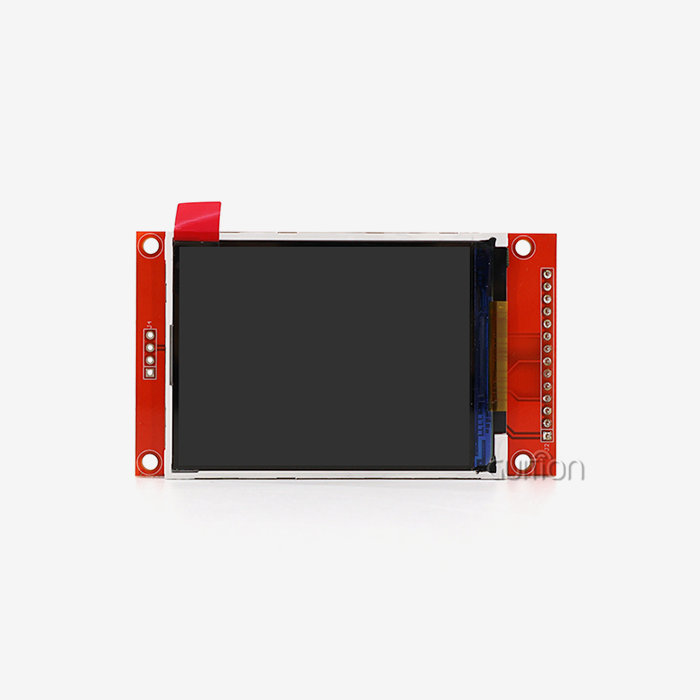
The choice of screen size is based on how far away you want to see it and how much information you need to see. When looking at control screens from 18 to 24 inches away, 5-inch displays like the JC8048Q350N_I_W work well because they are easy to read and don't take up much space when mounted. Larger 7-inch or 10-inch modules work better in places where people stand farther back or when showing complicated multi-zone interfaces. 2.4-inch or 3.5-inch screens are smaller and work well on tiny devices or in places with limited room.
Resolution changes how clear writing is and how detailed graphics are. The JC8048Q350N_I_W's 800x480 resolution makes text look clear at normal HMI font sizes and lets you see detailed charts and graphs. Text may have pixels that can be seen at lower resolutions, like 480×320, and it takes more data speed and processing power to work at higher resolutions like 1024×600. Instead of setting the quality to the highest possible level, match it to the needs of your material.
Evaluating Supplier Capabilities
Professional industrial providers are different from consumer-grade vendors in terms of the quality of their technical support. Your engineering team can safely install displays if they have full paperwork that includes communication protocols, order references, electrical specs, and mechanical models. Sample code for popular platforms, like Arduino libraries, ESP-IDF components, and standard implementations, speeds up the first stages of development.
Certifications prove that a product meets quality standards and legal requirements. The CE mark proves that the product meets European safety standards, the FCC mark makes sure that it works with electromagnetic fields in North American markets, and the RoHS mark makes sure that there are no harmful materials. For reliability engineering, industrial uses often need increased temperature ratings (-20°C to +70°C or more), vibration protection specs, and data on the mean time between failures (MTBF).
Strategic Sourcing Decisions
When you make a bigger pledge, the price per unit goes down because of volume rates. By looking at your production projections, you can find the best order amounts that balance the costs of keeping inventory with the benefits of volume prices. Many suppliers tie engineering support allocations to volume promises. This way, customers who expect to make a lot of products can get focused technical help during the development stages.
Shipping costs, wait times, and how quickly you can get help after the sale are all affected by regional distribution networks. When you buy from suppliers who keep stock in your area, you can get prototypes faster and save money on shipping. When you have questions about integration, local technical support teams working in your time zone can answer them without the overnight delays that come with foreign support coordination.
Conclusion
By replacing complexity with clarity, parallel buses with minimal wiring, and low-level code with easy-to-use visual design tools, Serial LCD display modules essentially make HMI development simpler. There are operational benefits throughout the whole lifespan of your product: faster prototyping shortens the time it takes to get the product to market, easier integration cuts down on development costs, and the ability to update remotely lowers the cost of lifetime upkeep. If you're making industrial control panels, medical monitoring equipment, smart home devices, or consumer electronics, modern Serial LCD display modules like the GUITION JC8048Q350N_I_W give you professional-grade visual quality while keeping the implementation process simple. This means that engineering teams of any size can use complex HMI interfaces.
FAQ
What advantages do serial LCD modules offer over traditional parallel displays?
Serial LCD display modules cut the number of GPIO pins needed from 16 or more to just 2 to 4 connections. This makes PCB design and wiring a lot easier. They get rid of the need for complicated display driver code by rendering graphics onboard. This lets engineers send high-level orders instead of controlling pixel data. The less wiring makes the system more reliable by lowering the chance of link breakdowns and freeing up MCU resources for core application logic.
Can I easily integrate serial displays with Arduino or Raspberry Pi?
Of course. The GUITION JC8048Q350N_I_W can connect to normal UART pins on Arduino, Raspberry Pi, ESP32, and almost any other microcontroller. The Guition creation tool lets you work with different types of code, such as Arduino libraries and ESP-IDF components. Factory test programs check the connection right away, and complete sample code speeds up the initial integration. Within the first hour of using these tools, most engineers can set up a basic conversation and show basic graphics.
Where can I find technical documentation and development resources?
Guidance gives full technical details like communication protocol details, order references, mechanical models, and electrical characteristics. The Guition development software comes with built-in lessons and sample projects that show how to use it in common situations.
Ready to Transform Your HMI Development with Guition Serial LCD Display Modules?
Our GUITION JC8048Q350N_I_W Serial LCD display module brings together powerful hardware and software that is easy for developers to use. It's just what your next project needs. The 400MHz D121BBV controller, the easy-to-use Guition drag-and-drop development platform, the built-in WiFi connection, and the military-grade stability work together to make a full HMI system that speeds up development and cuts costs. We know that choosing the right Serial LCD display module provider is important for the success of your product. That's why we offer detailed technical paperwork, quick engineering support, and cheap pricing for both small batches and large volumes. Email our team at david@guition.com to talk about your particular needs, get full specifications, or set up evaluation samples. Let us show you how the right relationship in display technology can speed up your development process and give you great results.
References
1. Zhang, L., & Chen, M. (2021). Serial Communication Protocols in Embedded Display Systems: Performance Analysis and Implementation Guidelines. Journal of Embedded Systems Technology, 15(3), 234-251.
2. Industrial Automation Review Board. (2022). Human-Machine Interface Design Standards for Manufacturing Equipment: A Comprehensive Technical Guide. Industrial Press.
3. Thompson, R. K. (2020). Comparative Analysis of LCD Technologies for Industrial Applications: Reliability, Longevity, and Cost-Effectiveness. Display Technology Quarterly, 8(2), 67-89.
4. Martinez, J., & Wong, S. H. (2023). Simplifying Embedded System Design Through Intelligent Display Modules: Case Studies in Medical and Industrial Applications. Embedded Design Journal, 19(1), 112-130.
5. European Machine Vision Association. (2021). Best Practices for HMI Display Integration in Automated Production Systems. Technical Report EMVA-2021-07.
6. Liu, Q., Park, J., & Anderson, D. M. (2022). Serial Communication Interface Optimization for Real-Time Display Applications in IoT Devices. International Journal of Smart Device Engineering, 11(4), 445-462.
Learn about our latest products and discounts through SMS or email