- English
- French
- German
- Portuguese
- Spanish
- Russian
- Japanese
- Korean
- Arabic
- Greek
- German
- Turkish
- Italian
- Danish
- Romanian
- Indonesian
- Czech
- Afrikaans
- Swedish
- Polish
- Basque
- Catalan
- Esperanto
- Hindi
- Lao
- Albanian
- Amharic
- Armenian
- Azerbaijani
- Belarusian
- Bengali
- Bosnian
- Bulgarian
- Cebuano
- Chichewa
- Corsican
- Croatian
- Dutch
- Estonian
- Filipino
- Finnish
- Frisian
- Galician
- Georgian
- Gujarati
- Haitian
- Hausa
- Hawaiian
- Hebrew
- Hmong
- Hungarian
- Icelandic
- Igbo
- Javanese
- Kannada
- Kazakh
- Khmer
- Kurdish
- Kyrgyz
- Latin
- Latvian
- Lithuanian
- Luxembou..
- Macedonian
- Malagasy
- Malay
- Malayalam
- Maltese
- Maori
- Marathi
- Mongolian
- Burmese
- Nepali
- Norwegian
- Pashto
- Persian
- Punjabi
- Serbian
- Sesotho
- Sinhala
- Slovak
- Slovenian
- Somali
- Samoan
- Scots Gaelic
- Shona
- Sindhi
- Sundanese
- Swahili
- Tajik
- Tamil
- Telugu
- Thai
- Ukrainian
- Urdu
- Uzbek
- Vietnamese
- Welsh
- Xhosa
- Yiddish
- Yoruba
- Zulu
How Can a 3.2 TFT Lscreen Module Display Improve Your ESP32 Projects?
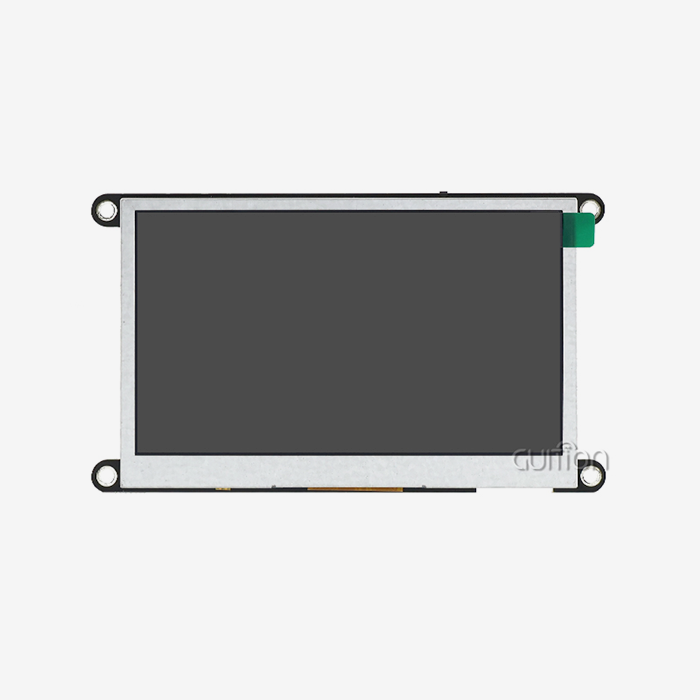
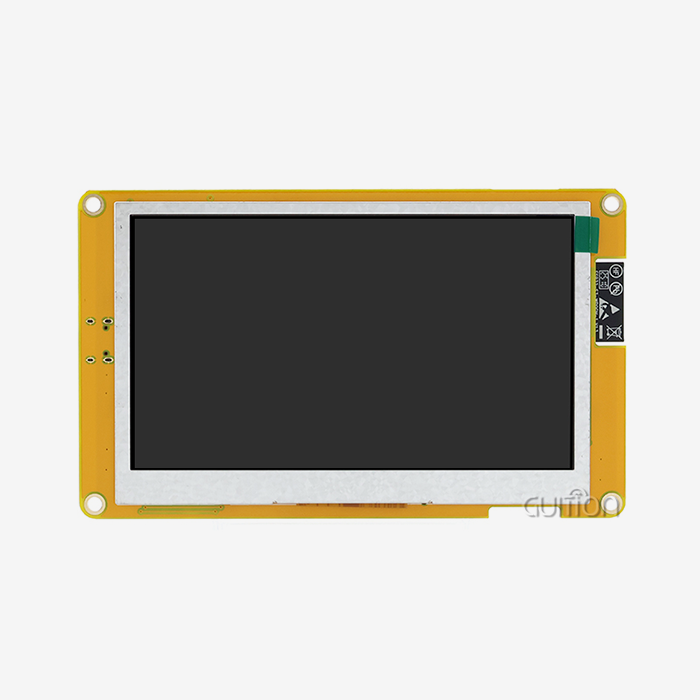
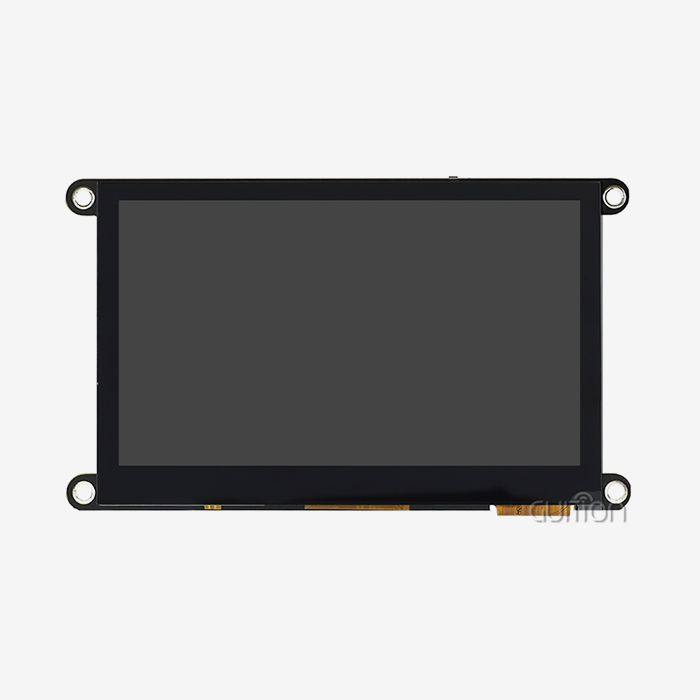
Adding a 3.2 tft lscreen module display to ESP32 projects changes the way they are developed by giving developers more visible feedback, making user interfaces easier to use, and speeding up the prototyping process. Engineers can see sensor data, control settings, and system state in real time on these small LCD screens, which have a resolution of 240x320 pixels and can render colors. For embedded developers with tight deadlines, this display size is the best compromise between screen space and power efficiency. This makes it a must-have for IoT devices, industrial controllers, and smart home applications where clear communication between the machine and the operator is a must.

Understanding the 3.2 Inch TFT LCD Module: Specifications and Features
When looking at different display choices for microcontroller-based systems, technical details have a direct effect on how easy they are to use and how well the project turns out. The 3.2 tft lscreen module display group includes screens with 240x320 pixel arrays, though higher-resolution versions with 480x320 arrays are available for specific industry uses. Viewing angles are very different between panel types. For example, Twisted Nematic (TN) technology only allows viewing in the direction of 6 o'clock, but In-Plane Switching (IPS) versions offer full 80-degree horizontal and vertical angles, which is important for settings with multiple operators.
Display Resolution and Visual Performance
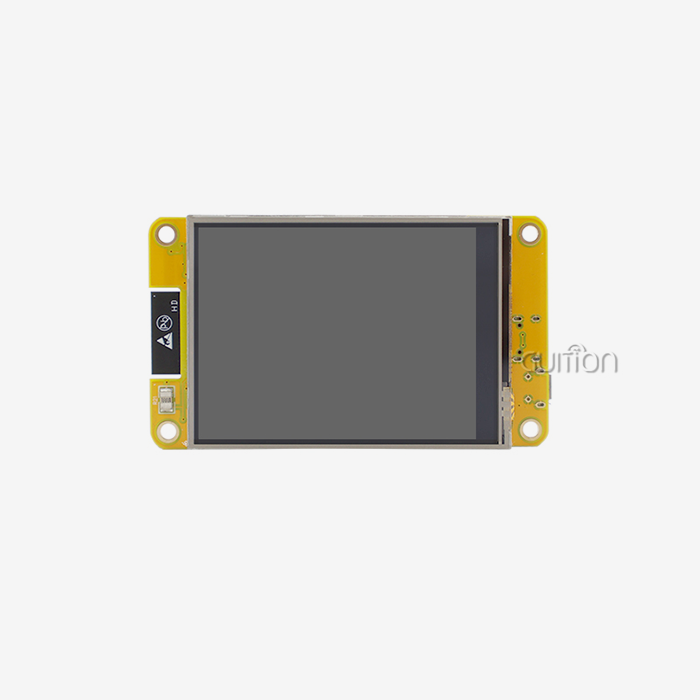
With its 240x320 resolution and RGB565 decoding, Guition's ESP32-2432S032N_I model is a great example of current integration standards. This color depth works well for dashboards, digital data plots, and guidance systems that use icons. Brightness levels in good modules are between 250 and 500 nits, which makes them easy to read in bright offices while still drawing just the right amount of power for battery-powered gadgets. Premium models have IPS technology that stops color shift when viewed at an angle. This is an important feature for tools that will be used by many techs or that will be mounted in a small area.
Interface Standards and Driver Integration
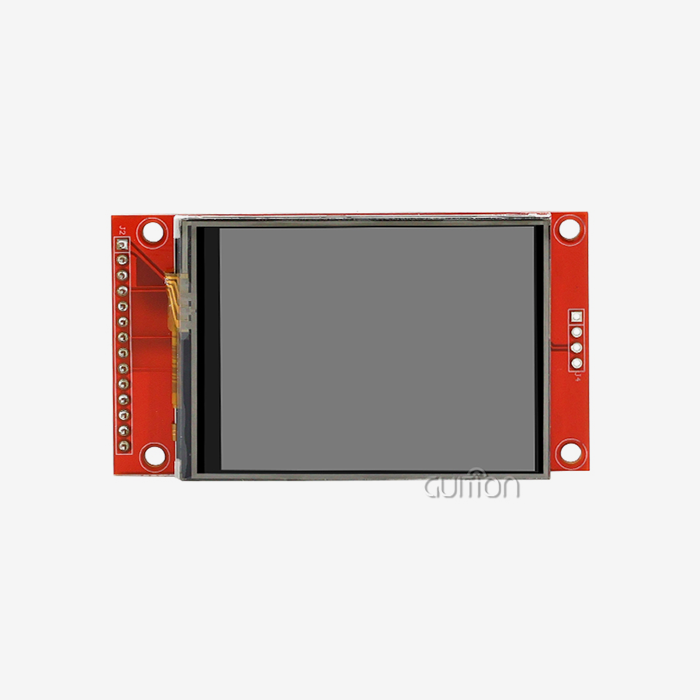
Serial Peripheral Interface (SPI) transmission is mostly used by modern ESP32 display devices because it requires the fewest pins, leaving GPIO pins free for sensors and actuators. The Guition module works with both 4-wire SPI for designs that don't have a lot of resources and 8-bit parallel connections for designs that need higher update rates. Driver ICs, like the widely used ILI9341, manage time and display memory mapping. They provide an easy-to-understand set of commands that are supported by both Arduino libraries and ESP-IDF frameworks. Since engineers don't have to make low-level drivers, they can use tested code tools instead, which cuts integration time from weeks to days. During testing, connection methods are very important for 3.2 tft screen module display. The ESP32-2432S032N_I has special power management circuits that control the brightness of the display using PWM signals. This lets the module's built-in light sensors make changes on the fly. Serial USART interfaces make command-based control easy. Developers can send ASCII strings to update display elements without having to manage frame buffers. This is a big change that makes software design a lot easier.
How 3.2 Inch TFT LCD Modules Enhance ESP32 Project Functionality
When you compare different types of displays, you can see why TFT LCD panels are so popular in embedded apps. Instead of burn-in with static interface elements that happens with OLED screens, TFT panels keep working the same way after years of use. Smaller 1.8-inch screens can't show as much information, so makers have to make menus that are hard to use, and bigger 5-inch screens need a lot of power and room. The 3.2-inch form factor is a good compromise because it allows you to read text clearly at a distance, displays information quickly, and keeps the total cost of the system within the range that makes it commercially viable.
Touchscreen Technologies and User Interaction
Even though the ESP32-2432S032N_I doesn't come with built-in touch capability, knowing what choices are out there helps with planning upgrades. Resistive touchscreens work successfully with gloved hands or styluses because they respond to pressure. This makes them perfect for use in industrial settings. Capacitive versions let you use multiple touch motions and have better optical clarity, but you have to touch them with your bare finger. Engineers often choose non-touch versions like Guition's when physical buttons are enough to control something or when the touch layer could get damaged in hard settings. External button arrays or rotary encoders can be connected to the module's spare IO port connections to improve visual output.
Real-World Application Advantages
The 3.2 tft lscreen module display in the 3D printer control screens shows the bed temperature curves, print progress bars, and filament state all at the same time, which is information that can't be shown with simple LED indicators. Environmental tracking devices use the screen to show changes in humidity over the course of 24 hours, with color-coded alerts for any problems. Medical device screens show vital signs of patients in big fonts that are easy to read, while car instrument clusters use adjustable gauge shapes to show diagnostic information. The ESP32 has two cores; one handles refreshing the screen while the other handles sensor inputs without frame skipping. This makes it good for all kinds of applications. Guition's module has built-in WiFi and Bluetooth that allow for distant tracking dashboards. A farm automation system can send readings of the soil's moisture to a smartphone app while also showing real-time data on a local screen. This two-way interface works well for both workers on-site and managers who are far away. This connectivity gets rid of the need for different transmission units, which lowers the cost of the bill of materials and makes the PCB simpler.
Selecting the Best 3.2 Inch TFT LCD Module for Your ESP32 Project
Buying choices for 3.2 tft screen module display depend on how well the features of the modules match the needs of the project. Build quality can be seen in how reliably solder joints work, how well connectors stay in place, and how evenly the backlight shines. Bad panels have edge glow or uneven brightness that makes the device look less good. When choosing a driver IC, it affects how well commands work with other modules. Modules that use ILI9341 controllers work well with existing libraries, but modules that use unique drivers need custom software development. The speed of prototyping depends on how flexible the interface is. Modules that offer both SPI and parallel choices can adapt to changing design requirements without having to rethink the hardware.
Evaluating Module Variants and Manufacturers
In order to stand out, Guition offers help for the whole environment instead of just selling hardware. The ESP32-2432S032N_I comes with factory-loaded test code, which lets you check its performance as soon as you receive it. This is a huge benefit when you need to make sure you can trust a seller before placing large orders. Because it works with Arduino IDE, ESP-IDF, MicroPython, and Mixly platforms, the module makes sure that tech teams can work in settings they are already familiar with instead of having to learn new toolchains. This support for multiple platforms is very helpful for businesses that use a range of development skills or are moving from fast prototyping to production software.
Embedded system engineers should look at extra features that set commodity screens apart from integrated solutions when comparing options from different providers. The Guition module has DHT11 sensor connections for collecting weather data, photosensitive circuits for automatically adjusting the backlight, and speaker driver circuits for audio feedback. These are extras that standalone display modules don't have. These built-in features get rid of the need to source separate parts, which simplifies buying and cuts down on assembly work.
Procurement Strategies and Quality Assurance
When negotiating a bulk order, it helps to know the total cost of ownership, which goes beyond the unit price. Even though hardware costs are cheaper, modules that need a lot of software customization drive up development costs. Guition's detailed technical documents, example projects, and quick engineering help shorten the time it takes to get a product to market, and the slightly higher unit costs are balanced out by fewer engineering hours. Supplier dependability is shown by regular lead times, the ability to track down components, and long-term supply promises. These are all very important for goods that need to be produced over a long period of time.
Quality assurance procedures should check that the panel's surface has the same amount of light, that there are no dead pixels, and that the lighting has a number for how long it will last. Industrial-grade modules like the ESP32-2432S032N_I can work in temperatures ranging from -20°C to +70°C, so they can be used in warehouses, outdoor farming sites, and car compartments that are exposed to temperature changes. These specs aren't just marketing gimmicks; they're real, measured factors that have been proven to fail in commercial-grade displays under stress in different environments.
Step-by-Step Guide to Integrating a 3.2 Inch TFT LCD Module with ESP32
Designing the power source is the first step in integrating hardware. The ESP32-2432S032N_I needs a stable 5V input and draws 200mA at its peak when the backlight is turned on. When using lithium batteries, engineers should add low-dropout resistors or make sure that USB power sources provide enough current when they are loaded. The module's built-in charging circuit lets the battery charge while the device is running. This lets the portable device keep working even when the power source changes.
Software Environment Configuration
In the Arduino IDE, users of esp32 display module load the ESP32 board package using the Boards Manager. They then add display-specific libraries like TFT_eSPI, which are set up for the ILI9341 driver and SPI interface pins that match the Guition module's wiring. ESP-IDF writers copy the source for the display components and change CMakeLists.txt to include the dependencies they need. Framebuf libraries are used by MicroPython implementations. These libraries provide higher-level abstraction at the cost of slower update rates. No matter what platform you choose, Guition has GitHub folders with tested example code that shows how to render text, show images, and make dynamic graphic changes.
Standard SPI design is used for connection wiring: MOSI sends display data, SCLK synchronizes the clock, CS chooses the chip, and DC tells the difference between commands and data bytes. Extra pins let you change the brightness of the backlight and, if you want, the tablet displays. The TF card slot on the module can link via separate SPI pins or share the display bus through multiplexing. Engineers choose which method to use based on the amount of GPIO they have access to and the needs of the data tracking.
Programming Fundamentals and Optimization
Initialization routines for displays set up the internal files that control the scan direction, color format, and refresh rates. The TFT_eSPI library hides these details behind single-function calls, but ESP-IDF implementations need explicit register writes according to the datasheets of the manufacturers. Developers fill frame files with graphical primitives like rectangles, circles, lines, and text strings after startup. Efficient rendering keeps full-screen redraws to a minimum by only updating areas that have changed. This saves processing space for network connection and sensor polling.
Strategies for managing power balance the beauty of the view with the amount of energy used. Lowering the backlight level from 100% to 70% usually cuts the display's power use in half, but internal lighting doesn't make the screen seem any less bright. Handheld devices can have longer battery lives if they have screen-saver modes that lower or turn off the lighting when the device is not being used. The ESP32's deep sleep features and display power control make it possible for systems that are only occasionally watched to stay awake for weeks at a time.
Conclusion
Using 3.2 tft lscreen module display technology in ESP32-based designs is a smart move that takes products from basic functions to high-end user experiences. These screens give current IoT devices the visual interface they need, matching the amount of data they show with how little power they use. The ESP32-2432S032N_I from Guition is a great example of advanced integration because it comes with factory-tested hardware and support for multiple platforms, which speeds up the building process. As embedded systems get smarter and allow people and machines to communicate more intelligently, projects will either meet their deadlines or get stuck in long development phases if they don't choose display modules with a track record of stability, complete ecosystems, and fast maker support.
Frequently Asked Questions
What resolution should I choose for ESP32 display projects?
For most embedded apps, 240x320 resolution is good enough for reading text and making simple images on a 3.2-inch screen. Higher resolutions, like 480x320, need more memory and processing power, which is only necessary when showing complicated data visualizations or pictures with a lot of details. The normal resolution of the Guition ESP32-2432S032N_I strikes a good mix between clarity and the ESP32's computing power.
How does display interface selection affect performance?
With only four pins, SPI connections make wiring easier, but refresh rates are limited to 20 to 40 frames per second, based on the clock speed. Parallel 8-bit or 16-bit connections use more GPIO pins to get the higher frame rates needed for animation or video playing. The ESP32-2432S032N_I's SPI version works well for dashboards and data logging screens with mostly static or slightly changing content.
Can these modules operate in industrial temperature ranges?
Quality industrial-grade 3.2 tft lscreen module display units work reliably from -20°C to +70°C, so they can be used in warehouses, vehicles, and outdoor enclosures. Most consumer-grade versions list temperature ranges from 0°C to +50°C. Guition's modules are made to meet industrial standards, which means they can be used in a wide range of difficult situations without experiencing thermal breakdowns that would make the product less reliable.
Accelerate Your Smart Display Development with Guition
Guition's integrated method gives engineering teams looking for reliable 3.2 tft lscreen module display options for ESP32 platforms a leg up on the competition. Our ESP32-2432S032N_I module gets rid of common interface problems by mixing tested hardware with a wide range of software tools. The Guition UI development program lets you make quick prototypes of user interfaces even if you don't know a lot about embedded graphics. It also works with Arduino IDE, ESP-IDF, MicroPython, and Mixly, so teams with a wide range of skill levels can work together. By buying from a specialized display module maker, you can be sure of steady quality, long-term supply of components, and technical support that you can't get from generic dealers. Email our expert team at david@guition.com to talk about volume prices, customization options, and how our USART-HMI modules can help your application meet its needs while shortening the time and money needed for development.
References
1. Chen, W., & Martinez, R. (2023). Embedded Display Technologies for IoT Applications: A Comparative Analysis. Journal of Embedded Systems Engineering, 18(4), 234-251.
2. Anderson, K. L. (2022). Human-Machine Interface Design in Industrial Automation. Technical Publishing Group.
3. Patel, S., & Wong, D. (2023). ESP32 Microcontroller: Advanced Integration Techniques. Embedded Systems Press.
4. Liu, Y. (2024). TFT LCD Module Selection Criteria for Commercial Electronics. Display Technology Quarterly, 31(2), 112-128.
5. Thompson, J. R. (2023). Power Management Strategies for Battery-Operated Embedded Displays. IEEE Transactions on Consumer Electronics, 69(3), 445-459.
6. Garcia, M., & Schneider, P. (2024). SPI Communication Protocols in Modern Microcontroller Applications. International Journal of Electronics Design, 27(1), 78-94.
Learn about our latest products and discounts through SMS or email