- English
- French
- German
- Portuguese
- Spanish
- Russian
- Japanese
- Korean
- Arabic
- Greek
- German
- Turkish
- Italian
- Danish
- Romanian
- Indonesian
- Czech
- Afrikaans
- Swedish
- Polish
- Basque
- Catalan
- Esperanto
- Hindi
- Lao
- Albanian
- Amharic
- Armenian
- Azerbaijani
- Belarusian
- Bengali
- Bosnian
- Bulgarian
- Cebuano
- Chichewa
- Corsican
- Croatian
- Dutch
- Estonian
- Filipino
- Finnish
- Frisian
- Galician
- Georgian
- Gujarati
- Haitian
- Hausa
- Hawaiian
- Hebrew
- Hmong
- Hungarian
- Icelandic
- Igbo
- Javanese
- Kannada
- Kazakh
- Khmer
- Kurdish
- Kyrgyz
- Latin
- Latvian
- Lithuanian
- Luxembou..
- Macedonian
- Malagasy
- Malay
- Malayalam
- Maltese
- Maori
- Marathi
- Mongolian
- Burmese
- Nepali
- Norwegian
- Pashto
- Persian
- Punjabi
- Serbian
- Sesotho
- Sinhala
- Slovak
- Slovenian
- Somali
- Samoan
- Scots Gaelic
- Shona
- Sindhi
- Sundanese
- Swahili
- Tajik
- Tamil
- Telugu
- Thai
- Ukrainian
- Urdu
- Uzbek
- Vietnamese
- Welsh
- Xhosa
- Yiddish
- Yoruba
- Zulu
GUITION Serial Screen: No-Code HMI
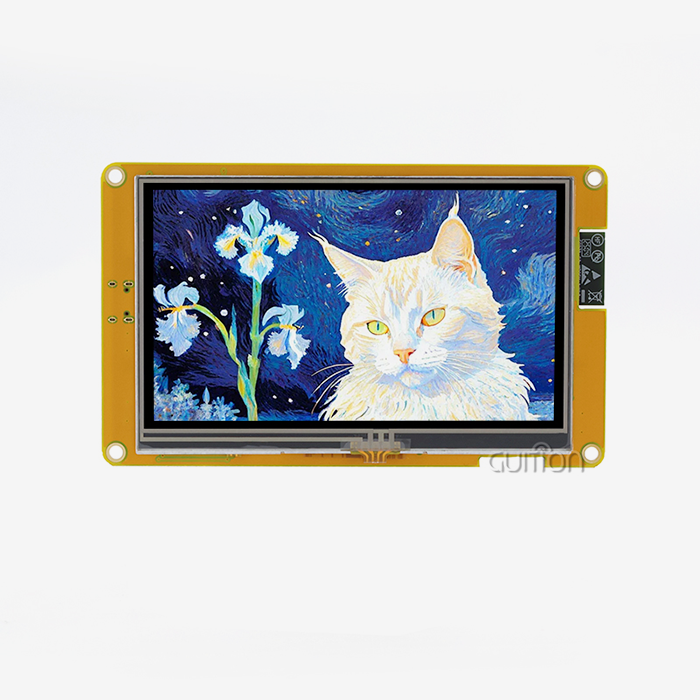
GUITION Serial Screen allows you to create a touch interface without display code. It functions as an IoT operator interface terminal together with the ESP32-S3-based JC8048W550N_I. It displays live sensor data, takes operator instructions, and communicates via Wi-Fi and Bluetooth. In this article, we’ll cover how the no-code process works, how serial communication connects the screen to your controller, and what to watch out for when you purchase. You will see market statistics, genuine chip specs, and a clear roadmap from prototype to production.

Guition designs and manufactures the JC8048W550N_I and the drag-and-drop software behind it. If you want a GUITION Serial Screen manufacturer who answers engineering questions directly, email david@guition.com or call the phone number. Share your MCU, interface needs, and order volume. We will recommend an IoT operator interface terminal configuration and send you a sample quote.
What Is a GUITION Serial Screen and How Does It Simplify HMI Development?
An HMI (human-machine interface) is the screen and controls that an operator uses to view data and direct a machine. Building one from scratch includes drivers, graphics libraries, and weeks of testing. A GUITION Serial Screen does most of the job.
What Does “Serial Screen” Mean in Practice?
A serial screen is a display module with an integrated CPU. It draws the interface itself and communicates with your main controller using a serial connection called UART. Your controller will deliver brief messages, such as “update temperature to 24.5”. The screen manages fonts, animation, and touch.
The JC8048W550N_I takes a step further. It can execute your program directly using its onboard ESP32-S3R8 processor. This implies that you may use the module as a serial display or as a full IoT operator interface terminal.
Why Does Market Growth Make Simpler HMI Tools Matter?
Operator screens are needed. In 2025, the worldwide HMI market was estimated at USD 6.1 billion, according to Fortune Business Insights. It is estimated to cross USD 12.74 billion by 2034. In 2025, Asia Pacific accounted for a 35.4% share.
Touchscreens are driving much of that desire. According to Mordor Intelligence, touchscreens accounted for 70.4% of the HMI market in 2025. Touch interfaces are more desirable for purchasers, and teams are less willing to spare firmware developers. The benefit is evident for tools that reduce development effort.
Key Features of an IoT Operator Interface Terminal for Real-Time Monitoring
An IoT operator interface terminal must do three things well. It must display data without lag, accept input reliably, and stay connected. The JC8048W550N_I covers these needs in one 5.0-inch module.
Hardware at a Glance
The module uses the ESP32-S3R8 as its main controller. This dual-core chip runs at up to 240 MHz and includes 512 KB of internal SRAM. The module adds 8 MB of PSRAM and 16 MB of flash memory. The 5.0-inch LCD has an 800×480 resolution. You can order it with or without capacitive touch, so confirm your touch option when you request a quote.
The package also includes a backlight control circuit, a touch control circuit, a TF card slot, and a reserved IO port interface.
How Fast Is the Processor for Live Dashboards?
Speed matters when a dashboard redraws gauges while a sensor loop runs. Espressif’s datasheet lists 1329.92 CoreMark for both cores at 240 MHz. That headroom lets one core handle communication while the other handles drawing.
In practice, your temperature chart does not stutter while the terminal sends data to the cloud. Operators see current values, not stale ones.
Which Hardware Features Help Engineers Most?
Here are some of the features that engineers tell us they utilize the most:
- Memory and storage: 8 MB of PSRAM for picture assets and screen buffers. 16 MB of flash for firmware and fonts. The TF card slot is for removable storage of logs, bitmaps, and language files. Together they allow a single terminal to record months of measurements without adding chips to your board.
- Wireless networking: Integrated Wi-Fi and Bluetooth mean no radio modules to install, no separate design to certify. Your IoT operator interface terminal may send data to a server and connect a phone simultaneously. That eliminates a typical cause of board redesigns.
- Battery-ready design: On-board lithium battery interface circuit allows for portable devices without a bespoke power-management board. You may make a portable meter or field tool using the same module you used on the bench. That’s one less part to source, and it saves layout time.
These features address the most typical integration issues. Memory, networking, and power are all available from day one, so your team can focus on the product, not the plumbing.
How Does No-Code GUI Design Reduce Embedded Development Time?
No-code design replaces typed graphics code with visual editing. You place a button on a canvas instead of calculating its pixel coordinates in a source file.
Where Does Time Disappear in Traditional HMI Builds?
Most schedule slips happen in the interface layer. Engineers write layout code, flash the board, spot a misaligned label, and repeat. Each loop can take several minutes. Across dozens of GUITION Serial Screens, those minutes become days.
Change requests make it worse. A customer asks for a larger font or a new language, and the team edits code again. A visual editor turns these requests into a quick drag, a text change, and a re-flash.
What Does a Realistic Time Saving Look Like?
Here is a planning estimate, not measured client data. Suppose a hand-coded interface with six screens takes 60 engineering hours. A visual workflow might cut layout and revision work by half. That would save about 30 hours per project.
Teams that ship several variants a year multiply that gain. Replace these numbers with your own project history to build an honest business case before you commit to any platform.
Drag-and-Drop Interface Design for Faster HMI Prototyping
Prototyping speed decides whether a concept survives. A stakeholder who sees a working screen in two days says yes more often than one who reads a spec sheet.
How Does the Control Library Work?
The Guition software ships with a library of ready controls: buttons, sliders, gauges, and more. You add a control with one click. You then drag it to the right spot and adjust its size and style.
The editor is WYSIWYG, which means what you see on the canvas matches what the GUITION Serial Screen displays. That removes the guesswork that makes text-based layouts slow.
Can You Support Multiple Languages Without Rewriting Code?
Global products need interfaces in several languages. Guition states that its software supports multi-language switching and UTF encoding. UTF is a text standard that covers scripts from many regions.
One operator in Germany and another in Brazil can read the same terminal in their own language. You maintain a single project instead of one fork per market.
How Does Online Debugging Shorten the Test Cycle?
Guition supports cross-platform online debugging. You test the interface and see results without rebuilding every time. When something breaks, you find the cause faster because you can watch the behavior live.
Fewer rebuilds mean less idle time between a fix and a result. Over a project, that adds up to days of saved effort for your team.
Serial Communication and MCU Integration: How Do They Work Together?
An MCU (microcontroller unit) is the small processor that runs your machine logic. The serial screen sits beside it and handles everything visual.
How Does UART Link the Screen to Your Controller?
UART (universal asynchronous receiver-transmitter) is a two-wire method for sending data between chips. One wire transmits, and one receives. Both sides agree on a speed called the baud rate.
Because UART is simple, almost every MCU supports it. You do not need a special graphics driver or a fast parallel bus. That is why a GUITION Serial Screen works with so many controller families.
What Does Each Side Handle?
Your controller reads sensors and runs control loops. The screen draws the interface and detects touches. They exchange only small messages: a new value going to the screen and a button event coming back.
This split protects your real-time code. A slow animation can never delay a motor-control routine, because the two jobs run on separate processors.
Which Development Environments Does Guition Support?
Different engineers prefer different tools. The JC8048W550N_I supports development in Arduino IDE, ESP-IDF, MicroPython, and Guition. Arduino IDE suits quick prototypes. ESP-IDF gives full access to Espressif’s framework, which powers millions of devices. MicroPython helps teams who prefer scripting. The visual Guition environment suits designers who avoid code.
Your team keeps its existing habits, which lowers training costs.
Connecting Sensors and Controllers to an IoT Operator Interface Terminal
A terminal is only useful when real data reaches it. The ESP32-S3 offers 45 programmable GPIOs plus interfaces such as SPI, I2C, UART, and ADC. The module exposes a reserved IO port, so you can reach these signals.
How Do You Wire Common Sensors?
Most sensors use one of three connections. I2C and SPI are short-range digital buses. ADC reads an analog voltage, such as from a pressure transducer.
Connect the sensor to the IO port, read it in your code, and display the value on a gauge control. Temperature, humidity, flow, and current sensors all follow this pattern. You do not need a separate data-acquisition board.
How Do You Talk to PLCs and Industrial Controllers?
Many factory controllers speak Modbus, a widely used serial protocol for industrial devices. If your controller uses it, a host MCU can translate between Modbus and the GUITION Serial Screen’s messages.
This approach keeps your existing controller untouched. You add a modern touch interface to a machine that may be years old. That is often cheaper than replacing the whole control cabinet.
Where Should You Log the Data?
Operators and auditors both ask for history. The TF card slot gives you removable storage for logs. Write a reading every few seconds, then pull the card for analysis.
You can also send the same values to a cloud service over Wi-Fi. Local logs act as a backup when the network drops, so you lose no data during an outage.
Which Connectivity Options Matter for Smart Devices and Industrial Applications?
Connectivity decides how far your product reaches. The ESP32-S3 integrates 2.4 GHz Wi-Fi (802.11 b/g/n) and Bluetooth 5 (LE) .
Wi-Fi or Bluetooth: Which Do You Need?
Wi-Fi suits cloud dashboards, remote monitoring, and firmware delivery. Bluetooth suits local pairing, such as a technician connecting a phone to configure a device.
The market backs both. IoT Analytics counted about 21.1 billion connected IoT operator interface terminal devices worldwide in 2025, up 14% from the year before. Bluetooth alone accounts for 24% of those devices. A terminal with both radios fits either deployment style.
How Do Remote Upgrades Cut Support Costs?
Truck rolls are expensive. Sending a technician to update one screen can cost more than the screen itself. Guition supports remote upgrades of user projects.
You push new firmware or interface changes to units already installed. Fixes arrive in minutes, not weeks. Your maintenance costs fall, and customers see improvements without scheduling a visit.
GUITION Serial Screen Applications in Smart Home and Industrial Automation
Three scenarios show how teams use the module. These are typical use patterns, not named client results.
Smart Home Control Panel
A home-automation maker needs a wall panel that controls lights, heating, and blinds. The 800×480 display shows room tiles and sliders. Wi-Fi connects the panel to the home hub, and Bluetooth handles first-time setup from a phone.
The product team builds the layout visually and adds languages for each export market. Development moves from months toward weeks.
Industrial Machine Monitoring
A packaging line has aging controllers and no visual feedback. Packaging is a major HMI end-use segment. A system integrator adds an IoT operator interface terminal beside each machine. It shows cycle counts, fault codes, and temperatures.
The terminal logs every fault to the TF card. Supervisors review the history during weekly meetings and spot repeat stoppages.
Portable Field Instrument
A utility technician carries a handheld meter. The battery-ready circuit powers the terminal, and the touchscreen replaces a keypad. Bluetooth sends readings to a phone, while Wi-Fi uploads results when the technician returns to the depot.
One module covers the display, wireless link, and power interface. The design stays compact, and the bill of materials stays short.
What Should Engineers Consider When Choosing a Serial HMI Display?
Specifications matter, but fit matters more. Ask how a display behaves in your product, with your team, at your volume.
Which Size and Resolution Fit Your Use Case?
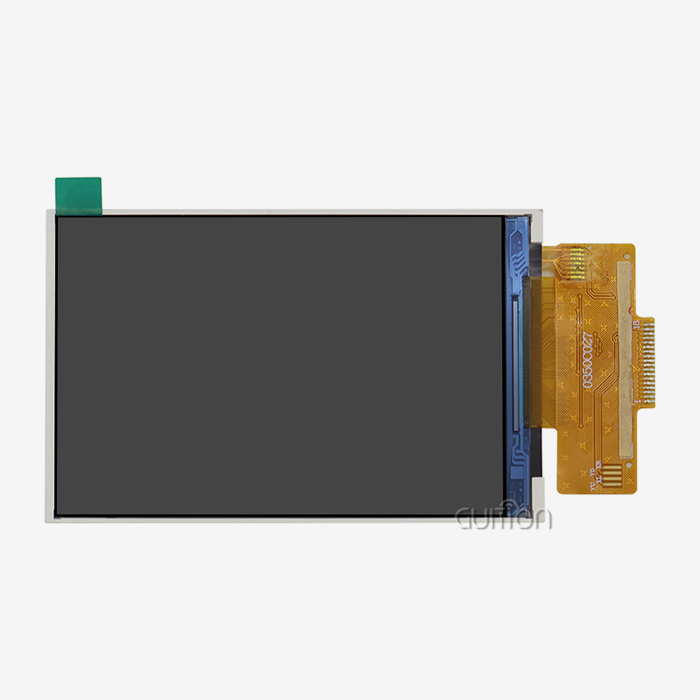
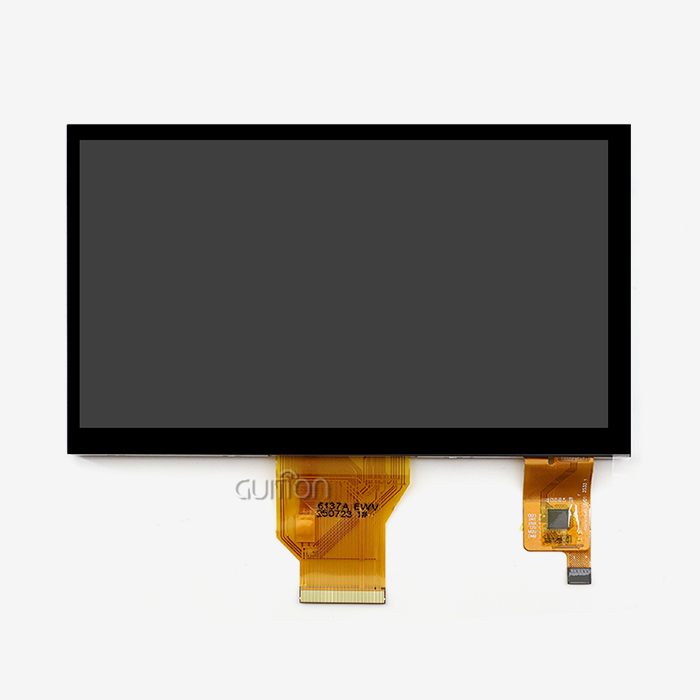
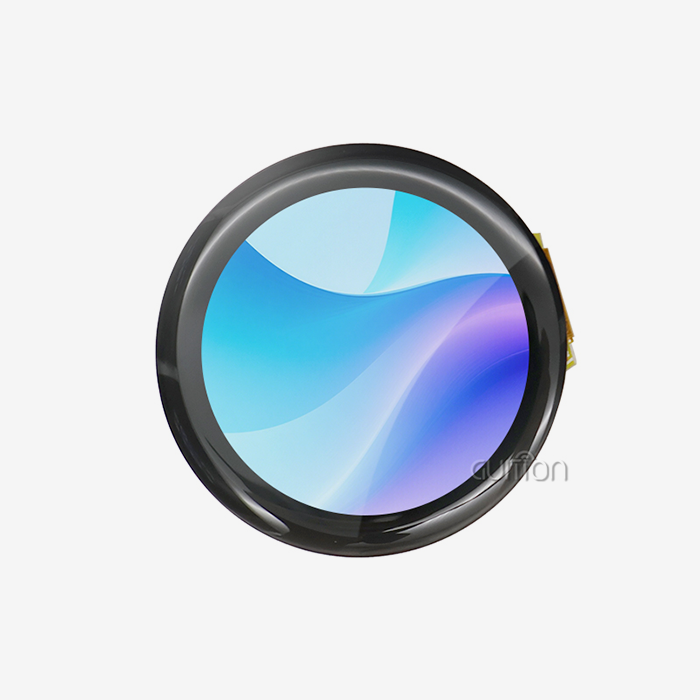
Guition’s range runs from 1.28 inches to 21.5 inches. A small display suits a thermostat or sensor node. A 5.0-inch, 800×480 screen like the JC8048W550N_I suits dashboards with several gauges and a menu.
Pick the smallest size that keeps text readable at arm’s length. Bigger GUITION Serial Screens cost more and draw more power.
How Does Guition Compare With Other Approaches?
Teams usually choose among three routes. This table summarizes the trade-offs:
| Approach | Development effort | Flexibility | Typical drawback |
|---|---|---|---|
| Hand-coded GUI on a bare MCU | High | Very high | Long schedules, graphics expertise needed |
| Fixed-function serial display | Low | Low | Limited controls and styling |
| GUITION Serial Screen with visual editor | Low to medium | High | Requires learning the Guition toolchain |
The visual route sits between the extremes. You keep customization through secondary development interfaces and technical documents, yet you avoid low-level graphics work.
What Should You Ask a Supplier Before Ordering?
Here’s a checklist you may use when evaluating any provider of IoT operator interface terminals:
- Documentation and support: Ask for the complete technical manuals, sample code, and secondary development interfaces before you purchase. Good documentation is a better integration accelerator than any hardware feature. Make sure there is an engineer who can answer your queries when anything breaks, not just a sales contact.
- Sample and volume terminology: Order a sample unit and inquire about lead times, minimum order quantities, and pricing on your expected volume. If your supplier is simply quoting for samples, you might be left high and dry in terms of production. Your launch date is protected by clear conditions.
- Long-term availability: Ask about how long the supplier will maintain the model in production and how they deal with changes in components. Stable component number = less requalification effort. Ask about written notice regulations so that a surprising end-of-life doesn’t disrupt your plan.
The questions between vendor and partner. Written answers also provide you with something to go back to when schedules are tight.
From Prototype to Production: Integrating GUITION Serial Screen into IoT Products
A decent prototype is only the beginning. Production adds testing, logistics, and long-term maintenance.
Stage One: Bench Prototype
Start with one module and your current MCU. Hook up UART, load up a sample interface, and show a live sensor value. Test applications are programmed in advance, so you may switch on the module and observe results instantly.
Ready in days to a functional demo. Share it early with interested parties and get their comments on layout and language.
Stage Two: Pilot Run
Develop 10-50 units & deploy with actual users. Look at the operators touching the GUITION Serial Screen. See what menu items they skip and what values they check the most.
Update interface look and feel and deploy changes via remote upgrade. This pilot highlights difficulties that a bench never discloses, including glare, gloves or loud power supply.
Stage Three: Volume Production and Maintenance
Lock on your hardware design, finalize the interface, and agree with your supplier on a manufacturing timetable. Add a version check process that reports the firmware of each device.
Use remote upgrades to deploy new features and fixes post-launch. Your support staff handles problems online, and your product continues to improve long after it has been shipped.
Conclusion
A GUITION Serial Screen allows engineering teams to construct operator interfaces more quickly. The JC8048W550N_I is a single module with a dual-core ESP32-S3R8, an 800x480 display, Wi-Fi, Bluetooth, and a TF card slot. The drag-and-drop program replaces layout code, and the serial interface maintains your control logic independent of your display in an IoT operator interface terminal.
The HMI market is seeing growth, and connected devices are more prevalent. Teams that speed up interface development win time to market. Build a bench prototype, test with actual users & grow with remote updates.
FAQ
1. What is a GUITION Serial Screen?
It is a display module with its own processor, built by Guition. It draws the interface and handles touch, while your controller sends simple commands over a serial connection. The JC8048W550N_I also includes an ESP32-S3R8 chip, so it can run applications on its own.
2. What is an IoT operator interface terminal?
An IoT operator interface terminal is a touchscreen that lets a person monitor and control a machine, and it connects to a network. The JC8048W550N_I offers Wi-Fi and Bluetooth, so it can send data to the cloud and receive remote updates.
3. Do I need programming skills to use no-code HMI software?
You do not need them for layout work. You add controls with a click and place them by dragging. Your controller still needs firmware that sends and receives data. Guition supports Arduino IDE, ESP-IDF, MicroPython, and its own visual environment, so you can choose the path that matches your skills.
4. Which microcontrollers work with a serial HMI display?
Any MCU with a UART port can connect to a serial display. That includes common families used in industrial and consumer products. Confirm voltage levels and baud rate in the technical documents before wiring.
5. Can I update the display remotely after installation?
Yes. Guition supports remote upgrade of user projects. You can change interface designs or fix problems on installed units without visiting the site. This lowers after-sales costs and speeds up improvements.
6. Does the JC8048W550N_I include touch?
The module is described as available without touch or with capacitive touch. Confirm the touch option on your quote so the delivered units match your design.
Request Samples and Technical Support From the Guition Team
Ready to test an IoT operator interface terminal on your own bench? Guition is a supplier and manufacturer of HMI display solutions, and our engineers help you choose the right model. Email david@guition.com or call phone number] with your project details. Ask about the GUITION Serial Screen JC8048W550N_I, and we will discuss samples, pricing, and development support with you.
References
1. Fortune Business Insights, 2026. Human Machine Interface Market Size, Share & Industry Analysis (used for market size and regional share). https://www.fortunebusinessinsights.com/human-machine-interface-market-114618
2. Mordor Intelligence, 2026. Human Machine Interface Market: Share Analysis, Trends & Forecasts 2026–2031 (used for touchscreen share and packaging segment). https://www.researchandmarkets.com/reports/4535752/human-machine-interface-market-growth-trends
3. IoT Analytics, 2025. Connected IoT Device Market Update, Fall 2025 (used for device counts and Bluetooth share). https://iot-analytics.com/Number-Connected-Iot-Devices
4. Espressif Systems, 2026. ESP32-S3 SoC Product Page (used for CPU, SRAM, GPIO, Wi-Fi, and Bluetooth specifications). https://www.espressif.com/en/products/socs/esp32-S3
5. Espressif Systems, 2026. ESP32-S3 Series Datasheet v2.0 (used for CoreMark performance). https://www.espressif.com/documentation/esp32-s3_datasheet_en.pdf
6. Guition (Jingcai Intelligence), 2026. Company and product information (used for software features, size range, and development modes). https://jingcaizhineng.aixdb.cn/
About the author
David is the CEO of Guition. He leads the company’s HMI display and software development and works with engineers worldwide on serial screen integration. His team supports customers from first prototype to volume production. He writes about practical embedded design, no-code interface tools, and IoT product development.
Learn about our latest products and discounts through SMS or email