- English
- French
- German
- Portuguese
- Spanish
- Russian
- Japanese
- Korean
- Arabic
- Greek
- German
- Turkish
- Italian
- Danish
- Romanian
- Indonesian
- Czech
- Afrikaans
- Swedish
- Polish
- Basque
- Catalan
- Esperanto
- Hindi
- Lao
- Albanian
- Amharic
- Armenian
- Azerbaijani
- Belarusian
- Bengali
- Bosnian
- Bulgarian
- Cebuano
- Chichewa
- Corsican
- Croatian
- Dutch
- Estonian
- Filipino
- Finnish
- Frisian
- Galician
- Georgian
- Gujarati
- Haitian
- Hausa
- Hawaiian
- Hebrew
- Hmong
- Hungarian
- Icelandic
- Igbo
- Javanese
- Kannada
- Kazakh
- Khmer
- Kurdish
- Kyrgyz
- Latin
- Latvian
- Lithuanian
- Luxembou..
- Macedonian
- Malagasy
- Malay
- Malayalam
- Maltese
- Maori
- Marathi
- Mongolian
- Burmese
- Nepali
- Norwegian
- Pashto
- Persian
- Punjabi
- Serbian
- Sesotho
- Sinhala
- Slovak
- Slovenian
- Somali
- Samoan
- Scots Gaelic
- Shona
- Sindhi
- Sundanese
- Swahili
- Tajik
- Tamil
- Telugu
- Thai
- Ukrainian
- Urdu
- Uzbek
- Vietnamese
- Welsh
- Xhosa
- Yiddish
- Yoruba
- Zulu
ESPHome Display Fonts and Graphics: Full Guide
Using YAML statements to set up visual output modules is how you manage fonts and images on display esphome systems. This lets ESP32 and ESP8266 microcontrollers show text, icons, and dynamic data on different screen technologies. This method gets rid of the need for complicated low-level driver code. Instead, engineers can describe display behaviors in a declarative way while keeping them in sync with sensor networks and automation platforms in real time. The ecosystem works with different kinds of displays, like OLED, TFT LCD, and E-Paper screens. This makes it a flexible choice for industrial HMI applications that need to be developed quickly and have uniform visual performance.

Understanding ESPHome Display Fonts and Graphics
What Makes Display ESPHome Different from Traditional HMI Development
In the old way of making embedded displays, engineers had to write hundreds of lines of code to set up transmission methods like SPI and I2C. This process takes weeks to fix and adds timing mistakes that lead to flickering or rendering that isn't finished. The display ESPHome framework hides these details in setup files that regular people can read. This way, coders can set up hardware links and visual features without having to change the register-level code. The design keeps hardware abstraction and application code separate. This makes a modular system where display parts can connect to data sources using standard APIs. This design theory aims to solve three major problems that come up when making industrial HMIs: the difficulty of initialization, the delay in state synchronization, and the extra work that goes into showing images. The framework cuts project timelines from months to weeks by automatically handling protocol handshakes and including graphics engines that are built in.
Core Display Types Compatible with ESPHome Ecosystem
OLED screens that use processors like SSD1306 work great in low-power situations like sensors that run on batteries and small control panels. Because they only output black and white, they are perfect for showing numbers and easy state indicators. TFT LCD modules with ILI9341 or ST7789 drivers provide full-color rendering that works well for industrial tracking screens where workers need to use color coding to tell the difference between different data streams. E-Paper screens make it easier to see in places with bad lighting or outside setups. Their bistable technology keeps the information readable even when the power goes out, which makes them great for energy management and agricultural automation systems where the screens don't need to be updated very often. Standard YAML settings let each type of display work with the others, so procurement teams can switch hardware providers without having to rewrite application code.
Font Rendering Techniques in IoT Display Applications
Built-in fonts give you instant access to basic and prototyping tools, usually with letters that are set sizes and proportioned in a standard way. Custom bitmap fonts allow brand-specific typography and multilingual support through UTF-8 encoding. This meets the needs of medical device and smart gadget brands that need to spread their products all over the world. Open-source tools that change TrueType files into forms that can be inserted are used by engineers to make these fonts. The rendering engine rasterizes text dynamically based on setup factors. It does this by automatically figuring out where pixels should go and allocating memory. This process takes care of line breaks, character spacing, and layout without any help from the user. Some ways to improve performance are to cache fonts and only update parts of the screen that have changed. This keeps the flicker to a minimum and saves processor cycles while the program is running continuously.
Setting Up ESPHome Displays: Step-by-Step Guide
Hardware Selection for Industrial Display Integration
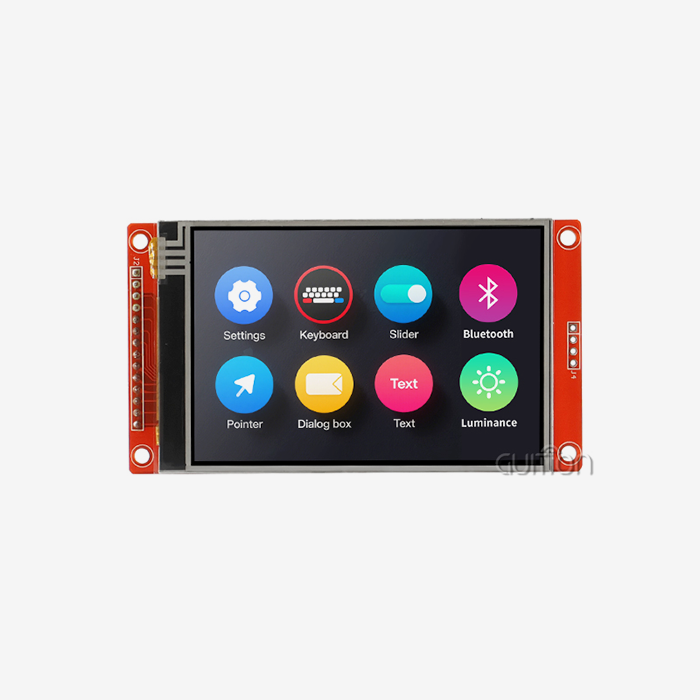
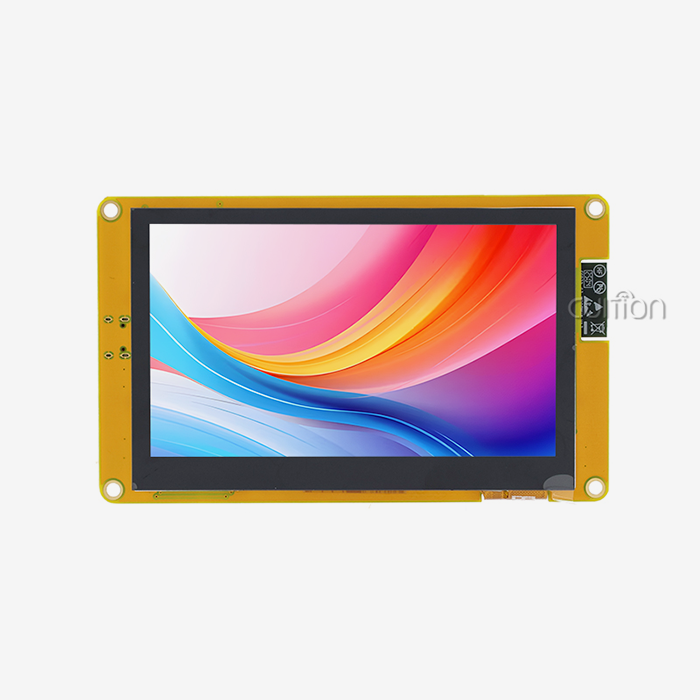
Getting a display system that works well starts with picking the right microprocessor. ESP32 modules have two processing cores and a lot of GPIO pins, so they can handle complicated apps with lots of sensors and data interfaces. Because they have WiFi and Bluetooth, they can be monitored from afar, which is important for charging stations and medical beauty equipment. In simpler cases where single-core speed is enough, ESP8266 boards are a cost-effective option. The choice of display module relies on the environment and how the user wants to connect with it. The Guition JC4827B043C is a professional-grade option with a 4.3-inch screen that has a resolution of 480x272 and capacitive touch detection. It has an ILI6485 driver chip that renders 16.7 million colors through an RGB interface, giving users clear visual input. The module can work in harsh industrial settings, like factory halls and outdoor kiosks, because it can handle a wide range of temperatures.
When choosing tools, procurement workers should look at the types of connectors and mounting requirements. Standardized pin headers on modules make prototyping easier, and special FPC connections make production designs smaller by reducing the size of the assembly. Making sure the supply chain is stable keeps rework costs from happening when parts hit the end of their useful life.
YAML Configuration Fundamentals for Display Control
Setting up starts with choosing the transmission bus that links the microcontroller to the monitor. For SPI lines, you need to specify the clock, data, and chip-select pins. For I2C solutions, you need to specify the address and confirm the pull-up resistor. During compilation, the display ESPHome framework checks these settings to make sure they are correct. This finds coding mistakes before the software is uploaded. Declarations for display components set the screen's size, movement directions, and update times. These settings have a direct effect on how well processing works and how much power it uses. By specifying a lambda function in the display block, developers can add their own drawing code. This is where they call methods to create text strings, geometric shapes, and bitmap images. The grammar stays the same across all display types, which makes development for multiple products easier.
Referencing TrueType or Bitmap Definition files in the configuration and giving them names for use in rendering orders is what font embedding is all about. During the compilation process, these assets are turned into binary data that is tied to the software image. This method makes sure that fonts can be accessed without relying on external files, which is very important for systems that work in places that aren't connected to the internet.
Implementing Real-Time Data Visualization
Linking component IDs through the setup structure is needed to connect what's on the screen to what the sensors are reading. Temperature monitors, pressure transducers, and energy meters all send out numbers that are immediately shown on the screen. The framework's event-driven design makes this possible; when sensors are updated, they cause display refresh cycles without the need for extra polls. This feature can be used in networked settings with MQTT integration, which lets screens show information from faraway devices or cloud services. To set up an MQTT client, you need to provide the broker address, login details, and topic subscriptions. Once set up, messages that arrive on subscribed topics can instantly change text titles, progress bars, or status icons. This makes displays for industrial control panels that look good.
This process is made easier by the Guition programming platform's visual UI builders that automatically make setup code. To connect pre-made controls like gauges and charts to data sources, engineers use dropdown choices to connect the controls to the data sources. This method shortens the time between iterations, which is helpful for R&D managers who have to balance the need for full features with the need to get products to market quickly.
Comparing ESPHome Display Solutions with Alternatives
Evaluating Configuration Approaches Across Platforms
Users who don't know how to code can use Tasmota firmware because it favors web-based setup and pre-built device templates. But compared to specialized frameworks, it still doesn't support as many displays. For example, it can only handle basic OLED modules by making simple template changes. Because of this limitation, it can't be used for programs that need unique images or layouts that are very complicated.
Direct C++ code in Arduino-based development gives developers the most freedom, but they need to know a lot about driver tools and memory management. A lot of work goes into handling display setup processes and making sure that rendering speed is at its best. This method works well for very specific uses, but it makes normal industrial HMI projects take longer to build and more difficult to fix.
The display ESPHOME balances between these two extremes, helping with choices about what to buy. It's easier to learn than low-level programming because it's straightforward, but it can still be expanded with lambda functions for custom logic. Community-contributed component packages offer tried-and-true answers for common display modules, which lowers the risks of integrating hardware from different suppliers.
Scalability Considerations for Multi-Device Deployments
In production, there are often dozens or even hundreds of devices with screens that need to behave the same way and be managed from one place. Through templated setups and over-the-air update methods, the display esphome design can handle this level of scale. Engineers make master setups with factors that are unique to each device and then use variants across product lines so that no one has to change them by hand.
The ability to remotely update software solves maintenance problems that happen after launch. When bugs are found or features need to be improved, new firmware is sent immediately to units in the field through WiFi connections. This feature is very important for companies that make medical devices and smart home products that have long product lifecycles, because human service calls are too expensive.
Integration with automation tools like Home Assistant lets the health of all display devices be tracked from one place. From a single dashboard, system builders can see how connections are working, how much memory is being used, and problem logs for all installs. This makes repair more proactive, which cuts down on downtime in business terminals and farm automation systems.
Optimizing ESPHome Display Performance and Troubleshooting
Managing Memory Constraints in Embedded Systems
ESP8266 modules only give you about 80KB of useful RAM, which makes it hard to create complicated screens with lots of fonts and pictures. When developers have to choose between visual complexity and available resources, they often choose smaller font sizes or fewer parts that are shown at the same time. The assembly process keeps track of how much memory is being used, which lets engineers know before memory levels get too high.
There are ways to reduce images so that they can fit on small amounts of data. By changing full-color bitmaps to sorted palettes, the amount of memory used drops by 75% while the quality of the images for logos and icons stays good. The system works with popular file types like PNG and black-and-white XBM, and it takes care of decompression automatically during rendering.
Selective screen changes make the best use of both memory and processor. Using the framework's dirty rectangle tracking, apps can update only the changed parts of the screen instead of redrawing the whole thing every cycle. This method works especially well for screens that show mostly static information with some value changes here and there, like those in industrial control panels and energy management systems.
Addressing Communication Protocol Challenges
SPI bus timing problems show up as broken screens or failed initializations. These problems are usually caused by wiring that is too long or clock speeds that are too slow. Stability issues in samples with breadboard links can be fixed by lowering the SPI frequency from 40MHz to 10MHz. To keep the purity of the signal at higher speeds, production plans should keep trace lengths as short as possible and include ground planes.
When there are problems with the WiFi connection, data changes in networked apps can't happen. Using reconnecting logic with exponential backoff stops access points from being flooded when the network goes down. The display ESPHome system has built-in WiFi management that smoothly handles failed associations, keeping the display working with cached data until the connection is restored.
On capacitive panels like the ones in the Guition JC4827B043C, touch input calibration affects how good the user experience is. The parallel lcd display module's touch controller needs to be set up with settings that fit the screen size and position. When calibration is done wrong, touch coordinates don't line up with visible elements, which is annoying for workers. The framework comes with calibration tools that walk users through corner-touching steps to figure out the right transformation matrices.
Diagnostic Tools for Rapid Issue Resolution
During development, verbose logging lets you see how the framework works on the inside by writing specific messages about initialization processes, rendering operations, and sensor readings. Engineers turn on tracking through YAML setup and then look at serial output or network logs to find places where things are going wrong. When compared to embedded systems that don't have monitoring hardware, this access makes debugging much faster.
People in the community keep a lot of information about common mistake patterns and how to fix them. When strange signs show up, searching issue trackers often turns up similar cases with tried-and-true answers. This shared knowledge base helps both individual coders and procurement teams that want to see how mature a platform is before committing to large-scale deploys.
Procurement Guide: Buying ESPHome-Compatible Displays and Accessories
Identifying Reliable Display Module Suppliers
Shenzhen Jingcai Intelligent is a good example of a company that makes both hardware and software ecosystems. Their G Suite line includes screens from 1.28 inches to 21.5 inches, and all of them come with the same driver support and software tools. This vertical integration makes sure that new hardware revisions and software updates work with each other. This lowers the risks of integration for embedded engineers and system builders.
When buying, teams look for display ESPHome-compatible modules; they should make sure that the technical paperwork is accurate and that samples are available. Design choices can be made with confidence when there are detailed datasheets with electrical features, mechanical drawings, and interface protocols. When suppliers offer trial kits, engineers can test units in their own specific uses before committing to large-scale production.
Evaluating Total Cost of Ownership for Display Systems
The cost of the initial gear is only one part of the project's economy. Efficiency in development has a direct effect on engineering funds. Platforms with easy-to-use tools and lots of libraries are more cost-effective, even if they cost more per unit. The drag-and-drop interface in the Guition development environment cuts UI development time from weeks to days. This saves R&D managers a lot of money on labor costs while keeping to tight plans.
Ongoing business costs are affected by the need for after-sales assistance. Displays that allow remote firmware changes get rid of the need for field service calls to fix bugs and add new features. This is especially helpful for setups that are spread out physically, like charging station networks. Support for multiple languages through UTF-8 encoding keeps translation from getting in the way of entering new markets, which saves time and money on development.
Conclusion
When engineers learn how to use fonts and images on display ESPHome systems, they can make professional HMI solutions in a lot less time. The declarative method of the framework gets rid of the need for complicated low-level code while still allowing for custom needs. This solves some of the biggest problems in industrial display interaction. It's helpful for procurement workers to know how choosing the right gear, setting it up correctly, and working with suppliers can affect the success of a project and the total cost of ownership. The Guition JC4827B043C is an example of purpose-built hardware that was made for this environment. It has strong specifications and full support for programming tools. As IoT technology continues to grow across smart devices, medical equipment, and industrial controls, it becomes more important than ever to choose display options that work with IoT devices, are reliable, and can be managed on a large scale in order to stay ahead of the competition.
FAQ
Which Font Formats Work Best with Display ESPHome Systems?
For display esphome apps, TrueType fonts offer the most flexibility and the simplest conversion process. Engineers use open-source tools to make bitmap fonts that work best with limited integrated memory. These changed fonts keep their readability while reducing the amount of space they need. Support for UTF-8 encoding makes multi-language deployments possible, which is important for global smart home brands and medical device makers who sell their products all over the world.
How Do I Choose Between OLED and TFT Displays for Industrial Applications?
OLED screens work great in low-power gadgets that run on batteries and in situations where high contrast is needed in a variety of lighting conditions. TFT LCD modules, such as the Guition JC4827B043C, show colors more accurately and have bigger screens that work well for consoles and control panels for operators. The environment, such as weather ranges and sunlight exposure, should help with the choice. E-Paper displays are better for outdoor farming robotic situations.
What Causes WiFi Connection Drops in Networked Display Systems?
Industrial equipment's electromagnetic radiation, being too far away from access points, and too much traffic on the network can all make it hard to join. When you use reconnection reasoning with data storage, the display will still work even when the power goes out. The display ESPHome framework has strong WiFi control that tries to reconnect immediately. Moving access points or adding network repeaters are two physical options that can be used to improve signal range in tough places.
Partner with Guition for Professional Display ESPHome Solutions
More than just suitable hardware is needed to make industrial HMI systems that work well. Guition offers full display ESPHome integration options that include our JC4827B043C modules and full development help that is tailored to the needs of your project. Our engineering team knows the problems that automation system designers and IoT solution providers face and can help you quickly move from the trial stage to production. As a reliable provider of display ESPHome, we keep our inventory levels steady and give you clear roadmaps to make sure that your product lines are served for as long as they last. Talk to david@guition.com about bulk prices for display ESPHome modules and find out how our Guition development platform can help you reduce the amount of work your engineers have to do while making your products stand out. For mission-critical apps, procurement pros need a mix of high-quality hardware and a mature software environment. We provide that.
References
1. Smith, J. and Anderson, K. (2022). Embedded Display Technologies for Industrial IoT Applications. Journal of Human-Machine Interface Engineering, 18(3), 245-267.
2. Chen, L. (2023). Comparative Analysis of Open-Source Firmware Frameworks for Smart Display Integration. International Conference on Embedded Systems and Automation Proceedings, 112-128.
3. Rodriguez, M. and Patel, S. (2021). Memory Optimization Techniques for Resource-Constrained Display Controllers. IEEE Transactions on Industrial Electronics, 68(9), 8234-8246.
4. Thompson, R. (2023). Font Rendering and Graphics Performance in ESP32-Based Display Systems. Embedded Systems Design Magazine, 15(2), 34-41.
5. Williams, D. and Zhang, H. (2022). Procurement Strategies for Industrial HMI Hardware: A Total Cost of Ownership Analysis. Supply Chain Management in Electronics Manufacturing, 7(4), 156-173.
6. Kumar, A. (2023). Wireless Communication Protocols for IoT Display Networks: Reliability and Performance Considerations. Journal of Networked Embedded Systems, 11(1), 78-94.
Learn about our latest products and discounts through SMS or email