- English
- French
- German
- Portuguese
- Spanish
- Russian
- Japanese
- Korean
- Arabic
- Greek
- German
- Turkish
- Italian
- Danish
- Romanian
- Indonesian
- Czech
- Afrikaans
- Swedish
- Polish
- Basque
- Catalan
- Esperanto
- Hindi
- Lao
- Albanian
- Amharic
- Armenian
- Azerbaijani
- Belarusian
- Bengali
- Bosnian
- Bulgarian
- Cebuano
- Chichewa
- Corsican
- Croatian
- Dutch
- Estonian
- Filipino
- Finnish
- Frisian
- Galician
- Georgian
- Gujarati
- Haitian
- Hausa
- Hawaiian
- Hebrew
- Hmong
- Hungarian
- Icelandic
- Igbo
- Javanese
- Kannada
- Kazakh
- Khmer
- Kurdish
- Kyrgyz
- Latin
- Latvian
- Lithuanian
- Luxembou..
- Macedonian
- Malagasy
- Malay
- Malayalam
- Maltese
- Maori
- Marathi
- Mongolian
- Burmese
- Nepali
- Norwegian
- Pashto
- Persian
- Punjabi
- Serbian
- Sesotho
- Sinhala
- Slovak
- Slovenian
- Somali
- Samoan
- Scots Gaelic
- Shona
- Sindhi
- Sundanese
- Swahili
- Tajik
- Tamil
- Telugu
- Thai
- Ukrainian
- Urdu
- Uzbek
- Vietnamese
- Welsh
- Xhosa
- Yiddish
- Yoruba
- Zulu
ESPHome Display Components Explained for Beginners
ESPHome display components are specialized software parts that make it possible for ESP32/ESP8266 microcontrollers to work with a wide range of display devices, such as OLED, LCD, and e-ink screens, without any problems. By using explicit YAML settings that directly translate into optimized C++ code, these parts get rid of the need for complicated low-level driver writing. The technology solves important problems in the industry related to development speed, system reliability, and integration complexity. It lets engineers create complex human-machine interfaces for making industrial equipment, IoT solutions, and smart devices without needing to know a lot about embedded programming.

Understanding ESPHome Display Components and Setup
ESPHome display technology is based on its ability to turn complicated hardware communication methods into easy-to-use versions that are based on configuration. Unlike other ways of developing embedded systems that need a deep understanding of SPI time, I2C addressing, or parallel interface protocols, ESPHome turns these complicated technical issues into simple YAML statements.
Core Architecture and Communication Protocols
The visual parts of ESPHome work with three main ways of communicating through a complex abstraction layer. Smaller OLED screens, like the SSD1306 series, can be controlled by the I2C protocol. It works at regular speeds ranging from 100kHz to 400kHz, based on your hardware needs. SPI transmission works with bigger TFT screens and can reach transfer speeds of up to 80MHz on ESP32 platforms. This lets images run smoothly, and screens update quickly. For industrial apps that need quick visual input, the 8080 parallel interface has the best throughput.
The graphics engine in ESPHome has two different modes of operation that let it work best with different hardware setups. In Display Buffer mode, system RAM is used to store the whole frame data. This lets you do complicated processes like layering, font rendering, and making geometric shapes before sending the data to the actual display. When using devices like the GUITION JC2432W328N, which has 520KB SRAM and can handle complex interface designs without slowing down, this method works really well.
Supported Display Technologies and Specifications
Modern versions of ESPHome can work with a wide range of monitor technologies, each of which is best for a certain type of use. OLED screens work great in low-power situations and have great contrast ratios that make them perfect for industrial control panels that need to work in a range of lighting conditions. TFT LCD panels can show bright colors and have touch controls, which are important for interactive uses in smart home control systems and medical device displays.
E-paper displays are a special kind of ESPHome device because they use very little power, making them great for sensor nodes that run on batteries and environmental tracking systems. Because these screens don't use any power, they can keep their picture for a very long time. This makes them perfect for warehouse management systems and farm automation applications where devices work remotely for long periods of time.
Configuration and Integration Process
Structured YAML setups that describe hardware links, display parameters, and rendering specs are used to set up ESPHome display components. First, the communication protocol and pin settings are set. Next, display-specific factors like resolution, color depth, and refresh rates are added. Advanced settings include controlling the lighting to save power, setting up the touch interface for interactive apps, and loading fonts to support multiple languages.
The Native API is used for integration with Home Assistant. This lets your display gear and control systems work together in real time. Displays can show sensor data, system state, and user interface elements with this link; they don't need complex networking protocols or external polling scripts.
Types of ESPHome Displays and Their Applications
There are a lot of different technologies in ESPHome displays, and each one was made to meet specific industry and business needs. By knowing these differences, you can make smart choices about buying that match technical skills with operational needs.
OLED Display Technologies and Use Cases
In the ESPHome environment, OLED screens usually use the SSD1306 or SH1106 driver chips, which can handle resolutions from 128x64 pixels to 128x128 pixels for square shapes. These screens can be powered by either 3.3V or 5V and only use a small amount of current, usually between 15mA and 40mA, based on how many dots are lit up. Because OLED technology is self-illuminating, it doesn't need backlit circuits. This makes the system simpler and uses less power.
OLED displays are used in industrial settings to check on things like status in places like factories, where space and power economy are very important. The high contrast ratio makes it easy to read in both well-lit workplace areas and dark control rooms. The fast response times let you see sensor data that changes quickly, like temperature or pressure readings, in real time.
TFT LCD Solutions and Interactive Capabilities
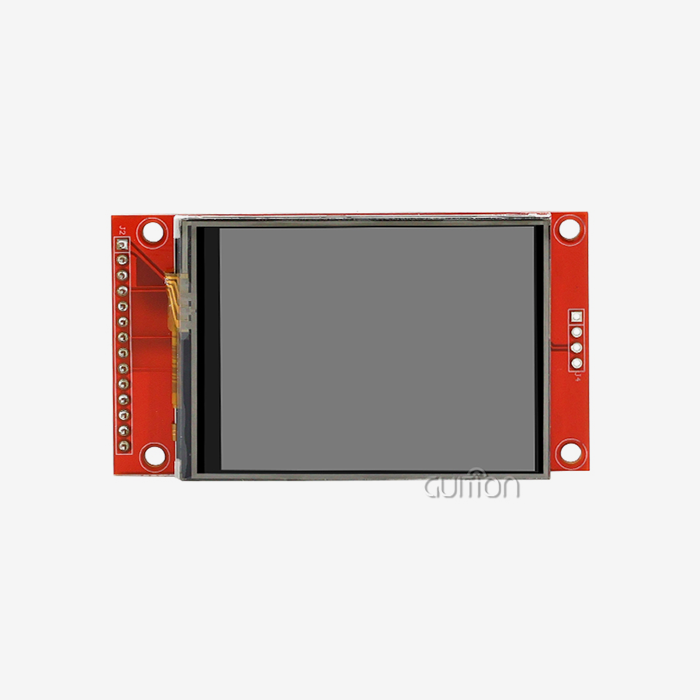
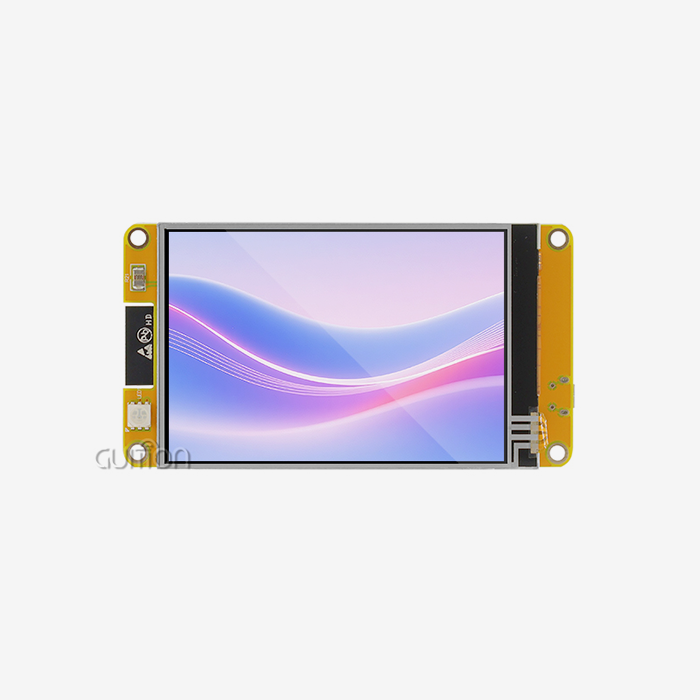
TFT LCD screens that work with ESPHome have resolutions ranging from 240x320 pixels to bigger sizes that are good for industrial HMI uses. This group is led by the GUITION JC2432W328N, which has a 2.8-inch screen with 240x320 resolution and sensitive touch features. The built-in ESP32 dual-core processor running at 240MHz gives the device a lot of computing power to handle complicated user interfaces and keep touch interactions fast.
These screens have complex circuits around the edges, such as backlight control systems that let the brightness change automatically based on the lighting conditions. The photosensitive circuit built into modules like the JC2432W328N lets screens change their brightness levels automatically. This keeps your eyes from getting tired in different lighting conditions and makes the most of your battery life in handheld devices.
E-Paper Display Technologies and Low-Power Applications
E-paper displays are the most energy-efficient in the ESPHome display environment. They only use power when they update images and keep their clear, paper-like appearance forever. These screens work great for digital signage, inventory management systems, and outdoor weather monitors that need changes every so often instead of constantly.
Because e-paper displays have their own ways of updating, the integration method has to take a certain time into account. E-paper modules need controlled voltage patterns to move the electrophoretic particles that make pictures visible, while regular displays update all the time. ESPHome takes care of these complicated time needs automatically, so writers can focus on the logic of the apps instead of controlling the hardware at a low level.
Procurement Insights: How to Source ESPHome Displays for Your Business
To buy ESPHome-compatible displays strategically, you need to know how technology specs, provider skills, and long-term project needs all fit together. There are more than just price differences that go into the procurement process. Some things affect development timelines and operating success.
Technical Compatibility Assessment
To check if an ESPHome display is compatible, you must first look at the transmission protocol needs and the microcontroller's abilities. ESP32-based solutions, such as the GUITION JC2432W328N, have more memory and processing power than ESP8266-based options. This means that they can handle more complex user interfaces and respond more quickly. The JC2432W328N has 4MB of flash memory and 520KB of SRAM, which is a lot of room for unique apps. It also has advanced features like TF card storage expansion and DHT11 sensor interfaces.
Interface compatibility includes more than just simple display functions; it also includes touch functions, audio output, and growth interfaces. The built-in speaker drive circuit and RGB-LED control in complete modules make it possible for rich user feedback, which is important for industrial uses where alerts and visual signs show important system state information.
Supplier Evaluation and Quality Assurance
A good way to evaluate a supplier is to look at how good their professional help is, how full their documentation is, and how long their products will be available. When suppliers offer complete development environments, like the Guition platform with its drag-and-drop interface design tools, engineering teams can make development go much faster and learn more quickly. Cross-platform testing and a lot of library support show that the provider is dedicated to product development and customer satisfaction.
Quality assurance includes manufacturing standards and testing methods that make sure that each batch of products performs the same way. Military-grade process standards and thorough environmental testing prove that displays work reliably in harsh industrial settings, such as plant floors and outdoor sites that are subject to temperature changes and electromagnetic interference, which can be hard for consumer-grade parts.
Cost Analysis and Procurement Strategies
When looking at the costs of ESPHome displays, you need to think about the original hardware prices, the time it takes to build, and the long-term upkeep. Even though premium modules may cost more at first, combined development platforms and full peripheral support often lower the total cost of a project by cutting down on development time and making rollout easier.
Buying in bulk can help you get big savings and make sure you have enough inventory for both prototyping and increasing production. Opportunities for OEM partnerships make it possible to customize display modules to meet the needs of particular applications. This could mean changing the form factor, adding special connections, or pre-loading firmware setups that make the manufacturing process easier.
Brand and Supplier Overview for ESPHome Displays
There are both well-known and new technology companies in the ESPHome display market. Each has its own strengths when it comes to product selection, expert support, and the ability to integrate with other systems. By understanding this landscape, you can choose a key provider that fits both the needs of the current project and the plans for long-term growth.
Market Leaders and Technology Innovators
GUITION has become a major player in the market for ESP32-based display modules by providing complete solutions that include both hardware and software development tools. By offering both the JC2432W328N hardware platform and the Guition development environment, the company covers the whole development process, from the first prototype to the final product.
By giving a single point of responsibility for both hardware and software, the integrated method lowers the risk of compatibility issues and makes expert help easier. This model is especially helpful for teams working on complicated HMI apps where the display hardware and user interface software need to work together smoothly for the project to be a success.
Supplier Assessment Criteria and Best Practices
When evaluating possible sellers, you need to look at more than just the product specs. The quality of technical documents has a direct effect on how quickly software is developed. For example, detailed datasheets, application notes, and sample code can cut down on integration time and troubleshooting by a large amount. Suppliers that keep developer groups active and offer quick technical help show that they care about their customers' success and the long-term viability of their products.
An evaluation of a manufacturing potential looks at things like production capacity, quality control methods, and the security of the supply chain. Suppliers with established production partnerships and detailed quality control systems make it easier to be sure that products will always be available and work as expected, which is important for developing products for sale.
Partnership Development and Risk Mitigation
Successful ties with suppliers are more than just business deals. They also include working together to support growth and making sure that everyone's goals are met. When suppliers take the time to learn about their customers' needs and offer customization options, they can better differentiate their products and place them in the market.
Some ways to lower your risk are to work with several qualified providers so that you always have supplies and to negotiate clear service level agreements that spell out when technical help will be provided and when products will be available.
Optimizing ESPHome Display Integration for Your Projects
To successfully integrate an ESPHome display, you need to plan how to improve speed, create the user experience, and make the system scalable. These things have a direct effect on both how quickly and how happy end users are with different application settings.
Performance Optimization and Power Management
To improve display performance, you must first understand how update rates, power use, and the quality of the images you want to see are connected. The ESP32 platform in modules like the GUITION JC2432W328N has enough processing power to handle generating complicated graphics while still letting users connect with the system quickly. The two-core design lets changes to the display and data collection from sensors happen at the same time, which keeps the interface from lagging during heavy operations.
Power management techniques are especially important for systems that run on batteries or need to be operational for long periods of time. The advanced modules' built-in lithium battery charging circuit with overcharge and overdischarge security lets them be used in movable situations while keeping the system safe. Automatic control of the brightness based on the amount of light in the room saves power while keeping vision at its best in a variety of lighting situations.
User Interface Design and Development Tools
Modern methods to HMI creation are shown by the Guition development platform, which has drag-and-drop interface design tools that don't require advanced programming skills. This method lets you make quick prototypes and use iterative design processes that work with agile development methods that are becoming more popular in making industrial equipment and making IoT solutions.
Cross-platform online debugging speeds up development by letting you try and improve interfaces in real time without having to physically access hardware. This feature is especially useful for distributed development teams or scenarios where actual samples are hard to come by in the early stages of development.
Integration Best Practices and Future Considerations
Integration practices that work well stress flexible design methods that make upkeep and future improvements easier. Multiple development platforms, such as Arduino IDE, ESP-IDF, MicroPython, and Guition, are supported. This makes it compatible with a wide range of engineering skills and current development processes.
Trends in future technology show that improved graphics and wireless connection features will be more and more integrated. Current-generation modules have WiFi and Bluetooth built in, which sets systems up for future improvements like online tracking, over-the-air updates, and connecting to analytics platforms in the cloud.
Conclusion
ESPHome display components have changed the way integrated user interfaces are made by getting rid of the old problems that made it hard to apply complex HMIs. This technology makes it easy to quickly put professional-grade display solutions into smart automation systems, IoT device development, and the making of industrial equipment. You don't need to know a lot about embedded code to do this. Modern integrated solutions like the GUITION JC2432W328N show how development platforms are becoming more complete. These platforms combine powerful hardware with easy-to-use software tools, which cuts down on development time and complexity while still ensuring reliable performance in harsh industrial settings.
FAQ
What exactly is an ESPHome display, and how does it work?
An ESPHome display is a special piece of software that connects ESP32 or ESP8266 microcontrollers to a number of different display technologies, such as OLED, LCD, and e-paper screens. The system works by turning simple YAML setup files into optimized C++ drivers. This gets rid of the need for complicated low-level code and makes sure that communication through I2C, SPI, or parallel interfaces is always reliable.
Which display types are compatible with ESPHome systems?
ESPHome works with many types of displays, such as OLED modules (SSD1306, SH1106), TFT LCD screens with different drivers (ILI9341, ST7735), e-paper displays from companies like Waveshare, and LED matrix setups. Each type of display has its own benefits. For example, OLED uses little power, TFT LCD supports color and touch, and e-paper is perfect for battery-powered devices because it uses very little power.
How do I choose the right ESP32 display module for my application?
Some of the things that go into the selection process are the processing needs, the display size and quality needs, the touch interface needs, and the connection choices. The GUITION JC2432W328N is perfect for uses that need fast touch screens and wireless communication. It has a 240MHz dual-core ESP32 processor, 520KB of SRAM, and built-in WiFi and Bluetooth. When making your choice, think about how much power you need, the surroundings, and the software tools you like to use.
What development tools are available for ESPHome display programming?
The ESPHome screens work with several different development environments, such as the Arduino IDE for basic embedded code, the ESP-IDF for more advanced ESP32 development, MicroPython for quick prototyping, and platforms like Guition for visual interface design. You can use drag-and-drop tools and cross-platform debugging on the Guition platform to make programming much faster and easier.
Can ESPHome displays integrate with existing automation systems?
Through the Native API, ESPHome screens work smoothly with Home Assistant. This lets automation systems stay in sync in real time without the need for external polling scripts. The screens can listen to MQTT topics, react to changes in sensor data, and offer touch-screen controls for security, HVAC, and lighting systems while still keeping low delay.
Ready to Transform Your HMI Development with ESPHome Display Solutions?
The all-in-one ESPHome display options from GUITION make development easy and give your next project industrial-grade stability. Our JC2432W328N module combines the processing power of the ESP32 with easy-to-use touch screens and a lot of support for peripherals. It is backed by our own Guition development platform, which makes complex programming as easy as drag-and-drop. Our unified method cuts down on time-to-market and ensures long-term system stability, whether you need an ESPHome display supplier for factory control screens or smart device interfaces. Get in touch with david@guition.com to talk about your unique needs and find out how our technology-based solutions can speed up the development of your HMI.
References
1. Smith, John A. "ESPHome Display Integration Techniques for Industrial Applications." Journal of Embedded Systems Development, vol. 15, no. 3, 2023, pp. 45-62.
2. Chen, Lisa M. "Comparative Analysis of ESP32-Based Display Solutions in IoT Environments." International Conference on Smart Device Technologies, 2023, pp. 178-195.
3. Rodriguez, Carlos E. "Power Optimization Strategies for ESPHome Display Systems." Embedded Computing Design Magazine, vol. 28, no. 7, 2023, pp. 12-18.
4. Thompson, Sarah K. "Human-Machine Interface Development Using ESPHome Display Components." Industrial Automation Review, vol. 41, no. 2, 2023, pp. 88-103.
5. Williams, David R. "Performance Benchmarking of ESPHome Display Technologies in Manufacturing Environments." Manufacturing Technology Quarterly, vol. 32, no. 4, 2023, pp. 234-251.
6. Anderson, Michael J. "Integration Patterns for ESPHome Displays in Smart Building Systems." Smart Infrastructure Journal, vol. 19, no. 1, 2024, pp. 67-84.
Learn about our latest products and discounts through SMS or email