- English
- French
- German
- Portuguese
- Spanish
- Russian
- Japanese
- Korean
- Arabic
- Greek
- German
- Turkish
- Italian
- Danish
- Romanian
- Indonesian
- Czech
- Afrikaans
- Swedish
- Polish
- Basque
- Catalan
- Esperanto
- Hindi
- Lao
- Albanian
- Amharic
- Armenian
- Azerbaijani
- Belarusian
- Bengali
- Bosnian
- Bulgarian
- Cebuano
- Chichewa
- Corsican
- Croatian
- Dutch
- Estonian
- Filipino
- Finnish
- Frisian
- Galician
- Georgian
- Gujarati
- Haitian
- Hausa
- Hawaiian
- Hebrew
- Hmong
- Hungarian
- Icelandic
- Igbo
- Javanese
- Kannada
- Kazakh
- Khmer
- Kurdish
- Kyrgyz
- Latin
- Latvian
- Lithuanian
- Luxembou..
- Macedonian
- Malagasy
- Malay
- Malayalam
- Maltese
- Maori
- Marathi
- Mongolian
- Burmese
- Nepali
- Norwegian
- Pashto
- Persian
- Punjabi
- Serbian
- Sesotho
- Sinhala
- Slovak
- Slovenian
- Somali
- Samoan
- Scots Gaelic
- Shona
- Sindhi
- Sundanese
- Swahili
- Tajik
- Tamil
- Telugu
- Thai
- Ukrainian
- Urdu
- Uzbek
- Vietnamese
- Welsh
- Xhosa
- Yiddish
- Yoruba
- Zulu
ESP32-S31 7 Inch Display Module OEM Options Explained
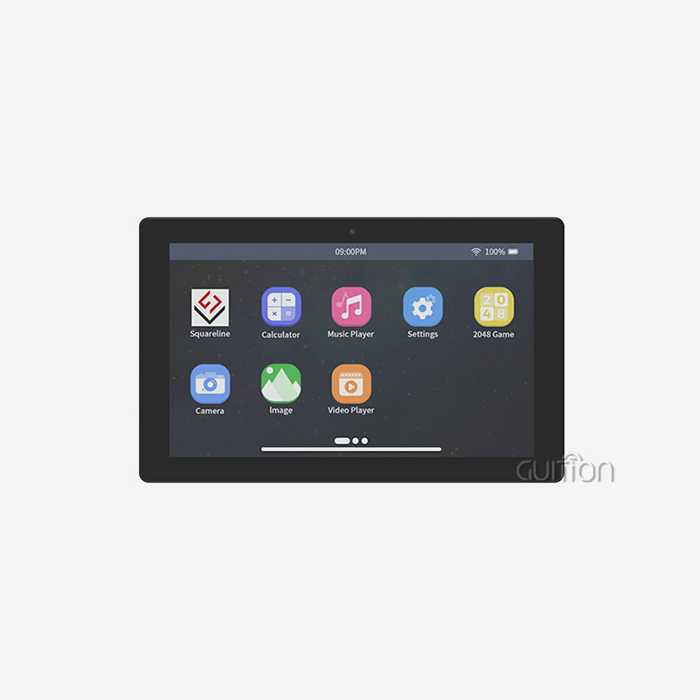
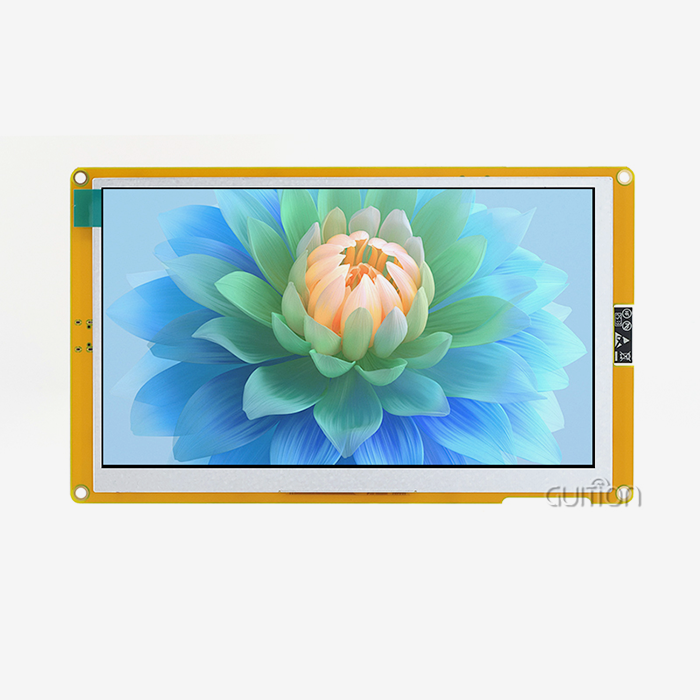
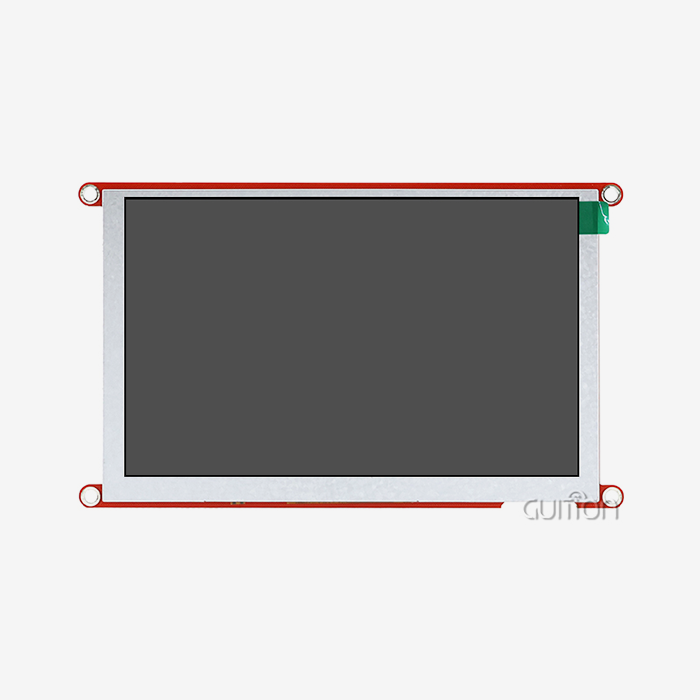
The ESP32-S31 7 inch display module gives OEM teams a ready display platform with processing, memory, and wireless connectivity on one board. Guition offers the 7-inch ESP32-S31 Display Module, model JC1060F570C_I_W_Y. It has a 360 MHz dual-core ESP32-S31-WROOM-1 MCU, 16 MB Flash, 16 MB PSRAM, WiFi 6, Classic Bluetooth, and a 1024×600 IPS screen. OEM buyers can start with the standard unit and discuss customisation needs with our team. This guide explains the specifications, interfaces, software paths, and buying steps so you can judge fit before you request samples. I wrote it for engineers, product managers, and procurement teams in the United States.

Why Choose an ESP32-S31 7 Inch Display Module for OEM Projects?
One Board for Display, Compute, and Wireless
Most of the time, tech teams say they don’t want to wire first. Add extra wires, test points, and an MCU board that isn't connected to anything else, and things can go wrong more easily. The Guition ESP32-S31 7 inch display module is equipped with the ESP32-S31-WROOM-1 MCU and a secure shell. It also comes with a 7.0-inch 1024x600 IPS TFT screen, WiFi 6, and Classic Bluetooth. Fewer boards mean fewer connections to check for bugs and a shorter bill of materials review. So prototypes can be made faster, and the founder of a startup or the R&D manager can easily provide a plan for production.
Why the 7-Inch Size Fits Many Products
The number 7 is a good middle number. It’s big enough to see charts, progress bars, and menus with readable type. It is not too large, so you can mount controls on the wall, tools on a bench, and terminals on a desk. You can create layouts with more than one zone, such as a live value area next to a settings column, with a resolution of 1024x600. IPS technology matters because it maintains the same colours from many different angles. This helps the operator who is looking at the screen from the side of the machine. Guiton’s catalogue goes from 1.28” all the way to 21.5”, so teams that need to go bigger can partner with the same company.
Who Benefits Most
This ESP32-S31 7 inch display module can be used with ESP-IDF or Arduino IDE. Also good for HMI designers who like drag-and-drop layout and product managers who need a quick way to get a demo that works. Get an interface out the door quickly so that the software doesn’t have to be written first. This is the pressure on medical device developers, systems integrators, and smart device brands. The unit already has test apps on it, so when the team first fires it up, they can check the screen and make sure it works wirelessly. I can see how that early proof point would stop staff arguing about whether to use a platform or not.
ESP32-S31 7 Inch Display Module Specifications and System Integration
Processor, Memory, and Wireless
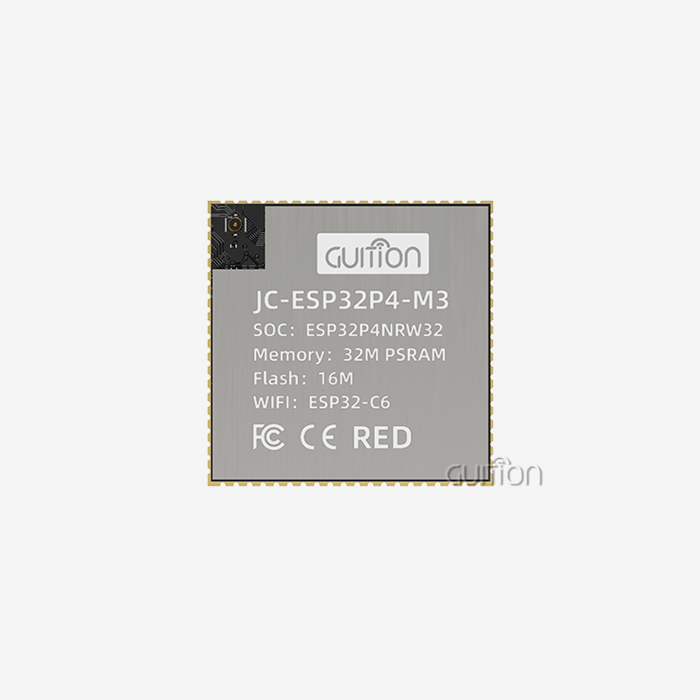
The JC1060F570C_I_W_Y includes ESP32-S31-WROOM-1-N16R16V. The MCU runs at 360 MHz and has two cores. It has 320 KB ROM, 512 KB RAM, 16 MB Quad SPI Flash and 16 MB Octal SPI PSRAM, 32 KB low-power SRAM and 1 KB shared SRAM. The big PSRAM is important for graphics, since a 1024x600 screen with 24-bit colour needs space for fonts, images and screen data. Wireless connections can be made via WiFi 6 and Bluetooth Classic. The board does not need another radio to connect to a router, the cloud, or a nearby device. If you do freeze a design, be sure to have the latest datasheet and revision on hand.
Display, Interfaces, and Storage
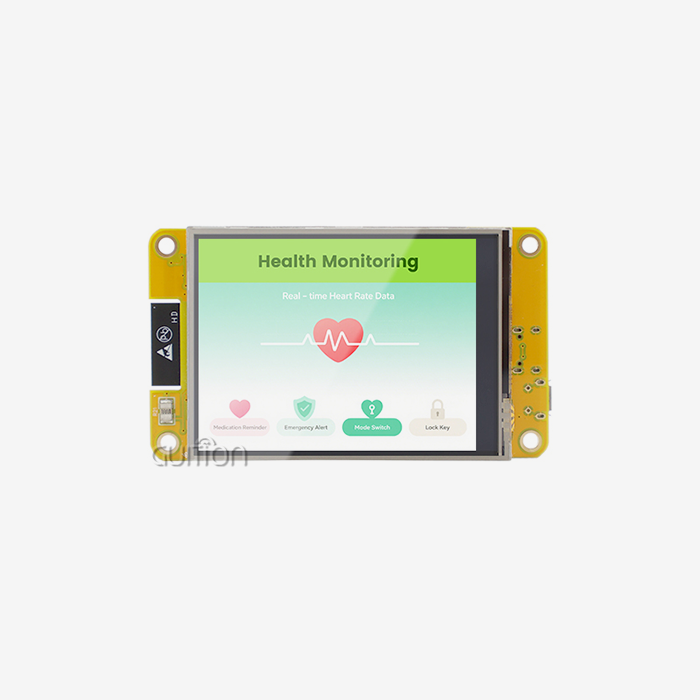
It has a 7 inch wide, 1 inch thick 1024x600 IPS TFT display. It displays 16.7 million colours and has full viewing angles. It is surrounded by a protective shell and has a TF card slot and a lithium battery interface. The TF card slot is for attaching UI designs, fonts, or data logs that are not on the built-in flash. The IO ports can be used to connect sensors, relays, and other add-ons. Using the battery interface, you can make designs that you can take with you. You have to see the pinout, wiring diagram, and mechanical drawing to make sure the unit will fit your unit. This shows how to orient the unit and where the plugs go. That brightness, touch, and operating temperature information is to be written down because it is from the current datasheet.
How the Module Works with Your Software
This is an OEM machine with an ESP32-S31 7 inch display module. It's between the human and the machine. The MCU processes the user’s input, runs the screen, and communicates with sensors, motors, or a cloud service over WiFi 6 or Bluetooth. Guition can be used with Arduino IDE, ESP-IDF, MicroPython, and the Guition platform, so teams can choose different paths based on their skill sets. Arduino can be used to test something quickly. If you need to tune the production software, ESP-IDF is a good option. MicroPython makes programming faster. Whichever route you take, use the supplier's hardware docs to plan how to supply power, ground, and GPIO.
ESP32-S31 7 Inch Display Module OEM Options and Customisation Scope
Standard, Semi-Custom, and Full Custom Routes
There are 3 main ways to make an ESP32-S31 7 inch display module project. For short build samples and launch dates, a standard unit is best, as it is the quickest to get out and the cheapest to build. The semi-custom route lets you change small things like the logo, boot screen, firmware behaviour, or mount details. A fully customised route takes longer to test as it may involve changing the hardware, interfaces, or enclosure. It’s up to you to pick the best one according to the product life, annual volume, price goal, and certification needs. I think we should write down the standards in a short paper first. This gives our engineers a good idea of the amount of work and the time it will take.” We look at technology changes on a case-by-case basis.
Secondary Development and the Guided UI Tool
Guition provides secondary development interfaces and technical documents, allowing you to change the operation of functions without having to do a lot of deep, low-level work. With this programme, you can add more settings with one click. Then you can use a WYSIWYG layout to change the size, shape, and style of your work. Live testing across platforms speeds up the discovery of bugs. That saves development time and money. Teams can also write code using Arduino IDE, ESP-IDF, or MicroPython if they wish. This gives embedded engineers and designers more freedom to collaborate on the same project. One person can make the screens look good. Another person can connect it to the code of the device. No need to mess with file uploads or extra hardware, with one-click programming.
Remote Upgrades and Multi-Language Support
Saves money. Have two OEM options post-launch. If your project supports remote updates, you can modify a running project without sending a worker. Then you can fix bugs or add features without having to send a tech. The ESP32-S31 7 inch display module is found in every corner of the United States. This saves travel and assistance money. Second, UTF-8 encoding and multi-language switching support the proper display of symbols from other countries in one product. This is useful if you're shipping the same model of hardware to more than one region. Create update rules, version control, and language assets as soon as possible since both depend on how your firmware is built. Espressif’s ESP-IDF docs can guide teams through learning about its over-the-air (OTA) update system and creating their own update flow.
ESP32-S31 7 Inch Display Module Applications
Industrial Automation and Energy Management
Industrial teams can use ESP32-S31 7 inch display module for equipment screens, control, and monitoring screens. A 1024 x 600 canvas allows you to display images of the trend, machine state, and warnings at the same time. Another fit is energy management, including interfaces to solar controllers and battery management systems. The lithium battery interface allows you to connect sensors to the IO ports and create designs that run on batteries. The panel can send data to a nearby router or the cloud with WiFi 6. And when updates are done remotely, fewer people are on site. Check temperature, running operation, and container fit in the real world. The results will depend on how you set it up and the current datasheet.
Smart Home, Commercial, and 3D Printing Interfaces
The ESP32-S31 7 inch display module can be used anywhere in a smart home as the main control panel or as a security screen. It also has Bluetooth, so nearby devices can connect and pair up. They can build cooking displays, point-of-sale (POS) systems, and controls for recording gear for businesses. 3D printer builders can use the module to build screens for control and to make sure everything is OK. TF card slot for saving designs, fonts, or logs. The IPS panel has wide viewing angles so people standing off-centre can read the colours on things people will see. It can be useful to support more than one language when selling the same design in different countries. They can change screens depending on what people say, using the drag-and-drop tool.
Medical, Automotive, and Environmental Monitoring
The ESP32-S31 7 inch display module is a good choice for those who are building medical devices and want to make quiet displays and patient interfaces. There are, however, a few things that need to be checked to ensure that the module meets all the rules. Used in the auto industry are dashboard displays and charging pile interfaces. In the environmental field, displays can be used to monitor air quality. In these groups, stability is very important, so I think you should test your samples for a long time. Be sure that your end housing can withstand the heat, works wirelessly, and doesn’t need to be sealed or cleaned. A clear test plan also gives your quality team acceptance criteria that they can use to track their progress. We can talk through with you what you need to know about your application before we start the pilot build.
ESP32-S31 7 Inch Display Module Comparison, Buying Guide, and Risk Control
How to Compare Display Module Options
Use real data, not product names, to compare the ESP32-S31 7 inch display module to other choices. Next to each other, list the processing speed, the Flash and PSRAM, the type of monitor, the resolution, the interfaces, and the software compatibility. It has an IPS screen that is 7.0 inches and 1024x600, IO ports, WiFi 6 + Classic Bluetooth, a 360 MHz dual-core processor, 16 MB of flash memory, 16 MB of PSRAM, support for Arduino IDE, ESP-IDF, MicroPython, and Guition, and a fast dual-core processor. Next, add the unit price, the time you have to wait, and how long you think the product will last. Link each sheet of data to the real sample. When it comes to branding, features, and planning your supply, customised versions give you more freedom, while standard units are good for getting started quickly.
Buying Checklist for Global B2B Procurement
Teams in the US should think about what they will use the ESP32-S31 7 inch display module for, how much they will need each year, where they will deliver it, how it will be used, their budget, and how long the module will last. After that, you should ask for the datasheet, mechanical drawing, pinout, wiring diagram, software samples, and papers that show you know what the rules are. Most of the time, the FCC has to approve anything with a radio transmitter before it can be sold in the US. Find out from the seller what test results and certificates they can give you for your build. Check the sample's display quality, power stability, heat, firmware behaviour, wireless links, and how well the case fits while it's being validated. The last thing you should do is get written confirmations of the MOQ, stock, lead time, monthly capacity, shipping, packaging, warranty, and engineering support.
Common Risks and a Practical Evaluation Workflow
7 inch display module ESP32-S31 projects tend to fail for the same few reasons. The specs don't match, the GPIO standards aren't clear, the power design isn't strong enough, the software isn't supported, and the availability of parts isn't clear. Using papers that can’t be changed can shorten them. Ensuring the description matches the sample. Check the protected and bootstrapping pins and find out how much current can be drawn when the screen and WiFi are fully loaded. Espressif’s hardware design guidelines include power and pin rules. It should be clear who owns the firmware, how to get the source code, if the SDK works with the firmware, when changes will be made, and how the end-of-life policy works. Then do simple things. Write down what you need. Make a short list of suppliers, test samples, make a pilot batch, and sign a supply agreement including terms for acceptance and guarantee.
Conclusion
The JC1060F570C_I_W_Y ESP32-S31 7 inch display module from Guition has a 7.0-inch 1024x600 IPS screen, WiFi 6, Classic Bluetooth, a WLAN 6 core MCU running at 360 MHz, and 16 MB of Flash and PSRAM. A lot of different hardware can be used with it thanks to its TF card slot, IO ports, and LCD battery interface. This tool, along with ESP-IDF, MicroPython, and Guition, lets teams build things in a number of different ways. You can pick the basic unit, semi-custom work, or full custom work as an OEM. It's easier to work on things after the product has been released because you can do upgrades remotely and support more than one language. In the areas of energy, smart homes, business, medicine, cars, and the environment, it can be used in products. If buyers look over the papers, try out samples, and do a trial build, they are less likely to have to redesign and deal with supply problems.
FAQ
Q: What processor and memory does the module use?
A: The ESP32-S31-WROOM-1 MCU is used. It has two cores and a speed of 360 MHz. ROM is 320 KB, shared SRAM is 512 KB, low-power SRAM is 32 KB, and flash memory is 16 MB.
Q: Which development tools does it support?
A: It works with MicroPython, the Arduino IDE, the Guition platform, and the ESP-IDF. Since production code needs more exact control, ESP-IDF is better. Arduino, on the other hand, is better for quick tests. The feature lets you do remote upgrades over the air, so you can make changes to projects that are already live without having to go to the site. When making your firmware, make sure you can keep track of different versions.
Q: Can I update deployed ESP32-S31 7 inch display module units remotely?
A: Yes. The feature lets you do remote upgrades over the air, so you can make changes to projects that are already live without having to go to the site. When making your firmware, make sure you can keep track of different versions.
Q: What should I send when I request a quote?
A: Tell them about your app, how much data you want to send, the market you want to reach, the platforms you need, the software you like, and the rules that the law says you have to follow. We'll tell you if the standard unit or a way that lets you change things is better.
Request an ESP32-S31 7 Inch Display Module OEM Quote from Guition.
Send an email to david@guition.com with your wants, and one of our engineers will look over your project. The JC1060F570C_I_W_Y is one of the ESP32-S31 7 inch display modules we sell. It comes with full OEM programme support, documentation, and guidance. Tell us about your numbers, platforms, and target market to get help with samples and making changes. You can also visit https://jingcaizhineng.aixdb.cn/ to learn more about the goods.
References
1. Espressif Systems, ESP-IDF Programming Guide, 2024
2. Espressif Systems, ESP Hardware Design Guidelines, 2024
3. Arduino, Arduino IDE 2 Documentation, 2024
4. MicroPython, MicroPython Documentation, 2024
5. Bluetooth SIG, Bluetooth Core Specification, 2023
6. Federal Communications Commission, Equipment Authorization, 2024
Learn about our latest products and discounts through SMS or email