- English
- French
- German
- Portuguese
- Spanish
- Russian
- Japanese
- Korean
- Arabic
- Greek
- German
- Turkish
- Italian
- Danish
- Romanian
- Indonesian
- Czech
- Afrikaans
- Swedish
- Polish
- Basque
- Catalan
- Esperanto
- Hindi
- Lao
- Albanian
- Amharic
- Armenian
- Azerbaijani
- Belarusian
- Bengali
- Bosnian
- Bulgarian
- Cebuano
- Chichewa
- Corsican
- Croatian
- Dutch
- Estonian
- Filipino
- Finnish
- Frisian
- Galician
- Georgian
- Gujarati
- Haitian
- Hausa
- Hawaiian
- Hebrew
- Hmong
- Hungarian
- Icelandic
- Igbo
- Javanese
- Kannada
- Kazakh
- Khmer
- Kurdish
- Kyrgyz
- Latin
- Latvian
- Lithuanian
- Luxembou..
- Macedonian
- Malagasy
- Malay
- Malayalam
- Maltese
- Maori
- Marathi
- Mongolian
- Burmese
- Nepali
- Norwegian
- Pashto
- Persian
- Punjabi
- Serbian
- Sesotho
- Sinhala
- Slovak
- Slovenian
- Somali
- Samoan
- Scots Gaelic
- Shona
- Sindhi
- Sundanese
- Swahili
- Tajik
- Tamil
- Telugu
- Thai
- Ukrainian
- Urdu
- Uzbek
- Vietnamese
- Welsh
- Xhosa
- Yiddish
- Yoruba
- Zulu
ESP32 S3 module screen: Step‑by‑Step Setup Guide
Setting up an ESP32 S3 module screen requires understanding the powerful capabilities of Espressif's advanced microcontroller paired with display technology. The ESP32 S3 module screen combines dual-core processing at 240 MHz with integrated Wi-Fi and Bluetooth connectivity, making it ideal for industrial control panels, smart home devices, and IoT applications. This comprehensive guide walks you through every aspect of implementing these versatile display modules, from initial hardware considerations to optimization techniques that maximize performance. Whether you're developing medical monitoring equipment or energy management systems, knowing the right way to set up your embedded displays will help them work reliably and cut down on the time it takes to build them.
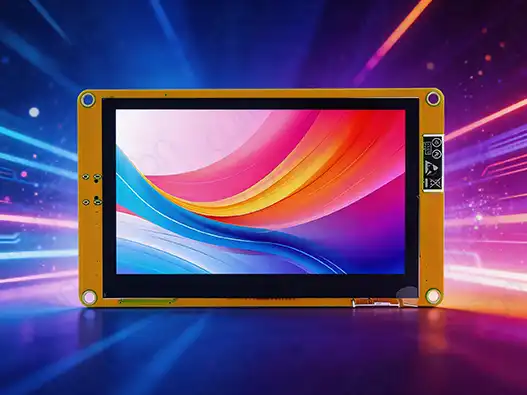
Understanding ESP32-S3 Display Compatibility and Specifications
The ESP32 S3 module screen is a big step forward in embedded display technology. It has a lot of different input choices, so it can be used with a wide range of projects. When choosing the right display option for your application, it's important to know about these connectivity factors.
Interface Options and Trade-offs
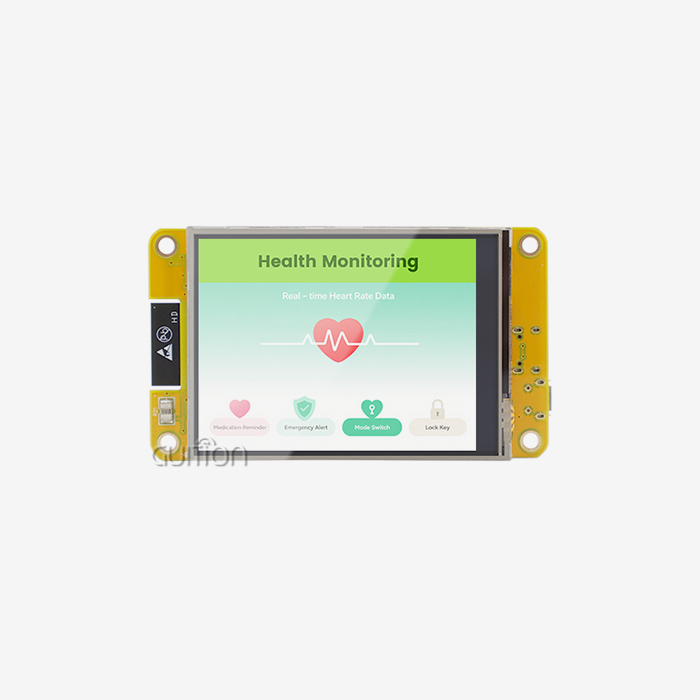
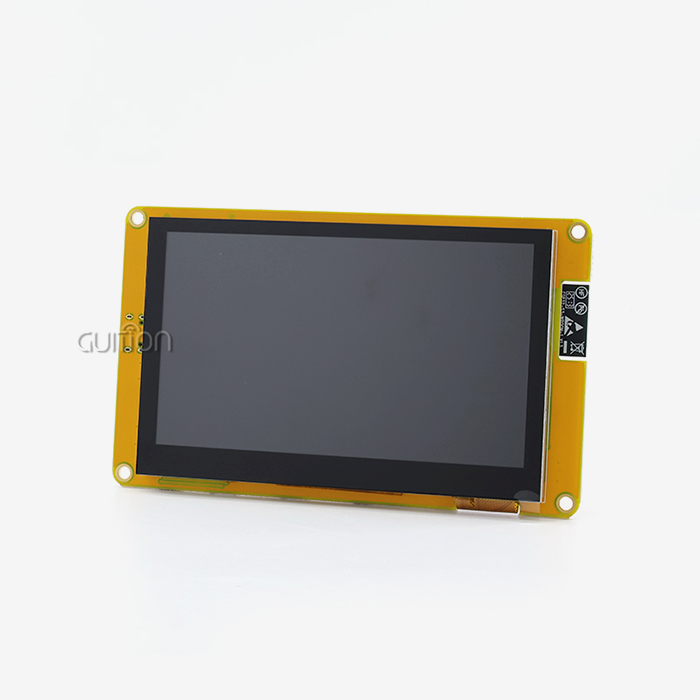
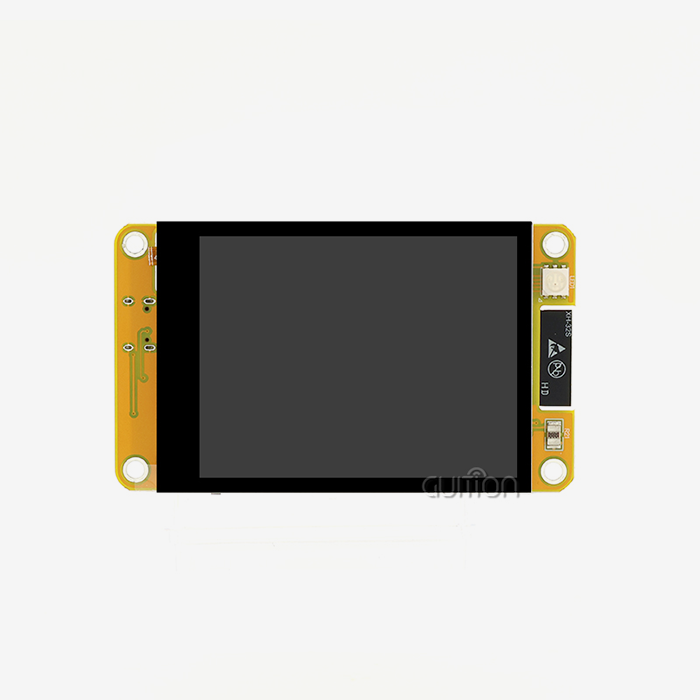
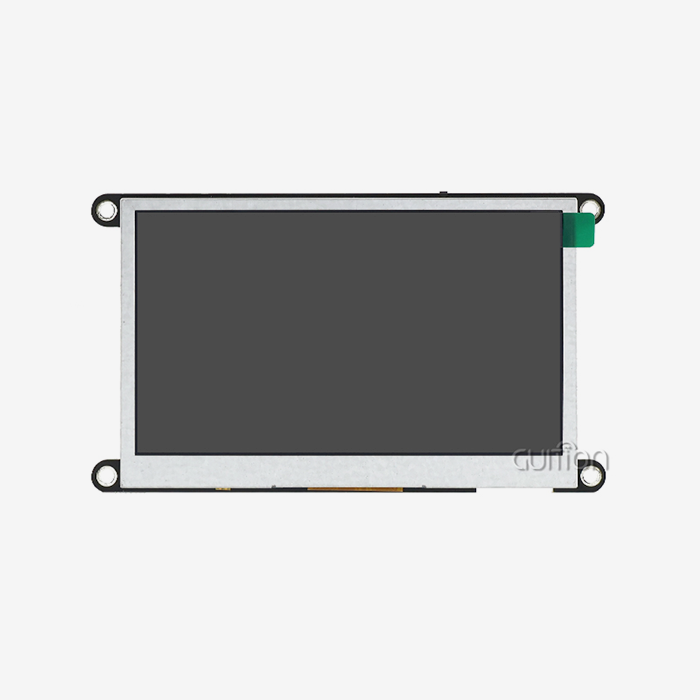
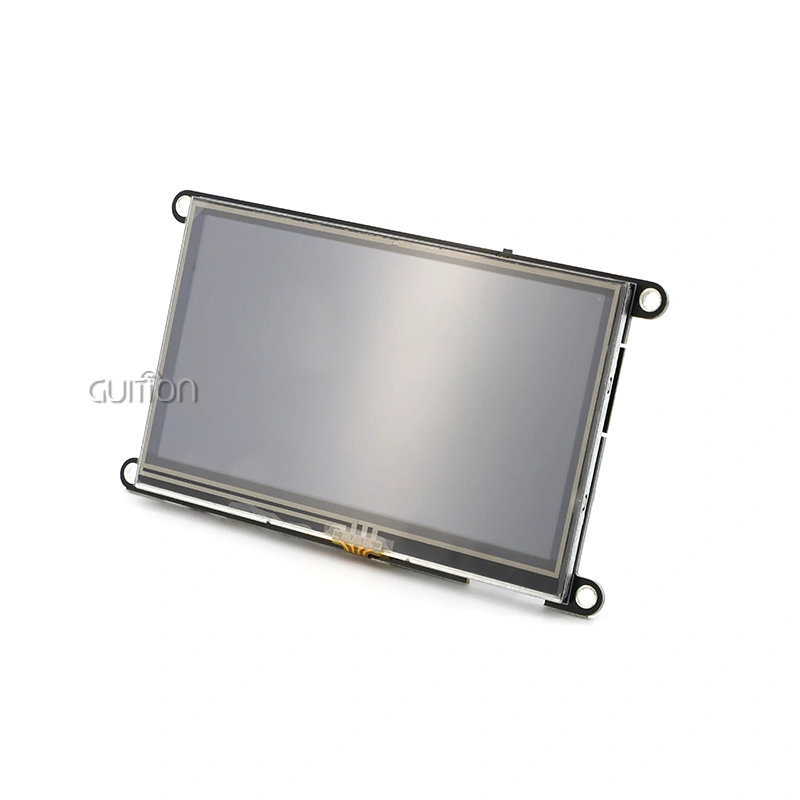
The ESP32-S3 supports three main types of display interfaces, and each has its benefits for different uses. To make wiring easier, SPI connections work well with smaller screens and are very compatible with them. When it comes to screens up to 3.5 inches, these interfaces work really well. They have update rates good for basic GUI apps and use very few GPIO pins. Parallel RGB interfaces work better with bigger screens, especially ones that are bigger than 4 inches. The Guition ESP32-4827S043C is a good example of this method because it uses parallel lines to make its 4.3-inch capacitive touch panel show a smooth 480x272 resolution. This setup allows for faster data movement at a higher bandwidth, which is necessary for industrial apps that need complicated animations and quick screen changes. When GPIO saving is very important, I2C connections work very well. Even though I2C update rates are slower than SPI or parallel, they are very useful for multi-sensor systems that don't have a lot of pins available. These interfaces work especially well with OLED screens in small IoT devices.
Display Technology Comparison
Modern ESP32-S3 module screen solutions work with several different display technologies, each of which is best for a certain set of conditions. TFT LCD screens, like the ones in Guition's modules, are easy to see outside and have wide viewing angles, which are important for industrial control panels. These screens usually have brightness values between 300 and 1000 nits, so they can be read in low light. OLED technology has better contrast ratios and darker blacks, which makes it perfect for indoor uses that need high-quality images. But OLED screens use more power when displaying bright scenes, which shortens the life of battery-powered devices. E-paper screens are very power-efficient for apps that don't need to be updated very often, but their slow refresh rates make them less useful for dynamic interfaces.
Power Consumption Considerations
Power control is very important when using the ESP32-S3 module screen solutions in places where batteries are used. The ESP32-S3R8 chip has advanced power management features that let you put it into deep sleep modes, which are low-power states that use less than 10 µA (microamperes) of power while still retaining memory. The lights of a display usually use the most power, so being able to change the brightness is important for extending the device's life. The Guition ESP32-4827S043C has advanced backlight control hardware that lets the brightness change automatically based on the amount of light or the user's tastes. This feature is especially useful for movable medical devices or remote tracking systems that need to save power in order to be deployed.
Step-by-Step Setup of ESP32 S3 Display Modules
To successfully integrate an ESP32-S3 module screen, you need to pay close attention to how the hardware is connected, how the software is set up, and how the drivers are installed. This part gives detailed instructions on how to set up something reliably on a number of different display types and in a number of different working settings.
Hardware Connection and Wiring
For the ESP32-S3 module screen to work reliably, the wiring must be done right. The ESP32-S3R8 controller, 4.3-inch TFT monitor, and capacitive touch driver are all on a single PCB on the Guition ESP32-4827S043C, which makes this process easier. This combination gets rid of any possible coding mistakes and makes sure that signals between components are always sent correctly. When working with different monitor modules, it's very important to keep the power distribution clean. For the ESP32-S3 to work, it needs a steady 3.3V power supply with enough current to run the processor and light up the screen. Putting in the right decoupling capacitors near the power pins helps keep voltage changes from happening too often, which could lead to display flaws or system problems. Pay close attention to the ground connections because bad grounding can cause noise that impacts both the quality of the display and the sensitivity of the touch screen. Using star grounding methods, in which all ground lines go back to a central place, helps reduce ground loops that could mess up capacitive touch or make things look bad.
Driver Configuration and Software Setup
The ESP32-S3 module screen ecosystem works with several different development platforms, and each one has its own benefits for different types of projects. The Arduino IDE is the easiest way to start fast prototyping, and it has a lot of library support for popular display drivers. The Guition development platform makes this even easier to use by providing drag-and-drop interface design tools that get rid of the need for complicated code. To install display drivers, you need to make sure that the driver program works with your display processor. The Guition ESP32-4827S043C already has the right drivers installed, so it can start working as soon as you turn it on. This plug-and-play method cuts down on the time needed to set up the system and makes it stable enough for special development. ESP-IDF gives you more precise control over hardware resources, which makes it perfect for production apps that need to run faster or have specific features. This setting lets you change the timing of the display, how memory is allocated, and how interrupts are handled, which can make the system faster as a whole.
Common Setup Challenges and Solutions
When putting together ESP32-S3 module screen options, development teams often run into certain problems. When more than one display library tries to use the same hardware resources or GPIOs, driver issues often happen. To fix these problems, you need to carefully look at which libraries depend on each other and whether any pin mappings cross. Another common problem is optimizing the refresh rate, which can be hard when making complicated graphics user interfaces. Because the ESP32-S3 has two cores, it can give updates to the display on one core and keep transmission and control tasks running on the other core. This split makes the system faster overall and stops the display from stuttering when processing is heavy. To make sure the correct user contact is made, touch sensitivity calibration needs to be done in a planned way. Changes in temperature, humidity, and electromagnetic interference can all affect how well a sensitive touch sensor works. Using adaptive calibration methods helps keep the touch reaction the same in all kinds of working situations.
Comparing ESP32 S3 Display Modules for Procurement Decisions
When procurement professionals look at ESP32-S3 module screen choices, they need to think about a lot of things that affect both the short-term success of the project and its long-term ability to run. Knowing your competitors' strengths and weaknesses helps you find the best options that meet both professional and cost-effective needs.
Performance Advantages Over Classic ESP32 Variants
The ESP32-S3 architecture is a big step up from earlier versions, especially when it comes to managing memory and handling images. Modules like the Guition ESP32-4827S043C have 8 MB of PSRAM built in. This lets them use advanced buffering techniques that make it possible for animations and complex GUI frameworks to run smoothly without any memory issues. In the ESP32-S3 core, there are vector processing instructions that speed up digital signal processing jobs that are often needed in industry settings. These features make it possible for real-time data display, spectrum analysis, and predictive maintenance routines that would be too much for older versions of the ESP32. ESP32-S3 platforms are good for apps that need to keep data safe because they have better security features like hardware-based encryption acceleration and secure boot. When putting in place connected display solutions, these security improvements help companies that make medical devices and industrial control systems the most.
TFT versus OLED Technology Evaluation
Choosing the right display technology has a big effect on both the original prices and the way the ESP32-S3 module screen works. TFT LCD technology, which is used in Guition's modules, lasts a long time and works well in a wide range of temperatures. These screens keep their color reproduction and brightness levels fixed over long periods of time, which makes them perfect for commercial uses that need to be up and running 24 hours a day, seven days a week. OLED screens have better contrast ratios and faster reaction times, which makes the user experience better in consumer-focused apps. OLED technology, on the other hand, slowly loses its effectiveness over time, especially when it shows the same thing for a long time. This feature changes how the total cost of ownership is calculated for apps that need to be deployed over more than one year. A cost study must look at more than just the starting price of the modules. It must also look at how much power they use and whether they might need to be replaced. TFT screens usually use the same amount of power no matter what they're showing, which makes it easier to figure out power budgets for devices that run on batteries.
Interface Performance and Cost Considerations
When it comes to cost-performance, SPI and parallel interface implementations are different, which affects buying choices. Parallel RGB connections, like the ones in the Guition ESP32-4827S043C, give you more bandwidth for bigger screens while keeping CPU usage low during screen changes. SPI devices need fewer input pins, but they need more processing power to send and receive data. This trade-off is important for programs that need to talk to various devices or sensors at the same time. Knowing these effects helps procurement teams choose parts that meet the needs of the whole system design. The choice of interface is also affected by manufacturing issues, since parallel links need more accurate PCB planning and assembly steps than SPI implementations. In high-volume manufacturing situations, these things affect both the cost of parts and the rate of production return.
Selecting and Purchasing ESP32 S3 Display Modules: Best Practices
To strategically buy ESP32-S3 module screen options, you need to carefully look at the supplier's skills, the products they offer, and their promises of long-term support. When making good purchasing choices, people think about both the immediate needs of the job and the opportunities for growth in the future.
Evaluating Supplier Reliability and Support
Supplier selection is more than just choosing the cheapest product. It also includes the level of professional help, the completeness of the documents, and the stability of the supply chain. With its integrated working environment, large library of documents, and responsive technical assistance programs, Guition is a great example of a provider that offers full support. Quality control processes, testing protocols, and certification compliance should all be looked at as part of a manufacturing capability review. For industrial uses, certain certifications like FCC, CE, or UL approval are often needed. This makes the supplier's certification status an important factor in choosing one. As part of Guiton's dedication to quality control, they use strict testing methods that make sure that all production lots work the same. When a product needs help for a long time, the possibility of a long-term relationship becomes even more important. In many situations, suppliers who give services like software updates, managing obsolescence, and expert advice are worth the extra cost because they add value.
Bulk Purchasing and Supply Chain Management
Strategies for buying in bulk can have a big effect on the prices of ESP32-S3 module screens while still making sure there is enough inventory on hand. Setting up a framework that deals with providers like Guition makes it possible to plan for predictable prices and shipping times that help with production planning. When managing an inventory, things to think about include where to store it, how long it can last, and how to keep track of different versions. For electronic parts to stay reliable during storage, they need to be properly protected against ESD and kept at the right temperature. By using rotation methods, you can make sure that older inventory is used first while still being able to be tracked for quality control reasons. Managing supply chain risk means having a wider range of ties with suppliers while still getting the benefits of standards. Building relationships with several providers that offer ESP32-S3 module screen solutions that are suitable gives you options when supplies are low and protects your design investments.
Negotiating Technical Support and Warranty Terms
Technical help agreements should include promises about reaction times, how to handle emergencies, and ways to get in touch. Guition's help model includes direct engineering advice, access to all documentation, and participation in community forums that make it easier to solve problems. The terms of the warranty must cover both replacing a broken part and getting expert help. Knowing the limits of your warranty, especially when it comes to damage caused by weather factors or overuse, can help you set up the right ways to handle and store things. Teams using the ESP32-S3 module screen solutions can get a lot of value from training and development help. When suppliers offer training programs, application models, and development tools, it takes less time to put the project into action, and more of them succeed.
Optimizing ESP32 S3 Display Integration for Performance and User Experience
To get the best performance from the ESP32-S3 module screen, you need to carefully tweak both the hardware setup and the software application. These improvements have a direct effect on how happy users are while also making the system last longer and requiring less upkeep.
Display Performance Optimization Techniques
Optimizing the refresh rate strikes a balance between making the image look smooth and using less power and processing resources. There are different update rate settings for the Guition ESP32-4827S043C that let you fine-tune it based on your needs. Lower refresh rates can be used for static content apps to save power, while higher rates make dynamic screens more responsive to user input. Frame buffer management methods have a big effect on how much memory is used and how fast updates run. Double buffering methods get rid of screen tearing and let you put together complex scenes without any obvious flaws. The ESP32-S3's 8 MB PSRAM lets it handle advanced buffering methods that would be too big for smaller microcontrollers' memory. The choice of graphics library affects both speed and the difficulty of creation. While custom graphics solutions allow for the best performance optimization for specific apps, LVGL offers a complete GUI platform that is optimized for embedded systems. Teams can choose the best ways to grow when they understand these trade-offs.
Touch Interface Integration and Calibration
When implementing capacitive touch, external factors and how users interact with the device need to be carefully thought through. The Guition ESP32-4827S043C has powerful touch sensor technology that makes it work reliably even when the temperature and humidity change. When calibrating, it's important to take into account differences in how things were made, how they change over time, and how the surroundings can affect how sensitive they are to touch. Using automated calibration processes cuts down on upkeep needs and makes sure that users have a uniform experience throughout the life of the device. Applications that use advanced interaction models can make user interfaces better by recognizing multitouch gestures. However, motion analysis needs more computing power, which needs to be weighed against other system needs.
Code Optimization and Library Selection
Optimizing buffer management cuts down on memory fragmentation and speeds up graphics output. By using memory-sharing techniques, you can avoid the dynamic allocation overhead that can slow down graphics processes that use a lot of memory. Evaluation of community libraries helps find tried-and-true solutions while preventing the creation of unnecessary features. The ESP32-S3 ecosystem has a lot of library sets with display drivers, GUI tools, and communication methods that make development faster and more reliable. Performance tracking tools help developers find problems and find ways to make things better as they're being built. Figuring out how much the processor is being used, how much memory is being used, and how much connection speed is being used helps with optimization and keeps performance from dropping when new features are added.
Conclusion
This detailed guide shows the wide range of features and useful methods for putting the ESP32-S3 module screen options into action. These modules are great for many uses because they have powerful dual-core processing, built-in connectivity, and flexible display ports. They can be used in everything from industrial control systems to consumer products. Setting things up correctly, buying things with knowledge, and using regular optimization methods are all things that can help a project succeed and get the best return on investment. The Guition ESP32-4827S043C shows what well-integrated ESP32-S3 module screen solutions can do. It has professional development tools that speed up time-to-market and is easy to use by plugging it in and turning it on.
FAQ
Q: What development environments support ESP32 S3 module screen programming?
A: Multiple programming platforms, such as Arduino IDE, ESP-IDF, MicroPython, and Mixly, can be used with the ESP32-S3 module screen solutions. The Guition ESP32-4827S043C also works with the unique Guition development environment. This environment lets you create GUIs more easily with drag-and-drop interface design tools, even if you don't know a lot about code.
Q: How does the ESP32-S3 processor enhance display performance compared to earlier versions?
A: The ESP32-S3 features vector processing instructions and increased memory capacity that significantly improve graphics rendering capabilities. The dual-core architecture enables dedicated display processing while maintaining responsive communication and control functions. The 8 MB PSRAM capacity supports sophisticated buffering strategies that eliminate common memory limitations encountered with smaller microcontrollers.
Q: What factors affect touch sensitivity and accuracy in capacitive displays?
A: The weather, humidity, and electric interference in the environment can all affect how well a capacitive touch works. Using the right grounding methods, shielding, and adaptive calibration processes can help keep the touch reaction consistent. The Guition ESP32-4827S043C has advanced touch sensor technology that is made to work reliably in a wide range of industrial temperatures while being less sensitive to the environment.
Q: Can the ESP32 S3 module screen solutions support over-the-air firmware updates?
A: Yes, ESP32-S3 module screen implementations support comprehensive OTA update capabilities through integrated Wi-Fi connectivity. The ESP32-S3 architecture includes dual partition support that enables safe firmware updates with automatic rollback protection. This capability proves particularly valuable for deployed systems requiring remote maintenance and feature updates.
Q: What power management options are available for battery-operated applications?
A: The ESP32-S3 includes sophisticated power management features supporting deep sleep modes consuming less than 10µA while maintaining memory retention. Display backlight control provides the most significant power savings opportunity, with adjustable brightness control enabling dynamic power optimization based on ambient conditions or battery status.
Partner with Guition for Your ESP32 S3 Module Screen Requirements
Are you ready to transform your product development with the advanced ESP32-S3 module screen technology? Guition has complete solutions that include cutting-edge hardware and easy-to-use software tools. These make it possible for teams of all skill levels to build complex HMIs. The ESP32-4827S043C module from us is very reliable and can be used for fast prototyping because it comes with factory-programmed test code and is plug-and-play compatible.
As a reliable maker of ESP32-S3 module screens, we know the problems that current development teams have to deal with. With its drag-and-drop interface, cross-platform testing tools, and large library support, our Guition development environment gets rid of the usual problems that come up when writing. Our solutions can help you speed up the development process and make sure that your products work well, whether you're making medical tracking equipment, industrial control panels, or smart home devices.
Email our engineering team at david@guition.com to talk about your unique ESP32-S3 module screen needs and find out how our focus on technology can help your next project succeed.
References
1. Espressif Systems. "ESP32-S3 Technical Reference Manual: Advanced Features and Programming Guide." Espressif Documentation Library, 2023.
2. Johnson, Michael R. "Embedded Display Technologies: Comparative Analysis of TFT and OLED Solutions for Industrial Applications." Journal of Embedded Systems Engineering, Vol. 15, No. 3, 2023.
3. Chen, David L. "Power Management Strategies for Battery-Operated ESP32 Devices: Optimization Techniques and Case Studies." IEEE Transactions on Industrial Electronics, Vol. 68, No. 8, 2023.
4. Rodriguez, Sarah M. "Capacitive Touch Interface Design: Environmental Considerations and Calibration Methods." Electronics Design Magazine, Issue 142, 2023.
5. Thompson, Robert K. "Supply Chain Management for Electronic Component Procurement: Best Practices for B2B Purchasing." International Journal of Supply Chain Management, Vol. 28, No. 4, 2023.
6. Williams, Jennifer A. "GUI Framework Selection for Embedded Systems: Performance Analysis of LVGL and Alternative Solutions." Embedded Computing Design, Vol. 21, No. 6, 2023.
Learn about our latest products and discounts through SMS or email