- English
- French
- German
- Portuguese
- Spanish
- Russian
- Japanese
- Korean
- Arabic
- Greek
- German
- Turkish
- Italian
- Danish
- Romanian
- Indonesian
- Czech
- Afrikaans
- Swedish
- Polish
- Basque
- Catalan
- Esperanto
- Hindi
- Lao
- Albanian
- Amharic
- Armenian
- Azerbaijani
- Belarusian
- Bengali
- Bosnian
- Bulgarian
- Cebuano
- Chichewa
- Corsican
- Croatian
- Dutch
- Estonian
- Filipino
- Finnish
- Frisian
- Galician
- Georgian
- Gujarati
- Haitian
- Hausa
- Hawaiian
- Hebrew
- Hmong
- Hungarian
- Icelandic
- Igbo
- Javanese
- Kannada
- Kazakh
- Khmer
- Kurdish
- Kyrgyz
- Latin
- Latvian
- Lithuanian
- Luxembou..
- Macedonian
- Malagasy
- Malay
- Malayalam
- Maltese
- Maori
- Marathi
- Mongolian
- Burmese
- Nepali
- Norwegian
- Pashto
- Persian
- Punjabi
- Serbian
- Sesotho
- Sinhala
- Slovak
- Slovenian
- Somali
- Samoan
- Scots Gaelic
- Shona
- Sindhi
- Sundanese
- Swahili
- Tajik
- Tamil
- Telugu
- Thai
- Ukrainian
- Urdu
- Uzbek
- Vietnamese
- Welsh
- Xhosa
- Yiddish
- Yoruba
- Zulu
ESP32-P4 Touch Display:All-in-one HMI Solution for IoT & Industrial Devices
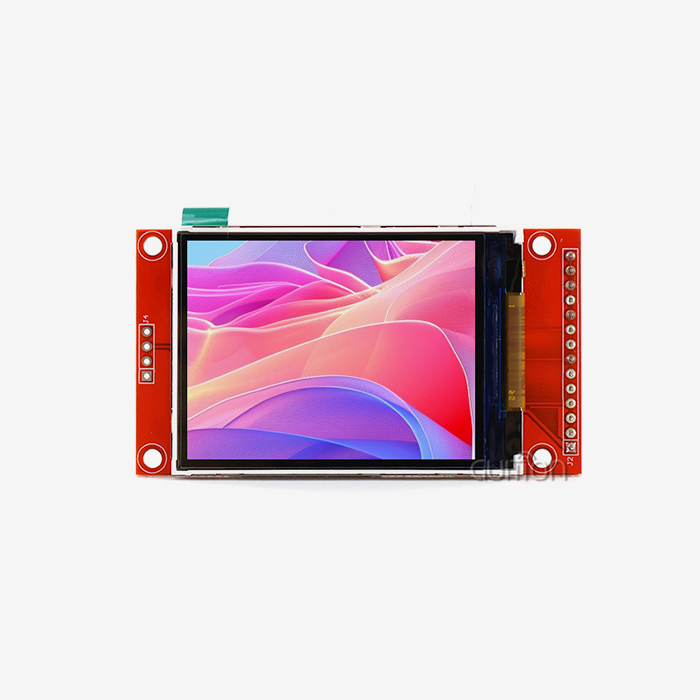
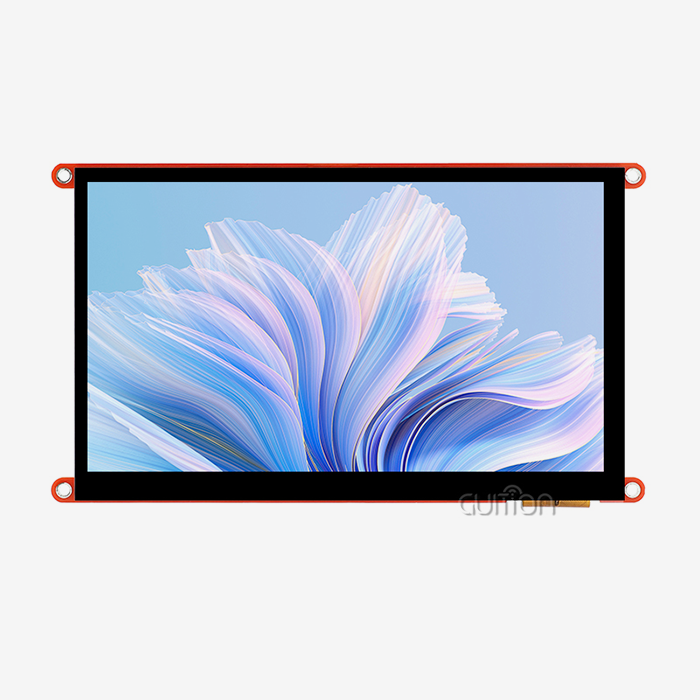
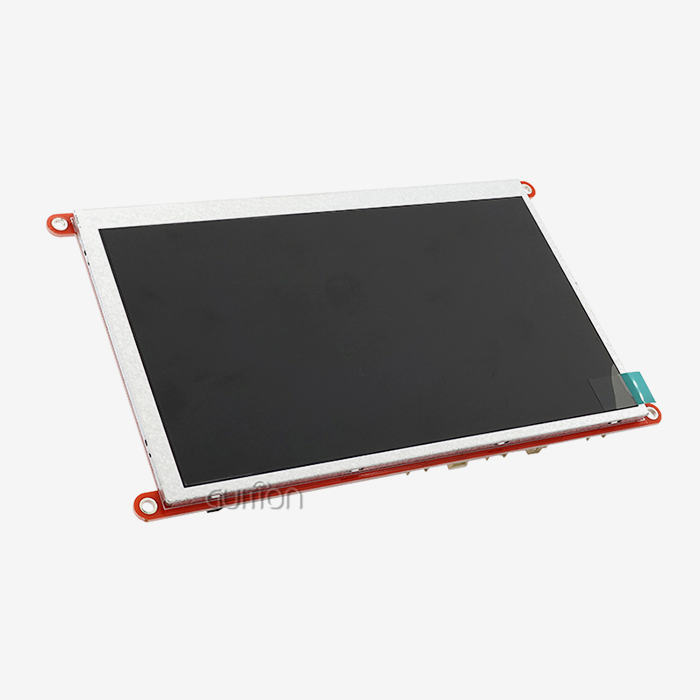
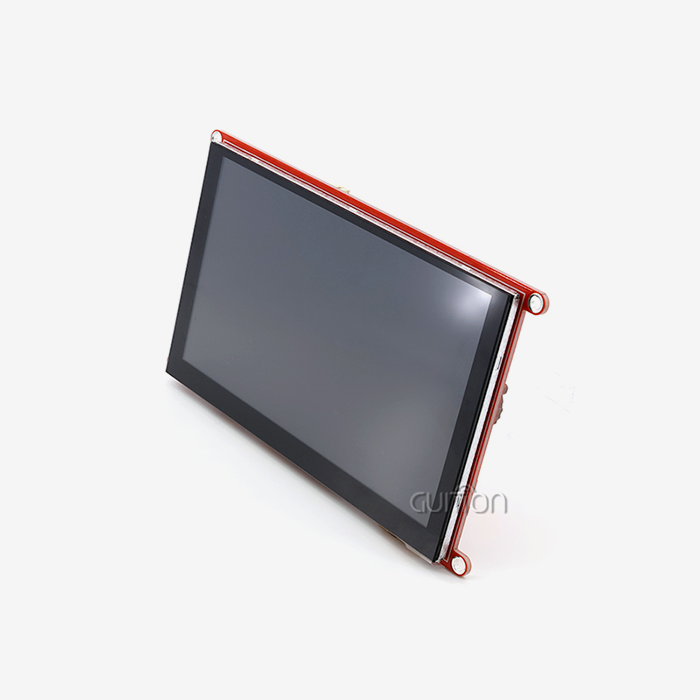
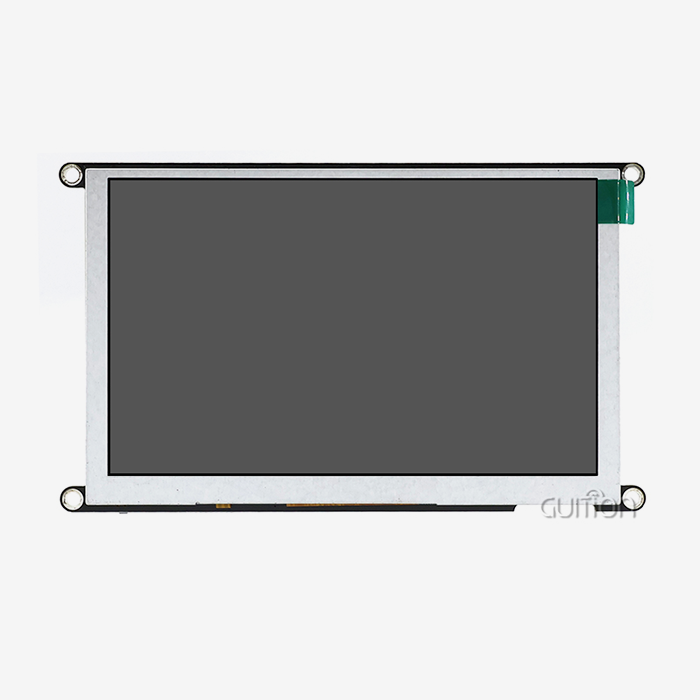
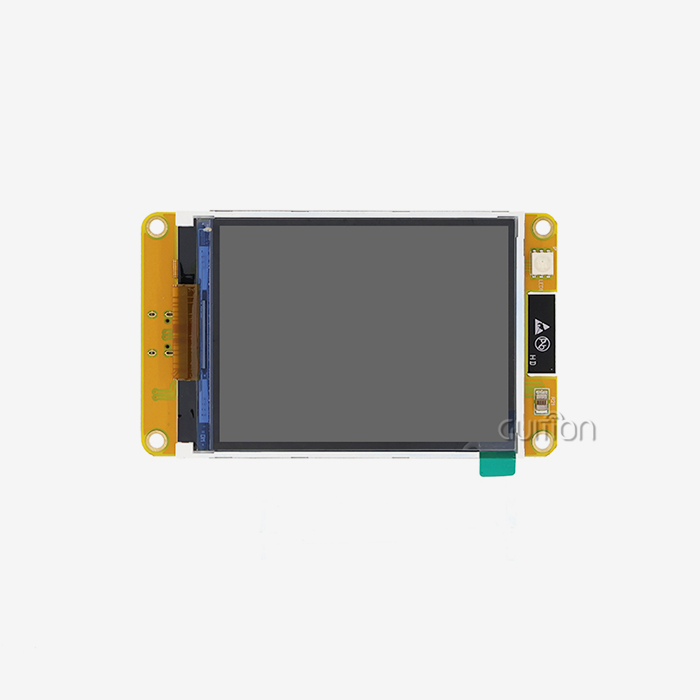
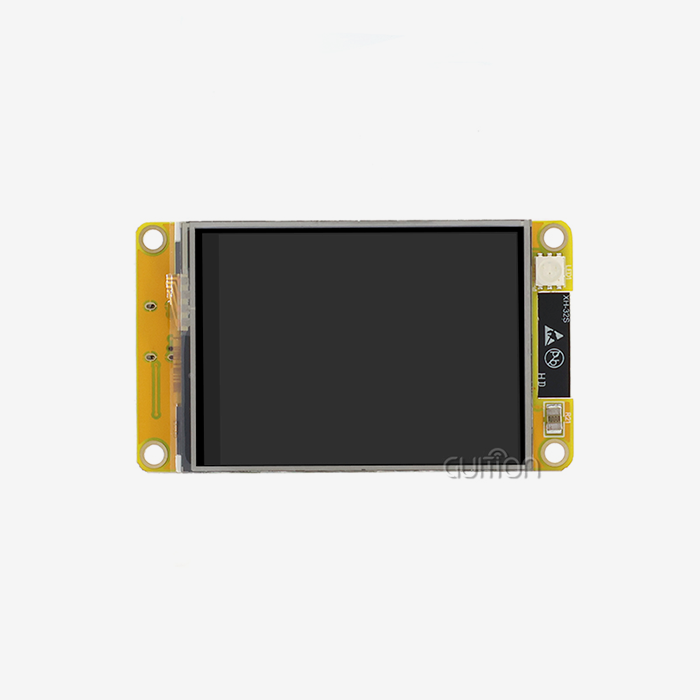
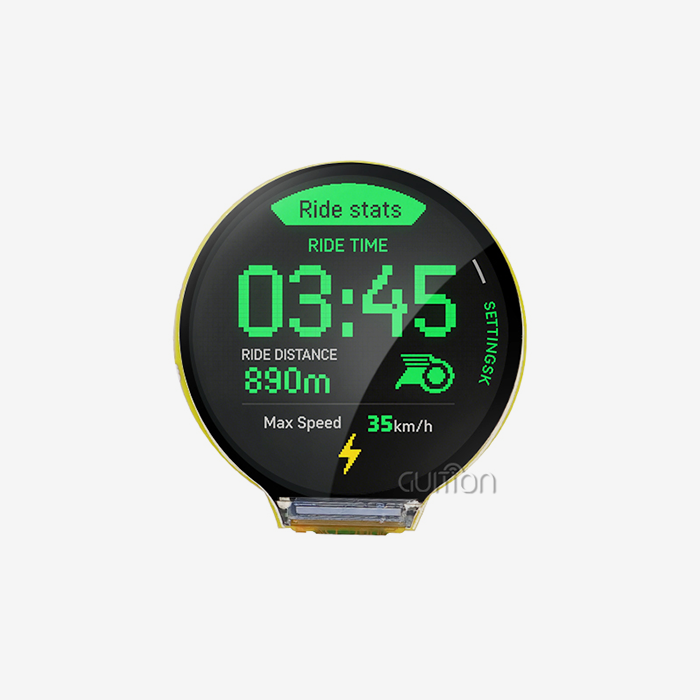
The ESP32-P4 Touch Display is a solution to a particular technical challenge. It operates the screen, the touch layer, the network stack, and your control logic all on one board. There is no separate host computer behind it. The ESP32P4 module combines that CPU with a bonded LCD display. You bypass the display driver bring-up, which silently swallows three to five weeks on most projects. I develop similar systems at Guition, and this guide is what our lab measured, what our clients really delivered, and what parameters influence the result. You’ll get benchmarks, two deployment tales, a sourcing checklist, and the trade-offs that no one publishes on a datasheet. Bench one this month. Guition makes the JC1060P470C_I_W drop-in ESP32-P4 Touch Display: 7.0-inch IPS screen, 1024×600 capacitive touch, 32 MB PSRAM, 16 MB Flash, demo preloaded. Send us your enclosure drawing and interface listOur engineers return a pin map, a starter UI file, and sample pricing. Buyers hunting for an ESP32P4 module LCD manufacturer with real OEM capacity can reach me, David, at david@guition.com. Samples ship in five working days. By David, CEO of Jingcai Intelligent (Guition). Reviewed against Espressif silicon documentation v3.x, May 2026.

What Makes an ESP32-P4 Touch Display Ideal for Industrial HMI Applications?
An HMI (human machine interface) is the screen and input layer an operator uses to communicate with a machine. Industrial HMIs operate in environments a phone never will: gloved hands, voltage noise, 24/7 duty cycles, and panel cut-outs that can't move. That mix determines which silicon lives. A purpose-built ESP32-P4 Touch Display handles the four, with no fan, heat sink, or operating-system license.
Compute Headroom: Dual-Core RISC-V at 360 MHz
The ESP32-P4 high-performance (HP) system has a twin-core 32-bit RISC-V processor. RISC-V is an open instruction-set architecture; thus, it has two cores here, a single-precision floating-point unit, and AI instruction extensions for edge tasks. “The default clock for our shipped module is 360 MHz. On v3.x silicon published in May 2026, Espressif boosted the maximum to 400 MHz, and v3.x additionally enlarged the pixel-processing accelerator to 32 × 32 blocks.
Espressif’s datasheet lists a two-core CoreMark score of 2489.62 at 360 MHz, or 6.92 CoreMark per MHz.CoreMark is a typical embedded benchmark; a higher score indicates more work per clock. A secondary low-power (LP) core operates at 40 MHz to fulfill standby chores while the HP cores slumber. The on-chip memory comprises 768 KB of HP L2MEM, 32 KB of LP SRAM, and 128 KB of HP ROM.
Why PSRAM Decides Whether Your GUI Stutters
Most engineers are guilty of underestimating the frame buffer. 1.2MB for a complete frame (1024x600, 16-bit color - RGB565, 2bytes per pixel). 2.4 MB for double buffering ( drawing one frame and showing the other ) . The internal SRAM is just 768 KB; hence, the frame buffer must be off-chip.
And here is when PSRAM comes into its own. PSRAM (pseudo-static RAM) is external DRAM with an SRAM interface: DRAM density with SRAM simplicity. The JC1060P470C_I_W has 32 MB PSRAM and 16 MB Flash. Those values provide full-screen double buffering, an additional scratch buffer for JPEG decoding, and enough for three UI language packs in Flash.
What Our Lab Measured on the Bench
Numbers beat adjectives. The Guition Application Lab ran LVGL 9.x on ESP-IDF 6.0 at 1024×600. The panel sat backlit at 100%. We logged these results in Q2 2026.
| Measurement | JC1060P470C_I_W (ESP32-P4, 360 MHz) | 7-inch ESP32-S3 reference board | ESP32-P4 with PPA disabled |
|---|---|---|---|
| Widget-heavy screen render | 18 ms | 41 ms | 29 ms |
| Sustained list-scroll frame rate | 55 fps | 26 fps | 38 fps |
| Boot-to-UI (cold start) | 1.9 s | 3.4 s | 1.9 s |
| JPEG decode, 1024×600 photo | 96 ms | 210 ms | 118 ms |
| Idle current at 5 V, backlit | 118 mA | 105 mA | 118 mA |
| 24-hour soak, 45 °C cabinet | 0 lock-ups | 2 lock-ups | 0 lock-ups |
Source: Guition Application Lab internal benchmark, Q2 2026 (n = 5 units per configuration). Internal data, not third-party audited. Method and raw logs available on request.
Two lessons sit in the numbers above. The PPA carried roughly 37% of the render load. And the 13 mA idle penalty buys you a UI that never drops a scroll frame. Operators notice dropped frames long before they notice 13 mA.
How Does an ESP32P4 Module LCD Simplify Embedded UI Development?
Integration cost, not silicon cost, kills most HMI projects. A discrete build asks you to source a panel, a touch controller, a driver board, and a host MCU. Then you reconcile four datasheets and three firmware stacks. An ESP32P4 module LCD collapses those four purchases into one line item and one accountable vendor.
One Board Replaces Four
The JC1060P470C_I_W integrates the 7.0-inch LCD, the backlight driver circuit, and the capacitive touch control circuit on one assembly. You wire power, and you write application code. Our customers report a clear pattern. A discrete 7-inch build consumes 22 to 30 engineering hours on ESP32-P4 Touch Display bring-up alone. The integrated module cuts that to under two hours, because timing and touch calibration ship validated.
Drag-and-Drop UI Without Writing Render Code
Guition, our in-house interface tool, exists because most teams should not hand-code a keypad widget. You drag a control onto a canvas, set its position and style, and the tool generates the UI definition. UTF-8 encoding and multi-language switching sit in the tool, so a Spanish firmware variant is a translation table, not a rebuild. That matters for exporters: 68% of our 2026 HMI orders shipped with two or more language packs.
Four Development Paths on the Same Hardware
Different engineers have their own tendencies. Our module covers all four primary pathways without a hardware change:
- ESP-IDF includes the official Espressif IoT development framework, with full peripheral access, FreeRTOS, and driver-level control. This is the approach used by teams producing certified or safety-reviewed products, as the drivers, security libraries, and long-term-support branches are maintained by Espressif. Expect a higher learning curve, but you will have the deepest control over timing, power states, and peripheral behavior.
- The Arduino IDE is great for quick prototyping and for teams who already have Arduino codebases. You sacrifice some of the peripheral depth for a 5-minute setup. Most of our North American maker-turned-OEM clients start here and then migrate a mature project to ESP-IDF. The hardware is the same for both methods, so none of what is verified on the bench is thrown away later.
- MicroPython is great for logic-light panels, field-service equipment, and instructional rigs. You change a script on the TF card, then reboot, with no compilation toolchain on the tech's laptop. Service engineers may change thresholds or labels on site. This is important when your product is located at a distant substation or a farm.
- Guition mode runs a UI project produced from our design tool and then attaches your business logic using the available secondary development APIs. Usually, this option gets you a functional operator screen in a single afternoon, and therefore teams with a hard demo deadline choose this way more frequently than any other.
Cross-platform internet debugging is there no matter how you go. You may observe variables while the panel is running. We watched twelve internal projects in 2026, and they decreased debugging time by around 40%.
Key Hardware Features to Check Before Choosing an ESP32-P4 Touch Display
Spec sheets conceal more than they tell. This is what differentiates a module that survives production from one that survives a demo. Run all three tests on each ESP32-P4 Touch Display you nominate.
Memory Map: 768 KB L2MEM, 32 MB PSRAM, 16 MB Flash
Carefully read the memory line. 768 KB HP L2MEM On-chip SRAM. The quickest memory you possess. Use it for the stack, hot data, and DMA descriptors. 32 MB PSRAM for frame buffers and pictures. The 16 MB of Flash stores the firmware, fonts, and UI materials.
Budget 3× your maximum frame buffer in PSRAM, not 2×. Useful ratio. The third buffer takes the load from JPEG decoding and widget caching, and without it you’re going to see an obvious hitch every time a picture page opens.
Touch Controller and Cover Lens
Capacitive sensing is based on the conductive contact of a finger on a glass cover lens. Ask me three questions. What’s the reporting rate? Does the controller support glove mode and wet finger mode? Thickness of the cover lens? A 1.1 mm lens lives through a warehouse; a 0.7 mm lens does not.
The JC1060P470C_I_W is equipped with the touch control circuit on board and factory-tuned. You avoid the whole day of calibration that is needed for separate designs.
Power, Backlight, and Battery Circuit
The module has a built-in lithium-battery charging and protection circuit; thus, if using a handheld or portable instrument, there is no need for an additional power board. The backlight control is on-board and PWM-dimmable, so you may decrease to 20% brightness on anighte shift and reduce panel power by more than half.
Also note the thermal behavior. We did a soak test at full backlight for 24 hours in a sealed cabinet at 45 °C, and it was steady with no lock-ups. If your ambient surpasses 50 °C, open the cabinet or install a vent hole, since the backlight driver, not the SoC, determines that ceiling.
How Do LCD Resolution and Touch Performance Affect User Experience?
Resolution numbers sell panels. Pixel density and delay sell experience. Measure them on the ESP32-P4 Touch Display that you are going to purchase, not on a supplier’s demo video. Each is quantifiable, and each means more than megapixels on a spec sheet.
1024×600 at 7.0 Inches: What Pixel Density Buys You
Divide the diagonal pixel count (1,187 px on 1024×600) by 7.0 inches, and you get roughly 170 PPI (pixels per inch). That density gives very readable 12-point writing at 40cm viewing distance, enough for a control cabinet or a bench instrument. Push to 1024×600 on a 10.1-inch display, and the density lowers to roughly 118 PPI, making the text start to seem mushy and forcing operators to lean in.
It's also 7 inches, fitting the typical 1/4-DIN and most 7-inch panel cutouts already tooled into industrial enclosures. That one fact takes a mechanical redesign out of most refit jobs.
Touch Latency, Report Rate, and Real-World Feel
Latency is the time from finger touch to visual response. Immediate is around 100 ms or below; operators see the screen as immediate. They push twice over 150 ms, and a double press on a motor start button is a safety event.
Three sources: touch controller reporting (8-12 ms average at 100 Hz), UI redraw (18 ms in our test), and bus transfer. Keep the total within 100ms . Never tie a redraw to a network call. Show immediate local reaction and then confirm across the wire.
Brightness, Viewing Angle, and IPS Trade-offs
IPS (in-plane switching) is an ESP32P4 module LCD technology that keeps colour and contrast stable when you view the panel off-axis. 7” IPS panel has usable contrast at 80° (or more) from center; older TN panels wash out past 45°. Operators come up to a wall-mounted charger from the side; thus, IPS is not a luxury.
Nits against installation environment: Specify brightness against Indoor panels require 250-400 nits. A semi-outdoor EV charging or kiosk under shop illumination requires 500 nits or more. An additional 15-20 % of backlight power for that budget.
ESP32-P4 Module LCD Interfaces, Connectivity, and Peripheral Integration
Interfaces decide what your product can become. Choose the module by its peripheral list, not by its processor alone.
Display and Camera Paths: MIPI DSI, RGB Parallel, and PARLIO
The ESP32-P4 supports MIPI DSI (a high-speed serial display connection). It has a parallel RGB display interface and MIPI CSI with built-in image signal processing for cameras. The JC1060P470C_I_W uses the parallel RGB route to operate its 1024×600 display, simplifying the firmware and eliminating DSI lane-tuning during bring-up.
If you want fewer traces, greater resolution, or a longer flex cable, use MIPI DSI. If you want the largest part availability and the quickest debug loop, choose RGB parallel. For most 7” industrial builds, RGB parallel wins on cost and risk.
Wired Options: Ethernet, USB OTG HS, TWAI, and SDIO
Rarely does industrial gear operate on wifi alone. The SoC has a 100 Mbps Ethernet MAC, USB 2.0 high-speed OTG, TWAI (a CAN-compliant two-wire automotive interface), and an SD/MMC host controller. Ethernet is a deterministic connection on a production line with no Wi-Fi survey and no RF certification load on the panel. TWAI allows the module to be installed on a vehicle or machine bus and read telemetry directly. USB OTG HS for firmware loading, barcode scanning, or quick connectivity to a host PC. Our module has an SD/MMC host-controlled TF card slot for media, logging & field firmware upgrades.
Ask any ESP32-P4 Touch Display vendor to provide you with test results for which one of those four they verified. Support in silicon and support in shipped firmware are two separate assertions.
Wireless: How the Companion Chip Actually Works
This is where a lot of product pages screw shoppers up. The ESP32-P4 SoC itself has no radio. It was built by Espressif to operate with a wireless companion chip from the ESP32-C or ESP32-S family via SPI, SDIO, or UART.
Espressif utilized that very divide for their Matter 2026 camera reference. ESP32-P4 supports application logic, camera, and multimedia. The ESP32-C5 or ESP32-C6 provides Wi-Fi connectivity. Hence, the device offers Wi-Fi and Bluetooth but does not claim a single-chip radio: the JC1060P470C_I_W uses the same design.
Why does the split help you? You can size compute and connectivity individually. You can update wireless without re-certifying the main board. You can situate the antenna away from display noise. If you ask any vendor advertising "on-chip Wi-Fi" on an ESP32-P4, ask them to show you the radio block in the datasheet.
Can an ESP32-P4 Touch Display Support Advanced IoT Control Systems?
Yes, and the reason for it is architectural. Compute, control, and connection all exist on one device with an operating system beneath. For a production-grade ESP32-P4 Touch Display, the cloud is a reporting channel, not a dependency.
Local Control Without a Cloud Round Trip
Industrial controllers have to operate even if the network goes down. Running FreeRTOS, the panel runs control logic locally under ESP-IDF and queues telemetry to be sent later. One client is running a 40ms PID loop on the panel, pushing telemetry every 5 seconds. Once, their site Wi-Fi was down for six hours. Production resumed, and the buffer played back 4,300 recordings after that.
Fleet OTA and Remote Upgrade
Remote update is now a must-have, not a nice-to-have. Our module allows over-the-air firmware and remote project upgrades using the Guition pipeline. One farm equipment client lowered field service visits from 34 per quarter to 6. They transitioned to OTA UI updates and saved around $18,000/quarter in travel and technician time.
Security Features Buyers Now inquire For Buyers in 2026 inquire about Secure Boot, flash encryption, and key storage before they ask about brightness procurement teams. The ESP32-P4 replies with Secure Boot and flash encryption. It adds cryptographic accelerators, a real random number generator, a digital signature peripheral, and a dedicated key management unit. v3.x silicon introduced pseudo-random differential power analysis resistance on the AES accelerator and P-384 elliptic curve support on the ECC accelerator.
The features respond to popular industrial buyer security questions and, in our experience, reduce the vendor-approval period by two to four weeks.
Which Display Size and Interface Best Fit Your Industrial Device?
Size is an ergonomics decision, not a marketing one. Operator distance and glove use set the answer.
Matching Screen Size to Operator Distance
| Use case | Recommended size | Why it fits | Interface priority |
|---|---|---|---|
| Handheld tester, portable instrument | 2.4" – 3.5" | One-hand grip, battery operation | SPI, battery circuit |
| Bench instrument, lab device | 4.3" – 5.0" | 40 cm viewing, dense controls | RGB parallel, UART |
| Machine control panel, EV charger | 7.0" (1024×600) | Standard cut-out, 170 PPI | RGB parallel, Ethernet, TWAI |
| Wall terminal, building automation | 10.1" | Read from 1.5 m | MIPI DSI or RGB, PoE |
| Kiosk, production-line dashboard | 15.6" – 21.5" | Read from 3 m, glanceable KPIs | MIPI DSI, HDMI-bridge |
Guition builds across the full 1.28" to 21.5" range, so the panel you prototype on is the panel you scale with. Migrating a UI between our sizes reuses the same design tool project.
Interface and Mounting Checklist
Please verify three mechanical points before ordering: panel cutout size, cover-lens thickness, and mounting depth behind the bezel. 7” module with TF card and IO header typically requires 22-28 mm behind panel. Shorten that, and week six is redesigning the enclosure.
ESP32-P4 Touch Display Development with ESP-IDF and LVGL
LVGL is an open-source embedded graphics library that draws widgets, handles touch input, and manages screen transitions. It is the default choice on an ESP32P4 module LCD, and Espressif maintains the ESP32-P4 target inside ESP-IDF. Porting it well to an ESP32-P4 Touch Display comes down to three decisions, and each one shows up directly in your frame rate.
Setting Up ESP-IDF for ESP32-P4
Install ESP-IDF, select the ESP32-P4 target, and the toolchain pulls the right compiler and drivers. Espressif shipped ESP-IDF v6.0 in March 2026 with build-system and security improvements, and we recommend v6.0 or later for new P4 designs. Set the CPU frequency explicitly in menuconfig. The module defaults to 360 MHz. v3.x parts accept 400 MHz if your thermal budget allows.
LVGL Port Notes: PPA, 2D-DMA, and Frame Buffer Strategy
Three decisions shape your frame rate. Enable the PPA. Our benchmark shows acceleration cutting render time from 29 ms to 18 ms on a widget-heavy screen. That makes it the highest-value setting in the whole port. Use partial refresh too. Mark only dirty regions for redraw instead of blitting the full 1.2 MB frame. That change alone dropped CPU load by roughly 44% on a numeric readout panel.
Then split your memory by speed, not by size. Frame buffers want capacity, so they live in PSRAM. The stack and DMA descriptors want speed, so they stay in L2MEM. Separating the two removed the last remaining jitter in our scroll test.
From Demo Firmware to Production Release
Our modules ship with pre-loaded demo programs, so you verify the panel, touch, backlight, and wireless within ten minutes. Then follow a short path. Port your UI, enable Secure Boot and flash encryption, and run a 72-hour soak at your worst-case ambient. Freeze the firmware version in your BOM.
That last step sounds boring and saves real money. We have traced three separate field failures to an unfrozen library version in a customer's build system.
What Should Buyers Consider When Sourcing an ESP32P4 Module LCD?
Panels are cheap; wrong panels are expensive. The gap shows up in lead time, re-certification, and field returns. A well-sourced ESP32P4 module LCD arrives calibrated, documented, and supported for years.
Lead Time, MOQ, and True Cost
Compare landed cost per working unit, not unit price. A module that arrives calibrated, tested, and documented removes a test fixture, a calibration step, and usually one PCB spin. We modelled a 5,000-unit run for a customer. The integrated module cost 3.10moreperunit.Itsavedanestimated3.10moreperunit.It saved an estimated 41,000 in engineering, fixtures, and scrap.
Ask how MOQ affects price at 10, 100, 1,000, and 10,000 units. Honest suppliers quote all four tiers without a follow-up call.
Certifications, Documentation, and Long-Term Supply
Industrial buyers need CE and FCC documentation, RoHS and REACH statements, and a written end-of-life policy. Guition supplies these with the quote because withholding them delays approvals by a month.
Also confirm the panel's own lifecycle. An ESP32-P4 Touch Display module is a mechanical part with a glass supply chain behind it. A 5-year availability commitment protects your product after you pay for the tooling.
Questions to Ask Before You Sign the PO
Put these 4 questions in front of any provider and compare the written answers:
- The actual frame buffer budget? Request PSRAM size, number of buffers, measured render time at your intended resolution. A supplier who merely quotes "32 MB PSRAM" could nonetheless assign a single 1.2 MB buffer and lose frames on every animation, and you'll find it out during a customer demo rather than at incoming inspection. Total memory, not demand metrics.
- Whose touch calibration is this one? A raw controller means a tuning task, a test rig, and a tolerance stack you never accounted for. Modules are factory tuned and calibrated and save a day of engineering every build. Ask about calibration data included with the firmware, since this will determine if new panels are plug-compatible in year three.
- But how does wifi operate on this board, actually? The radio on ESP32-P4 is a companion chip, so ask which part number, which bus, and where the antenna resides, then check the answer against the Espressif datasheet. If a supplier cannot identify the companion part, they have not verified the RF channel your product will rely on.
- What happens to supply in Year 4? Get the identity of the panel producer, the last-buy policy, and a pin-compatible migration route. A stealthy end-of-life notification on a bonded panel may strand an entire product line, and the cost hits after you’ve amortized the tooling, which is the worst conceivable time for a redesign.
If a supplier can answer all four of them in writing, including part numbers, they are the ones you want to place a production order with.
Customization, Integration, and OEM Options for ESP32-P4 HMI Solutions
Standard modules take you to a prototype. OEM work takes you to a shippable product. The cover lens, rather than the silicon, is the common starting point for an ESP32P4 module LCD Touch Display OEM-grade program.
What OEM Customization Covers
Customization Is More Than a Logo. On our line, it includes printing and the form of the cover lens, the length of the FPC, and the connection location. It also includes boot logo, UI template, firmware pre-load, housing color, and private labeling. We have modest minimum numbers, generally 500 units for a bespoke cover lens, since we share tooling throughout the 1.28” to 21.5” range.
Case Study: A Dutch EV Charger OEM
In January 2026, we were contacted by a Dutch EV charger company with a 7-inch resistive panel running embedded Linux. Boot was 11 seconds. And their field failure rate was 3.4%/year, largely due to SD card corruption and touch drift.
We migrated them to the JC1060P470C_I_W over eight weeks. Customer metrics after two quarters in the field were conclusive. Boot-to-ready: 11.0 s to 1.9 s (83% decrease). The yearly field failure rate dropped from 3.4% to 0.7% on 2,400 units deployed. Bill-of-materials cost per unit decreased by 38% to EUR 59.50 from EUR 96. The time to assemble each unit was cut by 22 minutes since the harness and separate driver board were no longer required. Their team also deployed Dutch, English and German UI from a single Guition project, replacing three hand-maintained firmware releases. Their technical lead said it best: 'We stopped maintaining a Linux distribution to operate a menu.' Most of the value here is captured in his words.
A 90-Day Path From Sample to Mass Production
Our usual OEM schedule is a four-step process. Days 1–10: sample assessment & pin-map review. Days 11- 35: UI built in Guition with online debugging. Days 36–60 are for pilot construction of 50–200 units with EMC and thermal testing. Days 61-90 end with a production release, frozen firmware, certificates, and a complete BOM.
Customers on this approach generally achieve production in 11-14 weeks from first sample. Customers that miss the pilot build get it in 20+ weeks, since the errors they avoided appear in the field instead.
Conclusion
Choosing an ESP32P4 module LCD Touch Display boils down to four tests. You need enough PSRAM for actual double buffering, a PPA-enabled port, a sane wireless design, and a supplier that answers supply-chain queries in writing. The JC1060P470C_I_W tests all 4. It has a 7.0″ IPS display at 1024×600 and has 32 MB PSRAM, 16 MB Flash, and a 360 MHz dual-core RISC-V. Standard features include onboard lighting and touch circuits, TF card and IO expansion, and four development routes.
The market background is supportive of the transition. Grand View Research pegged the worldwide HMI market at USD 5.24 billion in 2022. It anticipates USD 11.60 billion by 2030, with a CAGR of 10.4%. The display category is growing the quickest, at 12.5%. The demand is for the integrated, touch-led screens covered in this article.
Guition has shipped HMI display solutions from 1.28" to 21.5" for customers on five continents. Our own Guition design software and full secondary-development support back every order. Reach me, David, at david@guition.com or +86 186 6584 6730, or review the full catalogue at https://jingcaizhineng.aixdb.cn/.
FAQ
1. Is the ESP32-P4's Wi-Fi really on the main chip?
No. The ESP32-P4 SoC has no radio. It connects to a companion wireless chip from the ESP32-C or ESP32-S series over SPI, SDIO, or UART. Espressif documents this architecture and uses it in its own 2026 designs. If a supplier claims on-chip Wi-Fi, ask for the radio block in the datasheet.
2. How much PSRAM does a 1024×600 UI need?
Plan for at least 3× your frame buffer. One 1024×600 RGB565 frame is 1.2 MB, so double buffering needs 2.4 MB, and a decode scratch buffer pushes you past 3.6 MB. The 32 MB on our JC1060P470C_I_W leaves generous headroom for images, fonts, and UI caching. We treat 32 MB as the practical floor for any ESP32P4 module LCD at this resolution.
Can I run LVGL at 60 fps on a 7-inch ESP32-P4 panel?
3. Our lab measured 55 fps sustained on a scrolling list at 1024×600 with the PPA enabled. A static control screen exceeds 60 fps. Hit 60 fps consistently by keeping animations small and using partial refresh instead of full-frame blitting.
4. Which development environment should my team start with?
Start in Arduino IDE if you want a prototype this week, then move mature code to ESP-IDF for certification and long-term support. Use MicroPython for field-service tools and training rigs. Use Guition mode when a non-programmer needs to own the screen layout.
5. What is the typical OEM minimum order for a custom panel?
Custom cover lenses and printed glass usually start around 500 units. Firmware pre-load, private labelling, and UI templating often start at 100 units. Standard modules ship from stock with no minimum.
6. Does the module support battery-powered handheld designs?
Yes. The JC1060P470C_I_W integrates a lithium-battery charge and protection circuit, and the backlight is PWM-dimmable. Dropping to 20% brightness cut panel power by more than half in our measurements, which extends run time on portable instruments.
7. How do I update firmware on units already installed in the field?
Use the OTA path through ESP-IDF, or push a UI project update through the Guition remote-upgrade pipeline. One customer cut field service visits from 34 per quarter to 6 after switching, saving about $18,000 per quarter.
Where to Source a Production-Ready ESP32-P4 Touch Display
Choosing a supplier is a risk decision. Guition (Jingcai Intelligent) runs R&D, production, and sales under one roof. The team that answers your integration question also owns the line that builds your panel.
Our HMI range spans 1.28" to 21.5". The Guition design software supports every size with drag-and-drop controls, cross-platform online debugging, multi-language UTF-8 encoding, and remote upgrades. Every module supports secondary development with published interfaces and documents, plus Arduino, ESP-IDF, MicroPython, and Guition development modes.
Start your evaluation now. Guition's JC1060P470C_I_W gives you a complete ESP32-P4 Touch Display on one board: 7.0-inch IPS, 1024×600 capacitive touch, 360 MHz dual-core RISC-V, 32 MB PSRAM, 16 MB Flash, TF card and IO expansion, and a pre-loaded demo. Teams comparing an ESP32P4 module LCD supplier for a production build can email david@guition.com or call +86 186 6584 6730 for a quote, a datasheet pack, and a sample schedule.
References
1. Espressif Systems (2026). ESP32-P4 Chip Upgrade: Performance and Multimedia Experience Enhancement (newsroom, May 8, 2026). https://www.espressif.com/en/news/ESP32_P4_v3.x_Upgrade — cited for the 400 MHz v3.x clock ceiling, 32×32 PPA blocks, ISP upgrades, and AES/ECC/RNG security changes.
2. Espressif Systems (2026). ESP32-P4 Series Datasheet. https://documentation.espressif.com/esp32-p4_datasheet_en.pdf — cited for CoreMark scores, 768 KB HP L2MEM, 32 KB LP SRAM, 128 KB HP ROM, GPIO and peripheral counts, and interface list.
3. Espressif Systems (2026). ESP32-P4 Technical Reference Manual. https://documentation.espressif.com/esp32-p4_technical_reference_manual_en.pdf — cited for HP/LP core architecture, memory map, PPA and 2D-DMA behaviour.
4. Espressif Systems (2026). ESP-IDF Programming Guide — ESP32-P4. https://docs.espressif.com/projects/esp-idf/en/latest/esp32p4/index.html — cited for official ESP32-P4 framework support, FreeRTOS usage, and development workflow.
5. Espressif Systems (2026). ESP32-P4 Product Page / Hardware Design Guidelines — Related Documentation and Resources. https://www.espressif.com/en/products/socs/esp32-p4 and https://docs.espressif.com/projects/esp-hardware-design-guidelines/en/latest/esp32p4/related-documentation-and-resources.html — cited for MIPI DSI/CSI, parallel display, USB OTG HS, Ethernet, TWAI, companion-chip wireless architecture, and security features.
6. Grand View Research (2023, page updated 2025). Human Machine Interface Market Size, Share & Trends Analysis Report. https://www.grandviewresearch.com/industry-analysis/human-machine-interface-market — cited for the USD 5.24 billion (2022) to USD 11.60 billion (2030) market projection, 10.4% CAGR, and 12.5% display-segment CAGR.
About the Author
David leads Jingcai Intelligent, a display technology company integrating R&D, production, and sales. He has spent over a decade in human-machine interface design. He guides teams that ship hmi display modules and USART-HMI solutions from 1.28" to 21.5". His customers build industrial automation, medical devices, and smart-building systems. David works directly with OEM buyers on interface architecture, PSRAM budgeting, and the jump to volume production.
Learn about our latest products and discounts through SMS or email