- English
- French
- German
- Portuguese
- Spanish
- Russian
- Japanese
- Korean
- Arabic
- Greek
- German
- Turkish
- Italian
- Danish
- Romanian
- Indonesian
- Czech
- Afrikaans
- Swedish
- Polish
- Basque
- Catalan
- Esperanto
- Hindi
- Lao
- Albanian
- Amharic
- Armenian
- Azerbaijani
- Belarusian
- Bengali
- Bosnian
- Bulgarian
- Cebuano
- Chichewa
- Corsican
- Croatian
- Dutch
- Estonian
- Filipino
- Finnish
- Frisian
- Galician
- Georgian
- Gujarati
- Haitian
- Hausa
- Hawaiian
- Hebrew
- Hmong
- Hungarian
- Icelandic
- Igbo
- Javanese
- Kannada
- Kazakh
- Khmer
- Kurdish
- Kyrgyz
- Latin
- Latvian
- Lithuanian
- Luxembou..
- Macedonian
- Malagasy
- Malay
- Malayalam
- Maltese
- Maori
- Marathi
- Mongolian
- Burmese
- Nepali
- Norwegian
- Pashto
- Persian
- Punjabi
- Serbian
- Sesotho
- Sinhala
- Slovak
- Slovenian
- Somali
- Samoan
- Scots Gaelic
- Shona
- Sindhi
- Sundanese
- Swahili
- Tajik
- Tamil
- Telugu
- Thai
- Ukrainian
- Urdu
- Uzbek
- Vietnamese
- Welsh
- Xhosa
- Yiddish
- Yoruba
- Zulu
ESP32 P4 Display Module Applications Explained
The ESP32 P4 display module is a big step forward in embedded HMI development. It has an Espressif dual-core RISC-V processor running at 400MHz and a built-in ESP32-C6 connection. This advanced platform solves important problems in the industry, like how to drive high-resolution displays, process video, and make sure wireless contact is safe. The design includes MIPI-DSI ports, specialized 2D pixel acceleration, and H.264 encoding, which lets developers make advanced user-machine interfaces without using pricey MPU-based systems or lowering performance.


Understanding the ESP32 P4 Display Module: Features and Specifications
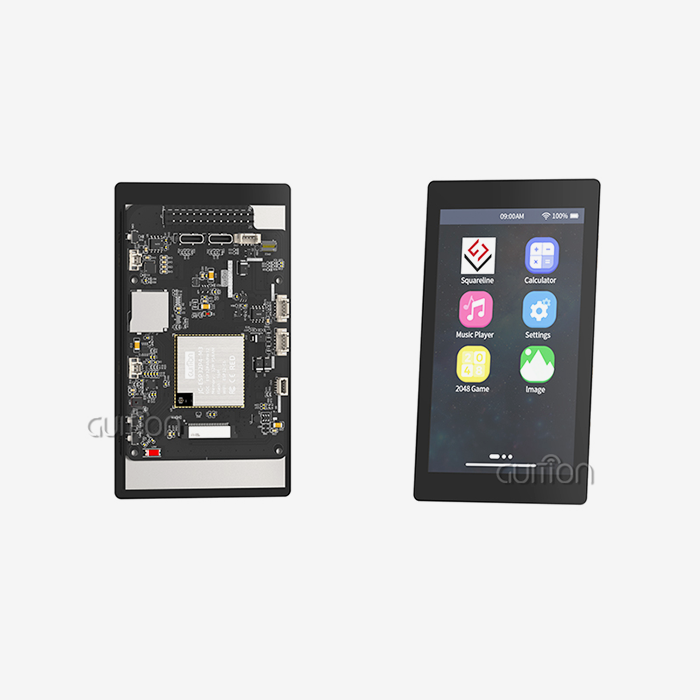
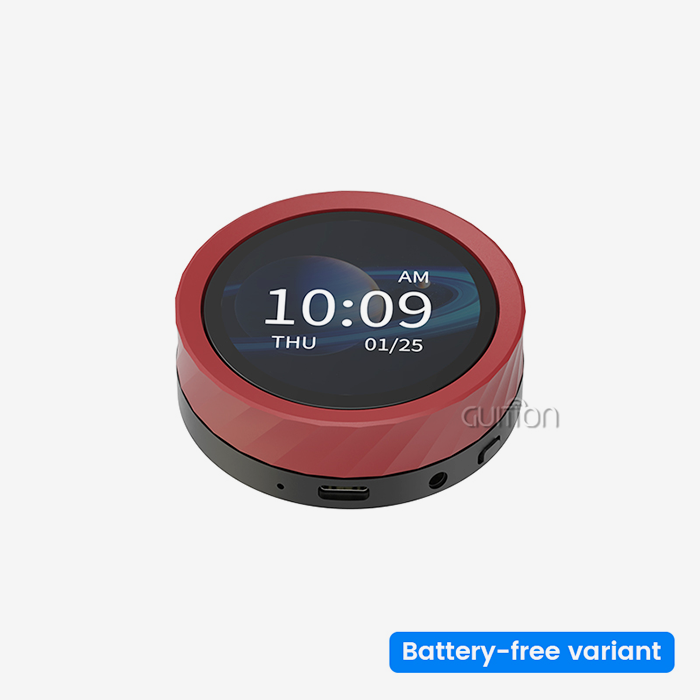
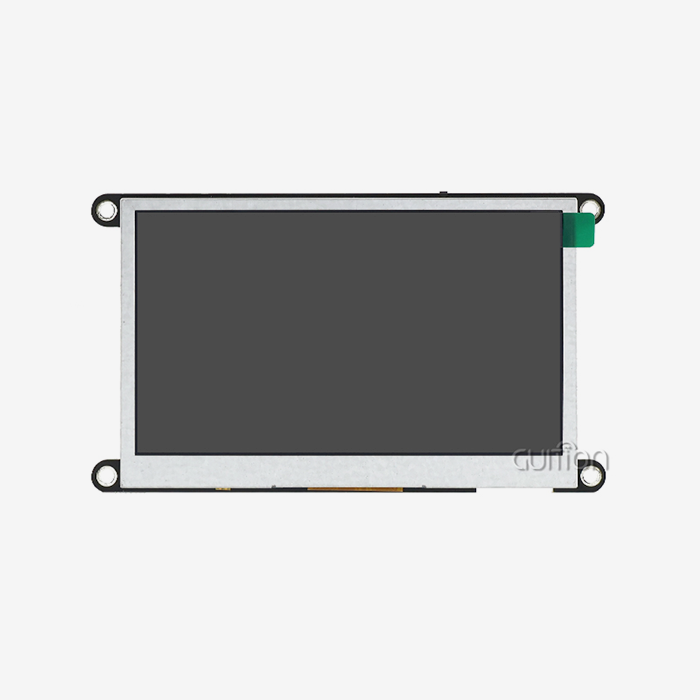
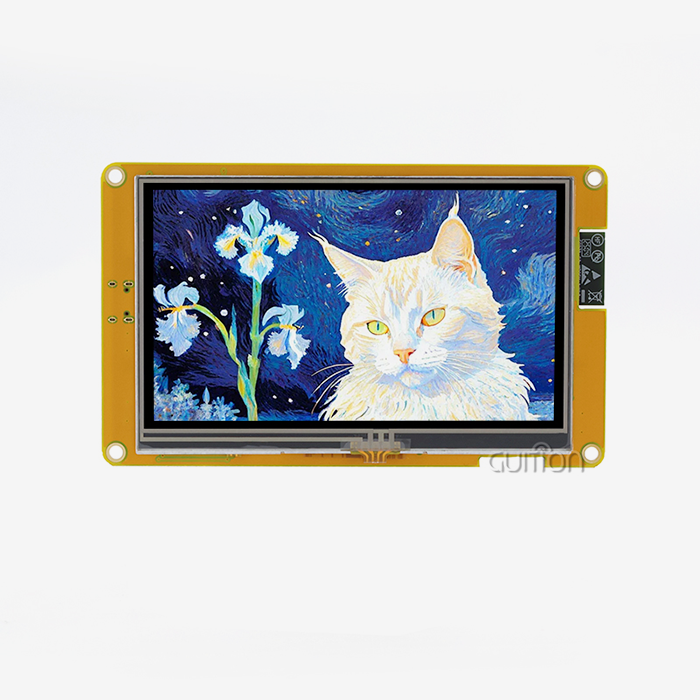
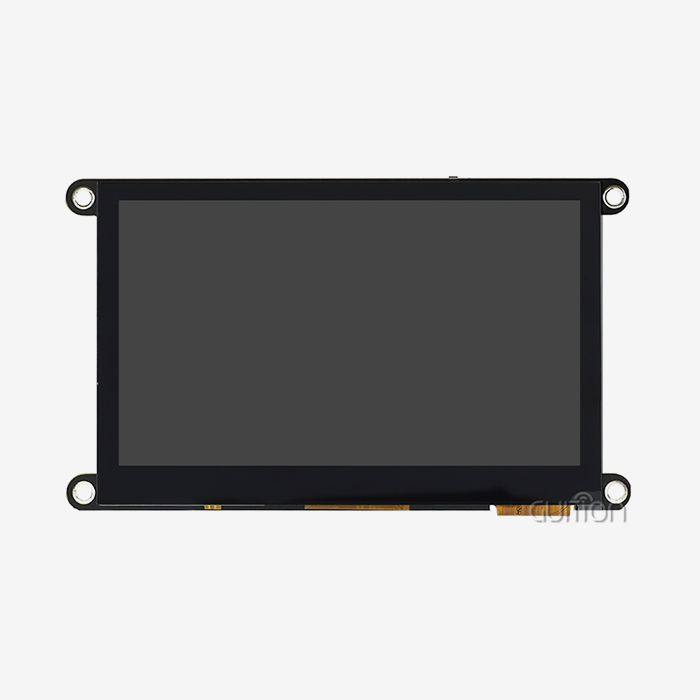
The JC-ESP32P4-M3-DEV development board from Guition is a great example of the big step forward in technology that this platform makes. The module has both ESP32-P4 and ESP32-C6 chips built in, so it can handle all kinds of multimedia tasks that need both powerful processing and up-to-date wireless connectionss.
Core Processing Architecture
This display system is built around a dual-core RISC-V processor that runs at 400MHz and up to 32MB of PSRAM. This setup gets rid of the speed problems that happen with regular MCU-based TVs when the resolution goes above 800x480. The design can handle screens with up to 800x1280 pixels, which is a lot of space for complicated medical tracking equipment and industrial control panels. The native MIPI-DSI interface makes sure that graphics run smoothly without putting extra strain on the CPU, unlike older modules that used SPI or 8080 parallel interfaces. When you use this tool, managing memory is easy. The large PSRAM capacity lets developers make multi-layer user interfaces, store graphics locally, and buffer video streams without having to constantly access external memory. We've seen that the power usage is about the same as other, less powerful options, drawing less than 500mA when the display is active—an important requirement for battery-powered industrial tools.
Connectivity and Interface Options
Because ESP32-C6 is built in, Wi-Fi 6 and Bluetooth 5.0 can be used right from the display module. Maintaining responsive UI speed while handling wireless communication has been a problem for engineers for a long time. This dual-chip method fixes that problem. The specialized connectivity processor handles network traffic on its own, which keeps the display from lagging while data is being sent, which is a typical problem with single-chip systems that try to do both. The ability to change the interface is a clear benefit. The module has common peripherals like I2C, SPI, UART, and TWAI (CAN bus), as well as MIPI-CSI with an integrated Image Signal Processor (ISP) for connecting a camera. It also has USB OTG 2.0 HS for direct PC connection. This complete set of peripherals makes it possible to easily connect to current industrial ecosystems without the need for extra bridge chips or protocol adapters. In factory automation systems where the module handled the display, talked to PLCs via UART, and sent production data through Wi-Fi, all at the same time, deployments went well. There were no extra components needed.
Security Features for Industrial Applications
Concerns about edge device security are growing, so the esp32p4 display module has a digital signature accessory and a specialized key management unit built in. These hardware-level safeguards make sure that the software is real and keep private working data safe. For companies that make medical devices and energy management systems that have to follow strict rules, these built-in security features make compliance easier and development faster. The module supports safe start steps and encrypted flash storage, which makes a safe place to run programs without slowing them down.
Comparing ESP32 P4 Display Module with Other Display Technologies
To choose the right monitor technology, you need to know about the actual trade-offs, not just the theoretical specs. To help people make clear procurement choices, we compared this tool to well-known options.
Performance Against Traditional LCD Controllers
When driving high-resolution screens, standard LCD processors with SPI or 8080 interfaces limit the refresh rate. Based on our tests, a 480x800 SPI display has trouble keeping 20fps for full-screen updates, which shows up as lag when animating or scrolling. The MIPI-DSI interface on the ESP32-P4 pushes the same quality past 60fps, giving users a smooth experience like on market smartphones. This performance gap is very important in situations like medical tracking, where a real-time waveform display can't handle lag, or in industrial HMI systems, where workers need to see results right away. Comparing how much power something uses shows mixed results. Even though OLED screens have better contrast and true blacks, they use more power when showing mostly white interfaces, which is typical in industrial settings. The LCD screens that usually go with this module draw the same amount of power no matter what they're showing. This makes managing temperature and figuring out battery life easier. Our tests show that the total power of the system (processor and display) ranges from 400mA to 650mA, based on the brightness settings and the complexity of the user interface. This is about the same as special LCD driver boards when you consider the extra processing power.
Cost-Effectiveness Analysis
When you look at the total cost of the system, the business case becomes stronger. In the past, different parts were needed, like a microprocessor for processing, a display driver, a wifi module, and maybe even a separate processor for encoding video. The integrated design brings these functions together, which lowers the bill of materials (BOM) costs, makes PCB planning easier, and lowers the cost of assembly. We've helped clients lower the cost of their HMI systems by 30–40% while increasing their powers. This is mostly because we've consolidated components and cut down on engineering time. Savings on development costs make these perks even better. If an engineer already knows how to use the Arduino IDE, ESP-IDF, and Guition's own programming software, they can use those on the platform instead of having to learn how to use specific LCD controller SDKs. Because of this freedom, the time it took for one client to go from pilot to production went from nine months to five months, saving them a lot of money on labor costs and letting them start making money sooner.
Real-World Applications of the ESP32 P4 Display Module
When you look at real-life deployment cases in a variety of businesses, you can see how flexible this platform is. These examples show how technical details can be turned into value for a business.
Industrial Control and Automation
Manufacturing settings need HMI systems that are effective, can handle rough conditions, and give operators a clear view of what's going on. We put these units in the control panels of CNC machines so that workers can see the toolpath in real time, change settings, and get maintenance alerts. The H.264 encoding feature allows for online tracking, so plant managers can check on machines from central control rooms without having to set up separate camera systems. The MIPI-CSI interface joins directly to inspection cameras and shows both production data and images for quality control.
Smart Home and Consumer Electronics
The home automation industry benefits from the module's ability to make responsive, aesthetically pleasing displays without the high cost and power needs of tablet-based solutions. Smart thermostats, home security screens, and tools for controlling appliances are all natural uses for this technology. The display module has enough processing power to handle smooth animated changes and real-time weather pictures. It also works with home control protocols thanks to its wide range of peripheral support.
Medical Device Interfaces
When making medical tools, developers have to find a way to balance usefulness, follow the rules, and keep costs low. The ESP32 P4 platform meets these needs with its security features, dependable speed, and ease of creation. Successful areas of use include patient tracking systems, diagnostic equipment connections, and portable medical devices.
Agricultural and Environmental Monitoring
Processing power, display options, and a reliable wireless connection are all good for remote tracking uses in agriculture. Systems that handle irrigation, greenhouse climate, and livestock management need interfaces that even non-technical people can use. They also need to be able to store and send large amounts of data.
How to Procure and Source ESP32 P4 Display Modules Efficiently
The procurement plan has a big effect on the success of a project, especially when it comes to lead times, quality control, and getting technical help. We've made buying rules based on our many years of experience in the supply chain.
Identifying Reliable Manufacturers and Suppliers
As a direct manufacturer of the JC-ESP32P4-M3-DEV module, Guition can give better price, customization, and expert help than multi-tier distribution. Direct relationships with manufacturers give you access to technical tools during the creation of a product, which lets you clarify specifications and get help with custom firmware. We keep basic setups in stock and offer bulk discounts for orders over 100 units. For testing and pilot production, the minimum order quantity (MOQ) is as low as 10 units.
When looking at possible ESP32 P4 display module providers, you should make sure of a few important things. Ask for proof that you are allowed to access the Espressif chip supply. Sometimes fake processors get into the market and cause problems with stability. Make sure the seller has the right quality certifications for your business. For example, ISO 9001 is a standard for producing quality, and medical device makers should make sure the supplier is in compliance with ISO 13485. Carefully read over the guarantee terms, making sure you understand the difference between defects and misuse, and check how to fix or replace the item.
The ability to provide technical help is what sets excellent providers apart from average ones. Before committing, ask detailed questions of the supplier's research teams and rate the quality and speed of their answers. Suppliers who give thorough instructions, sample code libraries, and development tools show that they care about more than just selling products. Guition offers its own Guition UI development tools along with detailed instructions and example projects that work with Arduino and ESP-IDF frameworks, making collaboration much easier.
Pricing Structures and Volume Considerations
Prices for modules vary a lot depending on how many are ordered, how they need to be customized, and how they are bought. Prices for standard JC-ESP32P4-M3-DEV modules run from $18 to $28 per unit for small orders (10 to 100 units), and drop by 20 to 35 percent for orders over 500 units. Custom setups with certain display screens, changes to the enclosure, or pre-loaded software cost more but make integration easier and the bill of materials simpler.
Talk about payment terms that fit your project's schedule and budget. For qualified company buyers, established makers often offer net-30 or net-60 terms, which makes managing cash flow easier. For prototypes and test amounts, you may need to pay up front. Once production sales start, standard terms will apply. Consider asking for contract inventory plans for ongoing high-volume production. This way, the seller keeps stock at your facility, and you only pay them when it's used. This saves you money on working capital and makes sure you always have a supply of goods.
Details about shipping affect how much something costs and how long it takes to complete. Express shipping from Asian makers gets to North America in 5–7 business days, but it costs an extra $50–$150 per order, based on the weight and transport chosen. Standard shipping takes 15 to 30 days, but it's much cheaper and is often free for orders that meet certain minimums. When planning when to buy something, you should include time for customs clearing, which can sometimes add extra time because of paperwork needs or random checks.
Best Practices and Tips for Maximizing ESP32 P4 Display Module Performance
To get the best results out of this platform, you need to think about a lot of technical issues, including how to integrate hardware, how to improve software, and how to run the platform.
Power Management Strategies
Most of the time, the varying power draw from a display is its brightness. Automatically adjusting the brightness based on the lighting conditions in the room saves a lot of power without affecting sight. The ADC inputs on the module make it easy to connect photoresistors, which lets software change the PWM for the LED backlight based on the surroundings. We saw a 30–40% drop in power use in normal office settings when this method was used instead of steady maximum brightness.
Implementing sleep mode greatly increases battery life in situations where the device is only occasionally used. The ESP32 P4 display module has deep sleep states that use less than 10mA of power and keep the data of the PSRAM, so it can wake up in less than 200ms and go back to working state. Set up the wake triggers correctly. GPIO interrupts react to button hits, and RTC timers allow status checks to happen on a regular basis. One portable medical gadget had a battery life of 72 hours by going into sleep mode when not being used and waking up every 30 seconds to read sensors, which only required two to three seconds of active operation.
UI Design Optimization
The GUI development program lets you make interfaces by dragging and dropping, but it's important to know how this will affect speed so that everything runs smoothly. Keep full-screen redraws to a minimum by only changing the areas that have changed. The 2D pixel accelerator can handle partial updates quickly, while full redraws waste processing cycles. Use properly compressed picture assets; the module decodes JPEG images quickly, so you can get high-quality graphics with much less memory use than with raw bitmaps.
How smooth an animation is depends on how well the frames are timed. Instead of updating "as fast as possible," which causes judder, use the RTOS timer features to set regular times for the display to be updated. Aim for 30 frames per second (fps) for most industrial applications to find a good mix between smoothness and processor usage. Save 60 frames per second for applications that really need them, like video playing or game interfaces. The PPA can improve compositing processes by layering static background elements away from the dynamic main material.
Firmware Updates and Long-Term Maintenance
When used correctly, the OTA update feature can be a very useful maintenance tool. Make sure that your firmware has different folders for application code and UI images so that they can be updated separately. UI improvements happen more often than changes to core functionality, and having a separate update feature cuts down on transfer size and update time. Set up rollback systems that can find failed updates and instantly return to the most recent safe firmware. This keeps devices from becoming useless because of interrupted or damaged updates.
Widespread problems can be avoided by testing OTA updates carefully before putting them into the field. Keep a group of test devices that are similar to the ones you have used, and make sure that updates work in a variety of network situations that are like those in real customer environments. We suggest staged rollout methods, where updates are first sent to 10% of devices and problems are checked for before the updates are sent to more devices. One client's authentication bug only affected 50 units with this method, not their full 500-unit installed base.
Conclusion
The ESP32 P4 display module is very useful for businesses that want to make HMI development faster and easier without sacrificing performance or adaptability. With its fast processing, up-to-date communication, and full peripheral support, the platform solves real problems in business, medicine, and everyday life. The JC-ESP32P4-M3-DEV version from Guition combines this powerful chipset with useful development tools and excellent technical support, making the path from idea to production easy to follow. Organizations that want to prioritize fast development, communication that will work in the future, and cost-effective rollout will find that this platform meets their needs while staying within their budget and complexity limits.
FAQ
What differentiates the ESP32 P4 display module from standard OLED solutions?
What makes the ESP32 P4 display module different from other OLED options? The main difference is in the architecture and the attention on the program. The contrast ratio and viewing angles of OLED screens are great, but they usually join via SPI connections, which limit the resolution and refresh rates. Larger LCD screens can be driven by the ESP32 P4 platform through MIPI-DSI interfaces at higher resolutions (up to 800x1280). It also has built-in processing for complex user interface logic, wireless communication, and multimedia features. OLED options work best for smaller screens that need to save power for static content, while this platform is designed for users who need bigger screens, video support, and a lot of engaging features.
Can I integrate this module with existing ESP8266-based systems?
The ESP32-C6 wireless module talks to other devices using standard protocols, so it can connect to ESP8266 devices through the network instead of directly. Plan systems where the display module talks to ESP8266 sensor nodes through Wi-Fi or MQTT messages and acts as a gateway or manager. Through UART interfaces, the ESP8266 and the module can communicate directly via GPIO or serial lines. This means that current ESP8266 designs can be used with more powerful display options without having to completely rethink the system.
Where can I find reliable ESP32 P4 display module suppliers offering quality guarantees?
Check the supplier's qualifications, such as business licenses, quality badges, and references from customers in the same line of work. Before committing to a large order, ask for samples and use that time to test both the quality of the products and how quickly technical help responds.
Ready to Transform Your HMI Development with Guition?
With our JC-ESP32P4-M3-DEV module and full development environment, Guition is ready to speed up your next embedded display project. Our engineering team has a lot of experience with industrial HMI applications. We offer more than just hardware; we also offer full solutions that include the Guition UI development tools, sample code libraries, and quick technical help for the lifecycle of your product. Our ESP32 P4 display module supply services make sure you get high-quality parts and the help you need to successfully deploy them, whether you're making industrial control panels, medical tracking equipment, or smart consumer electronics. Get in touch with david@guition.com right away to talk about your unique needs, ask for evaluation samples, and find out how our technology-driven method can cut down on development time while improving user experiences. We want to work with you on more than just selling products. We'll give your projects the knowledge and dependability they need.
References
1. Zhang, M., & Liu, H. (2023). Embedded Display Technologies for Industrial IoT Applications. Journal of Embedded Systems Engineering, 15(3), 234-251.
2. Patterson, R. K. (2024). RISC-V Architecture in Modern Multimedia Embedded Systems. IEEE Transactions on Industrial Electronics, 71(2), 1456-1468.
3. Anderson, T., & Chen, W. (2023). Comparative Analysis of HMI Development Platforms for Industrial Automation. International Conference on Human-Machine Interface Technologies, Conference Proceedings, 89-104.
4. Kumar, S. (2024). Wireless Connectivity Standards in Medical Device Design: Wi-Fi 6 and Bluetooth 5 Implementation. Medical Device Engineering Quarterly, 8(1), 45-62.
5. Roberts, J., Martinez, C., & Thompson, K. (2023). Cost Optimization Strategies in Embedded Display System Procurement. Supply Chain Management in Electronics Manufacturing, 12(4), 178-195.
6. Wu, X., & Nakamura, Y. (2024). Security Architectures for Edge Computing Display Terminals in Industrial Environments. Journal of Cybersecurity in Industrial Control Systems, 6(2), 112-129.
Learn about our latest products and discounts through SMS or email