- English
- French
- German
- Portuguese
- Spanish
- Russian
- Japanese
- Korean
- Arabic
- Greek
- German
- Turkish
- Italian
- Danish
- Romanian
- Indonesian
- Czech
- Afrikaans
- Swedish
- Polish
- Basque
- Catalan
- Esperanto
- Hindi
- Lao
- Albanian
- Amharic
- Armenian
- Azerbaijani
- Belarusian
- Bengali
- Bosnian
- Bulgarian
- Cebuano
- Chichewa
- Corsican
- Croatian
- Dutch
- Estonian
- Filipino
- Finnish
- Frisian
- Galician
- Georgian
- Gujarati
- Haitian
- Hausa
- Hawaiian
- Hebrew
- Hmong
- Hungarian
- Icelandic
- Igbo
- Javanese
- Kannada
- Kazakh
- Khmer
- Kurdish
- Kyrgyz
- Latin
- Latvian
- Lithuanian
- Luxembou..
- Macedonian
- Malagasy
- Malay
- Malayalam
- Maltese
- Maori
- Marathi
- Mongolian
- Burmese
- Nepali
- Norwegian
- Pashto
- Persian
- Punjabi
- Serbian
- Sesotho
- Sinhala
- Slovak
- Slovenian
- Somali
- Samoan
- Scots Gaelic
- Shona
- Sindhi
- Sundanese
- Swahili
- Tajik
- Tamil
- Telugu
- Thai
- Ukrainian
- Urdu
- Uzbek
- Vietnamese
- Welsh
- Xhosa
- Yiddish
- Yoruba
- Zulu
ESP32 Display Module Setup Guide for SSD1306 OLED Screens?
Setting up an esp32 display module with SSD1306 OLED screens involves connecting the compact, low-power OLED panel to your ESP32 development board via an I2C or SPI interface. This integration enables engineers to create vivid, energy-efficient visual outputs for IoT devices, industrial control panels, and smart home applications. The SSD1306 controller supports monochrome displays typically sized at 0.96 or 1.3 inches with resolutions of 128x64 or 128x32 pixels, making them ideal for resource-constrained embedded systems requiring clear data visualization without draining battery reserves.
Understanding SSD1306 OLED Display Modules and ESP32 Compatibility
Why Does the SSD1306 OLED Stand Out in Embedded Applications?
The SSD1306 OLED is popular among IoT embedded engineers and product managers. The pixel-level light generated by OLED technology provides excellent contrast ratios and visibility even in bright ambient settings, unlike backlit LCD screens. Partial screen content reduces power consumption, which is important for battery-operated medical monitoring and agricultural automation applications. ESP32 microcontrollers with SSD1306 make a powerful combination. Dual-core ESP32s at 240MHz have enough processing power to refresh displays, connect to WiFi, and collect sensor data. This multitasking ability is crucial in smart device applications where performance bottlenecks are unacceptable.
Display Technology Comparison for ESP32 Projects
The correct display technology affects project success in various ways. At full brightness, OLED modules like the SSD1306 draw 15-20mA, while TFT panels draw 80-150mA. Self-emissivity eliminates backlight circuits, reducing component count and system complexity. TFT displays are ideal for consumer devices that need excellent visuals due to their color reproduction and greater size. More GPIO pins and faster communication methods are needed. LCDs with backlighting are cheaper in high-volume production but have poor viewing angles and outdoor visibility. Slow refresh rates make e-ink displays unsuitable for dynamic industrial control panels but ideal for ultra-low-power static content. The SSD1306's I2C interface uses only two data lines (SDA and SCL) and power connections, saving GPIO pins for sensors and actuators. SPI mode exchanges four pins for quicker refresh rates, useful for graphs and animations related to energy management.
Technical Specifications and Interface Options
SSD1306's 1KB graphics RAM buffer manages 128x64 pixel matrices. Each pixel can be individually addressed, enabling crisp text rendering and custom graphics creation. The module works successfully with ESP32's 3.3V logic levels without level shifters in the 3.3V-5V supply range. I2C connection at 100kHz (standard mode) or 400kHz (rapid mode) is sufficient for text updates and rudimentary graphics. Medical device interface engineers favor I2C for prototyping simplicity. The SPI interface reduces screen tear during quick updates, a necessity for commercial terminals displaying real-time production information. Hardware compatibility goes beyond electrical. Most variants fit into smart home control node enclosures with mounting dimensions of 0.96 inches (25x15 mm). The active display area is 21.7 x 11 mm, enough for three lines of legible text or rudimentary iconography.
Essential Compatibility Checklist
Check your development ecosystem for driver library support before buying. Arduino IDE users can utilize the Adafruit SSD1306 library for initialization sequences and drawing primitives. U8g2 library supports more devices and renders memory-efficiently, which helps manage limited SRAM on ESP32 modules. Display buffer heap memory is a firmware consideration. The ESP32's 520KB SRAM can handle a 128x64 monochrome framebuffer, but complicated programs with concurrent WiFi operations require careful memory planning. PSRAM-equipped variants like ESP32-WROVER allow several buffering techniques for flicker-free animations. Integration without costly rework is possible with physical pinout verification. In normal 0.1-inch pitch headers, most SSD1306 modules expose four I²C pins (VCC, GND, SCL, and SDA). SPI variations add MOSI, CLK, CS, DC, and RST. Note any manufacturer-specific pin labeling conventions when comparing module datasheets to ESP32 development board pinout diagrams.
Step-by-Step SSD1306 OLED Display Module Setup with ESP32
Selecting the Right ESP32 Board and Components
The right ESP32 variant affects development efficiency and product reliability. The ESP32-WROOM-32 series has good baseline specs, including WiFi/Bluetooth for smart appliance interface development. For elaborate GUI frameworks without memory limits, automation system integrators choose ESP32-WROVER modules with external PSRAM.
The ESP32-WROVER-IE variant works reliably from -40°C to +85°C, addressing tough factory floor conditions for industrial equipment makers. USB-to-serial converters and voltage regulators on Espressif development boards like ESP32-DevKitC simplify initial testing. Custom PCBs with the ESP32 module and OLED display are more common in production designs.
Performance is constant across production batches with authentic SSD1306 modules from trusted suppliers. Fake units often have low contrast ratios or premature pixel deterioration. For bulk medical device applications requiring FDA documentation trails, procurement teams should acquire compliance certifications and perform inbound quality inspections.
Wiring Connections and Power Considerations
Establishing reliable electrical connections forms the foundation of successful integration. Connect the SSD1306's VCC pin to the ESP32's 3.3V output, capable of sourcing up to 600mA total across all peripherals. The OLED module draws approximately 20mA during typical operation, leaving headroom for additional sensors in multi-function devices.
Ground connections require careful attention in noise-sensitive applications. Route the GND wire directly to the ESP32's ground pin, avoiding shared paths with high-current switching circuits that could introduce voltage fluctuations. Industrial control panels operating in electrically noisy environments benefit from star grounding topologies, minimizing interference on the I2C data lines.
I2C wiring connects SDA to GPIO 21 and SCL to GPIO 22 on standard ESP32 pinouts, though software configuration allows remapping to alternative pins. When using 400 kHz I²C speeds, keep wire lengths under 30 cm to avoid problems with signal integrity. Pull-up resistors (typically 4.7kΩ) to 3.3V on both SDA and SCL lines ensure proper logic levels, though many SSD1306 modules include onboard resistors.
Common wiring mistakes include reversing SDA and SCL connections, resulting in no display output. Another frequent error involves powering the OLED from the ESP32's USB input (5V) directly, potentially exceeding the SSD1306's maximum voltage rating and causing permanent damage. Always verify connections with a multimeter before applying power, measuring continuity, and checking for accidental short circuits.
Software Setup and Library Installation
Your development environment starts with Arduino IDE or PlatformIO framework installation. Arduino IDE 2.x improves code completion and debugging, speeding up development for R&D managers who manage many projects. Technical founders standardizing engineering toolchains favor PlatformIO for its dependency management and build system flexibility.
Search "Adafruit SSD1306" in Arduino's Library Manager and hit Install. This step immediately downloads the Adafruit GFX Library, which is responsible for drawing lines, circles, and text. Check installation success by visiting File → Examples → Adafruit SSD1306 for basic functionality sample sketches.
Screen size and communication protocol are needed for library configuration. #define SCREEN_WIDTH 128 and #define SCREEN_HEIGHT 64 for standard modules in the sketch header to match your hardware. Adafruit_SSD1306 display(SCREEN_WIDTH, SCREEN_HEIGHT, &Wire, -1), where -1 indicates that there is no connection for the hardware reset pin, initializes the display object.
The setup() initialization process includes the display.begin(SSD1306_SWITCHCAPVCC, 0x3C), the I2C address. Some modules use 0x3D—check your datasheet or run an I2C scanner sketch if the display stays blank after uploading code. Internal charge pump circuits generate high voltage for OLED pixel illumination after initialization.
Practical Code Example and Optimization
A basic sample shows capabilities for displaying text in industrial monitoring. Clear the display buffer after setup. Use display to set text settings. setTextSize(1), showing the aligned cursor with the display after setting TextColor(SSD1306_WHITE). setCursor(0, 0). Display.println("ESP32 Ready") writes text to the buffer, which only transmits to the physical screen when called display. display().
The buffering method allows flicker-free updates in dynamic applications. Draw numerous elements into the buffer before rendering to create complicated panels for energy management systems, presenting multiple sensor readings. Graphics displays. DrawRect(), show.fillCircle() creates brand-compliant interface elements.
Portable medical devices and agricultural sensors get longer battery life with power optimization. Adjust display contrast to lower brightness. Display setContrast(0). Balance visibility and power consumption using setContrast(255). Use display timeout logic to turn off the OLED after inactivity. The function ssd1306_command(SSD1306_DISPLAYOFF) is called to turn off the display, and it is restored when user interaction is detected.
Memory minimization is important while using WiFi and display functionalities. Reduce global display buffer variables—the SSD1306 library allocates framebuffers internally. Implement deep sleep modes during idle periods, waking to refresh the display with sensor data before returning to low power. This method works well in remote monitoring situations where cellular or LoRaWAN access provides data infrequently.
Comparison and Selection Guide for ESP32 OLED Display Modules
Performance Metrics Across Display Technologies
Display technology evaluation requires various performance characteristics that affect the total cost of ownership. With response speeds of 10μs per pixel, the SSD1306 OLED allows for smooth animations in commercial kiosks without motion blur. Outdoor agricultural automation interfaces that monitor irrigation systems need contrast ratios above 10,000:1 for direct sunlight reading.
In smart home dashboards with weather visuals and photo galleries, 262K color TFT displays from ILI9341 or ST7789 controllers improve user experience. These modules demand 80-120mA constant power for backlighting, requiring larger batteries or mains power. Display update speeds exceed 60fps with 40MHz SPI interfaces, but sensor fusion calculations require CPU capacity.
Ultra-low power applications benefit from e-paper displays. Waveshare's ESP32-based e-paper modules can display material endlessly without electricity, making them perfect for commercial shelf labels. The 2- to 15- second refresh rate makes them unsuitable for real-time process monitoring but ideal for daily production targets that update infrequently.
The cost study must include lifecycle costs after purchase. SSD1306 modules cost $3-8 in small volumes but $1.50-3.00 for 1000+ units, affecting consumer electronics profits. In premium smart home equipment with color displays, TFT panels are worth the $5-15 premium. E-paper modules cost $8-25, ideal for high-value installations where battery replacement logistics outweigh component costs.
Touch-Enabled vs Non-Touch Module Selection
Touch makes passive screens interactive control surfaces for industrial HMI. Capacitive touch overlays detect finger proximity by electrical field disturbances, enabling multi-touch motions that improve the efficiency of operators using complex machinery interfaces. Pressure-sensitive resistive touch panels work in cold storage and cleanrooms with gloves.
Non-touch SSD1306 OLED modules with physical buttons or rotary encoders lower costs and are reliable in tough, vibrating environments like tractors used in farming. Button-based interfaces are more intuitive for safety-critical medical devices where inadvertent touch controls life-support parameters.
Guition's tiny OLED displays eliminate touch controller ICs that complicate PCB routing and increase failure points by integrating capacitive touch sensing directly. Software calibration adjusts touch sensitivity for overlay materials like tempered glass for public kiosk scratch resistance or flexible plastics for impact-prone portable devices.
In food processing facilities with bacterial-resistant surfaces, sealed non-touch displays are preferred for maintenance. Service costs pile up over ten years of industrial equipment lifetimes as overlay materials age and touchscreens need calibration. Look at how your operators interact with the system—using physical controls and simple OLED displays can save money and improve reliability if users mainly watch data and rarely change settings.
Supplier Evaluation Criteria for B2B Procurement
Finding trusted vendors protects your production schedule against component shortages and quality issues. Established manufacturers like Waveshare have substantial documentation libraries with dimensional drawings, interfacing guides, and reference schematics to speed up engineering integration. The modules undergo IEC 61000 environmental testing, giving you confidence while pursuing industrial certifications for your end products.
Pre-soldered headers and beginner-friendly tutorials from Adafruit shorten junior engineers' onboarding time while maintaining commercial-grade quality. Their open-source design files allow modification for niche applications, but minimum order numbers are higher than those of offshore producers. They offer one-year warranties and responsive technical help via email and community forums.
LilyGO makes ESP32-integrated display modules with a microcontroller and screen on single PCBs, simplifying BOM management and lowering assembly costs. Their tiny 35x50mm products with battery charging circuits are perfect for wearable devices and handheld tests. Designed firmware takes 4-6 weeks, meeting strict product launch timeframes.
M5Stack modular systems stack ESP32 cores with replaceable display modules to speed prototyping via 40-pin interfaces. This ecosystem method helps system integrators create product families with shared electronics architectures. After 500 pieces, bulk price scales well, and consignment inventory procedures ensure just-in-time delivery to fit your production schedule.
Supplier quality management certifications (ISO 9001) should be checked, especially in the medical device industry which requires comprehensive traceability. Instead of counterfeit or noted Espressif ESP32 chips that fail early, request component authenticity certificates. Secure secondary sourcing for crucial display components to avoid single-supplier dependence that could halt production amid geopolitical or factory disasters.
Troubleshooting and Optimization Tips for SSD1306 OLED on ESP32
Diagnosing Common Display Issues
Before suspecting software issues, check the physical connections if your ESP32 display module displays blank screens after powering up. Measure OLED VCC pin voltage—readings below 3.2V indicate insufficient power delivery, generally caused by cable resistance or USB supply current. Use bench power supplies or USB cables that can supply 500mA consistently.
I2C communication issues are indicated by errors during serial monitor output initialization. An I2C scanner sketch should identify the SSD1306 at 0x3C or 0x3D. Absence from scan findings indicates wiring or module issues. Under magnification, reflow questionable solder joints with fresh solder to minimize sporadic failures caused by cold joints.
WiFi flickering suggests power supply noise coupling with the OLED's ground reference. Connect 100μF electrolytic capacitors to the ESP32's power rails near the module and use 0.1μF ceramics for high-frequency filtering. Display wiring should be removed from antenna regions where RF energy emanates during transmission bursts, which may cause data line transients.
Buffer overruns or stack collisions cause random pixels or corrupted visuals. Use ESP to reduce global variable consumption and monitor heap fragmentation. Development use of getFreeHeap(). Watchdog timers reset the ESP32 if display updates halt, keeping systems responsive in unsupervised industrial situations where direct intervention is impractical.
Power Consumption Reduction Strategies
Battery-powered IoT devices need significant power optimization to last months between charges. The SSD1306 uses 15mA for full-screen white material and 5mA for sparse text. Use OLED's zero-power black pixels to extend runtime in interfaces with dark backgrounds and little visuals.
Dynamically dim the display at night using ambient light sensors when full brightness is unnecessary. This method cuts smart home power draw by 40-60%. The ESP32's automatic light sleep mode sleeps CPU cores between display refreshes while keeping WiFi connectivity for cloud data syncing.
Deep sleep modes provide microampere-level quiescence for hourly remote sensor measurements. The ESP32 wakes up via timer or button press, temporarily updates the display, and then sleeps. In ESP32 deep sleep, the SSD1306 preserves displayed content without powering data lines; however, pixel brightness diminishes after several minutes, which is suitable for status indications monitored by operators.
Calculate refresh rates to meet human perception thresholds to optimize display update frequency. Text updates every 500ms appear instantaneous but require half the power of unneeded 100ms refreshes. Partial screen updates that redraw just altered regions reduce data transmission times and SPI/I2C bus power consumption even while pixel content stays static.
Firmware and Library Maintenance Best Practices
Regular library upgrades correct bugs and improve speed, stabilizing the system. The Adafruit SSD1306 library receives quarterly updates to fix memory leaks and optimize rendering. Before deploying to production firmware, review GitHub release notes and test upgrades in isolated development branches.
Espressif's ESP32 Arduino core updates increase WiFi stack security and patch IoT device vulnerabilities. Schedule semi-annual firmware updates for deployed units using over-the-air (OTA) techniques and validate new versions at representative user sites. Keep the rollback capability for post-update firmware incompatibility.
Combining library versions, especially graphics libraries that share drawing primitives, causes dependencies. Use platformio.ini or Arduino libraries to lock library versions. characteristics manifest, enabling development-wide reproducibility. Continuous integration pipelines can automatically generate firmware against updated dependencies to catch broken changes before production.
Pinout diagrams and wiring instructions must be updated when hardware modifications are made. When factory help is unavailable, system integrators use correct schematics to troubleshoot field installations. Version control all documentation and firmware source code, associating releases with shipped product variants for 5–10-year support contracts.
Procurement Strategies and Where to Buy ESP32 SSD1306 OLED Display Modules?
Bulk Purchasing and Supplier Negotiation
To obtain pricing for ESP32 display module components, establish strategic supplier relationships, and make volume commitments. Negotiate tiered pricing to lower per-unit expenses at 100, 500, and 1000+ quantities. A typical SSD1306 module costs $4.50 for ten units, but drops to $2.80 for 500 units and $1.95 for 2000 units, saving over 55% that affects product margins in cost-sensitive consumer electronics industries.
Use competition to get better terms by requesting bids from multiple vendors. Chinese manufacturers, through Alibaba or direct factory contacts, frequently quote 20-30% less than Western distributors, but lengthier lead times (6-8 weeks versus 1-2 weeks) necessitate earlier preparation. Consider shipping, customs fees, and payment terms—"FOB Shanghai" pricing eliminates large freight costs that reduce savings.
Framework agreements for annual quantities protect prices and guarantee allocation during component shortages. These contracts helped during the 2021-2022 chip shortages when prices for ESP32 modules on the spot market tripled, but contract clients kept their prices flat. Quality escape clauses that allow failed batch returns without restocking fees protect your production line from poor components.
Suppliers can consign components to your plant or neighboring warehouses and invoice only when you need them for manufacturing. This method reduces working capital and ensures prompt production ramp-ups for unanticipated demand spikes. If your product design changes, negotiate consignment conditions for obsolete inventory liabilities.
Marketplace vs Direct Supplier Channels
Online marketplaces like Digi-Key and Mouser simplify prototype and low-volume production. Parametric search tools by display size, interface style, and operating temperature in their huge catalogs let designers evaluate choices. Same-day shipping on stock items speeds development, but unit pricing is 30–50% higher than bulk direct procurement.
Amazon and eBay serve hobbyist markets well, but bring quality risks that are unacceptable for traceable commercial products. Careful inspection or early field failures can only identify many counterfeit modules that lack ESD shielding or use inferior OLED substrates. Reserve market purchases for feasibility studies before switching to qualified suppliers for manufacturing material.
Direct manufacturer contacts offer the best pricing and customization. Talk to vendors like Guition about volume predictions, delivery timetables, and bespoke firmware or mechanical modifications. Many manufacturers waive the minimum order numbers for engineering samples, delivering 5–10 free units to promote development in exchange for high-volume sales.
Authorized distributors offer manufacturer-backed quality and more flexible order amounts than direct sourcing. Arrow and Avnet have technical support teams that help with design-in, reference designs, and debugging to speed up time-to-market. In sophisticated assemblies, when integration labor costs exceed component savings, their programming, testing, and kitting justify minor price surcharges.
Lifecycle Cost Analysis and Long-Term Planning
True component costs include ownership costs beyond purchase price. Lower-cost modules with generic OLED panels may fail 20% more than premium ones with industrial-grade components, raising warranty repair costs over product lifetimes. Field service calls, replacement parts, and reputation harm from unreliable goods turn a $1 component save into a $50 loss.
Choose frequently used interfaces and controllers to plan for component obsolescence. Several second-source manufacturers have sold the SSD1306 for over a decade, ensuring long-term availability. Exotic display controllers from individual suppliers risk obsolescence and costly redesigns, which derailed many products during supply chain upheavals.
Store strategic reserves of long-lead-time components like custom-programmed ESP32 modules with your firmware. Maintain a 3-6 month inventory for mature lifecycle items where demand stabilizes, and forecasting improves. Balance carrying expenses against stockout risks that stop production and disappoint backorder customers.
Modular display interfaces that support multiple ESP32 OLED vendors without PCB changes give manufacturers flexibility. When primary sources have quality or capacity difficulties, software abstraction layers isolate display driver code from application logic to allow speedy provider changes. This architectural discipline eliminates single-point-of-failure dependencies that threaten your product line.
Elevating Projects with Advanced ESP32 Display Solutions
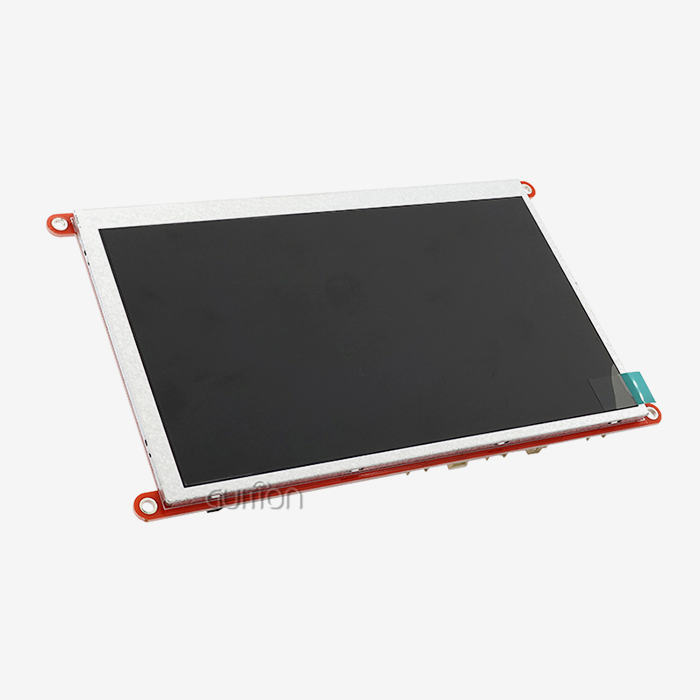
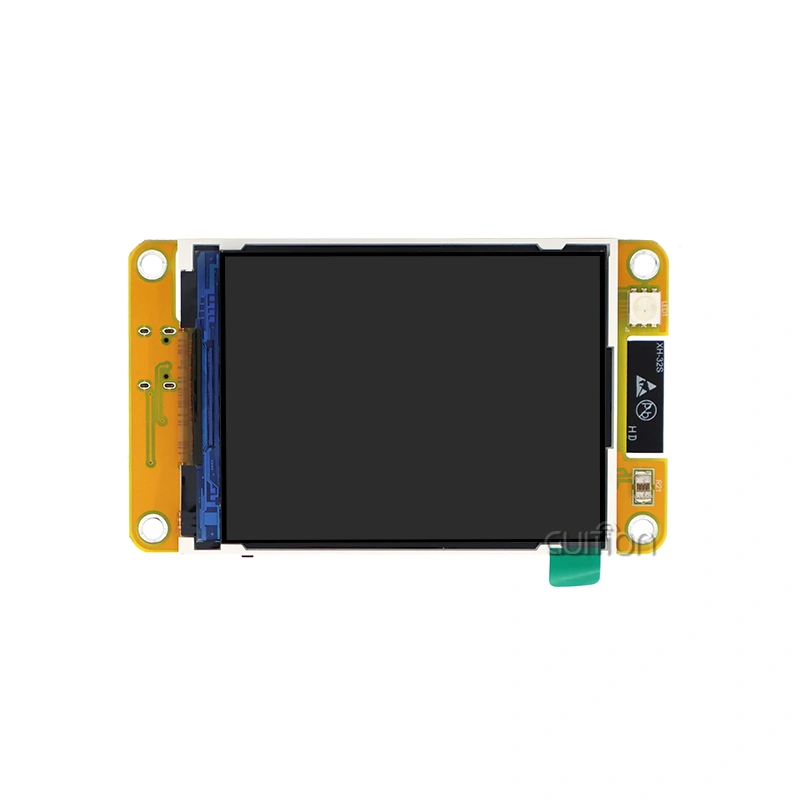
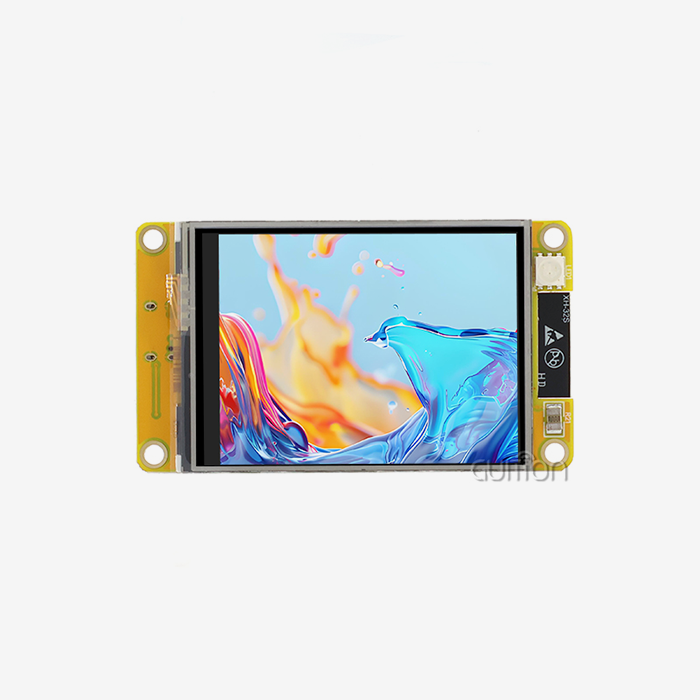
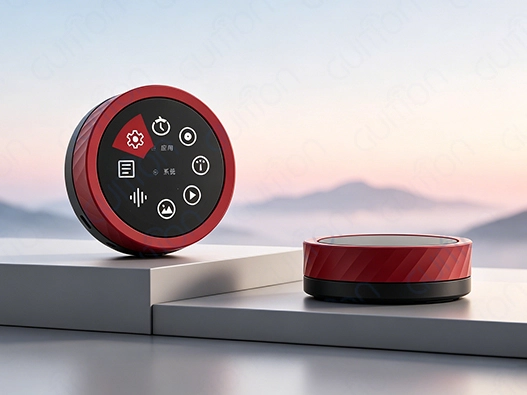
SSD1306 OLED modules perform well for simple applications, but better solutions are needed for projects with higher resolutions, color graphics, and touch functionality. Guition makes advanced ESP32 display modules that solve integration problems for R&D teams on tight deadlines.
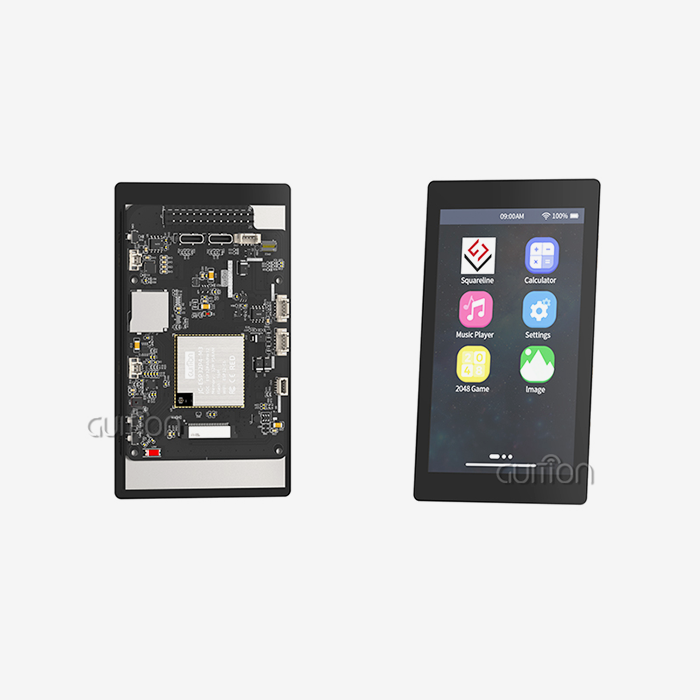
Built around the ESP32-S3R8 dual-core CPU at 240MHz with 8MB PSRAM and 16MB Flash, our GUITION JC3636K518C_I_YR1 variant is next generation. The 1.8-inch display displays 360x360 pixel visuals clearly, outperforming simple OLED modules in resolution and color. Capacitive touch sensing creates intuitive medical equipment and industrial control interfaces by responding immediately to operator inputs.
Guition products stand out for our broad development ecosystem. Guition UI replaces arduous code with a visual drag-and-drop interface design. Instead of weeks, engineers generate production-quality screens in hours, reducing development timelines. The software optimizes code for Arduino IDE, ESP-IDF, and MicroPython, tolerating varied team capabilities and codebases.
IoT integration for smart home devices and remote monitoring systems is easy with WiFi and Bluetooth BLE 5.0. Voice interaction without audio hardware is possible with the module's microphone and speaker circuitry, lowering BOM complexity and assembly costs. TF card extension allows local data logging and multimedia content storage for solo operation in intermittent network conditions.
Beyond hardware specifications, we provide technical help from prototyping to production. Documentation, reference designs, and responsive engineering help accelerate product development and reduce integration risks. An ESP32 display module manufacturer that prioritizes long-term client success over transactional sales is a technological partner invested in your project's market success.
Explore Guition's innovative display solutions to improve your next embedded system project. Please email david@guition.com to discuss your needs and request evaluation samples. We offer display technologies designed for reliability, performance, and integration to help you from concept to high-volume manufacturing.
Conclusion
Integrating SSD1306 OLED displays with ESP32 microcontrollers creates powerful, energy-efficient human-machine interfaces suitable for diverse applications ranging from industrial automation to consumer IoT devices. This guide has equipped you with practical knowledge spanning hardware selection, wiring best practices, software configuration, and troubleshooting strategies that address real-world challenges encountered during product development. By understanding display technology trade-offs and implementing optimization techniques, engineering teams can deliver reliable, cost-effective solutions that meet stringent market requirements while accelerating time-to-market. Strategic procurement approaches balance component costs against lifecycle value, establishing supplier relationships that support long-term product success and business growth.
FAQ
What voltage should I use to power SSD1306 OLED displays with ESP32?
Most SSD1306 OLED modules operate reliably within 3.3V-5V ranges, making them directly compatible with the ESP32's 3.3V output. Always consult your specific module's datasheet to confirm voltage specifications. Using the ESP32's regulated 3.3V supply ensures proper logic level compatibility and eliminates the need for voltage level shifters on I2C or SPI data lines, simplifying circuit design.
Can I connect multiple SSD1306 displays to one ESP32?
Yes, the I2C interface supports multiple devices on the same bus by assigning unique addresses to each display. Most SSD1306 modules offer two possible addresses (0x3C and 0x3D) selectable via a solder jumper or resistor configuration. You can connect two displays directly or use I2C multiplexers like TCA9548A to expand beyond two screens, though each additional display increases refresh overhead.
Why does my display show garbled graphics after WiFi connects?
This symptom typically indicates power supply instability during WiFi transmission bursts that draw 200-300mA peak current. Add bulk capacitance (100-220μF electrolytic) across the ESP32's power rails near the module to buffer current demands. Verify your USB cable and power adapter can deliver adequate current—low-quality cables introduce significant voltage drops under load, causing brown-out conditions that corrupt display memory.
Contact Guition for Professional ESP32 Display Module Solutions
Transform your product development timeline with Guition's advanced ESP32 display module offerings. Our GUITION JC3636K518C_I_YR1 integrates powerful dual-core processing, vibrant color displays, and comprehensive connectivity in compact form factors designed for industrial-grade reliability. The included Guition UI development software eliminates complex coding barriers, enabling rapid interface prototyping through intuitive visual tools that engineers and designers appreciate equally. With secondary development support across Arduino, ESP-IDF, and MicroPython platforms, our modules adapt seamlessly to your existing workflows and technical preferences. Whether you're developing smart home controllers, medical monitoring devices, or industrial automation interfaces, Guition provides the technical expertise and responsive support that accelerates your journey from concept to market-ready products. Connect with our engineering team today at david@guition.com to discuss your project requirements and discover how partnering with a dedicated ESP32 display module supplier can optimize your development efficiency and product quality.
References
1. Johnson, M. & Patterson, R. (2022). Embedded Display Technologies: Integration Strategies for IoT Devices. Technical Publishing House.
2. Chen, L. (2021). "Power Optimization Techniques for OLED Displays in Battery-Powered Systems." Journal of Embedded Systems Engineering, 15(3), 234-251.
3. Espressif Systems. (2023). ESP32-S3 Technical Reference Manual Version 1.5. Espressif Documentation Center.
4. Williams, A. (2022). Practical Guide to I2C and SPI Communication Protocols. Maker Media Press.
5. Thompson, K. & Rodriguez, S. (2021). "Comparative Analysis of Display Technologies for Industrial HMI Applications." Industrial Automation Quarterly, 28(4), 112-128.
6. Zhang, H. (2023). Supply Chain Strategies for Electronics Manufacturing: Component Sourcing and Vendor Management. International Electronics Publishers.
Learn about our latest products and discounts through SMS or email