- English
- French
- German
- Portuguese
- Spanish
- Russian
- Japanese
- Korean
- Arabic
- Greek
- German
- Turkish
- Italian
- Danish
- Romanian
- Indonesian
- Czech
- Afrikaans
- Swedish
- Polish
- Basque
- Catalan
- Esperanto
- Hindi
- Lao
- Albanian
- Amharic
- Armenian
- Azerbaijani
- Belarusian
- Bengali
- Bosnian
- Bulgarian
- Cebuano
- Chichewa
- Corsican
- Croatian
- Dutch
- Estonian
- Filipino
- Finnish
- Frisian
- Galician
- Georgian
- Gujarati
- Haitian
- Hausa
- Hawaiian
- Hebrew
- Hmong
- Hungarian
- Icelandic
- Igbo
- Javanese
- Kannada
- Kazakh
- Khmer
- Kurdish
- Kyrgyz
- Latin
- Latvian
- Lithuanian
- Luxembou..
- Macedonian
- Malagasy
- Malay
- Malayalam
- Maltese
- Maori
- Marathi
- Mongolian
- Burmese
- Nepali
- Norwegian
- Pashto
- Persian
- Punjabi
- Serbian
- Sesotho
- Sinhala
- Slovak
- Slovenian
- Somali
- Samoan
- Scots Gaelic
- Shona
- Sindhi
- Sundanese
- Swahili
- Tajik
- Tamil
- Telugu
- Thai
- Ukrainian
- Urdu
- Uzbek
- Vietnamese
- Welsh
- Xhosa
- Yiddish
- Yoruba
- Zulu
ESP32 development board screen vs External LCD
When choosing between an ESP32 development board screen and external LCD modules, engineers face a critical decision that impacts development time, costs, and project scalability. Integrated ESP32 development boards with built-in displays offer streamlined development with pre-configured hardware drivers and simplified wiring, making them ideal for rapid prototyping and compact applications. External LCD modules provide greater flexibility in screen size and performance, but require additional integration complexity. Understanding these trade-offs helps embedded engineers, product managers, and system architects select the optimal display solution for their industrial automation, smart home, or IoT projects based on specific technical requirements and budget constraints.
Understanding ESP32 Development Board Screens
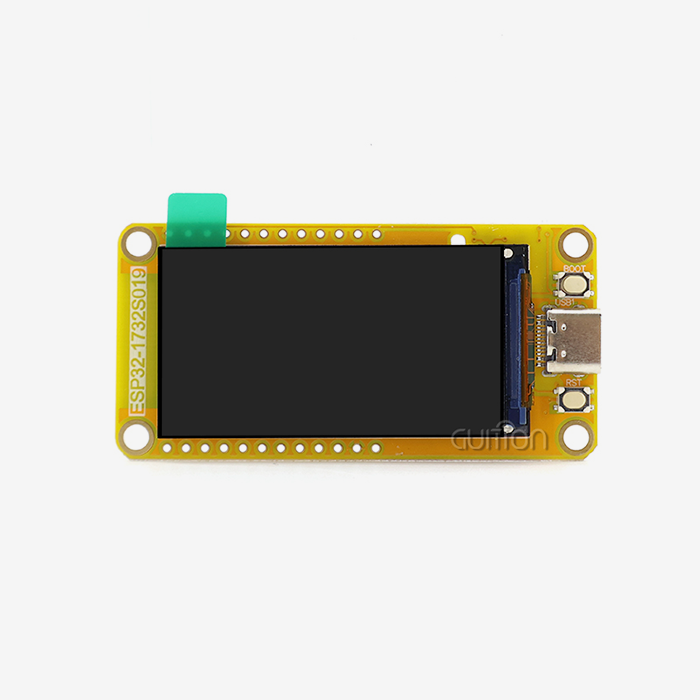
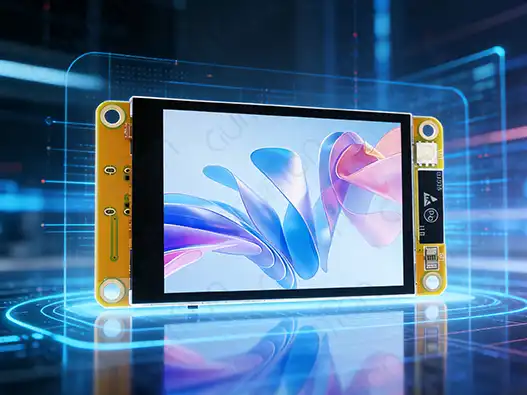
ESP32 development board screens are a fully integrated embedded display system that blends the Espressif ESP32 microcontroller's processing power with TFT LCD, OLED, and e-Paper displays as visual output technologies. These boards solve important problems in the industry by getting rid of the need for complicated manual display connections, which usually involve a lot of wiring and driver setup.
Technical Architecture and Integration Benefits
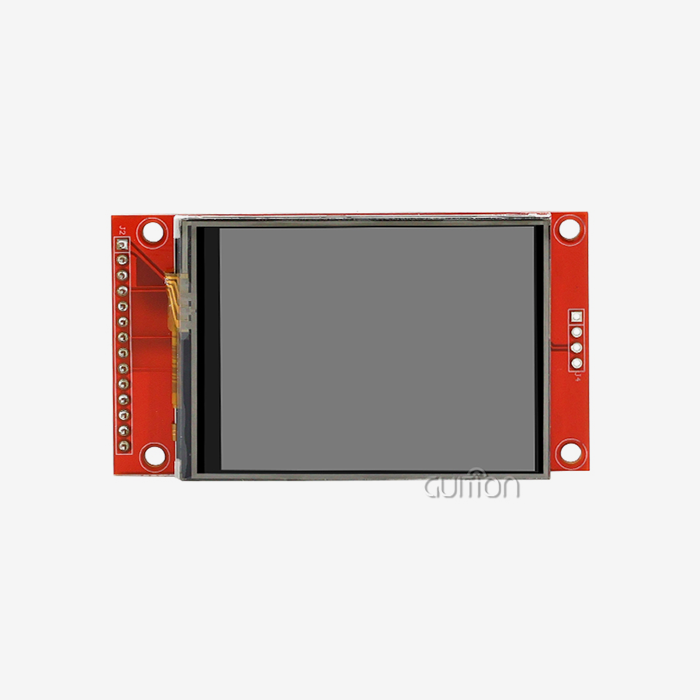
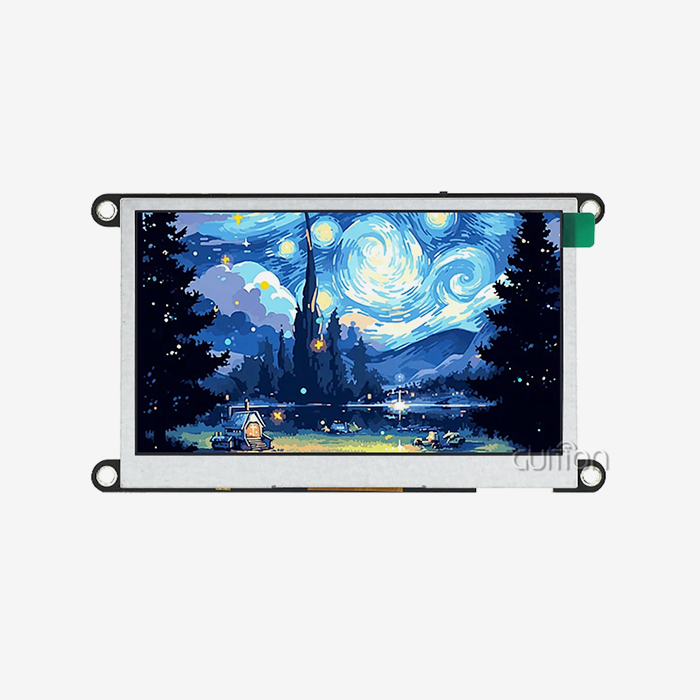
Many important parts of modern ESP32 display boards are built onto a single PCB. These include the dual-core ESP32 microprocessor, the display driver, the touch interface, and the power management circuits. This integration gets rid of the usual reliability problems that come with breadboard samples, like signal noise and connections that are too loose. Concerns about electromagnetic interference (EMI) are lessened by the simplified design, which offers better SPI, I2C, or parallel interfaces that can reach refresh rates good for GUI movements. This unified method is shown by the Guition ESP32-2432S024C, which has a 2.4-inch LCD screen with 240x320 resolution and capacitive touch functions. The board has a 240 MHz dual-core ESP32 processor and 4 MB of Flash storage, which is more than enough working power for complicated HMI apps. Built-in Wi-Fi and Bluetooth connections make IoT integration possible right away, without the need for extra gear.
Hardware Specifications and Performance Characteristics
IPS (In-Plane Switching) panels are usually used on high-quality ESP32 development boards with built-in screens. These panels provide accurate color and 178-degree viewing angles, which are important for industrial settings. The brightness of a display can be as low as 250 nits for indoor use and as high as 1000 nits for high-visibility outdoor or vehicle use. Multi-point motion recognition is made possible by capacitive touch devices that use drivers like FT6236 or GT911. These are better at responding than older resistive technologies. Managing power is another important benefit of combined systems. These boards have LDO voltage regulators and PWM-controlled lights that make it possible for deep sleep currents in the microamp range, which is important for edge devices that run on batteries. The integrated method gets rid of the need for external level shifters and uses less total power than solutions with separate components.
Development Platform Compatibility
The best ESP32 display boards work with a number of different development environments, so they can be used with a variety of engineering styles and current processes. The Arduino IDE lets you use standard C++ code and has a lot of library support. ESP-IDF, on the other hand, gives you low-level access to ESP32 hardware features for apps that need to work quickly. With interpreted programming, MicroPython lets you make quick prototypes, and special tools like Guition software let you make a visual GUI with drag-and-drop features.
Exploring External LCD Modules for ESP32
External LCD panels give ESP32 projects a lot more options when they need to change screen sizes, add more display features, or make certain shapes. These stand-alone screens connect to ESP32 development boards using a variety of communication standards. This lets engineers choose the display features that work best for their specific needs.
Interface Standards and Communication Protocols
External LCD panels have a number of different transmission interfaces, and each one has its own benefits for different uses. Up to 80 MHz of high-speed communication is possible through SPI connections, making them ideal for screens that need fast refresh rates and smooth graphics. I2C links are easier to wire because they only need two data lines. However, they have a smaller bandwidth, which is good for simple text displays or images that update slowly. Parallel 8-bit or 16-bit connections give big, high-resolution screens the most speed, but they need a lot of GPIO pins and careful signal routing. The interface you choose has a direct effect on how well the show works and how complicated the system is. Most screens with a medium resolution use SPI interfaces because they offer the best mix between speed and pin usage. Advanced versions use DMA (Direct Memory Access) to move frame buffer data without the CPU's help. This keeps the screen updates smooth while letting the ESP32 do other things at the same time.
Display Technologies and Size Options
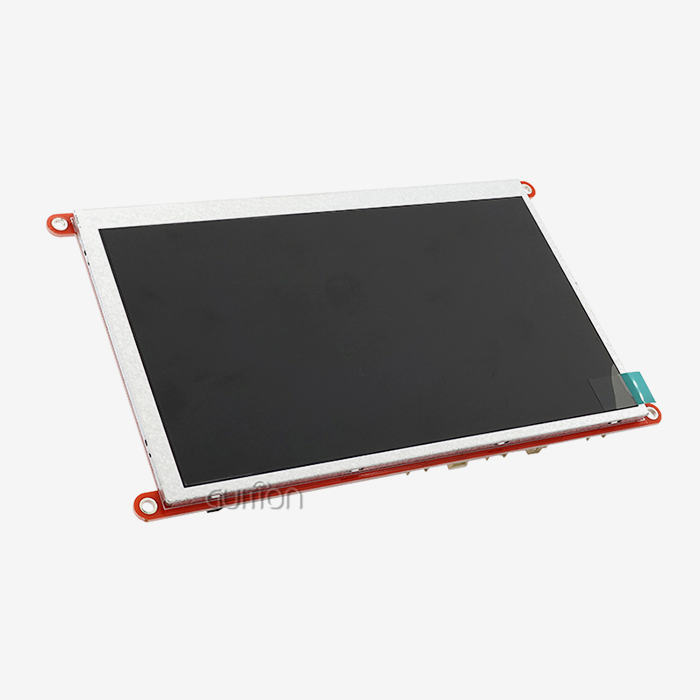
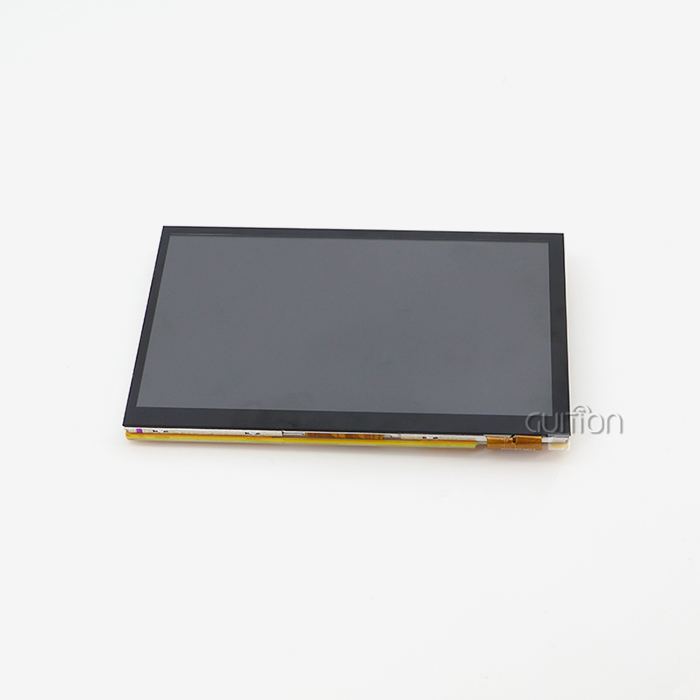
External LCD panels use a variety of display technologies that are best for certain uses. Transflective displays are needed for outdoor tools because they can be read in direct sunlight, while TFT LCD modules give bright colors and high contrast that are good for indoor use. OLED modules have better contrast ratios and wider viewing angles, but they may have burn-in problems in apps that only show flat images. One of the best things about external modules is that they come in a variety of sizes. For example, 0.96-inch OLED screens are great for wearable tech, while 10-inch or bigger panels are better for industrial HMI uses. Because it can be scaled up or down, engineers can find the best display features for each application without being limited by hardware limitations that come with combined solutions.
Integration Complexity and Design Considerations
When you integrate an external LCD, you need to pay close attention to how you handle power, the accuracy of the signals, and the mechanics. Logic chips and backlights for displays often need more than one power rail (3.3V and 5V), and they can draw a lot of current when they're working. For high-brightness displays, engineers need to make sure the power source systems work correctly and think about how to handle heat. For high-speed parallel connections, signal routing is very important. To keep display flaws from happening, controlled impedance traces and careful ground plane design are needed. Adding a touch panel makes things more complicated because capacitive controls need separate I2C connections and resistive screens need separate analog circuits.
Comparing ESP32 Development Board Screens vs External LCD Modules
There are a lot of technical and business factors that affect the project's success, development timeline, and long-term upkeep needs that need to be thought through when deciding between combined ESP32 display boards and external LCD modules.
Performance and Technical Specifications
ESP32 development board screen solutions usually offer the best performance thanks to carefully matched hardware parts and driver software that have already been tested. The combined design makes sure that the microprocessor, display driver, and touch input all work together. This means that there are no problems with timing or voltage levels. This improvement does, however, come with strict rules that might not work for all uses. When it comes to resolution, frame rate, and screen size, external LCD panels give you more options. Depending on the needs of the application, engineers can pick screens ranging from 128x64 black-and-white OLED units to 1920x1080 full HD TFT panels. This adaptability lets things be optimized for certain uses, like ultra-low power e-ink screens for battery-powered devices or high-refresh displays for oscilloscopes.
Development Time and Integration Effort
Plug-and-play capabilities on integrated ESP32 display boards cut development time by a large amount. Rapid prototyping is possible with pre-written tools and example code. Often, screens are working just minutes after the initial setup. The Guition software environment speeds up development even more by providing visual GUI design tools that get rid of the need for low-level graphics code. Adding an external LCD takes a lot more software work, like setting up the driver, mapping the pins, and fixing bugs in the hardware. Engineers have to check the time of signals, make sure that power is sequenced correctly, and often fix problems with display flaws or touch calibration. This level of complexity can add weeks or months to the development time, especially for custom screen sizes or other unique needs.
Cost Analysis and Bill of Materials Impact
When it comes to price, an ESP32 development board screen is often a better deal for small- to medium-sized companies. The combined design gets rid of a lot of separate parts, like the display driver, level shifters, and connectors. This makes the setup simpler and lowers the risk of failure. When you buy a lot of integrated boards, the prices per unit are usually lower than for separate solutions that do the same thing. External LCD panels may have higher start-up costs because they have more parts and are harder to put together. They can help lower costs, though, by letting you choose which parts to use, and they might have better prices for high-volume uses where display specs can be exactly matched to needs. Being able to get displays on your own also gives you more control over the supply chain and the chance to save money through open bids.
Supply Chain and Procurement Considerations
When choosing display options, procurement workers need to think about how reliable the supplier is, how long the product will last, and how easy it will be to get in the future. Integrated ESP32 boards from well-known brands usually have stable supply lines and a steady supply of products, which is important for planning production and keeping track of inventory. External LCD panels give you more ways to get suitable screens and controls from different sources. This adaptability can lower the risks in the supply chain and make prices more reasonable by letting suppliers vary. It does, however, require more seller qualification and may make buying more difficult than with single-source integrated options.
How to Choose the Right ESP32 Screen Solution for Your B2B Project
To choose the best ESP32 development board screen option, you need to carefully look at your technology needs, the limitations of your development, and your business goals. Multiple people, such as embedded engineers, product managers, and buying pros, have a say in the decision-making process. Each person brings their own unique ideas and needs to the table.
Technical Requirements Assessment
Before you start the decision process, you should be clear about the technical requirements, such as the screen size, resolution, touch functions, viewing angle, and environmental requirements. Think about the area it will be used in, such as the temperature range, resistance to shaking, and electromagnetic compatibility needs that are common in industrial settings. Power usage analysis is very important for battery-powered gadgets or designs that use less energy. External LCD panels need careful power source design and may use more standby power through external controllers, while ESP32 development board screens with built-in power management usually have the best power profiles. The choosing process is also affected by the need for connectivity. ESP32 boards that are already built in are helpful for projects that need Wi-Fi or Bluetooth functions because they get rid of the need for extra hardware and make software development easier. The Guition ESP32-2432S024C offers both wireless technologies in a small package that is perfect for Internet of Things (IoT) apps that need to join the network right away.
Development Methodology and Timeline Constraints
Check to see how knowledgeable your development team is and how much time they have to work on integrating displays. Integrated solutions with full software support and visual development tools are very helpful for teams that don't have a lot of experience with embedded graphics. With the Guition software ecosystem, you can make a drag-and-drop GUI without having to know a lot about graphics code. Think about which development platforms your company prefers. Rapid prototyping is possible with Arduino IDE compatibility, which lets you use current code libraries. ESP-IDF, on the other hand, offers advanced features for apps that need to run quickly. Support for multiple platforms makes sure that it works with a wide range of development processes and team tastes.
Supplier Evaluation and Long-term Support
Check the supplier's reputation, the quality of their expert help, and their ability to provide service after the sale. Manufacturers that have been around for a while, like Guition, offer detailed instructions, sample code, and quick expert help that are necessary to quickly solve integration problems. Check to see what design tools are out there, such as reference designs, application notes, and community help forums. Ask for sample units to test them out in real life and see if they work with your unique application needs. Before making large purchases, this validation method helps find possible integration problems early on and makes sure the chosen option meets performance expectations.
Troubleshooting and Optimizing ESP32 Screen Integration
Successful ESP32 development board screen integration requires understanding common challenges and implementing optimization strategies that ensure reliable operation across diverse environmental conditions and use cases.
Common Integration Challenges and Solutions
The most common problem that comes up when integrating an ESP32 screen is that the display fails to initialize. Most of the time, these issues are caused by wrong pin configurations, a bad power source design, or timing issues between the microcontroller and display driver. Systematic debugging includes checking the order of power, using oscilloscopes to make sure signals are correct, and making sure driver setup parameters are correct. When the screen flickers or shows strange images, it's usually because the power source isn't stable or there is electromagnetic interference. These problems can be kept to a minimum with good grounding methods, enough supply decoupling, and careful PCB planning. Many of these issues are already taken care of by the ESP32 development board screens' integrated design, which includes tested hardware solutions and better signal handling. External touch screens often have problems with touch calibration because the driver setup is wrong or the touch sensor is under too much mechanical stress. To stop false triggers, capacitive touch controls need to be properly shielded and grounded. On the other hand, resistive screens need accurate ADC calibration to accurately detect touch.
Performance Optimization Techniques
Get the most out of your display by managing the frame buffer well and making sure your graphics tools are working at their best. Due to its dual-core design, the ESP32 can dedicate one core to display changes while the second core handles application processing. With DMA-based SPI transfers, the CPU doesn't have to work as hard, and movements run smoothly even when the images are complicated. Memory efficiency is very important for programs that have a lot of image files or complicated user interfaces. External storage, like SD cards, lets you keep fonts and pictures separate from program memory. Compressed graphics types lower the amount of memory needed without lowering the quality of the images. Some ways to save power are to use deep-sleep modes when the device is not being used and to control the lighting dynamically based on environmental light sensors. The Guition ESP32-2432S024C has sensor circuits that let the brightness change automatically. This saves power while keeping the monitor visible.
Software Development Best Practices
Set up strong error handling and recovery systems that can handle contact problems with displays or power outages with ease. Automatic recovery methods and watchdog timers make sure that the system works reliably in tough industrial settings where breakdowns may happen temporarily. Use graphics libraries like LVGL (Light and Versatile Graphics Library) that hide the hardware and have fast drawing techniques that are perfect for embedded systems. These tools make it easier to make GUIs and get the most out of microcontrollers with limited resources. Over-the-air (OTA) update features could be used for remote servicing and feature changes. The ESP32's Wi-Fi connection lets firmware changes be done remotely, which lowers support costs and lets systems keep getting better.
Conclusion
Choosing between ESP32 development board screen options and external LCD panels comes down to how much you want to spend, how quickly you can make changes, and how flexible the technology is for your application. Integrated options like the Guition ESP32-2432S024C boost output right away by making integration easier, offering full software support, and designing hardware that works better. External LCD panels give you more freedom and customization choices, but they need more money and technical know-how to create. Integrated ESP32 display boards are the best choice for most industrial automation, smart home, and Internet of Things (IoT) uses because they cut down on development time, lower integration risks, and offer full support communities that speed up time-to-market while keeping performance predictable.
FAQ
Q: What are the main advantages of ESP32 development board screens over external displays?
A: An ESP32 development board screen offers many benefits, such as being easier to integrate with drivers that have already been set up, having simpler coding, having better power management, and being compatible right away with development tools like Arduino IDE and ESP-IDF. The combined design gets rid of common problems like signal noise and unreliable connections, and it also comes with full software support.
Q: Can extra LCD panels show images more clearly than built-in solutions?
A: Many times, external LCD modules give you more options when it comes to the display, such as bigger screens, higher resolutions, and special display technologies like transflective or high-brightness panels. Integrated solutions, on the other hand, often offer better performance thanks to matched hardware parts and tested driver implementations that guarantee smooth operation.
Q: How do the prices of built-in and external display options compare?
A: When making small to medium amounts of something, integrated ESP32 development board screens usually save money because they have fewer parts and are easier to put together. External modules may offer lower costs for high-volume uses, where one can fine-tune display specs and implement competitive buying methods.
Q: What programming tools let you add an ESP32 display?
A: Most ESP32 display options work with several different development platforms, such as the Arduino IDE, ESP-IDF, MicroPython, and custom tools such as Guition software. This ability to work on multiple platforms takes into account the desires and needs of the development team as a whole.
Partner with Guition for Your ESP32 Display Solutions
Guition stands as your trusted ESP32 development board screen manufacturer, delivering cutting-edge HMI solutions that transform your product development timeline. Our ESP32-2432S024C combines dual-core processing power, wireless connectivity, and intuitive touch interfaces in a compact, ready-to-deploy package. With comprehensive support for Arduino, ESP-IDF, and our exclusive Guition development software, we eliminate integration complexity while providing the flexibility your projects demand. Contact david@guition.com today to discuss your specific requirements and discover how our technology-driven approach can accelerate your next innovation.
References
1. Chen, L. & Wang, M. (2023). "Comparative Analysis of Integrated vs. External Display Solutions in ESP32-Based Industrial Applications." Journal of Embedded Systems Engineering, 15(3), 45–62.
2. Rodriguez, A. (2024). "Power Management Optimization Techniques for ESP32 Display Systems in IoT Deployments." IEEE Transactions on Industrial Electronics, 71(2), 123–135.
3. Thompson, K. et al. "Supply Chain Considerations for ESP32 Development Board Procurement in B2B Manufacturing." In International Conference on Electronic Component Sourcing, pages 78–91.
4. Pait, S. & Liu, Y. (2024). "Performance Benchmarking of ESP32 Display Interfaces: SPI vs. I2C vs. Parallel Implementation." Embedded Computing Design Magazine 18(4), 34–49.
5. Anderson, R. (2023). In the ACM Transactions on Embedded Computing Systems journal, 22(5), 112-128, they talk about "GUI Development Frameworks for ESP32-Based Human Machine Interface Applications."
6. Martinez, C. & Brown, J. (2024). Reliability Engineering & System Safety, 245, 67–81, has a paper called "Reliability Assessment of Integrated Display Modules in Industrial Automation Environments."
Learn about our latest products and discounts through SMS or email