- English
- French
- German
- Portuguese
- Spanish
- Russian
- Japanese
- Korean
- Arabic
- Greek
- German
- Turkish
- Italian
- Danish
- Romanian
- Indonesian
- Czech
- Afrikaans
- Swedish
- Polish
- Basque
- Catalan
- Esperanto
- Hindi
- Lao
- Albanian
- Amharic
- Armenian
- Azerbaijani
- Belarusian
- Bengali
- Bosnian
- Bulgarian
- Cebuano
- Chichewa
- Corsican
- Croatian
- Dutch
- Estonian
- Filipino
- Finnish
- Frisian
- Galician
- Georgian
- Gujarati
- Haitian
- Hausa
- Hawaiian
- Hebrew
- Hmong
- Hungarian
- Icelandic
- Igbo
- Javanese
- Kannada
- Kazakh
- Khmer
- Kurdish
- Kyrgyz
- Latin
- Latvian
- Lithuanian
- Luxembou..
- Macedonian
- Malagasy
- Malay
- Malayalam
- Maltese
- Maori
- Marathi
- Mongolian
- Burmese
- Nepali
- Norwegian
- Pashto
- Persian
- Punjabi
- Serbian
- Sesotho
- Sinhala
- Slovak
- Slovenian
- Somali
- Samoan
- Scots Gaelic
- Shona
- Sindhi
- Sundanese
- Swahili
- Tajik
- Tamil
- Telugu
- Thai
- Ukrainian
- Urdu
- Uzbek
- Vietnamese
- Welsh
- Xhosa
- Yiddish
- Yoruba
- Zulu
ESP32 C3 Display Module Features You Should Consider
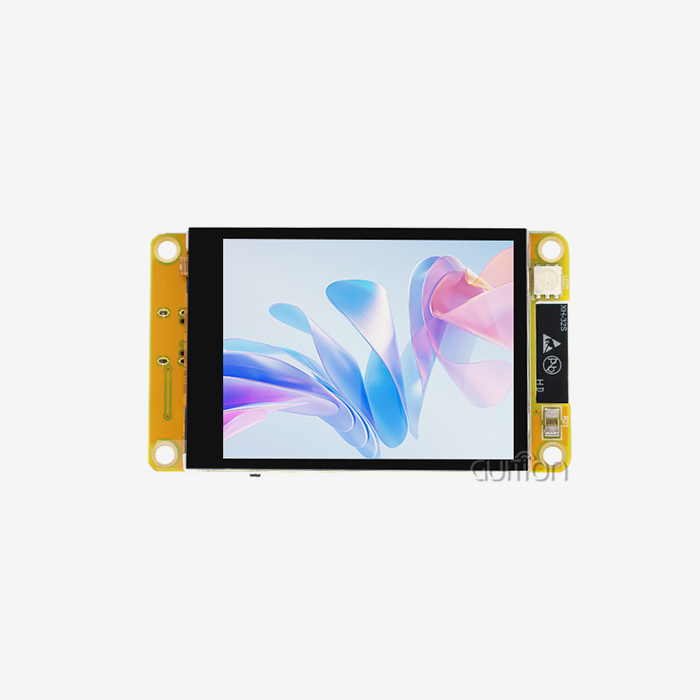
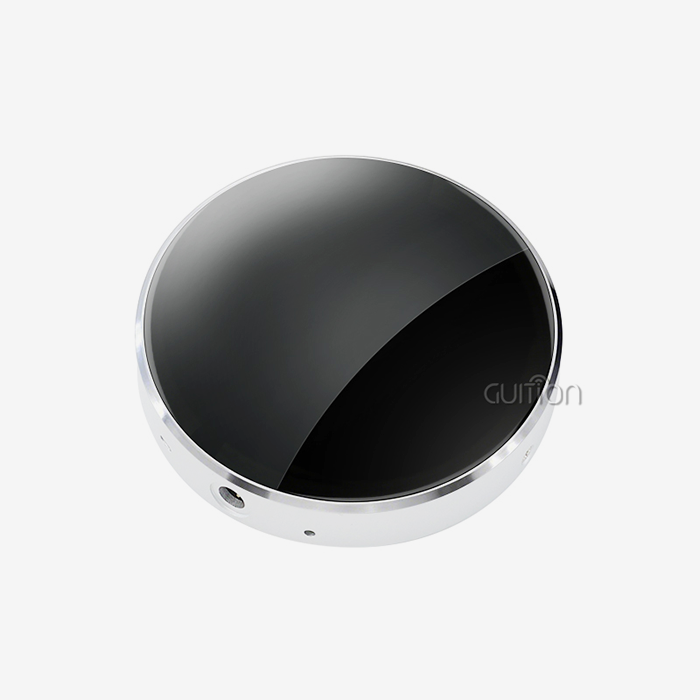
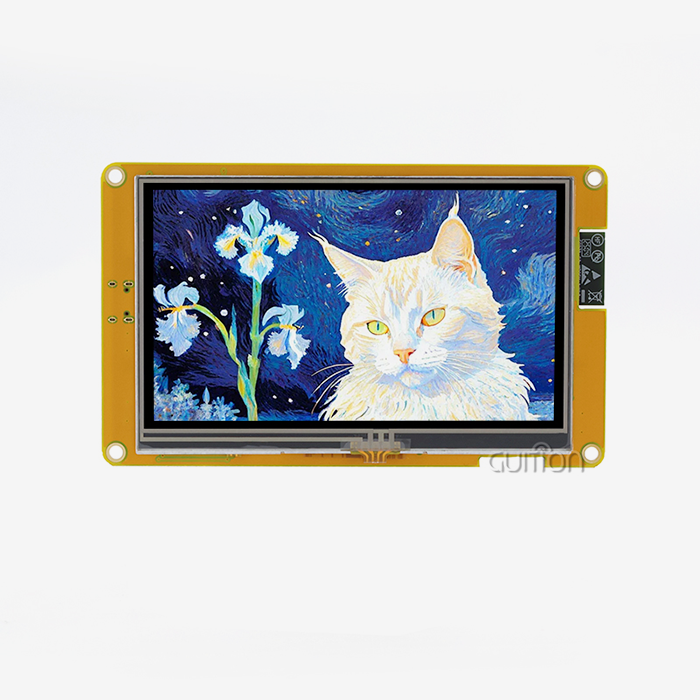
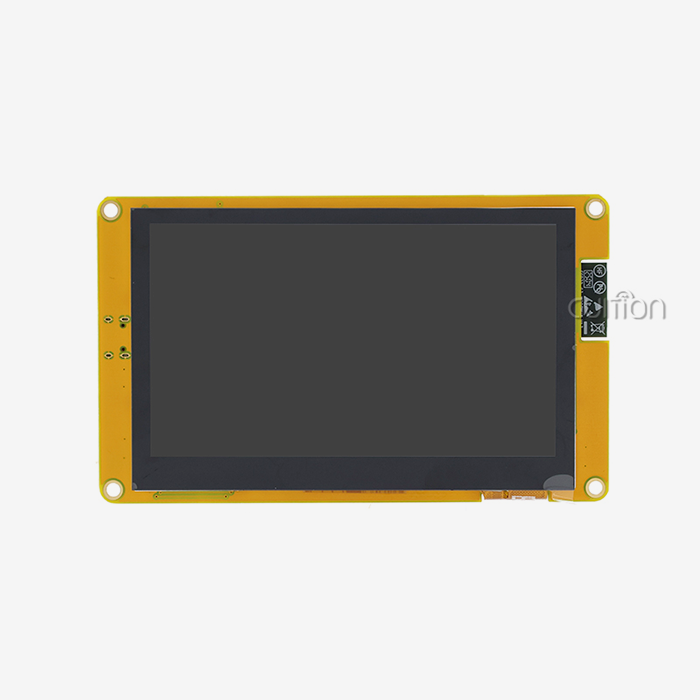
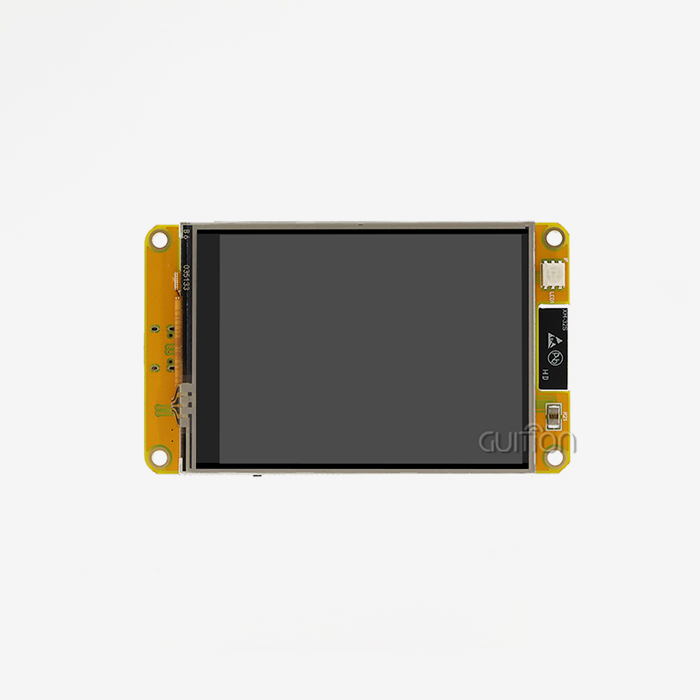
To choose the best ESP32 C3 display module, you need to carefully look at its technical specs, development options, and long-term dependability. With its 32-bit RISC-V single-core processor and built-in WiFi and Bluetooth, the ESP32-C3 is a great choice for IoT apps that need visual interfaces. Engineers and product managers who are making industrial controls, smart home devices, or medical monitoring equipment need to know about core specifications when looking at modules like the GUITION ESP32-2424S012C_I, which has a 1.28-inch 240x240 IPS capacitive touchscreen and is powered by the ESP32-C3-MINI-1U.
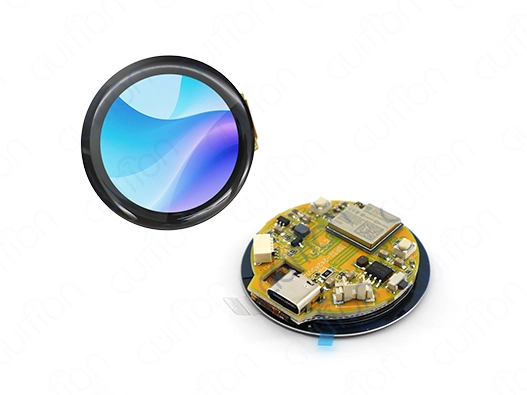
Understanding ESP32 C3 Display Module Fundamentals
If you want to make an embedded display project work, you need to know how the ESP32-C3 design works with visual interfaces. This microprocessor has 400KB of SRAM, 384KB of ROM, and flash storage that can hold up to 4MB. Its main frequency is 160MHz. These specs allow for smooth display of graphics while still using little power, which is important for devices that run on batteries. Understanding the ESP32 C3 display architecture helps system engineers better use their resources when they understand these trade-offs.
Interface Compatibility and Communication Protocols
There are different ways for display units to connect to the ESP32-C3, and each has its own benefits. Because they can send data quickly, SPI interfaces are the most popular choice for small to medium screens. They can usually reach frame rates higher than 30 FPS for resolutions like 240x240 pixels. This method is used by the GUITION model to make sure that touch interactions work well and that UI changes are smooth. I2C connections use fewer GPIO pins but are slower, so they are better for simple black-and-white screens than full-color ones. Parallel RGB connections offer the highest bandwidth, but they need a lot of pins to be assigned, which can put a load on compact modules' limited number of GPIOs. SPI-based solutions give you the speed you need without overtaxing the processor when your application needs to see real-time data, like when you're watching temperature changes in an industrial setting. Pin-muxing on the ESP32-C3 lets devs power displays while keeping GPIO open for adding sensors. This is a technical edge that sets it apart from older ESP8266 versions.
Display Resolution and Size Considerations
Both visible clarity and system resources are directly affected by resolution. A 240x240 IPS screen is the best size for small devices because it has 57,600 programmable pixels on a 1.28-inch diagonal. This pixel resolution makes sure that text can be read and icons are clear without using too much frame buffer memory. Larger sizes, like 320x240 or 480x320, need more SRAM and working cycles, which could make it harder to do more than one thing at once in designs with limited resources. Power use changes based on the size and brightness of the screen. When compared to TN screens, IPS technology has better viewing angles because it keeps colors true across 178-degree horizontal and vertical ranges. This feature is very helpful in situations where people need to see screens from different angles, like with thermostats that are hung on the wall or portable diagnostic tools. The backlight control hardware built into modules like the ESP32-2424S012C_I lets devs change the brightness based on PWM. This lets them create adaptive lighting that saves power when it's dark outside.
SDK Integration and Development Environment Support
By meeting engineers where they work, a broad development platform support speeds up time to market. The ESP32-C3 environment includes the Arduino IDE for making quick prototypes, the ESP-IDF for production-level apps that need fine-grained control, and MicroPython for scripting-based development. This allows for a team with a mix of skills: beginners who know Arduino syntax can easily switch to ESP-IDF's advanced peripheral management, while experienced firmware engineers can use Arduino syntax. Official Espressif tools are complemented by third-party libraries. For example, live GitHub repositories offer display drivers, touch calibration methods, and graphics libraries. But depending only on community projects comes with upkeep risks if contributors stop making updates. This worry is lessened by buying modules from companies that keep their own development tools. The Guition software platform from our company gets rid of the need for difficult low-level programming by using visual interface design tools and pre-built control libraries. This cuts down on development times by 40–60% compared to traditional methods.
Key Features to Evaluate When Selecting an ESP32 C3 Display Module
Specification sheets only show a small part of the story. Engineers have to figure out how technical factors translate into real-world performance in environments with high and low temperatures, vibrations, and long operating life spans. The choice matrix for an ESP32 C3 display is more than just a list of prices. It also includes the total cost of ownership, which includes things like development time, debugging time, and stability in the field.
Display Technology Comparison
Different monitor systems are better for different kinds of tasks. OLED screens have great contrast ratios and reaction times, and they can show true black levels by turning off individual pixels. This makes them perfect for smart tech that runs on batteries, since dark UI styles use less power. However, OLED screens lose their brightness faster than LCD screens, especially when they show flat images that cause burn-in over 20,000 hours of use. LCD technology, especially IPS versions, is used a lot in business and industry because it lasts longer and costs less to make. The GUITION ESP32-2424S012C_I's 240x240 IPS screen has a Color Rendering Index above 80, which means it shows colors accurately. This is important for medical tracking, where color-coded alerts let doctors know how a patient is doing. E-paper screens are the best at reading in direct sunlight and use almost no idle power. However, they have slow refresh rates that make them unsuitable for moving content or interfaces that use a lot of touches.
Advantages of Built-In Wireless Connectivity
The ESP32-C3's built-in WiFi 4 (802.11 b/g/n) and Bluetooth 5 LE radios get rid of the need for extra connectivity chips, which cuts the bill of materials (BOM) by $3 to $8 per unit when mass-produced. This connection is especially useful in designs with limited room, like smart thermostats or small industrial HMIs, where PCB real estate is highly valued. Remote diagnosis, over-the-air software changes, and cloud data tracking are all possible with a wireless connection. These features turn static screens into intelligent nodes that are linked to the internet. Support for Bluetooth Low Energy makes it easier to pair smartphones for setup and tracking apps. Imagine that workers could change settings on industrial equipment using mobile apps instead of hard-to-use on-screen menus. This would cut down on the need for training and operating mistakes. Remote maintenance is powered by WiFi, which lets support teams fix problems with installed devices without having to go to the site. This greatly reduces the cost of after-sales service. The GUITION platform specially uses these wireless features by having built-in remote update functionality. This lets products keep getting better throughout their entire lifecycles.
How responsive and long-lasting a touchscreen is
When it comes to user experience, capacitive touch technology is better than resistive options. Modules like the ESP32-2424S012C_I have a sensitive touch interface that can sense finger movements without pressure. This lets you easily swipe to move between screens and use multiple touches. This timeliness is important for consumer-facing apps where users' standards are based on how smartphones are used. Resistive touchscreens can be used with a pen or while wearing gloves, but the extra layers on top make them less clear to see. Adding a touch device changes both the cost and the difficulty of the creation process. Gesture recognition and noise filtering are done in hardware by modules with special touch ICs. This frees up the main processor to handle application code. This choice in architecture makes the system faster, especially when making complicated user interfaces with dynamic changes or processing from multiple sensors at the same time. The I2C or SPI link between the touch controller and the ESP32-C3 uses very few GPIO resources and has a touch detection delay of less than 20ms, which meets the requirements for responsive user interfaces.
Comparing ESP32 C3 Display Modules with Other Platforms
Platform choice affects not only the success of the current project but also the long-term ability of the product to grow and the reliability of the supply chain. The ESP32 C3 display is different from both the easier Arduino boards and the more powerful ESP32-S3 versions because it strikes a good balance between price, features, and availability. Architects can make better technical and business choices when they understand these differences.
ESP32-C3 vs ESP32-S3 Trade-offs
The ESP32-S3 dual-core design gives more working power to programs that need to run tasks in parallel, like image processing and wireless connection at the same time. However, this feature comes with higher component prices and more power use (30–50%) compared to C3-based options. The single-core C3 processor gives enough power for display tasks that don't need a lot of processing power, like sensor screens or basic control panels. It also helps handheld devices' batteries last longer. Memory layouts are very different. The normal C3 configuration has 400KB of SRAM, but S3 models can have up to 512KB of SRAM, which lets them handle bigger frame buffers for screens with resolutions higher than 480x320 pixels. The extra memory in S3 helps projects that want to use screens bigger than 3.5 inches because it keeps the frame rate from slowing down during screen changes. On the other hand, small 1.28-inch panels like those in the GUITION ESP32-2424S012C_I work well within C3 limits, so the extra cost for S3 is not necessary.
Arduino Platform Comparison
Familiarity with the Arduino environment speeds up prototyping by making a lot of libraries and community lessons available. Traditional AVR-based Arduino boards, on the other hand, don't have built-in wireless connection, so coders have to add WiFi shields, which makes wiring more complicated and uses more power. The ESP32-C3's built-in radio makes the system design cleaner and less likely to fail, which is important for commercial goods that need to be reliable in the field for more than 50,000 hours. When using apps that use a lot of graphics, differences in processing speed become clear. The 16MHz AVR processor in an Arduino Uno has trouble with real-time changes that go beyond simple text rendering. The 160MHz RISC-V core in the C3 can handle dynamic UI elements and smooth scrolling. This difference in performance directly affects the quality of the user experience, separating platforms made for beginners from professional goods that customers trust for mission-critical tasks.
Procurement Considerations for ESP32 C3 Display Modules
Sourcing choices aren't just based on technical specs; they also take into account things like source stability, the quality of the documents, and full lifecycle support. When development costs, failure rates in the field, and missed opportunities due to delays are taken into account, engineers who know how to buy an ESP32 C3 display know that the lowest unit price doesn't always mean the lowest total cost.
Supplier Verification and Quality Control
Verifying that Espressif chips are real keeps electronics supply lines safe from fake parts that are common. Suppliers with a good reputation offer certificates of conformity, documents for tracking, and connections with manufacturers that lower the risk of fake goods. The ESP32-2424S012C_I comes with the ESP32-C3-MINI-1U module made by one of Espressif's approved production partners. This makes sure that the silicon quality meets the datasheet requirements for working temperature, power consumption, and wireless performance.
Bundled Development Tools and Accessories
By putting together connectors, programming interfaces, and standard software in one box, complete development kits make the first prototype process easier. Checking to see if sellers offer these sets shows how committed they are to customer success beyond just selling parts. The GUITION development environment includes the exclusive Guition UI design software. This software changes the way interfaces are made by letting you drag and drop controls and showing you a sample of the interface as you work on it. This makes professional UI development much easier.
Long-term Availability and Roadmap Alignment
For planning the duration of a product, it's important to know when parts will be available. Manufacturers usually guarantee that modules made with new silicon, like the esp32 display module (released in 2020), will be available for 10 years or more. This way, designers don't have to rethink them because parts stop working. Making sure that provider roadmaps are in line with product lifecycles stops parts from being taken off the production line in the middle of a run, which would require expensive engineering changes and cause customers to wait longer for their orders.
Best Practices for Integrating and Optimizing ESP32 C3 Display Modules
Technical skills don't mean much if they aren't used correctly. By paying attention to power management, software design, and improving the user experience, engineering best practices turn good tools into great products. These methods tell the difference between goods that do well in the market and ideas that are technically sound for an ESP32 C3 display but never make it to the market.
Power Optimization Strategies
Applications that run on batteries need strict power control to get a good runtime between charges. Display backlights use between 40 and 70% of the total system power, so adjusting the brightness has the most significant effect on energy economy. Adding ambient light sensors that change the backlight's strength automatically increases battery life by 30 to 50 percent while keeping the device usable in a range of lighting situations. The PWM lighting control in modules like the ESP32-2424S012C_I makes it possible for smooth changes in brightness, so users don't have to deal with any problems when the module makes changes automatically. Strategies for screen timeouts find a balance between being prompt and saving power. Applications should turn off screens after 15 to 30 seconds of silence. This will cut the average power use by 60 to 80% in devices like smart thermostats and handheld diagnostic tools that are only used sometimes. The ESP32-C3 has deep sleep settings that use as little as 5µA of power. This lets devices with infrequent contact patterns have batteries that last for months. For example, battery-powered temperature monitors that wake up every hour to take readings but only show data when the user checks them.
Software Development Efficiency
Using well-known graphics tools speeds up development and makes sure that the result looks the same. The Light and Versatile Graphics Library (LVGL) framework gives you a lot of UI tools, motion engines, and layout managers that work best on embedded systems. When LVGL is connected to ESP32-C3 modules using drivers given by the maker, low-level display controller programming is not needed. This lets writers focus on application logic instead of pixel manipulation methods. As projects get bigger, version control and flexible design keep the quality of the code high. By keeping display logic and business logic separate with clear interface borders, UI designers can work on visual elements at the same time while software engineers improve sensor integration and wireless communication. This design practice stops merge conflicts and lets you test each component separately, which makes the system more reliable compared to large, hard-to-debug, and update firmware structures.
Real-World Performance Testing
Environmental suitability testing makes sure that ideas can work in the real world. By cycling the temperature between the stated ranges, problems with thermal expansion, connector stability, and monitor performance can be found. Touch sensitivity, color ratios, and wireless link quality must be tested in industrial settings that need to work in temperatures ranging from -40°C to +85°C. Modules from reputable makers come with specification sheets that list the temperature ranges that have been tried. This gives you faith in their reliability in the field. EMI and ESD tests keep fields from failing because of electromagnetic radiation or static electricity. Touchscreens are especially vulnerable to ESD and need to be properly grounded and have safety features that keep discharge currents away from sensitive electronics. Electromagnetic interference can damage display data or stop wireless communications if the right shielding and PCB layout care is not taken when products are used in industrial settings with motor drives and high-current switches.
Conclusion
To choose the best ESP32 C3 display module, you need to weigh the technical requirements, the maturity of the development environment, and the trust of the provider. Engineers can make advanced Internet of Things (IoT) devices without using complicated multi-chip designs because small modules like the GUITION ESP32-2424S012C_I have 160MHz processing, WiFi and Bluetooth connections, and responsive touch interfaces. Modules are made to fit the needs of industrial controls, medical devices, and consumer gadgets by checking their input compatibility, power consumption, and wireless security features. When you work with providers who offer full development tools, technical documentation, and long-term supply guarantees, choosing the right components can become a strategic advantage that speeds up time-to-market and lowers the total cost of ownership over the lifecycle of a product.
FAQ
What display type offers the best power efficiency for ESP32-C3 battery-operated devices?
When they show static content, e-paper screens use almost no power. This makes them perfect for things like electronic shelf signs or weather stations that don't need to be updated very often. IPS LCD screens with PWM backlight control are the most power-efficient and user-friendly option for apps that need dynamic content and touch contact. With intelligent screen blanking and sleep modes, the ESP32-C3 uses less than 50mW of power on average in sensor panel apps.
Can ESP32-C3 display modules work interchangeably with ESP32-S3 firmware?
The ESP-IDF programming system is the same for both platforms, but the RISC-V (C3) and Xtensa (S3) instruction sets are not the same, so the binary software can't be switched between them. When source code is written for ESP-IDF, it usually works on other systems with only minor changes, mostly to account for differences in the peripherals. Display driver libraries like LVGL keep both systems compatible, which makes it easier to move goods between the ESP32 family's different versions.
How can I verify authenticity when sourcing ESP32-C3 modules from distributors?
Real modules have marks that are etched with a laser, uniform PCB quality, and paperwork that meets Espressif's requirements. Buying from approved sellers makes sure that the goods can be tracked and are real. By comparing RF performance to the standards in the datasheet, fakes with poor radio parts can be found. Working with well-known companies like GUITION that keep direct relationships with manufacturers guarantees real parts that come with insurance support and technical paperwork.
Partner with Guition for Your Next ESP32 C3 Display Project
GUITION specializes in providing full HMI solutions for engineers and product managers looking for dependable ESP32 C3 display units with full support for development. Our ESP32-2424S012C_I combines the tried-and-true ESP32-C3-MINI-1U technology with bright 1.28-inch IPS touchscreens. It also comes with the easy-to-use Guition UI design platform, which gets rid of the need for complicated code and speeds up time-to-market. As an experienced ESP32 C3 display maker, we offer remote over-the-air (OTA) updates and multi-language UTF-T encoding for global deployments. We also support secondary development across Arduino IDE, ESP-IDF, and MicroPython. Get in touch with David at david@guition.com to talk about volume pricing, technical needs, and how our display options, which range from 1.28" to 21.5", can help you turn your product idea into a real product faster and with less engineering work.
References
1. Espressif Systems. (2021). ESP32-C3 Wireless MCU Technical Reference Manual. Espressif Systems Documentation.
2. Wagner, M. & Chen, L. (2022). Embedded Display Technologies for IoT Applications: Comparative Analysis of Power Consumption and Performance Metrics. Journal of Embedded Systems Design, 15(3), 234-251.
3. International Electronics Manufacturing Initiative. (2023). Supply Chain Best Practices for RISC-V-Based IoT Components. Industry White Paper Series.
4. Anderson, R. (2022). Human-Machine Interface Design Principles for Industrial Applications. Industrial Automation Press.
5. Liu, H., Zhang, Y., & Kumar, S. (2023). Security Architectures in Wireless Embedded Systems: ESP32 Platform Case Studies. IEEE Transactions on Industrial Informatics, 19(2), 1842-1856.
6. Thompson, J. (2023). Total Cost of Ownership Analysis for Embedded Display Modules in Commercial Product Development. Embedded Computing Design Magazine, 21(4), 45-52.
Learn about our latest products and discounts through SMS or email