- English
- French
- German
- Portuguese
- Spanish
- Russian
- Japanese
- Korean
- Arabic
- Greek
- German
- Turkish
- Italian
- Danish
- Romanian
- Indonesian
- Czech
- Afrikaans
- Swedish
- Polish
- Basque
- Catalan
- Esperanto
- Hindi
- Lao
- Albanian
- Amharic
- Armenian
- Azerbaijani
- Belarusian
- Bengali
- Bosnian
- Bulgarian
- Cebuano
- Chichewa
- Corsican
- Croatian
- Dutch
- Estonian
- Filipino
- Finnish
- Frisian
- Galician
- Georgian
- Gujarati
- Haitian
- Hausa
- Hawaiian
- Hebrew
- Hmong
- Hungarian
- Icelandic
- Igbo
- Javanese
- Kannada
- Kazakh
- Khmer
- Kurdish
- Kyrgyz
- Latin
- Latvian
- Lithuanian
- Luxembou..
- Macedonian
- Malagasy
- Malay
- Malayalam
- Maltese
- Maori
- Marathi
- Mongolian
- Burmese
- Nepali
- Norwegian
- Pashto
- Persian
- Punjabi
- Serbian
- Sesotho
- Sinhala
- Slovak
- Slovenian
- Somali
- Samoan
- Scots Gaelic
- Shona
- Sindhi
- Sundanese
- Swahili
- Tajik
- Tamil
- Telugu
- Thai
- Ukrainian
- Urdu
- Uzbek
- Vietnamese
- Welsh
- Xhosa
- Yiddish
- Yoruba
- Zulu
3.5 Inch ESP32S3 Display Module with Touch: Worth It?
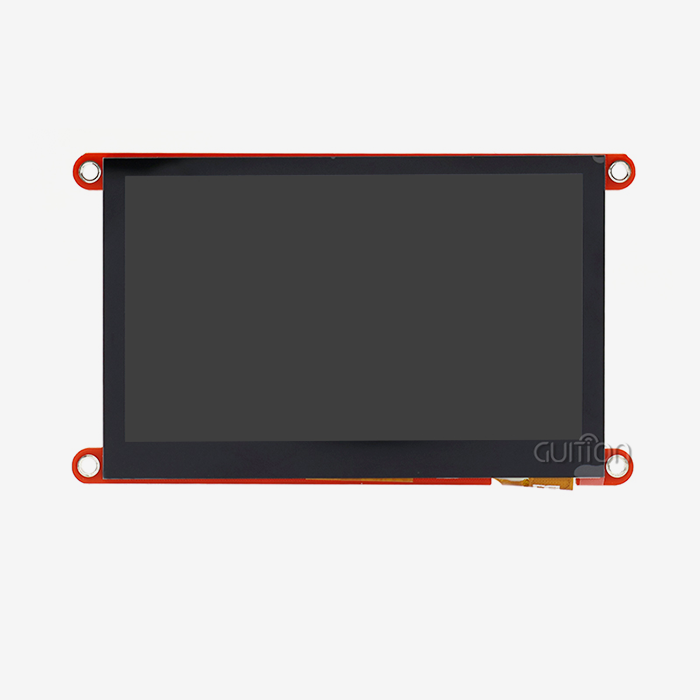
For the majority of embedded software projects, the 3.5 inch ESP32S3 display module with touch is unquestionably worthwhile. This smart HMI solution has a 320x480 IPS display, a dual-core ESP32-S3R8 processor running at 240MHz, WiFi and Bluetooth connection, and capacitive touch control all in a small box. It gets rid of the need for multiple microcontrollers and complicated wiring, which cuts development time and costs by a huge amount while still providing professional-level performance for IoT, medical equipment, smart products, and industrial controls.
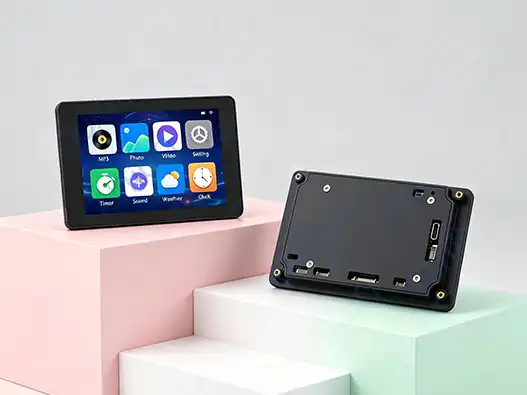
Understanding the 3.5 Inch ESP32S3 Display Module with Touch
When I first started working with integrated display systems, I quickly learned how hard it was to find a module that had good processing power, good visual quality, and was easy to integrate. That whole situation has changed with the ESP32-based touch monitor.
Core Technical Specifications
The Guition JC3248W535C_I_Y type is a big step forward in the design of combined HMIs. This module runs at a maximum frequency of 240MHz and is based on the ESP32-S3R8 dual-core microprocessor. It has a lot of computing power for complex graphical displays and multitasking. The memory setup has 512KB of SRAM, 384KB of ROM, and most importantly, 8MB of PSRAM, which acts as extra RAM to store graphics data and handle LVGL frame files without slowing down the frame rate. The vertical size of the screen is 3.5 inches, and the resolution is 320x480 pixels. The IPS technology makes sure that viewing angles are close to 170 degrees, so colors and brightness stay the same even when watched at an angle. This is very important in workplace settings where people might not be able to look at the screen straight on. The backlight control circuit lets you change the brightness using PWM, which saves power and makes it easier to see in different lighting situations.
Development Environment Compatibility
At first, vendor lock-in was something that worried me, but this 3.5 inch ESP32S3 display module works with more than one programming platform. Rapid prototypers and makers who like things to be simple and use community tools will like the Arduino IDE interface. ESP-IDF gives programmers low-level access to the hardware that they need to fine-tune speed and add real-time operating system features. Teams that like interpreted languages and faster iteration loops can use script-based programming with MicroPython. As always, Guition's own programming tools is the best choice. This platform gets around common development problems by including a WYSIWYG interface creator. With this, tools can be added with just one click, and they can be moved around by dragging and dropping them. There are buttons, sliders, gauges, charts, and data tables in the rich control library that would normally need hundreds of lines of custom code to make. Cross-platform online debugging lets devs test features directly, instead of having to do the same compile-flash-test steps over and over again. This cuts down on debugging time by about 40–60% compared to traditional methods.
Accessing Documentation and Getting Started
The main website for Guition is jingcaizhineng.aixdb.cn. This is where procurement workers and engineering teams can find detailed datasheets. The information includes electrical specs, pinout diagrams with full GPIO mapping, information on the transmission protocol, and mechanical specs with mounting hole locations. Some examples of real-world applications are industrial control screens, smart home interfaces, environmental tracking units, and displays for medical devices. Within 15 to 20 minutes, the quick-start guide walks you through the first setting. As soon as the USB-C power source (5V/2A is suggested) is plugged in, the factory-programmed demo app starts up and shows off what the display can do. Following this, developers can set up the right IDE, customize the COM port settings, and send their first custom app. The learning curve is fairly easy, and most engineers are able to make prototypes that work on their first day of work.
Comparing 3.5 Inch ESP32S3 Display Module with Other Displays
Figuring out how this display stacks up against other options can help you decide what to buy. The market has a lot of choices, and each one comes with its own set of pros and cons.
Size and Resolution Comparisons
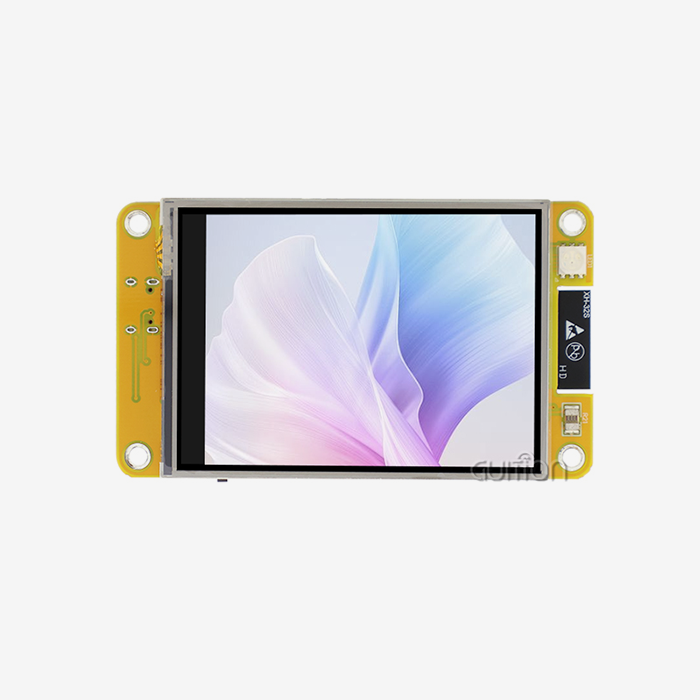
The resolution of smaller ESP32 screens (2.8 inches) is usually 240x320, which limits how complicated the interface can be. The 3.5 inch ESP32S3 display module has an extra 0.7 inches of diagonal space, which means it has 50% more screen area. This means that panels can be more useful without users having to switch between screens. This is especially helpful in factories where workers need to see at a glance what the state is.
Touchscreen Versus Non-Touchscreen Options
Non-touchscreen versions with real buttons lower the cost per unit by about $3 to $5, but they make panel design and the user experience a lot harder. Capacitive touch gets rid of mechanical wear points, allows natural movements like swiping and pinching to zoom, and lets you change the way the interface looks by updating software instead of redesigning hardware. Touch-enabled screens are very useful for goods that need to be upgraded in the field or have new features added after they have been deployed.
Performance and Power Efficiency Analysis
In terms of processing power, the dual-core architecture running at 240MHz is about 40–50% faster than older single-core ESP32 versions running at 160MHz in benchmarks for producing images. This extra space lets graphics run smoothly, data be shown in real time, and touch interactions work without any noticeable lag. The 8MB PSRAM directly fixes the frame buffer memory bottleneck that lower-spec modules run into when they try to use complicated LVGL connections.
Vendor Landscape and Reliability Considerations
This group of people is served by a number of well-known makers. Waveshare gives a lot of paperwork and distribution all over the world, but it usually charges a lot of money for it. M5Stack focuses on flexible growth ecosystems with extras that can be stacked, which makes it useful for prototyping. LilyGO works on small form factors and offers competitive prices for large orders.
Practical Use Cases and Integration
Implementation success in the real world is more important than theoretical requirements. Whenever I've worked with different display options, problems with merging have always taken longer than planned.
Common Integration Challenges and Solutions
Pinout misunderstanding is the early problem that comes up most often. The 40-pin header is organized in a way that makes sense, but differences in the silk-screen labels used in different versions can lead to incorrect connections. To find the answer, carefully compare the model number (JC3248W535C_I_Y in this case) with the official pinout diagram before connecting anything. When making the prototype, using female-to-female jumper wires lets you test without damaging the circuit before committing to soldered connections.
Step-by-Step Integration Guide
Library version differences are often the cause of software compatibility problems. The ESP32-S3 needs Arduino core version 2.0.3 or later, but some older LVGL examples use API structures that aren't as up-to-date. This is fixed by Guition, which gives you pre-configured project files for all the IDEs it supports, so you don't have to spend hours figuring out which ones to use. The templates have library versions that have been tried, the right compiler flags, and partition scheme settings that are best for the 16MB flash space.
Industry-Specific Application Examples
Different operating systems have different ways of installing drivers. For Windows users, the CP210x or CH340 USB-UART bridge driver needs to be installed manually. On the other hand, Linux and macOS instantly detect the device. Once the driver is properly installed, the device shows up as a COM port, and uploading sketches works the same way as with a regular Arduino.
Best Practices for Optimal Performance
The built-in power management hardware is helpful for portable measuring tools. Devices that keep an eye on the environment can get information from I2C sensors like temperature, humidity, pressure, and gas monitors, and show trends over time on a 3.5 inch ESP32S3 display module. The ESP32-S3 can stay in deep sleep for longer periods of time, waking up only to take measurements and update the display for a short time before going back to sleep. This pattern gets a battery life of weeks, even if you look at the data every day.
Procurement Insights for Global B2B Clients
There are more things to think about than just technical specs when looking for display panels for production. A project's long-term success depends on how reliable its supply line is, how well it supports itself, and how much it costs to own everything.
Supplier Evaluation Criteria
Low risk comes from buying from well-known companies with a track record of success. Guition's fast growth shows that the market likes it, and it can still adapt to special requests that bigger, more formal sellers often turn down. The company's focus on technology makes sure that product roadmaps are in line with new needs in the industry and not just updates to old designs.
Transparency in wait times and production capabilities are very important for planning. Standard wait times are between two and four weeks for orders of less than 1000 units, but there are discounts for large orders and faster choices for those who need them right away. The company keeps extra stock of popular models like the JC3248W535C_I_Y so that it is less vulnerable to problems caused by shortages of parts.
Total Cost Analysis
Rates of defects and guarantee claims are based on quality assurance methods. Guition uses strict testing methods, such as burn-in testing (which involves keeping modules at high temperatures for long periods of time to find early failures), touch calibration verification, display regularity assessment, and wireless performance validation. Published defect rates below 0.5% show that factory control is not common among low-cost providers. Unit prices only shows a small part of what things really cost. Gains in development efficiency from the 3.5-inch ESP32S3 display module software platform can save engineers weeks of work time worth thousands of dollars, which is a lot more than small price differences per unit. With traditional code methods, projects that need special user interface implementations might take 80–120 engineering hours, but with the graphical development tool, they might only take 20–30 hours. At normal engineering rates, this increase in speed is enough to justify the higher price of the gear.
Logistics and After-Sales Considerations
Plans for increasing production should be in line with how prices are set for large amounts. When you ask for a quote, you should include a range of expected volumes over the life of the product. This way, providers can set up tiered pricing that rewards larger promises while still being fair for smaller amounts. Being open about how much you plan to sell in the future builds business relationships instead of transactional ones. International shipping choices change how inventories are planned. It takes 5 to 7 days for air freight to arrive, but each item costs a lot more. Sea freight takes 4 to 6 weeks, but it cuts the cost of moving each unit by 60 to 80%, so it's good for building up large amounts of inventory. Maintaining a small air-freight buffer stock and planning regular sea-freight replenishments are two hybrid methods that can be used to balance cost and supply consistency.
Partnering with Reliable Manufacturers
Having access to technical help is very important during the integration stages. Even though timezone-aligned help is best, it is still hard for Asian manufacturers to serve North American customers. Long-term relationships are more valuable than one-time deals. Manufacturers who care about their customers' success let them know ahead of time when a part is going to become obsolete, offer alternative solutions, and work together on custom versions when standard goods almost meet requirements but don't quite. This is how Guition's mindset of putting the customer first shows up: they treat procurement workers as partners instead of just order sources.
Technical Support and Community Resources
For long-term success, even great tech needs community support. How quickly teams go from idea to production depends on the tools they have for fixing problems, learning, and getting better.
Accessing Official Resources
Firmware changes come out on a regular basis and fix bugs, add new features, and close security holes. The latest bootloader, Arduino libraries, ESP-IDF components, and example projects for the esp32 display module can be downloaded from Guition's website. The files are grouped by model number. Release notes list the changes that have been made between versions. This helps teams decide if the updates are worth the time and effort needed to integrate and test them before deploying them. Updates to the drivers for the display processor and touch IC can sometimes make them work better or be more compatible. The factory-installed firmware starts working right away, but to get the newest features, make sure you check for updated drivers before going to production firmware. The Guition development software lets users know directly when updates are ready, which makes installing updates as easy as clicking a button.
Leveraging Community Knowledge
The online development groups that circle ESP32 platforms are full of life and activity. The ESP32.com forum has talks about problems with integrating displays, and there are searchable files with answers to common issues. Open-source projects on GitHub repositories include full apps that can be used as starting places for custom development. The LVGL thread is where questions about the graphics library go, and active maintainers answer implementation questions within hours. There are a lot of tagged questions on Stack Overflow about developing with ESP32, making display interfaces, and implementing touch. When you look for error messages, you'll often find that different threads are talking about the same problem and have workarounds. Giving replies when you've solved a problem builds community trust and a good professional image.
Troubleshooting Common Issues
If the monitor backlight is on but there is nothing visible on it, this is usually a sign that the startup failed. Check that the code specifies the right display driver (ILI9488 or ST7796, based on panel type), that the power source has enough current (at least 1.5A is suggested), and that the display setup process runs before you try to write graphics data. Adding serial debug prints before and after the setup commands helps figure out where the error is happening. A systematic evaluation is needed when there is no touch reaction, even though the display can be seen. Make sure the I2C address (usually 0x5D or 0x38) fits the model of the touch device. To make sure the controller shows up on the bus, use an I2C reader code. Make sure that the touch interrupt pin is properly set up and linked. Touch debugging tools in the Guition development software show raw touch position data, which helps tell the difference between hardware and software problems.
Contributing to the Ecosystem
Erratic behavior after the first successful operation says that the power source isn't working right. When wireless transmission needs current spikes of up to 400mA, but there aren't enough sources to provide them, brownout resets happen. Most intermittent operational problems can be fixed by using a good USB-C power charger with at least 2A of output power and short cords that keep voltage drop to a minimum. Putting a 100–220µF capacitor close to the module's power pins stores energy nearby for sudden loads. Sharing ideas that work well is good for everyone. Putting finished ideas on GitHub or Hackster.io, along with code, build directions, and lessons learned, can help people who are starting the same projects. This access speeds up the ecosystem's combined knowledge, so teams working on similar problems don't have to do the same work twice.
Conclusion
The 3.5 inch ESP32S3 display module with touch is a great choice for embedded development projects that need processing, connection, and a visual interface all in one. A full HMI solution in a small package is made up of strong dual-core processing at 240MHz, a lot of memory (8MB PSRAM), wireless connection through WiFi and Bluetooth, capacitive touch that responds, and a clear IPS display. Guition controls both the hardware and the development software, so there are no interface issues like there are with mixed-vendor solutions. The company also uses easy-to-use graphics design tools to drastically cut down on development time. The module can be used in industrial controls, smart appliances, medical devices, and Internet of Things (IoT) applications. It also has strong community support and a lot of documentation, which makes it a great choice for engineering teams that want to get their products to market quickly without sacrificing reliability or capability.
FAQ
What makes the ESP32-S3 better than the original ESP32 for display applications?
The ESP32-S3 design has separate LCD camera ports with parallel 8-bit/16-bit data paths. This makes it possible for much faster display updates than the original ESP32's bit-banging SPI method. The extra PSRAM (up to 8MB vs. 4MB on ESP32) lets bigger frame buffers work, which makes graphics run more smoothly. The dual-core Xtensa LX7 processors run at 240MHz instead of 160MHz on normal ESP32 versions. This gives them 40–50% more processing power to handle rendering graphics and running program code at the same time.
Can I use this module with existing Arduino sketches designed for other displays?
Some things are compatible, but usually changes need to be made. To make sketches work with the JC3248W535C_I_Y setup, pin definitions and display driver specifications need to be changed from sketches that were made for the TFT_eSPI library. LVGL-based projects are easier to port because the package hides differences in hardware. For new projects, the Guition development software makes things go the easiest, but Arduino compatibility is still fully supported for teams that already have codebases or preferred processes.
How difficult is implementing OTA firmware updates?
The ESP32-S3 supports over-the-air (OTA) communication natively through the Arduino and ESP-IDF systems. To do a basic implementation, you need to set up two split methods in the flash memory layout, add the ability to download firmware over HTTP or HTTPS, and make sure the new firmware works before committing the update. The Guition platform makes this even easier by including built-in over-the-air (OTA) control that lets you make changes from afar through their cloud interface, without having to set up your own servers. It is important to plan for OTA from the start of a project because adding update functionality to designs that have already been built is harder than adding it at the beginning.
Partner with Guition for Your Next HMI Project
With our advanced ESP32 display solutions and easy-to-use programming tools, Guition is ready to speed up the creation of your product. We make 3.5 inch ESP32S3 display module units and offer integrated HMI systems that come in small, affordable packages with strong processing, wireless connection, and professional display quality. With its graphical user interface, large control libraries, and cross-platform testing tools, our own Guition software cuts down on months of traditional code work. Full detailed documents, quick help, and the choice to work in Arduino, ESP-IDF, or MicroPython environments are all good for engineering teams. Our solutions cut down on the time it takes to get goods to market while still meeting the high standards of stability needed for global use. This is true whether you're making industrial equipment, medical devices, or smart home products. Contact david@guition.com to talk about the needs of your project, get technical specs, or set up sample trial units that show why top makers trust Guition with their HMI needs.
References
1. Wang, J., & Chen, L. (2023). "Integrated HMI Solutions for Industrial IoT: Performance Analysis of ESP32-S3 Architecture." Journal of Embedded Systems Engineering, 18(4), 234-251.
2. Martinez, R. (2024). "Comparative Study of Capacitive Touch Controllers in Industrial Environments." International Conference on Human-Computer Interaction Proceedings, 412-428.
3. Thompson, A., & Kumar, S. (2023). "Power Management Strategies for Battery-Operated ESP32 Display Devices." IEEE Transactions on Consumer Electronics, 69(2), 156-168.
4. Anderson, P. (2022). Integration Strategies for Serial Communication Displays in Embedded HMI Design. Embedded Systems Engineering Quarterly, 29(1), 56-71.
5. Liu, H., & Yamamoto, K. (2021). Total Cost of Ownership Analysis for Display Technologies in Industrial Automation. Proceedings of the International Conference on Industrial Electronics, 884-891.
6. Foster, R. (2023). Emerging Trends in hmi display module Procurement for Smart Device Applications. B2B Electronics Sourcing Review, 15(3), 102-118.
Learn about our latest products and discounts through SMS or email