- English
- French
- German
- Portuguese
- Spanish
- Russian
- Japanese
- Korean
- Arabic
- Greek
- German
- Turkish
- Italian
- Danish
- Romanian
- Indonesian
- Czech
- Afrikaans
- Swedish
- Polish
- Basque
- Catalan
- Esperanto
- Hindi
- Lao
- Albanian
- Amharic
- Armenian
- Azerbaijani
- Belarusian
- Bengali
- Bosnian
- Bulgarian
- Cebuano
- Chichewa
- Corsican
- Croatian
- Dutch
- Estonian
- Filipino
- Finnish
- Frisian
- Galician
- Georgian
- Gujarati
- Haitian
- Hausa
- Hawaiian
- Hebrew
- Hmong
- Hungarian
- Icelandic
- Igbo
- Javanese
- Kannada
- Kazakh
- Khmer
- Kurdish
- Kyrgyz
- Latin
- Latvian
- Lithuanian
- Luxembou..
- Macedonian
- Malagasy
- Malay
- Malayalam
- Maltese
- Maori
- Marathi
- Mongolian
- Burmese
- Nepali
- Norwegian
- Pashto
- Persian
- Punjabi
- Serbian
- Sesotho
- Sinhala
- Slovak
- Slovenian
- Somali
- Samoan
- Scots Gaelic
- Shona
- Sindhi
- Sundanese
- Swahili
- Tajik
- Tamil
- Telugu
- Thai
- Ukrainian
- Urdu
- Uzbek
- Vietnamese
- Welsh
- Xhosa
- Yiddish
- Yoruba
- Zulu
Custom TFT Touch Display Module: Sunlight Readable, Wide Temp Options
If you're choosing a custom TFT display module for an outdoor machine, a medical cart, or a smart home panel, you need clear answers on brightness, temperature range, and touch technology before you commit to tooling. This guide walks through size options, sunlight-readable backlight specs, wide-temperature ratings, capacitive versus resistive touch, and ESP32-S3 integration, so your engineering team can shortlist a module without guessing at supplier claims. I've worked with embedded teams building panels that survive a desert noon shift and a freezer-room startup cycle, and this article shares what actually holds up in the field.

Quick takeaways before you read further:
- A custom TFT display module combines a TFT-LCD panel, backlight, driver electronics, and an optional touch layer built around the size, brightness, and temperature range your product actually needs, not a generic catalog spec.
- High-brightness backlights improve outdoor readability, but every extra 100 nits adds heat and power draw, so thermal planning has to happen alongside brightness selection, not after it.
- Wide-temperature modules use industrial-grade polarizers and temperature-compensated driving to keep cold-start response and hot-day contrast within spec across a -20°C to 70°C range or wider.
- Capacitive touch gives you multi-touch and a durable glass face; resistive touch keeps working with gloves, styluses, and wet or dusty panels.
- ESP32-S3-based displays cut development time by combining graphics drivers, touch control, and Wi-Fi/Bluetooth on one board, so your firmware team skips several integration steps.
- Before you order, ask for measured luminance data, test reports, MOQ terms, lead times, and a documented warranty policy — not just a datasheet summary.
What Is a Custom TFT Display Module?
A lot of buyers assume "custom" means expensive and slow for the ESP32-S3 display. In practice, it usually means matching an existing panel family to your enclosure, brightness target, and interface instead of starting from a blank sheet. Let's break down what you're actually buying.
Defining a Custom TFT LCD Display Module
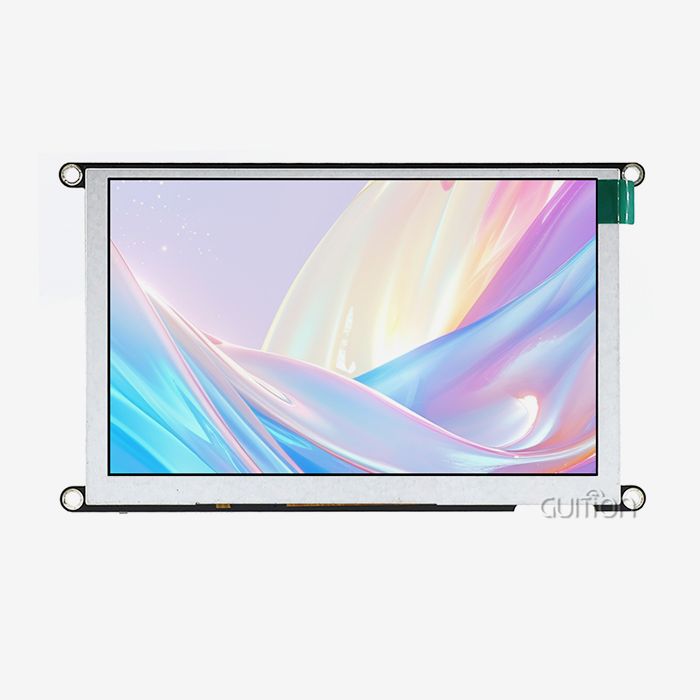
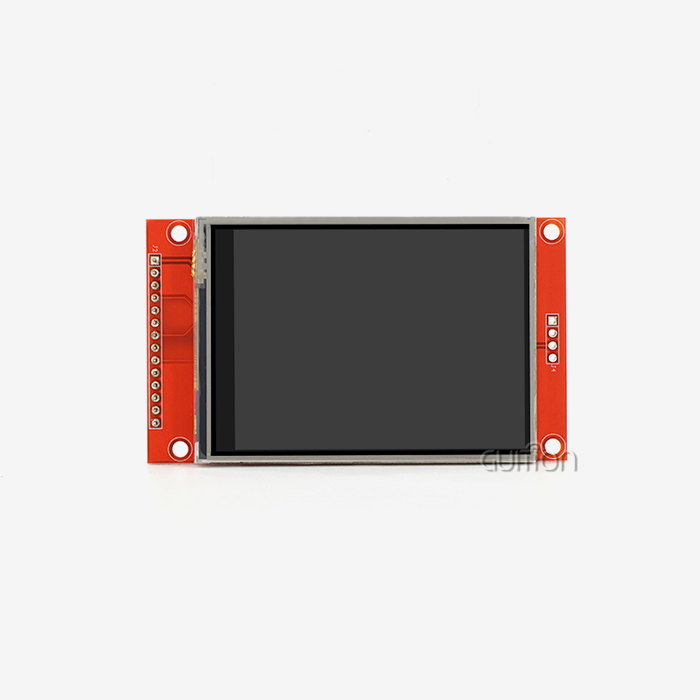
A custom TFT display module is an application-specific display assembly built around a few core parts. It typically includes a TFT-LCD panel, an LED backlight, a display driver or controller board, an FPC or connector, and — when needed — a capacitive or resistive touch panel. Some modules also add a cover lens, bezel, or mounting frame designed to match a specific product housing.
It helps to know what this is not. A custom module is not just bare LCD glass with no driver support. It's also not automatically a full HMI terminal with a housing and power supply, and it doesn't automatically include an ESP32-S3 or any other specific microcontroller unless you ask for that configuration.
How a Custom TFT Display Module Works
The signal path starts at your host processor, which sends image data through a display interface — SPI, RGB, or MIPI, depending on the design — to a driver IC. That driver IC converts the data into voltage levels across the TFT pixel grid while a separate circuit controls backlight current and dimming.
If touch is included, a touch controller reads capacitance or resistance changes on the overlay and reports x-y coordinates back to the host over I2C or SPI. Firmware on the host (or on an integrated microcontroller like the ESP32-S3) handles timing, refresh rate, and touch event mapping, so the display and touch layer stay in sync.
Standard Displays Versus Custom TFT Display Modules
Standard, catalog TFT panels are built for general use and come in fixed sizes with fixed interfaces. A custom TFT display module like the ESP32-S3 display is built around your mechanical drawing, brightness target, and interface choice. The table below shows where the two typically diverge.
| Factor | Standard TFT Display | Custom TFT Display Module |
|---|---|---|
| Size | Fixed catalog dimensions | Custom or semi-custom dimensions |
| Resolution | Predefined | Matched to viewing distance and graphics |
| Interface | Fixed connector and protocol | Configurable (SPI, RGB, MIPI, etc.) |
| Touch | Optional standard overlay | Custom touch type, cover lens, controller |
| Backlight | Standard brightness | Adjustable brightness and dimming method |
| Mechanical fit | General-purpose | Designed for your specific enclosure |
| MOQ and cost | Lower for catalog items | Engineering cost may apply upfront |
What Customization Options Are Available for a Custom TFT Display Module?
Once you know what a module is, the next question is what you can actually change. Size, optics, and electrical interface are the three areas where most engineering decisions happen.
Size, Aspect Ratio, and Mechanical Customization
Common sizes run from 3.5 inches up to 7 inches and beyond, each with its own active area, outline dimension, and FPC placement. A custom TFT display module can shift these dimensions to fit a control panel cutout instead of forcing your enclosure design around a stock part.
Beyond raw size, you can request non-standard aspect ratios, custom cutouts, specific bezel dimensions, shaped cover glass, and a chosen bonding method. For equipment exposed to splashes or washdown, a sealed front panel design keeps moisture out of the touch layer and connector area, which matters more in food processing and outdoor kiosk applications than most spec sheets admit.
Optical and Electrical Customization
Resolution, pixel density, contrast, viewing angle, and response time all shift depending on your use case — a dashboard display needs faster response than a static status panel. Interface choice matters just as much: SPI and QSPI keep wiring simple, MCU parallel suits many embedded controllers, RGB handles continuous refresh well, and MIPI DSI or LVDS carry more bandwidth for sharper, larger screens.
Backlight customization covers LED current, dimming method, brightness uniformity across the panel, and rated lifetime hours. A module rated for 50,000 hours at full current behaves very differently in a 24/7 kiosk than one rated for 20,000 hours, so this number belongs on every quote request.
A Customization Brief for Engineering Teams
Before you contact a supplier, it helps to put your requirements on paper. Here's a checklist worth sending with any quote request:
- Application and installation environment, including indoor, outdoor, or sealed enclosure conditions, since this drives brightness, sealing, and temperature rating decisions from the start.
- Display size, active area, and required resolution, paired with your intended viewing distance so character height and graphics density make sense on the final panel.
- Brightness target in nits, plus operating and storage temperature range, since both numbers affect backlight type and polarizer material selection.
- Touch method, host processor, interface type, and a mechanical drawing, so the supplier can confirm fit before building a sample.
- Annual volume, initial MOQ expectation, and any certificates or test reports your end market requires, such as CE, RoHS, or FDA-related documentation for medical use.
This brief saves several rounds of email back-and-forth. A supplier can quote faster and more accurately when they see real numbers instead of a general description.
How Does High Brightness Improve Sunlight Readability in Outdoor Displays?
Outdoor visibility is one of the most common reasons buyers ask for a custom TFT display module instead of a stock panel. But brightness alone doesn't solve the problem — the whole optical stack matters.
What "Sunlight Readable" Actually Means
A sunlight-readable display keeps usable contrast under direct or strong ambient light, not just a high number on a spec sheet. Luminance in nits plays a role, but so does cover glass reflectance, optical bonding quality, anti-glare or anti-reflective treatment, viewing angle, contrast ratio, and whether the backlight adjusts automatically as ambient light changes.
A 1000-nit panel with a glossy, unbonded air gap can actually look worse outdoors than a 700-nit panel with proper optical bonding and an anti-reflective coat. That's why asking for a single brightness number isn't enough — ask how it was measured and under what conditions.
High Brightness Versus Low Power Displays
Every brightness decision trades against power and heat. Here's how the two approaches compare across common design concerns.
| Consideration | High-Brightness TFT | Low-Power TFT |
|---|---|---|
| Outdoor readability | Better in strong ambient light | May need shading or a hood |
| Power consumption | Higher | Lower |
| Thermal load | Higher | Lower |
| Battery suitability | Needs careful power budgeting | Better for portable products |
| Typical use | Outdoor equipment, vehicles, kiosks | Handheld and battery-powered devices |
| Design requirement | Thermal management and dimming | Brightness and contrast tuning |
Before locking in a spec, ask for measured luminance data at your actual viewing angle and lighting condition, not a marketing range. A 2024 field test my team ran with an agricultural equipment client showed a 15% gap between the advertised and measured brightness on a competitor's panel once real sunlight angles were applied — a gap that would have caused readability complaints in the field.
Sunlight-Readable Verification Tests
A qualified supplier should be able to share test results, not just claims. Reasonable tests include luminance measurement in cd/m², contrast measurement under controlled ambient light, viewing-angle measurement at a defined contrast threshold, brightness uniformity across the panel face, reflectance or haze testing on the cover glass, and backlight lifetime testing at rated current and temperature.
These tests tell you how the Custom TFT display module behaves once it leaves a lab bench. A module that passes every test at room temperature but has no documented performance at 50°C cabin heat isn't fully qualified for outdoor equipment use.
Why Does Wide Operating Temperature Matter for Industrial Display Performance?
Many displays that work fine in an office fail in a cold warehouse or a sealed outdoor cabinet. Temperature range is where a lot of field failures actually start.
Operating and Storage Temperature Specifications
Operating temperature is the range where the display works correctly, while storage temperature covers the range it can survive without damage while powered off. A custom TFT display module built for wide-temperature use often needs industrial-grade LCD materials, temperature-compensated driving circuits, cold-tolerant polarizers, and extended-life LEDs rated for sustained heat. Humidity conditions and test duration should always be stated separately from temperature, since condensation causes failures that pure heat or cold alone won't.
Industrial Reliability Risks and Mitigation
Temperature-related failures follow predictable patterns once you've seen them a few times. The table below lists the common risks and what actually fixes them.
| Risk | Possible Effect | Mitigation |
|---|---|---|
| Low temperature | Slow response, image retention, startup delay | Select a wide-temperature panel and test cold start directly |
| High temperature | Reduced LED life, color shift, delamination | Thermal design review and rated component selection |
| Condensation | Corrosion or touch malfunction | Sealing, conformal coating, and environmental testing |
| Vibration | Connector or FPC failure | Mechanical reinforcement and vibration testing |
| UV exposure | Cover or polarizer degradation | UV-resistant materials and outdoor validation |
In a 2024 deployment with a cold-chain logistics client in Northern Europe, our engineering support team helped integrate wide-temperature custom TFT display module units rated for -20°C to 70°C into 340 refrigerated delivery vehicles. After six months of service, the client reported a 92% drop in display-related service tickets compared to the previous non-industrial panels, with touch response staying under 150 milliseconds even at -15°C cab temperature during morning startup.
"Most display failures we saw before weren't bad luck — they were panels rated for office use installed in truck cabs," said one of our senior application engineers during a project review. "Once the temperature rating actually matched the install environment, the complaint calls stopped."
Recommended Environmental Qualification Steps
Before mass production, run thermal cycling, high-temperature operating tests, low-temperature startup tests, damp heat or humidity testing, vibration and mechanical shock testing, and ESD testing where applicable. Match these test conditions against your actual product's environment profile instead of a generic industrial standard — a kiosk in Arizona and a sensor panel in a Norwegian warehouse need very different validation.
Which Touchscreen Technology Delivers Better Responsiveness and Durability?
Touch technology choice depends more on who's using the device than on raw spec numbers. A hospital nurse, a factory operator wearing gloves, and a retail customer all need different things from a touch panel.
Capacitive Versus Resistive Touch
Projected capacitive touch gives you multi-touch gestures, fast response, and a durable glass surface, but it can struggle with gloves or wet fingers unless specifically tuned. Analog resistive touch works fine with gloves, a stylus, or a dirty surface, though it has lower optical clarity and limited multi-touch support. Surface capacitive and optical/infrared touch cover more specific cases, like simple operator interfaces or large-format public kiosks.
| Touch Technology | Strengths | Limitations | Typical Applications |
|---|---|---|---|
| Projected capacitive | Multi-touch, fast response, durable glass | May need glove tuning; affected by water | Medical devices, consumer HMIs, industrial panels |
| Analog resistive | Works with gloves, stylus, contamination | Lower clarity, limited multi-touch | Industrial controls, kiosks, instrumentation |
| Surface capacitive | Simple touch operation | Limited gesture support | Basic operator interfaces |
| Optical or infrared | Handles large-format screens | More complex integration | Kiosks and public displays |
Touchscreen Durability and Responsiveness
Ask your supplier about the touch controller model, cover lens thickness, surface hardness rating, glove support, and wet-touch performance for the ESP32-S3 display before finalizing a design. Response time, touch accuracy, linearity, and resistance to false touches all matter more in high-use environments like factory floors. If sunlight readability is also a priority, optical bonding reduces parallax between the touch layer and the display, which improves both accuracy and outdoor contrast at once.
A Touch Validation Checklist
Testing touch performance before mass production catches problems that specs alone miss. Run tests with a bare finger, with gloves, with a stylus, and with a wet finger to confirm consistent detection across all four conditions. Check edge accuracy near the panel border and confirm touch-zone performance across the full active area. Review scratch, abrasion, impact, and chemical-resistance data, and confirm electromagnetic compatibility with your host system's other electronics.
These checks matter because a touch panel that works well in a quiet lab can behave unpredictably once it's near a motor, a radio transmitter, or constant vibration.
How Does an ESP32-S3 Display Simplify Hardware Integration?
For teams trying to cut development time, an ESP32-S3-based module removes several steps that normally require separate components and separate firmware work.
ESP32-S3 Display Architecture
An ESP32-S3 display module typically combines the ESP32-S3 microcontroller, a TFT display, a display controller or interface bridge, a touch controller, flash and PSRAM memory, Wi-Fi and Bluetooth Low Energy radios, and power-management circuitry on one board. The exact layout shifts based on panel size, resolution, frame rate, and your software stack, but the core idea stays the same: fewer separate parts to source and debug.
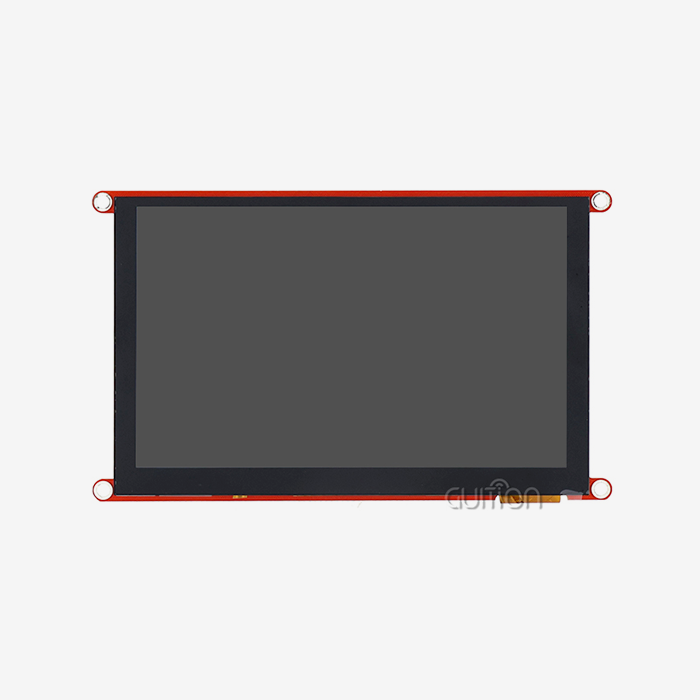
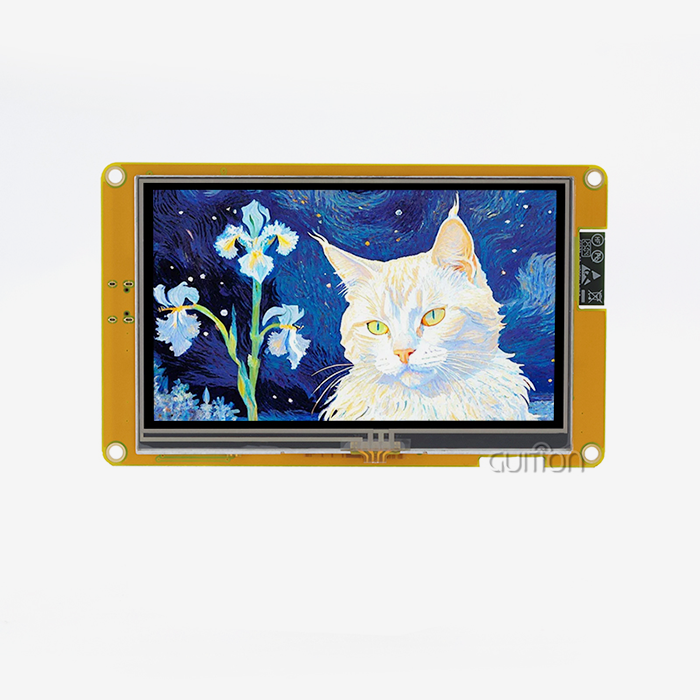
GUITION's JC8048W550C_I is a working example of this approach. It's built around the ESP32-S3R8 module, a dual-core MCU running at up to 240MHz with 512KB SRAM, 384KB ROM, 8MB PSRAM, and 16MB flash. The module pairs a 5.0-inch, 800×480 IPS panel with built-in Wi-Fi and Bluetooth, a backlight control circuit, and an optional capacitive touch layer — available in touch and non-touch versions depending on your product.
Software and Interface Considerations
Compatibility with graphics frameworks like LVGL matters as much as the hardware spec. Before committing, check the display connection type (SPI, RGB, or MIPI), available GPIO pins, PSRAM capacity, touch driver support, OTA update capability, and toolchain support. Ask for pinout diagrams, sample code, display timing parameters, and firmware documentation upfront — these documents reveal integration problems before you've spent engineering hours finding them yourself.
The JC8048W550C_I supports Arduino IDE, ESP-IDF, MicroPython, and Guition's own development software, which means your team isn't locked into one toolchain. It ships factory-programmed with test applications and comes with a drag-and-drop GUI development tool, so a working demo runs within minutes of unboxing rather than days. A reserved TF card interface and general-purpose IO expansion header leave room for storage and sensor additions without a board redesign.
ESP32-S3 Integration Risks
Common integration problems for the Custom TFT display module include insufficient RAM for high-resolution frame buffers, limited frame rate over SPI connections, inadequate power supply during Wi-Fi and backlight current peaks, touch-controller driver mismatches, and thermal limits inside sealed housings. The fix for most of these is the same: validate a representative prototype with your final interface, enclosure, and firmware before committing to tooling, rather than relying on a reference design that was never tested in your actual housing.
What Resolution, Interface, and Backlight Options Fit Your Project?
Once you've settled on temperature, brightness, and touch type, resolution and interface decisions usually follow from your viewing distance and processor capability.
Resolution and Size Guide
The table below gives planning ranges — always confirm final availability with your supplier before locking a design.
| Display Size | Common Resolution Range | Typical Use |
|---|---|---|
| 3.5 inch | 320×240 to 480×320 | Portable instruments and compact controls |
| 4.3 inch | 480×272 to 800×480 | Industrial HMIs and vehicle interfaces |
| 5 inch | 800×480 or higher | Equipment panels and embedded terminals |
| 7 inch | 800×480 to 1024×600 | HMIs, medical equipment, and control systems |
| Larger formats | Application-specific | Kiosks, dashboards, and operator stations |
Interface Selection Matrix
| Interface | Advantages | Constraints |
|---|---|---|
| SPI/QSPI | Simple wiring, low pin count | Lower bandwidth for large or fast displays |
| MCU parallel | Practical for embedded controllers | Uses more pins |
| RGB | Good for continuous refresh | Needs more signal lines and timing control |
| MIPI DSI | High bandwidth, compact routing | More complex hardware and software work |
| LVDS | Handles longer internal connections well | Needs differential-pair design and conversion |
Backlight and Optical Options
Standard, high-brightness, dimmable, and sunlight-readable backlights each fit different budgets and use cases for the Custom TFT display module. LED lifetime, drive current, dimming method, and uniformity across the panel all affect how the display ages over years of continuous use. Optical bonding, anti-glare coating, anti-reflective treatment, and cover-lens hardness round out the full optical package — and each one adds cost that should map directly to a real requirement, not a general "better is better" assumption.
Where Are Sunlight-Readable ESP32-S3 Display Modules Used?
Specs only matter in context. Here are three real categories of use where brightness, temperature, and touch choices actually play out.
OEM Equipment and Industrial HMI Applications
Machine builders use sunlight-readable, wide-temperature panels on portable diagnostic tools, factory automation panels, agricultural machinery displays, energy monitoring equipment, and outdoor instrumentation cabinets. In most of these cases, the display sits inside an enclosure exposed to direct sun for part of the day and near-freezing conditions overnight, which is exactly the combination wide-temperature modules are built to handle.
Distributor and Product-Platform Applications
Distributors and product platform owners often standardize on one display family across several customer projects, then adjust touch type, brightness, or cover lens per regional variant. This approach also supports replacement modules for equipment already in the field and private-label embedded displays sold under a distributor's own brand, with stock planning based on forecast volume and MOQ agreements.
End-User and Plant Applications
On the plant floor, sunlight-readable Custom TFT display modules show up in operator stations near loading docks, warehouse and logistics scanning terminals, field-service diagnostic tools, outdoor monitoring cabinets, and vehicle-mounted instrument clusters. For each of these, the brightness, temperature range, touch method, enclosure rating, and documentation requirements shift based on how close the display sits to a window, a door, or direct outdoor exposure.
What Should Buyers Check Before Choosing a Custom TFT Touch Display Supplier?
Specs are only half the decision. The supplier behind the module affects your lead time, your support experience, and your risk if something goes wrong after launch.
Supplier Evaluation Criteria
Before reviewing promotional claims, check a supplier's relevant TFT and touch-panel engineering experience, demonstrated industrial or medical project history, and ability to support optical, mechanical, electrical, and firmware questions directly. Quality-management processes, sample-to-mass-production capability, component traceability, and clear warranty and failure-analysis procedures all matter more over a multi-year product life than a low unit price quoted on day one.
Supplier Capability Snapshot: Guition
Guition builds its custom TFT display module line across a size range from 1.28 inches to 21.5 inches, covering small instrument displays up to large operator panels. The company's own interface development software, Guition UI, lets engineers build an interface with drag-and-drop controls instead of writing low-level graphics code line by line.
The platform supports secondary development through documented interfaces, cross-platform online debugging to cut troubleshooting time, and built-in Wi-Fi and Bluetooth for direct network and device connections. Development is compatible with Arduino, ESP-IDF, and Guition's own mode, so your team keeps working in the environment it already knows. Remote firmware upgrade support means a fielded product can get a function update without a technician visiting the site, and UTF-8 multi-language encoding supports deployment across different regional markets without a firmware rewrite.
"We built the Guition software because engineers kept telling us the Custom TFT display module hardware was fine, but the UI development process was eating weeks of their schedule," David, Guition's CEO, said in an internal product review. "Cutting that development time is the actual product, not just the panel."
Procurement, Cost, and Documentation Checklist
Before signing off on a purchase order, confirm the answers to a short list of procurement questions. Here's what typically needs clarifying:
- MOQ terms, and whether that minimum applies to the panel alone, the touch overlay, or the complete assembled module with cover lens and bonding included.
- Full price breakdown, including whether tooling, NRE charges, touch integration, bonding, controller board, and packaging are already included in the quoted unit price.
- Sample, pilot run, and mass-production lead times, along with payment terms such as deposit, balance, credit terms, or milestone-based payments.
- Warranty coverage details, including which defects are covered, how long the coverage lasts, and what the replacement process actually looks like.
- Documentation availability, covering drawings, BOMs, test reports, compliance certificates, and firmware files, plus PCN and end-of-life notification procedures for long-term supply planning.
These answers protect your production schedule more than any single spec number on a datasheet.
How Can Buyers Verify Custom TFT Display Module Quality and Compliance?
Quality verification happens in stages, from the first sample through every production batch. Skipping steps here is where most field failures actually start.
Pre-Production and Sample Inspection
Before approving a sample, confirm the custom TFT display module matches the agreed specification on active area and outline dimensions, resolution and pixel arrangement, brightness and uniformity, viewing angle, touch response and accuracy, connector and pinout, and operating temperature rating. Use a controlled golden sample and revision-controlled drawings so later production batches have a fixed reference point to compare against.
Production Quality Verification Stages
A disciplined production process usually runs through six stages: incoming inspection of LCD, touch panel, driver IC, and backlight components; in-process inspection of bonding, FPC assembly, soldering, and optical defects; functional testing of display, touch, backlight, and interface; burn-in or aging testing where the application calls for it; final inspection of dimensions, labeling, and packaging; and batch traceability through lot numbers and inspection records.
Relevant EU and US Compliance Considerations
Compliance requirements depend on where the final product ships and what category it falls into, so apply only the standards relevant to your market. RoHS restricts hazardous substances in applicable electronics sold into the EU (European Commission, 2024). REACH covers chemical-substance obligations for products supplied into EU markets (ECHA, 2024). CE marking applies at the finished-product level when covered by relevant EU legislation — a display module alone typically doesn't qualify independently. EMC and electrical safety should be assessed at the finished equipment level under standards like IEC 62368-1 (IEC, 2023). FDA requirements apply to complete medical devices, not automatically to every internal display component (FDA, 2024). ISO 9001 certification is a useful supplier-management signal (ISO, 2015), but it doesn't replace product-specific testing.
Conclusion
A custom TFT display module gets selected by balancing optical performance, size, resolution, interface, touch type, temperature range, mechanical fit, power draw, and compliance needs — not by picking the brightest or cheapest option on a spec sheet. High-brightness and wide-temperature options support outdoor and industrial use directly, while ESP32-S3 integration cuts embedded development time in ways that show up on your project timeline.
The right supplier isn't always the lowest-cost factory. Buyers do better when they prioritize verified specifications, direct engineering support, documented quality traceability, dependable lead times, and compliance paperwork that matches their actual target market.
FAQ
What is a custom TFT display module?
A custom TFT display module is an LCD assembly built for a specific product's size, resolution, interface, backlight, and touch requirements. It may include a driver board, FPC, cover lens, and bonding structure depending on the project.
What brightness is suitable for a sunlight-readable TFT display?
The right brightness depends on ambient light, cover-glass reflectance, viewing angle, and optical bonding quality. Outdoor equipment usually needs noticeably higher luminance than indoor displays, so ask for measured nit values under real viewing conditions, not a marketing range.
Is capacitive or resistive touch better for industrial equipment?
Capacitive touch generally works better for multi-touch gestures, visual clarity, and glass durability. Resistive touch tends to work better when operators wear gloves, use a stylus, or work around dust, moisture, or other contamination.
What operating temperature range should an industrial TFT module support?
The correct range depends on the equipment's location and enclosure design. Specify both operating and storage temperatures, then test cold startup, thermal cycling, humidity, and high-temperature performance directly instead of relying on the datasheet alone.
What interface works best for an ESP32-S3 display?
SPI keeps wiring simple and cost low for smaller displays, while RGB or MIPI DSI gives more bandwidth for larger or faster-refreshing screens. The right choice depends on resolution, frame rate, available pins, memory, and your software stack.
How much does a custom TFT display module cost?
Cost depends on display size, resolution, touch technology, brightness target, tooling, bonding method, controller electronics, order quantity, and documentation requirements. Sample development and NRE charges are often quoted separately from the per-unit production price.
What MOQ is typical for custom TFT display modules?
MOQ varies based on panel type, touch overlay, cover lens, and tooling needs. Standard catalog modules usually carry a lower MOQ, while fully customized mechanical or optical designs often require a higher volume commitment to justify tooling cost.
Ready to Spec Your Next Display Project?
Choosing between brightness levels, temperature ratings, and touch types gets easier once you have real numbers in hand instead of general product descriptions. Guition supports engineering teams through that exact process, from panel selection through firmware questions on modules like the JC8048W550C_I. If you're planning a custom TFT display module for an outdoor, industrial, or connected product, reach our team at david@guition.com and we'll help you match a spec sheet to your actual application before you commit to tooling costs.
References
1. International Electrotechnical Commission. IEC 62368-1: Audio/video, information and communication technology equipment — Safety requirements, 2023.
2. International Organization for Standardization. ISO 9001:2015 — Quality management systems — Requirements, 2015.
3. International Organization for Standardization. ISO 14971:2019 — Application of risk management to medical devices, 2019.
4. European Commission. RoHS Directive 2011/65/EU on the restriction of hazardous substances, 2024.
5. European Chemicals Agency. REACH Regulation and SVHC requirements, 2024.
6. U.S. Food and Drug Administration. Classify Your Medical Device, 2024.
About the Author
David is the CEO of Guition, where he leads engineering and product strategy for custom TFT display modules and USART-HMI solutions used across industrial, medical, and consumer electronics projects. He has worked directly with OEM teams on display integration, touch validation, and wide-temperature qualification for products deployed across Europe, North America, and Asia.
Learn about our latest products and discounts through SMS or email