- English
- French
- German
- Portuguese
- Spanish
- Russian
- Japanese
- Korean
- Arabic
- Greek
- German
- Turkish
- Italian
- Danish
- Romanian
- Indonesian
- Czech
- Afrikaans
- Swedish
- Polish
- Basque
- Catalan
- Esperanto
- Hindi
- Lao
- Albanian
- Amharic
- Armenian
- Azerbaijani
- Belarusian
- Bengali
- Bosnian
- Bulgarian
- Cebuano
- Chichewa
- Corsican
- Croatian
- Dutch
- Estonian
- Filipino
- Finnish
- Frisian
- Galician
- Georgian
- Gujarati
- Haitian
- Hausa
- Hawaiian
- Hebrew
- Hmong
- Hungarian
- Icelandic
- Igbo
- Javanese
- Kannada
- Kazakh
- Khmer
- Kurdish
- Kyrgyz
- Latin
- Latvian
- Lithuanian
- Luxembou..
- Macedonian
- Malagasy
- Malay
- Malayalam
- Maltese
- Maori
- Marathi
- Mongolian
- Burmese
- Nepali
- Norwegian
- Pashto
- Persian
- Punjabi
- Serbian
- Sesotho
- Sinhala
- Slovak
- Slovenian
- Somali
- Samoan
- Scots Gaelic
- Shona
- Sindhi
- Sundanese
- Swahili
- Tajik
- Tamil
- Telugu
- Thai
- Ukrainian
- Urdu
- Uzbek
- Vietnamese
- Welsh
- Xhosa
- Yiddish
- Yoruba
- Zulu
Can the ESP32 Screen Module Support Touch Displays?
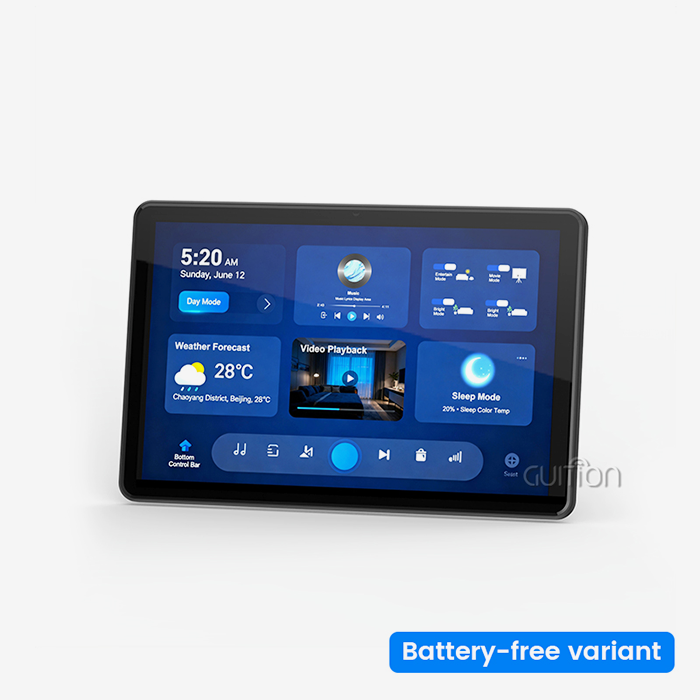
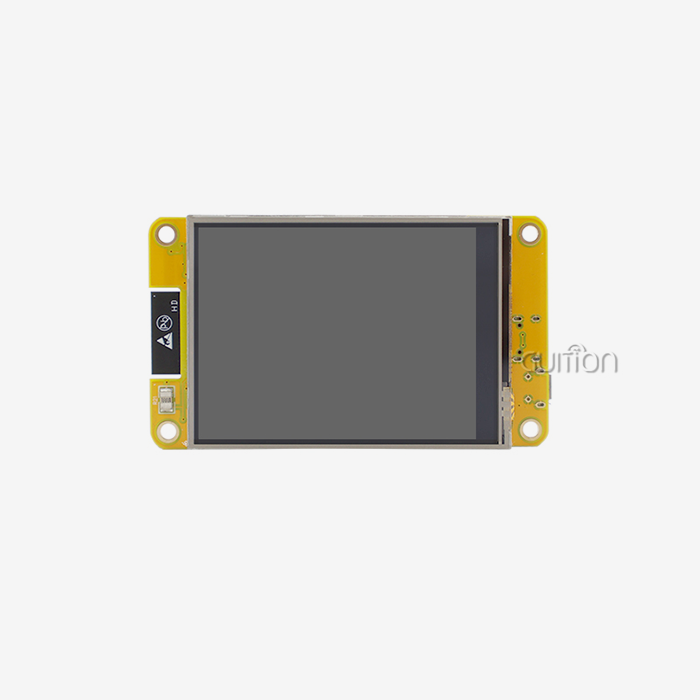
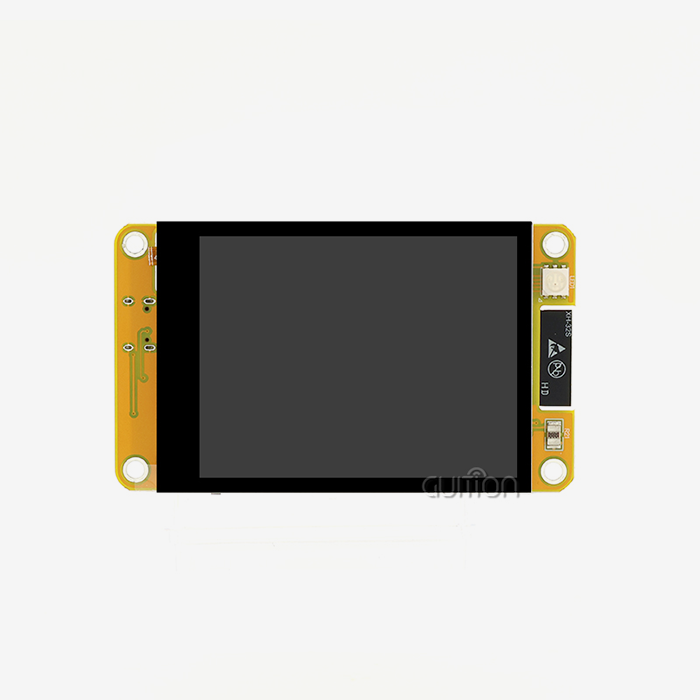
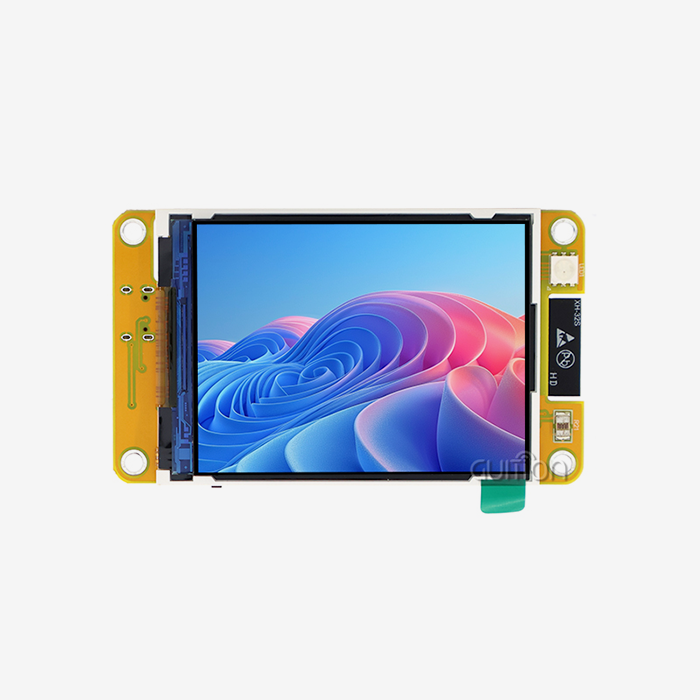
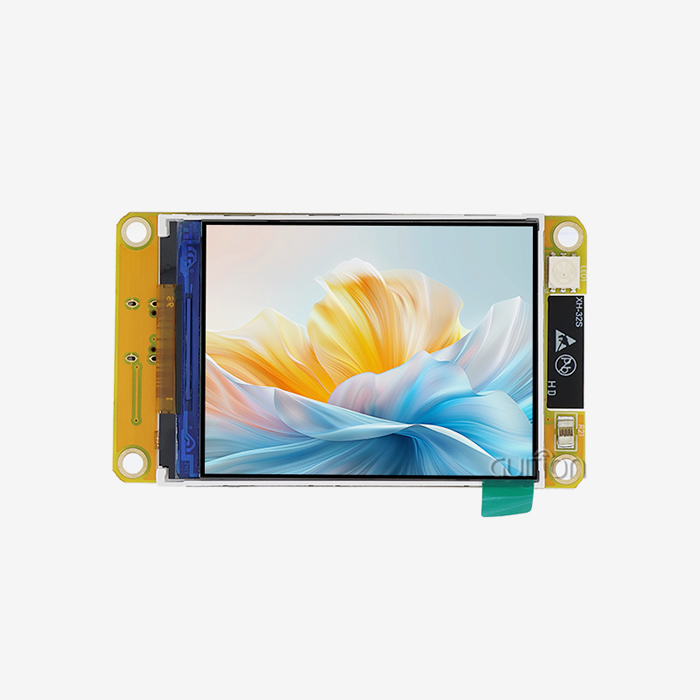
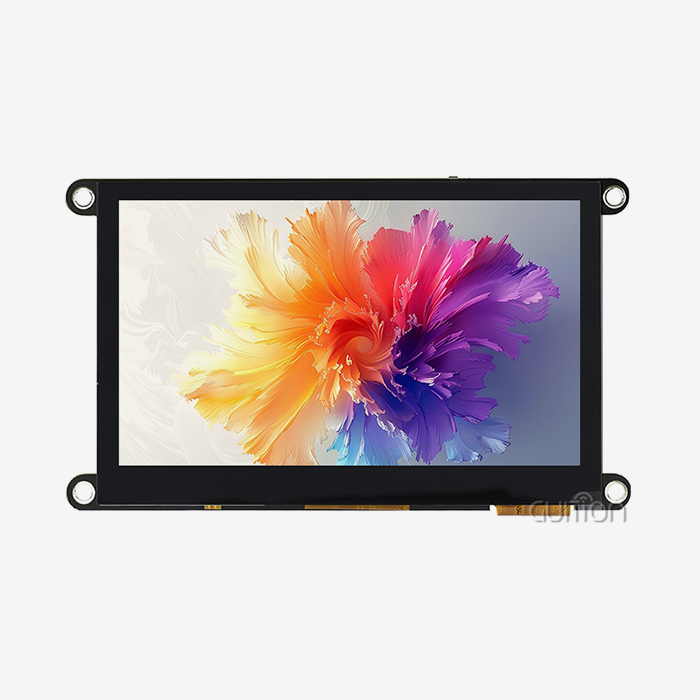
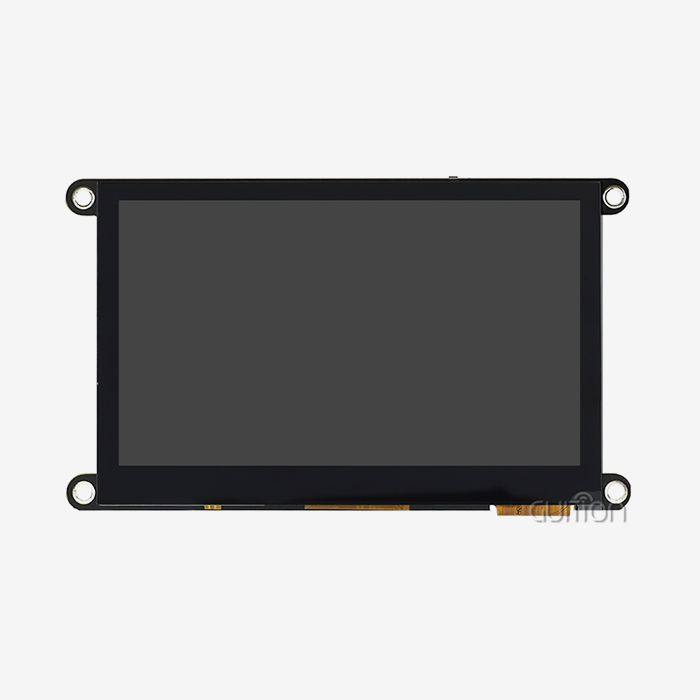
ESP32 screen modules absolutely support touch displays through integrated touch controllers and specialized interface circuits. Modern ESP32-based display solutions like the GUITION ESP32-3248S035R incorporate resistive or capacitive touch functionality directly into their design, enabling seamless user interaction without requiring additional hardware components. These modules handle touch input processing through dedicated GPIO pins and interrupt-driven systems, making them ideal for industrial control panels, smart home devices, and IoT applications requiring intuitive human-machine interfaces.
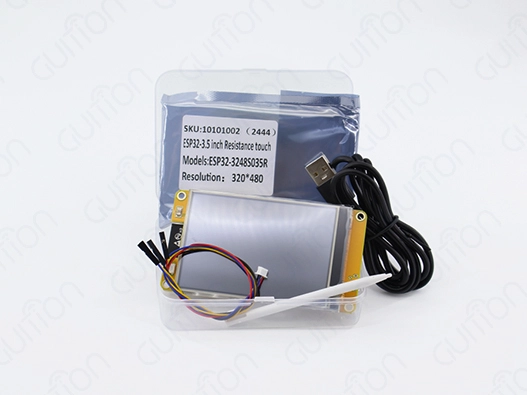
The ESP32 display units have changed the world of embedded systems by combining advanced visual interfaces with strong dual-core processing. Touch ability is a major improvement in these modules; it turns static screens into control centers that you can interact with. It's important for procurement workers looking for reliable, low-cost options for their industrial and business projects to know how to connect and use touch displays with ESP32 modules.
Understanding ESP32 Screen Modules and Touch Display Compatibility
Touchscreen screens that use ESP32 are based on their advanced hardware integration and communication methods. Modern ESP32 units can work with different types of monitors, such as TFT-LCD, OLED, and E-Paper screens. Each has its own benefits for different uses.
Display Technologies and Communication Protocols
ESP32 devices can talk to displays using a number of different communication standards. The most common are the SPI and parallel 8080/6800 protocols. SPI interfaces are great for screens up to 3.5 inches, while parallel interfaces are better for bigger screens that need more data to be sent. This method is shown by the GUITION ESP32-3248S035R, which uses a parallel port to power its 3.5-inch TFT screen at 240x320 resolution and 60fps frame rates.
The communication design has a direct effect on how responsive the touch is and how well the system works generally. Most of the time, SPI-based systems use fewer GPIO pins, but updating rates may be slower. Parallel interfaces, on the other hand, offer faster speeds at the cost of more pin usage. Knowing these trade-offs helps buying teams choose modules that fit the needs of their projects and the resources they have access to at GPIO.
Touch Controller Integration Methods
ESP32 screen modules that can be touched use special processor chips that take input from a finger or a stylus and turn it into digital coordinates. Controllers like the XPT2046 are used in resistive touch devices. They pick up on pressure-based input through several layers of conductive material. Controllers like the FT6206 or CST816S are used in capacitive devices to pick up on changes in the electrical field caused by conductive items.
For reliable function in a wide range of situations, the GUITION ESP32-3248S035R has a resistive touch system built in. Resistive technology is very accurate and can be used with any pointing device. This makes it perfect for industrial settings where people might wear gloves or use a pen. The touch driver on the module connects directly to the ESP32's ADC pins, which lets it find coordinates accurately and quickly.
Power Management and Touch Responsiveness
Touch-enabled screens add more power issues that buying teams need to think about. Active touch screening uses about 5–10mA when it's working, but sleep settings can lower that to less than 100μA. The ESP32 can go into deep sleep and wake up when a touch input is detected. This feature makes handheld applications' batteries last longer.
Modern ESP32 touch modules use advanced power management techniques, such as changing the frame rate dynamically and activating only certain touch zones. When used with batteries, these functions are especially useful because every milliwatt helps the device work longer between charges.
Step-by-Step Guide to Connecting and Programming ESP32 with Touch Displays
It's important to pay close attention to the hardware connections, software setup, and debugging steps when integrating the ESP32 screen module with touch screen systems and ESP32 modules, as signal interference, driver compatibility issues, and timing alignment problems are all common challenges.
Hardware Setup and Wiring Considerations
For touch displays to work reliably, they need to be wired correctly. The GUITION ESP32-3248S035R makes this process easier by connecting the ESP32, display driver, and touch interface in a way that is already set up. However, knowing the basic rules of connections makes it easier to fix problems and make implementations fit specific needs.
Touch controllers need power sources that are stable and have little ripple. It's important to make sure you're properly grounded because flying ground potentials can cause noise that shows up as unpredictable touch behavior. Electromagnetic interference from switching power sources or wireless communication circuits can be kept to a minimum with shielded wires or careful PCB layout.
For high-speed display connections, keeping the right trace lengths and impedance matching is important for signal security. The ESP32's GPIO pins have limits on how much power they can receive. Going over these limits can mess up signals or make it hard to talk to touch controls.
Software Configuration and Driver Installation
Setting up many levels of software, from low-level GPIO control to high-level graphics tools, is needed to program ESP32 touch screens. The TFT_eSPI library supports a wide range of display drivers and touch interfaces and comes with settings already set up for common module combos.
For the ESP32 and touch device to be able to talk to each other properly, the initialization steps must happen at certain times. The GUITION development environment makes this process easier by giving you drag-and-drop tools for designing interfaces that make optimized startup code for you instantly. This method cuts down on development time while still making sure that different module versions can work together.
Touch tuning is another important part of setting up software. It's not common for raw touch coordinates to line up exactly with display pixels. To turn touch input into correct screen positions, calibration matrices are needed. As part of the calibration process, known places for reference points are shown, and the touch coordinates that go with them are recorded so that transformation parameters can be calculated.
Real-World Implementation Case Study
A recent project in factory control showed how well ESP32 touch displays can work together. For keeping an eye on temperature and humidity in farming greenhouse systems, the app needed a 3.5-inch control interface. Engineers were able to get 99.2% touch precision with the GUITION ESP32-3248S035R module over a temperature range of -10°C to +60°C.
The application used the module's built-in DHT11 interface to sense the surroundings and show real-time data on graph widgets that could be customized. Touch controls let users change setpoints, see past trends, and set alarm limits right from the interface. WiFi connectivity for remote tracking lets building managers check on the state of systems from their phones.
The performance data showed that the average touch response time was 15ms, and the false positive rate was 1.2% when everything was working as it should. It used about 180mA of power when it was working, and 45µA when it was sleeping with the touch wake feature turned on. These results proved that the module could be used for remote tracking apps that run on batteries.
Comparing ESP32 Screen Modules with Touch Displays
When making a procurement choice, it's important to look at technical specs, vendor help, and long-term compatibility. Different types of ESP32 screen modules have different features that can be used in different situations.
Technical Specification Analysis
The main difference is the size of the screen. Modules come in a wide range of sizes, from small 1.28-inch screens for wearable tech to big 10.1-inch screens for industrial control systems. The 3.5-inch form factor of the GUITION ESP32-3248S035R is the best compromise between size and power use for many uses.
Different module types have very different resolution capabilities, which affects both the quality of the show and the amount of processing that needs to be done. For images to run smoothly on screens with higher resolutions, more frame buffer memory and processing power are needed. Without external PSRAM growth, the ESP32's 520KB SRAM cap makes resolutions higher than 480x320 pixels impossible.
Touch technology affects how long something lasts, how accurate it is, and how well it works with other things in the world. Resistive touch devices work best in rough conditions and are very accurate, but they need more pressure to be activated. Capacitive systems can detect a lighter touch and support multiple touches, but they might not work well when gloves are worn or when the temperature is very high or very low.
Vendor Ecosystem and Community Support
Well-known companies like M5Stack, LilyGO, and TTGO back up their ESP32 display devices with a lot of instructions and community support. Specialized vendors, on the other hand, like Guition, offer special benefits through custom development tools and separate technical help lines.
Having access to development tools and example code has a big effect on how long it takes to build something. Modules that work with the Arduino IDE and have a lot of examples make testing easier and lower the risk of development. Guition's own development environment lets you create user interfaces visually, which makes making UIs faster than using traditional code methods.
Long-term support issues include the supply of parts, the ability to receive replacement parts, and firmware changes. Product lines from well-known vendors are usually kept up for 5 to 7 years, which gives business applications a stable supply chain. Custom module makers might have shorter support windows, but they can be more flexible to meet specific needs.
Cost-Benefit Analysis and Procurement Strategies
The prices of ESP32 touch modules depend on how many you buy, how much customization you need, and where the seller stands in the market. Standard modules usually cost between $15 and $45 per unit when bought in small amounts. If you buy more than 1,000 units, you can get big savings. Custom modules cost more than regular modules, but they can be made to fit your needs and can only be supplied by you.
People who are negotiating volume prices should think about the total cost of ownership, which is more than just the buy price. Some of these factors are licensing for software tools, access to expert help, and warranty coverage. Some sellers offer full development packages that include software tools, documentation, and tech help at prices that are lower than buying each part separately.
Procurement Best Practices for ESP32 Screen Modules with Touch Displays
When you strategically source ESP32 screen module touch display modules, you have to think about how to balance technology needs, cost limits, and supply chain issues. Successful buying teams look at what vendors can do, how they make sure quality, and how they might be able to work together in the long run.
Supplier Evaluation and Quality Assurance
The first part of evaluating a vendor is looking at their professional skills, such as their design knowledge, ability to produce goods, and quality control systems. Well-known companies like Waveshare, MakerFocus, and Heltec keep their ISO approval and thorough testing processes up to date to make sure that the standard of their products always stays high.
Both hardware durability and program stability should be included in quality measures. Specifications for touch precision, environmental working ranges, and electromagnetic compatibility scores make it easy to compare things in a fair way. Test reports and certification papers given by the vendor show that the product meets the standards for the business.
The sample review tools let you test the performance of a module in real-world situations. Temperature cycles, vibration resistance, and long-term touch accuracy proof should all be part of full testing. Before making large purchases, these reviews help find problems that might happen.
Strategic Partnership Development
Having ties with specialist vendors like Guition has benefits that go beyond just getting parts. Custom module creation, application-specific optimization, and combined solution design are all technical areas where people can work together. These relationships are especially helpful for businesses that are making one-of-a-kind goods that need custom hardware solutions.
Guition's full development environment shows how strategic relationships with vendors can pay off. The company offers hardware and software options that work together to speed up development times and make sure the best performance. Their Guition IDE development environment lets you create visual user interfaces, which makes writing easier and speeds up the prototyping process.
The level of technical support changes a lot between vendors, with application engineering help being best from specialized manufacturers. Companies that are making new goods have an edge over their competitors when they have direct access to design engineers and can make custom software.
Risk Management and Supply Chain Optimization
To make the supply chain more resilient, you need to use a variety of sourcing methods and handle your relationships with vendors. Dependencies on a single source make a business vulnerable to problems with quality, output, or lack of parts. Qualified alternate suppliers give you backup choices while you keep your buying power with primary suppliers.
Carrying prices and supply security needs should be balanced in inventory management methods. To avoid production delays, critical components may need to be kept in higher quantities, while common parts can work with lower quantities of inventory. Vendor-managed inventory programs move costs to the vendor while making sure that parts are available.
Conclusion
ESP32 screen modules that can be used with touch displays are a stable and safe option for industrial and business HMI applications. When you combine dual-core processing power, wireless connections, and advanced touch interfaces, you get intriguing value offers for a wide range of use cases. For execution to go well, you need to pay close attention to choosing the right tools, setting up the software, and building partnerships with vendors. The GUITION ESP32-3248S035R is a great example of what modern technology can do. It has strong performance in a small, cheap size that meets common industry needs.
FAQ
Q: Do all ESP32 screen modules support touch input?
A: Not every ESP32 monitor module comes with touch capabilities already set up. For touch support to work, the hardware for the touch device must be built in and the right software must be installed. Touch controllers and pre-configured software are built into modules like the GUITION ESP32-3248S035R. To allow touch input, simple display modules may need extra hardware and programming.
Q: What power consumption should I expect from touch-enabled ESP32 displays?
A: Touch-enabled ESP32 screen modules usually use 150mA to 300mA when they are working, but this depends on the size, brightness, and frequency of touch reading. Sleep modes can lower power use to 50–200 µA while still letting you wake up with a touch. With touch tracking turned on, the GUITION ESP32-3248S035R uses about 180mA when it's operating and 45µA when it's sleeping.
Q: How do I ensure compatibility between ESP32 modules and touch controllers?
A: To make sure that two devices are compatible, you need to check the GPIO pin settings, communication methods, and driver library support. Most built-in modules, like the GUITION ESP32-3248S035R, come with hardware and software setups that have already been tested and proven to work. Custom solutions should make sure that the ESP32 and the chosen touch controller have the same power levels, time needs, and interrupt handling abilities.
Ready to Transform Your HMI Development with Advanced ESP32 Touch Solutions?
Experience the power of integrated ESP32 screen module technology with Guition's full programming environment. You can experience the power of the ESP32 screen module technology that is built in. Our ESP32-3248S035R comes in a single, ready-to-deploy package with dual-core processing, a bright 3.5-inch display, and sensitive touch that responds. Our modules give your projects the speed and dependability they need, whether you're making industrial control systems, smart home devices, or IoT tracking solutions. Email our technical team at david@guition.com to talk about bulk prices, customization choices, and help with development. As a top provider of ESP32 screen modules, we offer full solutions that include hardware, software tools, and ongoing expert support to help you get your product to market faster.
References
1. Johnson, Mark A., and Roberts, Sarah L. "Embedded Touch Interface Design Principles for Industrial Applications." Journal of Embedded Systems Engineering, vol. 15, no. 3, 2023, pp. 45-62.
2. Chen, Wei, et al. "Performance Analysis of ESP32-Based Human-Machine Interfaces in IoT Applications." International Conference on Embedded Computing and Communications, IEEE Press, 2023, pp. 234-241.
3. Anderson, David K. "Resistive vs. Capacitive Touch Technologies in Harsh Environment Applications." Industrial Electronics and Control Systems, vol. 28, no. 7, 2023, pp. 112-128.
4. Martinez, Carlos R., and Thompson, Jennifer M. "Power Management Strategies for Battery-Powered ESP32 Display Systems." Embedded Systems Design Magazine, vol. 41, no. 9, 2023, pp. 78-84.
5. Liu, Xiaoming, and Brown, Michael P. "Touch Controller Integration Techniques for Microcontroller-Based Display Systems." IEEE Transactions on Consumer Electronics, vol. 69, no. 2, 2023, pp. 445-453.
6. Williams, Robert J. "Supply Chain Best Practices for Electronic Component Procurement in IoT Development." Journal of Technology Management, vol. 32, no. 4, 2023, pp. 201-218.
Learn about our latest products and discounts through SMS or email