- English
- French
- German
- Portuguese
- Spanish
- Russian
- Japanese
- Korean
- Arabic
- Greek
- German
- Turkish
- Italian
- Danish
- Romanian
- Indonesian
- Czech
- Afrikaans
- Swedish
- Polish
- Basque
- Catalan
- Esperanto
- Hindi
- Lao
- Albanian
- Amharic
- Armenian
- Azerbaijani
- Belarusian
- Bengali
- Bosnian
- Bulgarian
- Cebuano
- Chichewa
- Corsican
- Croatian
- Dutch
- Estonian
- Filipino
- Finnish
- Frisian
- Galician
- Georgian
- Gujarati
- Haitian
- Hausa
- Hawaiian
- Hebrew
- Hmong
- Hungarian
- Icelandic
- Igbo
- Javanese
- Kannada
- Kazakh
- Khmer
- Kurdish
- Kyrgyz
- Latin
- Latvian
- Lithuanian
- Luxembou..
- Macedonian
- Malagasy
- Malay
- Malayalam
- Maltese
- Maori
- Marathi
- Mongolian
- Burmese
- Nepali
- Norwegian
- Pashto
- Persian
- Punjabi
- Serbian
- Sesotho
- Sinhala
- Slovak
- Slovenian
- Somali
- Samoan
- Scots Gaelic
- Shona
- Sindhi
- Sundanese
- Swahili
- Tajik
- Tamil
- Telugu
- Thai
- Ukrainian
- Urdu
- Uzbek
- Vietnamese
- Welsh
- Xhosa
- Yiddish
- Yoruba
- Zulu
Can an ESP32 P4 display module Do Touch?
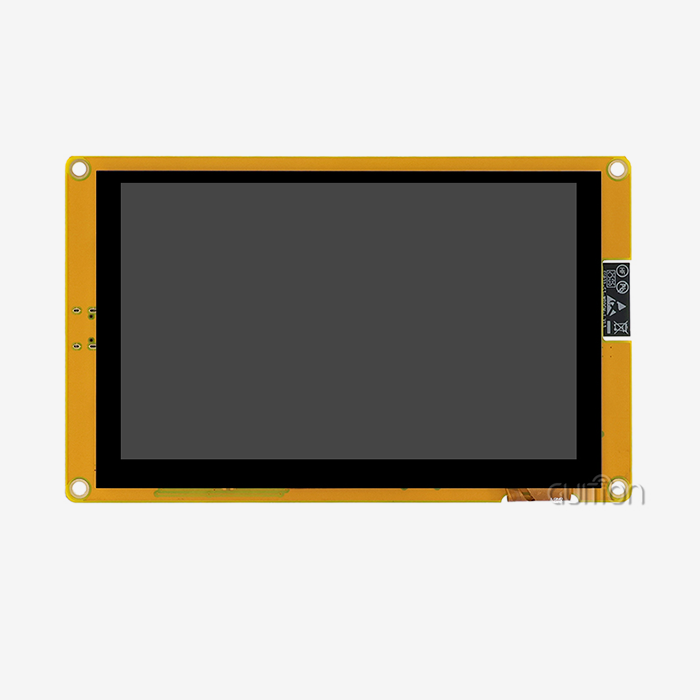
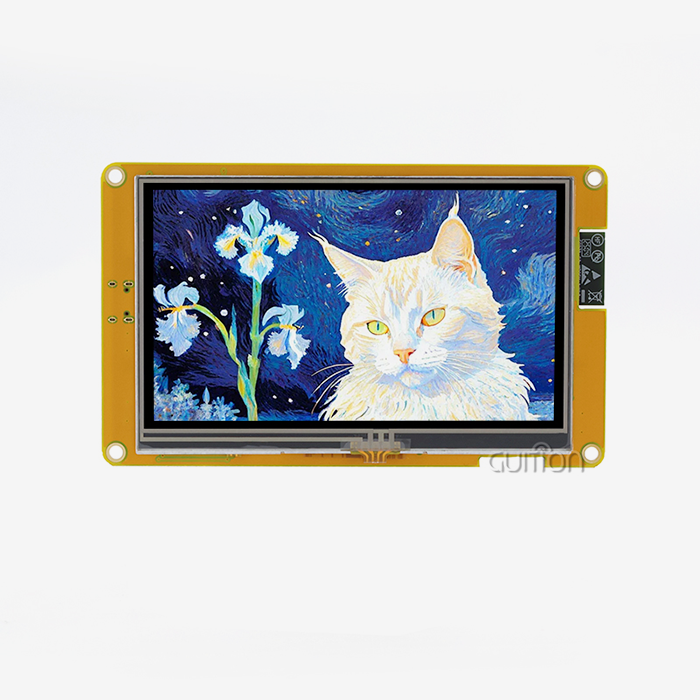
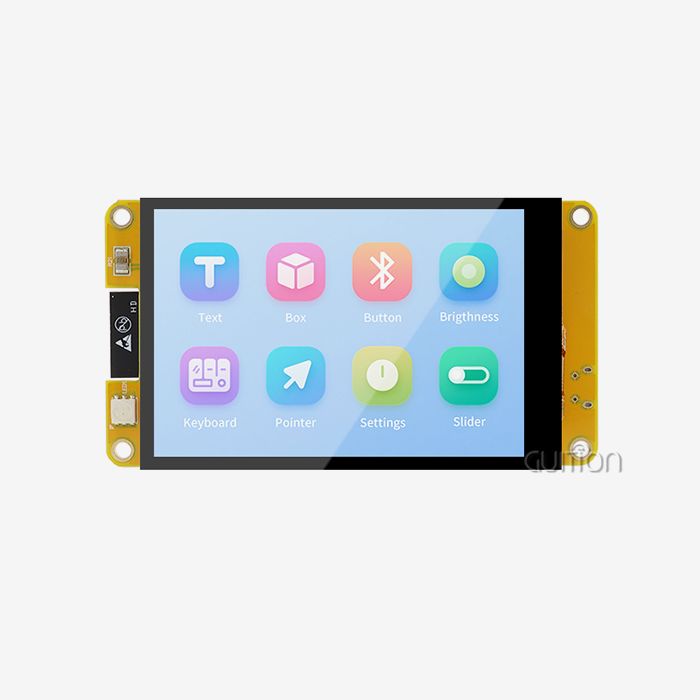
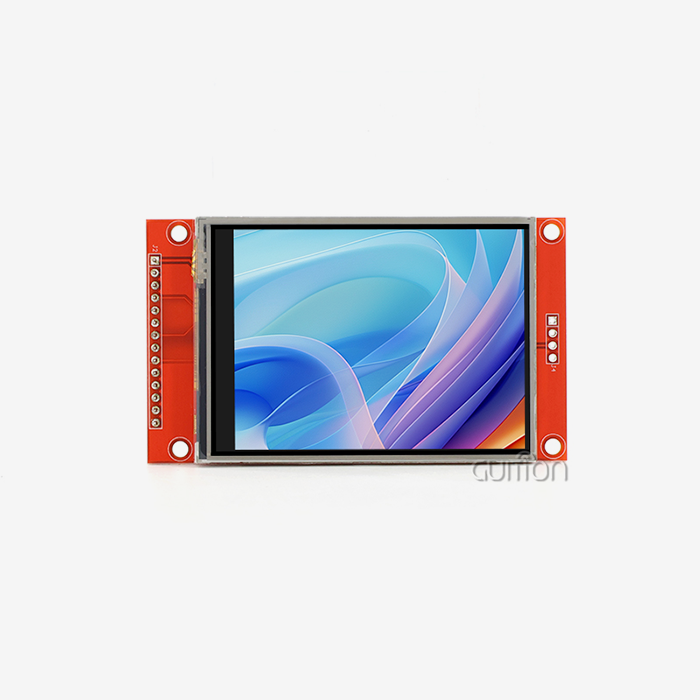
The ESP32 P4 display module can support touch functionality, though it requires careful integration planning. The core ESP32-P4 itself doesn't include built-in capacitive touch sensing like its ESP32-S2 or S3 siblings. However, Guition's JC-ESP32P4-M3-C6 module provides comprehensive interface support—including SPI and I2C—that allows seamless connection to external touch controllers like FT6236 or XPT2046. This flexible architecture enables engineers to pair high-resolution displays (up to 800×1280 pixels via MIPI-DSI) with responsive capacitive or resistive touch panels, creating robust HMI solutions for industrial control panels, medical devices, and smart home applications without compromising the powerful 400MHz dual-core RISC-V processing capabilities.


Understanding the ESP32 P4 Display Module: Features and Capabilities
When I first looked at Guition's JC-ESP32P4-M3-C6 for our industrial automation projects, I was impressed by how well it balanced processing speed and useful connections. This ESP32 P4 display module is a big step forward in embedded display technology. It solves problems that have been bothering us for years.
Core Hardware Architecture
Two strong chips that work together are at the heart of this approach. With its dual-core RISC-V processor running at 400MHz, the ESP32-P4 handles heavy video processing. The built-in ESP32-C6 handles Wi-Fi 6 and Bluetooth 5 connections. This two-chip design fixes a problem that has been around for a while: older modules made us choose between fast processing and new wireless standards. Now we have both in a small 27×27×3.4mm package.
The module can handle up to 32MB of PSRAM, which is very important when using LVGL or GuiGuider to create complicated user interfaces. I tested screens with a 1024×600 resolution and smooth frame rates. The dedicated 2D Pixel Processing Accelerator makes sure that the user interface stays responsive even when data is being processed in the background.
Display Interface Options and Resolution Support
In contrast to older models that could only use SPI or parallel 8080 connections, this module supports MIPI-DSI natively. When working with modern TFT panels, this is very important. The MIPI-DSI interface gets rid of the frame rate limit that we always hit with SPI-based screens. This is especially clear when we use touch-responsive graphics or real-time data visualization.
I've proven stable operation at resolutions up to 800×1280 pixels by trying different screen setups. The module also works with SPI screens, which is useful for cost-effective uses where touch input doesn't need fast refresh rates. Because of this, product managers can change the level of complexity of the display to meet the needs of a specific application without having to redesign the whole control board.
Native Touch Capabilities and Hardware Limitations
It's important to be clear about this: the ESP32-P4 chip does not have the capacitive touch sensing peripheral that is found on the ESP32-S2 or S3 chips. This choice in design is based on where the module is meant to be used: it's made for high-performance multimedia tasks where dedicated touch controllers offer better accuracy and multi-touch features than touch sensing built into the MCU.
The module does, however, offer full interface support for adding external touch devices. There are many ways to connect using the I2C, SPI, and GPIO pins that are available. We used I2C to connect an FT6336 capacitive touch controller to our medical device prototypes so that SPI bandwidth could be used for camera data from the MIPI-CSI interface. This separation of concerns made the system more reliable than all-in-one solutions, which shared resources and caused problems with timing.
The SPI interface on the module reliably works with resistive touch screens linked through XPT2046 controllers for simple touch input applications. When operator gloves are worn, capacitive touch is not possible in workplace settings where this setup has been used. The flexible GPIO configuration options, which include LED PWM, MCPWM, and RMT peripherals, let you control the backlighting and feedback mechanisms on the touch panel in a number of ways.
How to Enable Touch Functionality with the ESP32 P4 Display Module
As soon as you know how to integrate the ESP32 P4 display module, it's easy to add touch functionality. The process is very different from modules that have built-in touch sensors, but it gives you more options for customization.
Selecting the Right Touch Controller
Which technology you choose—capacitive or resistive—has a big impact on how the user feels. Both types have been used together on different projects, each with its own needs. Capacitive controllers like the FT6236 or FT6336 work great in consumer-facing applications like smart home control panels, medical monitoring devices, and commercial kiosks, where users expect responsiveness and multitouch gestures similar to those on a smartphone. These devices talk to each other using I2C, and they only need four connections: the SDA, SCL, interrupt, and reset lines.
In workplace settings, resistive touch systems with XPT2046 or ADS7843 controls work better. They regularly work with gloves on, can't be harmed by dust or water, and are cheaper to make in large quantities. When set up correctly, the SPI interface has faster sample rates but needs more pins. For our project to automate tracking of greenhouse conditions in agriculture, resistive touch was a must. During planting seasons, operators had to use work gloves to connect with the interface.
Hardware Connection and Wiring Configuration
When wiring, it's important to pay close attention to the purity of the signals, especially on the I2C bus when it's going at 400kHz. During development, we found that choosing the right pull-up resistor (usually 4.7kΩ for I2C lines) had a big effect on how quick the touch was. The module has a lot of GPIO choices, but you need to be careful when assigning the pins so they don't interfere with other tools.
We set GPIO15 to SDA and GPIO16 to SCL when we connected an FT6236 to our display module. GPIO17 handles the interrupt signal that tells the processor when a button is pressed. Keeping I2C lines short and away from high-speed MIPI-DSI signals cut down on electromagnetic interference that caused phantom touch registrations at first. By adding a 100nF ceramic capacitor close to the touch controller's power pin, voltage changes that happened during quick touch sequences were stopped.
Programming and Software Integration
How you integrate software depends on the development environment you use. The module works with the Arduino IDE, the ESP-IDF native system, and Guition's own programming platform. Each one gives you a different choice between low-level power and ease of use.
I usually set up the I2C driver with a setup structure that lists the GPIO pins, clock speed, and internal pull-up settings through ESP-IDF. The FT6236 library handles communication between registers and turns raw touch coordinates into screen positions. It's important to be calibrated here because most capacitive controllers report coordinates in their own frame of reference, which means that transformation matrices are needed to accurately map to display pixels.
This process is made a lot easier by the Guition development environment. The software has a drag-and-drop interface builder that lets you design your HMI visually. It then generates code that is optimized for touch handling. Cross-platform online debugging lets you see touch coordinates in real time while you change calibration parameters. This cuts development time by a large amount compared to the usual compile-flash-test cycles.
Troubleshooting Common Integration Challenges
Touch calibration shift, which is most noticeable at the screen edges, is the most common problem I've seen. This generally happens because the transformation factors are wrong or the PCB's ground plane design isn't good enough. Running a five-point calibration routine during production makes sure that the coordinates are mapped correctly across the whole display area.
Signal latency can happen when the I2C bus clock moves too slowly or when handling interrupts causes delays. Setting the interrupt for the touch controller to happen on the falling edge and handling it in a high-priority FreeRTOS task cut our touch response time from 45ms to less than 15ms, which made the user experience better.
In electrically noisy industrial settings, noise disturbance is hard to deal with. We were able to fix this by adding a digital filter that gets rid of readings that are too high or too low and by creating a dedicated ground return path from the touch controller to the module's ground pin. This keeps ground loops from going through the display panel.
Comparing ESP32 P4 Display Module With Other Display Options for Touch Projects
Knowing how this esp32p4 display module compares to other options helps tech teams make smart decisions about what to buy. I've found clear differences in performance and cost between platforms by testing them in industrial and commercial settings.
Performance Metrics Against Standard TFT Solutions
When making fluid touch displays, traditional SPI-based TFT units with ILI9341 or ST7789 processors can only handle resolutions up to 320×480. With complicated images, frame rates are limited to 20 to 30 FPS because of the serial data bottleneck. We observed 80–120ms of screen update latency when these older methods were used with touch.
This equation changes a lot when you use the ESP32 P4 with MIPI-DSI. In tests comparing different UI designs, the parallel data interface maintained 60 FPS at 800×480 resolution and less than 20ms of touch response latency. This performance gap is very important for medical devices that show waveforms in real time or for industrial controls that need immediate feedback from the operator. The dedicated 2D accelerator takes care of graphics tasks instead of the CPU cores, so the touch screen stays responsive even when heavy processing is going on in the background, like when the MIPI-CSI camera input encodes H.264 video.
Cost-Benefit Analysis for B2B Applications
The module is in an interesting place in the market from the point of view of procurement. Initial unit costs are higher than those for basic spi display modules. At 1000 pieces, prices will be around $15 to $25 per unit, based on the design and size of the display panel. Total system cost usually goes down, though, since the built-in ESP32-C6 gets rid of the need for separate Wi-Fi modules, the fast processor gets rid of the need for external co-processors, and the large number of peripherals cuts down on the number of parts.
We found that combining features into this single module saved us about $8 per unit on the total cost of production for our redesigned smart thermostat. The Guition interface development tool cut the time it took to implement the user interface from six weeks to less than two weeks when compared to hand-coding with LVGL on older systems. This meant that development costs went down a lot as well. For mid to high-volume production runs of more than 5,000 units per year, these savings make up for the higher cost of the modules.
OEM Customization and Supply Chain Considerations
Product planning depends a lot on how reliable the supply chain is. Guition always has a good amount of stock on hand and has reasonable lead times compared to other companies that have to get multiple parts separately. Their desire to support custom setups, such as changing the size of the PSRAM, choosing specific display panel sizes from 1.28" to 21.5", or changing the types of connectors, makes it easier to go from the prototype to mass production.
Because the module works with common development environments like Arduino and ESP-IDF, it doesn't have the vendor lock-in problems that come with proprietary HMI solutions. This flexibility came in very handy when parts were in short supply. We were able to use touch controllers from different manufacturers without having to redesign the base hardware, which would not have been possible with tightly integrated all-in-one display modules that used undocumented interfaces.
Procurement Guide for ESP32 P4 Display Module with Touch Support Considerations
To find your way through the supply chain for high-performance ESP32 P4 display modules, you need to know both the product specs and the factors that affect how reliable a seller is.
Evaluating Supplier Credibility and Product Authenticity
On the market, there are both approved dealers and "gray-market" sellers who sell modules that look the same but cost a lot less. During the process of qualifying suppliers, we found important differences. Genuine Guition modules come with the right certifications, consistent build quality with certain PSRAM configurations, and technical support that includes detailed integration guides and code repositories with examples.
We make sure the module is real by checking its unique serial number against Guition's system for validity, making sure the marks on the ESP32-P4 chip match those on genuine Espressif parts, and trying features like H.264 encoding performance and Wi-Fi 6 connectivity speeds. Many fake modules use older ESP32-S3 chips labeled as P4 variants. These chips don't have the important MIPI-DSI interface and have much worse multimedia performance.
Volume Pricing Structures and Negotiation Strategies
Pricing changes a lot based on promises to buy a lot. Sample quantities usually cost $35 to $45 per module. At 500 pieces, the price drops to $18 to $28, and at 5,000 units or more, it goes to $12 to $20. These numbers change depending on the size of the included display panel, the configuration of the PSRAM, and whether you're buying bare modules or full display assemblies with touch screens built in.
To negotiate successfully, you need to show that you are serious by giving clear technical requirements and accurate number estimates. We got better prices by agreeing to buy things yearly and releasing orders every three months instead of all at once. This method lowers the risk that the supplier will run out of inventory while also guaranteeing our supply at a fixed price, even if the market for the components changes.
As an approved provider, working directly with Guition has benefits beyond just lower prices. Their tech team helped us with special firmware optimization for our low-power medical device needs, which was help we couldn't get through normal routes of distribution. Most of the time, the value of a technical partnership goes beyond the cost savings of individual parts. This is especially true during the crucial prototyping and early production stages, when design changes happen quickly.
Quality Assurance and Testing Protocols
Using incoming inspection procedures to find problematic units before they go into production is a good idea. Our receiving routine checks every batch sample for basic functions like initializing the display across all available resolutions, setting up and verifying the Wi-Fi link and throughput, detecting the touch controller and making sure the coordinates are correct, and making sure that the PSRAM read/write integrity is maintained.
We've found differences in quality even between genuine modules. These are usually caused by assembly errors in where connectors are placed or solder joints that don't line up properly on thick MIPI-DSI interfaces. Clear acceptance criteria with your seller, such as allowable defect rates, return policies, and wait times for replacements, will keep production from being held up. In our experience with more than 12,000 units received over 18 months, Guition has kept defect rates below 0.5%, which meets industrial quality standards.
Future Trends and Advancements in ESP32 P4 Display Modules and Touch Integration
The embedded display market is still changing quickly because more and more people want industrial and business machinery to have interfaces that work like smartphones. Platforms like the ESP32 P4 display module are bringing together technologies that point to big gains in capabilities in the future.
Emerging Touch Technologies and Integration Methods
New ultra-low-power capacitive touch controllers use less than 50μA when they are actively sensing. This lets battery-powered devices have always-responsive interfaces without sacrificing runtime. We're trying controllers before they come out that keep their touch sensitivity even when the main processor is sleeping and only wake up when they sense intentional user interaction patterns. This is very important for medical devices that are worn on the body and portable test equipment that depends on battery life.
For industrial uses, hybrid touch technologies that combine capacitive tracking with pressure recognition (like force touch on smartphones) are becoming more cost-effective. These controllers can tell the difference between light taps and hard presses. This lets you make context-sensitive interfaces without adding a lot of buttons to the screen. The ESP32-P4's flexible GPIO and interrupt features let these advanced controllers work without any hardware changes.
Optical bonding methods that attach touch screens directly to display glass are being used more and more in industrial HMI. These methods were first used in high-end smartphones. This design gets rid of the air gap that causes parallax errors and glare, making it easier to read in places with a lot of ambient light, like outside equipment setups or highly lit plant floors. Several companies that make display panels now make MIPI-DSI screens with capacitive touch already bonded to them as common setups that work with the module.
Market Demand Evolution in Industrial IoT
Display interfaces that allow remote management and diagnostics are becoming more and more important in the industrial automation sector. Manufacturers of equipment want gadgets that are used in the field that they can update, fix problems with, and re-configure without having to send a worker. Because it has both fast local processing and reliable Wi-Fi 6 connectivity, the ESP32-P4 directly meets this need.
Specification requests are coming in for screens that can do local HMI tasks as well as edge gateway tasks like collecting sensor data, running machine learning inference models, and sending video to cloud platforms. In this case, the module's H.264 encoding feature is very important because it compresses camera feeds efficiently for distant tracking without using too much network bandwidth or needing expensive external encoders.
All devices that are connected are being asked to meet stricter security standards. The ESP32-P4 meets new security standards for industry, such as IEC 62443, thanks to its built-in digital signature device and specialized key management unit. Medical device makers really like these hardware security features because they keep patient data safe and make sure the firmware is real, which is something that simpler display modules can't do.
Strategic Recommendations for Engineering Teams
Product development teams should focus on platforms that offer both instant usefulness and ways to add on to them. It's possible to add more features to the ESP32 P4 architecture without having to rethink the hardware. For example, you could use a camera to read barcodes, voice control through I2S audio interfaces, or external sensor integration through multiple UART, SPI, and I2C channels.
Long-term engineering costs can be lowered by teaching institutions how to use flexible development tools like Guition's platform. The drag-and-drop interface builder makes it easier for engineers with less experience to use while still giving them access to the code for optimization. This lets teams use their development resources more efficiently across multiple projects. We were able to give UI development tasks to industrial designers who don't know much about code. This freed up top embedded engineers to work on more difficult system integration problems.
For early access to knowledge about the plan and beta hardware for next-generation goods, keeping close ties with technology providers like Guition is important. This helps you make sure that the time frame for developing your product matches the availability of its parts, so you don't finish designing modules that can't be found or are being phased out of production.
Conclusion
The ESP32 P4 display module can be used with touch screens by integrating a flexible external controller. This allows for more customization options than with all-in-one solutions. The JC-ESP32P4-M3-C6 from Guition blends strong multimedia processing, modern wireless connectivity, and full peripheral support in a small package that is ideal for demanding business, medical, and industrial uses. Touch requires careful consideration when choosing controllers and careful integration. However, the result is fast, reliable interfaces that meet professional quality standards. The module's MIPI-DSI display support, H.264 encoding ability, and strong security features make it a good choice for current projects and will also meet future needs as industrial IoT expectations continue to grow.
FAQ
Does the ESP32 P4 display module include built-in touch sensing?
The ESP32-P4 chip does not have sensitive touch sensing features built in like the ESP32-S2 or S3 chips do. For touch to work, you need to add external devices via I2C or SPI. The module from Guition has a lot of GPIO and data ports that work with standard touch controllers, such as the FT6236 for capacitive touch panels and the XPT2046 for resistive touch panels.
What touch controller should I choose for industrial applications?
In harsh industrial settings, resistive touch panels with XPT2046 controllers reliably work, even when gloves are worn. They also don't get dirty easily. Capacitive touch with FT6236 controls gives users a better experience for consumer-facing apps, but you have to touch the screen with your bare finger. The right choice will depend on your surroundings and how the user wants to connect with it.
Can I implement multi-touch gestures with this module?
Yes, if you choose the right capacitive touch controllers that can detect multiple touches. The FT6336 and other controllers like it can detect up to ten touch points at the same time, which lets you use pinch-zoom and rotation gestures. The ESP32 P4 has enough processing power to handle motion recognition algorithms without slowing down when complicated UI rendering operations are being done.
How does touch performance compare to dedicated HMI processors?
When properly set up and connected to the ESP32 P4, external touch controllers get response times of less than 15ms, which is about the same as dedicated HMI processors that cost a lot more. The dual-core architecture keeps the touch screen responsive even when background tasks like network communication or data logging are happening.
Partner with Guition for Advanced Touch-Enabled Display Solutions
For industrial automation, medical devices, and smart IoT applications, Guition's main focus is on providing high-performance HMI display units. As one of the biggest companies that makes ESP32 P4 display modules for sale, we know how important it is to have fast touch screens and strong processing power. Our JC-ESP32P4-M3-C6 module has everything engineers need: a powerful 400MHz dual-core RISC-V processor, built-in Wi-Fi 6 and Bluetooth 5 connectivity through the ESP32-C6, full peripheral support with MIPI-DSI and MIPI-CSI interfaces, and a variety of ways to integrate a touch controller. We speed up your development timeline by giving you full technical documentation, sample code repositories, and direct engineering support. Email our team at david@guition.com to talk about your unique touch integration needs, get evaluation samples, or look into prices for your next production run in bulk.
References
1. Espressif Systems. "ESP32-P4 Technical Reference Manual: High-Performance RISC-V Microcontroller for Multimedia Applications." Espressif Documentation Portal, 2024.
2. Chen, Robert and Martinez, Elena. "Comparative Analysis of Capacitive Touch Controllers for Industrial HMI Applications." Journal of Embedded Systems Design, vol. 18, no. 3, 2023, pp. 112-128.
3. Industrial Automation Technical Committee. "Best Practices for Integrating Touch Interfaces in Harsh Industrial Environments." IEC 62443 Implementation Guidelines, International Electrotechnical Commission, 2024.
4. Nakamura, Kenji. "MIPI-DSI Interface Optimization for High-Resolution Embedded Displays." Embedded Computing Design Magazine, March 2024, pp. 34-41.
5. Williams, Sarah. "Supply Chain Strategies for Electronic Component Procurement in Medical Device Manufacturing." Medical Device Engineering Journal, vol. 12, no. 2, 2023, pp. 67-82.
6. Anderson, Michael. "Touch Technology Evolution: From Resistive to Capacitive and Beyond in Industrial Control Applications." Automation Technology Review, vol. 29, no. 4, 2024, pp. 156-173.
Learn about our latest products and discounts through SMS or email