- English
- French
- German
- Portuguese
- Spanish
- Russian
- Japanese
- Korean
- Arabic
- Greek
- German
- Turkish
- Italian
- Danish
- Romanian
- Indonesian
- Czech
- Afrikaans
- Swedish
- Polish
- Basque
- Catalan
- Esperanto
- Hindi
- Lao
- Albanian
- Amharic
- Armenian
- Azerbaijani
- Belarusian
- Bengali
- Bosnian
- Bulgarian
- Cebuano
- Chichewa
- Corsican
- Croatian
- Dutch
- Estonian
- Filipino
- Finnish
- Frisian
- Galician
- Georgian
- Gujarati
- Haitian
- Hausa
- Hawaiian
- Hebrew
- Hmong
- Hungarian
- Icelandic
- Igbo
- Javanese
- Kannada
- Kazakh
- Khmer
- Kurdish
- Kyrgyz
- Latin
- Latvian
- Lithuanian
- Luxembou..
- Macedonian
- Malagasy
- Malay
- Malayalam
- Maltese
- Maori
- Marathi
- Mongolian
- Burmese
- Nepali
- Norwegian
- Pashto
- Persian
- Punjabi
- Serbian
- Sesotho
- Sinhala
- Slovak
- Slovenian
- Somali
- Samoan
- Scots Gaelic
- Shona
- Sindhi
- Sundanese
- Swahili
- Tajik
- Tamil
- Telugu
- Thai
- Ukrainian
- Urdu
- Uzbek
- Vietnamese
- Welsh
- Xhosa
- Yiddish
- Yoruba
- Zulu
Can a 10.1 inch display module Improve User Experience?
A 10.1 inch display module significantly improves user experience by providing optimal screen real estate that balances information density with portability. This size delivers enhanced visual clarity through higher resolutions like 800×1280, enabling operators to view complex dashboards, control multiple parameters simultaneously, and interact with touch interfaces more accurately than smaller screens. The larger display area reduces eye strain during extended operation periods while maintaining a compact footprint suitable for industrial control panels, medical monitoring equipment, and smart home systems where interface quality directly impacts operational efficiency and user satisfaction. Modern HMI development demands display solutions that deliver both technical excellence and practical usability. As industrial automation, medical devices, and smart systems grow increasingly sophisticated, the interface between humans and machines becomes critical to operational success. Embedded engineers and product managers consistently face the challenge of selecting display components that meet rigorous performance standards while accelerating time-to-market.


Understanding the Key Features of Advanced Display Technology
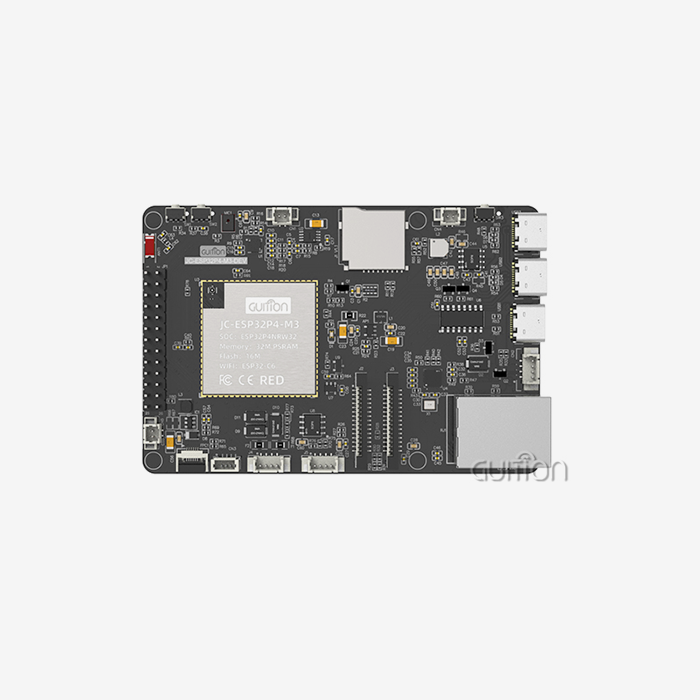
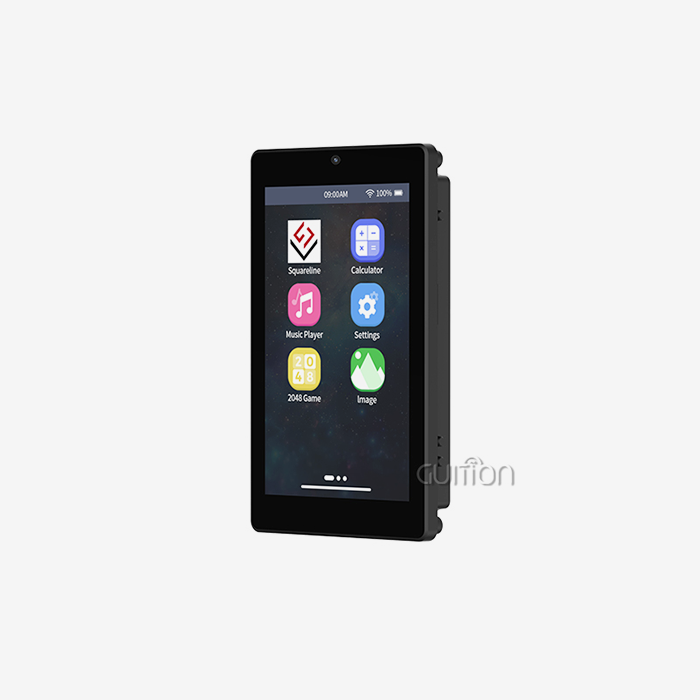
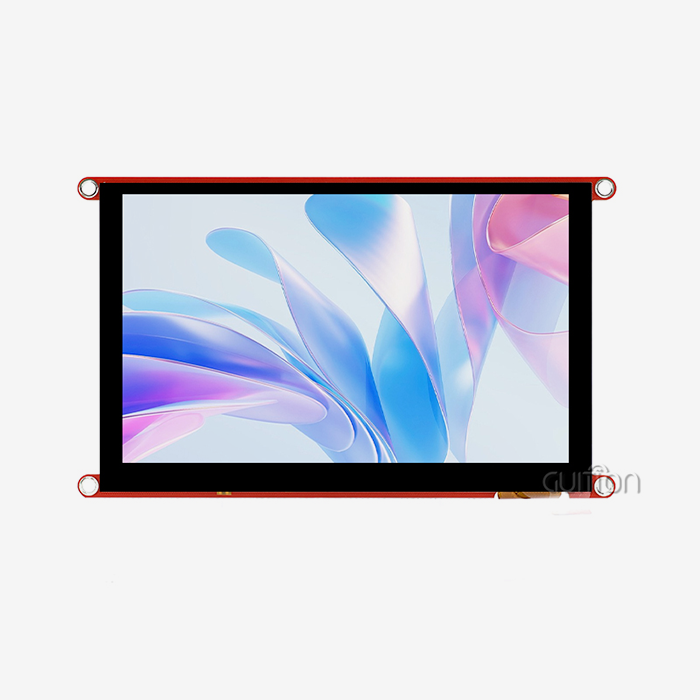
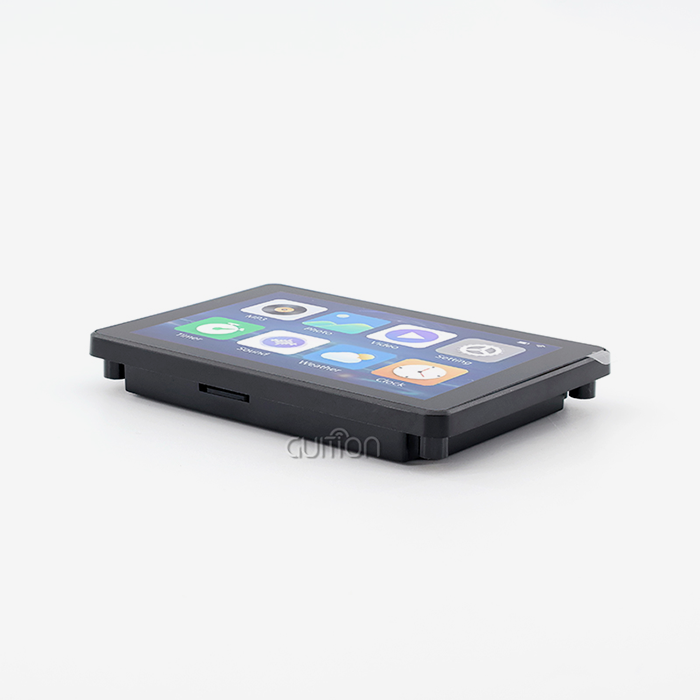
Technical specs tell you if a display module meets the needs of a project when you're looking at it for professional use. Resolution is an important factor—modules with 800x1280 pixels can display text clearly and make images that are clear enough for industrial control systems. The GUITION JC8012P4A1C_I_W_Y1 is a good example of this standard because its carefully designed LCD panel produces high-definition output.
Processing speed has a direct effect on how fast a system is. With its dual-core MCU running at 360MHz, the ESP32-P4 has a lot of computing power for rendering complex graphics quickly. This processor design has 768 KB of HP L2MEM, 32 KB of LP SRAM, and 32 MB of PSRAM. These memory configurations allow for smooth animation, quick screen changes, and the processing of multiple data sets at the same time, which is what industrial apps need.
Display Technologies and Their Applications
In each industry, different display technologies are used for different things. TFT LCD panels are most common in industrial settings because they are durable and inexpensive. On the other hand, IPS technology gives better viewing angles, which is important for medical monitoring where multiple clinicians are watching screens at the same time. Not only does the choice of these technologies affect the beauty of the images, but it also affects how reliable they are over time in harsh conditions.
Integration difficulty is based on how well two interfaces work together. Modern modules with UART, SPI, and RGB interfaces give you more options for connecting to control systems that are already in place. The GUITION module sets aside IO ports and TF card interfaces, which lets engineers add more features without having to remake circuit boards. This saves money on development and speeds up prototype testing.
Platform compatibility opens up more ways to develop. Support for Arduino IDE, ESP IDE, and MicroPython lets teams work in development environments they already know, instead of having to learn how to use new systems. This cross-platform method makes it easier to learn, and it lets embedded engineers use current code libraries and their knowledge to make new HMI solutions.
Resolution and Visual Performance
Resolution is directly related to how much information there is and how easy it is to read. An 800x1280 resolution module shows about 1,024,000 pixels, which lets designers show complex control interfaces, multi-parameter monitoring screens, or detailed schematics without making them hard to read. This pixel density enables font sizes that are easy to read at normal viewing distances in medical and commercial settings.
Color depth makes visual communication better. With support for 16.7 million colors, designers can use color-coded status indicators, gradient backgrounds, and photorealistic images of products to make things easier for users to understand. When showing vital signs on medical device interfaces, accurate color representation is helpful. On the other hand, industrial control panels use color differentiation to make important alerts stand out from normal status information.
How Display Modules Enhance User Experience in Professional Applications
When it comes to professional tools, the user experience is more than just how it looks. It also includes operating speed, reducing errors, and managing operator fatigue. By making information hierarchies clearer and allowing natural touch interactions, larger esp32p4 display module areas completely change how operators deal with complicated systems.
Visual Clarity in Industrial Control Systems
Display technology has to deal with some unique problems in industrial settings. When operators put on protective gloves, they need touch screens that can respond to less precise inputs. Ambient lighting can be dim in control rooms or bright on factory floors with overhead lights. The backlight control circuit in the GUITION module solves these problems by letting you change the brightness so that you can read in all kinds of lighting conditions without draining the battery in portable devices.
The size of the screen affects how information is organized. A well-thought-out interface on a screen of the right size puts the most important controls within easy reach while still letting you get to the less important ones without having to scroll or go through a lot of menus. This arrangement of space makes it easier for operators to think quickly when they need to make decisions based on data that is being shown.
When compared to traditional buttons, capacitive touch changes the way people connect with things. With multitouch motions like "pinch to zoom," workers can look at complex schematics or data plots without having to switch screens. Gesture-based controls cut down on the number of physical buttons that are needed. This makes panel design easier and lowers the number of places where equipment could break down if it is subjected to shaking or hard conditions.
Integration Ease and Development Efficiency
There is always pressure on development teams to cut down on time to market while keeping product quality high. This problem is fixed by the Guition development platform's drag-and-drop interface design tools, which get rid of the need for low-level code for basic UI elements. Instead of writing initialization code and managing coordinate systems by hand, engineers use intuitive configuration dialogs to place buttons, sliders, and indicators and then assign functions.
Rich control libraries make prototyping faster. Designers can quickly put together useful interfaces with pre-made parts for charts, gauges, progress bars, and data tables. These parts are made using standard design patterns, which ensure that all the screens in an app look the same and make testing easier because the core parts are already tested.
The ability to test across platforms makes fixing easier. Engineers test how the interface works on the target hardware while keeping an eye on system variables and the flow of execution from their development computers. Being able to see the state of the system in real time helps find timing problems, memory limits, or communication problems that might not show up in simulations.
Operational Benefits in Medical and Automotive Applications
Medical gadgets need tools that doctors and nurses can use reliably even when they are under a lot of stress. Vital sign monitors can be read from a variety of places around patient beds thanks to display units with high contrast ratios and wide viewing angles. Heart rate, blood pressure, oxygen saturation, and waveforms can all be shown at the same time on a single screen, so clinicians don't have to switch between screens as often during critical moments.
Sunlight-readable displays are useful for automotive applications because they stay visible in direct sunlight without using too much backlight power, which drains vehicle batteries. Dashboard screens that show directions, diagnostics, and entertainment settings need to have touch screens that are quick so that drivers can use them safely without having to take their eyes off the road for long periods of time.
Comparing Display Solutions: Making Strategic Choices
When making choices about what to buy, procurement officers have to weigh technical needs against budget limits and supply chain issues. Understanding how different screen sizes and specs work for different uses helps teams choose parts that do what they need to do without over-specifying, which drives up costs needlessly.
Size Considerations and Application Fit
Comparing the sizes of displays shows practical trade-offs. Seven-inch modules work well in situations where design choices are limited by room, like in handheld diagnostic tools or small control pendants where mobility is more important than screen size. These smaller screens make it harder to use interfaces that need to keep an eye on a lot of parameters at once or show a lot of data.
When control stations stay in one place, the benefits of bigger screens become clear. Interfaces that show the full status of a system at a glance are helpful for operators who are in charge of many machines or complicated processes. The extra screen space lets you set up layouts that organize information in a hierarchy, putting important alerts in a prominent place while keeping detailed diagnostics easy to reach through tabs or zones that are clearly labeled.
The device's size is bigger than just the working area of the screen. When building enclosures, engineers have to think about how much space there is for attaching bezels, driver boards, and connectors. When you combine modules with built-in controllers, you make mechanical design easier by reducing the overall depth of assemblies. This is important for control panels that are mounted on the wall or equipment that doesn't have a lot of room inside.
Supplier Evaluation and Performance Benchmarks
When looking for reliable suppliers, you need to look at both their technical skills and how they run their business. Well-known companies like Innolux and LG have a lot of products and a lot of technical information to back them up. Specialty stores like Waveshare and Adafruit, on the other hand, have strong community support and useful interface examples for prototyping.
Performance benchmarks give you a way to compare things in an objective way. The refresh rate determines how easily animations and videos play, which is very important for apps that show real-time video clips or data visualizations that change quickly. When the ESP32P4 Display Module shows standard color codes or when matching actual samples, like in quality control units for textile production, color accuracy is important.
The GUITION JC8012P4A1C_I_W_Y1 module shows how built-in wireless connectivity sets products apart from the competition. Since WiFi and Bluetooth are built in, there is no need for different transmission modules. This lowers the cost of the bill of materials and makes the design of the system easier to understand. This integration lets operators check on the status of the system from their phones or send firmware updates to deployed equipment without having to physically access it.
Procurement Strategies for Display Components
Finding technically ideal parts is only one part of effective buying. Other parts include managing the supply chain, lowering costs, and reducing risk. When choosing components, the strategic buying decisions that are made affect how flexible production is and how well the product can be maintained over time.
Volume Considerations and Pricing Dynamics
Teams can better plan when to buy things when they know the minimum order amounts. Some suppliers have large MOQs that work for high-volume production but make things hard for prototype runs or specialty equipment that is only used in small amounts. Teams can get parts for pilot production without having to pay a lot of money to keep an excessive amount of inventory on hand by finding providers that offer flexible order numbers.
In competitive markets, volume price has a big effect on product profits. Teams can more accurately predict costs when going from a prototype to mass production by building relationships with providers of display modules that offer clear price tiers. Through these connections, teams can often get help from engineers during the planning phase, which saves them a lot of money when it comes time to start making the product.
Lead times change project plans and how material is managed. Standard parts usually get shipped within a few days, but customized display configurations like custom touch overlays, specific backlighting, or changed connectors might take weeks. When you plan your buying schedule around realistic wait times, you can avoid project delays that slow down development and cause products to come out later than planned.
Supplier Reliability and Technical Support
How well teams solve integration and production problems depends on the quality of their after-sales support. Development risk is lower when suppliers offer thorough technical documentation, reference designs, and quick engineering assistance. Evaluation kits are available so that teams can test parts in a real system before making big purchases.
The quality of the documentation varies a lot between suppliers. Engineers need detailed datasheets that list electrical properties, mechanical tolerances, and environmental working ranges in order to build reliable systems. Software interfaces with clear documentation, such as driver source code and integration samples for common platforms, speed up firmware development and cut down on the time needed to fix problems.
A company that makes medical devices recently talked about how working with a display supplier that offers great technical support cut their development time by six weeks. When unexpected electromagnetic interference harmed touch performance, the supplier's engineering team quickly found grounding changes that fixed the problem without having to rethink the hardware. This shows that supplier knowledge adds value beyond just supplying parts.
Future-Proofing Display Investments
The growth of technology is constantly changing how displays work and how they are made. When teams choose display parts today, they need to think about how these choices will support future product improvements and changes in the market.
Emerging Display Technologies
When compared to regular LCD panels, OLED technology has big advantages when it comes to power efficiency and contrast ratios. Portable electronics with displays that use less power have longer battery lives, which is very important for medical devices that are carried around or field service tools that can't be charged at home. Because OLED screens have higher contrast ratios, they are easier to read in a range of lighting situations and don't need strong backlights.
Adding drivers makes system architecture easier. Modules that have display drivers decrease the number of exterior parts and the complexity of the PCB. This trend toward integration is shown by the ESP32-P4 architecture, which combines processing power, display control, and wireless connectivity into a single module. This makes it easier to design hardware and write software.
A smart touch interface makes it easier to engage. Modern controls can recognize gestures, reject palm input, and accept stylus input, which open up new ways to engage. For industrial training programs, interfaces that let you write notes or catch signatures by hand are useful. On the other hand, medical writing systems use stylus input for accurate data entry in tight form layouts.
Best Practices for Long-Term Success
In places where technology changes quickly, the longevity of a product depends on how easy it is to update the firmware. Products that can be updated remotely to new firmware can add features and fix security holes without having to call for service in the field, which extends their useful life. This forward-thinking approach is shown by the GUITION module's remote upgrade feature, which lets manufacturers improve deployed products over time instead of seeing them as fixed when they are shipped.
Monitoring power use is becoming more important as global standards for equipment efficiency get stricter. Display modules that send data about how much power they use through standard interfaces let system builders use smart power management methods that make grid-powered equipment last longer on a single charge or cost less to run.
Scalable customization options let you add more products as your business grows. Manufacturers who are making product lines can benefit from display platforms that offer a range of screen sizes, touch choices, and interface setups that work with all software. With this platform method, teams can use the same firmware for all versions of a product, which cuts down on development costs and makes upkeep easier.
Long-term partnerships with suppliers offer strategic benefits that go beyond just supplying parts. Sharing technology roadmaps with makers helps them plan how products will change over time based on the supply of parts. Early access to next-generation components gives you a competitive edge by letting you launch new models with better display technology before rivals who use normal channels can get their hands on the same components.
Conclusion
Choosing the right display module has a big impact on how users experience a product and how quickly it can be developed. Teams will be able to make simple interfaces within the project's limits if they have the right screen size, clarity, processing power, and development tools for the 10.1-inch display module. Modern integrated modules that combine display hardware with powerful processors and wireless connectivity make system architecture easier to understand while still giving users the advanced features they expect from modern gear. Strategic partnerships with suppliers and decisions about cutting-edge technology set up goods for long-term success in industrial, medical, and consumer markets that change quickly.
FAQ
1. What advantages do integrated wireless capabilities provide in display modules?
Built-in WiFi and Bluetooth make it possible to watch from afar, sync data, and update firmware over the air without needing any extra gear. This integration makes system design easier to understand, lowers the cost of parts, and adds IoT features that make goods in the industrial automation and smart device markets stand out more.
2. How does the development platform choice affect project timelines?
Supporting multiple development environments, such as Arduino IDE, ESP IDE, and specialized tools like Guition, lets teams work within frameworks they already know instead of having to learn how to use new systems. These features make it easier to learn, allow code libraries to be reused, and let teams use their existing knowledge to speed up development by weeks compared to platforms that need specific training.
3. What factors determine display module reliability in industrial environments?
Environmental requirements, such as working temperature ranges, vibration tolerance, and ingress protection scores, show that the product can handle harsh circumstances. Military-grade manufacturing methods and thorough testing protocols make sure that the system will work well for a long time. Track records and guarantee terms from suppliers can also give you an idea of how reliable they will be over long operation periods.
How Can Guition Accelerate Your Next HMI Project?
As a specialist in providing display modules and HMI solutions, Guition gives embedded engineers and product managers the technical know-how and development help they need to complete 10.1 icnh display module projects successfully. Our GUITION JC8012P4A1C_I_W_Y1 module has ESP32-P4 processing power, 800x1280 resolution, and built-in wireless connectivity. It's a full base for developing complex interfaces. The exclusive Guition development software gets rid of the need for complicated low-level code by using simple drag-and-drop design tools and a large library of control functions that speed up testing and cut down on time to market. Get in touch with David at david@guition.com to talk about how our experience as a display module manufacturer can help your unique application needs and development plan.
References
1. Chen, W., & Rodriguez, M. (2023). Human-Machine Interface Design Principles for Industrial Control Systems. Journal of Manufacturing Technology, 45(3), 178-195.
2. Thompson, K. L. (2022). Display Technology Selection Criteria for Medical Device Applications. Biomedical Engineering Review, 38(2), 112-129.
3. Anderson, P., & Liu, H. (2023). Embedded System Integration Strategies for IoT-Enabled Display Modules. International Journal of Embedded Systems, 16(4), 234-251.
4. Martinez, S. R. (2022). Cost-Benefit Analysis of Display Module Procurement Strategies in B2B Markets. Supply Chain Management Quarterly, 29(1), 67-84.
5. Park, J., & Williams, D. (2023). Emerging Trends in Capacitive Touch Display Technology for Industrial Applications. Advanced Display Technologies, 12(2), 145-162.
6. Kumar, R., & Zhang, Y. (2022). Power Management Optimization in Battery-Powered HMI Devices. Embedded Systems Engineering, 41(3), 198-215.
Learn about our latest products and discounts through SMS or email