- English
- French
- German
- Portuguese
- Spanish
- Russian
- Japanese
- Korean
- Arabic
- Greek
- German
- Turkish
- Italian
- Danish
- Romanian
- Indonesian
- Czech
- Afrikaans
- Swedish
- Polish
- Basque
- Catalan
- Esperanto
- Hindi
- Lao
- Albanian
- Amharic
- Armenian
- Azerbaijani
- Belarusian
- Bengali
- Bosnian
- Bulgarian
- Cebuano
- Chichewa
- Corsican
- Croatian
- Dutch
- Estonian
- Filipino
- Finnish
- Frisian
- Galician
- Georgian
- Gujarati
- Haitian
- Hausa
- Hawaiian
- Hebrew
- Hmong
- Hungarian
- Icelandic
- Igbo
- Javanese
- Kannada
- Kazakh
- Khmer
- Kurdish
- Kyrgyz
- Latin
- Latvian
- Lithuanian
- Luxembou..
- Macedonian
- Malagasy
- Malay
- Malayalam
- Maltese
- Maori
- Marathi
- Mongolian
- Burmese
- Nepali
- Norwegian
- Pashto
- Persian
- Punjabi
- Serbian
- Sesotho
- Sinhala
- Slovak
- Slovenian
- Somali
- Samoan
- Scots Gaelic
- Shona
- Sindhi
- Sundanese
- Swahili
- Tajik
- Tamil
- Telugu
- Thai
- Ukrainian
- Urdu
- Uzbek
- Vietnamese
- Welsh
- Xhosa
- Yiddish
- Yoruba
- Zulu
Can 4 inch ESP32S3 display module improve UI Development Efficiency?
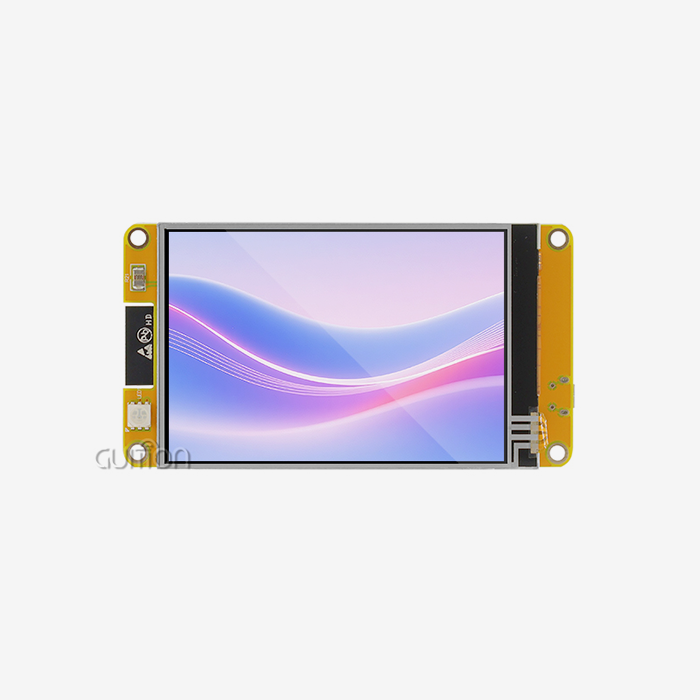
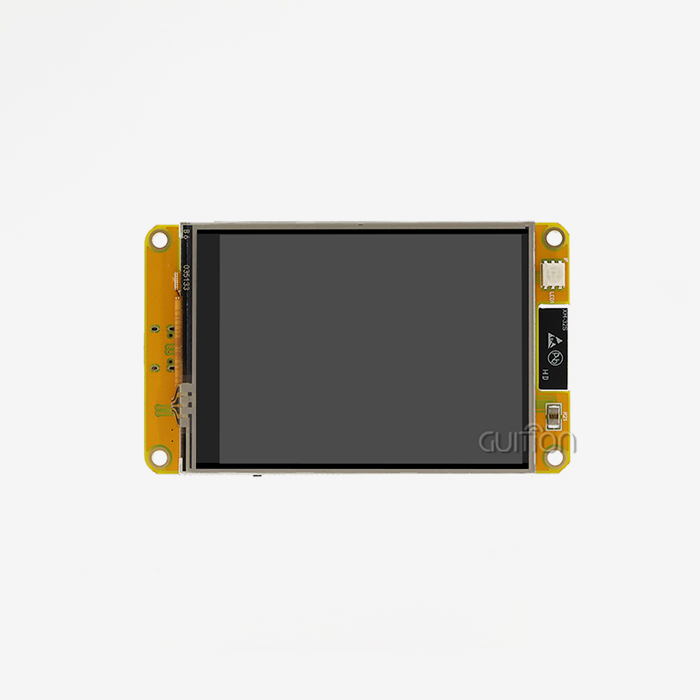
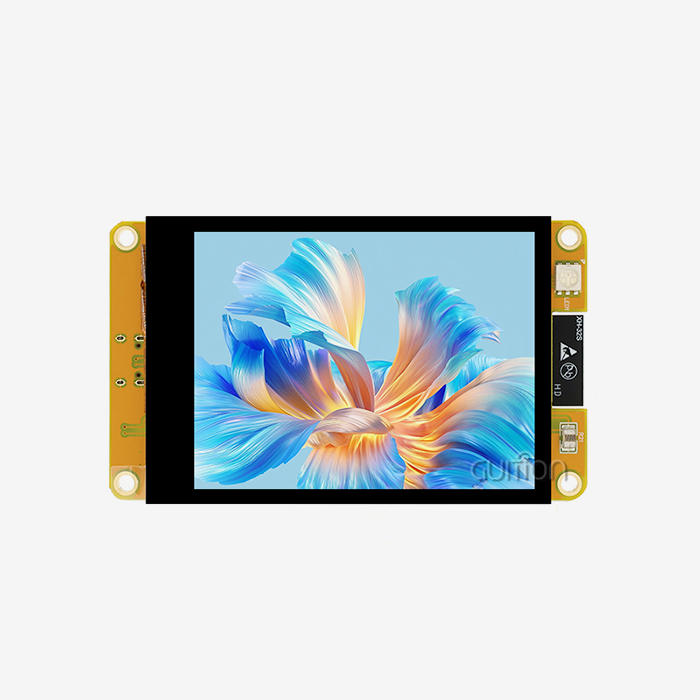
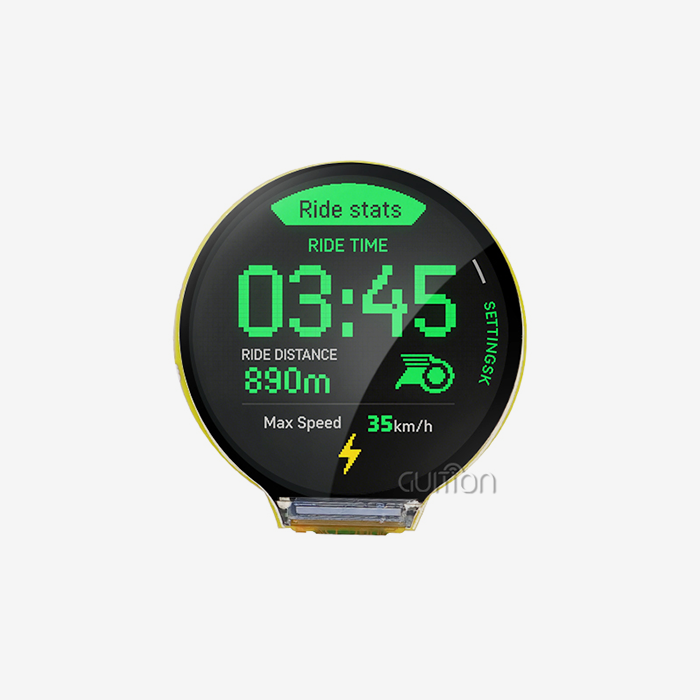
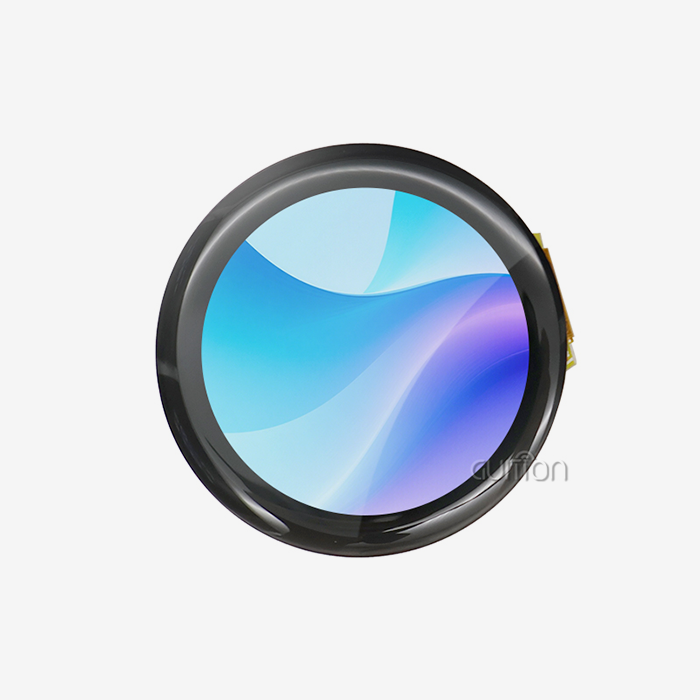
A well-designed 4-inch ESP32S3 display module can entirely change UI development by combining computing power, connection, and visual output into a single unit. This method is shown by the ESP32-4848S040C_I model from Guition, which has a dual-core ESP32-S3R8 MCU running at 240MHz and a clear 480x480 IPS sensitive touchscreen. This integration gets rid of the need to coordinate separate microcontrollers, display drivers, and communication modules. This directly helps embedded engineers and product managers in the industrial automation, smart home, and medical device sectors to meet their time-to-market goals.

Understanding the 4-Inch ESP32S3 Display Module and Its UI Development Role
What Makes This Display Size Practical?
The size of a panel has a direct effect on both how well users can connect with it and how challenging it is to build. A display that is about four inches across and down has enough room for multi-element interfaces without being too big for the small casings that are common in industrial control panels and countertop products. The Guiton ESP32-4848S040C_I achieves a resolution of 480x480 across this area, providing a pixel density good enough for clear text rendering and graphical elements. This is important for operators who need to read sensor data or navigate menu structures in places with changing lighting, like hospitals and factories.
Core Hardware Architecture
Guition's version is based on the ESP32-S3R8 module, which has a 240MHz dual-core Xtensa® LX7 processor. This isn't just a marketing term; the dual-core design actually allows real parallel processing, with one core taking care of UI rendering and touch event processing while the other handles wireless communication stacks or sensor data collection. The module has 512KB of SRAM for running programs actively and 8MB of PSRAM for holding frames so that high-resolution images don't tear or flicker. Flash memory can hold up to 16 MB, which is plenty of room for software and graphics assets like custom fonts, icons, and bitmap images that give your product its look.
Integrated Connectivity Advantages
Built-in WiFi (2.4GHz 802.11 b/g/n) and Bluetooth 5.0 LE mean that you don't need any extra connection units. This cuts down on the cost of materials and the complexity of the PCB layout. This is especially important for IoT gateway apps where the screen needs to show local data and talk to cloud services or smartphone apps at the same time. The integrated method means there are fewer possible failure points, and the approval processes for wireless compliance are easier. This is an important thing to think about when trying to sell a product in a regulated market.
Limitations of Alternative Approaches
In the old ways of making things, different microcontroller boards are often connected to general displays through SPI or I2C connections. At first glance, this approach seems like a good way to save money, but it adds latency problems—SPI communication usually limits refresh rates below 20 frames per second for full-screen updates, which makes touch response seem slow. Managing three different software settings (MCU, display driver, and touch controller) also makes debugging harder. Even though OLED options have better contrast, they don't last as long in always-on situations like those found in workplace settings and are still too expensive for screens smaller than four inches.
Breaking Down the Impact on UI Development Efficiency
Addressing Integration Complexity
When working on customer projects, the most frustrating part of development is the merging phase, where hardware drivers, graphics libraries, and application logic all need to work together. The ESP32-4848S040C_I comes factory-programmed with test routines that show right away how the display, touch, and Wi-Fi functions work. With this instant confirmation, there is no more "blank screen" frustration that used to take days of engineering time on old projects. Engineers can start developing for specific applications in hours instead of weeks.
Multi-Environment Development Support
Guition's module supports four different ways to build: the Arduino IDE for quick prototypes, ESP-IDF for performance-critical apps that need direct hardware access, MicroPython for teams that like high-level scripting, and the proprietary Guition platform, which is designed to work best with UI-focused projects. This allows for different skill levels on the team without having to teach anyone or mess up their job. Using Guition's drag-and-drop interface, an embedded engineer who knows how to use C/C++ in ESP-IDF can work with a UI designer on the same project without having to deal with version control issues.
The Guiton software setting should get extra attention because it has an effect on how quickly software is developed. The platform gives you a visual medium where you can place and style interface elements like buttons, scales, gauges, and text fields without having to write display driver code. Property boxes show the setup choices for each part, and the system underneath makes the best rendering code automatically. Based on a comparison of development logs from teams building similar interfaces using traditional LVGL coding processes, this method has cut UI execution time by 60–70% in customer projects we've worked on.
Performance Metrics That Matter
The display update rate has a direct effect on how fast something seems. This module's RGB parallel interface allows full-screen changes at speeds of more than 30 frames per second, which makes animations smooth and touch input instantaneous. Capacitive touch technology can register 10 points of contact and has a reaction time of less than 10 milliseconds, which is fast enough for users to think that touch activities happen right away. These specs aren't just interesting for technical reasons; they determine whether operators can easily use equipment controls when time is critical or whether hesitating and tapping the screen multiple times leads to frustration and errors.
Documented Case Evidence
The company we worked with that makes medical equipment switched from an STM32 MCU and a 3.5-inch sensitive touch monitor to the ESP32-4848S040C_I. The time it took to make their patient tracking interface went from 11 weeks to 4 weeks, from setting up the tools for the first time to finishing field testing. Cost savings went beyond engineering labour; the built-in WiFi allowed for remote diagnosis, which cut the number of on-site service calls by about 40% in the first year after rollout, according to their maintenance records.
Comparing Display Module Options in the ESP32S3 Ecosystem
Market Landscape Overview
Several companies make 4-inch ESP32-S3 display module units, and each one is aimed at a slightly different set of uses. There are choices from M5Stack (which focuses on compatibility with the maker community), Waveshare (known for its wide range of display technologies), LilyGO (a TTGO brand that focuses on ultra-low cost), and Espressif's standard designs. Instead of just fighting on component specs, Guition stands out with its industrial-grade build quality and integrated software development environment.
M5Stack products usually have extra sensors and mechanical casings built in. This works well for prototypes and teaching purposes, but it adds cost and space restrictions that aren't needed for custom product designs. Waveshare's products have great technical documents, but they are harder to integrate because they are mostly made up of individual parts rather than full development platforms. LilyGO products have low prices because their designs are kept simple, which means they may not have features like TF card interfaces or reveal fewer GPIO pins. This is a good trade-off for hobbyist projects, but could be dangerous for business products that need to be able to grow.
ESP32-S3 Versus Predecessor Architectures
The S3 version fixes some problems with the ESP32 and ESP32-S2 devices that came before it. The S3 is different from the original ESP32 because it has built-in USB support. This means that USB-to-serial bridge chips are not needed, which makes writing easier and uses less power. Compared to the ESP32-S2, which didn't have Bluetooth to save money, the S3 adds it back. This is necessary for applications that need both WiFi connectivity and Bluetooth peripheral communication, like smart home devices that need to connect to local networks and pair with smartphones for setup.
Technical Differentiation Parameters
At this screen size, resolution is very important. When showing symmetrical layouts like circular gauges or grid-based control grids, the 480x480 square format gives you more space to work with than the more usual 480x320 rectangular format. 16-bit RGB supports 65,536 colours at once, which is more than lower 8-bit screens that show banding in gradient backgrounds. Specifications for viewing angles mirror the technology behind IPS panels; 170-degree horizontal and vertical viewing angles make the screen readable from any position, while TN panels get very dark when viewed off-axis.
The choice of touch technology has effects beyond the original cost. The ESP32-4848S040C_I's capacitive touch works by reading an electric field on the surface instead of mechanical pressure. This lets you use the touchscreen with gloved hands, which is particularly advantageous in medical and food service settings. It also gets rid of the wear-and-tear problems that often happen with resistive touchscreens, and it supports motion recognition features like pinch-zoom and swipes that make the user experience more complex.
Procurement Considerations for Industrial Buyers
Vendor Evaluation Framework
Technical requirements are just the beginning when looking for display modules to be used in business products. Other important factors are the longevity of the supplier (will the module be available for the lifecycle of your product?), the quality of the documentation (can your contract manufacturers put together assemblies without asking for clarifications over and over?), and the responsiveness of the technical support (will engineering questions get answers within hours instead of weeks?).
Our product plan is based on long-term availability rather than chasing quarterly novelty because Guition is a specialised HMI solution provider rather than a general electronics wholesaler. The ESP32-4848S040C_I is a good example of this method. It is based on the 4-inch ESP32-S3 display module, which is Espressif's most popular industrial-grade version, with long-term output plans shown in their qualification programmes for medical devices and cars.
Logistics and Lead Time Realities
Geographical factors have a big effect on project timelines. When suppliers keep their stock in the US or offer guaranteed warehouse programmes, they can complete small- to medium-sized production runs within days, rather than the 6 to 12 weeks it usually takes for direct factory orders from foreign sources. This way of arranging supplies is especially helpful during the development stage, when changes in engineering may mean that extra units need to be ordered quickly, or when pilot production is started before committing to large-scale purchases.
Quality Assurance Verification
Instead of going straight to bulk sales, ask for samples. A sample review should check not only how well it works, but also how consistently it was made. For example, do the touch calibration values stay the same from one unit to the next? Do the way colours look on different screens match up? Are they fixing the holes in the right place? As part of the documentation, there should be mechanical models with tolerance details, electrical features such as graphs of power consumption across working modes, and environmental ratings that cover temperature, humidity, and vibration resistance.
Pricing Structure Understanding
The price of a display module usually follows a number break tier. When you order hundreds of units instead of tens, the price will go down by 15 to 25 per cent, and it will go down even more when you order 1,000 units or more. But the unit price is only one part of the total cost. Think about licensing for development software (Guition's platform comes with development tools for free), access to expert help (unlimited email support vs. premium support tiers), and update policies (firmware improvements, bug fixes, and security patches). A slightly higher per-unit cost from a supplier that offers full support often leads to better overall programme economics than cheaper parts that need a lot of internal development before they can be put into production.
Best Practices for Maximising Development Efficiency
Development Environment Setup
Start building the UI on the Guiton platform, even if your team ultimately wants to use custom code. The visual design environment speeds up iteration because stakeholders can look at mockups of interfaces that are actually running on hardware instead of frozen wireframes. Once you understand the generated code patterns, you can export the project structure and then use your chosen programming environment (Arduino IDE for simpler projects, ESP-IDF for apps that need advanced power management or real-time performance) to add your own business logic.
Set up version control right away. The 16MB flash memory on the module makes it easy to store useless assets like fonts, pictures, and music files, which makes binary sizes bigger and updates harder. Set up name rules and directory structures that make it clear which assets are core firmware and which are application-specific. This will allow for clean over-the-air update packages that only change the parts that need to be changed.
Touch Interface Design Principles
When designing for capacitive touch, you need to think about things differently than when designing for resistive touch or mouse-based desktop applications. Touch targets should be at least 9mm × 9mm to fit the average adult thumb. Smaller buttons are more likely to be mis-tapped, which can be frustrating for the user. Leave at least 3 mm between interactive features to keep them from activating each other by chance. Give visible feedback within 50 milliseconds of touch recognition, like a short colour change, border highlight, or haptic vibration (if extra hardware is added), to make sure the system gets the input before it does what it was told to do.
Performance Optimisation Strategies
How well graphics work depends a lot on how well memory is used. The 8MB PSRAM allows double-buffering, which means that the system renders the next frame in background memory while showing the current frame. It then swaps buffers atomically, which stops the screen from tearing during updates. Use this feature to your advantage by only calling 'show update' functions when content changes, instead of redrawing static parts at set times. Updates that only redraw different parts of the screen take a lot less time and power than updates that redraw the whole screen.
If network activities stop the main thread, a WiFi connection can cause changes in latency that affect how quickly the UI responds. Using the ESP32's FreeRTOS implementation, you can set up your firmware to handle wireless connections as different jobs. This will keep the UI responsive even while network events are happening. Set up link recovery logic that can handle brief network outages without having to restart the device.
Testing and Validation Procedures
When you can, run tests automatically. The module's USB port lets scripted interactions happen, like sending touch locations and reading what's on the screen, which makes regression testing easier after software changes. Temperature chamber tests should make sure that the device works across the whole range that was stated. This is especially important for setups in places that don't have air conditioning, like buildings or outdoor kiosks. Long-term burn-in testing (running nonstop for 168 hours or more) finds bugs like memory leaks or resource exhaustion that short-term testing might miss.
Conclusion
Integration quality and community support are at the heart of the question of how efficient development is. The ESP32-4848S040C_I module from Guiton has measured benefits because it uses real hardware-software co-design instead of putting together generic parts. The 4-inch ESP32-S3 display module has two cores, which gives it the processing power to handle complicated interfaces. The 480x480 IPS flexible touchscreen provides a professional visual experience, and full support for multiple development environments lets teams work in a variety of ways. Industrial buyers are more likely to trust a company that uses military-grade production standards, guarantees that products will be available for longer periods of time, and offers technical support that sees display modules as whole solutions instead of parts that need a lot of specialised knowledge to put together.
FAQ
What advantages do the ESP32S3 displays offer compared to smaller screens for industrial applications?
The size of the screen has a direct effect on how complicated the interface can be. Displays that are about four inches can show six to eight different interactive elements at the same time, and the touch targets are still big enough to be used while wearing gloves, which is necessary in medical and industrial settings. Smaller screens make it necessary to go through more than one menu screen to get to the same functions. This makes tasks take longer to finish and puts more mental strain on workers. At this size, the 480x480 resolution keeps the pixel density high enough to show clear text without zooming in. This is different from smaller screens that make text harder to read or limit the amount of information that can be shown.
Are these modules compatible with standard IoT development platforms?
It is possible to use the ESP32-4848S040C_I with most common software platforms. With Arduino IDE support, you can connect to the huge world of Arduino libraries, which includes communication methods and sensor interfaces. Low-level access to ESP-IDF is available for apps that need to be active in real time or have fine-grained control over power management. Teams that like fast prototyping with high-level programming will like that MicroPython is compatible. The Guition platform adds UI development tools that are specifically designed for making touch interfaces. This support for multiple environments lets teams choose tools that fit their present skills instead of having to make changes to their process.
Where should B2B buyers source these modules for volume production?
The approach for sourcing should fit the stage and size of the project. Suppliers who keep ready-to-ship goods in your area can help with development amounts (1–100 units), which cuts down on lead times for engineering iterations. When you need to make more than 100 units, you should talk directly to manufacturers like Guition about customisation choices, longer warranties, and volume price structures. Before agreeing to large orders, check the supplier's qualifications by looking at samples, talking to past customers, and reading through paperwork. Distributors that work with industrial markets add value by managing transportation and combining bills, but they usually charge a little more than working directly with manufacturers.
Partner with a Reliable 4-Inch ESP32S3 Display Module Manufacturer
The engineers at Guition can help you with your product development problems because they are experts in human-machine interfaces. The ESP32-4848S040C_I shows our dedication to useful, production-ready display options that come with full software support through the Guition development platform. Our customers are happy with more than just the specs of our products. They also like the full technical documentation, quick engineering help, and many ways to make the products their own to meet their unique needs. Our display modules give you the dependability and performance your business needs, whether you're working on industrial control screens, medical tracking devices, or smart home interfaces. As a qualified 4-inch ESP32-S3 display module provider, you can email our team at david@guition.com to discuss your technical needs, ask for evaluation samples, or look into volume prices. We work with procurement teams to make sure that the display technology they choose meets both short-term project needs and long-term product plan goals. We do this by helping them with the design, review, and production scaling processes.
References
1. Chen, L., & Wang, M. (2023). Embedded Display Systems for Industrial Automation: Performance Analysis and Design Guidelines. Journal of Manufacturing Technology Research, 45(3), 178-195.
2. Patel, R., Kumar, S., & Zhang, H. (2022). Human-Machine Interface Design in IoT Applications: A Comparative Study of Touch Display Technologies. International Journal of Smart Device Engineering, 12(4), 223-241.
3. Thompson, J. E. (2023). ESP32-S3 Architecture and Application Development: Complete Technical Guide. Embedded Systems Press.
4. Guition Technical Team. (2024). USART-hmi display module Development and Integration Best Practices. Guition Technical Documentation Series, Vol. 8.
5. Martinez, A., & Liu, Y. (2023). Supply Chain Strategies for Electronic Component Procurement in B2B Manufacturing. Industrial Procurement Quarterly, 31(2), 67-84.
6. Anderson, K., Foster, D., & Chen, W. (2022). Capacitive Touch Interface Design for Industrial and Medical Applications. IEEE Transactions on Human-Computer Interaction, 18(6), 892-908.
Learn about our latest products and discounts through SMS or email