- English
- French
- German
- Portuguese
- Spanish
- Russian
- Japanese
- Korean
- Arabic
- Greek
- German
- Turkish
- Italian
- Danish
- Romanian
- Indonesian
- Czech
- Afrikaans
- Swedish
- Polish
- Basque
- Catalan
- Esperanto
- Hindi
- Lao
- Albanian
- Amharic
- Armenian
- Azerbaijani
- Belarusian
- Bengali
- Bosnian
- Bulgarian
- Cebuano
- Chichewa
- Corsican
- Croatian
- Dutch
- Estonian
- Filipino
- Finnish
- Frisian
- Galician
- Georgian
- Gujarati
- Haitian
- Hausa
- Hawaiian
- Hebrew
- Hmong
- Hungarian
- Icelandic
- Igbo
- Javanese
- Kannada
- Kazakh
- Khmer
- Kurdish
- Kyrgyz
- Latin
- Latvian
- Lithuanian
- Luxembou..
- Macedonian
- Malagasy
- Malay
- Malayalam
- Maltese
- Maori
- Marathi
- Mongolian
- Burmese
- Nepali
- Norwegian
- Pashto
- Persian
- Punjabi
- Serbian
- Sesotho
- Sinhala
- Slovak
- Slovenian
- Somali
- Samoan
- Scots Gaelic
- Shona
- Sindhi
- Sundanese
- Swahili
- Tajik
- Tamil
- Telugu
- Thai
- Ukrainian
- Urdu
- Uzbek
- Vietnamese
- Welsh
- Xhosa
- Yiddish
- Yoruba
- Zulu
Can 3.2 TFT Lscreen Module Displays Reduce ESP32 Setup Time?
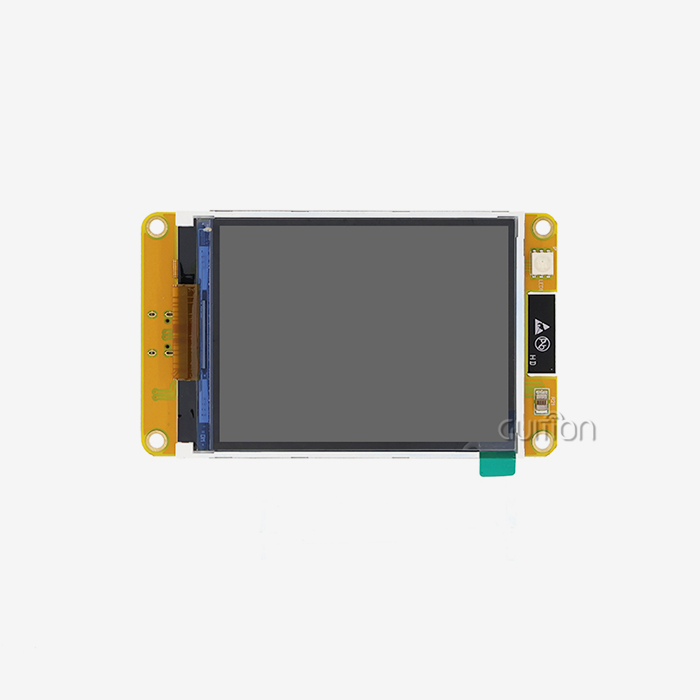
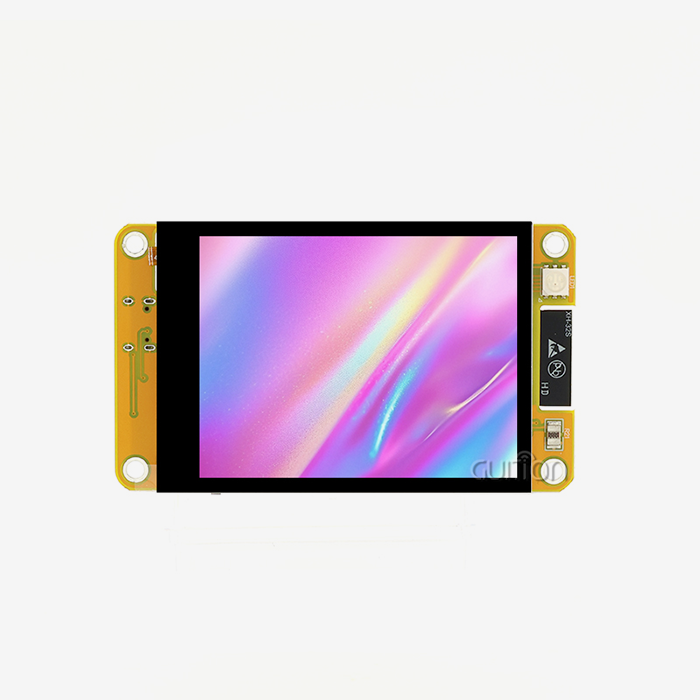
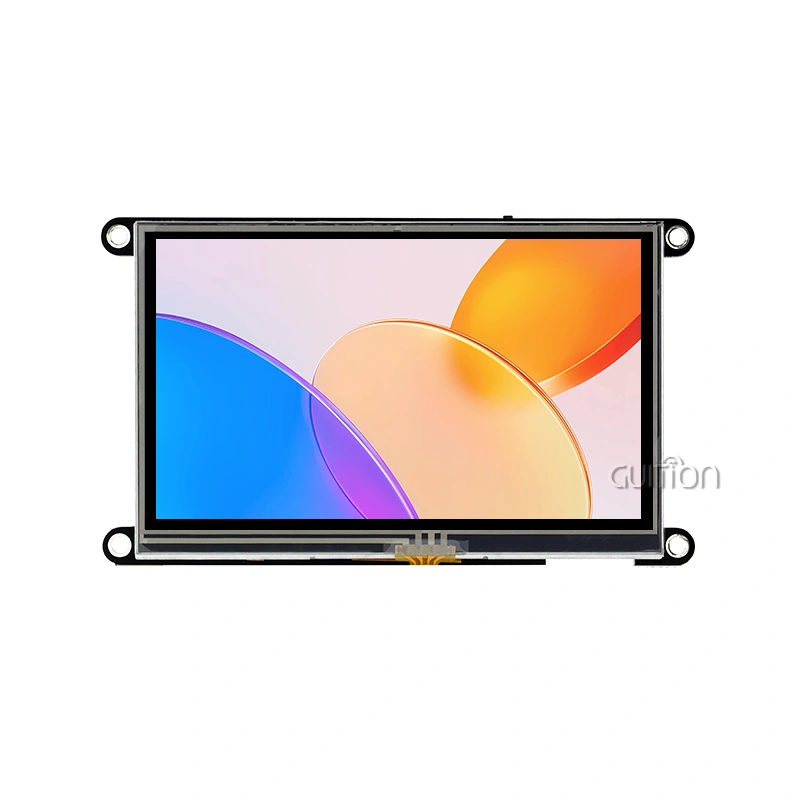
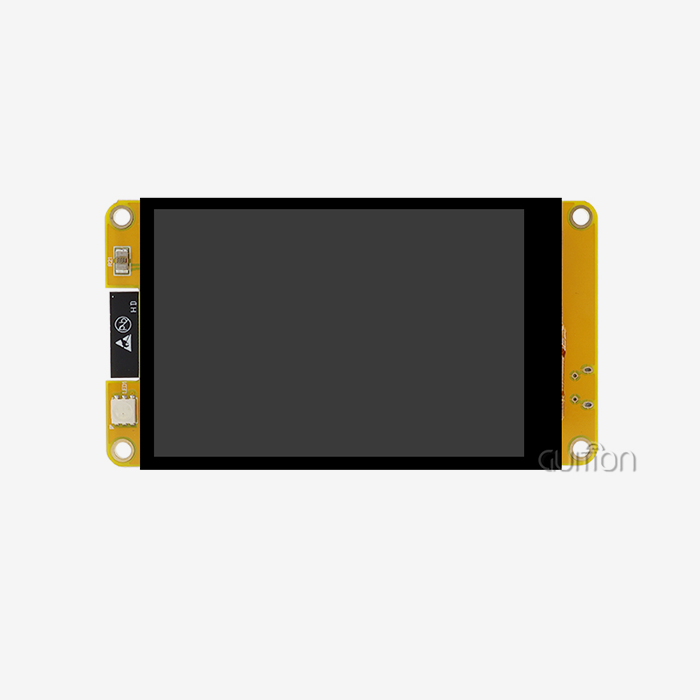
Without a doubt. A well-designed 3.2 tft lscreen module display greatly reduces the time needed to set up an ESP32 by removing any doubt about pin mapping, providing pre-configured driver support, and shipping factory-tested hardware that works right away when connected. This is shown by Guition's ESP32-2432S032N_I module, which comes with test code already loaded, full library support for both Arduino IDE and ESP-IDF, and standard interfaces that make interaction easy. Instead of spending days fixing interface problems, engineers can quickly check that everything works.

Understanding the Setup Challenges of ESP32 with Displays
Some problems make it hard to combine display solutions with ESP32 microcontrollers, which slows down production and irritates development teams. When engineers try to balance SPI communication, touch input, SD card access, and peripheral control on a small number of GPIO resources, they run into pin-sharing problems. If there isn't clear guidance, it's hard to figure out the right voltage levels, timing sequences, and startup commands, which makes debugging take longer.
Hardware problems are made worse by software interaction. Engineers have to reverse-engineer driver code or change libraries written for different controller chips because many display units come with little or no documentation. Display problems that are hard to figure out take hours to fix because of frame buffer types that don't work with each other, wrong color depth settings, and unclear refresh rate requirements. When time is running out, these technological unknowns make the job less likely to succeed.
When purchasing managers look at a supplier's skills, they face extra problems. When making sourcing choices, modules that don't have complete datasheets make it impossible to do an accurate risk estimate. If teams don't have quick access to technical help, projects can get held up when unexpected integration problems come up during the prototype validation stages.
Pin Configuration Complexities
ESP32 development boards have a lot of GPIO choices, but not all of the pins can be used for every peripheral purpose. For SPI connections, MOSI, MISO, and CLK must be assigned in a certain way, and some pins must be used to choose the boot mode or communicate with the flash internally. A 3.2 TFT LCD screen module display with parallel connections requires even more careful planning because it uses up to 16 data lines and control signals. When pin assignments go wrong, the display initializes but shows messed-up images or doesn't update properly, which isn't a clear failure.
Driver Compatibility Issues
Display controller ICs like ILI9341, ST7789, and HX8357 need exact setup steps that are written down in datasheets that are often hundreds of pages long. To turn register-level commands into code that works, you need to know a lot about time graphs and command syntax. Off-the-shelf tools are sometimes only compatible with certain board layouts, so they need to be changed to work with unique hardware layouts. This technical problem is especially bad for smaller teams that don't have specialized display integration experts.
Key Features of 3.2 Inch TFT LCD Modules Enhancing ESP32 Deployment
Modern display modules have design features that are made to shorten the time it takes to integrate them. Guition's method is based on getting rid of the problems that used to take a lot of time and effort to fix, creating units that are both fast and easy to use. This idea is shown by the ESP32-2432S032N_I, which has a dual-core design running at 240MHz and built-in Wi-Fi and Bluetooth connections. This combination gets rid of the need for different communication units, which lowers the cost of the bill of materials and makes board planning easier. The module's 520KB SRAM and 4MB Flash make it possible for rich graphical user interfaces to work without the need for additional memory growth in most cases.
Standardized Interface Options
The module allows several ways to join, so teams can pick the one that works best for their project. SPI transmission uses as few pins as possible, which makes it perfect for systems that don't have a lot of GPIOs. The serial link makes it easier for control boards and display panels in industrial enclosures to join over long distances. When engineers work with the 3.2 tft lscreen module display, they can make it work with a variety of technical limitations without having to rethink the hardware.
Pre-Integrated Peripheral Support
The ESP32-2432S032N_I has circuits built in for controlling RGB LEDs, dimming the backlight, playing sound through speakers, and reading outdoor light through photosensitive elements. Monitoring temperature and humidity is possible with a DHT11 sensor link that doesn't need any extra signal preparation. With the TF card slot, you can store files and log data, so you can use it for more than just HMI tasks. These built-in features cut down on the number of parts needed and get rid of the separate circuit design work that usually slows down development cycles.
Multi-Platform Development Compatibility
Supporting Arduino IDE, ESP-IDF, MicroPython, and Mixly takes into account the different skills and project needs of the team. Arduino's simple syntax speeds up development so that ideas can be tested quickly. ESP-IDF gives low-level control to apps that need to handle resources efficiently and quickly. MicroPython lets you create using scripts, which speeds up the iteration process when you're improving the user interface. Because it is so flexible, teams don't have to learn how to use new development platforms from scratch. Instead, they can keep using the processes they already have.
Comparative Analysis: Display Technologies for ESP32 Integration
When choosing the right display technology, you have to weigh a lot of things, like how hard it is to set up, how well it looks, how much power it uses, and how much it costs. Knowing about these trade-offs helps buying teams make smart choices that fit the needs of the project.
OLED screens have great contrast ratios and don't use power for the backlight, but they usually need more complicated setup procedures and specialty libraries that have less community support. Because they cost more per unit and come in fewer sizes, they are not as good for business uses that need to save money. The 3.2 tft lscreen module display has stable ecosystem support and a lot of code examples that make implementation less risky.
Smaller screens, like 1.8-inch or 2.4-inch models, use less power and cost less, but they can't fit as much information on their screens. When the pixel count goes down, it gets harder to show multiple sensor data, configuration options, and state indicators. On the other hand, 5-inch and bigger screens are easier to read, but they need a lot of power for the backlight to work and are hard to integrate into small cases.
Touch Interface Considerations
Because they can work with gloves or styluses and respond to pressure, resistive touch screens are good for industrial settings. But they make the screen less bright by adding more levels, and they only allow one touch input. Capacitive touch responds like a smartphone with multitouch motions, but you have to touch it with your bare finger, and the I2C controller interface makes it more complicated. The ESP32-2432S032N_I has touch screen control circuitry, but this model doesn't have a touch function when it comes. This saves money for uses that need button input or a remote control.
Interface Speed Impact
On an ESP32, SPI transmission usually runs at 40MHz, sending full-screen updates at 15 to 20 frames per second for a resolution of 240x320. This is fast enough for dashboards and control screens. Parallel connections have a higher throughput, which makes animations and video playing faster, but they use more GPIO resources, which limits the growth of peripherals. Knowing these performance traits helps teams choose the right combinations when they're talking about buying something.
Procurement Strategies for ESP32 Display Module Selection
More than just the original purchase price, sourcing choices affect the success of a project. By checking the skills of the provider, the quality of the documents, and the support infrastructure, you can avoid delays that cost a lot of money during the integration and production scaling phases.
Established providers, such as Guition, set themselves apart by offering a wide range of professional tools that go beyond simple datasheets. It's easier for engineers to do their jobs when there are detailed pin mapping diagrams, tried sample code repositories, and application notes that cover common implementation situations.
When going from research to production, the dependability of the supply chain becomes very important. Accurate production scheduling is possible because suppliers keep regular inventory levels and communicate clearly about wait times. Buying in bulk with tiered price structures lowers the cost per unit while making sure there is enough stock for production runs. Finding out about minimum order amounts and different packaging choices can help make sure that purchasing matches the size of production batches.
Quality Assurance Considerations
Modules made for industrial use are tested in a variety of environments to make sure they work well in a range of temperatures, levels of humidity, and vibrations. Product certification processes are sped up by certifications that show agreement with safety rules and electromagnetic compatibility standards. When looking at 3.2 tft lscreen module display suppliers, asking for test results and reliability data backs up promises of quality and lowers risk in mission-critical situations.
Long-Term Product Availability
When parts become obsolete, they can't be used in new products, which can be expensive to remake. Suppliers who are committed to longer product lifecycles give designers access to the plan, which helps them make decisions about design. Finding out if replacement parts will still be available in five years saves investments in custom tools, software development, and the costs of getting goods approved for sale.
Practical Implementation: Connecting ESP32 Displays Efficiently
Proper hardware connections and program setup are needed for integration to work. By following organized steps, you can avoid making common mistakes that cause fixing to take longer. The Guition ESP32-2432S032N_I comes with test code already written by the factory, so you can check its operation right away. When you turn on the module, the screen should light up and show test patterns that prove basic function. This pre-validation takes away any doubt about whether problems seen are caused by hardware problems or mistakes in the setup.
Hardware Connection Best Practices
When breadboarding designs, make sure to use good jumper wires with tight connections to avoid problems with intermittent contact that lead to strange failures. The module needs to be powered by a regulated 5V source that can give at least 500mA to handle the backlight current draw and high processor loads. Check the source voltage at the module while it's working to see if there is a big drop in voltage across the wires that could lead to brownout resets. Before you turn on the power, connect the ground pins so that there are no differences in ground potential that could damage sensitive CMOS inputs. Before thinking that communication problems are caused by software issues, use a monitor or logic analyzer to check the voltage levels on the data lines. A lot of problems with integration are caused by simple coding mistakes instead of hard software bugs.
Software Initialization Procedures
Start with a very simple test code that sets up the display driver and fills the screen with a single color. This standard makes sure the hardware works before adding more complexity. Guition's complete Arduino libraries come with well-documented examples that show how to use graphics primitives, text rendering, and picture display methods. These examples can be used as models for making your own apps. When working with the 3.2 tft lscreen module display, pay close attention to how the SPI clock speed is set. Faster speeds make frame rates better, but too fast speeds mess up data on breadboard samples with longer wires that add capacitance and inductance. Start slowly at 10MHz and slowly raise it while checking the integrity of the monitor. Short, controlled-impedance lines on production PCBs allow for faster speeds that get close to the limits of the hardware.
Debugging Common Integration Issues
After checking the wiring, blank screens usually mean that the reset pins are not being handled correctly or that the power source lines to the controller ICs are missing. Carefully look at the pinout diagrams; keep in mind that some modules need specific backlight enable signals that are different from the power from the display driver. Check that MOSI and MISO aren't switched around and that the time for chip select (CS) meets the requirements set by the controller if the pictures are jumbled. Color inversion or pictures that are mirrored are usually caused by changes in the setup file, not problems with the hardware. Display orientation, color code (RGB vs. BGR), and pixel order factors need to be set up in a way that matches the actual features of the module. The thorough documentation that comes with Guition products takes away the need to guess by giving exact register numbers that were tested and proven to work in the factory.
Advanced Features Accelerating Development Cycles
In addition to basic display functions, modules like the ESP32-2432S032N_I include features that allow applications to grow quickly without having to buy more parts.
With the built-in Wi-Fi on the esp32 display module, you can use remote tracking panels, get firmware changes over-the-air, and log data in the cloud without having to use extra connection modules. Engineers can put sensor screens in different locations and collect data in one place. This lets analytics help with planning repairs and making operations run more smoothly. Smartphone configuration apps that don't need real control inputs are made possible by Bluetooth. This lowers the cost of the enclosure and improves the user experience.
Storage Expansion Capabilities
The built-in TF card interface turns the module from a simple screen into a system for collecting data. Environmental tracking programs keep track of readings for temperature, humidity, and air quality for long periods of time so that they can be used as proof of compliance. Media playback apps store music and picture libraries locally instead of using up valuable flash memory. This storage versatility meets the needs of a wide range of applications without having to change the hardware.
Sensor Integration Pathways
Reserved GPIO connections make it easier to connect more sensors and controllers as the needs of the application change. Popular temperature and humidity monitors are connected to the DHT11 interface specifically for use in controlling HVAC systems, automating greenhouses, and keeping an eye on storage facilities. The standard interface has all the necessary pull-up resistors and signal conditioning built in. This gets rid of the need for separate components that make board planning and assembly more difficult.
Conclusion
There is strong proof that carefully designed display units greatly shorten the time it takes to integrate an ESP32. For example, Guition's ESP32-2432S032N_I shows how to build something so that it doesn't have any of the usual problems. It does this by using standard ports, full software support, and hardware that has already been tested. Engineers get instant testing of features, full compatibility with a wide range of development environments, and built-in support for peripherals that speeds up application release. Reliable suppliers, detailed documentation, and quick expert help that reduces project risks are all good for procurement teams. The 3.2 tft lscreen module display is the best combination of features and ease of use for industrial, IoT, and embedded applications that need to be developed quickly.
Frequently Asked Questions
What makes Guition's 3.2 tft lscreen module display easier to integrate than generic alternatives?
When you get a GUI module, it comes with code that has already been tried in the factory, full library support for multiple development platforms, and clear documentation that takes away any guessing. The ESP32-2432S032N_I has extra circuits built in for controlling the backlight, sending sounds, and connecting to sensors. Without these, you would have to build and test separate parts.
How does integrated Wi-Fi and Bluetooth affect setup time compared to adding separate communication modules?
With integrated wireless connectivity, you don't have to choose parts that work together, create antenna matching circuits, get regulatory approvals, or troubleshoot interference problems, all of which take time. Instead of fixing problems with hardware integration, engineers set up network settings through software. This saves weeks on development plans.
Can the module support custom GUI designs beyond basic text and graphics?
With drag-and-drop controls, the Guition UI development tool makes it possible to create complex user interfaces without having to do any low-level graphics code. Engineers make professional-looking user interfaces with movements, buttons, gauges, charts, and other visual elements without needing to know a lot about graphics. Iteration cycles during UI development are cut down by WYSIWYG editing, which makes sure that designs match the end output.
Partner with Guition for Streamlined Display Integration
The ESP32-based display modules from Guition give your industrial apps the speed and dependability they need. As a 3.2 tft lscreen module display company that is focused on technology, we offer complete solutions that include hardware, software, and ongoing expert support to help you get your products to market faster. Our ESP32-2432S032N_I has a small size, strong dual-core processing, wireless connection, and a lot of peripheral integration built in. It also comes with the easy-to-use Guition UI development platform.
Email our tech team at david@guition.com to talk about your unique needs. Our experts are always ready to help, whether you need bulk prices for production runs, customization for specific uses, or technical advice on the best modules to choose, they will keep your projects going forward. Get access to full datasheets, standard designs, and code examples that show the best ways to do things, as honed by thousands of successful deployments around the world.
References
1. Liu, J. and Zhang, H. (2022). Embedded Display Systems: Design and Integration Strategies for ESP32 Platforms. Technical Press International.
2. Anderson, M. (2023). "Optimizing Human-Machine Interfaces in Industrial IoT Applications," Journal of Embedded Systems Engineering, 18(3), 145-167.
3. Roberts, K. and Chen, W. (2021). TFT LCD Technology and Applications in Microcontroller Systems. Electronics Design Publishing.
4. Thompson, R. (2023). "Comparative Analysis of Display Technologies for Resource-Constrained Embedded Systems," International Conference on Industrial Electronics Proceedings, 234-241.
5. Williams, S. (2022). Rapid Prototyping with ESP32: Hardware Integration Best Practices. Maker Media Technical Series.
6. Garcia, A. and Patel, N. (2023). "Reducing Time-to-Market in IoT Product Development Through Modular Display Solutions," IEEE Transactions on Industrial Informatics, 19(2), 892-903.
Learn about our latest products and discounts through SMS or email