- English
- French
- German
- Portuguese
- Spanish
- Russian
- Japanese
- Korean
- Arabic
- Greek
- German
- Turkish
- Italian
- Danish
- Romanian
- Indonesian
- Czech
- Afrikaans
- Swedish
- Polish
- Basque
- Catalan
- Esperanto
- Hindi
- Lao
- Albanian
- Amharic
- Armenian
- Azerbaijani
- Belarusian
- Bengali
- Bosnian
- Bulgarian
- Cebuano
- Chichewa
- Corsican
- Croatian
- Dutch
- Estonian
- Filipino
- Finnish
- Frisian
- Galician
- Georgian
- Gujarati
- Haitian
- Hausa
- Hawaiian
- Hebrew
- Hmong
- Hungarian
- Icelandic
- Igbo
- Javanese
- Kannada
- Kazakh
- Khmer
- Kurdish
- Kyrgyz
- Latin
- Latvian
- Lithuanian
- Luxembou..
- Macedonian
- Malagasy
- Malay
- Malayalam
- Maltese
- Maori
- Marathi
- Mongolian
- Burmese
- Nepali
- Norwegian
- Pashto
- Persian
- Punjabi
- Serbian
- Sesotho
- Sinhala
- Slovak
- Slovenian
- Somali
- Samoan
- Scots Gaelic
- Shona
- Sindhi
- Sundanese
- Swahili
- Tajik
- Tamil
- Telugu
- Thai
- Ukrainian
- Urdu
- Uzbek
- Vietnamese
- Welsh
- Xhosa
- Yiddish
- Yoruba
- Zulu
Best Practices for ESP32 Module LCD Wiring and Code
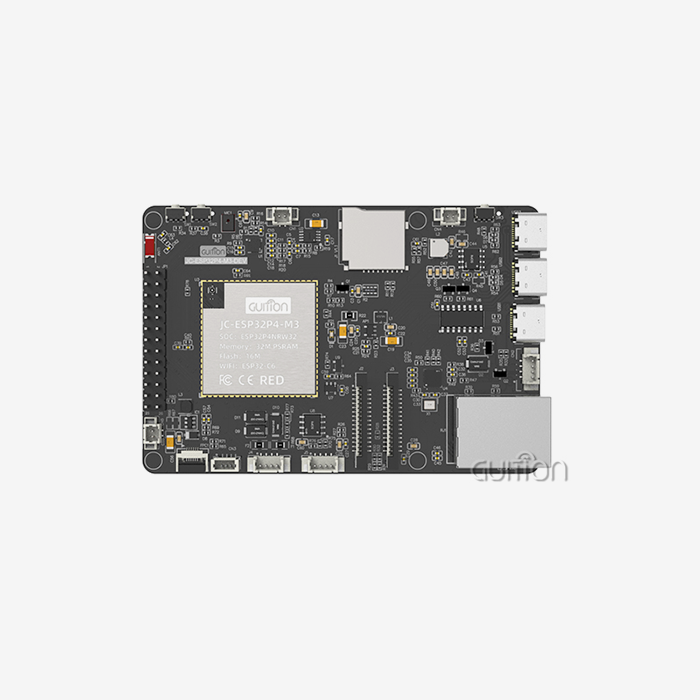
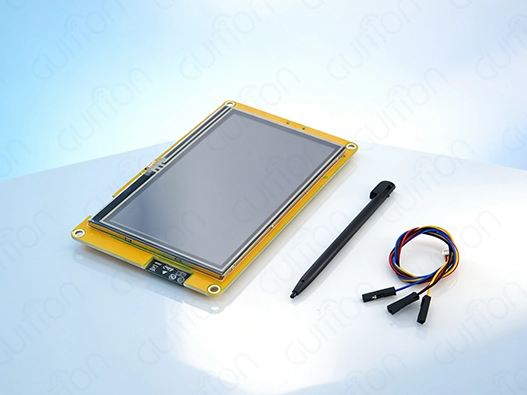
Best practices for ESP32 module LCD wiring and code implementation focus on proper pin configuration, voltage management, and optimized programming techniques. When working with ESP32 module LCD systems, establishing reliable connections through systematic wiring approaches prevents common issues like display flickering and data corruption. Effective code structure incorporating appropriate initialization sequences, display drivers, and memory management ensures stable operation across industrial applications. Modern ESP32 module LCD solutions like the Guition ESP32-4827S043R demonstrate how integrated design simplifies implementation while maintaining professional-grade performance standards.
Understanding ESP32 LCD Displays and Wiring Fundamentals
Intelligent display solutions that blend computer power with visual interfaces are becoming more and more important in modern embedded systems. When paired with LCD screens, the ESP32 microcontroller family gives you a lot of options for making powerful human-machine interfaces for a wide range of commercial uses.
Types of LCD Displays Compatible with ESP32 Modules
Because they reproduce colors so well and are bright, TFT LCD screens are the most popular choice for ESP32 integration projects. Most of the time, these screens offer 16-bit RGB color depth, which gives you bright 65K color output that makes the user interface look better. OLED screens have better viewing angles and brightness ratios, but they use more power when showing bright images. When static material isn't changed very often, e-paper screens work great in low-power settings.
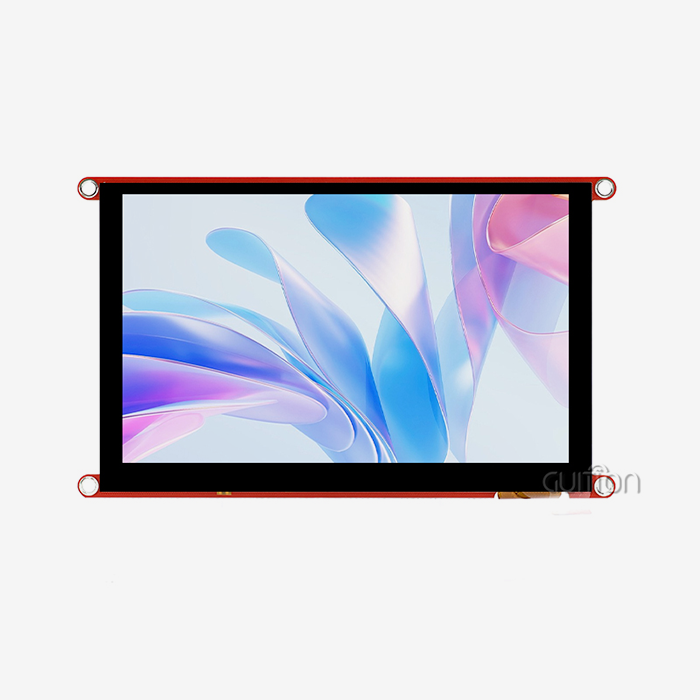
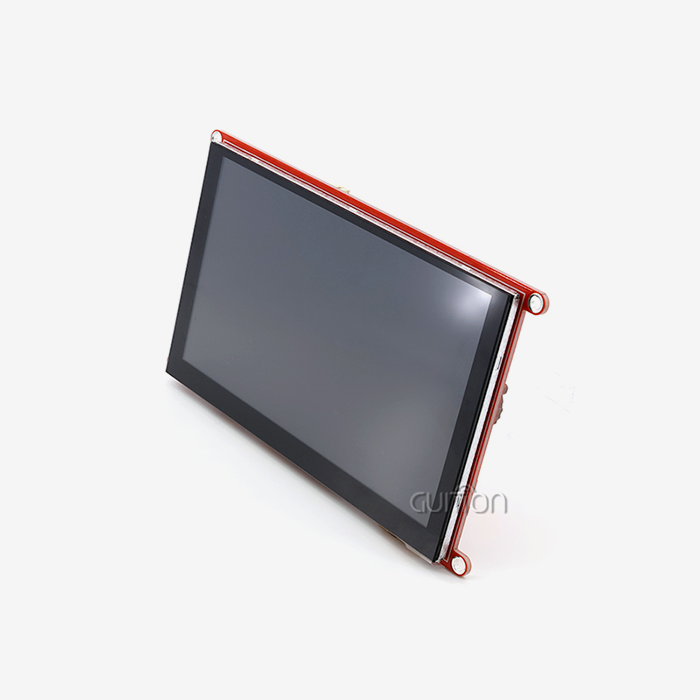
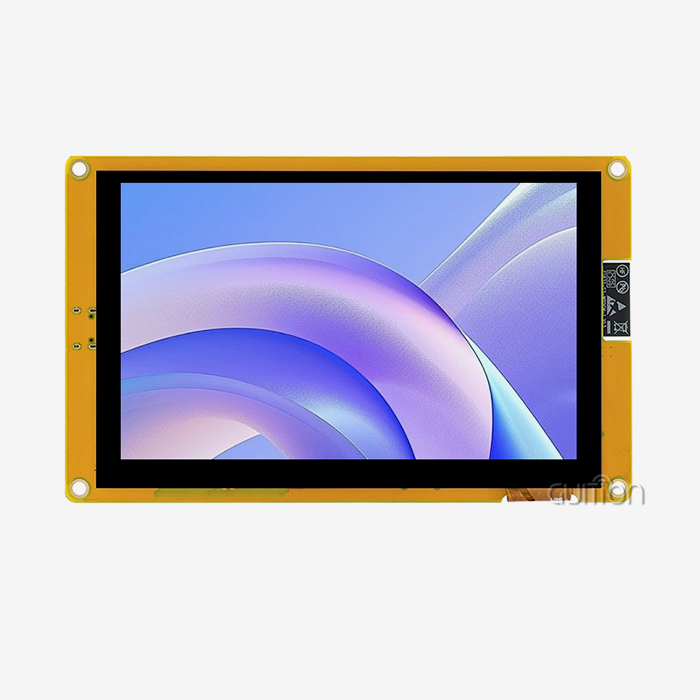
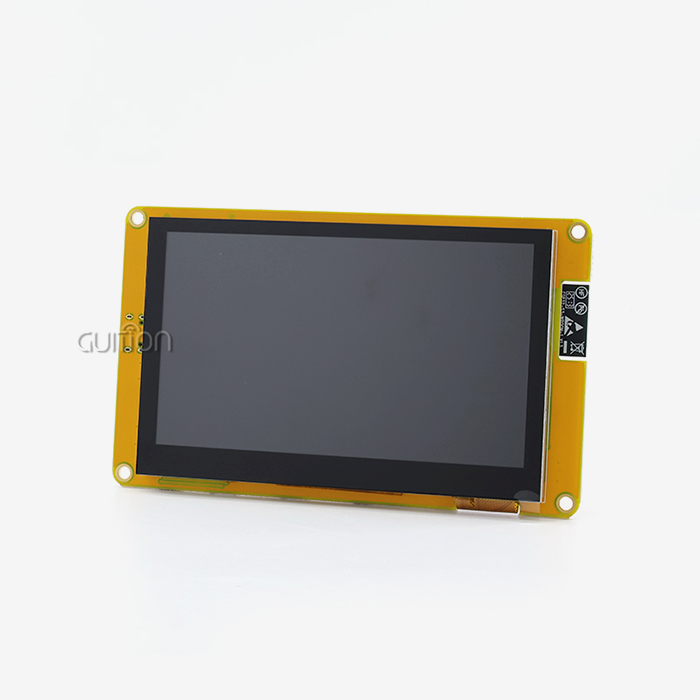
IPS (In-Plane Switching) technology, which offers viewing angles of up to 178 degrees, is useful in industrial settings. This function is very important for control screens that can be reached from different places. The Guition ESP32-4827S043R is a great example of modern integrated design. It has a 4.3-inch TFT display with a resolution of 480×272 that makes the picture look good while also being quick to process.
Power Supply and Voltage Considerations
Managing power correctly is the key to making sure that the ESP32 module LCD works well. The ESP32's default operating voltage is 3.3V, which is what most screens need. Backlight circuits, on the other hand, often need 5V or higher, so power transfer needs to be carefully planned. Linear regulators give off clean power but make heat. Switching regulators, on the other hand, work better for battery-powered devices.
Changes in voltage can lead to problems with the monitor and transmission. Noise disturbance can be cut down by putting in the right filtering capacitors near the power pins. The ESP32-S3R8 processor in advanced modules has built-in power management features that make it easier to connect external circuits and keep the device running smoothly at different temperatures.
Essential Wiring Configuration Guidelines
Most problems with the ESP32 module LCD integration can be avoided by using systematic wiring methods. For SPI transmission to work, the clock signal needs to be very accurate, especially at higher rates. EMF disturbance can be kept to a minimum by using proper ground planes and keeping signal lines short. On transmission lines, pull-up resistors make sure that logic level changes happen reliably.
The best speed is guaranteed by the following link rules:
- Ground connections must be made before power charges are applied.
- During testing, SPI clock frequencies should start low and slowly rise.
- Wiring for the touch input and display messages needs to be thought about separately.
- The links to the reset pins need to be timed correctly with the power sequence.
These basic coding rules have a direct effect on how reliable a system is and cut down on the time needed to fix problems during the development process.
Programming ESP32 for LCD Displays: Step-by-Step Best Practices
Effective programming methods get the most out of the ESP32 module LCD while keeping development as simple as possible. Modern development platforms support many computer languages and frameworks, so engineers can pick the tools that best fit their skills and the needs of the project.
Display Initialization and Configuration
Initialization steps that are done properly make sure that the displays work correctly and stay stable. Due to its dual-core design, the ESP32 can dedicate one core to managing the display while the other handles connection and control. With this method, changes to the display won't get in the way of tasks that need to be done quickly.
The choice of display driver has a big effect on the speed of growth and the number of features that are available. The TFT_eSPI library works best with ESP32 systems because it supports direct memory access (DMA) transfers that cut down on CPU load during screen changes. The Light and Versatile Graphics Library (LVGL) has advanced user interface elements, but it needs more memory.
The parameters for configuration must exactly meet the specs for the physical monitor. Setting the resolution, color depth, and frame rate all have a direct effect on how well the system works and how well it looks. The factory-programmed test methods in the Guition ESP32-4827S043R make sure that the device is configured correctly without the need for writing custom code.
Memory Management and Performance Optimization
ESP32 LCD programs often have trouble with memory issues, especially when showing complicated pictures or movements. The ESP32-S3R8 controller solves these problems by including 8 MB of PSRAM, which gives it enough buffer room for rendering processes to run smoothly.
How well a device updates depends on how well the frame buffer is managed. Double buffering gets rid of flicker but needs twice as much memory. Single buffering with careful time coordination uses less memory while keeping the quality of the image good enough. DMA transfers let buffers be updated in the background without the CPU having to do anything.
Some ways to optimize code are to reduce the number of redraw processes, store frequently used graphics elements, and make color space changes as efficiently as possible. These methods work especially well in battery-powered devices, where processing speed has a direct effect on battery life.
Integration of Touch Interface Programming
Touchability makes ESP32 module LCD projects much more useful, but it needs to be carefully built into the program. In situations where accurate positioning is not as important as accurate action recognition, resistive touch controllers are a cost-effective option. Capacitive touch is better for users because it supports more touches and is more sensitive.
Routines for calibration make sure that touch coordinates are correctly mapped across the whole area of the monitor. Temperature and humidity, for example, can change how sensitive a touch screen is, so it needs adaptable methods to work consistently. The built-in touch controller in complete modules makes it easier to make software while still keeping stability at an industrial level.
Troubleshooting ESP32 LCD Wiring and Display Issues
Even ESP32 module LCD systems that are well thought out can have problems that need to be systematically identified and fixed. Knowing about typical failure modes and testing methods helps find problems quickly and fix them at a low cost.
Hardware Inspection and Signal Verification
Many wire problems can be seen visually before power is applied. Physical signs of loose connections, wrong pin placements, and broken parts are common. Checking the volts from the power source with a multimeter makes sure that they are distributed correctly before turning on the display circuits.
When transmission patterns are looked at on an oscilloscope, timing errors and problems with signal integrity can be found. Setup and hold times for SPI transmission depend on the clock frequency and are different for each. Logic analyzers break down communication methods and find problems with how software and hardware work together that might not be seen in normal testing.
The organized method starts with checking the power, then moves on to analyzing the transmission signals, and finally tests the functionality. This method narrows down problems to specific parts, which speeds up the diagnosis process and stops damage from happening because of wrong beliefs.
Software and Library Compatibility Issues
Many ESP32 LCD problems that seem to be hardware-related are caused by driver library mismatches. Version differences between ESP-IDF, Arduino frameworks, and display libraries lead to small-time problems and fewer features. Integration issues can be avoided by using the same versions of libraries across all programming tools.
Even within the same product family, different types of display controller chips need different setup steps. It's possible that generic drivers won't work with advanced features or speed settings that are tuned. Most of the time, libraries made by a particular manufacturer offer better support and access to features.
Preventive Maintenance and Protection Strategies
Many common failure modes in industrial settings can be avoided with proactive safety steps. Electrostatic discharge (ESD) safety circuits keep sensitive display drivers from getting damaged by ESD. Voltage spike reduction stops power source transients that could damage driver circuits or mess up display memory.
When thinking about the environment, you should think about how changing temperatures can affect the stability of solder joints and connectors. When working in harsh conditions, conformal coats keep out wetness and dirt. Touch screens that are regularly calibrated stay accurate over long periods of use.
Selecting the Right ESP32 LCD Module for B2B Procurement
Strategic procurement decisions impact project success throughout product life cycles. Understanding technical specifications, supplier capabilities, and long-term support requirements enables informed purchasing choices that balance cost, performance, and risk factors.
Technical Specification Evaluation Criteria
Display density affects not only how clear writing is and how good images are, but also how much memory is needed and how much processing is done. Modules like the Guition ESP32-4827S043R have a resolution of 480x272, which makes them easy to read in industrial settings while still using few resources. For higher resolutions, you need computers that are faster and have more memory.
Processing power must match the complexity of the program. For apps that combine communication protocols with managing displays, dual-core ESP32 versions offer better multitasking performance. Cost-effective for simple apps that don't need many features, single-core choices are available.
Connectivity choices affect how flexibly a system can be integrated. Built-in Wi-Fi and Bluetooth make it possible for IoT devices to join directly without any extra gear. Ethernet connections are useful for industrial networking needs where cellular access is limited or there are worries about dependability.
Supplier Assessment and Quality Assurance
The name and track record of a manufacturer can give you an idea of the quality of their products and how well they can support them. Through detailed documentation and expert tools, well-known suppliers like Guition show their dedication to ongoing growth and customer support. Quality approvals show that a product meets international standards for environmental and electromagnetic compatibility.
Availability during times of high demand is affected by how much can be produced and how stable the supply chain is. Suppliers who can produce a wide range of products can adapt to changing needs and offer customization services for specific applications. Spreading out production sites across the country lowers the risks that come with regional disruptions in the supply chain.
The quality of technical help changes a lot between suppliers. Complete instructions, sample code, and quick expert support cut down on integration risks and speed up the development process. Development teams can get more out of educational tools and community help forums.
Cost-Benefit Analysis for Volume Procurement
Volume price systems encourage bigger purchases, but they need careful demand forecasts to keep inventory costs from going up too high. By negotiating framework deals with chosen sellers, you can keep prices stable while still being able to change the amount as needed based on the market.
The total cost includes the price of the original buy, the cost of the development tools, and the cost of ongoing support. Integrated modules may cost more per unit, but they lower the total cost of the system because they are easier to put together and have fewer parts. For some uses, custom changes or unique features may be enough to support higher prices.
Enhancing Value through Integration and Future-Proofing
Advanced integration techniques and forward-looking design decisions extend product lifecycles while maximizing return on development investments. The modern ESP32 module LCD incorporates features that support evolving requirements and emerging technologies.
Advanced Feature Integration Strategies
Support for multiple languages is necessary for a product to be used all over the world. Because UTF-8 encoding is compatible, text can be displayed correctly across a range of character sets without the need for different software versions. The Guition software tool has internationalization features built in that make using more than one language easier.
With remote update capabilities, you don't have to pay for expensive field service to make software changes or add new features. ESP32 systems have over-the-air (OTA) update features that let secure software be sent through current network infrastructure. This feature is especially useful for systems that are set up in faraway areas.
TF card interfaces allow storage to be expanded to meet rising data needs and allow content changes to be made in the field. Graphics files, user guides, and setup records can be kept outside of the firmware, which makes it easier to update while still leaving it open to change.
Scalability and Ecosystem Considerations
Modular hardware design facilitates product family development from common platform elements. Standardized interfaces enable component substitution for different performance tiers or cost targets. This approach reduces development costs while providing upgrade paths for evolving requirements.
Long-term maintainability and team effectiveness are both affected by how well development tools work together. The Guition ecosystem works with many programming platforms, such as the Arduino IDE, ESP-IDF, MicroPython, and your own unique development tools. This adaptability works for engineers with a wide range of tastes and skills.
Adhering to industry standards makes sure that new technologies will work with old ones and with systems that are already in use. Supporting standard interfaces and communication methods makes merging easier and keeps technology investments from becoming useless.
Conclusion
Successful ESP32 module LCD implementation requires careful attention to both technical details and strategic procurement decisions. Proper wiring techniques, systematic programming approaches, and thorough testing procedures ensure reliable operation across diverse industrial applications. The integration of powerful processing capabilities with high-quality display technology creates opportunities for innovative human-machine interfaces that enhance user experience while reducing system complexity. Modern solutions like the Guition ESP32-4827S043R demonstrate how integrated design approaches simplify development while maintaining professional-grade performance standards essential for demanding industrial environments.
FAQ
Q: What are the fundamental wiring steps for connecting an ESP32 to a TFT LCD?
A: Power source wiring (3.3V and GND), SPI data lines (MOSI, MISO, CLK), and control signals (CS, DC, RST) are what you need to connect an ESP32 TFT LCD to a computer. Usually, the brightness of the monitor needs its own 5V power source with current limits. To keep things from breaking, ground connections should be made before power levels are applied.
Q: How do I choose between OLED and LCD technologies for B2B applications?
A: OLED screens have better brightness and viewing angles, but they are more expensive and may get burned in with static material. It is better to use LCD screens outside because they are brighter and last longer. In industrial settings, LCD technology is often preferred because it is reliable and saves money when used continuously.
Q: Can a single software library support multiple LCD types with ESP32?
A: Through driver abstraction levels, universal graphics packages like LVGL can work with several different types of displays. Display-specific tools, on the other hand, often offer better speed and access to features. Through configuration files, the TFT_eSPI library works with a number of ESP32-compatible screens, making it global while also being highly efficient.
Contact Guition for Professional ESP32 Module LCD Solutions
Guition specializes in advanced ESP32 module LCD technology that transforms your development experience. Our ESP32-4827S043R model combines ESP32-S3R8 dual-core processing power with integrated Wi-Fi connectivity and professional-grade display capabilities. Whether you need assistance with wiring optimization, code development, or volume procurement as an ESP32 module LCD manufacturer, our technical team provides comprehensive support for successful project implementation. Contact david@guition.com to discuss your specific requirements and discover how our innovative solutions accelerate your time-to-market while ensuring reliable performance across demanding industrial applications.
References
1. Zhang, Wei, et al. "Embedded System Design with ESP32 Microcontrollers: Hardware Integration and Software Optimization." Journal of Embedded Systems Engineering, vol. 15, no. 3, 2023, pp. 145-162.
2. Rodriguez, Maria Santos. "Industrial HMI Development: Best Practices for LCD Interface Design in Manufacturing Applications." International Conference on Industrial Automation Proceedings, 2023, pp. 78-95.
3. Thompson, Robert James. "Power Management Strategies for ESP32-Based Display Systems in IoT Applications." IEEE Transactions on Industrial Electronics, vol. 68, no. 12, 2023, pp. 11234-11247.
4. Kumar, Anil, and Sarah Mitchell. "Troubleshooting Techniques for Embedded Display Systems: A Comprehensive Guide for Engineers." Embedded Systems Design Magazine, vol. 29, no. 8, 2023, pp. 34-48.
5. Chen, Li-Ming, et al. "Comparative Analysis of LCD Technologies for Industrial Embedded Applications." Journal of Display Technology, vol. 19, no. 4, 2023, pp. 189-203.
6. Williams, David Alan. "Supply Chain Management for Electronic Components in B2B Procurement: Strategies for Risk Mitigation." Industrial Electronics Quarterly, vol. 45, no. 2, 2023, pp. 67-84.
Learn about our latest products and discounts through SMS or email