- English
- French
- German
- Portuguese
- Spanish
- Russian
- Japanese
- Korean
- Arabic
- Greek
- German
- Turkish
- Italian
- Danish
- Romanian
- Indonesian
- Czech
- Afrikaans
- Swedish
- Polish
- Basque
- Catalan
- Esperanto
- Hindi
- Lao
- Albanian
- Amharic
- Armenian
- Azerbaijani
- Belarusian
- Bengali
- Bosnian
- Bulgarian
- Cebuano
- Chichewa
- Corsican
- Croatian
- Dutch
- Estonian
- Filipino
- Finnish
- Frisian
- Galician
- Georgian
- Gujarati
- Haitian
- Hausa
- Hawaiian
- Hebrew
- Hmong
- Hungarian
- Icelandic
- Igbo
- Javanese
- Kannada
- Kazakh
- Khmer
- Kurdish
- Kyrgyz
- Latin
- Latvian
- Lithuanian
- Luxembou..
- Macedonian
- Malagasy
- Malay
- Malayalam
- Maltese
- Maori
- Marathi
- Mongolian
- Burmese
- Nepali
- Norwegian
- Pashto
- Persian
- Punjabi
- Serbian
- Sesotho
- Sinhala
- Slovak
- Slovenian
- Somali
- Samoan
- Scots Gaelic
- Shona
- Sindhi
- Sundanese
- Swahili
- Tajik
- Tamil
- Telugu
- Thai
- Ukrainian
- Urdu
- Uzbek
- Vietnamese
- Welsh
- Xhosa
- Yiddish
- Yoruba
- Zulu
Best LVGL Developing Display for Custom Embedded HMIs
The best LVGL developing display for a custom embedded HMI pairs the open-source LVGL graphics library with a panel, touch layer, and interface that your processor can drive smoothly. Judge resolution, interface type, memory needs, touch technology, and software support together, not one at a time. In this guide, I walk through selection, driver work, platform choices, and procurement checks. I also show how the Guition JC4848B040C_I, a 4.0-inch capacitive touch module, fits real embedded projects.

Understanding LVGL Developing Display Basics
What LVGL Does and Does Not Do
It is small, free, and open-source, and it was made for microcontrollers and computers. The MIT license lets anyone use it. It gives you styles, themes, tools, ways to handle input, and functions for rendering. They say that LVGL needs at least 64 kB of flash memory and 16 kB of RAM. That's why it's great for little chips. The software is useful, but it's not the same as hardware. You still need a power source, a screen, a driver, a touch system, memory, a backlight, a power source, and a port to connect to your MCU or MPU. Any LVGL developing display that I see is like a chain, and the performance is based on the weakest link. If they choose hardware that works well together early on, industrial panels, medical equipment, energy systems, and smart appliances are less likely to break down during integration.
How to Develop a Display With LVGL
A good LVGL developing display project starts with written HMI requirements, including the size, resolution, brightness, viewing distance, operating conditions, UI complexity, touch method, power limits, and expected product life. Next, check to see if the memory, monitor link, and MCU or MPU are all good to go. Set up LVGL, the display and input devices, the flush callback, the draw buffers, and the code. The code should then be connected to either bare-metal software or an RTOS. All of these steps are short code. Check it out on a real screen after that. While the app is running, I check the frame rate, input lag, memory use, boot time, and CPU load. This is because a sample screen hides problems that a full UI shows.
Hardware Requirements for LVGL Compatibility
Hardware and software need more than just a connector to work together. Reading and memory are affected by resolution. A 480x480 screen in RGB565 needs 460,800 bytes for one full frame buffer. It needs 691,200 bytes for 24-bit color. From what I've read about LVGL, the draw buffer needs to be at least 10% of the screen. Because of this, partial buffers make those numbers very small. How it works is also important. SPI, RGB, parallel, and MIPI DSI all have different numbers of pins, PCB complexity, and refresh rates. The controller needs to be able to handle your timing, orientation, color format, and initialization sequence. Hands-on tech should be matched to the surface, like gloves, water, or a glass top. When picking an LVGL developing display module, make sure it works well with DMA, doesn't get too hot, and doesn't use a lot of power.
Choosing the Best LVGL Developing Display for Your Project
Selection Criteria by Project Stage
The right LVGL developing display for you will depend on where your project is today. Evaluation boards that proof-of-concept teams can plug in and go, with clear documentation and sample code that they can immediately employ. Industrial and OEM teams are paying more attention to brightness, temperature range, durability at low and high temperatures, mechanical fit, lifecycle, and production support. Before looking at prices, I write down the details of each case, such as screen size, resolution, controller, interface, MCU compatibility, memory, optical performance, environmental protection, minimum order quantity, wait time, and customised options. SPI units work best with I/Os that are small and simple. HMIs can be quicker and bigger than RGB screens. MIPI DSI modules can be used in systems with a DSI host processor that require higher resolution. The score sheet is small, so engineers, buyers, and product managers agree on what to do.
LVGL vs. TouchGFX, Qt, and Embedded Wizard
Each GUI choice is good for some job. LVGL is lightweight, so it is great for systems with limited resources. It works on a lot of different platforms and has an active open-source community. TouchGFX is developed by STMicroelectronics for STM32 devices and is available for teams who want to work closely with this family of devices. There is a program called Qt for MCUs, which is best suited for high-powered MPU systems and large amounts of program code. This is a helpful tool for teams that like professional tools because it allows them to both design visually and write code. Before buying an LVGL developing display, you should consider its hardware, UI complexity, licensing terms, team skills, plan, maintenance, provider support, and total cost. Software fees are not the only consideration. Sometimes engineering hours are more expensive.
STM32, ESP32, and Other Platforms for LVGL Displays
The platform choice affects all LVGL-developed display designs. There are many MCUs from STM32, and they are used in many areas. The interfaces are flexible, and they work well with predictable control. Some parts use DMA2D (Chrom-ART) for fast image processing. The ESP32 chip is perfect for smart devices, prototypes, and connected goods because it has both Wi-Fi and Bluetooth embedded. For this chip, Espressif provides the development environment ESP-IDF. Discover the differences in RAM, flash, display interfaces, graphics acceleration, wireless functions, power consumption, tools, and long-term access. NXP, Renesas, Nordic, and MPU platforms are good choices for projects that require better protection, graphics, or an operating system. The best way to choose is still to see how it works because the numbers on a chart don't always match a real UI load.
From Driver Work to a Custom Embedded HMI
LVGL Developing Display Driver Development
Connecting an LCD to an MCU is not enough. I create the draw buffers, write the flush callback to send the pixels to the panel, set orientation and colour, start the display controller, etc. A lot of problems happen, like RGB & BGR channels being switched, images being distorted, screen tearing, transfers being slow, and touch coordinates not being right. Tests should check frame rate, CPU load, memory use, power recovery, and how the computer sleeps and wakes up. If you have a reference code from a good display supplier, you can skip this step. And document the settings of the software, the timing, the wires, the DMA, and how it works. And the production and support teams get the same result again.
Common Pitfalls and How to Avoid Them
Many LVGL developing display projects are failed because the team only buy things by price or quality. A cheap panel might require weeks of drivers, a high-resolution panel might require too much memory, or your interface might just not be able to handle it. The other risk is to think of LVGL compatibility as “plug and play”. So is delaying mechanical design, not caring how things look, and not planning for when a part will become obsolete. Before you say yes, make sure you have the enclosure and FPC constraints, test the real UI workload, and read the lifecycle policy. This will not create these problems. With a good supplier and a written validation process, you can avoid the need for expensive, major changes right before launch.
Moving From Development Board to Production HMI
These boards can be used to learn LVGL, test display drivers, and validate your GUI and touchscreen ideas. Supporting production equipment often requires extras such as custom sizes, different mounting options, connectors, cover glass, brightness targets, optical bonding, environmental protection, or integrated firmware. A custom LVGL developing display module can be built with a screen, touch system, driver, memory, power design, housing interface, and software support. This would be a part ready for production. You can change the branding, boot screens, contact interfaces, UI porting, and the style of the FPC and its bezels. “Bringing a provider in early makes the transition from testing equipment to pilot and mass production easier to understand and less likely to be a surprise.”
Guition JC4848B040C_I as a Practical LVGL Developing Display
Key Specifications
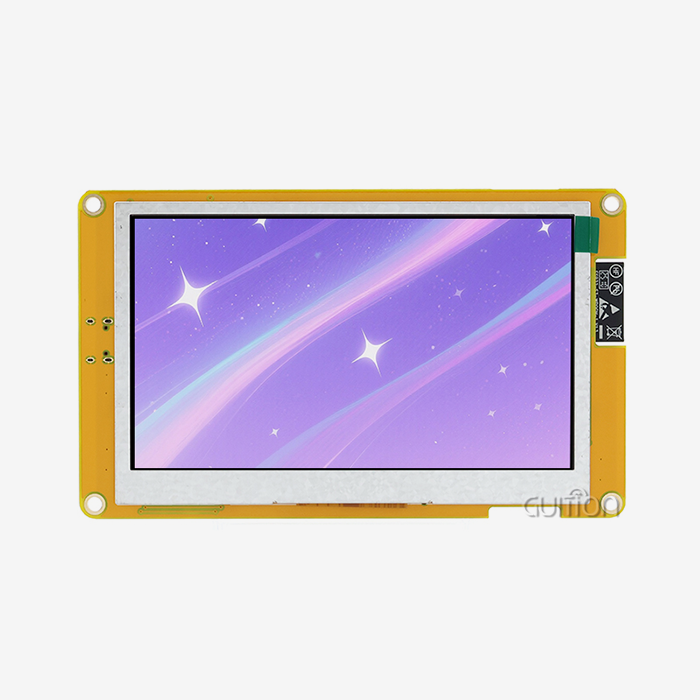
The Guition JC4848B040C_I is a 4-inch module using the driver chip ST7701. Features: 480x480 screen, 16.7M colours, capacitive touch screen, MIPI DSI port. On the equipment screens, this is easier to read, as the panel screen is bright. Guition also has a lot of different products, as their screen sizes range from 1.28" to 21.5". The JC4848B040C_I is an LVGL developing display, which needs a processor with MIPI DSI host compatible with LVGL. I’d make sure of that before the design freeze and have our team take a look at the latest line item list. That one check will prevent any error after the boards have gone out.
Development Options and Guition UI Software
The module supports Arduino, ESP-IDF, and Guition development modes for LVGL developing display development. That way, engineers can keep working with tools they already know. It has tonnes of setting options in the interface software. With one click, you add a control, drag it around, resize it, and style it. You can see the change immediately in the WYSIWYG view. This way, HMI and UI designers who are not eager to write low-level code will learn faster. And for engineers who want more juice, there are alternative development tools and technical docs. Testing online on multiple platforms makes it easier to find bugs, faster, and for less money and less time. This looks like it might be good for plans with a short time to market.
Connectivity, Remote Upgrade, and Language Support
A pretty screen isn't enough for an LVGL developing display. Another wireless module is not needed for this module to connect to the internet or other devices nearby. It already has Wi-Fi and Bluetooth built in. You can also update your projects from afar with Guition, so you don't have to go to the site to do maintenance or add new features. It costs less to keep things that are put in a lot of places, like power stations, when they have this feature. People on a team can send the same idea to more than one place and change the language used. These functions work together to address three issues that R&D managers and leaders often face: features that work with each other, care in the field, and deployment around the world. Write down these things that your product needs now and those that it might need afterward.
Typical Applications
An LVGL developing display this size can hold a number of different kinds of goods. It shows the type of print and how far along the print is in 3D printers. Chargers use it to keep track of charges and payments. Things that are used for medical tasks and beauty needs to have settings that are clear and work well. Industrial control panels for factory tools need screens that can be left on all the time. But that's not all. There are also audio tools, security systems, smart home control panels, and handheld devices, especially ones with small screens to save room. Before you buy medical goods, remember that the screen is just one part of the rules that govern them. According to the FDA's human factors advice, the whole interface should be checked to see if it works well. A pilot UI test with real people is always a good idea.
Evaluating an LVGL Developing Display Supplier
Technical and Quality Checks
They should give you more than just a book. To get better at using the controller, you should ask for reference drivers, LVGL examples, MCU knowledge, help with touch interactions, firmware support, and the ability to debug. Check how consistent the panel is, how long the lighting lasts, how well the touch screen works, how the tests are done in different settings, how the checks are done, and how technical changes are handled. Next, read the business terms. These include things like whether you can make changes, how long it takes to make a prototype, the minimum order quantity (MOQ), the production capacity, lifecycle planning, warranty, and support for customers all over the world. I also pay attention to how quickly a seller responds to a technical question. The speed of response during development tells me a lot about how good the help will be in the future. Nice writing is also important here, because engineers will not have to ask as many questions if the guides are easy to understand.
A Practical Procurement Checklist
Before I give the go-ahead, I look over every LVGL developing display module being developed three times.
• Technical review: Read the technical details again to make sure you understand the MCU or MPU, the screen size, resolution, interface, controller, memory, touch system, brightness, temperature range, and LVGL driver route. Run the real UI on the real hardware before you buy anything. Record the frame rate, how the touch reacts, and how much memory is used so that you can compare them later.
• Product review: Reviewing the product means looking at its power, mounting, branding, cover glass, backlight, power, how well it fits in the case, and how well it works optically. If you start early, make a mock-up of the machine. If you have a good screen that doesn't work with the housing or FPC route, you'll still need to redesign it. It takes time and money to switch tools.
• Supplier review: During the review process with the supplier, you should ask for samples, terms for engineering support, a minimum order quantity (MOQ), lead time, quality documents, lifecycle commitments, and a policy for managing changes. Put these into an organized RFQ that has a due date and a goal number. All sellers will then have to quote on the same subject, and you'll be able to compare prices in a fair way.
One problem that often comes up in production is that different departments check different lists. This set of levels fixes that. Then, to make sure everything is okay, you should check the temperature, color, brightness, refresh rate, and how well the touch works.
Why a Complete Custom Solution Saves Effort
When the panel, controller, touch system, driver, software, and mechanical interaction are all planned from the start, there is less risk of integration going wrong. It also shows where the limits of power, optics, data transfer, and the enclosure are before the sample is made. A lot of different kinds of products can be made faster with drivers, UI themes, and hardware systems that can be used over and over again. Custom cover glass, touch performance, branding, and environmental options can help your product stand out. With the help of a skilled supplier, a project can go from engineering samples to pilot builds and finally to mass production. This keeps launch dates safe, cuts down on the time needed for internal testing, and makes maintenance easier in the long run. If you want to buy from a company that makes LVGL developing displays, make sure you get a written guarantee of this continuity.
Conclusion
It's not just the graphics library that makes an LVGL developing display good; the whole process is also important. Even though LVGL takes care of widgets and graphics, the panel, driver, interface, touch system, memory, and MCU or MPU show how well it works. If you test the frame buffer math, interface type, platform, and drivers early on, you can avoid a lot of delays. It's also better to make a prototype with real hardware than to compare datasheets. The JC4848B040C_I, for example, has a 4.0-inch, 480x480, MIPI DSI sensitive touch module that works with Arduino, ESP-IDF, and Guition modes. It also has Wi-Fi, Bluetooth, remote update, and UTF-8 support for many languages. Before sending the models to production, the seller checks the paperwork, quality, lifecycle, and customization to make sure everything is in order.
FAQ
Q: Does LVGL work with every LCD?
A: LVGL can work with many types of LCD and touchscreens, but each type needs its own hardware resources and a driver for the screen and inputs that fit that type.
Q: Which display interface should I choose?
A: SPI works well with screens that are small and easy to use. An RGB, parallel, or MIPI DSI interface can be used to connect screens that are bigger and have faster refresh rates. Your processor needs to have a DSI host for the JC4848B040C_I to work with MIPI DSI.
Q: Can STM32 and ESP32 both run LVGL?
A: Yes, as long as the chip can do the job. In business, STM32 can be used for many things, and ESP32 comes with Wi-Fi and Bluetooth already installed.
Q: Which development modes does the JC4848B040C_I support?
A: You can update it from afar, and it has development modes for Arduino, ESP-IDF, and Guition. It also works with many languages.
Q: When does a custom module make sense?
A: A custom module is what you need when normal hardware can't meet your wants for software, metal, optics, touch, or longevity.
Request a Guition LVGL Developing Display Recommendation
Guition has its own UI software, Arduino, ESP-IDF, and Guition development modes. It also has Wi-Fi and Bluetooth built in, and it can be upgraded from afar. It has screens that are 1.28" to 21.5" in size. You can get a reliable LVGL developing display provider for your next HMI by emailing david@guition.com with your MCU, screen size, interface, and order number. Our team will choose a section that works. To find out more, visit https://jingcaizhineng.aixdb.cn/.
References
1. LVGL Documentation, LVGL Kft., 2024
2. ESP-IDF Programming Guide, Espressif Systems, 2024
3. AN4861: LCD-TFT Display Controller (LTDC) on STM32 MCUs, STMicroelectronics, 2017
4. MIPI DSI-2 Specification, MIPI Alliance, 2016
5. Applying Human Factors and Usability Engineering to Medical Devices, U.S. Food and Drug Administration, 2016
6. Qt for MCUs Documentation, The Qt Company, 2024
Learn about our latest products and discounts through SMS or email