- English
- French
- German
- Portuguese
- Spanish
- Russian
- Japanese
- Korean
- Arabic
- Greek
- German
- Turkish
- Italian
- Danish
- Romanian
- Indonesian
- Czech
- Afrikaans
- Swedish
- Polish
- Basque
- Catalan
- Esperanto
- Hindi
- Lao
- Albanian
- Amharic
- Armenian
- Azerbaijani
- Belarusian
- Bengali
- Bosnian
- Bulgarian
- Cebuano
- Chichewa
- Corsican
- Croatian
- Dutch
- Estonian
- Filipino
- Finnish
- Frisian
- Galician
- Georgian
- Gujarati
- Haitian
- Hausa
- Hawaiian
- Hebrew
- Hmong
- Hungarian
- Icelandic
- Igbo
- Javanese
- Kannada
- Kazakh
- Khmer
- Kurdish
- Kyrgyz
- Latin
- Latvian
- Lithuanian
- Luxembou..
- Macedonian
- Malagasy
- Malay
- Malayalam
- Maltese
- Maori
- Marathi
- Mongolian
- Burmese
- Nepali
- Norwegian
- Pashto
- Persian
- Punjabi
- Serbian
- Sesotho
- Sinhala
- Slovak
- Slovenian
- Somali
- Samoan
- Scots Gaelic
- Shona
- Sindhi
- Sundanese
- Swahili
- Tajik
- Tamil
- Telugu
- Thai
- Ukrainian
- Urdu
- Uzbek
- Vietnamese
- Welsh
- Xhosa
- Yiddish
- Yoruba
- Zulu
2.4 inch ESP32 display module Applications and Technical Guide
A 2.4-inch esp32 display module pairs a dual-core ESP32 controller with a compact 240×320 TFT screen. One board can show data, run application code, and connect over Wi-Fi and Bluetooth. This guide covers the specifications, interfaces, touch options, software paths, and real applications that matter when you choose one. I also show how our Guition ESP32-2432S024N fits those needs and which checks protect a production schedule. I wrote it for engineers, product managers, and founders who need clear answers before ordering samples.

2.4 Inch ESP32 Display Module Basics and Specifications
What Is a 2.4-Inch ESP32 Display Module?
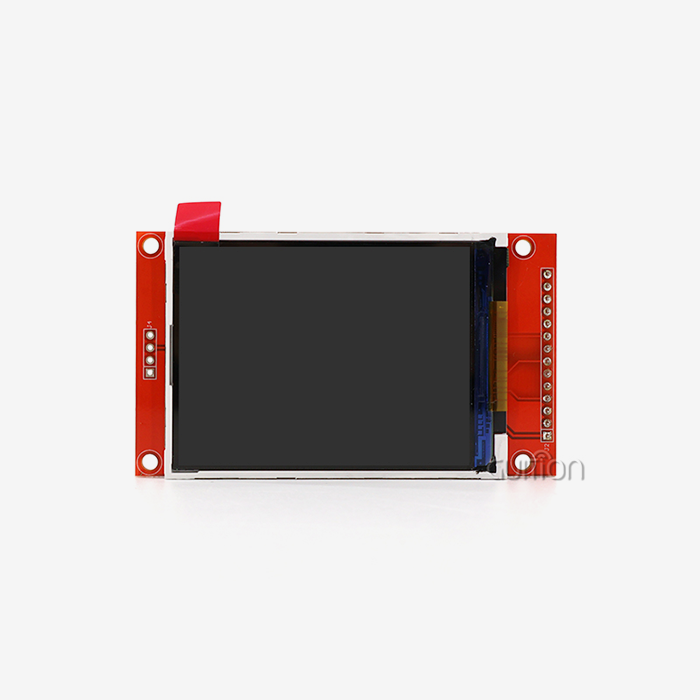
The 2.4-inch ESP32 display module integrates an ESP32 microprocessor, small TFT LCD, display controller, and driver circuits. Other models include touch, storage, or battery ports. Others can be used on their own and connect to an external ESP32. The 2.4 inch size is a good compromise between cost, readability, and enclosure size. The diagonal measures 400 pixels, which equates to 167 pixels per inch on a 2.4-inch screen. The density is such that small words and icons don’t get blurred. This size works for handheld tools and wall controllers where a larger panel means a larger housing.
Core Specifications to Review
See beyond the size on the diagonal. Screen dimensions, colour depth, brightness, viewing angle, lighting life, ESP32 type, memory, and power requirements are checked. The depth of colour alters the organisation of memory. One full 240x320 frame is 153,600 bytes, which is around 30% of the ESP32’s 520 KB SRAM. This is due to RGB565 using 2 bytes per pixel. And that's why most projects don't redraw the whole thing or use partial draw buffers. You should also look at the datasheet for the active viewing area, logic voltage, peak current, and working temperature before you accept a design. And just because the label says "2.4 inch ESP32 display module" doesn't mean any of these numbers are true.
Pinout and Interface Types
Most 2.4-inch ESP32 display modules connect the screen to the board with SPI. They all use symbols like power, ground, clock, data in, data out, chip select, data/command, restart and backlight. SPI saves GPIO pins and wiring. But it costs more pins and complicates the PCB when you use an 8-bit or 16-bit parallel bus. Touch controllers can be connected to I2C, SPI, or analogue lines. SD cards are often found on the same bus. I tell the engineers, before they start producing, they need to look at the supplier schematic, the controller datasheet, the voltage levels, any bus conflicts, grounding, and decoupling. A single incorrect pin definition is a common reason for the first boot blank screen.
Guition ESP32-2432S024N Product Overview
Hardware Highlights
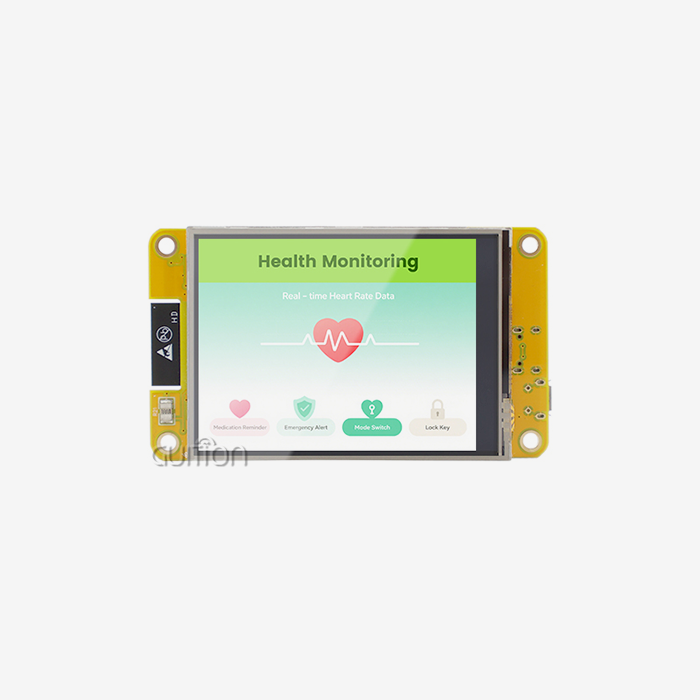
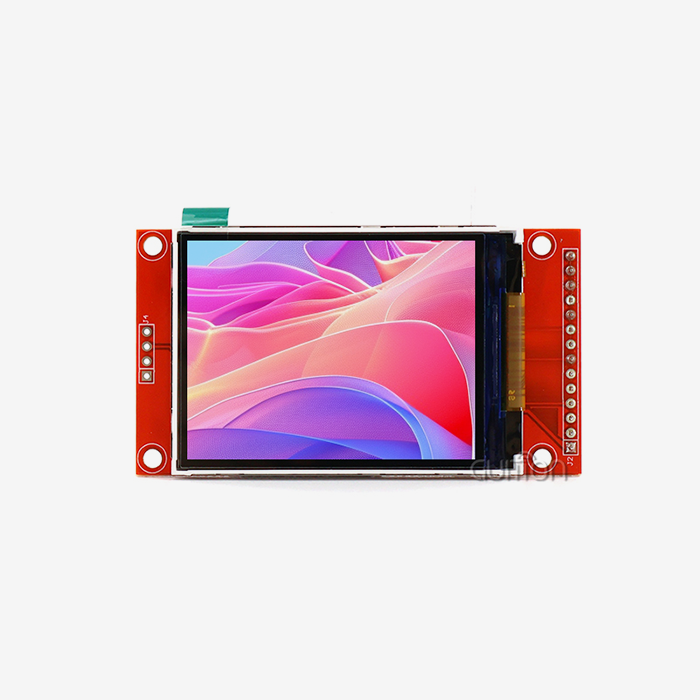
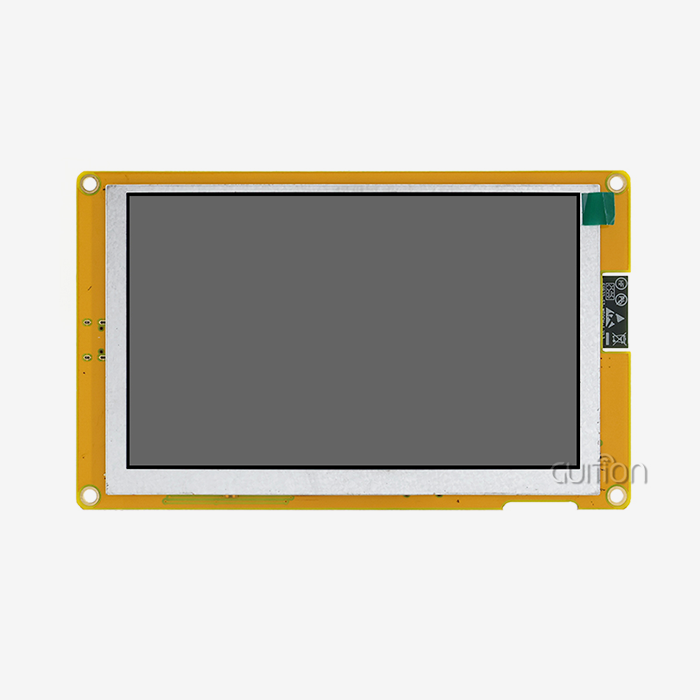
The Guition ESP32-2432S024N is a 2.4” ESP32 display module with a dual-core ESP32 processor, capable of speeds up to 240 MHz. It has 448 KB ROM, 520 KB SRAM, and 4 MB Flash. It has a 240x320 screen with 65K colours driven by an ILI9341 driver. This is the form that does not have touch. The board also features a sensor circuit, an RGB LED control, a backlight control circuit, and a sound drive circuit. It has a USB port, a TF card slot, a DHT11 temperature and humidity sensor port, and IO pins reserved for future use. The ESP32 supports Wi-Fi (2.4 GHz) and Bluetooth. See Espressif's data sheet.
Why Engineers Pick It
Test programs are installed on the module, so you can check the screen and other parts as soon as you power it up. We also provide the Arduino library and test code. You can build with Arduino IDE, ESP-IDF, MicroPython, Mixly, or Guition software, so each team can retain the tools they like best. The device is powered by a battery or USB, and the TF card slot allows you to save logs, pictures, or fonts. And with remote update support, you can push new software to a device without being there physically. This reduces visits after the sale. This 2.4-inch ESP32 display module makes it easier and faster for embedded engineers to prove their work works.
Guidance UI Software and Development Support
We write our own software for the interface, and this hardware works well with it. You can move, resize, and re-style it as soon as you click to add a control. When you design the screen, it looks the same on the computer as it does on the device. Cross-platform online debugging helps you to find bugs faster and speeds up the process. The software also lets you switch languages and encode files using UTF-8 for goods sold in more than one area. Users can also update their projects remotely. The secondary development interfaces and technical documents let your team add custom functions without a lot of deep, low-level work. There are also Arduino and IDF modes, so engineers can do what they normally do.
Touch, Comparison, and Software Choices
Touchscreen Options: Resistive Versus Capacitive
The sort of touch you choose depends on where you are, how easy it is to use, and how much it costs. Resistive screens respond to pressure. You can use gloves or a stylus. This makes them suitable for field and industrial tools. They may need to be calibrated, and the optics are less clear. Capacitive panels have glass that is smoother and clearer and may allow more than one touch. Moisture, gloves, or an improperly constructed enclosure can degrade their response. Make sure that coordinates, spin, edge behaviour, multiple touches, humidity, and temperature are correct. The ESP32-2432S024N description mentions a display that does not need a touch. It can be used on panels, status screens, and devices with buttons. If your idea needs a little work, let us know when you Contact Us.
Comparing Sizes, Panels, and Buses
A 2.4-inch screen is fine for small devices. A 2.8-inch screen offers more space for charts, text, and big controls. TFT LCD usually provides you with full-colour output at a low cost and doesn't suffer from the burn-in problem of OLED, although OLED can provide stronger contrast. Menus, dashboards, and sensor values? No problem for SPI. Graphics are faster due to extra GPIO pins on the parallel bus. Usually, a status panel with a few numbers and a trend graph works fine on SPI with DMA. Using full-screen animation requires a faster bus or smaller redraw areas. The material should be adjusted to the 2.4-inch ESP32 display module, not the other way around.
Programming and Software Development Guide
First, ensure you have the correct ESP32 variant, display controller, pin map, and communication method. Before you can add application code to Arduino, you need to install the ESP32 board package, select a library that works with it (like TFT_eSPI), configure the pins and rotation, and draw a test pattern. If you need to do something more complex, like running multiple tasks, memory management or OTA updates, the ESP-IDF is the way to go. Espressif has a programming guide that describes how to do this. LVGL creates buttons, menus, and maps but needs a callback to flush the display and tools to handle input and draw buffers. According to LVGL documentation, the buffer should be at least 10% of the screen size. The supplier sample code reduces the time for setting up any 2.4-inch ESP32 display module.
Applications of the 2.4-Inch ESP32 Display Module
Smart Home and IoT Dashboards
This 2.4-inch ESP32 display module can be used as a smart home screen, outdoor monitor, or meteorological station, as it has Wi-Fi and Bluetooth. The ESP32-2432S024N has a DHT11 interface for temperature and humidity and a photosensitive circuit for ambient light as a sensor dashboard. This means the dashboard does not need much extra hardware. Visible and audible alerts are provided by the RGB LED and speaker drive circuits. Similarly, air quality screens show real-time readings while the device sends information to the cloud. If the network fails, the values can still be seen on the local display. The Arduino code makes it easy to quickly prototype control screens for smart home brands.
Industrial, Energy, and Agricultural Equipment
Industrial robotics teams operate machines and watch how data is being consumed on small screens. The 2.4-inch panel is small enough to fit in tight spaces and lets operators see what is going on without a full industrial PC. 3D printers also have screens to control and monitor their status. EV charging stations require a small user interface for charging, and energy management systems need to display how much energy is being used and generate alarms. Agricultural controllers such as irrigation or greenhouse monitors can use the dedicated IO pins to display readings from connected sensors. You can filter the options by lighting, working temperature, EMI behaviour, enclosure safety, and support of various parts. Check these figures in the manual, as they are different for each design.
Medical, Security, and Handheld Devices
The product listing says that the product is used for medical hardware, security systems, financial equipment, car dashboards, and handheld instruments. The 2.4-inch ESP32 display module is a good fit for medical device controls and tracking prototypes where the team wants to display data and test connectivity before committing to a custom design. It is used for security panels to make status monitors and control screens. Lithium batteries can be connected to battery-powered handheld electronics. Discuss with your quality team the certifications that they need. Regulatory goods require their own compliance work, so use the module as a place to build and connect things.
How to Choose a 2.4-Inch ESP32 Display Module for B2B Projects
Selection Criteria and Workflow
First, you have to decide on the application, annual volume, target market, installation environment, certification needs, and schedule. List those things. Include resolution, controller, ESP32 type, memory, interfaces, dimensions, mounting holes, and environmental limits. Make a short list of modules that must have certain features, then test samples for screen quality, touch accuracy, wireless performance, power use, heat, software stability, and how well the enclosure fits, all with a single checklist. Respect authority. Espressif’s hardware design guidelines require that the supply be able to provide at least 500 mA because Wi-Fi transmission causes current spikes that can cause brownouts. Check the price, MOQ, lead time, warranty, and lifecycle support of your 2.4-inch ESP32 display module before you place an order.
Design and Procurement Risks
Just picking on screen size or price per unit is risky. A 2.4-inch label tells you nothing about the screen's resolution, active area, controller, brightness, or physical size. Bad drivers, bad pinouts, weak power regulation, high backlight current, heat, and things like that can slow development down. The white screen on boot may be a driver diff. Ensure the design, controller, and pin definitions are consistent. Check part availability, panel lifetime, replacement compatibility, revision control, and change notice. Ask for full datasheets, controlled drawings, functional tests, and a quality agreement. Prototype documentation might not include production PCB limits, EMC needs, or tolerances.
OEM, ODM, and Wholesale Options
Standard 2.4 inch ESP32 display modules have drivers and sample code readily available and are suitable for proof of concept work, lab testing, teaching, and small runs. With an OEM or ODM project, you have more control over the PCB size, connections, brightness, touch configuration, software, branding, packaging, and how well the parts fit together. They may have longer lead times, tooling costs, planning fees, and minimum order amounts. The first step is usually to review the standards and sampling. Then engineering prototypes are built, software and mechanical validation are performed, environmental testing is carried out, pilot production is started, and then mass production starts. • Sourcing, Inspection, Customisation Limits, Lead Times and How to Manage Changes. We have screens ranging from 1.28 inches up to 21.5 inches, so you can stay with the same supplier even if you need a different screen for a future project.
Conclusion
A 2.4-inch ESP32 display module has a 240x320 TFT screen, Wi-Fi, Bluetooth, and a dual-core ESP32 all on one board. The controller, interface, memory, power supply, and touch method are some of the other things that affect its value besides the size of the screen. An ILI9341-driven display, a TF card slot, sensor and IO interfaces, and a number of development options are all part of the ESP32-2432S024N. Its listing describes a version that doesn't have touch. The tests showed that SPI works best for dashboards, parallel buses work best for faster graphics, and ESP-IDF or LVGL work best for production firmware. It can be used for a lot of different things, from smart home panels to energy and handheld gear. Sample tests and written checks of suppliers lower the risk of redesigning and buying things.
FAQ
Q: What resolution and driver does the ESP32-2432S024N use?
A: It has a 240x320 screen that is powered by the ILI9341 chip and can handle 65K colours. Check the datasheet to make sure of the orientation and active area.
Q: Which development tools does it support?
A: Software like Arduino IDE, ESP-IDF, MicroPython, Mixly, and Guition can be used with it. There are already test programs and an Arduino library that can help you set up for the first time.
Q: Does this version include touch?
A: Not at all. The article talks about a screen that can't be touched. When you send a request, let us know what kind of touch you need, and we'll talk about solutions that fit your needs.
Q: Does the module support 5 GHz Wi-Fi?
A: No, the ESP32 only works with 2.4 GHz Wi-Fi (802.11 b/g/n) and Bluetooth, according to Espressif's specifications.
Q: How should I power the module?
A: Plug it in or use a lithium battery. Wi-Fi bursts can use a lot of power, so pick a supply that can handle 500 mA, as suggested by Espressif.
Contact Guition for Your 2.4-Inch ESP32 Display Module Sample
With sizes ranging from 1.28 inches to 21.5 inches, our own UI software, and secondary development help, Guition is a 2.4-inch ESP32 display module provider. Email us at david@guition.com with your application, quantity, touch needs, and power source, and we'll suggest the ESP32-2432S024N or a different option that fits your needs. Find out more about the product at https://jingcaizhineng.aixdb.cn/, then ask for a sample and test it in your enclosure.
References
1. Espressif Systems, ESP32 Series Datasheet, 2023
2. ILI Technology Corp., ILI9341 TFT LCD Single Chip Driver Datasheet, 2011
3. Espressif Systems, ESP32 Hardware Design Guidelines, 2023
4. Espressif Systems, ESP-IDF Programming Guide, 2024
5. LVGL Kft., LVGL Documentation, 2024
6. Espressif Systems, Arduino-ESP32 Documentation, 2024
Learn about our latest products and discounts through SMS or email