- English
- French
- German
- Portuguese
- Spanish
- Russian
- Japanese
- Korean
- Arabic
- Greek
- German
- Turkish
- Italian
- Danish
- Romanian
- Indonesian
- Czech
- Afrikaans
- Swedish
- Polish
- Basque
- Catalan
- Esperanto
- Hindi
- Lao
- Albanian
- Amharic
- Armenian
- Azerbaijani
- Belarusian
- Bengali
- Bosnian
- Bulgarian
- Cebuano
- Chichewa
- Corsican
- Croatian
- Dutch
- Estonian
- Filipino
- Finnish
- Frisian
- Galician
- Georgian
- Gujarati
- Haitian
- Hausa
- Hawaiian
- Hebrew
- Hmong
- Hungarian
- Icelandic
- Igbo
- Javanese
- Kannada
- Kazakh
- Khmer
- Kurdish
- Kyrgyz
- Latin
- Latvian
- Lithuanian
- Luxembou..
- Macedonian
- Malagasy
- Malay
- Malayalam
- Maltese
- Maori
- Marathi
- Mongolian
- Burmese
- Nepali
- Norwegian
- Pashto
- Persian
- Punjabi
- Serbian
- Sesotho
- Sinhala
- Slovak
- Slovenian
- Somali
- Samoan
- Scots Gaelic
- Shona
- Sindhi
- Sundanese
- Swahili
- Tajik
- Tamil
- Telugu
- Thai
- Ukrainian
- Urdu
- Uzbek
- Vietnamese
- Welsh
- Xhosa
- Yiddish
- Yoruba
- Zulu
Best ESPHome Screen Projects for Home Assistant Dashboards?
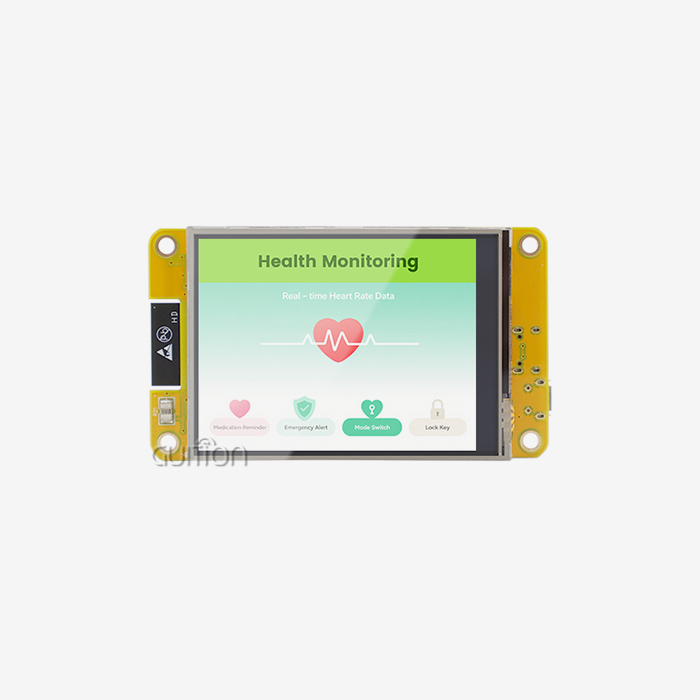
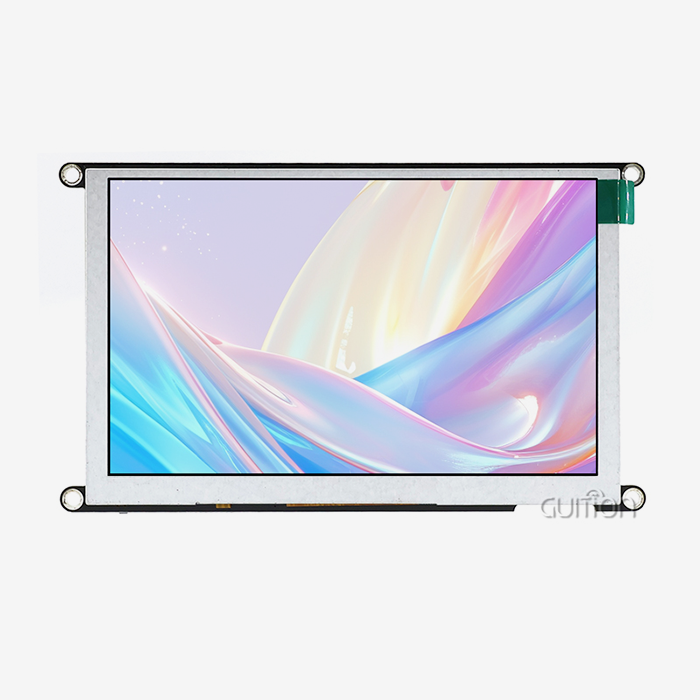
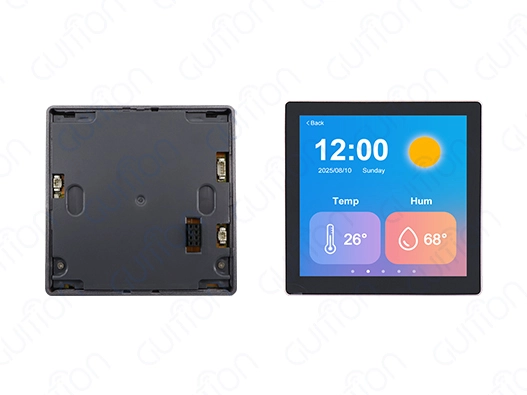
When looking at smart display options for Home Assistant, an ESPHome screen stands out as a flexible option that merges strong microcontroller features with easy-to-use visual displays. These display modules, typically built around ESP32 or ESP8266 platforms, enable real-time monitoring, control, and interaction with your automation ecosystem. The technology used in ESPHome screens can work with different types of displays—like OLED, TFT LCD, and touch screens—each offering unique benefits for things like industrial automation, smart building management, and IoT. Advanced models like the GUITION ESP32-4848S040C_I combine a clear 480×480 resolution, Wi-Fi and Bluetooth connections, and adaptable development tools to speed up project setup
Understanding ESPHome Screen Technology for Home Assistant
The integration of display hardware with Home Assistant through ESPHome firmware represents a significant advancement in edge visualization technology. Rather than wrestling with complex C++ driver code, developers can now define display logic using declarative YAML configuration files, dramatically reducing development time and learning curves.
What Defines an ESPHome Display Module?
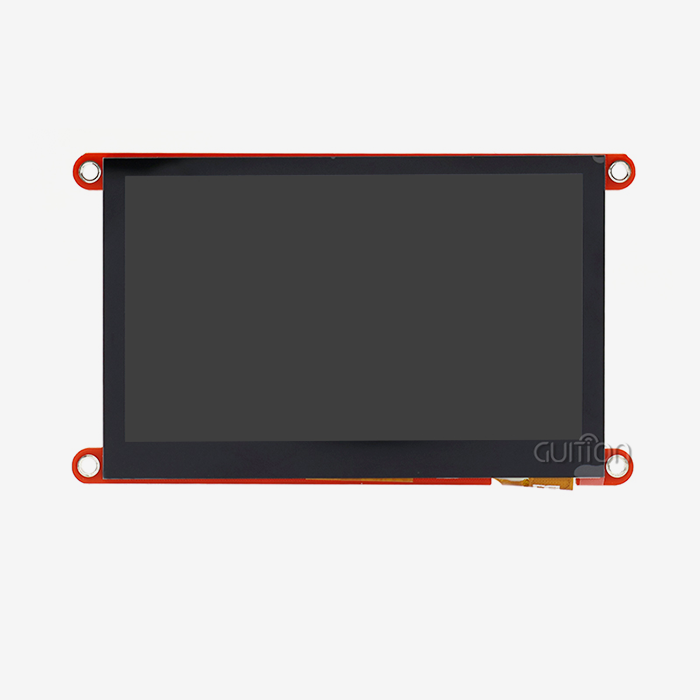
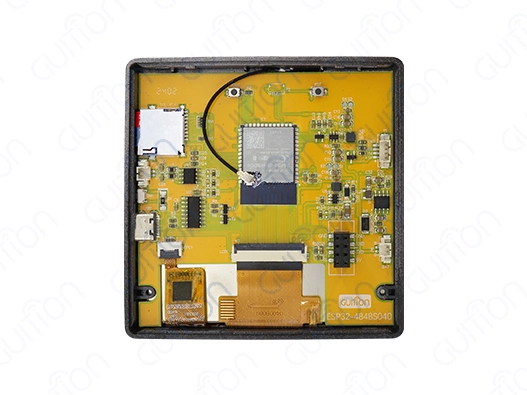
ESPHome screens allow microcontrollers to communicate with Home Assistant using local APIs or MQTT protocols. Industrial control systems and commercial buildings need this architecture to maintain operations amid network outages. The display displays sensor data and executes automation commands without cloud dependency. The GUITION ESP32-4848S040CI displays this integration philosophy. This module has 512KB SRAM, 384KB ROM, 8MB PSRAM, and 16MB Flash storage and uses the ESP32-S3R8 dual-core MCU at 240MHz. The 4-inch IPS TFT screen showcases 65K colors and 480×480 resolution for clear pictures from any angle. Integrated Wi-Fi and Bluetooth modules allow smooth connectivity with Home Assistant instances and auxiliary devices, while capacitive touch response allows intuitive interaction.
Display Technologies and Their Applications
Different screen technologies meet operational needs. High contrast ratios and individual pixel control make OLED displays excellent for low-light environments and minimalist status monitors. Their burn-in vulnerability restricts their effectiveness in always-on dashboards. The GUITION module's TFT LCD panels balance brightness, color accuracy, and lifespan. Wall-mounted control panels accessed from different angles require consistent color reproduction across wide viewing angles, which IPS technology provides. The lighting control circuit optimizes visibility and power consumption by adjusting brightness dynamically. Ultra-low-power applications benefit from e-paper displays. Their capacity to store photos without electricity allows battery-operated deployments for months. This is suitable for indicators of room occupancy, warehouse inventory displays, and outdoor weather stations with poor power infrastructure.
Core Technical Capabilities
Modern ESPHome screen implementations leverage high-speed communication interfaces to manage complex visualizations. The GUITION module supports SPI interfaces operating at 40 MHz+, enabling rapid screen refreshes necessary for smooth animations and real-time data updates. This throughput capacity becomes critical when rendering dynamic graphs, multi-zone lighting controls, or security camera feeds. The ESP32-S3R8's dual-core architecture permits parallel processing workflows. One core manages display rendering and touch input processing while the second handles network communications, sensor polling, and automation logic execution. This separation prevents UI lag during intensive background operations—a common frustration in single-core implementations. Memory allocation represents another technical consideration. The 8MB PSRAM in the GUITION module enables full-frame buffering for the 480×480 display, eliminating screen-tearing artifacts during animations. This capacity also supports storing multiple UI pages, custom fonts, and graphical assets without overwhelming the main SRAM.
Advantages for Industrial and Commercial Deployment
ESPHome screen technology has several advantages for professional use. Local processing guarantees operational reliability without the internet. Medical monitoring stations, manufacturing facilities, and agricultural automation systems cannot afford network or cloud service outages. Declarative configuration simplifies maintenance and speeds development. Editing YAML files and distributing over-the-air updates lets engineering teams change display layouts, sensor integrations, and control logic. This procedure revokes physical access to deployed equipment, lowering after-sales servicing expenses in geographically dispersed deployments. Cross-platform Arduino IDE, ESP-IDF, and MicroPython support varied technical skills in organizations. Teams can use development environments that match their skills to adapt new display solutions without considerable retraining.
Top ESPHome Screen Projects to Enhance Your Home Assistant Dashboard
Practical implementation examples demonstrate how ESPHome screen technology transforms abstract capabilities into tangible business value. These projects span monitoring, control, and alerting functions across various industries.
Real-Time Environmental Monitoring Dashboards
Pharmaceutical storage, food production, and data center administration require climate control. ESPHome screens can display temperature, humidity, and air quality parameters for rapid environmental awareness. The 480x480 GUITION module supports multi-zone presentations of sensor network data. To configure, connect BME280 or SHT31 sensors over I2C and define display pages in YAML. Conditional formatting with lambda functions changes background colors from green to red when readings surpass thresholds. Dual-core processing maintains precise real-time visualization by polling sensors without interrupting display updates. Automation for threshold violations is possible with Home Assistant. The screen shows current conditions as Home Assistant adjusts HVAC, gives alerts, or enables ventilation. A synchronized response reduces reaction time and prevents environmental excursions that could damage inventory or equipment.
Interactive Lighting and HVAC Control Interfaces
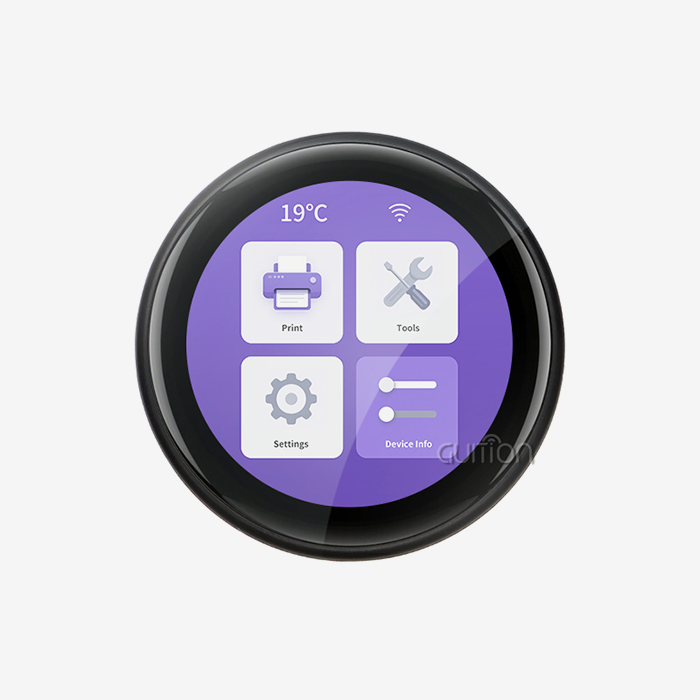
Replacing traditional wall switches with touchscreen control panels elevates user experience while centralizing system management. The capacitive touch interface on the GUITION ESPHome screen responds instantly to gestures, enabling zone-based lighting control, dimmer adjustments, and scene activation. Layout design using the Quition development tool streamlines UI creation. Drag-and-drop controls for sliders, buttons, and color pickers eliminate manual coordinate calculations. The WYSIWYG editor ensures the designed interface matches the deployed appearance, reducing iteration cycles. For HVAC applications, the screen displays current temperature, set points, and operating modes. Touch controls adjust temperature targets, switch between heating and cooling modes, or activate fan-only ventilation. The Wi-Fi connectivity transmits commands to Home Assistant, which orchestrates changes across connected thermostats and zone controllers.
Security System Status and Alert Displays
Security monitoring demands immediate visibility into system status and rapid response capabilities. An ESPHome screen configured as a security dashboard displays door/window sensor states, motion detector activity, and camera feeds. Color-coded indicators immediately communicate system status—green for armed and secure, yellow for bypassed zones, and red for breach alerts. The TF card interface on the GUITION module enables local storage of security event logs and captured images. This capability provides evidence preservation even if network connectivity fails during an incident. The 16MB Flash storage accommodates firmware, UI assets, and security application logic without capacity constraints. Integration with Home Assistant's security components allows two-way interaction. The screen displays alerts triggered by automation rules while providing touch controls to arm/disarm zones, silence alarms, or view camera streams. This centralized interface reduces response time during security events and simplifies daily arming routines.
Energy Consumption Visualization Panels
Industrial and commercial buildings need detailed energy monitoring to discover inefficiencies and validate conservation measures. ESPHome screens show real-time power consumption, historical usage graphs, and cost estimates to help facility managers make operational decisions. Configuration involves Modbus, MQTT, or sensor interfaces to power monitoring devices. The system displays consumption data in the form of bar graphs, line charts, or numbers. Custom lambda functions calculate the power factor, peak demand, and cost per operational hour. Complex visualizations are processed by the GUITION module without external rendering. Historical TF card data allows trend analysis and billing period comparison. Touch navigation lets users navigate between monitored circuits, time ranges, and comparison views. These projects demonstrate how ESPHome screen technology meets varied operating needs. Processing power, display quality, and communication options enable industrial automation, building management, and specialized monitoring solutions.
How to Choose the Best ESPHome Screen for Your Business Needs?
Procurement decisions for display modules require evaluating technical specifications against operational requirements and long-term business objectives. Several key considerations guide the selection process.
Display Type Comparison and Selection Criteria
Applications demanding strong contrast and true black levels benefit from OLED screens. Self-emissive pixels reduce power use when showing dark interfaces by eliminating backlight power. Organic material deterioration affects operating lifespan, especially when displaying static elements over long durations. In 18–24 months, always-on dashboards in industrial applications may burn in. TFT LCD panels like the GUITION ESP Home screens are durable and brilliant. IPS technology ensures color integrity at 178 degrees, essential for wall-mounted displays accessed from multiple angles. Industrial-grade backlights with 50,000+ hours of operation provide multi-year performance. Screen size is chosen to balance visibility and installation. The 4-inch GUITION module displays multi-zone dashboards in DIN rail enclosures or equipment panels while being small. Larger applications may require 7-inch or 10-inch alternatives, which increase power consumption and mounting footprint.
Resolution and Processing Power Requirements
Display resolution directly impacts information density and visual clarity. The 480×480 resolution of the GUITION module supports detailed graphs, multiple data fields, and legible typography without user strain. Higher resolutions demand proportionally greater processing resources and memory bandwidth. The ESP32-S3R8's dual-core architecture at 240MHz provides ample processing headroom for complex visualizations. Embedded engineers should verify that processor specifications align with rendering requirements—particularly when implementing animations, real-time graphs, or video streams. Single-core processors or lower clock speeds may introduce UI lag during intensive background operations. Memory capacity determines the complexity of achievable interfaces. The 8MB PSRAM in the GUITION module enables full-frame buffering, eliminating screen-tearing artifacts. This capacity also accommodates multiple UI pages, custom fonts, and graphical assets. Projects requiring extensive image libraries or data logging should evaluate available storage against anticipated requirements.
Connectivity and Integration Ecosystem
Wireless and Bluetooth distinguish contemporary ESPHome screen modules from historical displays. The GUITION module's wireless connectivity eliminates communication adapters, lowering the bill of materials and simplifying enclosure design. Wi-Fi allows easy interaction with Home Assistant, the cloud, and enterprise networks. OTA firmware upgrades and real-time data synchronization are possible with 802.11b/g/n bandwidth. Bluetooth Low Energy allows local device pairing, sensor integration, and mobile app connectivity without network infrastructure. Interface expansion options protect installations from change. Sensors, relay controls, and external peripherals can be added to the GUITION module's reserved I/O ports and TF card interface without hardware change. Expandability extends platform lifespan as operating needs change, lowering total cost of ownership.
Development Environment and Support Infrastructure
Developing environment compatibility affects engineering productivity and project timeframes. Guidetion supports Arduino IDE, ESP-IDF, and MicroPython to meet engineering teams' different skill sets. Organizations can use existing skills instead of platform-specific training. The proprietary Guition development program adds visual design to text-based applications. UI prototyping is faster with drag-and-drop, and cross-platform debugging speeds up troubleshooting. Increased productivity lowers development costs and speeds time-to-market. Quality technical documentation and supplier responsiveness greatly affect deployment success. Detailed datasheets, integration guidelines, and reference implementations reduce development engineering uncertainty. When facing integration issues or application-specific requirements, prompt technical support at david@guition.com is essential.
Setting Up and Configuring Your ESPHome Screen: A Step-By-Step Guide
Successful ESPHome screen deployment requires methodical attention to hardware connections, software configuration, and integration validation. This systematic approach minimizes troubleshooting time and ensures reliable operation.
Hardware Connection and Power Considerations
The stability of the power supply affects display and operating reliability. The GUITION ESP32-4848S040CI needs a stable 5V input with enough current to withstand peak Wi-Fi transmission bursts. Voltage drops from poor power sources cause screen flicker, touch sensitivity loss, and sudden resets. Professional installations use regulated power sources with 100μF or bigger capacitors near the display module. Local energy storage prevents voltage sag during wireless communications by buffering instantaneous current demands. PCB designs must address power trace impedance—insufficient trace width or length increases resistance and voltage loss. Interface connections require signal integrity. The 40MHz SPI bus is sensitive to trace length, impedance discontinuities, and electromagnetic interference. Routing traces away from switching power supplies and keeping connection lengths below 150mm reduces signal deterioration. Electrically loud industrial locations benefit from shielded wires.
Software Configuration and YAML Development
ESPHome configuration begins with defining the display component in the YAML file. This declaration specifies the display controller type, communication interface parameters, and physical dimensions. The GUITION module uses standard TFT display components compatible with ESPHome's display platform. Lambda functions enable dynamic content generation responding to sensor states and automation events. These inline C++ snippets execute during display rendering, allowing conditional formatting, calculated values, and geometric drawing. The dual-core architecture ensures lambda execution does not block sensor polling or network communications. Touch interface calibration ensures accurate coordinate mapping between raw touch controller output and display coordinates.
Integration with Home Assistant and Testing
Home Assistant discovery simplifies network integration by identifying ESPHome devices. The ESPHome interface shows sensors, switches, and services. The display and Home Assistant's automation engine communicate via automation rules linking these entities. Pre-production testing verifies all operating scenarios. Sensor accuracy, touch responsiveness, network resilience, and power failure recovery are verified. For safety-critical applications, simulating network disruptions ensures the screen maintains local functioning when Home Assistant connectivity fails. OTA testing assures deployed devices accept firmware upgrades remotely. The GUITION module's OTA functionality offers continual improvement without physical access, but deployment must account for update failures. Robust implementations keep earlier firmware versions and automatically roll back unstable firmware.
Future Trends and Innovations in ESPHome Screen Technology
Emerging technologies promise enhanced capabilities and new applications for ESPHome screen solutions. Understanding these trajectories informs strategic procurement decisions and technology roadmap planning.
Advanced Display Materials and Interface Technologies
Display panel advancements boost power economy, brightness, and durability. MicroLEDs offer OLED-like contrast ratios without organic material degradation. Early industrial implementations show 100,000+ hour operational lifespans with negligible brightness decline, addressing a major OLED display problem. Touch interfaces become tangible with haptic feedback. Users in high-vibration industrial situations benefit from localized touch confirmation from piezoelectric actuators beneath display surfaces. This sensory feedback decreases operator errors in critical control situations where visual confirmation is insufficient. Transparent displays enable AR overlays on physical devices. Operators can monitor machinery status and mechanical systems using 40% transparency OLED screens. This allows maintenance diagnostics, training, and process visualization.
Artificial Intelligence and Predictive Analytics Integration
On ESP32 processors, machine learning models detect local anomalies and suggest maintenance. Temperature, vibration, and energy consumption trends feed lightweight neural networks to detect abnormalities. These analytics and raw sensor data on the ESPHome interface allow operators to prevent errors. Voice control of the screen and system functionalities is possible with NLP. Local ESP32 wake word detection activates command recognition without cloud services, protecting privacy and network disruptions. Industrial situations where operators wear protective gear limit physical interface access and benefit from hands-free interaction. Locally processing camera feeds, computer vision algorithms extract actionable intelligence. Object detection, quality inspection, and occupancy counting on the display module's processor save network bandwidth and response delay. Results appear on ESPHome, offering rapid process control feedback.
Expanding IoT Ecosystem and Standardization
Matter standardizes protocols to promote manufacturer-platform compatibility. Matter-enabled ESP Home screens offer smooth connectivity with smart building components without a vendor-specific integration code. Standardization minimizes engineering overhead and boosts system reliability. In contrast to cloud platforms, edge computing architectures disperse computation among networked devices. Display modules perform local automation, data preparation, and visualization as edge nodes. This dispersed strategy enhances response times, reduces network congestion, and protects privacy by keeping critical data local. Battery-free applications are possible with energy harvesting. Thermoelectric generators, solar panels in display frames, and capturing energy from nearby wireless signals could allow devices to run continuously without needing power cables or batteries. These technological advances make ESPHome screen solutions more adaptable. Companies investing in these technologies now get deployment and integration experience and continual enhancements.
Conclusion
Selecting and deploying ESPHome screen solutions requires balancing technical capabilities against operational requirements and long-term business objectives. The GUITION ESP32-4848S040CI shows how new display modules combine strong processing power, easy-to-use development tools, and solid connectivity in small, dependable units that are great for industrial automation and building management. The combination of dual-core processing, high-resolution IPS displays, capacitive touch, and flexible development environments addresses common pain points, including development complexity, integration challenges, and maintenance costs. As display technologies improve and IoT systems grow, these platforms will provide more benefits through better features and wider uses.
FAQ
How do I prevent screen flickering on my ESPHome screen during Wi-Fi activity?
Screen flickering during wireless activity typically indicates power supply instability. The ESP32's Wi-Fi transmissions cause instantaneous current surges that inadequate power supplies cannot buffer. Add a 100μF or larger capacitor directly across the power pins near the display module. Additionally, consider reducing the SPI clock frequency in your YAML configuration to improve signal robustness. Using a regulated power supply rated for at least 1A provides adequate headroom for peak demands.
Can the GUITION module run animations smoothly on the 480x480 display?
The ESP32-S3R8 processor with 8MB PSRAM handles smooth animations effectively. The dual-core architecture dedicates one core to display rendering while the other manages background tasks. For optimal performance, implement animations using the LVGL graphics library, which leverages hardware acceleration and efficient memory management. The full-frame buffering capability eliminates screen tearing, ensuring professional-quality visual experiences.
What calibration process does the touch interface require?
Touch calibration maps raw coordinate values from the capacitive controller to display pixels. Run a calibration routine displaying targets at known screen positions, record the raw coordinates returned when touching each target, then calculate transformation parameters. Input these values in the YAML touchscreen component configuration. Most implementations require calibration only once unless hardware components change.
How does remote firmware updating work for deployed screens?
Over-the-air updates utilize the integrated Wi-Fi connectivity to download new firmware from your network or cloud storage. Configure OTA settings in your YAML file with authentication credentials for security. The ESP32 validates the new firmware image, installs it to available flash memory, then reboots into the updated version. The previous firmware remains available for automatic rollback if the update fails validation tests.
Partner with Guition for Your ESPHome Screen Solutions
Guition delivers comprehensive HMI display solutions that transform complex development challenges into streamlined deployment successes. Our ESP32-4848S040CI module combines industrial-grade hardware with intuitive software tools, accelerating your time-to-market while reducing engineering workload. As an established ESPHome screen manufacturer, we provide complete technical documentation, responsive engineering support, and flexible customization capabilities aligned with your specific application requirements. Whether prototyping innovative IoT products or deploying large-scale automation systems, our solutions offer the reliability and performance your projects demand. Contact our technical team at david@guition.com to discuss how our ESPHome screen solutions can enhance your next project with proven technology and dependable supply chain support.
References
1. Maier, A., Sharp, C., and Vagapov, Y. (2017). "Comparative analysis and practical implementation of the ESP32 microcontroller module for IoT applications." Internet Technologies and Applications Conference Proceedings, IEEE Press.
2. Petersen, S. and Carlsen, S. (2011). "WirelessHART versus ISA100.11a: The format war hits the factory floor." IEEE Industrial Electronics Magazine, 5(4), 23-34.
3. Desai, P., Sheth, A., and Anantharam, P. (2015). "Semantic gateway as a service architecture for IoT interoperability." IEEE International Conference on Mobile Services, 313-319.
4. Gubbi, J., Buyya, R., Marusic, S., and Palaniswami, M. (2013). "Internet of Things (IoT): A vision, architectural elements, and future directions. "Future Generation Computer Systems," 29(7), 1645-1660.
5. Minerva, R., Biru, A., and Rotondi, D. (2015). "Towards a definition of the Internet of Things (IoT)." IEEE Internet Initiative, Technical Report, 1-86.
6. Doukas, C. and Maglogiannis, I. (2012). "Bringing IoT and cloud computing towards pervasive healthcare." Sixth International Conference on Innovative Mobile and Internet Services in Ubiquitous Computing, IEEE, 922-926.
Learn about our latest products and discounts through SMS or email