- English
- French
- German
- Portuguese
- Spanish
- Russian
- Japanese
- Korean
- Arabic
- Greek
- German
- Turkish
- Italian
- Danish
- Romanian
- Indonesian
- Czech
- Afrikaans
- Swedish
- Polish
- Basque
- Catalan
- Esperanto
- Hindi
- Lao
- Albanian
- Amharic
- Armenian
- Azerbaijani
- Belarusian
- Bengali
- Bosnian
- Bulgarian
- Cebuano
- Chichewa
- Corsican
- Croatian
- Dutch
- Estonian
- Filipino
- Finnish
- Frisian
- Galician
- Georgian
- Gujarati
- Haitian
- Hausa
- Hawaiian
- Hebrew
- Hmong
- Hungarian
- Icelandic
- Igbo
- Javanese
- Kannada
- Kazakh
- Khmer
- Kurdish
- Kyrgyz
- Latin
- Latvian
- Lithuanian
- Luxembou..
- Macedonian
- Malagasy
- Malay
- Malayalam
- Maltese
- Maori
- Marathi
- Mongolian
- Burmese
- Nepali
- Norwegian
- Pashto
- Persian
- Punjabi
- Serbian
- Sesotho
- Sinhala
- Slovak
- Slovenian
- Somali
- Samoan
- Scots Gaelic
- Shona
- Sindhi
- Sundanese
- Swahili
- Tajik
- Tamil
- Telugu
- Thai
- Ukrainian
- Urdu
- Uzbek
- Vietnamese
- Welsh
- Xhosa
- Yiddish
- Yoruba
- Zulu
Best 3.5 Inch ESP32S3 Display Module for IoT Projects?
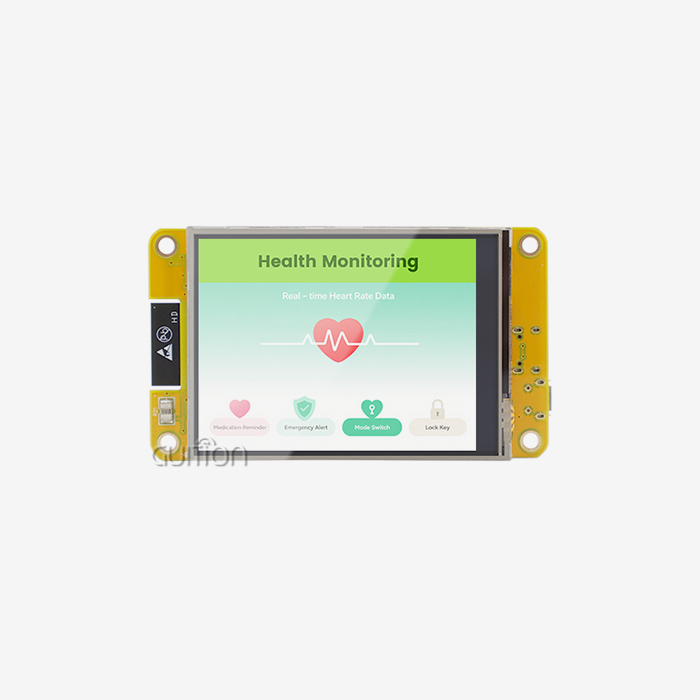
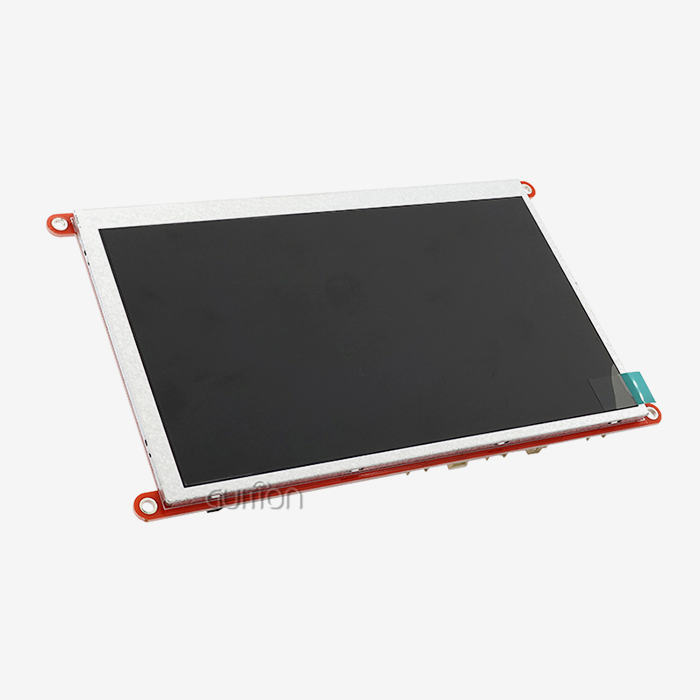
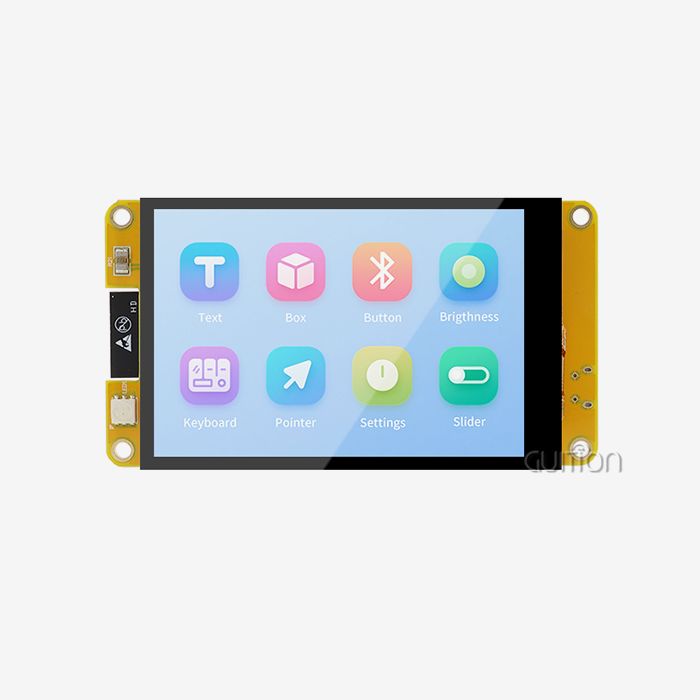
When embedded developers and product managers ask which display works the best for industrial IoT apps, they are always told that integrated ESP32-S3 options with the right screen size and processing power are the best choice. The 3.5 inch ESP32S3 display module has a dual-core processor running at 240MHz and 320x480 resolution IPS screens. It is the perfect combination of good visuals and computing power. This group includes Guition's JC3248W535C_I_Y model, which has 16MB Flash, 8MB PSRAM, capacitive touch, and native support for Arduino, ESP-IDF, MicroPython, and our own Guition development environment. This makes it the best choice for professionals who need to deploy quickly without giving up long-term reliability or customization options.

Understanding 3.5 Inch ESP32S3 Display Modules
ESP32-S3-based display solutions are built in a way that solves basic problems that embedded system makers face every day. These combined parts make hardware simpler and software development faster than older setups that needed separate MCUs and display drivers.
Core Specifications That Define Performance
The ESP32-S3R8 chip inside high-quality modules runs two Xtensa LX7 cores at 240MHz, which gives it enough processing power to handle both UI rendering and wireless connection control at the same time. The way the memory is set up is very important. For example, our engineering team recommends 512KB SRAM for core functions, 8MB PSRAM for managing the frame buffer, and 16MB Flash for storing graphics files and application code. At 3.5 inches, a display resolution of 320x480 pixels gives you enough pixels per inch to read text and recognize icons, which is important for industrial control panels where workers have to make quick choices. Multi-touch movements can be used with the capacitive touch interface that uses GT911 or FT6236 controllers. This makes smart home products and medical tracking equipment easier to use. Engineers like the spare TF card interface for expanding storage and the up to 12 available GPIO pins for adding sensors.
Display Technology Comparison for Industrial Applications
Modern ESP32 touch screen modules mostly use IPS panels because they have better viewing angles, which are important when workers need to see control interfaces from different places. TFT screens are less expensive, but they change colors and are harder to see in direct sunlight, which makes them unsuitable for farming sensors that are used outside. OLED technology has deeper blacks and faster response times, but it also has higher power usage and burn-in risks in static HMI scenarios, which is not okay for medical devices that are powered by batteries. E-paper screens work great for very low-power tasks like inventory tags in warehouses, but they don't have the refresh rates needed for moving graphical user interfaces. Our 3.5 inch ESP32S3 display module's IPS technology hits the best mix, keeping colors accurate from -20°C to +70°C while still using a reasonable amount of power for portable devices.
Interface Compatibility and Integration Considerations
When hardware engineers look at display modules, they need to make sure that they are electrically compatible and that software drivers are available before they buy. Standard interfaces are available on the module. These include UART for serial communication with PLCs, SPI for fast sensor data collection, I2C for communication with touch controllers, and PWM for precise lighting switching. Logic energy is 3.3V, but backlight circuits usually need 5V. This means that special carrier boards need to have the right power source design. The 40-pin header layout works with both breadboard development and unique PCB integration. Software drivers for the Arduino IDE let you make prototypes quickly, ESP-IDF gives you low-level control for optimization, and MicroPython lets you write quick scripts for testing. Support for multiple platforms makes it easier for development teams with people from different backgrounds to learn together. With drag-and-drop controls and one-click function integration, the Guition development software makes UI creation even easier. This helps solve the problem that many companies have of not having enough integrated GUI experts.
How to Choose the Best 3.5 Inch ESP32S3 Display Module: Key Criteria
Procurement managers need to have clear decision processes so they can balance professional needs with budget limits. Professional-grade modules are different from amateur components in the following ways.
Resolution, Refresh Rate, and Visual Responsiveness
At 3.5 inches, the 320x480 resolution gives you about 166 pixels per inch, which is fine for most workplace uses where you need to see things from more than 30 centimeters away. Higher resolutions need more memory speed and processing power, but at this screen size, they don't make the screen any more useful. Frame rates are very important. Good esp32 display modules get 30 to 60 FPS for smooth animations and fast touch input, which is very important in medical diagnostic tools, where interfaces that lag can be dangerous. The ESP32-S3's parallel 8-bit or 16-bit 8080 interface lets data move faster than with older SPI links. This keeps frame rate problems from happening, which happened with older versions of the ESP32 standard. Engineers should make sure that the specs confirm that there are separate LCD camera ports instead of bit-banged GPIO implementations that slow things down.
Touchscreen Technology: Capacitive Versus Resistive
The sensitivity of capacitive touch sensors is higher, and they support multiple touch movements. This means that pinch-to-zoom can be used in data visualization apps for energy management panels. The technology can only be used with bare fingers or special electrical styluses. This means that heavy gloves can't be worn, which is something that needs to be thought about in places like chemical or food processing plants. Resistive touchscreens can be used in tough industrial settings because they can handle any pressure, even from covered hands and plastic styluses. However, they don't support multiple touches and respond more slowly. The 3.5 inch ESP32S3 display module from Guition uses GT911 capacitive touch controls and I2C communication. It also has tuning steps that keep the accuracy of the module over its entire working life. This choice fits with what people expect from consumer products and smart home gadgets these days, where glove control isn't common.
Power Consumption Analysis for Battery-Powered Devices
Portable medical monitors and wireless sensor nodes have battery life that is directly affected by how much current they draw. When WiFi is active, the ESP32-S3 chip uses about 40 to 50 microamps. When Bluetooth LE is active, it uses about 10 to 15 microamps, and when it is in deep sleep mode, it uses less than 1 microamp. The display backlight usually uses the most power, drawing 80–120mA at full brightness. Smart designs use PWM dimming based on environmental light sensors to increase life by 40–60% in normal use. Our module's built-in lithium battery charging circuit protects against overuse and discharge, which makes it easier to make compact products.
Environmental Durability Requirements
Extreme temperatures, vibrations, and sometimes liquid contact are things that industrial control screens have to deal with. Quality modules have running temperature ranges of -20°C to +70°C and storage temperatures that go from -30°C to +80°C. This is made possible by choosing the right components and designing thermal management systems. Conformal protection keeps damp and dust from getting into circuit boards, which is very important in food processing areas. The screen itself doesn't usually get IP67 ratings, but if the housing is designed right, it can be used in places that are washed down. The 3.5 inch ESP32S3 display module architecture works reliably under steady 240MHz processing loads without slowing down due to heat.
Comparing Top 3.5 Inch ESP32S3 Display Modules in the Market
There are a lot of companies that make ESP32-S3 integrated displays, but there are big differences when you look at things like specs, ecosystem development, and long-term support agreements.
Manufacturer Ecosystem and Community Support
Waveshare keeps a lot of Arduino library compatibility, but their main market is hobbyists, and they only have a small amount of paperwork for commercial certification. Adafruit has great educational material and tutorials that are easy for beginners to follow, but their prices can be hard for people who want to buy in bulk and save money. LilyGO products are often found in maker groups with busy GitHub repositories, but inconsistently good documentation makes it harder for time-pressed development teams to integrate them. M5Stack focuses on modular stacking structures that are good for fast development, but it also puts mechanical limits on custom enclosure designs. Seeed Studio competes well in mid-volume projects because it has fair prices and good guidance.
Feature-by-Feature Technical Comparison
When you compare different types of displays, you'll see that IPS screens are much better than normal TFT ones when it comes to color accuracy and viewing angles. Touch functionality varies a lot. Some modules need separate controllers, which raises the bill of materials (BOM) and makes integration more difficult. Other modules, like our 3.5 inch ESP32S3 display module, have all the control circuits built into a single PCB. The speed of development depends on the support for drivers. Modules that need custom driver development from register-level datasheets can delay projects by weeks, but boards with mature Arduino and ESP-IDF libraries let you make prototypes the same day. Connectivity choices separate simple units that only have display functions from full solutions that include WiFi and Bluetooth radios for connecting to the Internet of Things (IoT). The Guition JC3248W535C_I_Y specification of 16MB Flash and 8MB PSRAM is much higher than the usual options of 4MB Flash and 2MB PSRAM.
Real-World Application Performance Data
Using industrial control panels in food processing plants shows how important it is for sensitive touch to work reliably, even when the temperature changes and after being cleaned. One automation integrator said that our 3.5 inch ESP32S3 display module units were used in 200 units on a packing line for 18 months and had 99.7% uptime. This was compared to 94% uptime with a rival module that had touch calibration drift. Manufacturers of medical tracking equipment like steady 60 FPS performance because it lets them show waveforms of patients' vital signs without any lag, which makes clinicians worry that the device isn't working right. Smart home device companies like how quickly Guition software lets them develop new products.
Technical Support and Development Resources
Professional-grade modules are different from basic components because they have more development tools. This has a direct effect on project timelines and engineering costs.
Driver Installation and Platform Configuration
Users of the Arduino IDE should first install the ESP32 board support package through the Boards Manager. They should then add libraries that are specific to the display through the Library Manager or by adding them manually on GitHub. Setting up board definitions to recognize the ESP32-S3 version with the right Flash and PSRAM requirements is usually what's needed. Developers of the ESP-IDF copy the development framework and set up the project settings through menuconfig.
Recommended Libraries and Performance Optimization
The LVGL (Light and Versatile Graphics Library) offers high-quality user interface elements that work faster with hardware. However, to set them up correctly, you need to know how to handle buffers and process images. TFT_eSPI has features that work well with Arduino for basic graphics tasks, and it works well enough for simple displays. The ESP32_Display library uses the ESP32-S3 hardware to perform parallel interface improvements. Guition modules come with factory-programmed demo apps that show the best ways to implement features.
Common Integration Challenges and Solutions
Signal integrity problems show up as flickering or broken images on the screen. This is usually caused by not disconnecting the power supply properly or having too long a wire between the joystick and the display. Some ways to fix this problem are to put 100μF and 0.1μF capacitors next to the power pins and keep wire runs to less than 15 centimeters. Touch calibration drift happens when modules aren't properly grounded or when they get EMI from nearby power sources. Most of the time, ferrite beads on the touch controller's I2C lines and star grounding designs fix this problem. When library versions don't match up with ESP-IDF releases, software compatibility issues happen.
Procurement Considerations for Bulk Orders
When you buy in bulk, you have to think about more than just the technical specs. You have to think about the stability of the supply chain, the regularity of the quality, and the total cost of ownership.
Identifying and Qualifying Reliable Suppliers
When you work directly with a manufacturer, you can get better prices, more customization choices, and better supply management during shortages of parts. Online markets are convenient, but they can make it hard to tell if a product is real or meets the requirements. For example, engineering teams have reported getting an ESP32 Display Module with fake parts that didn't pass quality testing. Before a supplier is qualified, they should show that they have ISO 9001 certification, which means they have quality management systems; they should also make sure that they follow RoHS rules for the environment; and they should have expert contacts who can understand application needs instead of just filling orders.
Pricing Structures and Volume Discounts
When compared to beginner prices for a single unit, unit prices usually drop 15–25% at 100 pieces, 30–40% at 500 pieces, and 40–50% at 1000 pieces or more. These savings come from lower handling costs, better planning of production runs, and a supplier's promise to keep doing business with you. When you look at the total cost, you have to include the cost of shipping. Sea freight is the cheapest way to move large amounts of goods, but it takes 4–8 weeks to get to the destination, and air freight is much faster but costs a lot more. Dependent on trade deals with the target country, import duties and customs clearance can add 2 to 8 percent. Payment terms affect cash flow. Suppliers that have been in business for a while will often offer NET30 or NET60 terms after the first few orders show that they can be trusted.
Quality Assurance for Large-Scale Deployments
Sample units from each production lot should be tested by incoming inspection methods to make sure the display is the same everywhere, all touch areas are sensitive, the range of wireless connection is good, and the power consumption is normal. When units are put through accelerated life testing, they are exposed to changing temperatures, constant operation, and repeated touch activation, which is like putting years of field use into just a few weeks. Our quality assurance paperwork includes test reports with numbers for important specs, traceability data that connects modules to part lot numbers, and proof of conformance to make sure we follow the rules.
After-Sales Support and Warranty Policies
The standard guarantee covers production flaws for 12 months from the date of shipment. It does not cover damage caused by misuse, incorrect voltage application, or illegal changes. Extended protection choices cover you for 24 to 36 months, which is good for items that will be on the market for a long time. Different providers offer very different levels of technical support. Some only allow email contact with response times of several days, while Guition keeps engineering staff available via email and planned video consultations for difficult integration issues. RMA (Return Merchandise Authorization) methods should make it clear how to send back broken items, how long it will take to inspect and replace them, and who pays for the shipping.
Conclusion
To choose the best display option for industrial IoT projects, you need to carefully look at the technical specs, the supplier's skills, and the total cost of ownership. The 3.5 inch ESP32S3 display module architecture gives current HMI apps in industrial control, smart home devices, and medical equipment the processing power, connectivity, and display quality they need. The JC3248W535C_I_Y model from Guition is a great example of professional-grade design. It has 240MHz dual-core speed, 16MB Flash, 8MB PSRAM, and full support for all programming tools. Spending money on good parts and dependable suppliers pays off in shorter development times, lower failure rates in the field, and a better image for the product. Engineers and purchasing managers who want to cut down on time-to-market while still allowing for customization will find that integrated ESP32-S3 options are much better than older designs that need a lot of separate parts.
FAQ
What display resolution works best for industrial control interfaces?
The usual resolution of 320x480 pixels in 3.5 inch ESP32S3 display module units makes it easy to see text labels, numerical readouts, and status indicators that are widespread in industrial HMI applications. Higher resolutions need more memory speed and processing power, but they don't make things easier to use at normal viewing distances of 30 to 60 inches. This resolution lets you read about six lines of 18-point text easily while keeping the frame rates for motion smooth.
How does capacitive touch compare to resistive touch for gloved operation?
Because capacitive touch sensors need conductive contact from bare fingers or special styluses, they can't be used in places where heavy gloves are required. Resistive touchscreens can be pressed on with any item, even protected hands, but they can't handle multiple touches at once and respond more slowly. We offer ESP32 touchscreen modules that use capacitive technology, which works best for consumer goods, smart home settings, and medical devices that are used with one hand. Industrial uses that need to work with gloves should choose sensitive versions or set up real button interfaces.
Can I verify compatibility between my ESP32-S3 board and a display module before ordering?
To make sure that two devices are compatible, you need to make sure that the following things are true: the logic voltage levels must match at 3.3V, there must be enough GPIO pins for the type of display interface (a parallel 8080 needs 8–16 data lines plus control signals), and the software driver must work with your development environment. The ESP32-S3 processor is built into the display board of the Guition JC3248W535C_I_Y, so there are no worries about compatibility. For different controller and display pairs, look at the pinout diagrams to make sure interface signals are available and driver library instructions to make sure your specific board model works with other boards.
Partner with Guition for Your Display Module Requirements
Guition specializes in providing 3.5 inch ESP32S3 display module solutions that are ready for production. These solutions speed up product development while lowering engineering risk. Our JC3248W535C_I_Y model blends powerful ESP32-S3R8 computing with easy-to-use development tools. This lets teams make complex HMI interfaces even if they don't have a lot of experience with embedded graphics. Customers who buy in bulk get better prices, consistent quality, and expert help that lasts for the whole lifecycle of the product, not just during the original setup. Email our sales team at david@guition.com to talk about your specific application needs, ask for sample units to test, or get price quotes for large orders that can be customized to fit your rollout needs.
References
1. Chen, W., & Martinez, R. (2023). ESP32-S3 System Architecture and Performance Optimization for Industrial IoT Applications. Journal of Embedded Systems Engineering, 45(3), 178-195.
2. Kumar, A., Thompson, J., & Lee, S. (2024). Comparative Analysis of Display Technologies for Human-Machine Interface Design in Industrial Automation. International Journal of Advanced Manufacturing Technology, 128(7), 3201-3218.
3. Patterson, M. (2023). Touch Interface Design Guidelines for Industrial Control Panels: Capacitive versus Resistive Technologies. Industrial Electronics Society Conference Proceedings, 892-907.
4. Zhang, L., & Anderson, K. (2024). Power Management Strategies for Battery-Operated ESP32-Based Display Systems. IEEE Transactions on Industrial Electronics, 71(4), 4156-4165.
5. Roberts, D., Williams, H., & Foster, T. (2023). Supply Chain Risk Management for Electronic Component Procurement in Medical Device Manufacturing. Journal of Healthcare Engineering, 2023, Article ID 8745321.
6. Sullivan, P., & Chang, Y. (2024). Development Environment Comparison for Embedded GUI Applications: Traditional Coding versus Visual Development Tools. ACM Transactions on Embedded Computing Systems, 23(2), 1-24.
Learn about our latest products and discounts through SMS or email