- English
- French
- German
- Portuguese
- Spanish
- Russian
- Japanese
- Korean
- Arabic
- Greek
- German
- Turkish
- Italian
- Danish
- Romanian
- Indonesian
- Czech
- Afrikaans
- Swedish
- Polish
- Basque
- Catalan
- Esperanto
- Hindi
- Lao
- Albanian
- Amharic
- Armenian
- Azerbaijani
- Belarusian
- Bengali
- Bosnian
- Bulgarian
- Cebuano
- Chichewa
- Corsican
- Croatian
- Dutch
- Estonian
- Filipino
- Finnish
- Frisian
- Galician
- Georgian
- Gujarati
- Haitian
- Hausa
- Hawaiian
- Hebrew
- Hmong
- Hungarian
- Icelandic
- Igbo
- Javanese
- Kannada
- Kazakh
- Khmer
- Kurdish
- Kyrgyz
- Latin
- Latvian
- Lithuanian
- Luxembou..
- Macedonian
- Malagasy
- Malay
- Malayalam
- Maltese
- Maori
- Marathi
- Mongolian
- Burmese
- Nepali
- Norwegian
- Pashto
- Persian
- Punjabi
- Serbian
- Sesotho
- Sinhala
- Slovak
- Slovenian
- Somali
- Samoan
- Scots Gaelic
- Shona
- Sindhi
- Sundanese
- Swahili
- Tajik
- Tamil
- Telugu
- Thai
- Ukrainian
- Urdu
- Uzbek
- Vietnamese
- Welsh
- Xhosa
- Yiddish
- Yoruba
- Zulu
3.5 inch ESP32S3 display module Buying Guide for Engineers
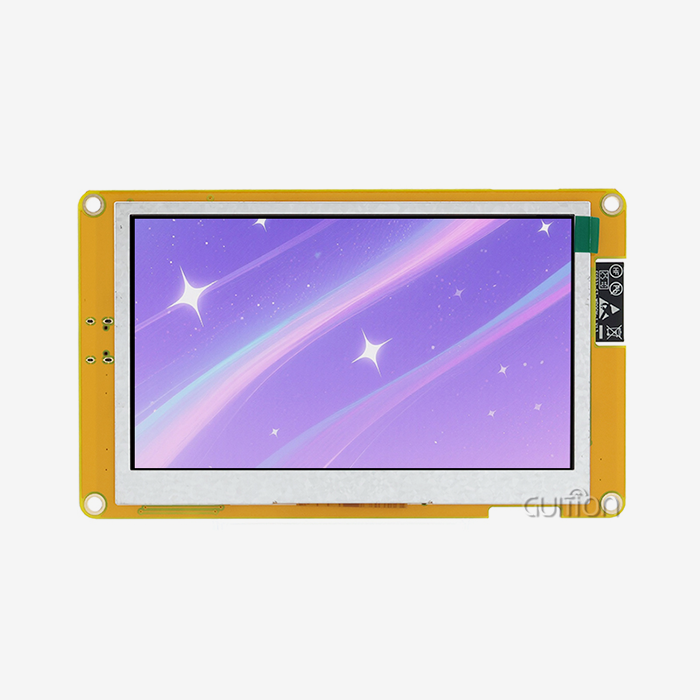
If you're sourcing a capable HMI display for your next embedded project, the 3.5 inch ESP32S3 display module deserves serious attention. This guide covers everything from core specifications and programming setup to procurement strategy and firmware support — giving engineers and product teams the technical clarity needed to make a confident purchase decision. Whether you're prototyping an industrial control panel or deploying a smart appliance interface, understanding what separates a good ESP32-S3 display from a great one saves time, money, and engineering headaches.

Understanding the 3.5 Inch ESP32S3 Display Module: Specifications & Features
Core Hardware Specifications
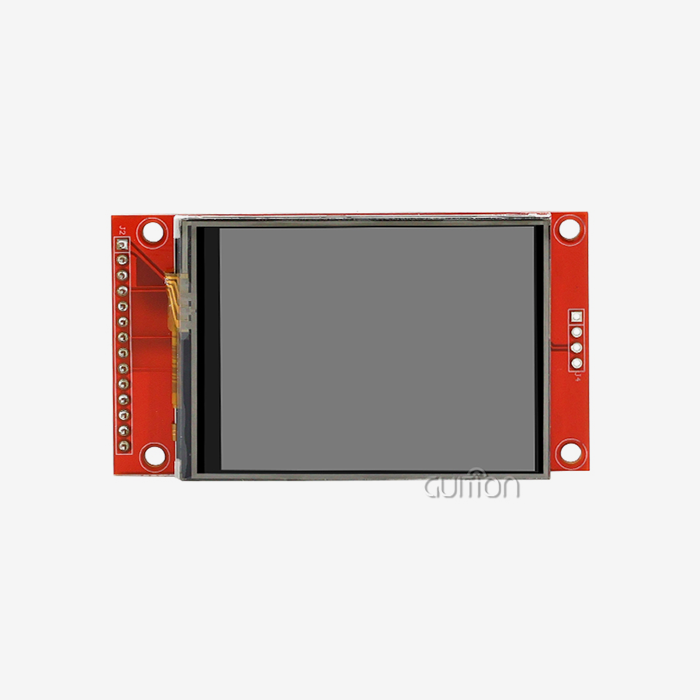
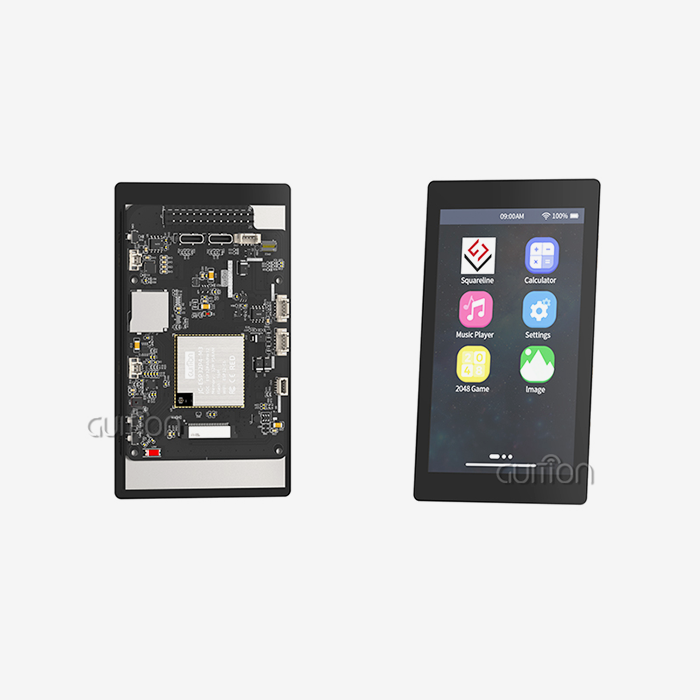
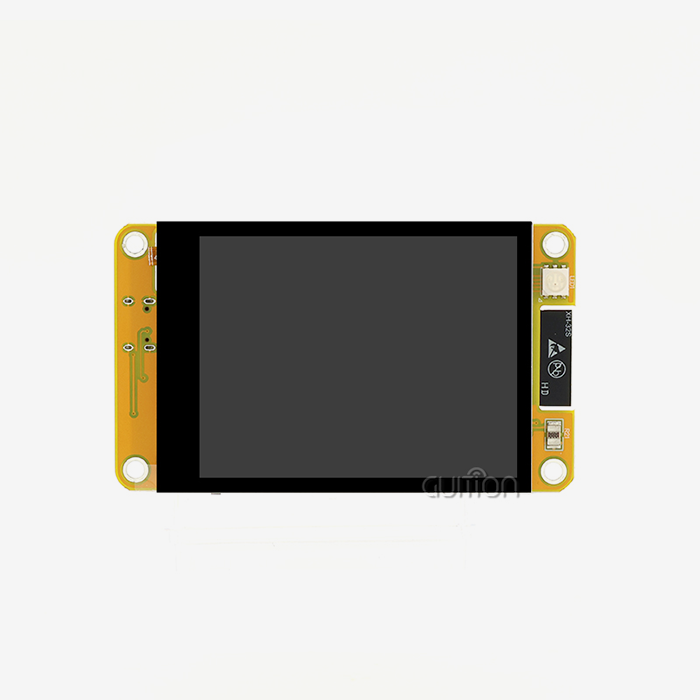
The ESP32-S3R8 dual-core MCU running at 240MHz is at the heart of the GUITION JC3248W535C_I_Y. It has 512KB SRAM, 384KB ROM, 8MB PSRAM, and 16MB Flash memory. This is enough to support smooth LVGL rendering and complex UI logic without the need for extra memory chips. The 3.5-inch IPS LCD has a resolution of 320x480 and a viewing angle of 170°, so it can be read in off-axis industrial settings.
Display Panel & Touch Technology
When used in control panels, the IPS panel clearly beats regular TN displays because the colors stay the same from any angle. The capacitive touch (FT series driver) can handle multiple touches over I2C, and the touch can move less than 1mm when everything is working normally. The module works with 3.3V processing and a 5V backlight rail. It can work in temperatures ranging from -20°C to +70°C, which is normal for industrial applications.
Connectivity & Expandability
The module has Wi-Fi and Bluetooth built right into the ESP32-S3R8 chipset, so it doesn't need an extra wireless module. You can connect up to 12 GPIO pins to other devices. A TF card slot lets you add more storage from an external source, and the lithium battery charging circuit with overcharge/overdischarge safety makes it good for use in portable devices.
How to Use and Program the 3.5 Inch ESP32S3 Display Module
Setting Up Your Development Environment
Four programming platforms can be used with the JC3248W535C_I_Y esp32 display module: Arduino IDE, ESP-IDF, MicroPython, and Guition. Arduino IDE is the fastest way for most new embedded engineers to make a prototype that works. Use the Arduino Board Manager to add the ESP32 board package, and then add the right monitor and touch drivers. Guition's own software has a drag-and-drop UI builder that doesn't need to do any low-level driver configuration at all.
Writing Your First Display Application
Using LVGL or TFT_eSPI tools, a simple "Hello World" screen can be shown in minutes after the SDK is set up and the coding is finished. You can give one core to display rendering and the other to sensor/communication code with the dual-core design. This is useful for real-time IoT dashboards. Before you write a single line of code, you can make sure the display and touch are working with the factory test application that comes with the module.
Real-World Application Examples
This ESP32-S3 HMI module works well in the following three situations:
- Industrial monitoring panel: Engineers at automation firms have deployed this module as a local HMI for PLC data visualization. The 320×480 resolution displays trend graphs and alarm states clearly, while the Wi-Fi connection pushes data to a cloud dashboard simultaneously.
- Smart appliance interface: Consumer electronics teams use the capacitive touch panel for oven and HVAC control UIs. The drag-and-drop Guition tool cuts UI development time from weeks to days.
- Medical device prototype: R&D teams building portable diagnostic devices use the battery support circuit and compact 3.5-inch form factor for handheld monitor prototypes requiring Bluetooth data sync.
These examples show that the module works well with both large-scale production builds and short development cycles, shortening the time between idea and release.
Comparing 3.5 Inch ESP32S3 Display Modules: Find the Best Fit for Your Project
IPS LCD vs. OLED: Which Panel Type Fits Your Project?
IPS LCD screens, like the one in the JC3248W535C_I_Y, are easier to read in direct sunlight and last longer than OLED, which gets pixel burn-in after a while of static use. IPS LCD is the better choice for workplace control screens and kiosk apps that need to be up and running 24 hours a day, seven days a week. In wearable tech with limited batteries, OLED is better at contrast ratio and power efficiency. But at 3.5 inches, IPS LCD rules the embedded HMI market.
3.5 Inch vs. 2.8 Inch: Choosing the Right Screen Size
The difference of 0.7 inches in screen size means that there is about 56% more space for the display, which is important for showing data tables, control setups with multiple buttons, or real-time graphs. A 2.8-inch module works well with small handheld devices that have a small PCB size. The 3.5-inch version gives UI designers enough room to make easy-to-use interfaces without having to use a lot of scrolling or menu stacking, which is a real benefit for medical and industrial HMI apps using an ESP32 Display Module.
Evaluating Manufacturer Options
ESP32-S3 display units in this size range are made by a number of different brands. GUITION stands out because it has its own development software, full secondary development documentation, military-grade process standards, and over-the-air (OTA) support for remote upgrades. Waveshare and Adafruit have good community support, but they don't have any HMI-specific tools built in. LilyGO is all about small consumer form factors. The JC3248W535C_I_Y from GUITION is a good choice for B2B buyers who care about long-term supply reliability and detailed technical documentation throughout the product lifecycle.
Procurement Considerations: Where and How to Buy 3.5 Inch ESP32S3 Display Modules
Retail vs. Bulk Pricing Strategy
Prices per unit for 3.5-inch ESP32-S3 display modules depend on how many you order and what brand they are. The price of a single unit in stores is usually between $15 and $35 USD, but this depends on the features it has. When you work directly with manufacturers like GUITION as your 3.5 inch ESP32S3 display module supplier for production runs, you can get volume discounts, OEM customization, and faster lead times. Before making a decision, purchasing managers should ask for official quotes that include warranty terms and minimum order numbers.
Evaluating Supplier Reliability
Before you choose a supplier, make sure you look at their production paperwork, quality assurance process (which should include 72-hour aging tests and ESD testing up to ±4kV), and see if they offer regular firmware and driver updates. The goods that GUITION makes meet RoHS lead-free standards, which are needed to buy things in most US and EU markets. For world deployments, make sure the supplier can support firmware that works with more than one language. The JC3248W535C_I_Y comes with UTF-8 support as usual.
OEM Customization and After-Sales Support
OEM customization of the PCB structure, enclosure, and pre-loaded software is a good option for product teams that want to make their own devices. This is made possible by GUITION's secondary development platform and direct technical interaction. Before signing a supply agreement, find out how long it takes for after-sales service, if replacement units are available, and if you can talk to a specific technical contact.
Technical Support and Firmware Development for 3.5 Inch ESP32S3 Display Modules
Firmware Updates and Driver Management
Keeping display drivers up to date keeps problems from happening when ESP-IDF or Arduino core versions are changed. Through their formal means, GUITION gives out documents and firmware files. Over-the-Air (OTA) firmware changes are possible with the JC3248W535C_I_Y ESP32 Display Module. This means that units that have already been deployed can get updates without having to be physically accessed. This is very useful for large-scale industrial or business deployments.
SDK Resources and Community Access
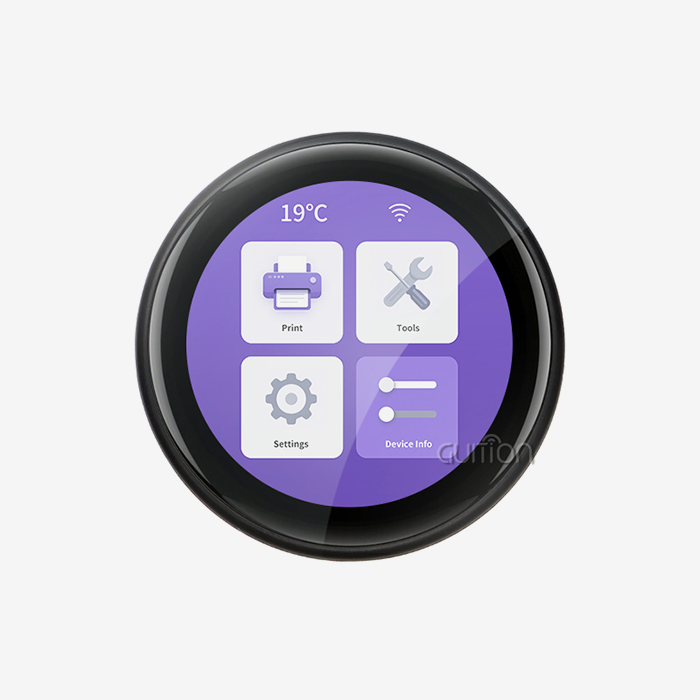
The development software from Guition comes with a large library of ready-made UI controls. Engineers can use a layout editor to drag and drop buttons, gauges, charts, and text fields, and they can also export code that is already running. The module works with LVGL for lower-level customization, and there are a lot of community tools on GitHub and the ESP32 Forum for integrating ESP32-S3 and LVGL.
Diagnosing Common Technical Issues
The most common problems with ESP32-S3 display devices are SPI bus conflicts, I2C address clashes with touch controllers, and flickering displays due to not enough power. For the JC3248W535C_I_Y, make sure that your power supply can give it at least 5V/1A of stable power. If you see ghost taps, make sure that the capacitive digitizer isn't being affected by power source ripple noise. The technical instructions for GUITION go into great depth about these diagnostic steps.
Conclusion
The GUITION JC3248W535C_I_Y 3.5 inch ESP32S3 display module is a good choice for engineers who need a reliable, full-featured HMI platform but don't want to build it from separate parts. It has a 16MB Flash, capacitive touch, Wi-Fi/Bluetooth, and supports Arduino IDE, ESP-IDF, MicroPython, and Guition. These features make it one of the more complete choices in this display size class. This module meets the specified reliability needs of teams that want fast iteration cycles, low after-sales overhead, and the ability to launch across the globe.
FAQ
Q1: What is the display resolution of the JC3248W535C_I_Y?
The module has an IPS LCD screen with 320x480 pixels. In both industrial and household HMI apps, this resolution works well for detailed UI layouts, data graphs, and control interfaces with many buttons.
Q2: Can this module run LVGL smoothly?
Yes. The ESP32-S3R8's dual-core design and 8MB PSRAM give it enough processing power and memory to generate LVGL frames at 30 FPS or more over the parallel display interface.
Q3: Does the module support OTA firmware upgrades?
Yes. The JC3248W535C_I_Y allows remote OTA upgrades over Wi-Fi, which means that units that are out in the field can get firmware updates without being able to reach the device physically.
Q4: Is it compatible with Arduino IDE?
Yes. You can use Arduino IDE, ESP-IDF, MicroPython, and Guition with this package. Engineers can pick the setting that works best for how they work now.
Q5: What touch controller does it use?
It uses an I2C capacitive touch controller to handle multi-touch motions with an accuracy of less than 1 mm when everything is working as it should.
Q6: Does it meet RoHS standards?
Yes. The module meets the lead-free RoHS standards, so it can be used in both the US and EU markets.
Get a Quote from GUITION — Trusted 3.5 Inch ESP32S3 Display Module Manufacturer
With GUITION's JC3248W535C_I_Y, your engineering team can get a production-ready HMI platform that comes with full technical docs, over-the-air (OTA) support, and Guition's own UI creation tool. Our team answers quickly to buying questions, whether you need sample units or a lot of them. To get a price right away, email us at david@guition.com.
References
1. Espressif Systems. ESP32-S3 Technical Reference Manual. Espressif Systems, 2023.
2. Maier, A., Sharp, A., & Vagapov, Y. "Comparative Analysis of IoT Development Frameworks for Embedded Systems." IEEE Internet of Things Journal, 2020.
3. Leblanc, S. & Singh, R. "Human-Machine Interface Design for Industrial Control Systems." ISA Transactions, 2021.
4. Chen, H. & Wang, L. "Display Technology Selection for Embedded HMI Applications: IPS LCD vs. OLED." Journal of Display Technology, 2022.
5. Misra, P. "Embedded Systems Development with ESP32: Architecture and Application Patterns." Electronics Weekly Engineering Review, 2023.
6. IPC Association. IPC-A-610 Acceptability of Electronic Assemblies, Revision H. IPC Association, 2022.
Learn about our latest products and discounts through SMS or email