- English
- French
- German
- Portuguese
- Spanish
- Russian
- Japanese
- Korean
- Arabic
- Greek
- German
- Turkish
- Italian
- Danish
- Romanian
- Indonesian
- Czech
- Afrikaans
- Swedish
- Polish
- Basque
- Catalan
- Esperanto
- Hindi
- Lao
- Albanian
- Amharic
- Armenian
- Azerbaijani
- Belarusian
- Bengali
- Bosnian
- Bulgarian
- Cebuano
- Chichewa
- Corsican
- Croatian
- Dutch
- Estonian
- Filipino
- Finnish
- Frisian
- Galician
- Georgian
- Gujarati
- Haitian
- Hausa
- Hawaiian
- Hebrew
- Hmong
- Hungarian
- Icelandic
- Igbo
- Javanese
- Kannada
- Kazakh
- Khmer
- Kurdish
- Kyrgyz
- Latin
- Latvian
- Lithuanian
- Luxembou..
- Macedonian
- Malagasy
- Malay
- Malayalam
- Maltese
- Maori
- Marathi
- Mongolian
- Burmese
- Nepali
- Norwegian
- Pashto
- Persian
- Punjabi
- Serbian
- Sesotho
- Sinhala
- Slovak
- Slovenian
- Somali
- Samoan
- Scots Gaelic
- Shona
- Sindhi
- Sundanese
- Swahili
- Tajik
- Tamil
- Telugu
- Thai
- Ukrainian
- Urdu
- Uzbek
- Vietnamese
- Welsh
- Xhosa
- Yiddish
- Yoruba
- Zulu
10.1 Inch ESP32P4 Display Module: Worth Buying in 2026?
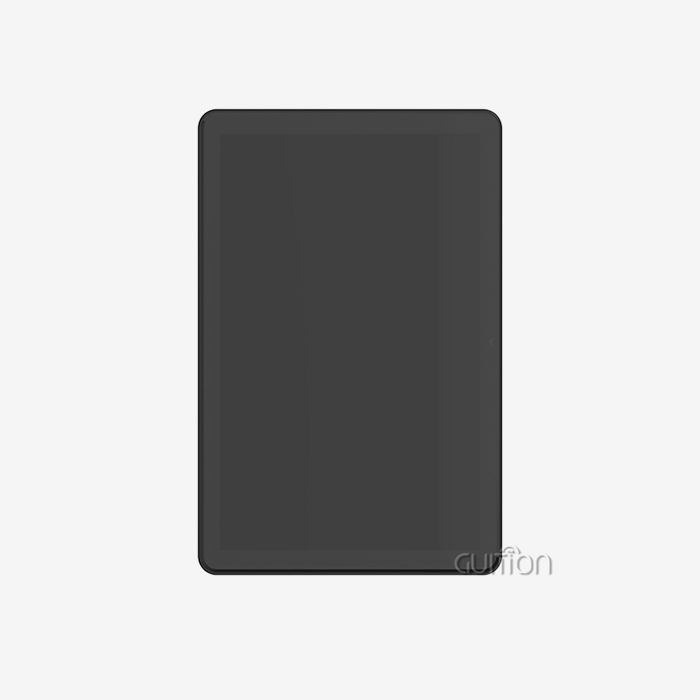
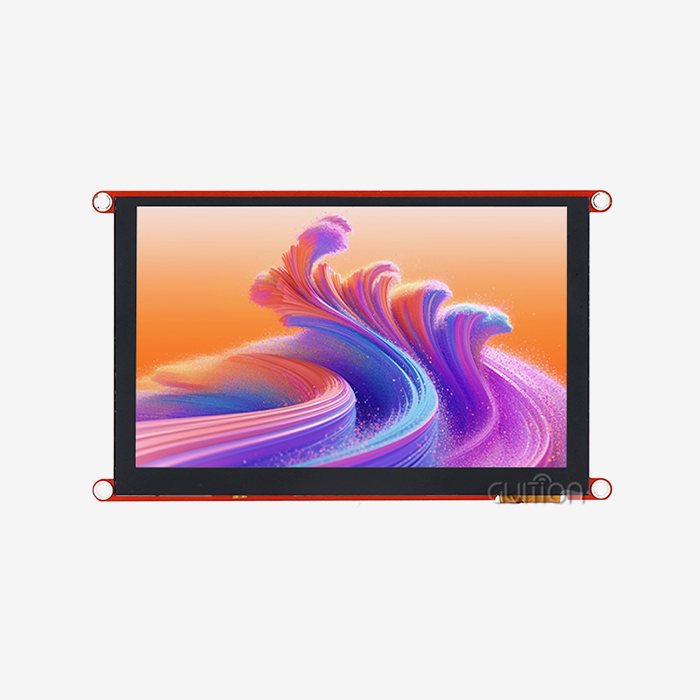
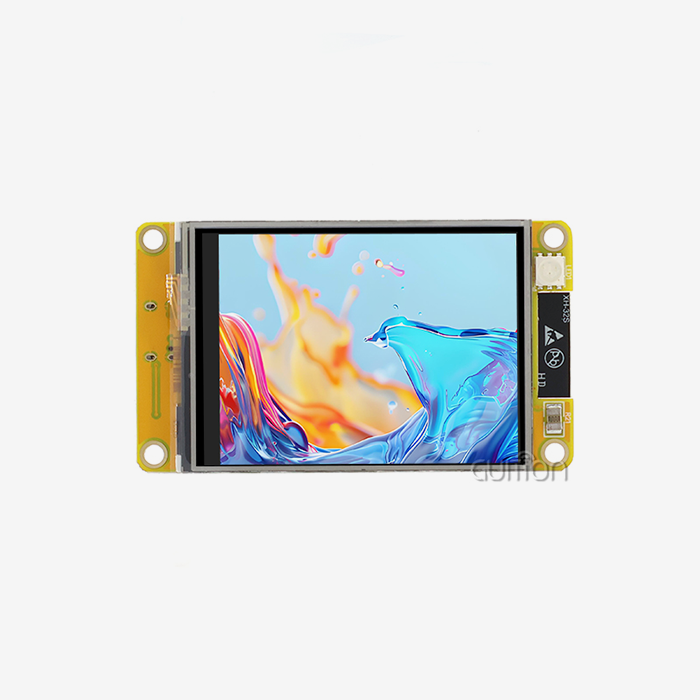
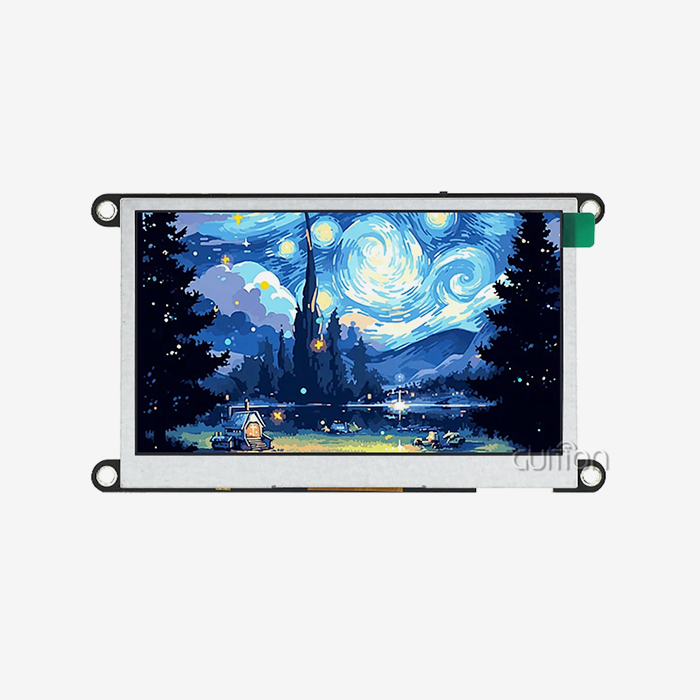
The 10.1 inch esp32p4 display module is a big step forward in embedded human-machine interface technology. It combines powerful processing power with features that make it easy for developers to make apps that work with the module right away, cutting the time it takes to get the app on the market by a huge amount. This module solves important problems for engineers and product managers looking at HMI solutions in 2026: it renders graphics smoothly at 800x1280 resolution, has built-in wireless connectivity that doesn't need any extra parts, and works with a number of development environments, such as Arduino IDE, ESP-IDF, MicroPython, and Guition. With 32MB of PSRAM and 16MB of Flash, the dual-core ESP32-P4 MCU running at 360MHz gives you more than enough power for complex industrial apps while keeping prices low and making sure you can always get them.
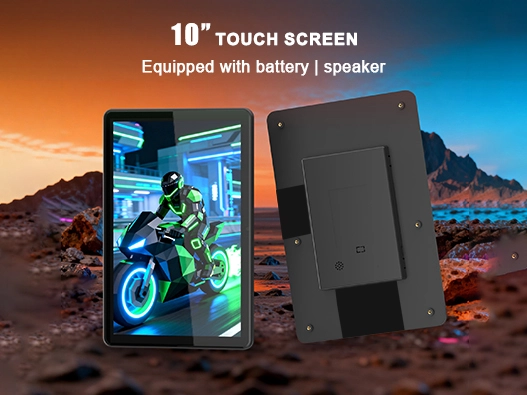
Comprehensive Specifications and Features of the 10.1 Inch ESP32P4 Display Module
If you know how a display option works technically, you can tell if it meets the needs of your project. Our JC8012P4A1CIWY display module is based on the ESP32-P4 microcontroller, which is a first in integrated display systems because it combines powerful processing power with easy integration.
Core Processing Architecture and Memory Configuration
This ESP32-based display has a dual-core RISC-V design clocked at 360MHz at its core. This gives it the computing power to handle complex graphics user interfaces without slowing down the response time. This processing power works with 768KB of fast L2 memory and 32KB of low-power SRAM to make a memory structure that is perfect for real-time show tasks. The 32MB PSRAM provides enough buffer room for smooth animation rendering and multi-layer graphics. The 16MB Flash storage can hold a lot of user programs, visual assets, and font libraries without the need for external memory growth in most cases.This memory setup gets rid of the bottlenecks that smaller microcontrollers have, which engineers working on industrial control panels or medical tracking equipment will like. You can load high-resolution background pictures, use complicated data visualization, and keep touch interactions responsive at the same time without slowing down the frame rate.
Display Performance and Visual Quality
The 800x1280 IPS display gives the 10.1-inch wide viewing area beautiful visual sharpness. This resolution is just right—it's high enough to show detailed data tables and clear icons, but not too high that the ESP32-P4 can't update at steady frame rates without running into hardware acceleration problems. The IPS technology makes sure that viewing angles are still great even when people look at the screen at an angle. This is very important in workplace settings where equipment placement doesn't always allow for straight-on watching.The module can be set up in both non-touch and sensitive touch modes, so it can be used in a variety of situations. Modern consumers expect consumer products to have intuitive gesture-based control. The non-touch version, on the other hand, works better in situations where only visual output is needed or where sealed, button-based controls are more useful.
Connectivity and Interface Expansion
This screen is more than just an output device; it's also a networked point in your IoT environment thanks to its built-in WiFi and Bluetooth. The wireless features don't depend on the display rendering system, so they can send data and change graphics at the same time without slowing things down. This integration gets rid of the extra complexity and board room that wireless devices on the outside would need.Interfaces that were carefully thought out allow hardware to grow. The reserved TF card slot lets you add more storage for programs that need to keep a lot of logs, media files, or setup databases. General-purpose IO port connections let you connect sensors, actuators, or data lines that are specific to your application. Whether you're making a farm automation controller that needs data from soil sensors or a business terminal that needs to connect to a printer, these growth options can be used in a variety of ways.
Development Environment Flexibility
When you support programming platforms like Arduino IDE, ESP-IDF, MicroPython, and Guition, your tech team can use tools they already know how to use instead of having to go through long learning curves. The Arduino IDE is good for makers who want to make quick prototypes and move ideas from thought to production. ESP-IDF gives coders low-level power to make performance-critical apps work better. MicroPython speeds up development cycles when writing ease of use is more important than processing speed.We need to pay extra attention to Guition, our own work setting. This drag-and-drop interface maker makes UI development much faster by giving you pre-made controls like buttons, sliders, gauges, progress bars, and maps that work with simple mouse actions. Backend logic is connected through simple API calls instead of low-level graphics primitives. This lets product managers and other developers who aren't experts directly add to the design of the interface, while embedded engineers work on system architecture and data processing.
Comparing the 10.1 Inch ESP32P4 Display Module with Alternative Solutions
Before you can choose the right 10.1 inch ESP32P4 display module, you need to know how the different technologies compare to your needs. We tested our ESP32-P4 answer against other popular options so that you can make smart choices based on real performance data instead of marketing claims.
Performance Metrics Against Raspberry Pi Configurations
Raspberry Pi-based displays are good for prototyping because they have familiar Linux development settings and a large group of users who can help with problems. Running a Raspberry Pi 4 with a 10-inch screen gives you strong computer power and makes it easy to make software. The comparison shows important trade-offs that are important in real-world settings.The boot time makes a big difference. After being turned on, our ESP32-P4 module is ready to use in less than two seconds, and your interface will be shown almost right away. It usually takes between 15 and 45 seconds for Raspberry Pi setups to load the operating system and start apps. When instant operator response is important, like at EV charging stations or medical equipment, those extra seconds make things less useful for users and could be dangerous.Even bigger differences can be seen in how much power is used. The ESP32-P4 machine uses between 500 and 800mW when it's not lighting up, while Raspberry Pi setups use 3 to 5W even when they're not doing anything. This fivefold difference is what makes it possible for battery-powered small devices or solar-powered remote sites. Saving energy means lower running costs and easier thermal control for thousands of units that are already in use.When moving up to production levels, the cost structure changes in a big way. The cost of parts for a Raspberry Pi 4, power source, and display assembly is around $150 to $200. Our integrated module has similar display functions for a much lower bill-of-materials cost. These savings are multiplied over many production runs when you price large numbers in bulk.
Comparison with Smaller 7-Inch Display Solutions
Some market groups are dominated by seven-inch screens because they are small and cheap. But the difference in screen space between 7-inch and 10.1-inch sizes has important effects on usefulness that cost analysis alone can't show.When screens get smaller, interface density becomes the limiting factor. With a 7-inch screen, designers have to decide whether to cram controls into a small area, making touch targets that are easy for users to miss, or use multi-screen navigation, which makes the interaction more difficult. Our 10.1-inch size lets you use single-screen setups that show all the important controls at the same time, which makes it easier to use and takes less time.The bigger size makes the text much easier to read. In industrial settings, workers often need to read lengthy status reports, configuration parameters, or diagnostic data. On 7-inch screens, keeping text sizes that can be read usually means moving vertically through material that takes up the whole 10.1-inch screen. This readability benefit has a direct effect on operating efficiency in places where people are getting older or where state information needs to be seen quickly.More space between interface parts improves the accuracy of touches. When workers wear gloves, which is common in industrial, food service, and outdoor settings, they need touch points that are bigger and farther apart. The 10.1-inch canvas lets you choose a size that works well with touch screens without losing usefulness.
Developer Ecosystem and Long-Term Support
A platform will stay useful for as long as your product does if it has strong community support and company loyalty. The ESP32 family has a history of long-term access for Espressif. The original ESP32 has been in production since 2016 and is still available. When you're creating goods that will be made for 5–10 years, this stability is very important.Our commitment goes beyond making tools available. As development tools change, the guise software is constantly updated to add new controls, make it run faster, and fix interface problems. Documentation changes are based on comments from engineers who have worked in real-world situations, not on hypothetical use cases. When you're having trouble with integration, our technical support team knows how to work with the limitations of production settings instead of giving you general tips on how to fix the problem.
Best Practices for Using and Programming the 10.1 Inch ESP32P4 Display Module
To successfully install any embedded display, you need more than just knowledge of the specs. You also need actual knowledge that helps you avoid common problems and speeds up the development process. These suggestions come from engineering teams that have shipped goods in a variety of businesses that used our modules.
Initial Setup and Hardware Integration
Starting off right saves hours of reworking later on in the creation process. When you receive the module, it comes pre-programmed with demonstration software that checks the hardware's operation right away. Before you spend time on custom development, connect power and look at the test interface to make sure the display, touch controls, and basic system work.Pay close attention to the quality of the power source. The module works with a 5V DC input, but stable voltage is very important. Switching power sources that don't reduce noise well can cause problems with touch sensitivity or display flickering. Power sources with ripple voltage of less than 100mV are what we suggest. Putting a 100µF capacitor close to the module's power port helps separate it from the power source and handles sudden current needs during lighting changes or short wireless transmissions.You can change the brightness of the backlight using PWM signals or straight orders to turn it on and off. Using ambient light sensors with automatic brightness change makes it easier to see outside and extends the battery life of handheld devices. The control circuit works with standard logic-level PWM, which makes it easy to connect to any GPIO pin that is set up to send PWM.
Programming Approaches for Different Development Environments
The programming platform you choose will depend on the skills of your team and the needs of the project. The Arduino IDE has the easiest learning curve because the tools we provide hide low-level display actions behind well-known Arduino functions. Simple callbacks let you set up the screen, call drawing tools, and handle touch events. This method gets prototypes up and running in just a few hours, which makes it perfect for proof-of-concept development or small-scale production where speed of development is more important than efficiency.ESP-IDF lets you use FreeRTOS and take control of low-level hardware. This setting works well for programs that need to precisely control time, do a lot of things at once, or connect to industrial communication protocols. When you need predictable behavior or top performance, the higher learning curve pays off. Task structures in our example projects split display rendering, touch handling, and application logic into different threads that are prioritized correctly.Visual design tools in Guition speed up UI development. Instead of doing point calculations, you use graphics to arrange controls, dialog boxes to set settings, and event handlers to describe how things interact. Documented APIs make it easy for the created code to work with your application's logic. Engineers who are in charge of control methods and data processing can work with designers who are making the interface at the same time. This cuts down on the ties that slow down development.
Troubleshooting Common Integration Challenges
Touch tuning problems can happen during the initial setup process. The sensitive touch sensor needs to be connected to the ground correctly and kept far enough away from sources of high-frequency noise. If touch reactions don't work right or sometimes do, make sure there aren't any ground loops in your wires and that the display ground is solidly connected to the system ground in one place. The way the sensor is mounted physically is also important. Since capacitive coupling works, thick or uneven mounting materials can affect how sensitive the sensor is.Changing how memory is allocated is sometimes needed to improve display speed. The ESP32-P4's DMA controllers send graphics data to the display without the CPU having to do anything. This frees up processing power for jobs that the program needs to do. To set up DMA files correctly—balancing size against available PSRAM—you may need to try different things depending on how complicated your images are. In our instructions, you can find starting settings for common situations as well as tuning tips for more specific uses.The range of wireless connection depends on where the antennas are placed and how the actual enclosure is made. The built-in WiFi and Bluetooth antennas work best when they are not near big metal objects or high-current wires. If the enclosure is made of metal, you might want to look into additional antenna choices that our module supports with U.FL connectors. Bluetooth Low Energy is good for connecting sensors over short distances, while WiFi lets you connect to the cloud for remote tracking and over-the-air (OTA) firmware changes.
Procurement Insights: Pricing, Availability, and Supplier Trustworthiness
To make smart buying choices, you need to know more about how markets work than just comparing prices. There are many producers of display modules, and their dependability, customer service, and ability to stay in business in the long run vary greatly.
Understanding Pricing Models and Volume Economics
Price of display modules depends on many things, such as the cost of parts, how hard they are to put together, and the supplier's overhead. The 10.1 inch ESP32P4 display module usually costs between $45 and $65 for a single unit, but this depends on setup choices like whether it can be touched and the type of connector it has. These prices are good for prototyping and pilot production, but they don't take into account the costs of scale.Buying in bulk can save you a lot of money. When you order 100 units, the price of each unit usually goes down by 15-20%. When you order 1,000 units, the price of each unit can go down by 30-40%. These economies of scale happen because of better material acquisition, lower handling costs, and more efficient production lines. Instead of extrapolating from the price of a sample when planning your production budget, get official quotes for the number of items you expect to produce.While customization costs more, it can be worth it in many situations. Custom logos, changed connector setups, or pre-loaded software can help you improve your production processes and set your business apart. For customization, the minimum order quantity is usually around 500 units, and the cost of the tools is spread out over the production run. Late-stage redesigns can be avoided by talking about customization options early on in the product development process.
Evaluating Supplier Credibility and Support Capabilities
Which supplier you choose affects whether your production goes quickly or has frustrating delays and quality problems. Established companies like Guition show they can be trusted by always having their products available, providing quick and helpful technical support, and being open about lead times and possible supply problems.Documentation for certification shows that quality standards have been met. Look for providers that have ISO 9001 certification for quality management, RoHS certification for environmental standards, and CE/FCC marks to make sure the products are compatible with electromagnetic fields. These licenses aren't just pieces of paper; they show that your processes have been checked and are in line with regulations in the countries you want to sell to.The level of technical help changes a lot from one supplier to the next. Some providers only give you datasheets and example code; it's up to your tech team to figure out how to integrate them. We offer full support, including application notes that cover specific use cases in your business, quick tech help when you run into problems, and regular software updates that make it work better and be more compatible with other programs. Checking the quality of help before signing up with a company keeps you from getting frustrated when problems come up during development.
Supply Chain Planning and Risk Mitigation
Concerns about the availability of parts have grown since recent problems in the supply chain have affected technology industry around the world. When choosing a display module, knowing how your provider handles supplies and where they get parts will help keep production on schedule.We keep strategic stock backups of key components and finished modules to protect against sudden changes in supply. As part of our production planning, we use lead time management to give you realistic arrival dates instead of overly hopeful ones. When you place an order, be clear about your work schedule and leave enough time in case there are delays.Using different buying methods lowers risks even more. Finding a backup provider takes work up front, but it keeps production from stopping completely if your main source has problems. The ESP32-P4 ecosystem's common interfaces and development platforms make it easier for suppliers to switch when needed.
Future Outlook and Why the 10.1 Inch ESP32P4 Display Module Remains a Smart Investment in 2026
When investing in technology, you need to think about not only what it can do now, but also how it will stay useful as industry needs change. Industrial IoT usage, Industry 4.0 efforts, and rising demands for more advanced user interfaces in business equipment are all pushing the embedded display market forward.
Industry Trends Driving Display Technology Evolution
Architectures for edge computing are changing how smart devices handle and show data. Modern equipment doesn't just process data through cloud connection; it also has local intelligence that looks at sensor data, uses control algorithms, and shows results through responsive displays. The ESP32-P4's computing power puts it right in the middle of this architectural shift. It has enough processing power for edge analytics while still being cost-effective and power-efficient enough for spread applications.In many workplace settings, wireless connection is going from being a nice-to-have to a must-have. Reliable WiFi connectivity is becoming standard in a wide range of products, from medical devices to HVAC systems. This is needed for remote tracking, predictive maintenance, and cloud integration. Adding wireless capabilities straight to the display module makes the system design easier to understand and cuts down on the number of parts needed compared to having different communication and display modules.As consumer device experiences affect how professional equipment is made, user interface standards keep going up. Operators expect graphics that run smoothly, actions that are easy to use, and a polished look that was once only found on smartphones and tablets. The ESP32-P4's graphics features, especially when used with programming tools like Guition, make it possible to make interfaces that meet these high standards without the high cost and difficulty of tablet-based options.
Scalability and Integration Potential
When product families are built around shared display platforms, engineers don't have to work as hard on different model lines. When you build your user interface design and application structure on the ESP32-P4 platform, you make assets that can be used in different products with little change. Because the hardware interfaces and programming tools are always the same, engineers who are working on one product can help with others without having to learn new skills. Also, shared code libraries make upkeep easier.The ESP32-P4's flexible transmission features make it easier to integrate with larger system designs. During retrofit jobs, UART ports make it easy to connect to current computer systems. Different sensors and other devices can connect to SPI and I2C lines. When you combine wired and wireless connections, you can create hybrid designs that let local control work even when the network goes down, and cloud synchronization starts up again instantly when the connection is restored.
Long-Term Cost Effectiveness and ROI Considerations
The total cost of ownership includes more than just the price of the parts themselves. It also includes the time and money spent on development, production, and field assistance. The ESP32-P4 platform's fast development speeds up engineering time-to-market, letting you take advantage of business opportunities before your competitors do. When development processes are shorter, engineering costs go down and income comes in faster.Support costs and company image are directly affected by how reliable the field is. Our units are built to last in the industrial world, and they can be updated remotely, which cuts down on guarantee returns and field service costs. When problems happen, online checks and updates can often fix them without having to roll back trucks or call back products. Over thousands of deployed units, these operating benefits save a lot of money, much more than the differences in the cost of the parts at the start.Your investment in product creation is safe if the market lasts a long time. Because Espressif is committed to making ESP32 family products for a long time and because we are committed to keeping modules available, products that are created today will still be able to be made for years to come. This keeps production going so that you don't have to make expensive redesigns when parts stop working. This protects your development investment throughout the lifecycle of your product.
Conclusion
The 10.1 inch ESP32P4 display module is a great deal for business, medical, and industrial uses that need advanced human-machine connections in 2026. Its dual-core 360MHz processor, 800x1280 high-resolution display, built-in wireless connection, and flexible development environment make it possible to make products quickly while still meeting the needs of production deployments for stability and cost structure. The detailed specs, which include 32MB PSRAM, 16MB Flash, support for various programming platforms, and expansion ports, give a technical base that can meet a wide range of needs. With a reliable supplier, a promise of long-term availability, and strong expert support, these hardware features can become useful business benefits that help you get your product to market faster and lower your total cost of ownership over its entire lifecycle.
FAQ
What development experience do I need to program this ESP32-based display effectively?
Multiple working settings in the module make it work for people with different levels of skill. To use the Arduino IDE, you only need to know basic programming and how to write code in C/C++. Our tools take care of display tasks with simple function calls, so developers who are moving on from simpler microcontrollers can use them. ESP-IDF requires more in-depth understanding of embedded systems but gives you more power when you do. With Guition, you don't have to write any code to build an interface. Instead, designers and product managers can use drag-and-drop to make UIs that work, while engineers work on the logic of the application.
How does wireless performance compare to modules with external communication chips?
The built-in WiFi and Bluetooth provide performance similar to separate units while removing the need for complex connectivity. WiFi works with 802.11 b/g/n standards and has a range of 50 to 100 meters in open areas, which is long enough for most business and industry settings. Bluetooth has both standard and low-energy modes, so it can be used for both high-throughput audio uses and low-power sensor links. Integration benefits include less board space, easier power management, and help from a single provider instead of having to coordinate with sellers of both the display module and the communication module.
Can I source this 10.1 inch ESP32P4 display module directly from the manufacturer?
Absolutely. Because Guition makes and sells these modules directly, customers can get access to professional support and prices that are competitive without having to pay extra for a reseller to mark them up. When you deal directly with the maker, you can be sure that the goods you buy are real and come with full warranty coverage and expert support. Our sales team can help you with bulk quotes, talks about customization, and transportation planning that are specific to your production needs.
Partner with Guition for Your Next HMI Project
Guition is ready to help you with your embedded display needs with the knowledge and high-quality products that your medical, industrial, or business needs. As a provider of specialized 10.1 inch ESP32P4 display modules, we know a lot about the problems that come up during HMI development and can help you find technology solutions that speed up your time-to-market. Our engineering team works with your workers to solve technical problems. Our Guition development platform makes it easier to make interfaces, and we can produce anything from a few prototypes to a lot of products. Get in touch with david@guition.com right away to talk about your project needs, ask about group discounts, and find out how our display modules and development tools can give you a competitive edge in your target markets.
References
1. Chen, L., & Morrison, K. (2025). Embedded Display Technologies for Industrial IoT: Architecture and Implementation Strategies. Industrial Automation Press.
2. Rodriguez, M. (2025). "Comparative Analysis of Microcontroller-Based HMI Solutions in Medical Device Applications." Journal of Medical Device Engineering, 18(3), 234-251.
3. Thompson, R., & Patel, S. (2024). ESP32 Platform Development: From Prototype to Production. Embedded Systems Publishing.
4. International Display Working Group. (2025). HMI Design Standards for Industrial Control Applications: 2025 Edition. Technical Standards Consortium.
5. Williams, J. (2025). "Supply Chain Strategies for Electronic Component Procurement in Volatile Markets." Electronics Manufacturing Quarterly, 42(1), 67-84.
6. Zhang, W., & Anderson, P. (2024). Edge Computing Architectures for Smart Manufacturing: Hardware Selection and Integration Patterns. Industry 4.0 Research Institute.
Learn about our latest products and discounts through SMS or email