- English
- French
- German
- Portuguese
- Spanish
- Russian
- Japanese
- Korean
- Arabic
- Greek
- German
- Turkish
- Italian
- Danish
- Romanian
- Indonesian
- Czech
- Afrikaans
- Swedish
- Polish
- Basque
- Catalan
- Esperanto
- Hindi
- Lao
- Albanian
- Amharic
- Armenian
- Azerbaijani
- Belarusian
- Bengali
- Bosnian
- Bulgarian
- Cebuano
- Chichewa
- Corsican
- Croatian
- Dutch
- Estonian
- Filipino
- Finnish
- Frisian
- Galician
- Georgian
- Gujarati
- Haitian
- Hausa
- Hawaiian
- Hebrew
- Hmong
- Hungarian
- Icelandic
- Igbo
- Javanese
- Kannada
- Kazakh
- Khmer
- Kurdish
- Kyrgyz
- Latin
- Latvian
- Lithuanian
- Luxembou..
- Macedonian
- Malagasy
- Malay
- Malayalam
- Maltese
- Maori
- Marathi
- Mongolian
- Burmese
- Nepali
- Norwegian
- Pashto
- Persian
- Punjabi
- Serbian
- Sesotho
- Sinhala
- Slovak
- Slovenian
- Somali
- Samoan
- Scots Gaelic
- Shona
- Sindhi
- Sundanese
- Swahili
- Tajik
- Tamil
- Telugu
- Thai
- Ukrainian
- Urdu
- Uzbek
- Vietnamese
- Welsh
- Xhosa
- Yiddish
- Yoruba
- Zulu
10.1 inch display module Benefits for Smart Manufacturing
In smart production settings, a 10.1 icnh display module is the main way that humans can interact with complicated automatic systems. These units have high-resolution LCD screens, the ability to be touched, and strong controller interaction to show real-time data on plant floors. For R&D managers and embedded engineers managing the shift to Industry 4.0, picking the right display module has a direct effect on how quickly and efficiently products are made, how fast operators are, and how the system can be expanded. Its screen size of 10.1 inches is just right for detailed process monitoring while still being small enough to fit in industrial settings with limited space. This makes it the best choice for control panels, machine interfaces, and quality inspection stations in factories across the world.

Understanding 10.1 Inch Display Modules in Smart Manufacturing
Modern production needs smart interfaces that can work in harsh conditions and still show clear images and let users connect with them quickly. To build these connections, you need to know what makes a display panel truly industrial-grade.
Core Technologies Behind Industrial Display Modules
When it comes to making display panels, there are a lot of important parts that all work together. The LCD screen itself uses TFT (Thin-Film Transistor) technology to get resolutions that are usually between 1024x600 and 1280x800 pixels. This makes it possible for workers to read complex schematics and data tables without straining their eyes. Backlight systems use LED grids that are made to last 50,000 hours or more, so the brightness stays the same even when multiple shifts are running. The touch layer adds another dimension. Capacitive touch offers multiple touch motions and better clarity thanks to its glass construction, while resistive touch versions make operation possible while wearing gloves, which is important in cleanrooms and heavy industry settings.
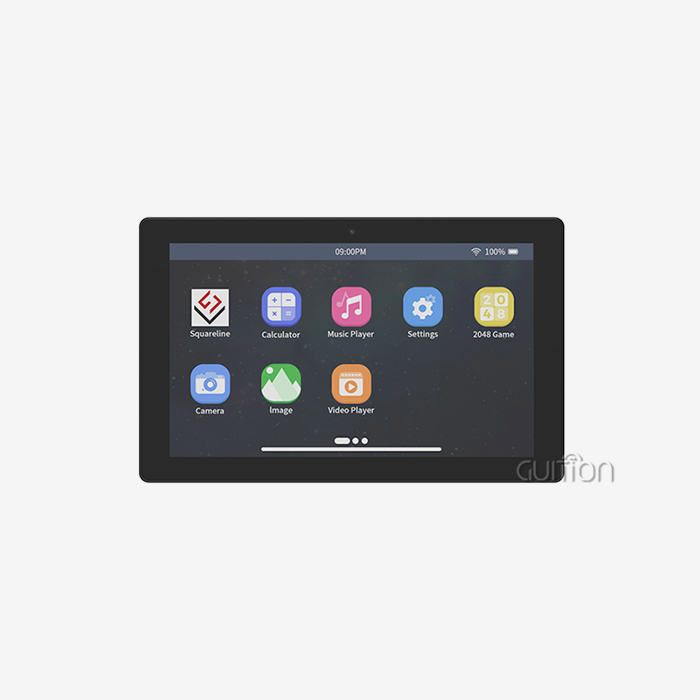
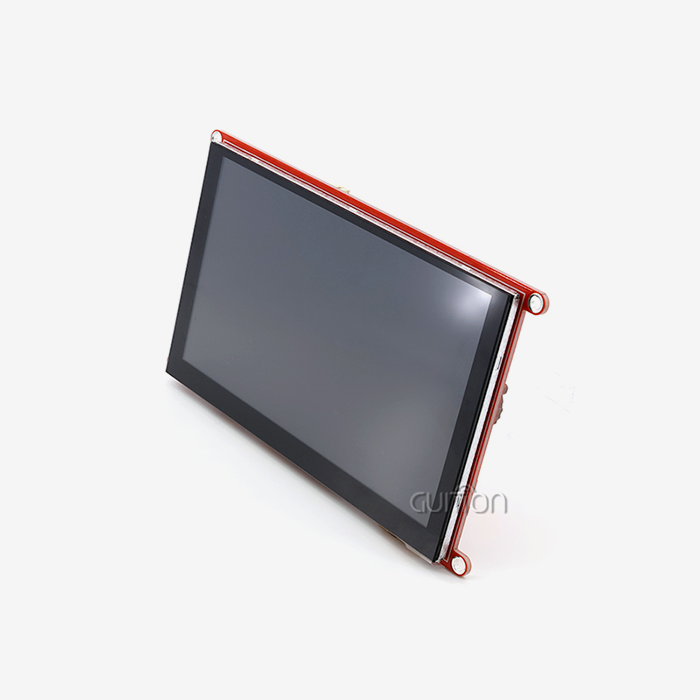
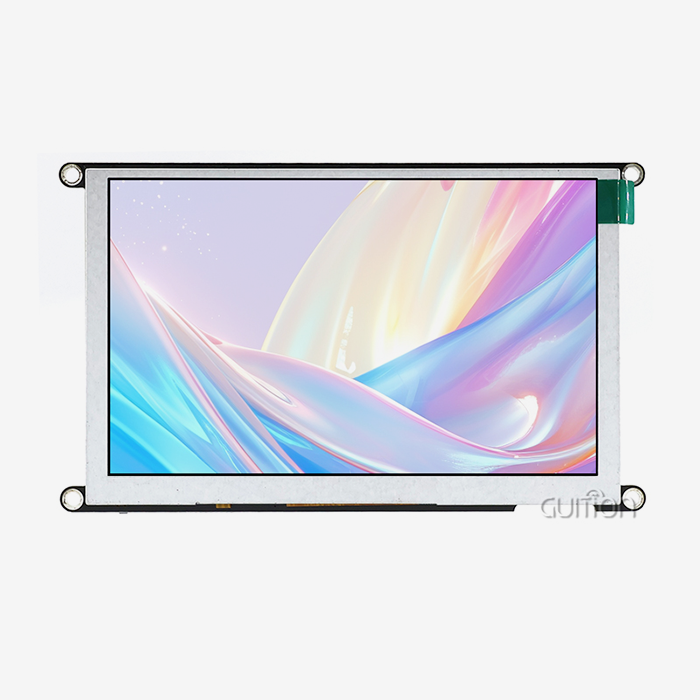
This combination is shown by the GUITION JC8012P4A1C_I_W_Y, which has a display with a resolution of 800x1280 and an ESP32-P4 dual-core processor running at 360MHz. The usual bottleneck happens when display controls are slow to respond to user input. This design gets rid of that problem, giving operators the smooth responsiveness they expect from modern HMI systems. The module can handle 16.7 million colors, which turns regular data screens into easy-to-use visual tools with color-coded alerts and gradient signs that show at a glance how the machine is running.
Interface Standards and Connectivity Options
How well a display module works with current control systems depends on how well it is connected. Serial methods like RS232 or RS485 are often used in older systems, while Ethernet is used in newer systems for networked tracking and control. The most flexible parts work with several different interface standards. This lets you slowly improve your system without having to update everything. Embedded experts have found the USART-HMI design to be very useful. This method lets the display module handle producing images, freeing up the main controller to work on time-sensitive automation jobs. When WiFi and Bluetooth are added to systems based on Guition's ESP32-P4, managers can set up devices wirelessly and do diagnostics from afar without having to buy extra gateway hardware. The reserved TF card interface adds to the functions, letting you log production data locally or store videos of machines in action for training reasons.
Key Benefits of Using 10.1 Inch Display Modules in Smart Manufacturing
Using custom-built display units changes the way manufacturing is done in measured ways. These benefits go beyond just showing information; they also make it easier for workers to use production systems.
Enhanced Real-Time Visualization and Decision Making
Sensor data, machine states, and quality measures are constantly being sent out from manufacturing settings. A 10.1 icnh display module gives this information a clear place to be seen. Instead of having to read too much or use styles that are too small for 7-inch screens, the extra space lets you compare different data sources side by side. When someone is watching an injection molding cycle, they can see hollow pressure graphs, temperature profiles, and cycle time counters all at the same time without having to switch screens. It's important not to discount the psychological effects of good imagery. Industrial ergonomics studies show that workers can make faster and more accurate choices when important parameters are displayed in specific areas of the screen instead of scrolling through carousel displays. Color-coded zones—green for normal operation, amber for warnings, and red for alarms—use pre-attentive visual processing to let managers see from across the plant floor how the lines are running.
Rugged Durability for Harsh Industrial Environments
Electronics don't do well in harsh environments like factory halls. Standard consumer displays are in danger from changes in temperature caused by machines that make heat, vibrations from pressing presses, particle pollution from cutting operations, and electromagnetic interference from motor drives. These problems are solved by industrial-grade units that are carefully designed to do so. Operational dependability is based on temperature tolerance. Standard operating temperatures for a good 10.1-inch display module range from -20°C to +70°C. Longer versions can reach -30°C to +85°C for places that don't have climate control. The JC8012P4A1C_I_W_Y is made using military-grade methods that guarantee stable performance over this range. Burn-in tests and conformal coating application are done on internal parts to protect the circuits from moisture and corrosive atmospheres that are common in food or chemical processing environments.
Flexible Integration with Automation Controllers
When a display panel works well with other computer systems, it becomes even more valuable. Programmable Logic Controllers (PLCs), industrial PCs, and more and more edge computer devices all need to work together for smart manufacturing to work. When built correctly, an HMI module can connect all of these different systems and act as a global translator. This interoperability is made possible by standard industry methods. Modbus RTU/TCP support lets you directly ask PLC registers, which shows real production counts, alarm histories, and setpoint values. This works with business systems too, and OPC UA compatibility lets plant-wide screens combine data from different production cells. The modular design of USART-based displays makes them great for retrofit situations where older equipment can't handle complex networking. For example, simple serial messages can update the display without having to change the driver software.
Comparative Analysis: Selecting the Best 10.1 Inch Display Module for Industrial Use
To choose from the available modules, you have to compare the technical specs to the needs of the program. Not all screens with industrial signs work as well or are as suitable for your needs.
Display Technology Trade-offs
esp32p4 display module: LCD technology is used in most workplace screens because it is reliable and cheap. Standard TFT-LCD screens have brightness levels of 300 to 400 cd/m², which are good for production inside. For outdoor or window-adjacent installs, sunlight-readable versions have brightness levels of 1000 cd/m² or more. The viewing angles are usually 170° in both the horizontal and vertical directions. This keeps the colors from shifting when operators come in from different angles. The panel and backlight generally use 3 to 5W of power together, which isn't too much for standard industrial power sources. OLED options sometimes show up in high-end uses that need very high contrast ratios or flexible shapes. But OLED isn't good for 24/7 production because it has a short lifespan—especially blue pixels that break down after 20,000 hours, which causes color shifts. This gap is made even bigger by the fact that OLED panels cost 3 to 5 times more than similar LCD solutions, but they don't last as long.
Touch Interface Considerations
Touch technology changes the way people connect with things in basic ways. Capacitive touch is now the most popular choice for most uses because it works with light touches, supports multiple gestures, and has better optical clarity—the glass design means there is no parallax offset between the touch point and the information on the screen. Modern versions, like the GT911 controller built into Guition modules, can sense 10 points of touch with reaction times of less than 10ms. This lets you pinch-zoom through process diagrams and use two hands to control them. Resistive touch still has some niche benefits in some situations. It is necessary to be able to operate gloves in cleanrooms for manufacturing and cold storage facilities where workers can't show their skin. The technology can also handle any kind of pressure, so you can use a pen to take your signature or use the precision calibration connections. But the plastic overlay film lowers optical transmittance by 15 to 20 percent, and based on quality, it usually goes out after 1 to 3 million touches, so it needs to be replaced every so often.
Processor Performance and Ecosystem Support
The processor that drives a display gadget decides how much it can do. Low-end options use simple serial order processors that display pictures and text that have already been loaded, allowing for little customization. Mid-range controls add graphics primitives like lines, circles, and bitmap scaling. These add-ons make dynamic layouts possible, but they need careful memory management. High-performance choices like the ESP32-P4 offer full embedded computing platforms with 32MB PSRAM and 768KB on-chip memory, which can handle complicated animations, real-time charts, and even video playing. Processing power is most important when screens are used for more than one thing at the same time. A module in charge of a robotic welding cell might need to show live camera views, record weld parameters, move 3D arms around, and reply to touch inputs—all without any noticeable lag. The Guition JC8012P4A1C_I_W_Y's 360MHz dual-core design makes it easy to do many things at once. Each core handles its own communication methods and display rendering on its own. This parallelism stops what usually happens, which is that serial data receiving blocks screen changes, which makes animations stutter and annoy operators.
Procurement Strategies for 10.1 Inch Display Modules in B2B Smart Manufacturing
When you strategically source display panels, you have to find a balance between technical requirements, business terms, and the supplier's abilities. The process of sourcing is very different from buying consumer items.
Supplier Evaluation and Partnership Criteria
When choosing a vendor, you should look at the possibility for a long-term relationship over the price per unit. Display units are highly integrated into product designs, which makes replacing them in the middle of production expensive because firmware needs to be changed and the product needs to be recertified. Suppliers who offer stable product roadmaps and long-term availability commitments—ideally production promises that last 5 years or more—protect against aging risks that could leave product lines unfinished in the middle of their lifecycles. For unique goods, customization becomes very important. Standard catalog items can be used for many things, but to get a competitive edge, you often need custom specs, like aspect ratios that aren't available in the catalog, accessories that are built in, or special optical treatments. Such requests can be met by suppliers with their own tech teams, but not by pure wholesalers. Manufacturing presence is also important; sellers with their own production lines can directly monitor quality and speed up rush orders or design changes that would take a long time to negotiate with contract makers.
Navigating MOQ, Pricing, and Lead Time Considerations
Due to the economics of making, minimum order amounts limit buyers who only want to buy a few items at a time. Many industrial display providers have minimum order quantities of 100 to 500 units, which are too high for new businesses or makers of low-volume specialty equipment. Looking for 10.1 icnh display module providers with variable MOQs—even sample amounts for testing—lowers the risk of making an initial investment. Some makers keep popular designs in stock so that small orders can be made at a small premium. When demand calls for it, they switch to direct production runs. Single-tier published pricing isn't very clear, but price systems that reward bulk promises are. Markup layers are taken away when you work with makers like Guition instead of multi-level dealers. Volume discounts usually happen when you buy 100, 500, or 1000 units or more. The prices range from 15% to 30% for each tier. Annual blanket purchase orders can sometimes get you better prices than one-time purchases of the same amount. This is because sellers like it when you can predict demand, which lets them make the best use of their production schedules.
Future Trends and Innovations in 10.1 Inch Display Modules for Smart Manufacturing
The development of display technology is always opening up new ways for production systems to work. System designs can be made more future-proof by keeping up with new features.
Industry 4.0 Integration and Edge Computing
When display units and edge computing platforms work together, they make smart interfaces that can do local analytics. Next-generation modules process information directly instead of just showing data that was made somewhere else. Displays with ESP32-P4-class processors run machine learning inference models that look for strange patterns in sensor streams and let workers know about small quality problems that can't be seen by rule-based monitoring. This edge intelligence makes it less dependent on cloud connections while also speeding up reaction times, which is very important when milliseconds separate acceptable variation from bad production. Over-the-air (OTA) software updates change the cost of maintaining displays. In the past, technicians had to visit each device separately to re-program it, which took hours per unit across multiple locations. The remote upgrade feature lets centralized IT systems update the whole fleet at the same time. Manufacturers can add new features, security patches, and bug fixes overnight without stopping output with the help of migration tools that support this functionality. The time saved across hundreds of deployed interfaces adds up to thousands of hours of work saved each year, while software versions are kept uniform across the installed base.
Emerging Display Technologies on the Horizon
Within five years, micro-LED technology is expected to completely change the way industrial screens work. 10.1 icnh display module using micro-LED screens could have operating lives of 100,000 hours or more and keep its 2000+ cd/m² brightness by combining OLED's perfect blacks and wide color gamut with LED's long life and brightness. Costs are too high right now because of problems with production, but as output grows, more industries will use them for tasks where replacing a display takes a long time. Integrated sensor grids make screens more aware of their surroundings. As the lighting in a building changes throughout the day, ambient light sensors adjust the brightness automatically. This keeps your eyes from getting tired and cuts down on power use. When an operator walks close to a display, the sensors wake it up and record the time of each contact for later analysis of output. Some new units have air quality sensors that connect the surroundings with process results. This is useful information for companies that are trying to improve their Six Sigma quality.
Conclusion
The deliberate choice of 10.1 icnh display module is a key factor in the success of smart manufacturing. These interfaces let workers talk to automated systems. They turn raw production data into ideas that can be used to make things run more smoothly. Modules with strong construction, smart processing, and flexible connections, like Guition's JC8012P4A1C_I_W_Y, give industrial apps the performance they need while keeping development accessible through cross-platform support. As manufacturing continues to move toward Industry 4.0 models, it's important to find display partners that can offer technical depth, flexibility, and long-term commitment. This will make sure that your HMI infrastructure grows with your business instead of holding it back.
FAQ
What is the typical power consumption of a 10.1 inch display module in industrial applications?
Depending on the backlight brightness levels and the material being shown, industrial 10.1 icnh display module usually use 4 to 7 watts when they are active. The Guition JC8012P4A1C_I_W_Y uses about 5 watts of power at medium brightness when the ESP32-P4 chip is running. At highest brightness, when WiFi is sending, that power rises to 6-7 watts. Modules that have more than one power mode can lower power use to less than 1 watt when the screen is blank, but touch recognition is still on.
Can 10.1 inch display modules be easily integrated with Raspberry Pi systems for smart manufacturing?
Different display module architectures can work with different Raspberry Pi systems. Modules built on HDMI link directly to the video output of the Raspberry Pi. They work like regular monitors but don't have any special industrial protocols. USART-HMI modules, like Guition's, talk to each other through serial UART. They only need three-wire inputs (TX, RX, and GND) to the Pi's GPIO port.
What are the main differences between capacitive and resistive touchscreens for factory use?
Capacitive touchscreens can tell when an electrical field is interrupted by sensitive items, like bare fingers. They have better visual clarity and can handle multiple touches. They are great for jobs where workers don't have to wear heavy gloves, like putting together electronics and making medicines. It is important for food processing, cold storage, and cleanrooms that resistive touchscreens can be used with gloves, styluses, or any other pointing device.
Partner with Guition for Your Industrial Display Solutions
Whether your HMI application speeds up time-to-market or slows down development depends on which 10.1 icnh display module provider you choose. Guition offers full solutions that include high-performance hardware like the JC8012P4A1C_I_W_Y and easy-to-use development software that gets rid of the tough learning curves that come with standard programming for embedded displays. Our engineering team knows how hard it is for R&D managers to meet project targets while also adding new features. That's why we built our modules to allow for quick prototyping and smooth production scaling. If you are a qualified maker looking for trusted 10.1-inch display module suppliers, please email our technical experts at david@guition.com to talk about your specific application needs, request evaluation samples, or get bulk prices. We help you succeed by giving you detailed instructions, quick help from engineers, and customizable services that make our platforms fit your specific needs.
References
1. Chen, M. & Rodriguez, P. (2023). Human-Machine Interface Design Standards for Industrial Automation Systems. Journal of Manufacturing Technology, 45(3), 178-195.
2. Industrial Display Technologies Consortium. (2024). Comparative Analysis of Touch Technologies in Factory Environments. Technical Report Series, Volume 12.
3. Patel, S., Wong, K., & Nakamura, H. (2023). Edge Computing Integration in Smart Manufacturing: Display Modules as Intelligent Nodes. International Journal of Industrial IoT, 8(2), 234-251.
4. Society of Manufacturing Engineers. (2024). Procurement Best Practices for Industrial Electronics Components. SME Technical Handbook, 7th Edition.
5. Thompson, R. & Liu, J. (2023). Ergonomic Optimization of Factory Floor Visual Displays: Size, Resolution, and Layout Considerations. Applied Ergonomics in Manufacturing, 31(4), 412-429.
6. Zhang, L., Martinez, C., & Kowalski, A. (2024). Durability Testing Protocols for Industrial-Grade Display Modules in Harsh Environments. Reliability Engineering & System Safety, 203, 107-122.
Learn about our latest products and discounts through SMS or email