- English
- French
- German
- Portuguese
- Spanish
- Russian
- Japanese
- Korean
- Arabic
- Greek
- German
- Turkish
- Italian
- Danish
- Romanian
- Indonesian
- Czech
- Afrikaans
- Swedish
- Polish
- Basque
- Catalan
- Esperanto
- Hindi
- Lao
- Albanian
- Amharic
- Armenian
- Azerbaijani
- Belarusian
- Bengali
- Bosnian
- Bulgarian
- Cebuano
- Chichewa
- Corsican
- Croatian
- Dutch
- Estonian
- Filipino
- Finnish
- Frisian
- Galician
- Georgian
- Gujarati
- Haitian
- Hausa
- Hawaiian
- Hebrew
- Hmong
- Hungarian
- Icelandic
- Igbo
- Javanese
- Kannada
- Kazakh
- Khmer
- Kurdish
- Kyrgyz
- Latin
- Latvian
- Lithuanian
- Luxembou..
- Macedonian
- Malagasy
- Malay
- Malayalam
- Maltese
- Maori
- Marathi
- Mongolian
- Burmese
- Nepali
- Norwegian
- Pashto
- Persian
- Punjabi
- Serbian
- Sesotho
- Sinhala
- Slovak
- Slovenian
- Somali
- Samoan
- Scots Gaelic
- Shona
- Sindhi
- Sundanese
- Swahili
- Tajik
- Tamil
- Telugu
- Thai
- Ukrainian
- Urdu
- Uzbek
- Vietnamese
- Welsh
- Xhosa
- Yiddish
- Yoruba
- Zulu
Why Choose Resistive Touch Modules for Industrial Equipment?
Resistive touch display modules deliver unmatched reliability for industrial applications where precision and durability matter most. Unlike capacitive screens that fail when exposed to moisture or require bare-finger contact, pressure-based resistive technology responds consistently to gloved hands, styluses, and tools—critical advantages in manufacturing plants, medical facilities, and outdoor environments. These modules operate flawlessly amid dust, grease, and temperature extremes, making them the pragmatic choice for engineers and procurement professionals seeking dependable human-machine interface solutions that reduce downtime and maintenance costs.


Comparing Resistive Touch Modules with Other Touch Technologies
To make good choices about what to buy, businesses need to know how different touch technologies work in the real world. Capacitive touchscreens have become popular in consumer electronics, but they don't work well in industrial settings because of the unique problems they face.
Environmental Resilience
When working in dirty places, resistive units do their best. Oil mist from machines, water splashes during cleaning procedures, and dust that builds up don't get in the way of accurate touch registration. When screens get dirty or wet, which stops capacitive screens from working, the pressure-based system keeps working. This resilience directly leads to fewer breaks in production and lower maintenance costs. Tolerance for temperature is another important factor that sets them apart. Resistive touch display modules are reliable from -20°C to +70°C, and some special versions can work in even lower temperatures. This thermal stability is important for outdoor booths, farm equipment, and cold storage facilities where sensitive options don't work well or need expensive changes to work in cold temperatures.
Input Flexibility and Precision
Operators like that resistance technology can accept any type of input. Heavy leather gloves used to put together cars, nitrile gloves needed to make medicines, and prosthetic devices can all be used to activate resistive screens without any special adjustments. This makes the controls easier to reach, which cuts down on training needs and the stress of having to take off safety gear in order to use them. Finger-touch interfaces don't let you enter exact data or record signatures, but passive stylus support does. Fine-point accuracy is something that resistive technology brings to medical writing systems, transportation signature pads, and CAD tools. The pressure level can be adjusted to fit the needs of a specific application, combining sensitivity for light-touch operation with resistance to being activated by mistake.
Cost-Effectiveness for Industrial Scale
Every decision about what to buy is affected by the budget. Most of the time, resistive modules cost 30 to 50 percent less than predicted capacitive modules of the same size. This is especially true for smaller display formats that are popular in embedded systems. This price advantage grows as more is made, which makes resistive technology especially appealing for projects that want to save money without sacrificing important functionality. Because resistive systems have simpler controlling design, they are also easier to integrate. Instead of using special touch controller ICs that capacitive systems need, engineers can make solid touch interfaces with standard microcontrollers and easy-to-find analog-to-digital converters. This makes things easier, which speeds up development times and makes it easier to get parts in the long term.
How to Select the Right Resistive Touch Module for Your Industrial Application
When you match technical specs to working needs, you get the best performance and the longest life. During the choosing process, a number of important factors need to be carefully considered.
Screen Size and Resolution Considerations
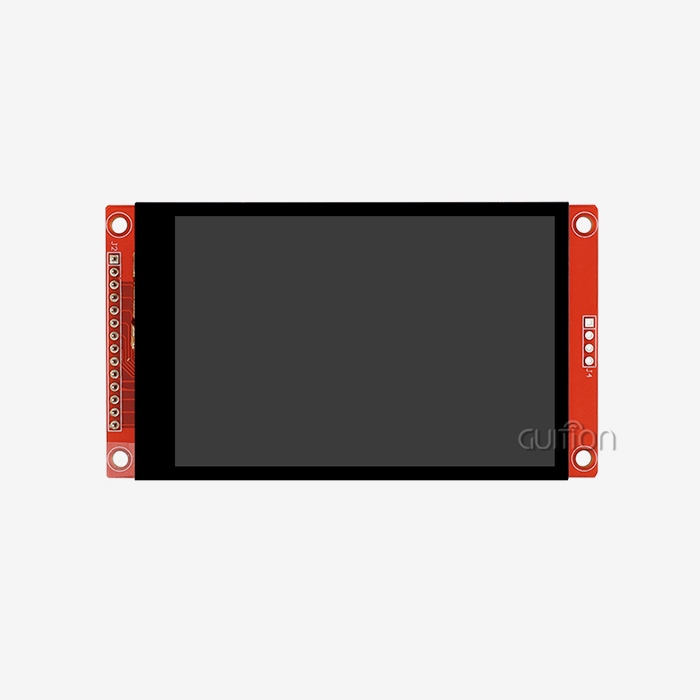
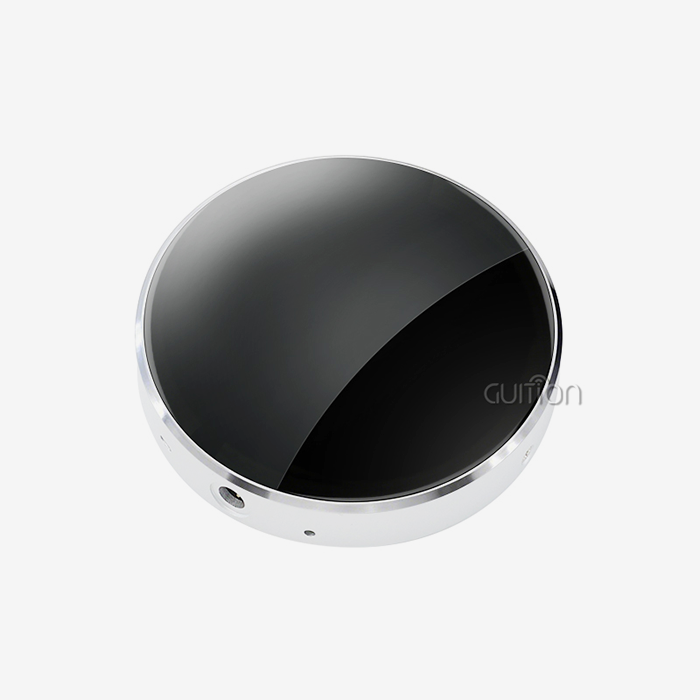
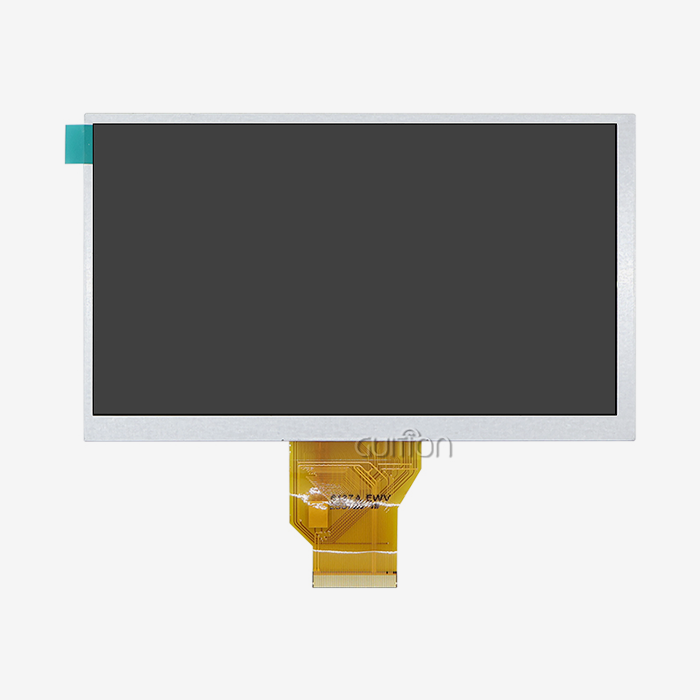
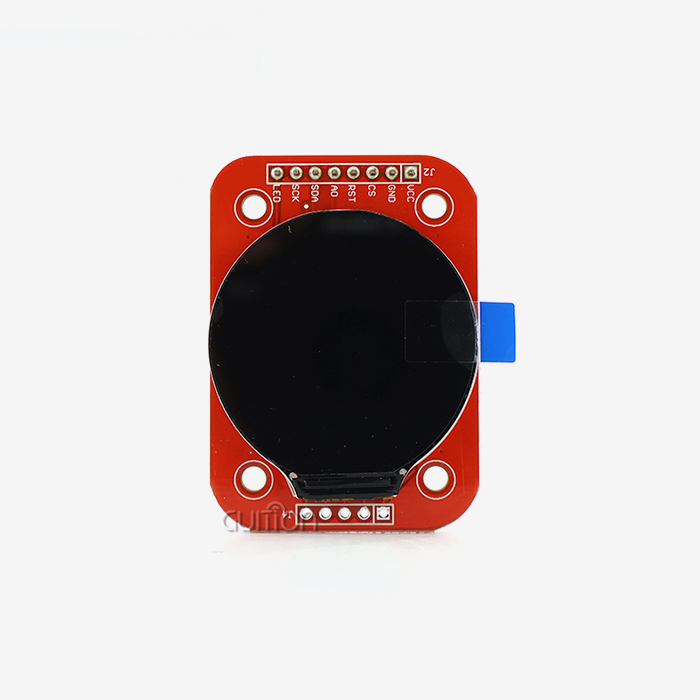
The size of the display should fit the physical limits of the housing for your equipment and the amount of information that your interface needs to hold. The GUITION JC2432S028R has a 2.8-inch diagonal and a resolution of 240x320. This is a good size for small control screens, handheld devices, and equipment upgrades that need extra room. This QVGA resolution has enough pixels per inch to render text clearly and make graphics look good without making host controllers use too much memory or processing power. For executive control panels, bigger industrial uses might need screens that are between 5.7 inches and 21.5 inches. Guition's product line covers the whole range, which lets them maintain consistent ties with suppliers and use standard integration methods for a wide range of tools. Think about how far away the touch target will be seen and whether operators will be using it while wearing gloves. These things affect the best size for the touch target.
Communication Interface and Integration
The JC2432S028R uses a standard 4-wire SPI communication method that strikes a good mix between speed and pin efficiency. SPI serial bus design only needs four to six GPIO pins on the microcontroller: MOSI, MISO, SCK, and CS, plus data/command and reset lines if needed. This low number of pins keeps important I/O resources for sensors, actuators, and other parts of your system architecture. The choice of driver IC affects how well software works with it and how much community help is available. The ILI9341 controller that powers our module comes with a lot of data, has been used in millions of units, has been shown to be stable, and comes with a lot of example code for famous platforms like Arduino, ESP-IDF, and STM32. Compared to proprietary or less well-known controller chipsets, this ecosystem's maturity speeds up development and makes troubleshooting easier.
Environmental Protection Requirements
Electronics are put through problems in factories that they never face in offices or homes. Check how much your application is affected by liquids, dust, vibrations, and changes in temperature. Standard Resistive touch display modules are naturally splash-proof, but equipment that will be directly sprayed or submerged needs sealed front bezels and gasket mounting to get IP65 or IP67 ratings for ingress protection. Vibration resistance is important for mobile devices, displays that are mounted on vehicles, and machines that can be affected by vibration. The JC2432S028R is made using military-grade methods that make sure the solder joints, connector interfaces, and layer adhesion can handle the mechanical stresses that come with industrial deployment. Check to see if the shock and vibration specs your provider gives you are in line with standards like MIL-STD-810.
Customization and Development Support
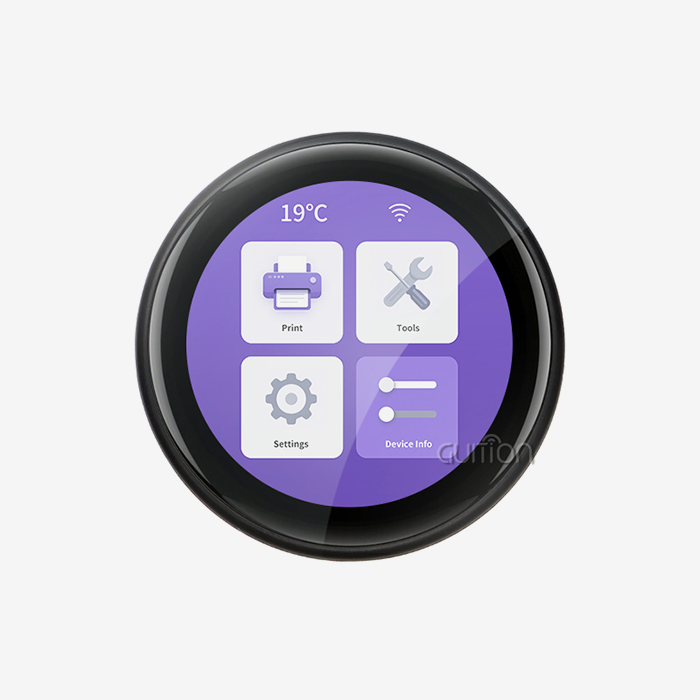
Off-the-shelf modules work well for many uses, but sometimes specific needs mean that they need to be changed. Look at how flexible a provider is when it comes to backlight brightness and color temperature, interface wire length and connector types, and touchscreen sensitivity tuning. Guition offers full customization services that include changes to the hardware, software, and optics to meet your exact needs. The availability of development tools has a huge effect on project timelines. UI development used to be a lot of code, but the Guition software turns it into a visual design process. Engineers drag pre-made controls like buttons, sliders, gauges, and text fields onto canvas layouts. They then use simple dialogs to set properties and make code that is ready for production. This method cuts down on weeks of low-level graphics programming and makes professional interfaces that are similar to solutions that were custom-coded.
Procurement Insights: Sourcing Resistive Touch Modules from Trusted Suppliers
The success of your project depends on how reliable your supply chain is. Doing your research in a lot of different areas is needed to build ties with qualified resistive touch display module makers.
Evaluating Supplier Capabilities
Vertically integrated producers, such as Shenzhen Jingcai Intelligent Co., Ltd., have clear benefits over vendors who only do distribution. It's easier to communicate, products can be customized, and everyone is held accountable when R&D, production, and quality control are all run by the same manager. This connection makes it possible to answer technical questions more quickly, make changes to samples more quickly, and make sure that the quality of all production runs is the same. Find out how much professional help there is by asking for samples of documentation, asking specific questions about integration, and judging the quality of the answers you get. Suppliers with skilled software tech teams can help you choose the right display, make the interface work better, and fix problems. Guition's technical support goes beyond the specs in the datasheet. It includes help with driver code, advice on testing, and best practices for integration gathered from thousands of customer deployments.
Certification and Quality Assurance
In industrial settings, following certain rules is often necessary. Check that potential suppliers have the right certifications, like ISO 9001 for quality management systems, RoHS for limits on dangerous substances, and REACH for chemical safety. Manufacturers of medical devices should look for suppliers who know how to meet ISO 13485 standards. For automotive applications, IATF 16949 standards may be needed. Ask for details on the processes for inspecting incoming materials, checking the quality of work in progress, and trying the finished product. Reputable manufacturers test finished assemblies to make sure they work perfectly. This includes making sure the touch is accurate, the display is uniform, and the electrical parameters are correct. This level of detail lowers the number of failures in the field and guarantees claims that delay production.
Sample Evaluation Process
Never make a big buy without first trying it out for yourself. Ask for development examples of the modules that were chosen, along with evaluation boards or reference designs that make testing go faster. With the JC2432S028R, Guition includes a lot of code examples that make proof-of-concept development quick and easy. This lets engineers test things like touch response, display clarity, and system integration before they finalize their designs. When you're testing, make sure you do it in an environment that is similar to where it will be used. If some types of gloves are used by operators, test how sensitive they are to touch when wearing those gloves. If the equipment is used outside, check how well it works in sunlight and at different temperatures. Write down any problems and talk with your supplier about how to fix them. How responsive they are during this time shows how good the relationship will be in the future.
Supply Chain and Lead Time Management
The supply of parts has become more unstable. Talk about the minimum order amounts, wait times, and inventory control choices for both standard and custom configurations. When suppliers keep extras of common configurations on hand, they can ship urgent orders within days. On the other hand, fully customized builds could take up to four weeks to make. When a product lasts for years, long-term supply deals are good for both sides. Talk about framework contracts that lock in prices for set volumes while still allowing for changes in demand. Make end-of-life notification policies clear. Responsible suppliers give 6 to 12 months' notice before discontinuing products, so you can make lifetime purchases or switch to new models without interrupting customers' equipment.
Maintaining and Optimizing Resistive Touch Modules in Industrial Equipment
With the right care, an operational life can be extended, and top efficiency can be maintained over many years of use. Even though resistive technology lasts a very long time, the best way to get the most out of your investment is to pay attention to tuning, cleaning, and weather factors.
Calibration Procedures
The accuracy of touch coordinates can change over time because of mechanical settings, changes in temperature, or the ITO layer getting old. Modern controls store calibration factors in memory that don't lose their data when the power goes out. They use multi-point methods to map touch coordinates to screen positions. By making recalibration routines accessible to users, field staff can restore accuracy without having to send the machine back to the factory. During the tuning process, targets are usually shown on the sides and in the middle of the screen, and the raw controller values are recorded for each exact spot. The software then makes transformation matrices that fix mistakes in rotation, scaling, and offset. Set up regular calibration—every month for important apps and every three months for less-demanding gear—as preventative maintenance that finds drift before users notice that accuracy is dropping. These features are especially important for an spi display module, which requires stable touch performance and reliable coordinate communication in embedded control systems.
Cleaning and Surface Care
In industrial settings, dirt and dust build up on screens and make touch sensing less accurate. Set up cleaning procedures that use the right tools and methods. Soft cloths that don't have hair that have been wet with isopropyl alcohol can clean oils and leftovers without damaging the surface of the resistive film. Do not use rough cleaners, solutions with ammonia, or too much scrubbing pressure, as these can damage the protected coating or ITO layers. When used in harsh conditions, sealed front surfaces with protective overlays make them last longer. Hardened glass overlays offer the best protection against impacts and vandalism, while polyester film overlays add scratch resistance at a low cost. These protective layers keep the underlying Resistive touch display module functionality while taking the brunt of environmental abuse. This makes replacement easier when cosmetic wear builds up.
Troubleshooting Common Issues
Touch that doesn't respond or acts strangely is usually caused by a few main issues. If the ITO layer gets damaged mechanically, it can lead to dead zones or "phantom touches." Look for cracks or delamination that you can see. Connectors that are too loose can fail sometimes, so make sure the cables are properly seated and think about ways to improve pressure relief. Controller voltage drift changes how coordinates are calculated; check the stability of the power supply and get rid of noise sources. If the reading drifts even after regular changes, it could mean that the ITO layer is getting old. The 4-wire structure puts most of the mechanical stress on the electrode patterns on the flexible top layer. By switching to 5-wire resistive setups, all the electrodes are placed on the rigid glass base. This makes the touch cycle longevity much higher, reaching 30 million or more actuations. This change to the architecture makes sense for places with a lot of users, like public kiosks or machine controls that need to be adjusted often.
Performance Optimization
Hardware dependability is enhanced by software improvement. Put in place debounce methods that get rid of mechanical bounce and electrical noise, making sure that each touch is registered only once, even if the contact moves. You can change the sampling rates to find a good mix between quickness and power use. Higher sampling frequencies make response times seem faster, but they also add more work for controllers and more traffic on the bus. The ability to remotely upgrade, which is part of Guition's ecosystem, lets firmware be improved after it has been deployed. If you find ways to make things better or bugs in the most unlikely situations, you can quickly fix the software by connecting it to deployed equipment via WiFi or Bluetooth without sending out technicians. This feature is especially useful for installations that are spread out geographically and where direct entry costs a lot.
Conclusion
When reliability, input flexibility, and cost-effectiveness all come together, Resistive touch display modules continue to be the practical choice for industrial equipment. They work consistently even when wearing gloves, using tools, or being in dirty places where other technologies fail because of the pressure they use. The advanced technical level of resistive systems, shown by controls like the ILI9341 and SPI Display Module solutions, guarantees a steady supply over the long term and a lot of resources for research and development. When combined with complete solutions like Guition's development environment, which includes hardware modules, visual design tools, and a variety of connectivity choices, resistive technology makes it possible to build HMIs quickly without sacrificing the durability that industrial applications need. The big return on investment these modules provide in industrial, medical, and field service settings is maximized by carefully choosing the supplier, carefully matching the specifications, and regular upkeep.
FAQ
Can resistive touch modules work reliably with thick industrial gloves?
Of course. Since resistive technology isn't based on electrical conductivity, it can be used with leather work gloves, insulated electrical safety gloves, and rubber chemical protection gloves. The important thing is to use enough force to touch the ITO layers. The sensitivity setting can be changed during system design to allow for heavy gloves while still keeping the system safe from accidental activation. This means that you don't have to wear special conductive gloves or operate the device with your bare fingers, which would be unsafe.
What temperature ranges can resistive touch display modules withstand?
Standard industrial resistive modules can work from -20°C to +70°C, which is enough for most manufacturing indoors and outdoors in mild climates. Extended-temperature versions can withstand temperatures from -30°C to +85°C, making them perfect for harsh settings like cold storage rooms, installations in the desert, or mounting in the engine area. Because resistive sensing is mechanical, it is more stable at high temperatures than capacitive systems, whose parameters drift as the dielectric constants change. The temperature ranges used for storage are generally higher than the working limits. This lets the equipment safely handle the conditions of shipping and storage.
How quickly can suppliers fulfill custom resistive touch module orders?
Lead times are based on how much tailoring is done. Standard catalog items, like the GUITION JC2432S028R, usually ship between 2 and 5 business days after they are in stock. Changes that need to be made to parameters, like changing the length of the wire or the firmware, usually make wait times longer, to two to three weeks. For full customization that includes redesigning the mechanical parts, changing the optical specs, or switching out the controller, it could take 4 to 8 weeks for engineering to confirm and set up production. Reliable suppliers give detailed project timelines when they quote, with ways to track milestones and speed up deployments if needed right away.
Partner with Guition for Industrial-Grade Resistive Touch Display Module Solutions
Shenzhen Jingcai Intelligent Co., Ltd. (Guition) can help you with your HMI problems because they have vertically integrated their knowledge. They use tried-and-true Resistive touch display module hardware along with easy-to-use software tools that cut down on project timelines. Our JC2432S028R and wide range of products, which include 1.28" to 21.5" sizes, give embedded engineers and product managers the dependability, customization options, and technical support they need for successful industrial deployments. Our team is ready to match specifications to your exact needs, whether you're making control panels, medical devices, or smart appliances. Email david@guition.com to get samples, talk about custom configurations, or find out how our partnership with a Resistive touch display module supplier can help you speed up your next project while saving you money and time.
References
1. Walker, G. (2019). Touch Technologies for Industrial Control: Comparative Analysis of Resistive and Capacitive Systems. Industrial Electronics Press.
2. National Institute of Standards and Technology (2021). Handbook for Human-Machine Interface Design in Manufacturing Environments. U.S. Department of Commerce.
3. Johnson, T. & Chen, L. (2020). "Durability Testing of Touch Screen Technologies Under Industrial Conditions," Journal of Manufacturing Systems Engineering, Vol. 42, Issue 3, pp. 145-162.
4. International Electrotechnical Commission (2022). IEC 61010-1: Safety Requirements for Electrical Equipment for Measurement, Control, and Laboratory Use. IEC Standards Publication.
5. Martinez, R. (2018). Embedded Display Systems: Integration Strategies for Industrial Applications. Technical Publishing Group.
6. Semiconductor Industry Association (2023). Annual Review of Display Driver IC Markets and Technology Trends. SIA Market Research Division.
Learn about our latest products and discounts through SMS or email