- English
- French
- German
- Portuguese
- Spanish
- Russian
- Japanese
- Korean
- Arabic
- Greek
- German
- Turkish
- Italian
- Danish
- Romanian
- Indonesian
- Czech
- Afrikaans
- Swedish
- Polish
- Basque
- Catalan
- Esperanto
- Hindi
- Lao
- Albanian
- Amharic
- Armenian
- Azerbaijani
- Belarusian
- Bengali
- Bosnian
- Bulgarian
- Cebuano
- Chichewa
- Corsican
- Croatian
- Dutch
- Estonian
- Filipino
- Finnish
- Frisian
- Galician
- Georgian
- Gujarati
- Haitian
- Hausa
- Hawaiian
- Hebrew
- Hmong
- Hungarian
- Icelandic
- Igbo
- Javanese
- Kannada
- Kazakh
- Khmer
- Kurdish
- Kyrgyz
- Latin
- Latvian
- Lithuanian
- Luxembou..
- Macedonian
- Malagasy
- Malay
- Malayalam
- Maltese
- Maori
- Marathi
- Mongolian
- Burmese
- Nepali
- Norwegian
- Pashto
- Persian
- Punjabi
- Serbian
- Sesotho
- Sinhala
- Slovak
- Slovenian
- Somali
- Samoan
- Scots Gaelic
- Shona
- Sindhi
- Sundanese
- Swahili
- Tajik
- Tamil
- Telugu
- Thai
- Ukrainian
- Urdu
- Uzbek
- Vietnamese
- Welsh
- Xhosa
- Yiddish
- Yoruba
- Zulu
Why Choose an LVGL Developing Display for IoT Devices?
An LVGL developing display gives IoT teams a fast way to build a responsive touch interface on low-cost hardware. LVGL is a free, open-source graphics library that runs on microcontrollers with limited memory, and it works across many chip families. A good LVGL development display pairs that library with a tested panel, touch controller, and driver, so engineers spend less time on drivers and more time on the product. In this guide, I explain how the technology works, where it fits, which risks to check, and how Guition supports your project with the JC4848B040C_I module.

What Is an LVGL Developing Display?
Definition and Role in an Embedded System
You can use the Light and Versatile Graphics Library (LVGL) to create and test a graphical user interface with an LVGL developing display. The library provides animations, themes, tools, layouts, and ways to work with data. The microcontroller, the screen, the controller chip, the touch screen, and the hardware driver: they never change. Those parts still need to function together. I broke out three terms to clarify the needs. The screen hardware is a good display module. An LVGL developing display is added with some tested examples and drivers. To help them more, connect them with software tools and make them an LVGL HMI solution. If you use these words correctly, you can write a clear request to buy something.
Main System Components
All display projects developed with LVGL use the same building blocks. Both the library and this layer are executed by the processor. Colours are moved to the screen using SPI, RGB, MIPI DSI, or other types of display connections. If required by the plan, a full framebuffer may be kept in internal or external memory. The draw buffers contain the current drawing portion of the screen. I2C is often used as a standalone touch device. According to the LVGL manual, more is better in terms of performance. It says the core code requires at least 64 kB of flash memory and 16 kB of RAM. Use those numbers as a guide, then consider the size and colour depth of your own screen.
How Rendering and the Flush Callback Work
LVGL manages icons, names, and maps for the interface, and tracks what parts of the screen have changed. It just draws that to a draw buffer. Then a flush callback is called to send the finished pixels to the panel (typically using DMA to free up the CPU). It is dependent on the resolution, colour depth, memory, bus throughput, and how the processor is built. It works well depending on those elements. A big, full-colour LVGL screen needs a lot more information per frame than a small, 16-bit colour SPI screen. I always check these numbers when I'm choosing a panel.
Why Choose LVGL for IoT Devices?
Hardware Flexibility Across MCU Families
Some lines of IoT products don’t stay on a single chip. LVGL separates the application layer from the hardware-specific drivers. Thus, the interface code can be used on STM32, ESP32, NXP, Renesas and other systems. This library also supports graphics helpers such as PXP from NXP and DMA2D from ST. These helpers allow the GPU to draw instead of the CPU. LVGL has an MIT licence, so a business can use it without paying extra for each unit. This means that there is no need to write a whole new interface just because there is a new processor. They look like they will play nice, but you'll want to verify each target board for smooth frame rates.
Touch, Charts, Menus, and Multilingual Screens
LVGL already has more than 30 widgets. Some of these are panels, charts, scales, buttons, and tables. These will handle most of your equipment panel, charging station and thermostat needs. With graphics, themes and styles, a brand can maintain its own fonts and colours. Also, the library reads UTF-8 text, so merchandise can work in more than one area. LVGL touchscreens allow people to swipe, tap and scroll just like they do on their phones. This means there are fewer places for bugs to hide, which means small teams don’t have to spend as much time testing.
Faster Prototyping and Lower Cost
LVGL includes a PC-based simulator that allows developers to create and test the screens before the hardware is available. Reusability of styles and widgets makes each change faster. A test board then checks the driver, touch and frame rate on real parts. Often, the library only needs small microcontrollers to work, so teams don’t need to go out and buy a new processor and operating system. This will reduce the cost of the bill of materials. Saving doesn’t work for all designs, so don’t assume it does. If you want big screens, lots of pictures, and hard-to-understand effects, you may need more RAM or a faster chip. Just check it out and then decide. This habit keeps costly redesigns from occurring too late in the process.
How to Develop a Display with LVGL
A Practical Development Workflow
Start with the app, not the screens. How big is the screen, how clear it is, how bright it is, how it is seen, how it is touched, how hard the interface is, and where it will be used. Then pick a microcontroller and monitor that will work with your plan. Then configure LVGL, add the display driver, adjust the touch, select the draw buffer size, enable DMA, and check that it works. Finish by putting real screws in. Check the stability of the device under temperature and voltage changes, CPU load, memory usage and power changes. Every step counts because a bad panel choice costs more than a bad setting. You will not make the decision about the right LVGL developing display very often.
Hardware Requirements and Interface Choices
Your project needs a chip. LVGL does not. RAM, flash, DMA, graphics processing, clock speed, resolution, and power. What can be done is limited by these. SPI is good for small, cheap devices because it only needs a few pins. RGB and MIPI DSI monitors are better for larger screens and more changes because they move more data per second. For more information on MIPI DSI, please visit the MIPI Alliance. A fast serial display interface. Before you buy, check that the seller gives you tested controller support, initialisation code, and notes on integrating it. An LVGL development board may also help with early driver checks, touch tuning, and testing.
Common Challenges and How to Avoid Them
The monitor is chosen first, because the processor is where most problems begin. There are lots of signs: slow drawing, memory overflow, delayed touch, tears, flickering, and drivers that don't work right. Connecting to power is not always 'plug and play', so check the timing, colour format, rotation, touch support, and SDK version of the controller. By using panels with double buffering and tearing-influence signals, it is possible to reduce tearing. For business projects, consider temperature range, shaking, dampness, ESD, glove touch and ingress protection too. Get in early with your supplier. One call to the tech team before you freeze the design can save you weeks of debugging.”
LVGL Compared with Other Options and How to Choose a Supplier
LVGL Versus Qt, TouchGFX, emWin, and Flutter
Not all GUIs are good for every task. The LVGL library used in microcontroller-based devices has an MIT licence. Qt for MCUs is also for microcontrollers, but the Qt Company licenses it to businesses. TouchGFX is produced by STMicroelectronics for STM32 devices, so teams already working on chips from this company can use it. emWin from SEGGER is a commercial library and has been around for a long time. Most of the time, Flutter performs best on more powerful computers with an operating system. How difficult is the interface to use? What is the size of the memory? How good is the team? How many products do we have? What is the licence fee? What is the long-term upkeep? I think it’s only fair to say you should rate each option as per your own needs.
Standard Modules Versus Custom Solutions
But you can’t just pick a provider on screen size and price. First decide on the resolution, the interface, the touch technology, the brightness, the operating temperature, the mechanical size, the expected volume and the time frame for production. Standard modules are cheaper and quicker to get examples from at first. Custom modules give you more control over the hardware, software, connections, and logos. Ask each company selling an LVGL developing display about their past work. Can you see the source code? Do they have experience with the microprocessor you want to use? Do they support touch and backlighting? Can you change the driver? Promise sample waiting time, minimum order quantity, help in confirmation, and service after sale. If a seller writes back to you about these questions, they know enough about engineering to help you with your build.
A Five-Phase Selection Process
It is easy to choose an LVGL developing display with these five steps. First, write down everything you need. Acceptance criteria: display, touch, interface, mechanical, environmental, software, software. Step two is to make a shortlist of suppliers based on how good they are at microcontrollers, LVGL, and capacity. Lead time. MOQ (minimum order quantity). Customer service. Third, test the samples on your actual microcontroller, casing, power source, and transmission parameters. Fourth, do a technical review to check the driver stability, optical performance, parts fitting, environmental stability, and production stability. Fifth, talk about lifecycle support: how will parts be supplied, how changes will be managed, and how can the system be modified in the future? These steps will help keep mass production smooth and ensure buying and engineering are on the same page.
Why an Integrated LVGL HMI Solution Works for IoT Projects
Fewer Handoffs, Fewer Risks
Every time you ship panels, touch parts, drivers, or mechanical parts from one supplier to another, you have an extra risk. All these pieces make an LVGL HMI solution and make it easy to put hardware and software together, speeding up testing. Long-term needs include stable sources, firmware maintenance, engineering change control, new product versions, etc. Guition is a technology company that manufactures HMI display systems and USART-HMI display units. “We have sizes from 1.28 inches to 21.5 inches, so you can get lots of them from one source.” This lets you buy items and use software from one project to another.
The Guition JC4848B040C_I LVGL Developing Display
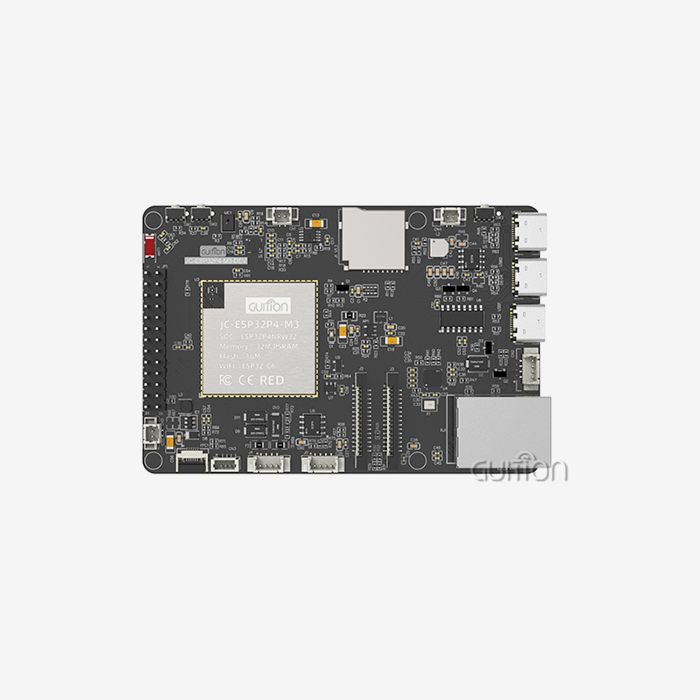
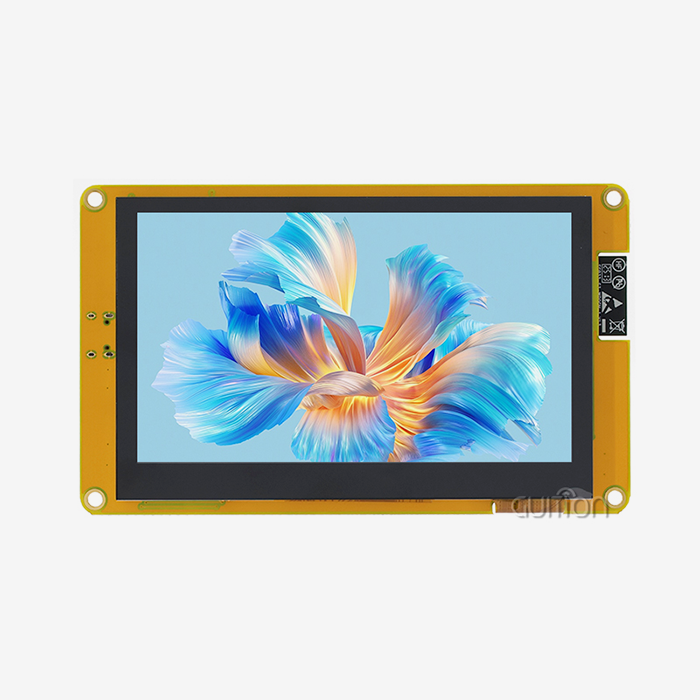
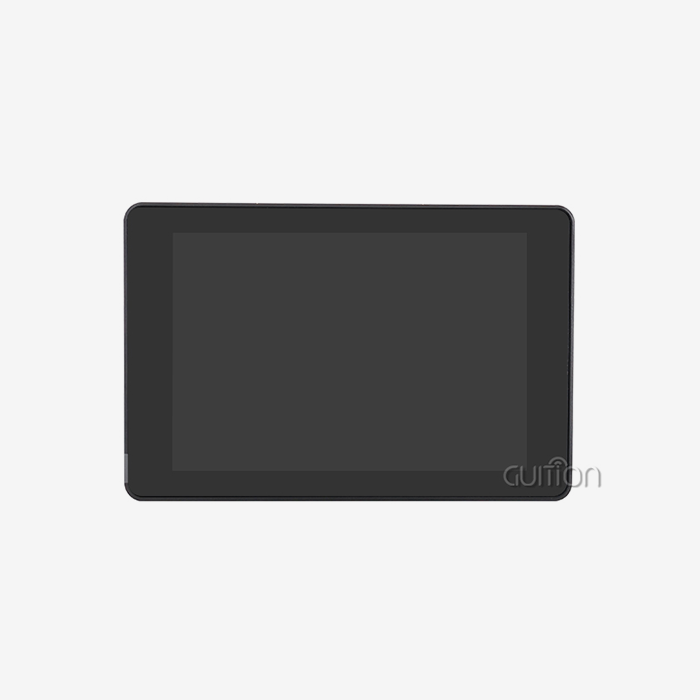
The Guition JC4848B040C_I is a 4.0 inch LCD module with 16.7 million colours, a driver chip ST7701, and capacitive touch. It also has a MIPI DSI port. With a bright screen, this LVGL development display can be used with 3D printers, charging stations, medical aesthetics equipment, and other industrial control items. In a 3D printer, the screen can tell you where the print is and how it is progressing. It can indicate how much power remains in a charging port. Before placing your order, please check the resolution, pin definition, and driver version in the technical papers. This will help you ensure that your LVGL configuration fits the screen. If you ask us, our team can give you these files.
Software and Connectivity Advantages
Here are the core advantages of this LVGL developing display for engineering teams.
- Fast interface building with Guition software: When you use the Guition software to quickly build interfaces, you can add more buttons to the ones that come with the tool with just one click. After that, you can drag and drop to change the size, position, and style. The changes show up right away. Designers and engineers can learn faster with this "what you see is what you get" method because it cuts down on low-level code.
- Flexible development modes: You can build with Arduino, ESP-IDF, or the Guition platform, so your team can use the tools they already know. These options are easy to change. Guition provides numerous development tools and technical documents for custom functions, as well as cross-platform online debugging that speeds up the process and lowers the cost of debugging.
- Connectivity, remote upgrades, and language support: The device has built-in WiFi and Bluetooth, so it can connect to the internet and other devices without the need for extra modules. It can also be updated remotely and supports certain languages. You can make changes to projects from afar, without having to go to the site. This makes it cheaper to help people after the sale. UTF-8 encoding lets products that are sold in more than one region change between languages.
These advantages address common production problems: long interface schedules, mixed toolchains, and costly field service.
Conclusion
IoT gadgets that use microcontrollers and need a cheap, current touch screen can use an LVGL developing display well. You can get widgets, animations, and text in many languages from the library. The screen, controller, and driver must still match the processor, memory, and interface, though. It is easy to make prototypes quickly with LVGL because it comes with an MIT license, a PC simulator, and hardware freedom. But the frame rate and RAM use need to be checked out on real devices. For designs that need to use less power and save money, LVGL is better than Qt, TouchGFX, emWin, and Flutter. But each has its place. Integration risk can be lowered by making a clear list of what needs to be done, testing samples, and involving suppliers from the start. With an all-in-one choice like the 4.0-inch JC4848B040C_I, which supports software, connection, and online updates, one partner can speed up development.
FAQ
Q: What does an LVGL developing display include?
A: It usually has an LCD screen, a controller chip, a touch layer, and drivers or example code that work with LVGL. You still have to take care of the microcontroller and application code unless the supplier gives you the whole board.
Q: Is LVGL suitable for industrial touchscreen HMIs?
A: That's correct as long as the hardware has enough memory and speed. Control screen tables, charts, and menus are made by LVGL. Check the light, temperature range, ESD, and how it feels when you touch it before you make the case.
Q: How do I choose between SPI and RGB displays?
A: If you want small, cheap goods with simple screens, choose SPI. Most of the time, bigger screens and RGB or MIPI DSI will let you update your panels more often. This is because they move more data. First, make sure your microcontroller can handle the links you want to make.
Q: Can I use Arduino or ESP-IDF with the JC4848B040C_I?
A: Of course, Guition works with Arduino, ESP-IDF, and its own build mode. It comes with both WiFi and Bluetooth. To get the full papers that go with your chain of tools, just ask us for them.
Contact Guition for Your LVGL. Developing Display Project
We are a tech-focused company that makes HMI displays, and we'd love to hear from teams that are looking for an LVGL developing display company. Our selection includes screens ranging from 1.28 inches to 21.5 inches, as well as Guition software, WiFi, Bluetooth, remote upgrades, and the ability to support secondary development. Send an email to david@guition.com with your objective MCU, screen size, interface, and operating system to get a personalised idea. You can find out more at https://jingcaizhineng.aixdb.cn/ as well.
References
1. LVGL Documentation, 2024
2. ESP-IDF Programming Guide, Espressif Systems, 2024
3. Display Serial Interface (DSI) Specification, MIPI Alliance, 2015
4. TouchGFX Documentation, STMicroelectronics, 2023
5. Qt for MCUs Documentation, The Qt Company, 2024
emWin User and Reference Guide, SEGGER Microcontroller, 2023
Learn about our latest products and discounts through SMS or email