- English
- French
- German
- Portuguese
- Spanish
- Russian
- Japanese
- Korean
- Arabic
- Greek
- German
- Turkish
- Italian
- Danish
- Romanian
- Indonesian
- Czech
- Afrikaans
- Swedish
- Polish
- Basque
- Catalan
- Esperanto
- Hindi
- Lao
- Albanian
- Amharic
- Armenian
- Azerbaijani
- Belarusian
- Bengali
- Bosnian
- Bulgarian
- Cebuano
- Chichewa
- Corsican
- Croatian
- Dutch
- Estonian
- Filipino
- Finnish
- Frisian
- Galician
- Georgian
- Gujarati
- Haitian
- Hausa
- Hawaiian
- Hebrew
- Hmong
- Hungarian
- Icelandic
- Igbo
- Javanese
- Kannada
- Kazakh
- Khmer
- Kurdish
- Kyrgyz
- Latin
- Latvian
- Lithuanian
- Luxembou..
- Macedonian
- Malagasy
- Malay
- Malayalam
- Maltese
- Maori
- Marathi
- Mongolian
- Burmese
- Nepali
- Norwegian
- Pashto
- Persian
- Punjabi
- Serbian
- Sesotho
- Sinhala
- Slovak
- Slovenian
- Somali
- Samoan
- Scots Gaelic
- Shona
- Sindhi
- Sundanese
- Swahili
- Tajik
- Tamil
- Telugu
- Thai
- Ukrainian
- Urdu
- Uzbek
- Vietnamese
- Welsh
- Xhosa
- Yiddish
- Yoruba
- Zulu
Which ESP32P4 lcd module Fits Wearable Applications?
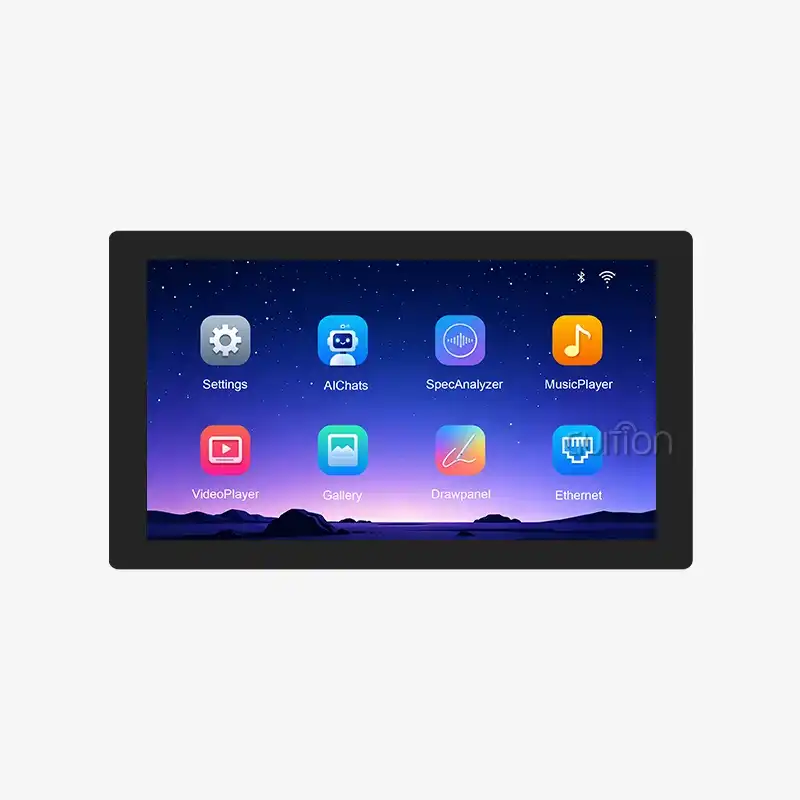
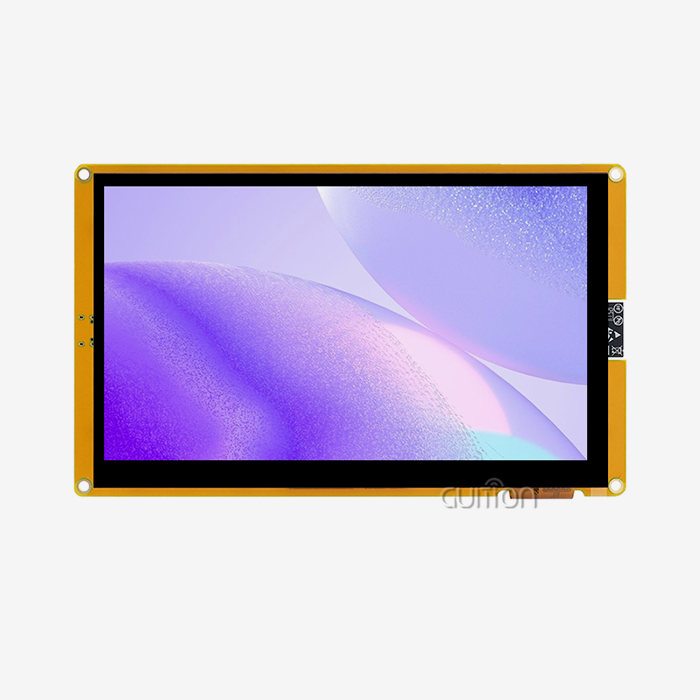
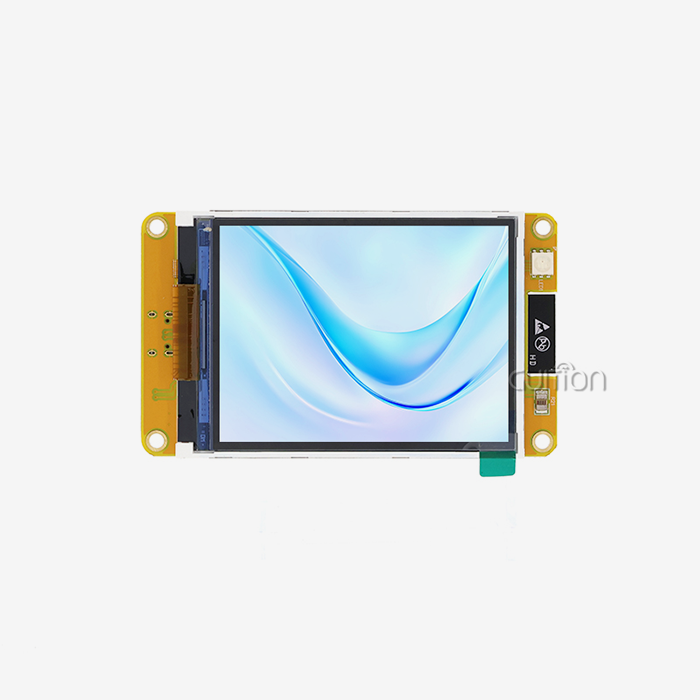
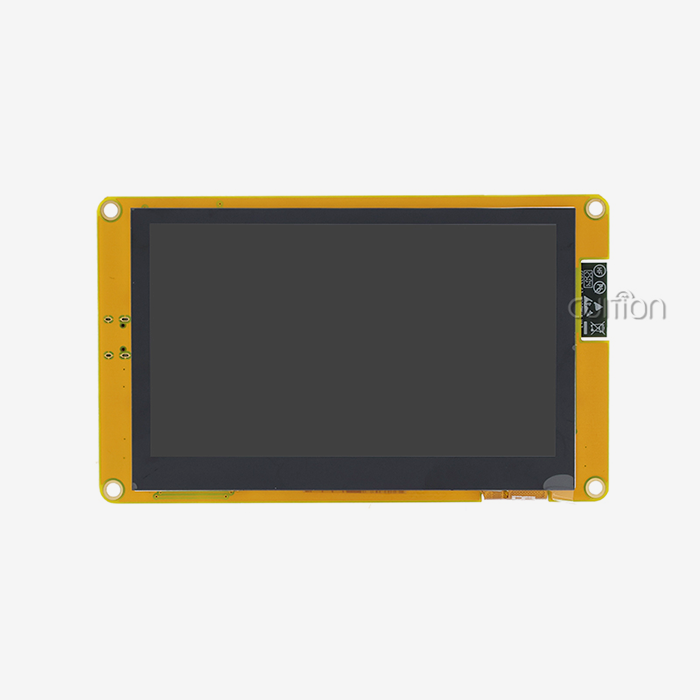
The right ESP32P4 lcd module for a wearable depends on four things: panel size, power budget, touch type, and enclosure fit. Slim watches need a panel near 1.3 to 2 inches. Body-worn terminals, wrist-mounted controllers, and handheld health monitors suit the Guition JC4880P443C_I_W. This 4.3-inch ESP32P4 LCD module pairs a dual-core controller with a 480x800 IPS capacitive touchscreen, Wi-Fi, Bluetooth, 32M PSRAM, 16MB flash, and a lithium battery interface. Below, I explain how to judge size, interface, power, software, and supplier support before you commit to a design.

Why Wearable Designs Need a Different Display Choice
Tight Space, Low Weight, and Small Batteries
There’s not a lot of room for error when you’re wearing something. The screen must take up little space, must not be heavy, and must be charged quickly. It is important to read it in bright or dim light. You also have to be able to touch it while moving. Some things that stress a panel that remains at a desk don't happen to a panel that moves. When I look at any ESP32P4 LCD module, I first look at these limits. We are working on medical monitors, on portable instruments, on smartwatches, and on field-service interfaces for a lot of. Market research firms such as Grand View Research say wearable tech is growing slowly. That puts pressure on teams to create small goods with easy-to-see screens on them.
Why Screen Size Alone Misleads Buyers
The diagonal of a panel tells a fraction of its story. The work area is not equal to the entire module size, which includes the bezel, PCB, socket, and mounting structure. The screen might not seem that small on paper, but if the bend wire gets bent, it can still take up too much space in a case. The end fit is determined by the type of interface, resolution, connector locations, power available, and software support. And the other thing is, the part has to be producible and shippable in large quantities because you can't launch without it. I think you should write all these things down on one sheet before you ask for samples. So everyone will be judged by the same standards.
Wearable-Size Panels vs. Larger Portable Panels
If you want a watch, an exercise band, or some other light health device that needs to use little power and have a lot of pixels, a panel between 1.3 and 3.5 inches is best. Larger 4- to 7-inch screens can be used for applications such as body-worn displays, handheld monitors, and movable control panels. Smarter touch screens work better on larger displays. The Nielsen Norman Group recommends touch points to be around 1cm wide. The plan is not too crowded, and a 4.3-inch screen should do the trick for this size. The larger size can serve as a fixed terminal instead of a watch face if worn on a wrist or elbow. Decide what group you want to make before you even look at any datasheets.
Core Specifications: Size, Interface, and Touch
Resolution, Brightness, and Viewing Angle
The resolution and pixel density will determine how sharp the text appears and how much work is required per frame. The screen is 4.3 inches with 480x800 resolution and about 217 pixels per inch. This means small text and icons look good from afar. The Guition JC4880P443C_I_W uses IPS technology to allow you to see lots of different colours. This is useful when you want to tilt a wrist mount or elbow mount. Panel specs can give you an idea of what the final product will look like, but you'll still want to test brightness and contrast out in the wild. Before I can use my real interface, I take pictures of an ESP32P4 LCD module in light and dark conditions to test it.
MIPI DSI or RGB Interfaces
There are two main interfaces for this type of screen. MIPI DSI can be used for smaller boards and higher resolutions, as it has fewer signal lines. According to the description of the Espressif ESP32-P4, it includes a MIPI DSI host. Your payment is to verify the integrity of the signals, the setup of the lanes, and the initialization of the panel. With RGB interfaces, many teams are used to setting them up, but they need more pins and routing. Both are good sometimes, but not all the time. The size of your PCB, the EMI limits, the fact that the driver is ready, and the panel supply should all help you decide. If you want to buy an ESP32P4 MIPI DSI LCD module, make sure you look at the supplier's website to see what interface it has. What an ESP32P4 LCD module can do isn't always shown by what a chip can do.
Capacitive or Resistive Touch
Most of the tech that allows wearables to do smooth movements and use more than one touch is capacitive touch, which is glass. Its downsides include thick gloves, water droplets, and cover materials that it doesn’t work well with. If you are using gloves or a pen as conscious input, a rough touch may work better at work. Any ESP32P4 LCD module with a touchscreen should have a check of the touch controller, interrupt signal, calibration steps, and cover-glass thickness. There is a capacitive panel and a touch screen control circuit on the Guition JC4880P443C_I_W module. I would test it with the correct gloves and cover cloth for your users.
Power, Mechanical, and Software Checks
Power and Thermal Measurement
You know a display has a lot of power by more than just its size. It is needed by the screen, the LED backlight, the touch driver, the processor, the regulators, and the other parts. For many small LCDs, the backlight is the most important part, so that is the first thing I measure. To test the on, off, sleep, and wake-up states, you should use your real battery and container. So screen timeouts, dimmer lights, partial redraws, and/or touch/sensor wake-ups can all be used to increase the life without changing the hardware. This is also important, as the heat stays inside the sealed box you wear. When testing an ESP32P4 LCD module, do not rely on one number from the documentation. Monitor the current and the surface temperature during the whole operation cycle.
Mechanical Fit and Connectors
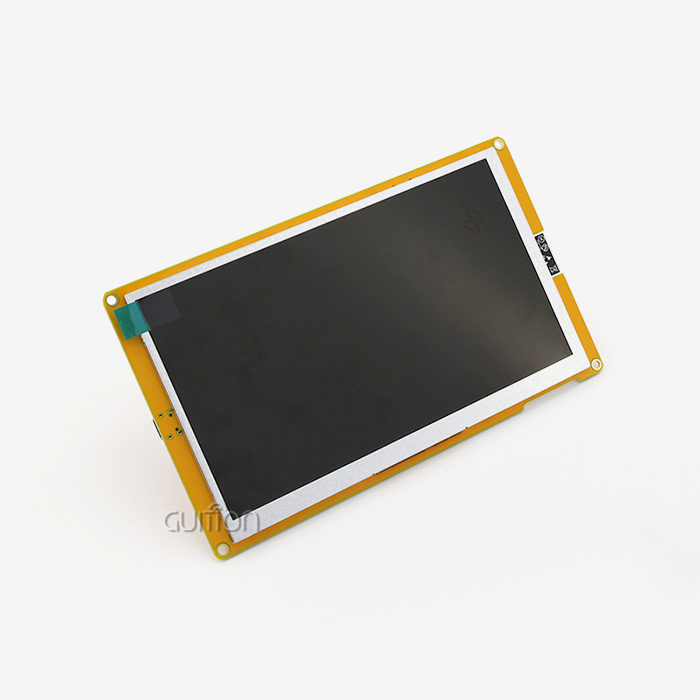
The mechanics of an ESP32P4 LCD module should be looked at before any firmware work is done on it. Check how much space there is around the battery, how far the flex wire can bend, where the connectors are, and where the mounting points are. Take a look at how the cover glass sticks to the screen and how well it keeps things from touching it. The Guition JC4880P443C_I_W has an IO port interface, a TF card interface, and a Lightning port interface. The plugs should fit into the case, and the wires should not touch the screen. You should ask the supplier for mechanical drawings and a 3D model if you can. After that, print a test case. A mistake found now will cost a lot less than one found after the tools are made.
Software, Drivers, and LVGL
A module might fit, but it can still slow down a project if the driver and GUI take too long to develop. Look at the backlight control, restart button, pixel format, spin button, startup commands, and frame-buffer allocation. LVGL is a well-known open-source tool for screen embedding. It is important for teams that use it to make sure dashboards, charts, alerts, and writing in more than one language all work on the target hardware. First, I test the pattern, then I do touch calibration, then I test the full interface, and finally I test the power and sleep-wake functions. For engineers, Guition works with Arduino IDE, ESP-IDF, MicroPython, and its own software, Guition. This lets them use the method they already know.
Where the Guition ESP32P4 LCD Module JC4880P443C_I_W Fits
Hardware Profile
The JC4880P443C_I_W, a 4.3-inch ESP32P4 LCD module, is built around a dual-core main controller that can go up to 360 MHz in frequency. It has 16 MB of flash, 32 KB of LP SRAM, 128 KB of HP ROM, and 32 MB of PSRAM. The IPS screen has a 480x800 resolution and a touch screen that works well. There are wires on the board that handle the screen and the lights. You can use Wi-Fi and Bluetooth together. As well as data logs, fonts can be saved on a TF card interface. An IO port interface lets you connect sensors and other parts. A lithium battery communication circuit can be used for portable builds. You can check the screen right away with test programs that were set up at the factory.
Development Tools That Shorten the Schedule
Guition's GUI tool for the web lets UI designers put controls where they want them without writing low-level graphics code. You can drag-and-drop to make changes, and you can edit WYSIWYG. And with online debugging across platforms, it’s faster to find bugs. One-click programming means you don’t need to repeat setup steps. Arduino libraries and example programs help engineers use code that already works. Guition provides your team with additional development interfaces and technical documents to change the behaviour. You can switch between languages, deploy across the globe, and upgrade users’ projects from afar, reducing the need for on-site service visits. Collectively, these tools make it easier for teams of embedded engineers, designers, and product managers to use the ESP32P4 LCD module. They can change the design more quickly and cut the costs of support after the sale.
Realistic Wearable Use Cases
The screen size of this ESP32P4 LCD module is 4.3 inches, so it's not a smartwatch screen. It works with health monitors that you hold in your hand, body-worn displays, and portable field devices that need a bigger screen. The 480x800 size lets you put big buttons, progress bars, and trend lines on the screen. It can connect to phones, gateways, and cloud services through Wi-Fi and Bluetooth. People who work in medical, industrial, or smart-device fields should check their own rules because the product information doesn't list any specific certifications. It ranges from 1.28" to 21.5" for smaller watch-style designs, but you can ask about other sizes.
Choosing a Supplier and Making the Final Decision
A B2B Checklist for Buyers
Specifications and being ready to supply should both be given the same amount of weight. Take notes on the screen's thickness, working temperature, active area, resolution, interface, touch type, and information about the connectors and drivers that work with it. Then, make sure you know the minimum order quantity (MOQ), how to handle warranties, production capacity, wait times for samples and pilots, and how to send documents. Things that last longer than a year need steady sources over time. It's possible that OEM and ODM projects will need custom cover glass, flex cables, logo treatment, or waterproofing. Early on, ask the supplier if they can make these changes. If you use a structured sheet to compare each ESP32P4 LCD module supplier, you'll be less likely to have to redesign something after the fact.
Standard Module, Custom Module, or ESP32-S3
An ESP32-S3 display module can still be used for things that don't need a lot of images and already have software. When you need more processing power and display choices, like bigger or clearer screens, an ESP32-P4 design makes sense. Standard modules cut down on the cost of early engineering and speed up prototyping. With custom modules, you can change the size, the way wires go, the touch, and how the case fits together. In order to make a production module, you need stable documentation, change control, and a steady supply of parts. Driver and software tests can be done on development boards. I usually start with a standard ESP32P4 LCD module, make sure the interface works, and then ask for changes once the design is complete.
Weighted Matrix and Sample Testing
Write down what the app is for, who will be using it, where they will be viewing it, how much power the battery has, how long you want it to last, the temperature range, the limits of the enclosure, the yearly volume, and the date you started. Then score each candidate on monitor quality, mechanical fit, power, touch, software support, cost, schedule, and source capability. As you add up the points, think about what your wearable needs most. One can test how well it reads when it's bright outside, and another can test how well it reads when it's being touched. Test the samples in the real case, where the temperature, brightness, and battery life will be as they would be in real life. The pick should be based on the results of those tests, not just price or vertical size. A quick test with just one ESP32P4 LCD module reveals problems that aren't explained in the guide.
Conclusion
You should think about the whole system, not just the diagonal of the screen, when choosing an ESP32P4 LCD module for a wearable. How easy it is to read depends on its size and pixel density. MIPI DSI or RGB interfaces take care of board space and test work. For resistive touch, gloves or a pen work best, while for capacitive touch, most devices for everyday use work best. Putting a panel through mechanical, thermal, and power tests in a real case shows if it can handle daily use. Tests for drivers and LVGL show if software can be sent out on time. The Guition JC4880P443C_I_W is a 4.3-inch capacitive module that has Bluetooth, Wi-Fi, and a module for lithium batteries. When it comes to body-worn and handheld devices, it works better than when it comes to thin watches. With supplier documentation, sample access, and lifetime support, the review is done.
FAQ
Q: Is the 4.3-inch Guition module small enough for a wearable?
A: Small devices, ports worn on the body, and tools worn on the wrist can all work with it. For a small tracker, the screen should be between 1.3 and 2 inches, but this one is too big.
Q: Which is better, MIPI DSI or RGB?
A: In every case, neither side wins. With MIPI DSI, signal lines are saved, and RGB can make it easier to bring up. Board space, EMI limits, and driver support should all play a role in the decision.
Q: Which development tools does the JC4880P443C_I_W support?
A: These pieces of software can be used with it: Arduino IDE, ESP-IDF, MicroPython, and Guition. Each team can choose the method that works best for them.
Q: What should I prepare when I request a quote?
A: Share the app's size, resolution, interface, touch type, brightness needs, working conditions, yearly volume, and the date it was first made. They can give you accurate lead times if you tell them if you need custom cover glass or flex cables.
Request Your ESP32P4 LCD Module Samples from Guition
That tool can help you discover a screen that fits your wearable or body-worn design. If you want to find an ESP32P4 LCD module provider, email david@guition.com with the size, resolution, interface, touch method, volume, and plan you want. It works with tools like Arduino IDE, ESP-IDF, MicroPython, and Guition and can be upgraded over Wi-Fi or from afar. Visit https://jingcaizhineng.aixdb.cn/ to find out more.
References
1. Espressif Systems, ESP32-P4 Datasheet, 2024
2. Espressif Systems, ESP32-P4 Technical Reference Manual, 2024
3. Espressif Systems, ESP-IDF Programming Guide, 2024
4. LVGL Project, LVGL Documentation, 2024
5. Grand View Research, Wearable Technology Market Size, Share & Trends Analysis Report, 2023
6. Nielsen Norman Group, Touch Targets on Touchscreens, 2019
Learn about our latest products and discounts through SMS or email