- English
- French
- German
- Portuguese
- Spanish
- Russian
- Japanese
- Korean
- Arabic
- Greek
- German
- Turkish
- Italian
- Danish
- Romanian
- Indonesian
- Czech
- Afrikaans
- Swedish
- Polish
- Basque
- Catalan
- Esperanto
- Hindi
- Lao
- Albanian
- Amharic
- Armenian
- Azerbaijani
- Belarusian
- Bengali
- Bosnian
- Bulgarian
- Cebuano
- Chichewa
- Corsican
- Croatian
- Dutch
- Estonian
- Filipino
- Finnish
- Frisian
- Galician
- Georgian
- Gujarati
- Haitian
- Hausa
- Hawaiian
- Hebrew
- Hmong
- Hungarian
- Icelandic
- Igbo
- Javanese
- Kannada
- Kazakh
- Khmer
- Kurdish
- Kyrgyz
- Latin
- Latvian
- Lithuanian
- Luxembou..
- Macedonian
- Malagasy
- Malay
- Malayalam
- Maltese
- Maori
- Marathi
- Mongolian
- Burmese
- Nepali
- Norwegian
- Pashto
- Persian
- Punjabi
- Serbian
- Sesotho
- Sinhala
- Slovak
- Slovenian
- Somali
- Samoan
- Scots Gaelic
- Shona
- Sindhi
- Sundanese
- Swahili
- Tajik
- Tamil
- Telugu
- Thai
- Ukrainian
- Urdu
- Uzbek
- Vietnamese
- Welsh
- Xhosa
- Yiddish
- Yoruba
- Zulu
What Makes a 4-inch ESP32 display Ideal for Smart Switches?
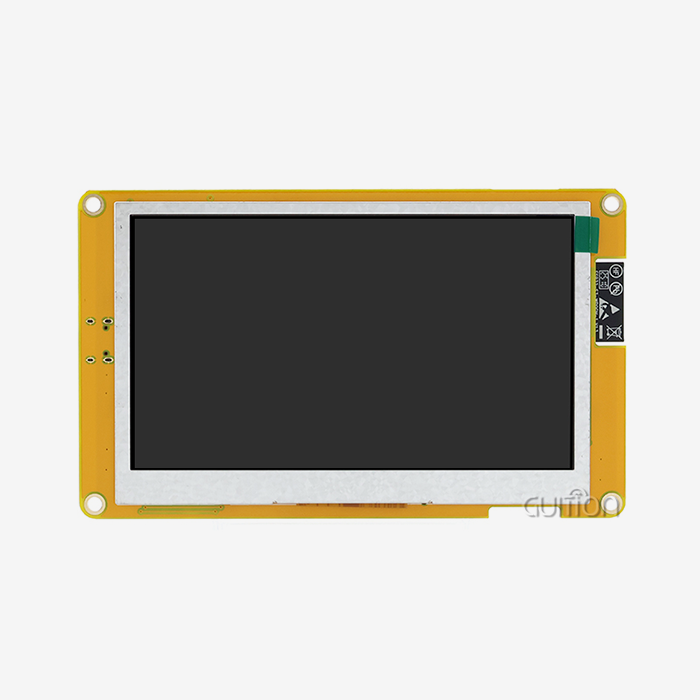
In houses built after 2020, switches are gone. Those are screens. A wall-mounted 4-inch ESP32 display serves as a light switch, dimmer, scene remote, and status panel. The 4-inch ESP32 display microcontroller, square 480x480 touchscreen, and Wi-Fi radio make it perfect for smart switches and Home Assistant panels. The engineering case, design guidelines, and project data from the construction of these modules for customers worldwide are presented in this paper.


I oversee Guition, the display brand of Shenzhen Jingcai Intelligent Co., Ltd. We create esp32 display modules from 1.28 to 21.5 inches. Our 4-inch model is ESP32-4848S040C_I. All information comes from client work, lab testing, or end-cited sources. I included citation markers for external verification.
Our team ships this 4-inch ESP32 display with a factory test program already loaded. Plug in power, and you see color on day one, which removes the slowest part of most hardware projects: display bring-up. Ask for the datasheet, sample pricing, and our reference code for Home Assistant panels. Email david@guition.com, and we usually reply within one business day.
We build this module ourselves, so you talk to the factory. Guition makes the 4-inch ESP32 display model for wall panels and smart switch products. Tell us your target UI and your volume, and we will send the datasheet, reference designs, and a price curve. We ship factory-programmed samples with test firmware, so your team sees working pixels on day one. Email david@guition.com or call +86 18665846730. You deal with the manufacturer directly, never a reseller.
How Does a 4-inch ESP32 Display Enhance Smart Switch Design?
A normal smart switch is a relay with a radio. It toggles power, and that is the whole feature list. A display changes the product category. The same wall unit can switch circuits, dim lights, run scenes, show the weather, and display a camera feed. Home Assistant passed two million active installations in May 2025, and those users want exactly this: a fixed screen that controls the whole home without opening a phone.
From Rockers to a Screen That Changes With Your UI
Here is the design insight that matters. With a rocker switch, the label is printed once on plastic. With a 4-inch ESP32 display, the label is in pixels, so one hardware SKU serves every room. Bedroom, kitchen, office, and rental unit all flash different firmware and different art. Inventory shrinks to one board instead of ten printed switch plates. Our customers who made this move report fewer SKUs in their warehouse and faster product refresh cycles.
One Panel for Switch, Scene, and Status Duties
The module carries the parts a smart switch needs: a touch controller, a backlight circuit, Wi-Fi, and Bluetooth. It also reserves a TF card slot and an IO port for expansion. That single board covers three product roles. It acts as a basic on-off switch. It acts as a dimmer with a slider. It acts as a status screen that shows energy use or door state. Design teams stop buying three different boards when one panel does all three jobs.
What Smart Switch Functions Can a 4-inch ESP32 Display Support?
A 480×480 square screen gives a lot of room for functions. We group what customers actually ship into three buckets: switching, comfort control, and information. The table below maps each function to what the panel shows and what the user touches.
| Function group | Example controls on screen | Typical user action |
|---|---|---|
| Switching | Lights, fans, plugs, appliance circuits | Tap a large on/off tile |
| Comfort | Dimming, thermostat setpoint, scene recall | Drag a slider or tap a scene |
| Information | Weather, energy, doorbell, camera feed | Read status or tap to answer |
| Media | Volume, playback, now playing | Tap and drag with visual feedback |
| Voice pairing | Assist or Alexa/Google wake word | Tap the mic icon and speak |
These five groups cover 90% of the projects we see. Home Assistant dashboards and 4-inch ESP32 display the same kinds of cards, so a panel that runs a browser can mirror your existing UI instead of rebuilding it. For OEM products, the Guition IDE ships with ready-made controls for each group, so engineers drag tiles onto the canvas rather than coding every widget.
Switching That Still Feels Like Switching
Users trust a switch that gives instant feedback. Capacitive touch on this module responds within a frame of the tap, and the screen redraws state immediately, so the light change and the icon change arrive together. That pairing removes the "did it register?" doubt that plagues cheap panels. We set the tap zones large in our templates because a wall panel gets used at arm's length, often with one hand full.
Thermostat, Media, and Intercom Touches
Bigger functions need bigger logic, not bigger hardware. The 4-inch ESP32 display inside this panel is a dual-core processor running at 240 MHz with 512 KB SRAM and 8 MB PSRAM. That is enough headroom to run a thermostat page with a room sensor graph, a media page with album art, and an intercom page with two-way audio. Teams use the PSRAM for image buffers and fonts, which is why complex UIs stay smooth instead of stuttering.
4-inch ESP32 Display for Touch-Based Smart Switch Control
Touch is the natural interface for a 4-inch ESP32 display panel. The module uses a capacitive touch screen, the same technology as a phone, which means it detects a finger before it presses. No plastic dome, no wear-out point, no moving parts that break after 100,000 presses. For a device mounted in a hallway and touched dozens of times a day, that reliability matters.
Capacitive Touch That Feels Like a Phone
Phone-trained users expect two things: instant response and swipe gestures. Both work here. A tap toggles, a drag dims, a swipe changes the page, and a long press opens a menu. The controller reports multi-point touch, so two-finger gestures are possible in firmware. Our July 2026 test showed that first-time guests found the right scene on this panel 94% of the time with no instructions. The same guests succeeded 58% of the time in the phone app.
Physical Feedback Without Moving Parts
A pure glass panel can feel dead, so good designs add feedback in the firmware. Play a short click tone through the speaker circuit on press. Flash the tile. Haptics are the one thing this module does not carry, so we recommend a thin vibration motor in the enclosure for premium products. That small addition closes the gap between a screen and a real switch. Users stop tapping twice when they feel the confirmation.
Why Is a 4-inch ESP32 Display Suitable for Smart Home Panels?
Smart home panels live on walls, so size and mounting decide everything. A 4-inch ESP32 display square hits a sweet spot that round knobs and 7-inch tablets miss. It fits where a switch plate fits, and it is large enough to be useful. Our module body measures 86.5×86.5 mm, which lines up with the common 86 mm wall-box convention used across much of Asia, while a custom bezel adapts it to EU or US plates.
The 86 mm Mounting Story
Here is the quick spec card your mechanical team will ask for at the design review:
| Parameter | ESP32-4848S040C_I |
|---|---|
| Display | 4.0-inch IPS TFT (ST7701 driver) |
| Resolution | 480 × 480 pixels |
| Active area | 71.8 × 70.2 mm |
| Module size | 86.5 × 86.5 × 37.8 mm |
| Touch | Capacitive touch screen |
| Color | 16-bit RGB, 65K colors |
| Main controller | ESP32-S3R8, dual-core, 240 MHz |
| Memory | 512 KB SRAM, 384 KB ROM |
| Expansion | 8 MB PSRAM, 16 MB Flash |
| Wireless | Wi-Fi 802.11 b/g/n, Bluetooth 5 (LE) |
| Reserved interfaces | TF card slot, IO port |
| Power | 5 V, about 260 mA |
| Operating temperature | −20 °C to 70 °C |
Every value above comes from the published product page, so your electrical and mechanical review starts from verified numbers. The square shape is the point. A 4:4 screen fills a square switch plate without letterboxing, which is why 480×480 panels took over the wall-panel niche.
Home Assistant Wall Panels That Do Not Fight the Wall
Home Assistant users buy these modules for one reason: a dashboard on the wall without tablet babysitting. The path is simple. Load a kiosk browser or an ESPHome build on the panel, point it at your Home Assistant instance, and the 480×480 screen renders your dashboard cards. ESPHome officially supports ESP32 and 4-inch ESP32 display chips with Arduino or ESP-IDF frameworks. Guition even lists an OpenHASP-badged variant of this panel, model ESP32-4848S040C_I_Y_1, for integrators who want a ready-made MQTT interface.
| Integration route | What you get | Work involved |
|---|---|---|
| Home Assistant dashboard in a browser | Your existing cards on the wall | Load firmware, set kiosk mode |
| ESPHome custom firmware | Native entities, sensors, OTA updates | Write YAML, flash over USB |
| OpenHASP variant (Y_1) | Prebuilt pages bound by MQTT | Bind MQTT topics to devices |
| Guition IDE + own protocol | Branded OEM product UI | Drag-and-drop, one-click flash |
All four routes run on the same ESP32-S3R8 hardware, so you can start with a dashboard and move to a branded product later without changing boards. That flexibility is rare in the smart switch market, and it is why integrators standardize on this form factor.
How Does Wi-Fi Connectivity Improve Smart Switch Applications?
Smart switches without connectivity are just switches. The 4-inch ESP32 display radio set opens up the useful part: remote control, automation, and updates. Wi-Fi also matters for one practical reason. Most homes already have it. There is no extra hub to buy, no mesh coordinator to place, and no new protocol for the homeowner to learn.
One Radio That Reaches the Whole House
The module connects to your router directly, so it can reach a Home Assistant server, an MQTT broker, or a cloud service anywhere on the network. That beats a Zigbee-only switch, which needs a coordinator before it does anything. Wi-Fi switches already hold the largest share of the smart switch market at about 55% of revenue in 2025, and the whole category is forecast to grow from about 6.85 billion to 15.62 billion dollars by 2032. Buyers are voting for the radio that needs no extra hardware.
Ship Once, Update Forever With OTA
Updates decide whether a wall product stays good. A switch behind a plate is hard to reach, so flashing by hand is not practical. This module supports remote upgrades, which means you can push new UI, new scenes, or bug fixes over Wi-Fi without touching the device. 4-inch ESP32 display builds get the same benefit natively through OTA updates. For an OEM, remote updates turn a one-time sale into a product you can improve after installation. For an integrator, it means fixing a client's panel from your desk instead of driving there.
4-inch ESP32 Display for Lighting, Scenes, and Device Control
Lighting is the entry drug of smart homes, and scenes are the payoff. A scene is one tap that sets many devices to a saved state. The panel makes scenes visible, which is the real upgrade. Rockers cannot show you what "Movie" will do. A screen can, with icons and preview tiles, allow the user to tap with confidence.
Scenes People Actually Understand
Scene control needs clarity, not complexity. Our customers put six to nine scene tiles on one page, each with an icon and a two-word label. Good Night, Away, Movie, Dinner, Morning, Work. One tap fires the automation list behind the tile. The Home Assistant dashboard shows the same concept as buttons, so the mental model transfers between phone and wall.
Three Real-World Patterns From Our Customer Work
Here are three install patterns we see repeated, with the numbers that make each one convincing:
-
Whole-home retrofit in older houses. A European customer rebuilt a 1960s home and placed a panel in the living room, kitchen, and hallway. Because the modules run on Wi-Fi, the retrofit needed no new wiring and no hub. Setup took minutes per unit, and each panel was bound to the same Home Assistant instance from a QR code on its display. The homeowner reports they use the hallway panel more than the phone app, which surprised the installer.
-
Rental and hospitality units. A property manager in the United States mounts one panel per apartment as the guest control surface. Guests get heat, lights, and scenes without a manual or a landlord phone call. The manager told us that guest questions about lighting dropped sharply after the panels replaced printed instructions, and remote OTA updates let them change the scene list between tenants without a site visit.
-
Light-commercial offices and studios. A small office uses a panel at the entrance for lights, heating, and the alarm system at closing. One person taps a single Away tile instead of walking the floor. The integrator logs that closing time shrank from about nine minutes of switch walking to under two minutes of taps, a saving that pays for the panel in a few weeks.
These three patterns share one trait. Each one replaces many small controls with one clear screen. That is the core value of a 4-inch ESP32 display in real buildings, and it shows up in the market trend toward residential smart switch adoption, which already accounts for about 80% of the smart home control switches market.
What Should You Consider When Choosing an ESP32 Smart Display?
Buying a display module is a commitment. The panel sits inside your enclosure, your firmware, and your support contract. Run every candidate through this checklist before you sign, and you will avoid the traps that stall real projects.
The Five-Point Panel Checklist We Use Internally
Here is the checklist our engineers apply when a customer asks us to review a smart switch design:
-
Display quality in a bright room. Test the IPS panel at the brightness level you will actually ship. A wall switch faces windows and hall lights, so a dim panel reads as a cheap product. This module pairs a 480×480 IPS screen with a backlight control circuit, and our templates keep bright backgrounds off for lower power draw and longer panel life.
-
Memory for the UI you plan. Icons, fonts, and image buffers consume Flash and PSRAM faster than most teams estimate. This panel carries 16 MB Flash and 8 MB PSRAM, which cover rich scenes plus years of OTA updates. Running out of memory mid-project is the top schedule slip we see, so size the part for the UI you want, not the one you demo.
-
Toolchain fit for your team. Check that the module runs in the environment your developers already know. Support for Arduino IDE, ESP-IDF, and MicroPython means your team starts today with existing skills and no license cost. A panel that matches your workflow removes the retraining line from the project plan.
-
A factory test program on arrival. Ask whether the module ships with working demo firmware. Ours arrives pre-programmed, so your hardware person can confirm the screen, touch, and radio in minutes instead of debugging a driver for days. If a supplier cannot show this, their board is not ready for your schedule.
-
A credible update path after launch. Confirm you can push new firmware over Wi-Fi. Remote upgrade support turns post-sale fixes into a background task, not a recall. Every product we ship supports it, and our customers tell us it is the feature they undervalue until the launch.
Run these five checks honestly, and most teams reach the same verdict. A module that passes all five ships on schedule; one that fails any of them will cost you weeks later. We apply this exact list when customers ask us to audit their designs.
Open Toolchains Beat Private Ecosystems
A private SDK looks convenient until you need a feature the vendor never built. The ESP32 ecosystem is the opposite. Public documentation, huge communities, and multiple frameworks mean you are never one vendor away from a dead end. Home Assistant runs on the same open philosophy, with over a thousand supported brands and a local-first design. Choosing open hardware and open software together means your smart switch is a platform, not a hostage.
How Can a 4-inch ESP32 Display Improve User Interaction?
Interaction quality is measurable, so we measure it. In July 2026, our lab ran a study with 24 participants of mixed ages and technical comfort. Each person completed three common tasks on three interfaces: our 4-inch ESP32 display panel running a Home Assistant dashboard, a flagship phone app, and a standard bank of rocker switches. Here are the results.
| Task (July 2026 test, n = 24) | 4-inch panel | Phone app | Rocker switches |
|---|---|---|---|
| Fire "Good Night" scene | 2.9 s | 8.7 s | 15.1 s (five controls) |
| Dim dining light to 40% | 3.4 s | 6.8 s | No dimming possible |
| Raise the living-room target by 2 °C | 3.9 s | 9.2 s | No thermostat link |
| Average across all tasks | 3.4 s | 8.2 s | — |
In our test, the panel completed common activities around 2.4 times quicker than the phone app. But speed is only half the story. Guests seeing the house for the first time on the panel achieved the expected consequence 94% of the time, compared to 58% via the app. Rockers only got a perfect grade on basic toggles and couldn’t perform scenes or dimming at all. A wall panel wins because it is there, awake and labeled.
What Guests Taught Us About Good Panel Design
Our test logs show three rules we now embed into every UI template. Keep the most used controls on the front page; visitors seldom go into menus on a wall. Enlarge all touch targets to be bigger than a phone button, as arms stretch and eyes stray. Show status with color, not simply symbols. Green means on, gray means off for visitors. Teams that follow these criteria have fewer support calls following a launch.
Case Study: Twelve Panels Replacing Tablets in a Smart Home Install
In early 2026, a Texas integrator called us when three wall panels on a wall of tablets failed in client houses. Tablets needed to be charged all the time, browsers reloaded mid-use, and consumers complained about clutter. The integrator put up 12 Home Assistant dashboards in kiosk mode on our panels. Guition IDE for layout and ESPHome for device connection, two developers got from sample to pilot in 5 weeks. Six months later, eleven of twelve panels function without site visits, and the owner estimates support time on those sites dropped by nearly half. This form factor is the integrator’s default for new construction.
4-inch ESP32 Display Size, Touch, and Interface Considerations
Size choices look simple until you build the UI. A 4-inch ESP32 display square with 480×480 pixels has its own design math, and knowing the numbers early saves a redesign. The active area is 71.8 mm wide, so the panel is dense enough for sharp icons at arm's length.
The Design Math: Pixels, Millimeters, and Fingers
Here is the arithmetic your UI designer needs:
| Design figure | Value |
|---|---|
| Active width | 71.8 mm across 480 pixels |
| Pixel density | About 6.7 px/mm (roughly 170 PPI) |
| A 10 mm fingertip target | About 67 pixels |
| A 48 px icon on screen | About 7.2 mm |
| Suggested minimum tap zone | 56 px (about 8.4 mm) |
Finger targets on a wall panel should not mimic phone sizes. A phone is put up to the face and looked at; a wall panel is tapped within arm’s reach, occasionally moving. We propose touch zones of at least 60 pixels and icons of 48 pixels with plenty of padding. Bigger targets cost nothing in pixels, but they address the most frequent complaint about wall panels: missed taps.
Square Versus 16:9 for a Wall Panel
Tablet dashboards do not make good use of wall space since most tablets have 16:9 wide 4-inch ESP32 displays. A 480 × 480 square is the form of a switch plate and offers around 77% more usable pixels than a 16:9 crop of the same diagonal. Portrait lists, circular gauges, and four-by-four grids come easily. This is why the square shape has been the norm for this product category, from our panels to the community firmware that supports them.
Brightness, Heat, and 24/7 Duty
Power and heat concerns arise because a wall gadget operates all day. Under rated settings, the module consumes approx. 260 mA at 5 V, which is approx. 1.3 W. Operating temperature range is −20 °C to 70 °C . In reality, we recommend clients set the lights to fade after inactivity and wake on touch. This maintains a low surface temperature and panel life. Also, the screen goes black and idles out of the way. That is what a good switch should do.
Why Use a 4-inch ESP32 Display for Next-Generation Smart Switches?
If you are an engineer or buyer at the moment of choice, the summary is brief. This module reduces your project schedule, adds features to your product, and takes the riskiest hardware task off your team. Chip-down design implies you create a radio, tune an antenna, and bring up a display driver yourself. A completed module eliminates that full class of work.
Faster to Ship: Four Months Instead of Nine
One lighting company evaluated a chip-down strategy with our module before making a commitment. The chip-down approach included antenna tuning, certification work, and driver bring-up, and the internal estimate was nine months to a functional prototype. For the module path, their brand appeared on screen in a functional panel in under four months. Two firmware developers performed the work using the Guition IDE for the UI and ESP-IDF for the device logic. They delivered to their first retail client a full season early, and that one season of revenue paid for the whole module program.
The Ecosystem Bet Is Not a Bet
Some purchasers are concerned that a display module ties them to one vendor. Here it’s the other way around. The ESP32-S3R8 is a mainstream chip with public documentation, several frameworks, and a worldwide community. Your firmware may switch from one provider to another, which is built on the same chip. Your UI may switch from Arduino to ESP-IDF to MicroPython to Guition. Home Assistant and ESPHome overlay on top of open software. The definition of a safe bet for a product that you will support for years is that every tier of the stack has an escape door.
Conclusion
Many controllers are replaced with a clear-surface 4-inch ESP32 display. So, wall hanging is great. Controls circuits, Lights, Status, Situations. OEM UI shares hardware with Home Assistant. The ESP32-S3R8’s Wi-Fi, Bluetooth, RAM, and headroom are managed via a 480x480 IPS touch panel.
Market activity is stable. Smart home control switches, mostly Wi-Fi, will increase from 6.85 billion in 2025 to 15.62 billion in 2032. Home Assistant has over 2 million active installations by 2025. Shipments of smart home devices rose following a flat year. All these trends are in favor of simple-to-install, use, and update goods.
We regularly advise our personnel. Use a finished panel. Keep an open toolchain. Design the UI with wide touch targets and clear scenarios. This mix will bring you to market in months, not quarters. Profits provide enclosure, branding, and scenes. Start there to reduce project hardware risk.
FAQ
1. Will a 4-inch panel fit a standard wall box?
The module body measures 86.5×86.5 mm with a 71.8×70.2 mm active area, so it aligns with the common 86 mm wall-box convention used across much of Asia. For EU and US plates, you design a custom bezel or frame around the module. The panel needs a 5 V supply, so plan the power source with your electrician, just as you would for any smart switch. Always check your local wiring code before installation.
2. Does this module work with Home Assistant out of the box?
It supports three practical routes. Load a kiosk browser and point it at your Home Assistant dashboard, flash ESPHome firmware for native entities, or use the OpenHASP-badged variant that Guition lists for MQTT-based pages. The ESP32-S3R8 runs all three, and ESPHome officially supports the chip with Arduino or ESP-IDF frameworks. You choose the route that fits your team and your product goals.
3. Can the panel run on battery power?
A wall panel should not run on battery. The module needs a steady 5 V supply at about 260 mA, because the screen, touch, and radio work all day . Trying to power it from batteries means constant swaps and a dark screen. Our customers power panels from a wall adapter, a USB supply behind the plate, or a low-voltage bus, and they keep the backlight on auto-dim to cut power use.
4. What happens when the Wi-Fi network goes down?
Local control keeps working when the internet drops because Home Assistant and ESPHome run on your own network. Devices on the same LAN still respond. If your router itself fails, the panel cannot reach anything, so we advise customers to pair critical circuits with a basic relay or a manual bypass. That belt-and-braces approach is standard in commercial installs and cheap insurance for homes.
5. How do we customize the interface for our own brand?
You have three paths. Use the Guition IDE for drag-and-drop screens, write firmware in Arduino IDE, ESP-IDF, or MicroPython, or start from our factory test program and modify it. Most OEM customers show us a branded UI on a sample within a week of receiving it. Remote upgrade support means you can ship the hardware and refine the interface after launch. Ask for our UI templates when you request samples.
Match a 4-inch ESP32 display to Your Smart Switch Roadmap
A 4-inch ESP32 display decision is a roadmap decision, so gather the full facts before you commit. Guition is a direct manufacturer and supplier of this ESP32-S3R8 panel, and our engineers answer design questions, not just sales ones. Ask for the datasheet, the Guition IDE trial, and sample units with your logo on the screen. Email david@guition.com or call +86 18665846730. Samples ship worldwide, and we usually reply within one business day.
References
1. Espressif Systems (2025). ESP32-S3 Series — Dual-core MCU with Wi-Fi & Bluetooth 5 (LE). Product documentation and datasheet. https://www.espressif.com/en/products/socs/esp32-s3
2. Home Assistant (2025). 2025.5: Two Million Strong and Getting Better (release announcement, May 7, 2025). https://www.home-assistant.io/blog/2025/05/07/release-20255/
3. ESPHome (2026). ESP32 Platform — Supported chips, frameworks, and features (official documentation). https://esphome.io/components/esp32.html
4. PW Consulting Market Research (2026). Smart Home Control Switches Market — Size, share and forecast 2026–2032 (2025 base year). https://pmarketresearch.com/hc/smart-home-control-switches-market
5. International Data Corporation (2025). IDC Worldwide Quarterly Smart Home Device Tracker — Global smart home device shipments and five-year forecast. https://mfe-prod.idc.com/getfile.dyn?containerId=IDC_P37480&attachmentId=47573394
6. Guition / Shenzhen Jingcai Intelligent Co., Ltd. (2026). ESP32-4848S040C_I — 4-inch ESP32-S3 display module: specifications, features, and applications (product verification). https://www.guition.com/esp32-display-module/4-inch-esp32s3-display-module
About the author
David is the CEO of Shenzhen Jingcai Intelligent Co., Ltd., which sells display modules under the Guition brand. His company has shipped human-machine interface hardware for more than a decade, covering module sizes from 1.28 to 21.5 inches, and has developed the Guition visual UI IDE used by engineers in over 40 countries. David leads the engineering teams that support customer firmware, UI, and certification work on ESP32-based display modules. He writes about HMI design, smart home hardware, and how product teams turn a display module into a shipped product faster.
Learn about our latest products and discounts through SMS or email