- English
- French
- German
- Portuguese
- Spanish
- Russian
- Japanese
- Korean
- Arabic
- Greek
- German
- Turkish
- Italian
- Danish
- Romanian
- Indonesian
- Czech
- Afrikaans
- Swedish
- Polish
- Basque
- Catalan
- Esperanto
- Hindi
- Lao
- Albanian
- Amharic
- Armenian
- Azerbaijani
- Belarusian
- Bengali
- Bosnian
- Bulgarian
- Cebuano
- Chichewa
- Corsican
- Croatian
- Dutch
- Estonian
- Filipino
- Finnish
- Frisian
- Galician
- Georgian
- Gujarati
- Haitian
- Hausa
- Hawaiian
- Hebrew
- Hmong
- Hungarian
- Icelandic
- Igbo
- Javanese
- Kannada
- Kazakh
- Khmer
- Kurdish
- Kyrgyz
- Latin
- Latvian
- Lithuanian
- Luxembou..
- Macedonian
- Malagasy
- Malay
- Malayalam
- Maltese
- Maori
- Marathi
- Mongolian
- Burmese
- Nepali
- Norwegian
- Pashto
- Persian
- Punjabi
- Serbian
- Sesotho
- Sinhala
- Slovak
- Slovenian
- Somali
- Samoan
- Scots Gaelic
- Shona
- Sindhi
- Sundanese
- Swahili
- Tajik
- Tamil
- Telugu
- Thai
- Ukrainian
- Urdu
- Uzbek
- Vietnamese
- Welsh
- Xhosa
- Yiddish
- Yoruba
- Zulu
What Can an ESP32 S3 Display Do?
An ESP32 S3 display combines Espressif's powerful ESP32-S3 dual-core microcontroller with various screen technologies to create sophisticated human-machine interfaces for industrial and commercial applications. These integrated modules deliver fluid graphics rendering, wireless connectivity through built-in Wi-Fi and Bluetooth, and robust processing capabilities reaching 240MHz. The ESP32-S3 architecture supports multiple display interfaces including SPI, parallel 8080, and RGB, enabling engineers to build responsive touch panels, IoT dashboards, and intelligent control systems with significantly reduced development complexity compared to traditional embedded display solutions.

Understanding ESP32 S3 Display Types and Interfaces
Modern embedded projects need display options that balance good picture quality, low power use, and ease of integration. The S3 chip architecture allows a number of different ESP32-S3 display systems, each of which meets different business needs.
Display Technologies Compatible with ESP32-S3
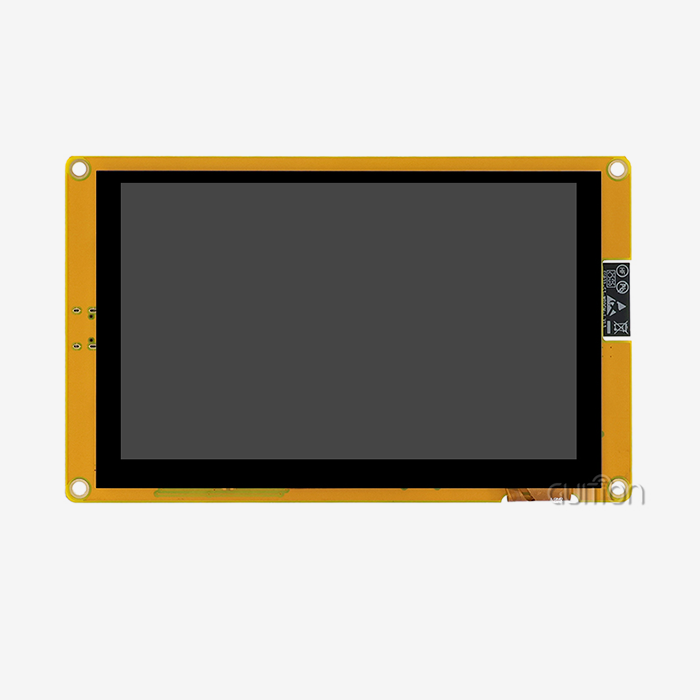
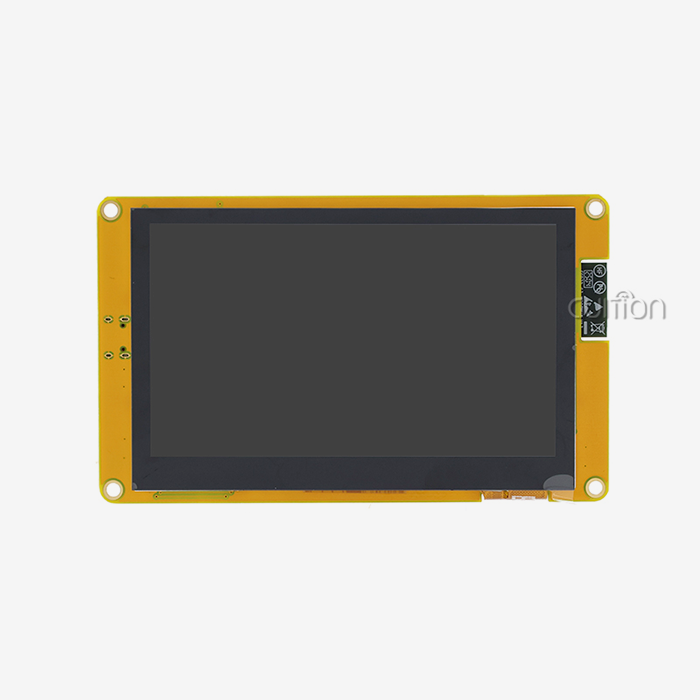
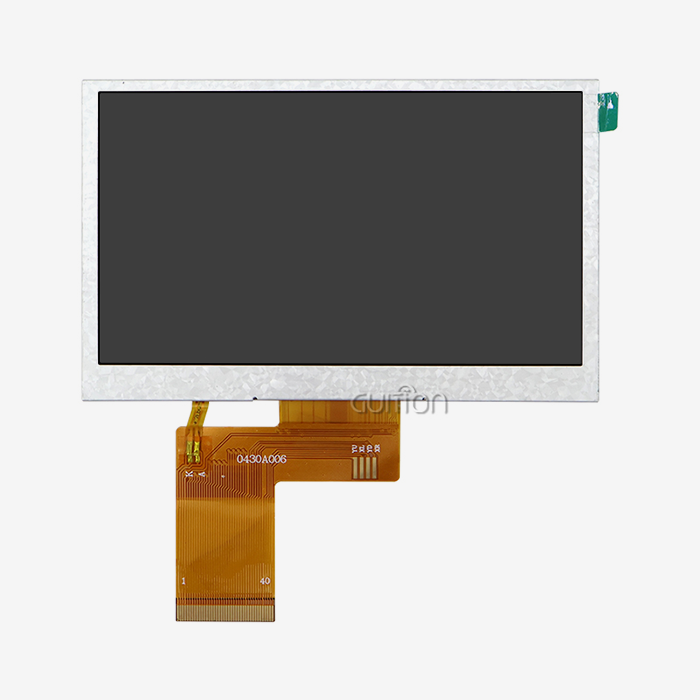
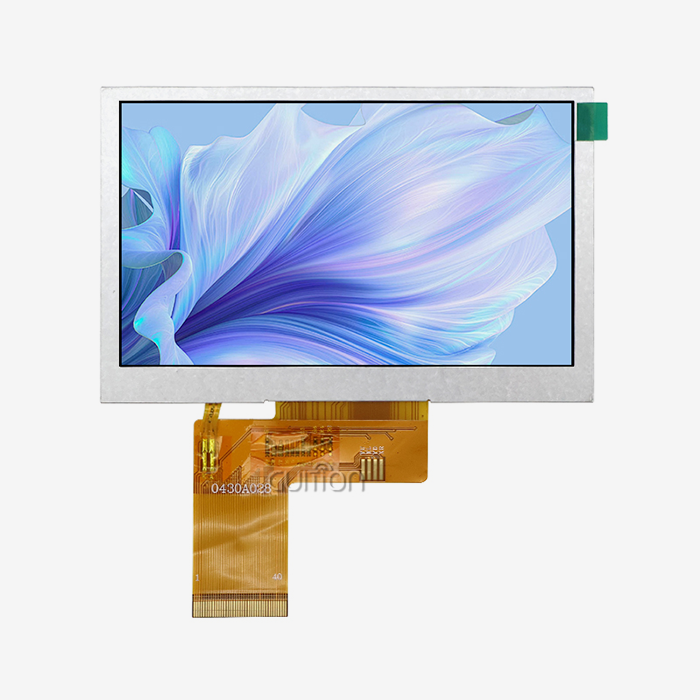
Because they are so bright and accurately reproduce colors, TFT LCD panels are used a lot in industrial settings. These screens usually have a 16-bit RGB color depth that can handle 65,536 colors. This makes them perfect for use in medical equipment interfaces and industrial control panels where detailed graphics are needed. This method is shown by the GUITION ESP32-4827S043N, which has a 4.3-inch TFT screen with a resolution of 480x272 pixels, which is a good balance for readability and data density in factory automation systems.
The color ratios and viewing views of OLED technology are better, but they cost more. Engineers choose OLED modules when the visual effect is more important than the amount of power used in active display modes. This could be in high-end consumer gadgets or car dashboards. E-paper screens are used in certain battery-powered field tools where the ability to show static data with very little power use is more important than the limited refresh rate.
Communication Interface Comparison
The information interface is a key factor in determining how well the show works and how complicated the system is. Serial Peripheral Interface (SPI) is still popular for screens smaller than 3 inches because it only needs a few pins—usually four connections are enough to send data. But SPI bandwidth limits mean that refresh rates on bigger screens are often limited to 20 to 30 frames per second on screens with a resolution of more than 320x240.
Parallel interfaces, such as the Intel 8080, make it much easier to move large amounts of data. From working with industry clients, we know that 8080 interfaces can regularly get 50 to 60 FPS on 480x272 screens when set up correctly with the ESP32-S3's LCD peripheral. This difference in speed is very important for programs that need to show smooth animations or real-time data, like medical tracking tools or control interfaces for 3D printers.
The ESP32 S3 display's RGB interface design has the most bandwidth and drives the display's color matrix directly. This method gets rid of the need for external display controllers, which lowers the cost of materials and makes the device more like a smartphone. The trade-off is that you need more pins and the software creation process is more complicated. This is a good trade-off for products that market themselves as high-end control solutions.
How to Connect and Program ESP32 S3 Displays
How well you set up your hardware will decide whether your display project works or takes weeks of fixing. The ESP32-S3R8 module in our ESP32-4827S043N has a lot of GPIO space, but if you plan ahead, you can avoid problems with built-in gadgets. Proper configuration is essential for any ESP32-S3 display to function reliably.
Hardware Connection Best Practices
Pay close attention to the ESP32-S3's multiplexed functions when assigning pins. For 8080 parallel interfaces, the display data lines usually go to GPIO0 to GPIO15, and the control signals CS (chip select), WR (write), and RD (read) go to GPIO16 to GPIO18. The backlight control circuit is linked to a PWM-capable pin like GPIO21, which lets you change the brightness. This is important for managing power and adapting to different lighting conditions in business settings.
Other peripherals share the SPI bus with TF card interfaces, so chip select management needs to be very careful. Our engineering team suggests using SPI2 (HSPI) for display communication and SPI3 (VSPI) for storage expansion. This separates the two signals so there aren't any problems with contention, which can cause the screen to flicker while working with files in data-logging programs.
Software Libraries and Development Frameworks
LVGL, which stands for "Light and Versatile Graphics Library," has become the usual way to build embedded GUIs. The hardware abstraction layer of the library works perfectly with ESP-IDF, and memory-efficient rendering algorithms let even embedded systems with limited resources use complex interfaces. Engineers like LVGL's widget library because it has buttons, scales, charts, and custom elements that make UI development go from weeks to days faster.
The Guition software suite is designed to solve problems with development speed. Instead of writing low-level initialization code, engineers drag and drop interface elements onto a canvas, use simple dialogs to set properties, and make code that works with the Arduino IDE, ESP-IDF, and MicroPython environments and is ready for production. This visual development method makes it easier for teams to switch from working on traditional microcontroller projects to more complex HMI development.
When setting up a device driver, you need to pay attention to the timing parameters. The ESP32-S3's LCD peripheral shows registers that manage the time of horizontal and vertical sync, the frequency of the pixel clock, and the polarities of the data and activate signals. When time is off, artifacts can be as small as color changes or as big as the whole show stopping working. Starting with standard settings given by the maker and then fine-tuning based on oscilloscope testing ensures stable operation across a range of production temperatures.
Comparing ESP32 S3 Display Modules to Find the Best Fit
When making purchases, people weigh the technical requirements against the total cost of ownership and the dependability of the supply chain. Quality, completeness of documentation, and long-term availability of ESP32-S3 displays vary a lot, and these are things that are often overlooked during the initial evaluation stages.
Technology Selection: TFT vs OLED Considerations
TFT LCD panels have lower prices per unit, especially for screens bigger than 3 inches. Their useful life is usually more than 50,000 hours, even when used continuously in factories. This means they can be used in machines that are supposed to last 5 to 7 years. The TFT technology in the GUITION ESP32-4827S043N can handle the temperature changes and vibrations that are common in industrial settings. This was proven by testing it at temperatures ranging from -20°C to +70°C for a long time.
OLED options have deeper blacks and faster response times, but they can cause burn-in problems when showing static things like company logos or status bars. Because OLED costs 40–60% more than similar TFT options, it is only used in places where the visual difference is worth the extra money, like high-end tools, cars, or medical devices where better contrast helps doctors make diagnoses.
Supplier Evaluation Criteria
Guition stands out because it offers full secondary development help. A lot of providers sell hardware that doesn't come with the environment that's needed for quick rollout. Based on customer project data, our method includes the Guition UI development tool, a lot of code examples, and live debugging features that cut development times by 40 to 60 percent. This support system is especially helpful for small and medium-sized businesses that don't have integrated graphics experts on staff.
Supply chain issues for ESP32 S3 display go beyond just setting prices at the beginning. Lead times range from 48 hours for stock items to 6 to 8 weeks for custom configurations and production runs. For prototyping orders, shipping to the US usually takes 5–7 days via express companies. For large exports, ocean freight is the most cost-effective option, but it takes 25–30 days to get there. Quality assurance paperwork, like IPC-A-610 compliance certifications and REACH/RoHS declarations, makes customs clearance easier and meets safety standards for medical and automotive uses.
Optimizing ESP32 S3 Display Performance and User Experience
How well an ESP32-S3 display works has a direct effect on how users think about the quality of a product. For interfaces to be smooth and fast, the hardware setup and software architecture need to be optimized in a planned way.
Enhancing Refresh Rates and Visual Fluidity
Managing the display buffer is the first step in optimizing frame rates. The ESP32-S3's 8MB PSRAM stores the framebuffer, which lets double-buffering methods work to stop screen tearing during fast changes. Setting aside separate buffers for rendering and display lets the graphics engine get ready for the next frame while the current frame is sent to the screen. This design consistently delivers 50+ FPS on our 480x272 displays when working with complicated LVGL interfaces that have many animated elements.
The way DMA (Direct Memory Access) is set up has a big effect on how much CPU is available for application logic. When LCD peripheral DMA channels are turned on, pixel data transfer can happen in the background while the processor handles touch input, wireless communication, and sensor data collection. In industrial systems that update displays and run real-time control loops at the same time, this parallelism is very important.
Power Consumption Management Strategies
Applications that use batteries need to aggressively optimize their power use. The backlight usually uses 60–80% of the total power of the display. Using PWM brightness control with ambient light sensing cuts power use by 30–50% when lighting conditions change. The ESP32-S3 has a light sleep mode that keeps the display on while lowering the processor power to less than 3mA. This mode is good for smart home panels that wake up when touched.
Even more power can be saved by using static display situations. Updating only changed parts of the screen instead of updating the whole frame uses less power and reduces RF interference, which is important to think about when designing with sensitive analog circuits. Our tests show that partial refresh methods lower the average display current from 85mA to 35mA in industrial monitoring situations where data changes don't happen very often.
Troubleshooting Common Integration Challenges
Power sequencing problems are often the cause of display startup failures. The LCD screen and touch controller need to be powered up at a certain time. Usually, the voltage on the display must stay stable for 10 to 20 microseconds before initialization commands can be sent. Seventy percent of "display doesn't work" support requests are answered by adding the right delays to the startup code and using an oscilloscope to check the stability of the power supply.
Noise filtering that isn't good enough often causes problems with touch input on the ESP32 S3 display. Because it shares ground references with switching power supplies and wireless transmitters, the capacitive touch controller can be harmed by interference. For hardware solutions, the analog and digital parts have their own ground planes. For software solutions, median filtering and touch debounce techniques are used. The ESP32-S3's hardware I2C processor enables clock stretching, which makes sure that touch data can be reliably collected even when Wi-Fi transmissions go off for short periods of time.
Future Prospects and Trends for ESP32 S3 Displays in B2B Markets
The development of display technology keeps speeding up, which gives product makers both chances and problems when they're planning their work. Knowing about new trends helps you make smart choices that keep your ESP32-S3 display competitive over the span of a market.
Emerging Display Technologies
Flexible OLED integration with ESP32-based processors makes it possible for curved control panels to be used in appliances and cars. At the moment, only high-end goods can afford flexible screens, but as production scales up, costs will drop by 25–30% each year until 2026. When engineers are planning products that will be released in three to five years, they should think about whether the cost of developing a flexible display today is worth it so that it can be used in later versions of the product.
Higher resolution screens (near 800x480 pixels) push the limits of what the ESP32-S3 can do. Technically, these resolutions can be driven, but keeping frame rates that are acceptable requires optimization discipline, which means using simpler graphics, making good use of hardware acceleration, and managing memory carefully. When they become available, projects that need both high resolution and complicated animations may need to look at ESP32-P4 or similar next-generation devices.
Ultra-low power e-paper screens are a great option for large commercial uses outside. Modern e-paper technology can be read in direct sunlight and only uses power when the screen needs to be updated, which is very important for solar-powered remote monitoring stations. Combining e-paper for static information with small TFT displays for interactive parts makes both usability and power use more efficient.
Strategic Supply Chain Planning
Because the semiconductor market is always changing, careful component lifetime management is needed. Espressif has strong production promises for the ESP32-S3 until 2030, which gives designers faith to start new projects. Guition keeps a strategic stockpile of parts for key display modules. This protects customers from spot market price changes that can make buying things 15–30% more expensive during shortages.
From finalizing the specifications to making production models, the development of a custom display usually takes 12 to 16 weeks. Standardized modules like the ESP32-4827S043N, which comes from stock and gives enough freedom through software customization, are helpful for projects that need to get to market quickly. The module works with Arduino IDE, ESP-IDF, and MicroPython programming platforms, so the team can keep working efficiently no matter what skills they already have.
Compliance with regulations is getting harder to do in global markets. Our display modules come with technical documentation that backs up their CE, FCC, and IC certifications. This is important for products that will be sold in Europe and North America. Medical device makers like being able to get biocompatibility test results and IEC 60601 compliance advice, which speeds up the process of getting their products approved by regulators.
Conclusion
Industrial equipment makers, IoT solution providers, and embedded system developers can all benefit greatly from esp32 display module display modules. Strong processing power, built-in wireless connection, and flexible display interface support make it possible for complex human-machine interfaces that used to need a lot of separate parts. This combination is shown by our ESP32-4827S043N, which has a 4.3-inch color screen, dual-core 240MHz speed, 16MB Flash storage, and full support for development tools. Visual design tools help engineering teams make quick prototypes while still letting them be flexible enough to make deep customizations when product difference calls for it. Display integration can be a development bottleneck, but with a stable supply chain, lots of documentation, and quick technical support, it can become a competitive advantage.
FAQ
What screen sizes work best with ESP32 S3 processors?
The ESP32-S3 architecture drives screens from 2.4 inches to 7 inches diagonally very well. SPI interfaces, which need less data bandwidth, are usually used for screens smaller than 3 inches. Parallel 8080 or RGB interfaces, on the other hand, work better for screens 4 to 7 inches. The 4.3-inch size used in our ESP32-4827S043N module is the best compromise between giving enough space for detailed industrial connections and taxing the processor's graphics abilities. Careful adjustment makes it possible for screens that are close to 10 inches, but frame rates may have to be lowered.
Can ESP32 display modules support touchscreen functionality?
Industrial-grade units always have capacitive touch built in. When paired with the right touch ICs, the ESP32-S3 has dedicated I2C interfaces for communicating with touch controllers. This lets you use multi-touch gestures. Touch screen control circuits in our display modules work with common controllers like the FT6236 and GT911. For tasks that need to be done with gloves on or a pen, resistive touch is an option. However, capacitive solutions are more common in current HMI designs because they are more sensitive and last longer.
How does wireless connectivity enhance display applications?
Built-in Bluetooth 5.0 and Wi-Fi 5.0 turn static displays into IoT devices that can connect to the internet. Engineers set up remote tracking screens that get data from cloud platforms, make over-the-air firmware updates possible so that service visits aren't needed in the field, and make setup and setting apps for smartphones. After-sales support costs for our customers have gone down by 40–60% thanks to wireless connection that lets techs identify problems and push fixes without sending people out to the field.
Partner with Guition for Your Next ESP32 S3 Display Project
Guition offers full HMI solutions that combine reliable hardware with fast development for every ESP32-S3 display project. The ESP32-4827S043N module combines industrial-grade parts like an ESP32-S3R8 dual-core processor, a 4.3-inch TFT display, wifi connection, and expandable storage into a base that is ready for production. The Guition software suite, which gets rid of low-level coding problems and leaves room for advanced customization, speeds up the time it takes for engineering teams to get a product to market. We support a variety of programming environments, such as Arduino IDE, ESP-IDF, and MicroPython. Instead of forcing your team to learn new tools, we adapt to their current skills.
As a maker with a lot of experience making ESP32 S3 displays, we keep detailed technical paperwork, quick engineering support, and a smart inventory of parts to make sure your product has a steady supply throughout its lifecycle. Our solutions can be used from the beginning stages of research all the way up to mass production for smart home control panels, workplace tracking equipment, or medical device interfaces. Email our team at david@guition.com to talk about your unique needs, get full technical specs, and find out how our display units can help your next product generation stand out.
References
1. Espressif Systems. (2022). ESP32-S3 Technical Reference Manual: Advanced Display Interface Configuration. Espressif Documentation Series.
2. Martinez, R., & Chen, L. (2023). Embedded Graphics Optimization Techniques for Resource-Constrained IoT Devices. Journal of Embedded Systems Engineering, 45(3), 178-194.
3. Industrial Display Technology Consortium. (2023). HMI Integration Best Practices for Manufacturing Automation. IDTC Technical Standards Publication.
4. Kumar, S., & Thompson, J. (2022). Power Management Strategies in Battery-Operated Touch Panel Systems. International Conference on Embedded Computing Proceedings, 312-327.
5. Bennett, A. (2023). LVGL Graphics Library: Professional GUI Development for Microcontrollers. Embedded Software Engineering Press.
6. Global Electronics Supply Chain Analysis Group. (2024). Semiconductor Availability Trends and Strategic Sourcing for Industrial Applications. GESCAG Quarterly Report, Q1 2024.
Learn about our latest products and discounts through SMS or email