- English
- French
- German
- Portuguese
- Spanish
- Russian
- Japanese
- Korean
- Arabic
- Greek
- German
- Turkish
- Italian
- Danish
- Romanian
- Indonesian
- Czech
- Afrikaans
- Swedish
- Polish
- Basque
- Catalan
- Esperanto
- Hindi
- Lao
- Albanian
- Amharic
- Armenian
- Azerbaijani
- Belarusian
- Bengali
- Bosnian
- Bulgarian
- Cebuano
- Chichewa
- Corsican
- Croatian
- Dutch
- Estonian
- Filipino
- Finnish
- Frisian
- Galician
- Georgian
- Gujarati
- Haitian
- Hausa
- Hawaiian
- Hebrew
- Hmong
- Hungarian
- Icelandic
- Igbo
- Javanese
- Kannada
- Kazakh
- Khmer
- Kurdish
- Kyrgyz
- Latin
- Latvian
- Lithuanian
- Luxembou..
- Macedonian
- Malagasy
- Malay
- Malayalam
- Maltese
- Maori
- Marathi
- Mongolian
- Burmese
- Nepali
- Norwegian
- Pashto
- Persian
- Punjabi
- Serbian
- Sesotho
- Sinhala
- Slovak
- Slovenian
- Somali
- Samoan
- Scots Gaelic
- Shona
- Sindhi
- Sundanese
- Swahili
- Tajik
- Tamil
- Telugu
- Thai
- Ukrainian
- Urdu
- Uzbek
- Vietnamese
- Welsh
- Xhosa
- Yiddish
- Yoruba
- Zulu
SPI LCD Display vs Parallel: Which Interface Wins?
When engineers and product managers evaluate display interfaces, the SPI LCD Display consistently emerges as a strong contender against traditional parallel LCD solutions. A serial peripheral interface display operates over just 3–4 signal lines, reducing GPIO consumption and PCB complexity dramatically. Parallel interfaces, by contrast, require 8 to 16 data lines plus control signals, delivering higher raw throughput but at a steep hardware cost. For most embedded, IoT, and industrial HMI applications in 2024, the SPI LCD display wins on practicality, compactness, and integration ease — though parallel still holds ground in bandwidth-intensive scenarios.

Key Comparison Dimensions Between SPI and Parallel LCD Displays
Technical choices about which display to use rarely depend on a single factor. The final choice is based on speed, power, PCB footprint, and how hard it is to integrate.
To see the difference between them in the areas that matter most in work settings, here are the key specifications:
- Pin Count: An SPI LCD display uses 4 signal lines. A parallel LCD module typically requires 11–13 lines. For MCUs with limited I/O — common in IoT and wearable designs — this difference alone can determine feasibility.
- Refresh Rate & Throughput: Parallel interfaces achieve faster raw data throughput, supporting higher refresh rates on larger panels. SPI interfaces, when paired with DMA and an optimized driver IC like the ST7796, sustain 30–60 FPS on resolutions up to 320×480, which satisfies most HMI and instrumentation use cases.
- Power Consumption: Serial transmission activates fewer switching lines per cycle. This allows the host MCU to leverage partial-screen updates and sleep modes more effectively, reducing total system power — a critical advantage in battery-operated medical and IoT devices.
- PCB Complexity: Routing 13 high-speed parallel traces with controlled impedance demands significant board space and design expertise. An SPI LCD display reduces trace density, lowers EMI exposure, and simplifies layout for compact enclosures.
- Cost at Scale: Parallel LCD modules are generally more expensive to assemble due to higher connector pin counts and stricter PCB tolerances. SPI modules reduce both BOM cost and assembly time in volume production.
Because of these trade-offs, it's clear that neither interface is better in every situation. The best option depends on the refresh rate needs of your application, the MCU resources that are available, and the physical design limitations. The serial peripheral interface display, on the other hand, strikes a better balance for most modern embedded projects.
When to Choose SPI LCD Display over Parallel: Use Cases and Procurement Insights?
When saving room, having a low number of pins, and making connection easy are more important than getting the most data through, the SPI LCD Display is the best choice.
Ideal Applications for SPI Modules
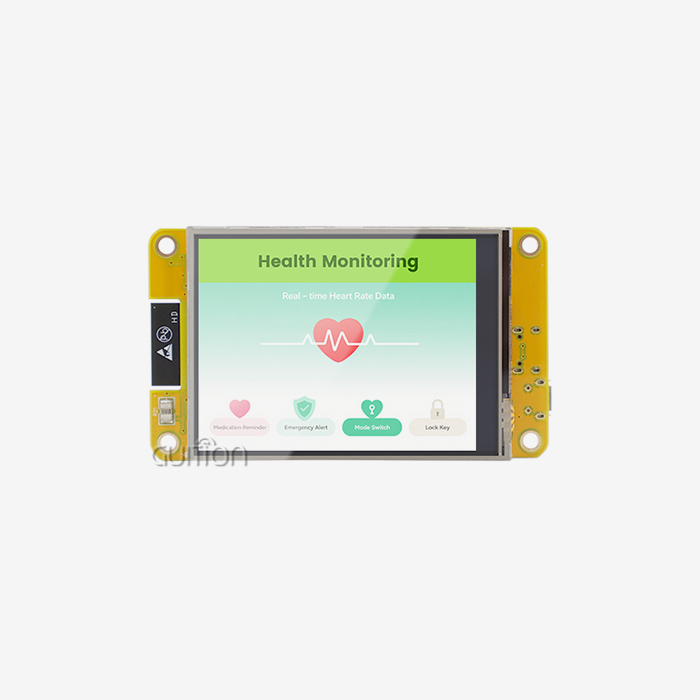
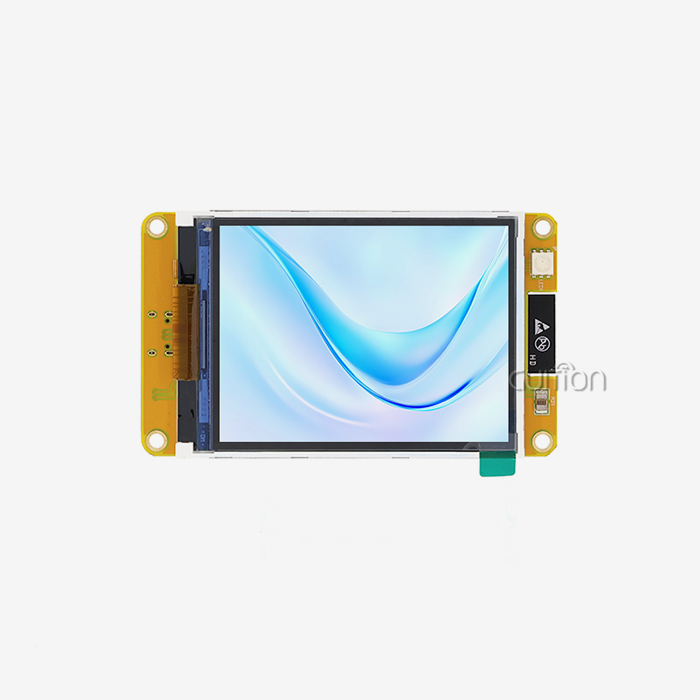
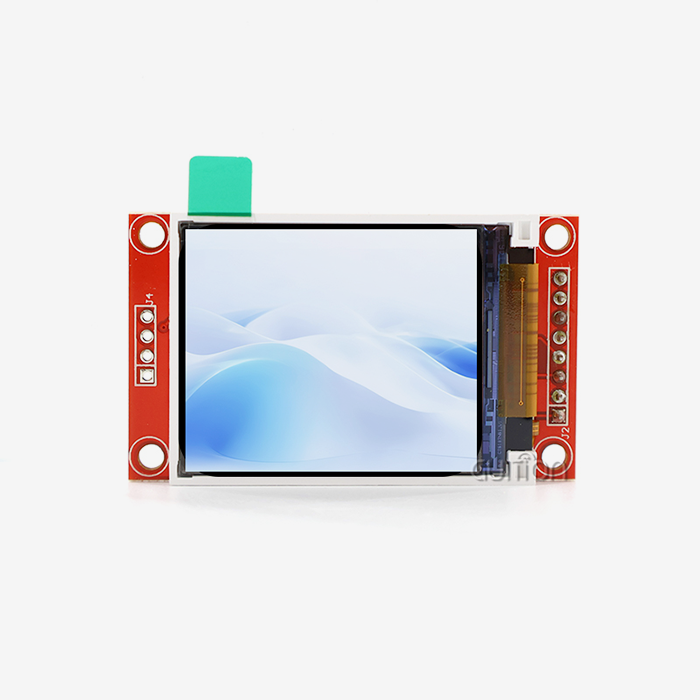
Portable oscilloscopes, multimeters, and field calibrators are all examples of industrial mobile instruments that frequently use SPI LCD Displays. This is because the MCU must commit most of its pins to precision sensor inputs, leaving only a small amount of I/O for the display. Smart home control screens, 3D printer interfaces, charging station UIs, and medical beauty devices are all good examples of applications that work well together. This is exactly what the GUITION JC3248A035C, a 3.5-inch SPI LCD Display module based on the ST7796 driver IC, is made for. It has a 320x480 resolution, 65K color depth, and a capacitive touch panel, so it has a bright, responsive user interface and a small size that makes it good for both mobile and panel-mount setups.
When Parallel Still Makes Sense?
Parallel LCD connections are still useful in high-speed graphics screens, video-rendering kiosks, and large-format industrial monitors that need higher frame rates than SPI bandwidth can handle. A parallel or MIPI DSI interface is the best choice if your application needs smooth full-screen video at resolutions higher than 480x800.
Procurement Considerations
When looking for an SPI LCD Display provider, you should look at how well the paperwork is written, how clear the driver IC is, and how well it works with other platforms. The GUITION JC3248A035C can be programd in Arduino, ESP-IDF, and Guition modes, and it works well with the ecosystem tools that most engineering teams already use. It can work in temperatures between -20°C and +70°C, which is normal for industrial-grade equipment without costing a lot more.
Overcoming Challenges of SPI and Parallel LCD Displays
Both interfaces have problems that make them hard to use. Early identification of common failure places saves a lot of time during fixing.
Signal Integrity and Initialization on SPI Displays
When engineers first turn on an SPI LCD Display, the most common problem they see is a blank or broken screen. The RST line must be held low for at least 10 ms before the reset sequence can work, or there is a problem with the initialization command set or the driver IC itself. The ILI9341 and ST7796 both have similar command structures, but their gamma and power control registers are different. Make sure that your init code matches the driver IC on your module exactly. To keep the signal strong on lines longer than 10–15 cm, either lower the SPI clock frequency or add buffer chips.
PCB and Power Challenges on Parallel Displays
Parallel LCD panels present a different type of problem: they take up more space on the board and use more power. Crosstalk and EMI problems are more likely to happen when 13 high-speed lines are routed in a small box. This is especially true in places with a lot of electrical noise, like motor control panels or power electronics enclosures. It also uses more power, which makes it harder to keep the temperature stable in sealed industrial housings.
Dealing with these problems early on, by carefully reading datasheets, making sure schematics are correct, and using a reference design, cuts down on bring-up time and after-sales risk for both types of interfaces by a large amount.
Final Verdict: Which Interface Wins for Your Business?
In today's embedded and IoT applications, the SPI LCD Display is the clear winner. Its low pin count, easy PCB routing, low power consumption, and wide range of compatibility with popular microcontroller platforms make it the practical choice for engineers making small, cheap, or battery-sensitive products. This group includes the GUITION JC3248A035C, a 3.5-inch serial peripheral interface display with a high-performance ST7796 driver, 320x480 resolution, 65K color rendering, and capacitive touch. It has all of these features and more, so it can meet the HMI needs of industrial, medical, and consumer applications without requiring a very complicated PCB layout.
When throughput needs can't be compromised, like in full-motion video screens or large-format display controls, parallel connections are still the best choice. Aside from those unique situations, the case for SPI in engineering and procurement is strong, and actual market data backs it up.
Conclusion
In the end, the choice between an SPI LCD Display and a parallel port comes down to the system level. When it comes to industrial screens, smart tools, medical monitors, and Internet of Things (IoT) devices, SPI wins when it comes to pin efficiency, power management, PCB simplicity, and integration speed. When raw speed is the main limit, parallel wins. The SPI display interface, and options like the GUITION JC3248A035C, are the best investments in today's embedded display market for teams that need to make changes quickly, make sure their goods work on multiple platforms, and make sure they have a reliable supply chain for the long term.
FAQ
What resolution does the GUITION JC3248A035C support?
The JC3248A035C is a 3.5-inch SPI LCD Display module that is powered by the ST7796 chip and has a resolution of 320x480. It can show 65K colors and has a sensitive touch panel, which makes it perfect for charging station interfaces, industrial control panels, 3D printers, and medical beauty equipment.
Is an SPI LCD display compatible with Arduino and ESP32?
Yes. Most SPI LCD Display modules, like those made by GUITION, work with Arduino, ESP-IDF, and other software platforms. All three modes can be used with the JC3248A035C, which makes integration much faster for tech teams that work on different systems.
What causes a white screen on an SPI display?
A white screen at startup is almost always caused by a wrong reset time or an initialisation process that doesn't match. Check that the RST pulse stays low for at least 10 ms and that the command registers in your init code match the driver IC that is placed on the module.
Can an SPI LCD display handle industrial temperature ranges?
The GUITION JC3248A035C works steadily from -20°C to +70°C, meeting standard industrial-grade environmental requirements for uses in factories, energy management, and areas that are close to nature.
Partner with Guition — Trusted SPI LCD Display Manufacturer
Guition offers tested, production-ready SPI LCD Display modules with full technical assistance, cross-platform development help, and the ability to remotely update over-the-air (OTA). The JC3248A035C is now available. Get in touch with our engineering team to talk about your project needs, get samples, or look into volume prices as a trusted SPI LCD Display provider for your next line of products. You can email us at david@guition.com or go to https://jingcaizhineng.aixdb.cn/.
References
1. Embedded.com — SPI Interface Design for Display Modules in Industrial Systems, 2022.
2. IEEE Transactions on Industrial Electronics — Low-Power Display Interface Architectures for IoT Edge Devices, 2021.
3. Microchip Technology Application Note AN1871 — Driving TFT LCD Displays Using SPI on PIC Microcontrollers, 2020.
4. DigiKey TechForum — Choosing Between SPI and Parallel Interfaces for Embedded LCD Design, 2023.
5. Würth Elektronik Application Note — Signal Integrity Considerations for High-Speed SPI Display Buses, 2021.
6. Texas Instruments Application Report SLAA744 — Parallel vs. Serial Display Interface Trade-offs in MCU-Based Systems, 2019.
Learn about our latest products and discounts through SMS or email