- English
- French
- German
- Portuguese
- Spanish
- Russian
- Japanese
- Korean
- Arabic
- Greek
- German
- Turkish
- Italian
- Danish
- Romanian
- Indonesian
- Czech
- Afrikaans
- Swedish
- Polish
- Basque
- Catalan
- Esperanto
- Hindi
- Lao
- Albanian
- Amharic
- Armenian
- Azerbaijani
- Belarusian
- Bengali
- Bosnian
- Bulgarian
- Cebuano
- Chichewa
- Corsican
- Croatian
- Dutch
- Estonian
- Filipino
- Finnish
- Frisian
- Galician
- Georgian
- Gujarati
- Haitian
- Hausa
- Hawaiian
- Hebrew
- Hmong
- Hungarian
- Icelandic
- Igbo
- Javanese
- Kannada
- Kazakh
- Khmer
- Kurdish
- Kyrgyz
- Latin
- Latvian
- Lithuanian
- Luxembou..
- Macedonian
- Malagasy
- Malay
- Malayalam
- Maltese
- Maori
- Marathi
- Mongolian
- Burmese
- Nepali
- Norwegian
- Pashto
- Persian
- Punjabi
- Serbian
- Sesotho
- Sinhala
- Slovak
- Slovenian
- Somali
- Samoan
- Scots Gaelic
- Shona
- Sindhi
- Sundanese
- Swahili
- Tajik
- Tamil
- Telugu
- Thai
- Ukrainian
- Urdu
- Uzbek
- Vietnamese
- Welsh
- Xhosa
- Yiddish
- Yoruba
- Zulu
Secondary Portable Monitor vs Traditional Dual Monitors
Choosing between a movable secondary monitor and standard dual monitors has a big effect on how much work gets done, how much room is used, and how flexible operations can be. Secondary portable monitors are perfect for changing workplaces where being able to change quickly is crucial. Traditional dual monitor setups offer strong performance and more screen space, but they need to be permanently installed and take up room on your desk. Knowing the pros and cons of each option helps procurement workers make choices that fit their company's budget and workflow needs.
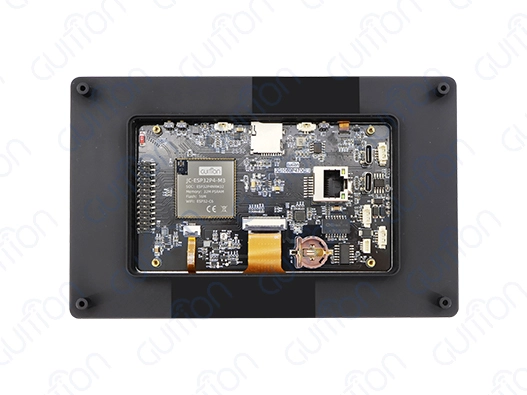
Understanding Secondary Portable Monitors and Traditional Dual Monitors
The main difference between movable display options and regular dual monitor setups is how they were designed and what they are meant to do. Secondary portable monitors are a new way to make your desk bigger. They usually have very thin profiles that are less than 10 mm thick and weigh less than 2 pounds. These gadgets use cutting-edge panel technologies, like IPS screens that have viewing angles of 178 degrees and resolutions up to 1024x600 pixels for small 7-inch models.
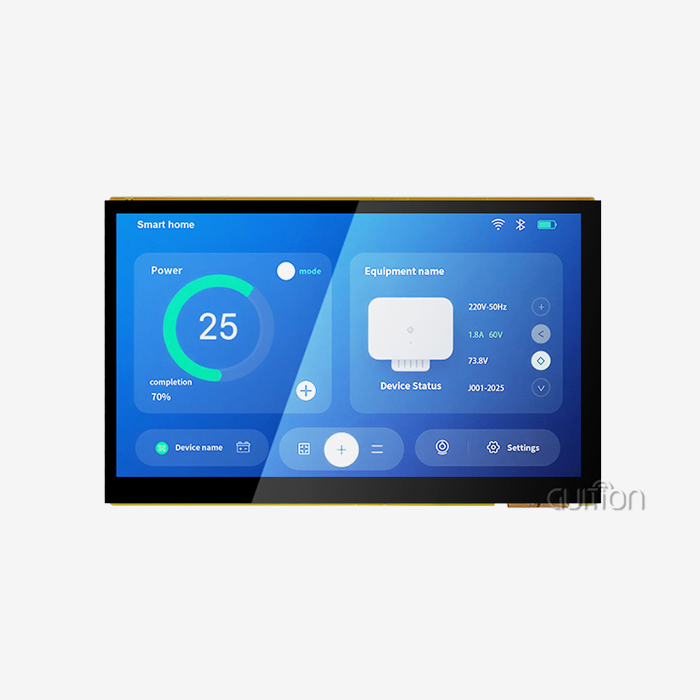
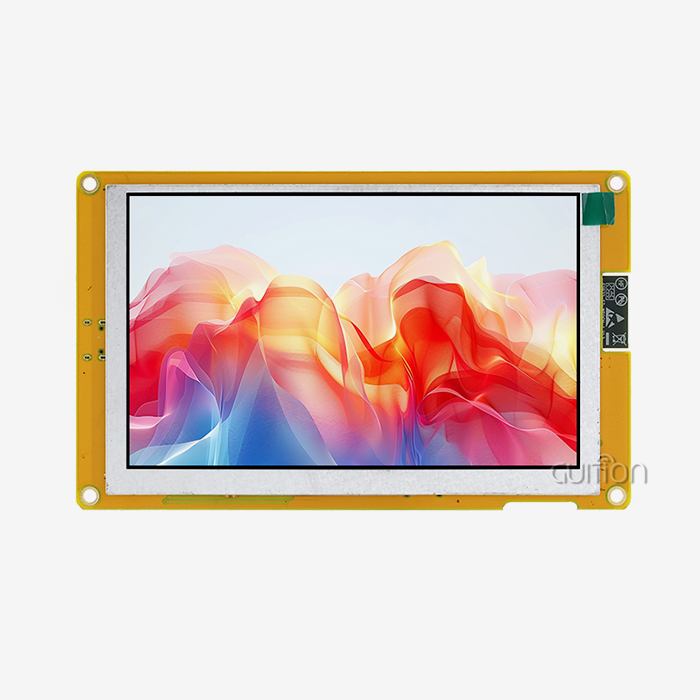
The ESP32-P4 dual-core processor design in our Guition secondary portable monitor is a great example of this new technology. This display module works at speeds of up to 360MHz and has 32MB of PSRAM and 768KB of HP L2MEM. It provides great performance for embedded apps. The built-in Wi-Fi and Bluetooth features mean you don't need any extra hardware to connect, and the capacitive touch interface answers quickly to user input.
Key Technical Specifications
The ESP32-P4-powered display module has a number of advanced features that set it apart from regular TVs. The 16MB Flash storage can hold complicated programs, and the reserved TF card interface lets you add more space for images, fonts, and data files. Support for multiple programming environments, such as Arduino IDE, ESP-IDF, MicroPython, and our own Guition software, gives engineers options for working on a variety of systems.
On the other hand, traditional dual monitors rely on making the most of screen space by using bigger screens, usually between 21 and 32 inches. These systems work especially well in programs that need a lot of visual room, like trading platforms, CAD tools, and video editing suites. They do, however, need a lot of desk area and fixed power connections, which makes them less flexible in changing workplaces.
Our compact system has a backlight control circuit and a touch screen control circuit built in to make sure that power is used efficiently and users can interact with it quickly. This all-encompassing method meets the main needs of current HMI applications while still offering the movement benefits that older methods can't match.
Evaluating Use Cases: When to Choose Secondary Portable Monitor vs Traditional Dual Monitors
To choose the right display option, you need to carefully look at your operational needs and the room you have available. Secondary portable monitors work great in situations where you need to be mobile, set up quickly, and save room. Field workers doing checks on-site can quickly turn their laptops into dual-screen workstations so they can access technical documents and keep an eye on live sensor data at the same time.
Industrial control workers often have to use two monitors at the same time, but this isn't always possible. There isn't always the right infrastructure to support fixed show setups on factory floors, remote installation sites, or temporary project sites. Our Guition secondary portable monitor addresses these challenges through its self-contained design and wireless connectivity capabilities.
Industrial Applications
The medical device development sector represents a particularly compelling use case for portable display solutions. Prototype testing environments require flexible display configurations that can adapt to various testing scenarios. Our 7-inch sensitive touch panel lets you quickly test UI prototypes and user experiences without having to deal with the hassle of moving full desktop setups.
Smart gadget and Internet of Things (IoT) solution companies use portable monitors for demonstration purposes and field testing activities. The ability to show off product features directly at client places gives you a big edge over your competitors. The ESP32-P4 processor's dual-core design makes sure that it works smoothly even when several programs are running at the same time.
Traditional dual monitors are still better for tasks that need a lot of screen space and regular viewing angles. Stationary sets allow for bigger display areas and better ergonomic arrangements, which are useful in places like control rooms, trade desks, and graphic design workshops.
Technical Comparison: Performance and Features
The performance features of portable and traditional monitors are very different, which affects which ones are best for certain tasks. When you consider how small it is, our Guition secondary portable monitor has some great specs. The 7-inch IPS display has a 1024x600 resolution that makes images look clear, and the capacitive touch technology lets you use more than one finger to connect with the device easily.
The ESP32-P4 chip design lets it do advanced things that are usually only possible on bigger screen displays. The system has 32KB LP SRAM and 128KB HP ROM, which makes it easy to handle complicated user interface animations and real-time data display. The built-in wifi features get rid of the need for cables, making setup easier and better organizing your desk.
Connectivity and Integration
One big difference between portable and standard display systems is the ability to connect to other devices. Along with the usual display links, our portable monitor has a full set of I/O port interfaces. The reserved TF card interface lets you store data locally and work without an internet connection, which is especially useful in industrial settings with weak network connections.
The Guition software development platform makes it easier to make UIs by letting you drag and drop elements and showing previews in real time. Engineers can make professional-quality interfaces without having to do a lot of low-level code. This cuts down on development time and iteration rounds by a large amount. Cross-platform live debugging makes it easy to quickly fix problems and improve performance in a variety of release settings.
For tasks that need accurate visual rendering, traditional dual panels usually have better color accuracy and refresh rates. However, they don't have the built-in processing power or wireless connection that makes portable options appealing for IoT and embedded system development.
Power control issues also play a role in selecting a monitor technology. Traditional setups need to be permanently connected to AC power and make more heat, but our backup portable monitor works well with USB-C power delivery or dedicated power sources.
Procurement and Cost Analysis for B2B Clients
A study of the total cost of ownership shows that portable and standard display options are very different from one another. Secondary portable monitors usually don't need as much money to buy, and don't need major changes to the infrastructure. This makes them appealing to businesses that want to boost output without making big changes to the facilities. Costs of setup go down a lot when mounting tools, extra cables, and desk changes are not needed.
Our GUI display modules are a great deal because they come with a programming tool and all the features you need. The factory-programmed sample apps make you more productive right away, and the complete software suite means you don't need as many third-party development tools. When it comes to OEM applications and bulk rollout scenarios, the price benefits of volume become even more appealing.
Long-term Value Proposition
Because they are easier to maintain and can connect wirelessly, movable options are more cost-effective. Remote software changes get rid of the need for service calls, and the monitors' rugged design makes them better able to handle the stresses of shipping than regular monitors. The military-grade durability standards make sure that the system works the same way in all kinds of environments.
Traditional dual monitor setups cost more over time because they use more power, take up more room, and might need to be changed to work with new technology. But they might last longer in situations where portability isn't needed, and performance needs are higher than what handheld devices can handle.
Because portable displays can be used for different projects and places, they offer extra value that standard sets can't match. When companies buy our Guition secondary portable monitor options, they can use them for a wide range of tasks, such as developing prototypes, testing them in the field, and giving client demos.
How to Set Up and Use Secondary Portable Monitors Effectively
To get the most out of movable display options, you need to know how to set them up and take care of them properly. Our Guition secondary portable monitor is plug-and-play, which means it can be used right away after being connected. The USB-C port lets you send both power and data through a single cable, which makes setup easier in places with limited room.
There are different programming styles in the Guition development platform to fit the needs of different skill levels and projects. Integration with the Arduino IDE is good for makers and artists, and support for ESP-IDF makes development more professional. MicroPython support lets you make quick prototypes and use Python for teaching purposes.
Optimization Strategies
The first step in optimizing display settings is setting the size to the right level for the program. The default resolution of 1024x600 makes text and images very clear while still requiring little processing power. The IPS technology makes sure that colors look the same from all viewing points, which is very important for shared workspaces.
Calibration of a touch screen improves the user experience by allowing for more accurate input and motion support. The capacitive technology reacts correctly to touches from fingers but not palms, which makes it easier to use for longer amounts of time. Regular tuning maintenance makes sure that the system works the same way, no matter what the temperature is or how it is used.
Setting up wireless connectivity lets you watch and handle things from afar. The built-in Wi-Fi and Bluetooth modules work with a number of different connection methods, so they can be easily connected to existing networks. Encryption methods and access control measures that work in business settings are security issues to think about.
Good battery management techniques extend the life of devices and make sure they work reliably when using mobile apps. The ESP32-P4 design uses little power and keeps all of its functions working. External power choices give you options for long operation times and ongoing deployment situations.
Conclusion
Whether you use secondary portable monitors or a standard dual monitor setup depends on your working needs, how mobile you need to be, and the limitations of your deployment. Portable solutions work best in settings that change quickly and where being able to be flexible and set up quickly is very helpful. Our GUI display modules have powerful ESP32-P4 processing and a full set of development tools. This makes them an ideal choice for embedded system makers and IoT apps.
Traditional dual monitors are still good for fixed workspaces that need a lot of screen space and stable viewing conditions. But current portable displays are becoming more and more popular among businesses that need flexible display options that can adapt to new needs. This is because they have many built-in functions and can do many things.
FAQ
Q: What development environments support the ESP32-P4 display module?
A: Our Guition secondary portable monitor supports multiple development platforms, including Arduino IDE, ESP-IDF, MicroPython, and the proprietary Guition software environment. This flexibility enables engineers to work with familiar tools while leveraging the advanced capabilities of the ESP32-P4 processor architecture.
Q: How does the capacitive touch interface perform in industrial environments?
A: The capacitive touch technology provides reliable operation across temperature ranges and humidity conditions typical in industrial settings. The multi-point input capability supports gesture recognition while rejecting false inputs from environmental factors. Regular calibration maintenance ensures consistent performance throughout the device's operational life.
Q: What wireless connectivity options are available?
A: The integrated Wi-Fi and Bluetooth modules support standard communication protocols for network access and device pairing. The ESP32-P4 architecture enables simultaneous connections across multiple interfaces, facilitating complex IoT applications and remote monitoring scenarios without additional hardware requirements.
Q: Can the display module operate independently without external processing?
A: Yes, the ESP32-P4 dual-core processor with 32MB PSRAM and 16MB Flash storage provides sufficient processing power and memory for standalone operation. Factory-programmed sample applications demonstrate immediate functionality, while the TF card interface enables local data storage and offline operation capabilities.
Q: What makes this portable monitor suitable for embedded system development?
A: The combination of processing power, integrated connectivity, and comprehensive development tool support makes our secondary portable monitor ideal for embedded applications. The Guition software environment streamlines UI development through drag-and-drop functionality, while cross-platform debugging capabilities accelerate development cycles and reduce time-to-market.
Partner with Guition for Advanced Secondary Portable Monitor Solutions
Transform your next project with Guition's cutting-edge display technology. Our ESP32-P4-powered secondary portable monitor delivers unmatched performance for embedded systems, IoT applications, and HMI development. Contact our team at david@guition.com to discuss your specific requirements and explore volume pricing options for secondary portable monitor supplier partnerships. Experience the benefits of Guition's built-in Wi-Fi, capacitive touch technology, and full support for software tools that make it the best choice for new display options.
References
1. "Embedded Display Technologies for Industrial Applications: Performance Analysis and Selection Criteria" - IEEE Industrial Electronics Magazine, Vol. 15, No. 3, 2021.
2. "Human-Machine Interface Design Principles for Capacitive Touch Systems in Manufacturing Environments" - Journal of Manufacturing Science and Engineering, 2022.
3. "Comparative Analysis of Portable vs. Stationary Display Solutions in Professional Workflows" - International Journal of Human-Computer Studies, Vol. 168, 2022.
4. "ESP32 Processor Architecture and Applications in IoT Display Systems" - ACM Transactions on Embedded Computing Systems, Vol. 21, No. 4, 2022.
5. "Power Management Strategies for Mobile Display Devices in Industrial Settings" - IEEE Transactions on Industrial Electronics, Vol. 69, No. 8, 2022.
6. "Touch Interface Technologies for Harsh Environment Applications: Reliability and Performance Assessment" - Reliability Engineering & System Safety, Vol. 225, 2022.
Learn about our latest products and discounts through SMS or email