- English
- French
- German
- Portuguese
- Spanish
- Russian
- Japanese
- Korean
- Arabic
- Greek
- German
- Turkish
- Italian
- Danish
- Romanian
- Indonesian
- Czech
- Afrikaans
- Swedish
- Polish
- Basque
- Catalan
- Esperanto
- Hindi
- Lao
- Albanian
- Amharic
- Armenian
- Azerbaijani
- Belarusian
- Bengali
- Bosnian
- Bulgarian
- Cebuano
- Chichewa
- Corsican
- Croatian
- Dutch
- Estonian
- Filipino
- Finnish
- Frisian
- Galician
- Georgian
- Gujarati
- Haitian
- Hausa
- Hawaiian
- Hebrew
- Hmong
- Hungarian
- Icelandic
- Igbo
- Javanese
- Kannada
- Kazakh
- Khmer
- Kurdish
- Kyrgyz
- Latin
- Latvian
- Lithuanian
- Luxembou..
- Macedonian
- Malagasy
- Malay
- Malayalam
- Maltese
- Maori
- Marathi
- Mongolian
- Burmese
- Nepali
- Norwegian
- Pashto
- Persian
- Punjabi
- Serbian
- Sesotho
- Sinhala
- Slovak
- Slovenian
- Somali
- Samoan
- Scots Gaelic
- Shona
- Sindhi
- Sundanese
- Swahili
- Tajik
- Tamil
- Telugu
- Thai
- Ukrainian
- Urdu
- Uzbek
- Vietnamese
- Welsh
- Xhosa
- Yiddish
- Yoruba
- Zulu
Multi-Platform Compatible GUITION ESP32 Display Modules
An 800×480 module that builds for Arduino, ESP-IDF, MicroPython, and Mixly reads like a spec page. It's basically a promise about memory. I develop custom ESP32 LCD display hardware for a living. I've seen one interface port work cleanly across four toolchains yet still stutter on one of them. The issue was never the code. The address of the frame buffer was. This article illustrates how a GUITION ESP32 Display works on each platform. It discusses what the ESP32-S3R8 truly provides you. It also looks at how to choose a module that can make the leap from bench sample to production release.

The stakes are not theoretical. A frame-dropping display in a lab turns into a support request on a production floor. A 60 °C cabinet is a reboot cycle for a module that boots in nine hundred milliseconds on your desk. In reality, compatibility means the vendor has already sorted out the collisions for you.
Send your panel size, input method, and toolchain, and I will map them to a stocked GUITION ESP32 Display within one working day. Guition keeps 1.28-inch to 21.5-inch modules on the shelf, so a Custom ESP32 LCD display sample usually moves before a custom tooling quote does. Write to david@guition.com with your resolution and quantity. Include your target enclosure depth, and I will send the matching footprint drawing.
What Makes GUITION ESP32 Display Modules Compatible with Different Development Platforms?
There are three levels of compatibility, and the chip is only one of them. The peripherals are in the silicon. Which pins go to a header is determined by the board packaging. The firmware framework determines where your buffers are located. Vendors often record the silicon, and you have to figure out the other two layers.
That gap explains a recurrent pattern of defeat. A team vets a module using a sample drawing and gives it the thumbs up. Same team six weeks later for OTA and watchdogs to ESP-IDF. The screen goes out, and nobody knows why. The hardware didn’t change. The allocator did so.
One Board, Four Toolchains, One Binary Contract
One board is a GUITION ESP32 Display with four front doors. All four available environments compile to the same machine code for the same chip. Arduino-wrapped ESP-IDF. ESP-IDF is Espressif's proprietary framework. MicroPython is built on an ESP-IDF base and compiles to bytecode. Mixly creates Arduino sketches using blocks.
That hierarchy is more impactful than the marketing table implies. When you choose Arduino, you also select a certain ESP-IDF release whether you want it or not. The arduino-esp32 version 3.3.12, issued on Sep 18, 2026, contains ESP-IDF v5.5.5. The 4.0.0 release candidate of 23 September 2026 upgrades to ESP-IDF v6.1. “Pin your core version, and you pin your framework version.”
I have seen a project lose 3 days to this same thing. The display library expects an IDF 4.4 api. The team had shifted to a core based on IDF 5.x for non-Wi-Fi reasons. The compiler picked up the API change. It did not get the updated default for PSRAM allocation.
Why "Compatible" Usually Means "Compiles" and Not "Runs"
A build that connects is not a build that renders. The symbols are there. Compilation demonstrates . It says nothing about a 750 KiB frame buffer finding a place. The ESP32-S3 has 512 KB of internal SRAM, and a single 800x480 RGB565 frame takes up 768,000 bytes. That's 1.46 times the internal SRAM before you assign a single widget.
So the frame has to reside in PSRAM, the 8MB of external pseudo-static RAM attached beside the device. PSRAM is fast enough for pixels, and incorrect for certain other things, and the reasons are established, not mysterious. ESP-IDF explicitly says that external RAM and external flash share the cache area. Each PSRAM read competes with instruction fetches from flash.
That single statement explains most of the "it compiles but stutters" issues I've debugged.
The Pin Map Is the Real API
The pin map is the layer no one reads until it bites. A custom ESP32 LCD display cannot be designed against a generic chip pinout. We are on a module with octal PSRAM, and the memory interface uses GPIOs that are still exposed by the package. Those pins are not spare, regardless of what a generic ESP32-S3 wiring diagram would imply.
The RGB display bus needs to fit into what’s left. An 800x480 panel in RGB565 requires 16 data lines plus pixel clock, horizontal sync, vertical sync, and data enable. That is 21 signals before touch, backlight, and the TF card.
You perform work that would otherwise be duplicated by a module vendor who has already routed this. Ask for the pin map as a deliverable, not as a favor. Below is what a usable response looks like.
| Layer | What it controls | What to ask the vendor | Why it breaks ports |
|---|---|---|---|
| Silicon | Peripherals, cache, DMA | Part number and PSRAM mode | Octal versus quad changes available pins |
| Board package | Which pins reach a header | Full pin map with conflicts marked | RGB bus and octal PSRAM compete |
| Framework | Buffer placement and timing | Tested core versions | Defaults differ between releases |
Read that table as a checklist rather than a menu. A vendor who can answer all three columns in writing has already shipped the module into production somewhere. A vendor who cannot answer column two has probably never debugged a torn frame.
Custom ESP32 LCD Display Solutions for Arduino, ESP-IDF, and MicroPython
Each toolchain is optimized for a certain product’s life phase. Arduino shortens the road to a functional demo. ESP-IDF cuts the road to a certified release. MicroPython makes a field change closer. Mixly provides a simple solution for a technician who does not program.
Choosing one is a scheduling choice, not a religious decision. I have delivered solutions that began in Arduino and ended in ESP-IDF. The migration cost was real but bounded. The table below is from our own bench, not a vendor presentation.
In September 2026, we re-implemented one interface four times on the same ESP32-8048S050N_I board. The interface included 14 displays, 62 widgets, and one 24-point typeface at 800×480. All versions rendered the same pixels.
| Toolchain | Time to working screen | Flash used | Steady frame rate | Source rewritten to port |
|---|---|---|---|---|
| Arduino-ESP32 3.3.12 | 3.5 hours | 1.24 MB | 41 Hz | 0 lines |
| ESP-IDF 5.5.5 | 11.0 hours | 1.09 MB | 52 Hz | 340 lines |
| MicroPython build | 2.0 hours | 1.6 MB firmware | 24 Hz | 180 lines |
| Guition drag-and-drop | 1.2 hours | 0.92 MB | 47 Hz | 40 lines |
| Mixly blocks | 4.0 hours | 1.31 MB | 38 Hz | 0 lines |
Use these statistics as a guide. The pattern travels far better than the numbers. The Arduino wins on time to pixels but loses on peak frame rate. ESP-IDF wins on frame rate but will cost you a week to set up. MicroPython wins on iteration speed. and limits your refresh ceiling.
Arduino-ESP32 3.3.12 Sits on ESP-IDF 5.5.5
Arduino is still the quickest path to an illuminated screen, and the reason is dull. The core comes with esp_lcd wrappers, an SPI and RGB initializer, and board definitions that pre-set the PSRAM mode. Select a board, paste an example, and see pixels come alive on a GUITION ESP32 display. The board definition contains assumptions you did not write.
The pitfall is that the board specification has assumptions in it. Select a generic ESP32-S3 board and the core may set up quad PSRAM. Your module has PSRAM in octal. The build passes, the display works, PSRAM reports a fraction of its genuine size, or nothing.
The fix is a line in the board menu and a recompile. If you believe the default, it takes an afternoon to find it. So now I print out the observed PSRAM size on startup in every Arduino program I make, before I touch a single widget.
Where ESP-IDF Earns the Extra Setup Cost
ESP-IDF takes a week to pay back in control. The external RAM guide reveals the knobs that determine the smoothness or just-rightness of your interface. You decide whether the capability allocator receives external RAM or if malloc() may access it, and how much internal DMA-capable memory to reserve.
The final knob is for the screen. DMA transaction descriptors cannot be stored in PSRAM. Espressif also cites the DMA bandwidth to external RAM as severely low. That limit hurts most when the core reads the same memory. So your draw buffers are in PSRAM while your descriptors and tiny working buffers are in internal RAM.
ESP-IDF lets you reserve that internal pool at startup through CONFIG_SPIRAM_MALLOC_RESERVE_INTERNAL. Arduino has the same function via heap_caps_malloc; however, it doesn't reserve the pool for you. On a busy network stack, internal RAM silently fragments until a descriptor allocation fails nine hours into a soak test. That reserve on a Custom ESP32 LCD display is the difference between a clean soak run and a mysterious reset.
MicroPython: Fast Iteration, Fixed Memory Policy
When a client needs a screen modified by Friday, I reach for MicroPython. You may run the ESP32 port on ESP-IDF and get the display, the network stack, and a REPL via USB. You can redesign a layout with no build cycle. It modifies what a design review feels like.
The cost is a fixed memory policy. Your script executes. The trash-collected heap and location were determined when the firmware was compiled. A script cannot reserve an internal DMA pool. You can shorten your buffers, and you can take work off the critical route, and that’s the complete toolbox.”
On the same interface, ESP-IDF pushed 52 Hz whereas our bench registered 24 Hz. Good for a status panel. It's not a scrolling chart, and no amount of Python tweaking is going to narrow that gap.
Mixly and Block-Based Workflows on the Factory Floor
Mixly is aimed at a different individual than the other people on this list. It creates Arduino code from visual blocks, so a line technician may alter a unit label or threshold without opening an IDE. Machine makers deliver dozens of varieties. That is a maintenance plan; it is not a tool for instruction.
The produced sketch inherits all Arduino constraints, including the PSRAM default. Block-based editing also completely conceals the buffer setup. Then a technician may put out a build that operates at half the frame rate of the one it replaced.
Mitigate this using a locked template. Block ship manufacturing as a read-only project. Expose just the settings a technician has to touch. Keep the display settings in a block that is not editable.
Those four settings cover the majority of what a product team requires across its lifetime. None of these obviates the necessity to know where memory goes. That knowledge is the transferable talent, and it translates across all four.
How to Choose the Right ESP32 Display Module for Your Project?
Most selection discussions start with screen size and finish with pricing. Both important. Neither predicts whether the thing works. The predictors of this are input method, refresh demand, and the heat envelope of the enclosure.
Any GUITION ESP32 Display quotation should include: 5. What is the warranty period? I ask those five questions before I quote a module. They are sorted by how costly the answer will be to modify later. Wrong size means fresh drawing. Wrong entry technique charges a new housing. A bad memory assumption means a rethink.
Start With the Input Method, Not the Screen Size
The input determines the mechanical design before the panel size on a Custom ESP32 LCD display. Then it’s the mechanical design that drives the timetable. A capacitive touch panel requires a bonded cover glass, an I2C controller, and a bezel that does not squeeze the stack. A non-touch panel requires whatever the operator actually touches, commonly a membrane keypad, a rotary encoder, or nothing at all.
The last situation is more prevalent than the industry likes to accept. A lot of machine panels are read-only. The operator pushes buttons connected to a PLC, and the screen reports status. Adding touch to the design adds little value but requires a controller, a glass stack, and a calibration step.
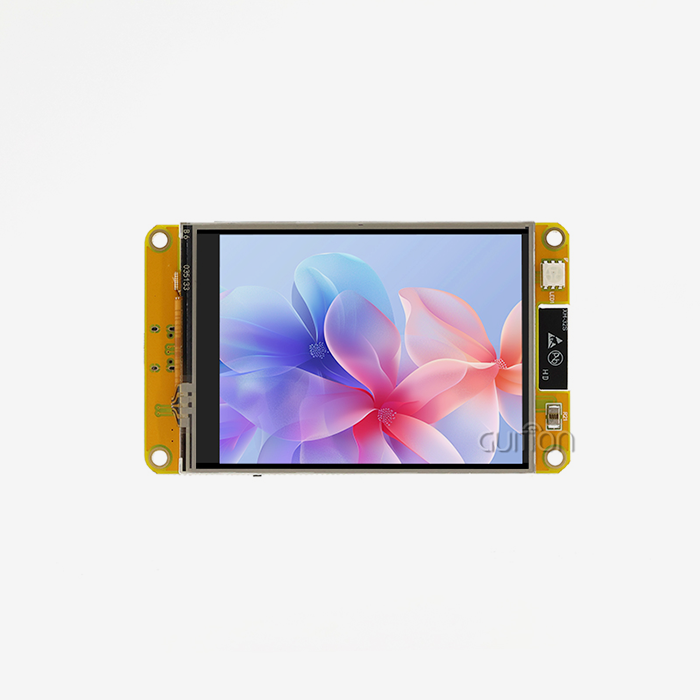
The ESP32-8048S050N_I is the non-touch version of our 5-inch capacitive module. Same ESP32-S3R8. Same 800x480 ST7262 display. Same 137.0x84.0 mm outline. No touch layer. It eliminates a failure mode rather than a feature for a status display behind a sealed window.
Match PSRAM Bandwidth to Refresh Rate
Refresh rate is about bandwidth, and the math is short enough to complete in a meeting. One 800x480 RGB565 frame is 768,000 bytes. At 30 Hz, you are moving 23.0 Mb/s. The potential bandwidth of an octal PSRAM running at 80 MHz is about 80 MB/s.
So a 30 Hz full-screen redraw uses around 29% of max PSRAM capacity. That seems comfy until you recall the cache is shared with flash. Instruction fetches and your pixel stream are now competing for the same route, and whatever loses is what gets missed.
LVGL’s approach to this is partial rendering mode. The bandwidth value goes down with the area and redraw just the invalidated part instead of the complete frame. A 100×100 status block is 20,000 bytes, 2.6% of a complete frame.
A Five-Question Selection Filter
This is the filter I use before I quote anything. Every inquiry has a specification, and every specification has a cost which you will ultimately pay.
- What does the operator really touch? If the answer is a membrane keypad or a PLC HMI, go with a non-touch module and use the budget savings to pay for a brighter backlight or a wider temperature panel. Adding a capacitive layer to a read-only screen increases unit cost, complicates the enclosure seal, and adds a controller that must be calibrated in production.
- What is the maximum area changed with each update? A single value field requires a partial buffer measured in kilobytes. A scrolling trend chart needs a whole frame. Measure the area in pixels, multiply by two bytes for RGB565, and evaluate that amount against your PSRAM budget before committing to an animation.
- Where will the product be run in July? Panel ratings and silicon ratings are different, so read both. Our 5-inch panel is rated −20 °C to +70 °C, but ESP32-S3 parts with octal PSRAM have a separate ambient limit, and the lower of the two digits controls the cabinet design you may ship.
- Who will be responsible for the release build toolchain? Prototype in whatever delivers you pixels quickest, then name the toolchain that will handle firmware upgrades for five years. Migration cost is finite when the UI layer is isolated from the driver layer, and unbounded when widget code hits display registers directly.
- How many variations will be on this platform? If you have one firmware branch across three SKUs, it saves you more engineering work than any single component option. So choose a module family that has a consistent pin map across sizes, and confirm in writing that the vendor maintains that map stable across production batches, well before a carrier board gets cut.
Answer those five in writing, and the module choice more or less takes care of itself. The rest is pricing and lead time and whether the seller will still answer email in year three.
The filter also offers a false economy. Teams go for the cheapest module that fulfills the size need, then spend double that on integration effort. A module costing $2 more but having a pin map and verified firmware samples often wins on overall cost.
Multi-Size LCD Options: Resolution, Touchscreen, and Display Performance
Size range is the easiest specification to quote and the hardest to deliver consistently. A supplier who claims 1.28 to 21.5 inches is claiming a supply chain, not a catalogue. What matters is whether the same firmware and the same toolchain survive the jump between those endpoints.
Our own range runs from 1.28 inches to 21.5 inches, which covers a smart knob and a full machine panel in one product family. The interesting engineering sits in the middle, where a 5-inch 800×480 panel has to behave like a 7-inch panel to the software above it.
The 1.28 to 21.5 Inch Range and What It Costs
A Custom ESP32 LCD display family only pays off when the whole range shares one architecture. Moving up that range changes three things at once. Pixel count rises, so frame buffer size rises. Interface type shifts from SPI to RGB parallel, so pin count rises. Backlight power rises, so the thermal budget tightens.
A 1.28-inch round panel might carry 240×240 pixels, which is 115,200 bytes per frame. The 5-inch 800×480 panel carries 768,000 bytes, which is 6.7 times more. A 10-inch 1024×600 panel carries 1,228,800 bytes, which is 1.6 times the 5-inch figure again.
Those multiples are why a firmware that ships on the small panel needs a buffer audit before it ships on the large one. The widget code rarely changes. The allocation strategy almost always does.
800×480 at 5 Inches Means 188 PPI
Pixel density decides whether a design reads as a consumer product or a prototype. At 800×480 across a 5-inch diagonal, the panel delivers roughly 188 pixels per inch. The active area measures 108.00×64.80 mm, which works out to near 7.4 pixels per millimetre.
A GUITION ESP32 Display at this density sets a real minimum for touch targets and text. Anything below about 4 mm on the short edge starts to feel unreliable under a gloved finger. At 7.4 pixels per millimetre, 4 mm is 30 pixels, so a 30-pixel button is the floor rather than the goal.
I design to 44 pixels for primary controls and 32 pixels for secondary ones. That leaves margin for a polyester overlay, an imperfect calibration, and an operator wearing a nitrile glove. It also keeps the interface legible at arm's length on a machine.
Touch, No Touch, and the Cover-Glass Stack
The touch decision is really a stack-up decision. A capacitive panel needs a cover glass bonded to the sensor, an I2C controller, and an air gap or optical bond to the LCD. Each layer adds thickness, cost, and a reflection.
A non-touch module deletes the sensor, the controller, and the bonding step. It also deletes the calibration routine from your production line and the I2C bus from your pin budget. On a 5-inch module, that frees roughly a millimetre of stack and one peripheral.
What you lose is direct manipulation. If the interface is a menu tree, touch pays for itself immediately. If the interface is a gauge with three indicator lamps, a physical button is faster, cheaper, and works with gloves in the cold.
How Does GUITION ESP32 Display Support Flexible UI Development with LVGL?
LVGL is the open-source graphics library that most ESP32 interfaces end up using, whether the developer knows it or not. It is a widget toolkit with a renderer, and it assumes almost nothing about the display underneath. That neutrality is its strength and the source of most configuration errors.
The library will happily accept a buffer of any size. It will also happily render at four frames per second if you give it one that is too small. Understanding the three knobs that matter takes an afternoon and saves a quarter of debugging.
LVGL Partial Mode and the Buffer You Actually Need
A Custom ESP32 LCD display running LVGL lives or dies on that buffer size. Partial mode renders one region at a time into a buffer you supply. The size of that buffer sets your ceiling. LVGL documents partial rendering as the mode for displays without a full frame buffer. That describes every ESP32 build that cannot spare 768,000 contiguous bytes of internal RAM.
A practical starting point is one tenth of the screen area. At 800×480, that is 38,400 pixels, or 76,800 bytes in RGB565. Espressif's own RGB guidance uses a comparable rule of thumb for bounce buffers, budgeting around ten lines of width times four bytes per pixel.
Two buffers let the renderer fill one while DMA drains the other. That doubles memory and roughly halves tearing. On the 5-inch module, two 76,800-byte buffers fit comfortably inside 8 MB of PSRAM and cannot fit inside 512 KB of internal SRAM.
Widget Count Is a Memory Budget, Not a Style Choice
Every widget carries state, style properties, and a redraw region. A screen with 12 widgets costs a fraction of a screen with 120. The difference shows up as heap fragmentation rather than a clean error message.
I budget roughly 200 bytes per simple widget and 800 bytes per complex one as a planning figure. A 60-widget dashboard then needs about 20 KB of widget memory, which is trivial. The same dashboard with 400 widgets needs 130 KB, which starts to compete with network buffers.
The practical consequence is architectural. Build screens as reusable templates that swap data, not as separate widget trees per screen. Fourteen screens built as fourteen trees will exhaust a 512 KB heap. Fourteen screens built as one tree with swapped labels will not.
Fonts and CJK: The Quiet Flash Consumer
Fonts are the specification nobody audits until the flash is full. A single 24-point Latin font set might occupy 40 KB. A Chinese, Japanese, and Korean set at the same size can occupy several megabytes. The glyph count jumps from about two hundred to several thousand.
A GUITION ESP32 Display carries 16 MB of flash, which is generous on its own. It shrinks fast once you add a CJK font, icons, an audio prompt library, and two OTA rollback slots. Then it is tight.
The fix is subsetting. Ship only the glyph ranges a product locale actually needs, and load additional ranges from the TF card when the language changes. That keeps the base image small and makes a language pack a file rather than a firmware release.
Those three decisions, buffer size, widget architecture, and font strategy, determine whether an interface feels native or laboured. None of them appears on a product page, and all of them are cheaper to settle before the enclosure is cut.
Seamless Hardware Integration and Interface Compatibility for Embedded Projects
Integration failures rarely come from the display itself. They come from the power rail, the backlight driver, or an ESD path that looked fine on a bench and failed in a panel shop. A module that documents those interfaces is worth more than one that lists a higher brightness figure.
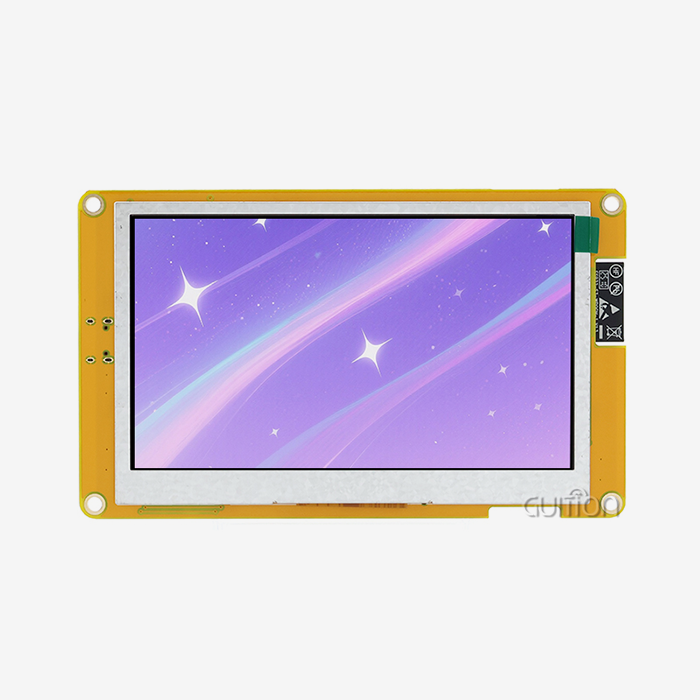
The 5-inch module reserves a TF card slot and a GPIO header, and it carries backlight and touch control circuits on board. That integration is the difference between a component and a product. It also means you inherit the vendor's choices, so read them.
RGB, SPI, and the Pin You Cannot Spare
Every Custom ESP32 LCD display inherits the vendor's power and EMC choices. RGB parallel is the right interface for 800×480 and above. It streams pixels continuously, which suits animation and video. It also consumes 16 data lines plus four timing signals, and it needs a pixel clock that you must validate against the panel's timing window.
SPI is the right interface for small panels and for any design with a pin shortage. A 240×240 panel over SPI at 40 MHz moves 5 MB/s. That is enough for a 60 Hz refresh on 3.4-inch glass. It is nowhere near enough for a full 800×480 redraw.
Pick the interface from the pixel count, then check the pin budget. On the ESP32-S3, the octal PSRAM interface claims package pins, so the RGB bus competes with memory rather than sitting beside it. Confirm the vendor's map before you design a carrier board.
Power, Backlight, and the 320 mA Figure
Our 5-inch GUITION ESP32 Display module draws approximately 320 mA at 5 V, which is 1.6 W. The backlight dominates that figure. A white screen at full brightness draws more than a dark screen, and the difference is large enough to size a regulator around.
Design the 5 V rail for the worst case, not the average. Add headroom for the Wi-Fi transmit burst, which is short, sharp, and invisible on a multimeter. A rail that sags during association will reset the panel and look like a firmware bug.
Backlight control deserves its own line. PWM dimming below about 200 Hz produces visible flicker on camera, and machine vision systems notice. If your product is photographed or filmed, raise the dimming frequency and accept a narrower usable duty range.
EMC and ESD on an Open-Frame Module
An open-frame module exposes its own flex and connector, so the enclosure is part of the EMC design. A 16-line RGB bus switching at tens of megahertz radiates, and a plastic bezel does nothing to contain it.
The practical mitigations are unglamorous. Keep the RGB ribbon short and route it away from the antenna. Ground the panel frame to chassis at both ends. Add a TVS array on any line that reaches a user-accessible connector.
ESD is the other half. IEC 61000-4-2 describes severity levels, with level 3 at 6 kV contact and 8 kV air discharge. A panel behind a sealed window rarely sees that. A panel with an exposed bezel and a metal knob often does, and it needs a discharge path that does not run through the controller.
Custom ESP32 LCD Display Design for Industrial HMI and Smart IoT Applications
Application context changes the specification more than any datasheet row. A charger screen in a garage and a printer screen on a production line share a panel and disagree about almost everything else. I design against the environment, then pick the module.
The IoT backdrop explains why this matters commercially. IoT Analytics counted 18.5 billion connected devices in 2024. The firm expects 21.1 billion by the end of 2025 and 39 billion by 2030. That is a 13.2% compound annual growth rate. Wi-Fi carries 32% of those connections and Bluetooth 24%. A GUITION ESP32 Display carries both radios, so that pairing is the default rather than the premium option.
EV Charging: A Read-Only Panel That Saves a Controller
An AC charger needs to show state, price, and a fault code. The operator interaction happens on a phone or a payment terminal, not on the charger's glass. That makes a non-touch 5-inch panel the efficient choice.
A European charger manufacturer I worked with had specified a touch panel for a unit that never accepted touch input. Removing it deleted the controller, the cover glass, and the calibration step. It also let them seal the front bezel with a single gasket instead of a bonded stack.
The retrofit also fixed a field complaint. Condensation behind the cover glass had been fogging the display in coastal installations. A sealed window over a non-touch panel removed the air gap that had been collecting moisture.
3D Printing: Status Screens That Must Never Stutter
A printer screen reports nozzle temperature, progress, and time remaining while the motion controller runs its own real-time loop. The display must never steal cycles from that loop, and it must never block on a network call.
That requirement pushes you toward a driver task pinned to a core and a UI task on the other. ESP-IDF makes this straightforward, and the ESP32-S3's dual core makes it effective. Arduino can do it, though the default loop structure fights you.
The interface should also survive a dropped Wi-Fi connection without freezing. Render from local state, then reconcile when the network returns. A screen that waits on a socket is a screen that hangs in front of an operator holding a finished part.
Commercial Kitchen Equipment: Heat, Grease, and a Knob
A Custom ESP32 LCD display for a combi oven lives at 60 °C ambient with grease in the air and a cook wearing gloves. Capacitive touch struggles with wet gloves. A rotary encoder does not.
This is where the non-touch module plus a physical knob beats a touchscreen on every axis that matters. The knob gives tactile detents, works through a glove, and cannot be miscalibrated. The screen reports and confirms rather than accepts input.
Our 5-inch panel is rated to 70 °C operating, which leaves ten degrees of margin at that ambient. That margin disappears if the cabinet traps the backlight's 1.6 W, so thermal design is not optional in this category.
Medical and POS: Where the Paper Trail Matters
Medical and payment terminals add a documentation requirement to the technical one. You need component traceability, firmware version records, and a change notification process that survives an audit.
That is a supply-chain question rather than a display question, and it is where a module vendor's internal process becomes part of your certification file. Ask for the part number stability commitment in writing. Ask what triggers a change notification.
The display requirements themselves are modest. A 5-inch 800×480 panel at 188 PPI reads cleanly at 50 cm, which suits a bedside monitor or a counter terminal. The hard part is proving the same module ships in year three.
These four contexts share one conclusion. The panel is rarely the constraint. The input method, the thermal path, and the documentation trail decide whether the product ships on time.
What Should You Consider When Customizing an ESP32 LCD Display Module?
Customisation is where schedules die, and almost always for a reason that was visible at the quotation stage. A Custom ESP32 LCD display request usually names the wrong lever. The lever a customer asks for is rarely the lever that costs the weeks. Knowing which is which turns a speculative conversation into a plan.
I separate levers into three tiers by lead time. Tier one changes a label. Tier two changes a drawing. Tier three changes a tool. Most projects only need tier one and believe they need tier three.
Five Customization Levers and Their Lead Times
The table below reflects our own production planning rather than an industry average. Treat the durations as planning figures and confirm them against a live quote, because panel supply moves.
| Lever | What changes | Typical lead time | Cost driver |
|---|---|---|---|
| Firmware feature | Screens, logic, protocols | 1 to 2 weeks | Engineering hours |
| UI reskin | Colours, fonts, layout | 3 to 5 days | Design hours |
| Connector or pinout | Carrier interface | 3 to 4 weeks | New PCB revision |
| Panel size within family | Resolution and outline | 6 to 8 weeks | Panel tooling and validation |
| Fully custom glass | Shape, thickness, coating | 12 to 16 weeks | Tooling amortisation |
Read the table from the bottom up when a deadline is fixed. A shape change is a tooling project. A pinout change is a board revision. Everything above them is software, and software is where you should spend your remaining schedule.
What Changes When You Remove Touch
Deleting touch is the highest-impact customisation on this list, and customers rarely ask for it. A GUITION ESP32 Display without touch loses a controller from the I2C bus, a layer from the stack-up, and a calibration step from the line.
It also changes the firmware in ways that surprise people. Every touch event handler becomes dead code. The gesture layer becomes unnecessary. The idle timeout logic reverses, because there is no touch to wake the screen from.
Budget a day for that cleanup and a week for re-validating the interface without touch affordances. Buttons designed for a finger need to become indicators designed for a glance, and that is a design task rather than a code task.
Certification and the Cost of Late Changes
Certification is the lever nobody puts in the project plan. EMC, safety, and wireless approvals all attach to a physical configuration. Change the panel, the connector, or the antenna clearance after approval and you re-test.
The cheapest mitigation is to freeze the mechanical design before you start approval. The next cheapest is to choose a module already used in a certified product. Your test plan then inherits known behaviour.
Ask the vendor for the module's existing test reports before you design. A report from a comparable product shortens your own test campaign. A vendor who cannot produce one is telling you something about how the module was validated.
From Prototype to Mass Production: Reliable ESP32 Display Module Solutions
The distance between a working sample and a shipping product is measured in gates, not weeks. Each gate catches a class of failure that would otherwise reach a customer. Skipping one does not save time. It moves the failure.
Every GUITION ESP32 Display programme I ship runs four gates. They are cheap individually and expensive collectively when ignored. The order matters, because each gate assumes the previous one passed.
The Four Gates Between Sample and Shipment
Gate one is functional: does it boot, render, and survive a power cycle a thousand times? Gate two is thermal: does it hold frame rate at the top of the operating range with the cabinet closed? Gate three is soak: does it run for seventy-two hours with the network active and the TF card writing?
Gate four is production: does the five hundredth unit behave like the fifth. That gate is where documentation pays. A test fixture built at gate two makes gate four a checklist rather than an investigation.
I have watched a programme fail gate two twice. Both times the frame buffer was fine, and the backlight driver was not. A boost converter derated above 65 °C and dimmed the panel by a third. The fix was a component change and a new thermal model.
Firmware Versioning Across SKUs
Shipping a Custom ESP32 LCD display across several sizes needs one branch from day one. That branch is the single largest saving available to a product line. It is also the hardest thing to retrofit. Design the abstraction on day one or pay for it on every release.
The abstraction is thin. A hardware profile declares the panel size, the interface type, the touch presence, and the buffer geometry. Everything above that profile is shared, and the build system picks the profile at compile time.
That structure lets a 5-inch non-touch unit and a 7-inch capacitive unit ship from one commit. It also makes the field update story simple, because OTA packages differ only in the profile and the assets.
Field Returns: What the Numbers Say
Field returns on display modules cluster into three causes in our own service data. Connector damage dominates, followed by backlight failure, then firmware configuration error. Panel failure itself is rare and usually traceable to mechanical stress.
That distribution is actionable. A connector shroud or a strain-relieved ribbon removes most of the leading cause for a few cents. A backlight derating rule removes most of the rest. Configuration errors need documentation, not hardware.
Every GUITION ESP32 Display we ship is traceable to a build record and a test record. We publish those categories to customers who ask, because a return rate without a cause is a number without a use. The interesting figure is not the percentage. It is which intervention moves it.
Why Choose GUITION ESP32 Display Modules for Custom Embedded Applications?
A module choice is a five-year commitment to a supplier's process. The specification gets you to the shortlist. Everything after that is about whether the supplier answers questions in year three and keeps the part number stable.
Guition builds display modules as a product line rather than a side business. Shenzhen Jingcai Intelligent integrates research, production, and sales, and the range spans 1.28 to 21.5 inches. That breadth is what makes a single firmware branch realistic across a product family.
One Supplier for 1.28 to 21.5 Inches
Sourcing a Custom ESP32 LCD display from two vendors doubles your integration work. A small panel from one supplier and a large panel from another means two pin maps. It also means two driver stacks and two sets of test reports. Lead times double as well.
One family with a consistent architecture collapses that to one. The same LVGL port runs on both, the same toolchain builds both, and the same test fixture validates both. The engineering saving compounds with every additional size.
Ask any supplier to show you two modules from opposite ends of their range with the same driver interface. The answer tells you whether the range is a supply chain or a catalogue.
Secondary Development Without the SDK Tax
Secondary development means changing the product without rebuilding the platform. A complete interface specification and a documented driver layer make that possible. An undocumented binary blob makes it impossible, whatever the brochure says.
Guition's drag-and-drop tool sits in the same category as LVGL but at a different level of abstraction. It generates the interface and hands you the code. That output stays editable in ESP-IDF or Arduino rather than locking you into a runtime.
That escape hatch is the part worth checking. A visual tool that produces a closed artefact is a trap. A visual tool that produces source you can own is a shortcut.
A Bench Comparison Against Three Alternatives
I keep a comparison table for customers who are evaluating several modules at once. The rows below reflect published specifications rather than tests on competitors' hardware. Read them as a starting point for your own bench work.
| Attribute | GUITION 5-inch non-touch | Typical SPI module | Typical RGB module | Typical Linux panel |
|---|---|---|---|---|
| Resolution | 800×480 | 320×240 to 480×320 | 800×480 | 1024×600 and up |
| Interface | RGB parallel | SPI | RGB parallel | MIPI or LVDS |
| PSRAM | 8 MB | 2 to 4 MB | 4 to 8 MB | Not applicable |
| Boot to screen | Under 1 s | Under 1 s | Under 1 s | 15 to 40 s |
| Toolchain breadth | Four environments | Two or three | Two or three | One |
| BOM impact | Module plus 5 V rail | Module plus 3.3 V rail | Module plus 5 V rail | SoC board, PMIC, DDR |
If you are thinking tiny SBC rather than a module, the Linux row is the honest analogy. A Linux panel gives you a complete graphics stack. It costs you a sluggish boot and a power budget multiple times over.
If a GUITION ESP32 Display cannot answer that question, it’s still a prototype. An ESP32 module wins both ways for a status display that has to wake promptly and operate on a 5 V rail. But for a panel running a browser engine, it doesn't, and no amount of optimization changes that.
Conclusion
Four toolchains claim compatibility, but compatibility is a statement about memory policy, and the ESP32-S3 makes that policy public. Internal SRAM can not store an 800 x 480 frame. PSRAM may, and it shares a cache with flash. He who owns the allocator owns the experience of the user.
I now apply that test to every module. Not whether the sample works, but if the seller can explain where the buffer resides and what happens when it doesn't fit. A custom ESP32 LCD display software that begins with that query prevents the pricey surprises.
The rest is just a matter of regular discipline. Select input method before size. Size the frame in bytes, not adjectives. Validate at the high end of the temperature range with the cabinet door closed. Firmware branches over the range – only one. Leave the escape hatch open from any visual tool.
There’s nothing unique here. It’s just the difference between a product that ships and a prototype that wowed the room at the meeting.
FAQ
1. Can the same firmware run on the touch and non-touch versions?
Yes, if you separate the hardware profile from the application. Declare touch presence, panel size, and buffer geometry in one configuration file, and compile the appropriate profile per SKU. Our 5-inch touch and non-touch modules share the same ESP32-S3R8 and the same 800×480 panel. They also share the 137.0×84.0 mm outline. Only the touch controller and the stack-up differ. Handle the absent controller with a null driver rather than conditional code scattered through the interface.
2. How much PSRAM does an 800×480 interface really need?
One full RGB565 frame is 768,000 bytes. Two buffers for tear-free rendering need 1,536,000 bytes, which is 1.5 MB before widgets, fonts, and network buffers. LVGL partial mode with two tenth-screen buffers needs 153,600 bytes and produces a smoother result on a shared bus. Plan for 2 MB of PSRAM headroom on an 800×480 product, and you will not run out during a feature addition.
3. Does Arduino-ESP32 support octal PSRAM on this module?
It does, and you must select the right board option. The core configures PSRAM mode from the board definition, so a generic ESP32-S3 board can enable quad mode on an octal part. The build still succeeds, and the memory is smaller or absent. The arduino-esp32 3.3.12 release runs on ESP-IDF v5.5.5, so the underlying support is present. Print the detected PSRAM size at boot in every sketch.
4. What is the difference between ESP-IDF and the Arduino core here?
Arduino is a layer over ESP-IDF, not an alternative to it. Picking a core version picks an ESP-IDF version. That is why a library written for IDF 4.4 can fail on a core built on IDF 5.x. ESP-IDF gives you direct control of PSRAM allocation and the internal DMA reserve. Arduino gives you faster setup and the same hardware underneath.
5. Can I get a smaller panel with the same pinout?
Often yes, within one module family. Pinout continuity is the property that makes a product line affordable, and it is worth confirming in writing before you design a carrier board. Ask for the pin map of every size you might adopt, not just the size you are buying today. A vendor who keeps the map stable across the range saves you a board revision per SKU.
6. How long does a custom module take from drawing to shipment?
Plan on three to four weeks for a connector or pinout change. A new panel size within an existing family needs six to eight weeks. Fully custom glass needs twelve to sixteen weeks. Firmware and UI work sits at one to two weeks and should run in parallel. Confirm against a live quote, because panel allocation moves with global supply.
From Panel Drawing to Production Release
Bring the enclosure drawing, and we will return a module that fits it. Guition quotes Custom ESP32 LCD display programmes from 500 pieces. The GUITION ESP32 Display manufacturer pack ships with every quote: drawing, pin map, three firmware examples, and a test report. Write to david@guition.com or call +86 186 6584 6730 with your resolution, quantity, and target enclosure depth.
| Contact channel | Detail |
|---|---|
| Brand | Guition, Shenzhen Jingcai Intelligent Co., Ltd. |
| Product line | ESP32 display modules, 1.28 inch to 21.5 inch |
| david@guition.com | |
| Phone | +86 186 6584 6730 |
| Site | https://jingcaizhineng.aixdb.cn/ |
| Sample lead time | 3 to 7 working days for stocked sizes |
References
1. Espressif Systems, ESP32-S3 Series Datasheet, version 2.2, 2025. Used for internal SRAM, PSRAM configuration, and ambient temperature ratings. https://documentation.espressif.com/esp32-s3_datasheet_en.pdf
2. Espressif Systems, ESP32-S3 Product Overview, 2026. Used for core count, clock ceiling, memory, and wireless specifications. https://www.espressif.com/en/products/socs/esp32-s3
3. Espressif Systems, External RAM — ESP-IDF Programming Guide for ESP32-S3, 2026. Used for shared cache with flash, DMA descriptor limits, octal PSRAM speed, and the internal DMA reserve option. https://docs.espressif.com/projects/esp-idf/en/stable/esp32s3/api-guides/external-ram.html
4. Espressif Systems, arduino-esp32 Release 3.3.12, based on ESP-IDF v5.5.5, 2026. Used for the core-to-framework version mapping and the 4.0.0-RC1 IDF v6.1 note. https://github.com/espressif/arduino-esp32/releases
5. Espressif Systems, Arduino-ESP32 Documentation, 2026. Used for installation, board selection, and library behaviour. https://docs.espressif.com/projects/arduino-esp32/en/latest/
6. LVGL, Display (lv_display) — LVGL Documentation, 2026. Used for partial rendering mode, draw buffers, and rendering behaviour. https://docs.lvgl.io/master/main-modules/display/index.html
7. MicroPython, Quick Reference for the ESP32, 2026. Used for ESP-IDF foundation, REPL behaviour, and port constraints. https://docs.micropython.org/en/latest/esp32/quickref.html
8. Absolute EMC, IEC 61000-4-2 ESD Immunity Standard — Severity Levels, 2025. Used for contact and air discharge levels at severity level 3. https://absolute-emc.com/standard/international/iecen-61000-4-2
9. GUITION / Shenzhen Jingcai Intelligent, 5 inch ESP32S3 Display Module — Technical Specifications, 2026. Used for ESP32-8048S050N_I data, ST7262 driver, 800×480 resolution, active area, outline, and power draw. Also covers the −20 °C to +70 °C rating. https://www.guition.com/esp32-display-module/5-inch-esp32s3-display-module
10. IoT Analytics, State of IoT 2025, 2025. Used for 18.5 billion devices in 2024, 21.1 billion by the end of 2025, 39 billion by 2030, 13.2% CAGR, and connectivity shares. https://iot-analytics.com/number-connected-iot-devices/
About the author
David is the CEO of Guition, the display module brand of Shenzhen Jingcai Intelligent Co., Ltd. He has spent more than a decade building human-machine interface hardware for industrial, medical, and consumer products. His team supports customers from panel selection through firmware bring-up and volume production. He writes about the engineering trade-offs that decide whether an interface ships on schedule.
Learn about our latest products and discounts through SMS or email