- English
- French
- German
- Portuguese
- Spanish
- Russian
- Japanese
- Korean
- Arabic
- Greek
- German
- Turkish
- Italian
- Danish
- Romanian
- Indonesian
- Czech
- Afrikaans
- Swedish
- Polish
- Basque
- Catalan
- Esperanto
- Hindi
- Lao
- Albanian
- Amharic
- Armenian
- Azerbaijani
- Belarusian
- Bengali
- Bosnian
- Bulgarian
- Cebuano
- Chichewa
- Corsican
- Croatian
- Dutch
- Estonian
- Filipino
- Finnish
- Frisian
- Galician
- Georgian
- Gujarati
- Haitian
- Hausa
- Hawaiian
- Hebrew
- Hmong
- Hungarian
- Icelandic
- Igbo
- Javanese
- Kannada
- Kazakh
- Khmer
- Kurdish
- Kyrgyz
- Latin
- Latvian
- Lithuanian
- Luxembou..
- Macedonian
- Malagasy
- Malay
- Malayalam
- Maltese
- Maori
- Marathi
- Mongolian
- Burmese
- Nepali
- Norwegian
- Pashto
- Persian
- Punjabi
- Serbian
- Sesotho
- Sinhala
- Slovak
- Slovenian
- Somali
- Samoan
- Scots Gaelic
- Shona
- Sindhi
- Sundanese
- Swahili
- Tajik
- Tamil
- Telugu
- Thai
- Ukrainian
- Urdu
- Uzbek
- Vietnamese
- Welsh
- Xhosa
- Yiddish
- Yoruba
- Zulu
HMI Screens for Medical Devices
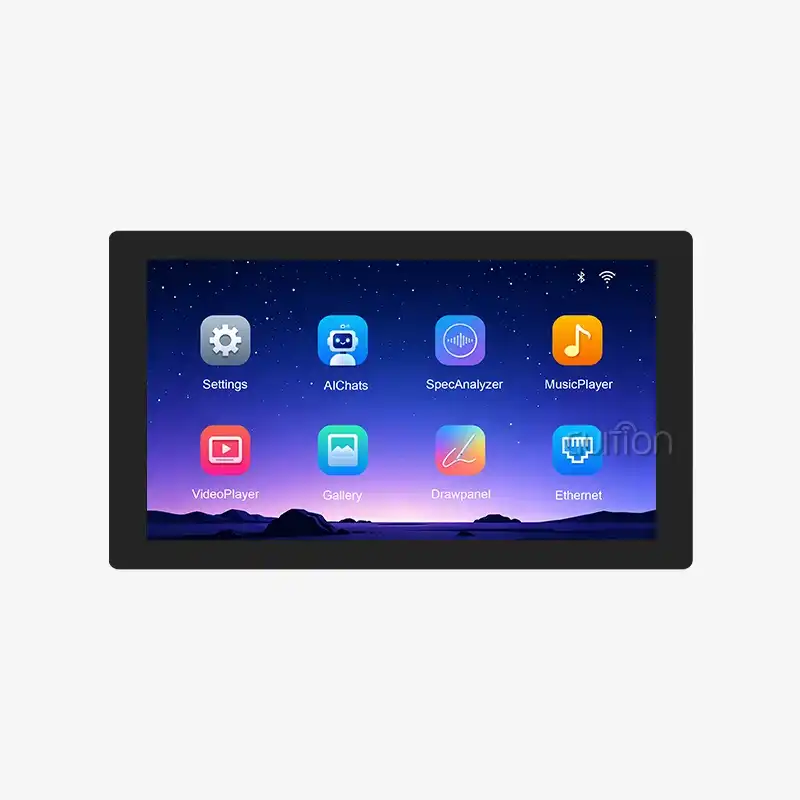
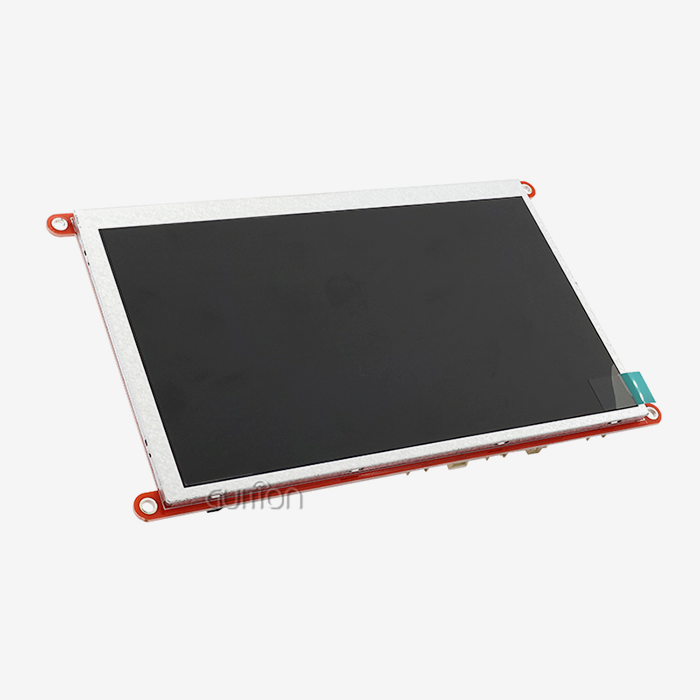
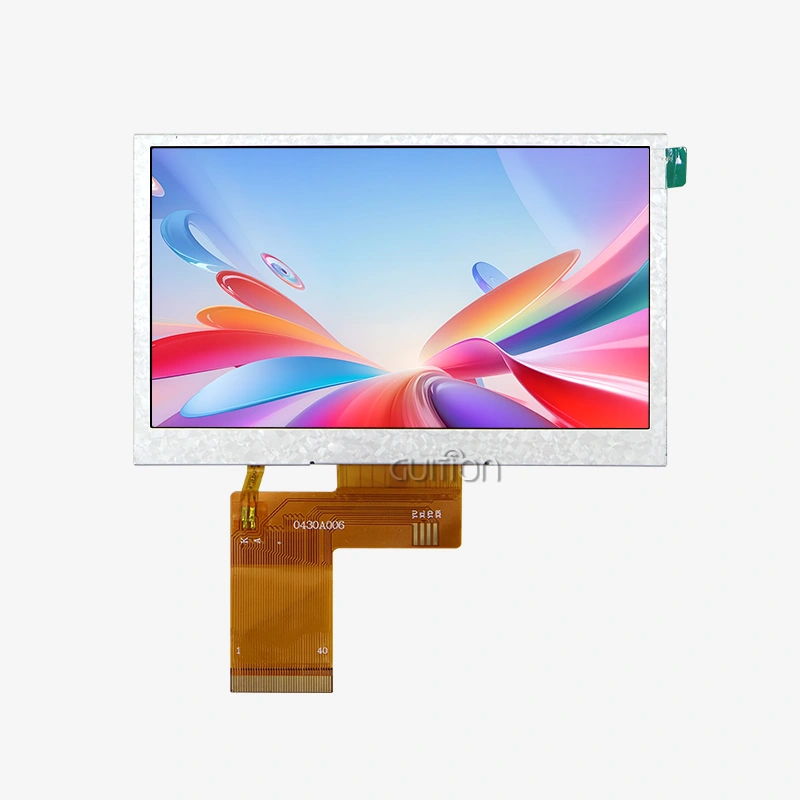
The OpenHASP display is a touchscreen that runs openHASP, an open-source interface firmware for ESP32 boards. Teams utilize it to quickly develop displays. Some wonder whether it may be used with medical devices. This tutorial provides you with a clear answer. HMI Screens like the GUITION ESP32-4848S040C_I_Y_1 are good for prototypes, companion panels, and non-critical interfaces. “A good screen alone doesn’t make a device regulated. You will see what to look for, where OpenHASP fits in, and how interface design is affected by IEC 62366.

Guition designs and manufactures the ESP32-4848S040C_I_Y_1 and the Guition interface software. If you want an OpenHASP display supplier who answers engineering questions directly, email david@guition.com or call the phone number. Share your device type and order volume. We will recommend HMI Screens for your prototype and send a sample quote.
What Features Make HMI Screens Suitable for Medical Devices?
An HMI (human-machine interface) is the screen and touch controls a person uses to view data and provide instructions. In medical practice, a good HMI is clear, predictable, and impossible to abuse.
Why Do Clarity and Contrast Come First?
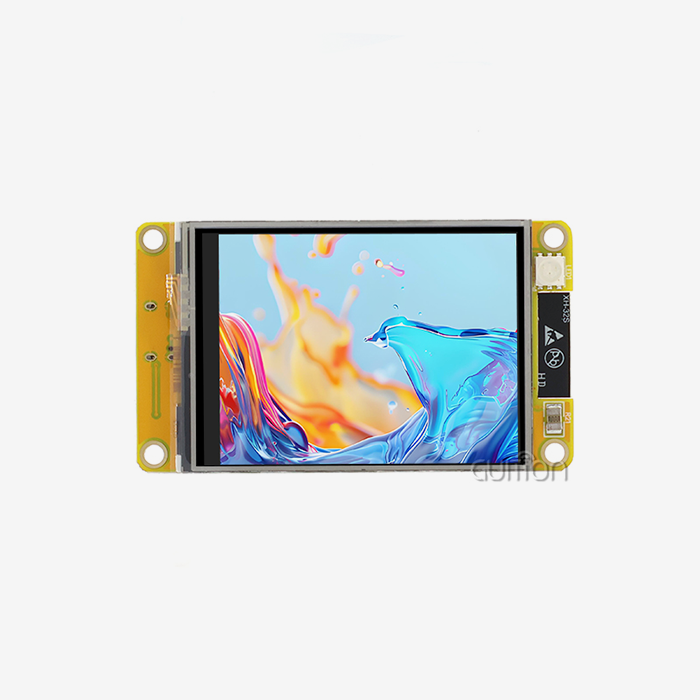
Between jobs, clinicians peek at screens. They may read out from the side, in dimly lit rooms, or brightly lit halls. The ESP32-4848S040C_I_Y_1 has a 4-inch, 480×480 display with 65K colors. The square layout is good for small equipment, and the pixel count provides you with crisp text and gauges.
Plain labels and large numerals win out over adornment. A reader should discover the key value in under a second.
How Reliable Must Touch Input Be?
Touch mistakes are a time waster. It uses capacitive touch, which is a light push, much like a phone. Thick gloves or moist surfaces, frequent in clinics, might be problematic for capacitive panels.
Test using the gloves that your users wear. Users anticipate touch. Touchscreens represented 70.4% of the HMI Screens market in 2025. (Mordor Intelligence) Expectations don’t negate the necessity for testing.
Which Features Help Medical Teams Most?
When you’re judging a show, the most important aspects are:
- Consistent, legible output: Choose an OpenHASP display with broad viewing angles, stable color, and adequate resolution to show text clearly. 480×480 panel. Several values and a few buttons on one page. Test the readability in your actual housing since glass, films, and shells affect glare and contrast more than the datasheets indicate.
- Updatable software: Guition provides remote updates of user projects. This allows you to resolve issues with the interface without accessing each unit. For medical goods, combine this with stringent version control, signed firmware, and a record of what each unit runs. Compliance risk is created by uncontrolled updates.
- Access to documentation and secondary development: Guition offers secondary development interfaces and technical publications. Regulated teams need to know the history of any component. Ask for documentation early and retain it in your design file.
Such qualities allow for safe and efficient interaction. They do not substitute the validation work your device has to complete.
How Does Touchscreen Design Improve Medical Device Usability?
Good touch design reduces steps and prevents mistakes. Both matter when someone works under pressure.
How Do You Reduce the Number of Steps?
Every extra tap adds time and risk. Put the most common actions on the home page. Use large buttons with space between them. Keep menus shallow. A visual design tool helps here. Guition’s software lets you add controls with one click and drag them into place. You see the layout at once, so you can test a shorter flow before you write any logic.
How Do You Make Errors Easy to Catch and Undo?
People err. A good interface expects that. Confirm destructive acts (e.g., clear a record). After each modification, clearly show the current status. Provide a visual sign of return. Don’t use secret motions on HMI Screens. A swipe that no one sees is not a feature. Plain buttons with text labels. Test with people who have never seen the screen.
Key Display Requirements for Clear, Reliable Medical Interfaces
Specifications set the floor. Your use case sets the target.
What Do the Core Specifications Offer?
The ESP32-4848S040C_I_Y_1 has an ESP32-S3R8 dual-core MCU (microcontroller unit) that runs up to 240 MHz, 512 KB of SRAM, 384 KB of ROM, 8 MB of PSRAM, and 16 MB of flash. Espressif validates the chip’s dual-core architecture, 240 MHz speed, and 512 KB of inbuilt SRAM. The board adds illumination and touch control circuit, TF card interface, and IO port interface. Built-in Wi-Fi and Bluetooth.
How Much Memory Does an Interface Need?
Graphics use up memory. A full-color 480x480 screen buffer is a huge buffer, and images make it larger for HMI Screens. It has 8 MB PSRAM for buffers and 16 MB flash for firmware and assets. TF card slot for removable storage of fonts, logos, and logs. Plan the assets early and evaluate memory utilization on the actual board before finalizing the design.
What About Lighting and Viewing Conditions?
Clinics vary greatly. A bedside unit is located in a dark room. A portable gadget may be taken into broad daylight. Test at the ends. Adjust the illumination settings to your preference, and don’t use a pure white backdrop in a dark space. A dark theme with high-contrast writing is typically easier to read at night, but test with actual users.
How Can HMI Screens Support Patient Monitoring and Real-Time Data Visualization?
Data OpenHASP display is where interface quality shows. This section covers what a screen can show, and what it should leave to certified systems.
How Should You Rank Data on Screen?
Rank by urgency. Alerts go on top. Primary values come next, such as a reading and its trend. Secondary values and settings sit lower or on another page. Use consistent units and placement. A reader who finds a value in the same place every time reads it faster and with fewer errors.
How Fast Should Data Refresh?
Update rates should match the data. A temperature reading may refresh every second. A waveform needs more. The dual-core ESP32-S3 reaches 1329.92 CoreMark across both cores at 240 MHz, which leaves room for drawing and communication together. Avoid flicker and lag. If data stops arriving, show a clear “no data” state instead of the last value. A stale number that looks live can mislead.
Where Do These Screens Fit in Patient Monitoring?
Be careful here. A general-purpose module is not a validated patient monitor. Alarms and critical displays belong on certified hardware. Companion uses fit better: a secondary display, a remote viewer in a non-critical setting, a bench prototype, or a panel on wellness equipment. Guition lists patient monitoring systems, diagnostic equipment interfaces, and medical beauty machines among typical applications. Each one still needs its own risk assessment.
What Should Manufacturers Consider When Selecting Medical HMI Displays?
A display choice affects your regulatory path, your supply chain, and your service costs.
How Does the Regulatory Path Affect the Choice?
Regulators judge your finished device, not a single part. You must show that the OpenHASP display works safely in your product and that you control it. That includes documents, change control, and testing. Ask suppliers what documents they can share, how they notify you of component changes, and how long they will keep a model in production. Written answers become part of your file.
What Should You Check About Supply and Change Control?
A silent part change can alter touch behavior, brightness, or color. In a regulated product, that can force retesting. Request written change notices and long-term availability terms. Order a buffer of units for validation. Keep a record of the batch you tested, so you can compare later units if something shifts.
How Do the Options Compare?
This table summarizes typical routes:
| Option | Strength | Limit | Best fit |
|---|---|---|---|
| Certified medical display module | Documentation, compliance support | Higher cost, longer lead time | Primary patient-facing screens |
| General HMI Screens from Guition | Low cost, fast iteration | You carry the validation work | Prototypes, companion panels, non-critical UI |
| Hobbyist display with community firmware | Very low cost | No support, unclear change control | Learning and early concepts |
The middle row fits many teams. You move quickly, then decide whether to harden the design or switch to a certified part.
OpenHASP Display: Exploring Open-Source Touchscreen Interface Capabilities
OpenHASP display began in the smart-home world. Understanding its roots helps you judge where it fits.
What Is openHASP?
openHASP is open-source firmware that turns an ESP32 touchscreen into a configurable panel. The community describes pages and controls in simple text files and links the panel to other systems through MQTT, a lightweight messaging protocol. The project keeps adding boards. Its release notes list support for the ESP32-S3-4848S040, along with other Guition and Sunton models. Community members contributed that support, so check it against your exact version.
How Does the Guition Board Fit?
The ESP32-S3 on the 4848S040 matches what openHASP needs: dual cores, PSRAM, and Wi-Fi. The 4-inch square screen suits wall panels and compact controls. Flash size and memory leave room for pages and assets. Guition also supports Arduino IDE, ESP-IDF, MicroPython, and its own visual software. You can start with OpenHASP display for a fast demo, then move to another tool if your project needs it.
What Are the Strengths of the Open-Source Route?
The strengths are speed, flexibility, and cost. You change pages by editing text. You see the result on the panel within minutes. You pay no license fee. The trade-offs are support and control. Community firmware changes on its own schedule. You must freeze a version and own its testing if you use it in a product.
Can an OpenHASP Display Be Adapted for Medical Device Applications?
The short answer is yes for some uses and no for others. The line depends on risk.
Where Does It Fit?
An OpenHASP display works well as a prototype interface. You can show a design to clinicians in days and collect real feedback. It also suits internal tools, lab benches, and demo units. It may suit non-critical companion panels too, such as a room-environment display. Check your local rules before you place any unit near patients.
Where Does It Not Fit?
Do not utilize the community firmware as the only control or alarm path for a device attached to a patient. This firmware is not medically validated. Its development method doesn’t conform to the software lifecycle guidelines regulators anticipate for medical software. If your interface influences diagnosis, treatment, or alerts, you need a regulated software process, documented risk management, and verification. You can put open source firmware in that process, but you have to do your own work around it.
How Could You Adapt It Responsibly?
Use openHASP as a starting point for HMI Screens. Make a frozen version. Check the code that calls your function. Test it and preserve records. Document what you modified. Or utilize the openHASP prototype to iterate your concept, and construct the final interface on a controlled stack. That’s what many teams do. They learn fast, then cement what makes it.
HMI Screen Design: Balancing Readability, Responsiveness, and Safety
Three goals pull against each other. Good design finds the balance.
How Do You Keep Text Readable?
Use huge typefaces and high contrast. Test at arm's length. Avoid tiny typefaces and light grays. “Don’t use abbreviations where users have to guess, and keep labels brief. Multi-language support for worldwide goods. Its software provides multi-language switching and UTF encoding, Guition says. Make sure to check every language on the actual screen since longer words might overflow.
How Do You Keep the Interface Responsive?
Users notice lag within a fraction of a second. Keep HMI Screens simple, limit animation, and store large images on the TF card. Run network tasks on a separate core, so touch response stays smooth. Measure real response on the target hardware. A design that feels fine on a monitor can feel slow on a small panel.
How Do You Build Safety Into the Interface?
Design so that a wrong tap causes little harm. Confirm risky actions. Show system state at all times. Keep critical protection in dedicated hardware that works even if the screen freezes. Add a watchdog to restart the display after a lock-up. Decide what the device does when the display fails, and test that path.
How Do IEC 62366 Usability Principles Influence Medical HMI Design?
IEC 62366-1 is the international standard for usability engineering of medical devices. It defines a process to analyze, specify, develop, and evaluate usability as it relates to safety. The current requirements combine the 2015 edition with Amendment 1 from 2020.
What Does the Standard Require?
The standard considers usability of HMI Screens as a lifetime activity, not an end test. You specify the target user(s), the context of usage, and the user interface duties. Then you think about what may go wrong and how to mitigate those risks. It is very strongly tied to risk management. TÜV SÜD says it is referring to the risk management standard ISO 14971 and that the EU regulations require manufacturers to meet more demanding usability requirements.
How Do Use Specifications and Critical Tasks Shape the Screen?
First, describe who uses the gadget, where, and for what. Then you add jobs that might cause damage if a mistake is made. The FDA lists several key duties. Those tasks dictate the screen design. A crucial activity receives a label, validation, and a test with actual users. Final advice on human aspects material in marketing submissions was published by the FDA in May 2026; therefore, verify the latest version for your market.
How Do Prototypes Support Usability Testing?
Testing is formative during design. You show consumers early versions and discover what confuses them. This is inexpensive with a rapid prototype. This is a planned estimate that does not reflect measured customer data. Assume each formative round requires a new interface. A visual technique that reduces a revision from 6 hours to 2 hours saves 4 hours each round or 20 hours over five rounds. Put your own history in lieu of these statistics.
Choosing the Right HMI Screens for Next-Generation Medical Equipment
Choice comes down to risk, speed, and support.
How Do You Match the Display to the Risk?
Rank your interface on impact. There’s a low chance of a decorative status page. A dosage display or alert is worth a lot. Use general-purpose HMI screens where the risk and your controls allow. Make a note of this choice in your design file. Regulators and auditors will want to know why you choose each component.
How Should You Prototype and Test?
Bench prototype built in days. Connect a single module to your device or simulator. Show it to 3 clinicians. What they overlook and what they misinterpret. Visual revision. Repeat. Guition offers cross-platform online debugging, which shortens each loop. Fix usability flaws here before they become formally validated.
How Do You Scale?
Lock your hardware and software versions down. Negotiate conditions for volume, change notifications, and long-term supply. The HMI market continues expanding. Fortune Business Insights evaluated it at USD 6.1 billion in 2025 and anticipates USD 12.74 billion by 2034. Choose a provider that is going to be there for the life of your product.
Conclusion
HMI Screens allow medical device companies to design clear interfaces fast. The ESP32-4848S040C_I_Y_1 is a 4.0” 480×480 capacitive touch display with dual-core ESP32-S3R8, Wi-Fi, Bluetooth, and a TF card slot. An OpenHASP display presentation based on it makes quick demonstrations easier. Keep the limits in mind. A verified component is not replaced by a general-purpose module, and community firmware requires your own controls. “Design for usability from day one, test with real users, and choose the display that matches your device’s risk.”
FAQ
1. What is an OpenHASP display?
It is a touchscreen, usually based on an ESP32 board, that runs openHASP firmware. You define pages and controls in text files and link the panel to other systems over MQTT. openHASP’s release notes list support for the esp32-s3-4848S040 board.
2. Can I use an OpenHASP display in a medical device?
You can use it for prototypes and non-critical companion panels. Do not use community firmware as the only path for alarms or critical functions. A regulated device needs documented risk management, controlled software, and verification.
3. Are Guition HMI Screens certified for medical use?
The product information provided does not state any medical certification. Treat the modules as general-purpose components. Ask Guition for documents and confirm what you need for your device and market.
4. What is IEC 62366?
IEC 62366-1 is the international standard for usability engineering of medical devices. It defines a process to analyze, specify, develop, and evaluate usability as it relates to safety.
5. Does a touchscreen work with gloves?
Capacitive screens can struggle with thick gloves or wet surfaces. Test with the gloves and conditions your users have. Adjust button size and spacing based on what you find.
6. Can I update installed screens remotely?
Yes. Guition supports remote upgrade of user projects. For medical products, control each update with version tracking, signed firmware, and a documented change process.
7. How do I order samples?
Email Guition at david@guition.com with your device type, quantity, and timeline. We will send sample and volume terms for the HMI Screens you need.
Request Samples and Technical Documents for Your Medical Prototype
Ready to test an OpenHASP display with your own interface design? Guition works as a manufacturer and supplier of HMI display solutions, and our engineers help you choose the right model. Email david@guition.com or call phone number] with your project details. Ask about the ESP32-4848S040C_I_Y_1 for sale, and we will discuss samples, documents, and development support for your HMI Screens project.
References
1. Pure Global, 2026. IEC 62366-1 (used for the standard’s scope, edition, critical tasks, and the May 2026 FDA guidance). https://www.pureglobal.com/glossary/iec-62366-1
2. TÜV SÜD, 2026. IEC 62366-1: Usability Engineering of Medical Devices (used for the link to ISO 14971 and EU usability requirements). https://www.tuvsud.com/en-us/store/academy-us/healthcare-hospitality/medical-devices/46-43-22-1041
3. openHASP project, 2026. Releases: HASwitchPlate/openHASP (used for board support, including esp32-s3-4848S040). https://github.com/HASwitchPlate/openHASP/releases
4. Espressif Systems, 2026. ESP32-S3 SoC Product Page (used for CPU, SRAM, and connectivity specifications). https://www.espressif.com/en/products/socs/esp32-S3
5. Mordor Intelligence, 2026. Human Machine Interface Market: Share Analysis, Trends & Forecasts 2026–2031 (used for touchscreen share). https://www.researchandmarkets.com/reports/4535752/human-machine-interface-market-growth-trends
6. Guition (Jingcai Intelligence), 2026. Company and product information (used for display specifications, software features, applications, and remote upgrades). https://jingcaizhineng.aixdb.cn/
7. Fortune Business Insights, 2026. Human Machine Interface Market Size, Share & Industry Analysis (used for market size forecasts). https://www.fortunebusinessinsights.com/human-machine-interface-market-114618
About the author
David is the CEO of Guition. He leads the company’s HMI display and interface software work and speaks with engineers worldwide about touch display integration. His team supports customers from prototype through volume production. He writes about practical embedded design, visual UI tools, and IoT product development.
Learn about our latest products and discounts through SMS or email