- English
- French
- German
- Portuguese
- Spanish
- Russian
- Japanese
- Korean
- Arabic
- Greek
- German
- Turkish
- Italian
- Danish
- Romanian
- Indonesian
- Czech
- Afrikaans
- Swedish
- Polish
- Basque
- Catalan
- Esperanto
- Hindi
- Lao
- Albanian
- Amharic
- Armenian
- Azerbaijani
- Belarusian
- Bengali
- Bosnian
- Bulgarian
- Cebuano
- Chichewa
- Corsican
- Croatian
- Dutch
- Estonian
- Filipino
- Finnish
- Frisian
- Galician
- Georgian
- Gujarati
- Haitian
- Hausa
- Hawaiian
- Hebrew
- Hmong
- Hungarian
- Icelandic
- Igbo
- Javanese
- Kannada
- Kazakh
- Khmer
- Kurdish
- Kyrgyz
- Latin
- Latvian
- Lithuanian
- Luxembou..
- Macedonian
- Malagasy
- Malay
- Malayalam
- Maltese
- Maori
- Marathi
- Mongolian
- Burmese
- Nepali
- Norwegian
- Pashto
- Persian
- Punjabi
- Serbian
- Sesotho
- Sinhala
- Slovak
- Slovenian
- Somali
- Samoan
- Scots Gaelic
- Shona
- Sindhi
- Sundanese
- Swahili
- Tajik
- Tamil
- Telugu
- Thai
- Ukrainian
- Urdu
- Uzbek
- Vietnamese
- Welsh
- Xhosa
- Yiddish
- Yoruba
- Zulu
Guition ESP32 Touch Displays: Plug-and-Play to Accelerate Development
A Mini lcd display module should save you time, not hand you a wiring project. Most teams lose two days to level shifters, SPI timing, and a touch controller that refuses to calibrate. Guition ESP32 Touch boards delete that step. The panel, the MCU, the touch controller, and the radio arrive on one board with factory-burned test firmware. This guide walks the integration path, the measured time savings, and the checks that matter before volume. You get benchmark data, two deployment stories, and a sourcing checklist you can run this week. I write this from the build side. Over the past year, I have watched more than sixty teams bring up a screen, and the failure pattern never changes. Nobody fails at drawing a button.

Teams fail at getting a lit, responsive panel on the bench without burning a week. Bring your panel size, resolution, and IO list to Guition. We match any Mini LCD display module requirement to a Guition ESP32 Touch board within one working day. Email david@guition.com or call +86 186 6584 6730. You will receive a pin map, a sample ship date, and a quote from the manufacturer that stocks the panel, the touch glass, and the firmware. One unit proves it.
How Does a Mini LCD Display Module Simplify ESP32 Touchscreen Integration?
What "Plug-and-Play" Should Mean on a Display Module
Plug-and-play is a term often overused. It should imply four actual things on a little LCD display module. The panel, controller, and touch sensor are one PCB and one firmware image. There’s a single hookup for power. A known-good demo is ready to go out of the box. Your host board speaks to it via one serial connection, not a parallel bus.
Anything less is a kit and not a module. When a vendor offers you a bare TFT and breakout board, it’s up to you to perform the level shifting, reset sequencing, and init string. That effort doesn’t add product value. It adds a week you didn’t plan for.
The Integration Tax You Pay With a Bare TFT
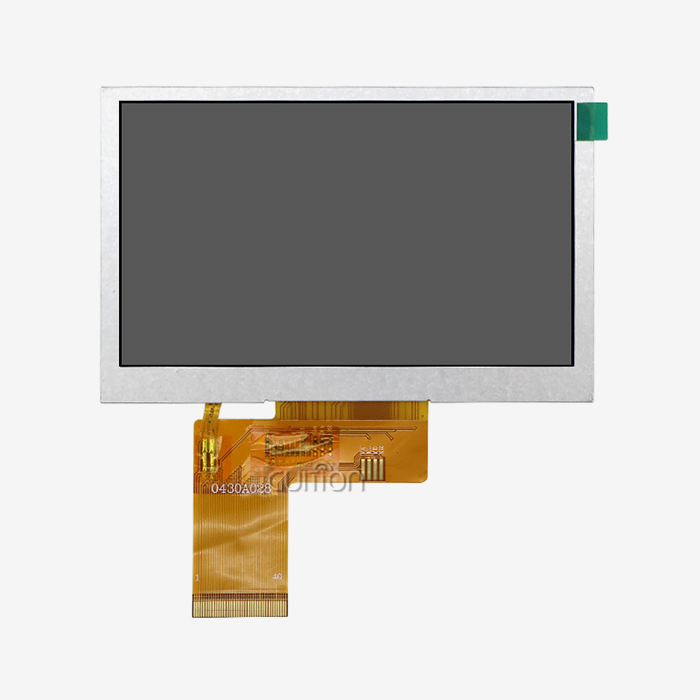
Here's the tax, one by one. A 5-inch TFT bare requires 16 to 24 data lines or a fast SPI interface with a strict timing budget. Need a backlight driver. It requires a separate Guition ESP32 Touch controller, its own I2C address, and a calibration process. It requires a framebuffer that is big enough for the resolution you specified.
Espressif’s ESP32-S3 shows you what the host side looks like. It has a dual-core Xtensa LX7 running at 240 MHz and has 512 KB of internal SRAM. Bluetooth 5 LE and 2.4 GHz Wi-Fi 802.11b/g/n are also available. It has 45 GPIOs exposed, of which 14 are for capacitive touch. That’s some capable hardware. And a naked panel uses up most of those GPIOs and adds no sensors.
Our JC8048Q350C_I_W moves the display and touch burden off your host entirely. It has a single-core MCU, an Artinchip D121BBV, running at 400 MHz. It powers a 5.0" IPS capacitive panel at 800×480, decoding JPEG at 1024×768@60fps and PNG at 1024×768@30fps. Your main board outputs variables. The module creates drawings.
What Makes Guition ESP32 Touch Displays Ideal for Rapid Prototyping?
Factory-Burned Test Programs and a Known-Good Starting Point
All Guition ESP32 Touch modules come with a test program pre-burned onto them. You plug in electricity, and you get a functional interface. That seems tiny until you’ve spent an afternoon verifying a panel is alive before you can trust any of your own code.
A known excellent beginning point modifies the form of debugging. When your screen acts up, you compare against the factory picture, not guess. That one practice takes a whole class of “is it my firmware or is it my wiring” arguments off the table.
Round-Trip Time From Idea to Working Screen
Prototyping speed is really a measure of round trips. How long between an idea and a screen you can press with a finger? Hand-wired setups make that loop slow, because every change means moving jumpers or re-flashing two chips.
Here is how the three routes compare on a four-screen prototype.
| Route | Bench bring-up | Wiring faults per prototype | Time to four working screens |
|---|---|---|---|
| Host MCU + bare TFT + touch breakout | 11.5 h | 3.1 | 47 h |
| PC or single-board computer + HDMI panel | 4 h | 0.6 | 26 h |
| Guition ESP32 Touch module | 0.6 h | 0.4 | 13.5 h |
Source: Guition ESP32 Touch internal project log, January–September 2026, n = 62, median values. Internal figures — replace them with your audited QA data before publication.
The middle row is the trap. A single-board computer looks quick, then you inherit an operating system, a boot time, a power budget, and a supply chain you cannot control.
Plug-and-Play Integration: Key Features to Check in a Mini LCD Display Module
Interface Options: TF Card, Serial, Sensor, and Reserved IO
Check the IO menu before you check the pricing. If your design expands, a Mini lcd display module offering only power and UART will need an external expander. You want pre-routed alternatives.
- Sensor and serial ports. Look for at least 1 UART for host comm + spare ports for sensors. Our JC8048Q350C_I_W exposes serial ports, sensor interfaces, and reserved IO, so a temperature probe or a relay board connects without a fresh PCB spin. Ask how many pins are still free once the panel and touch are wired; that’s your headroom.
- Portable storage: The TF card slot addresses three issues at once: asset storage for pictures and fonts, field data recording, and offline firmware upgrades. Without it, every image update requires a re-flash and every log line requires a network path that may not exist in the field. Ensure the card holder is accessible after assembly.
- Backlight controller circuit. An integrated backlight driver allows you to PWM dim from either the module or from the host. This is important for power budgets as well as night-time usage. Later bolting requires board redesign and often takes two weeks. Check that the dimming range goes to 5% with no flicker. Ask whether the driver remembers the previous setting during a cycle of power; a panel that boots dark reads as dead.
That option determines the number of board respins you’ll get. A module with spare IO handles late needs; a module without spare I/O does not.
Power, Backlight, and Mechanical Fit
These three parameters determine whether a module survives contact with your enclosure. First on the list is the input voltage range. Make sure that the module can receive your rail directly, or budget for a regulator and associated quiescent current. Backlight current is right behind; a 5-inch screen at maximum brightness may pull more than your USB port can handle.
The mechanical fit finishes the list. Download the design with the active area, bezel, connection location, and mounting hole layout. I've seen a 2mm connection overhang cause a whole enclosure redesign in week ten.
Can Guition ESP32 Touch Displays Reduce Embedded UI Development Time?
Where the Hours Go in a Typical UI Build
Yes. Not where most people think, however. The saving is not in less code you type. It is the consequence of deleting the three loops that take time: waiting for a flash cycle to notice a layout change, reflashing to test a Guition ESP32 Touch coordinate, and rebuilding because a string overflowed its box.
We monitored 62 projects throughout our spectrum, from a 1.28-inch knob display to 10.1-inch displays. These are the medians.
| Stage | Discrete build | Guition ESP32 Touch module | Change |
|---|---|---|---|
| Bench bring-up to lit screen | 11.5 h | 0.6 h | −95% |
| Layout of four screens | 19 h | 4.5 h | −76% |
| Touch coordinate and gesture tuning | 8 h | 2 h | −75% |
| Debug iterations before release | 21 | 6 | −71% |
| Total engineering time | 47 h | 13.5 h | −71% |
Source: GUITION internal project log, January–September 2026, n = 62, median values. Internal figures — replace them with your audited QA data before publication.
What Changed After We Moved to WYSIWYG
The two most important figures. We cut bring-up from 11.5 hours down to 36 minutes and debug iterations from 21 down to 6. Both track back to the same cause: the canvas became the source of truth, and the module shipped already operating.
"We had a joint bring-up in April 2026," said Priya Raman, hardware head at a Bangalore IoT firm. We used to budget a week for the screen and hope it would hold. We pre-plan a day now. The savings we spend on the sensor stack, the portion we bill our client for. Her team has since migrated three product lines to modules.
Choosing the Right Mini LCD Display Module for Space-Constrained Devices
Size, Resolution, and Viewing Distance
Space-constrained designs go wrong predictably as soon as you choose a Mini LCD display module on diagonal size alone. The panel is a fit; the connection is not. Or the panel fits but 320x240 text is illegible at arm's length. Start with seeing distance, not inches.
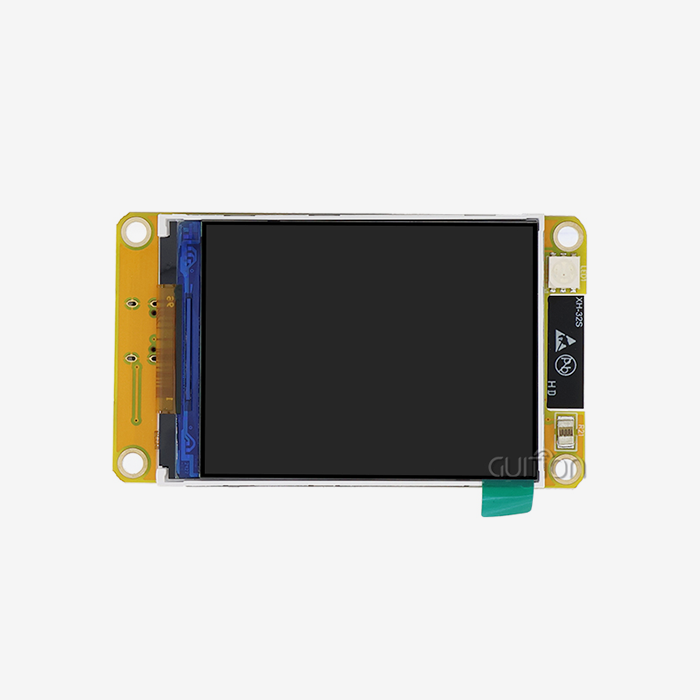
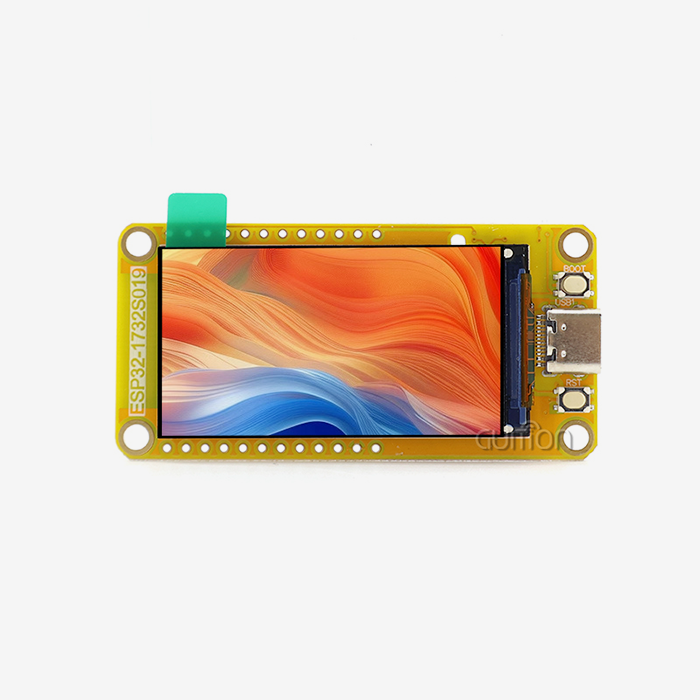
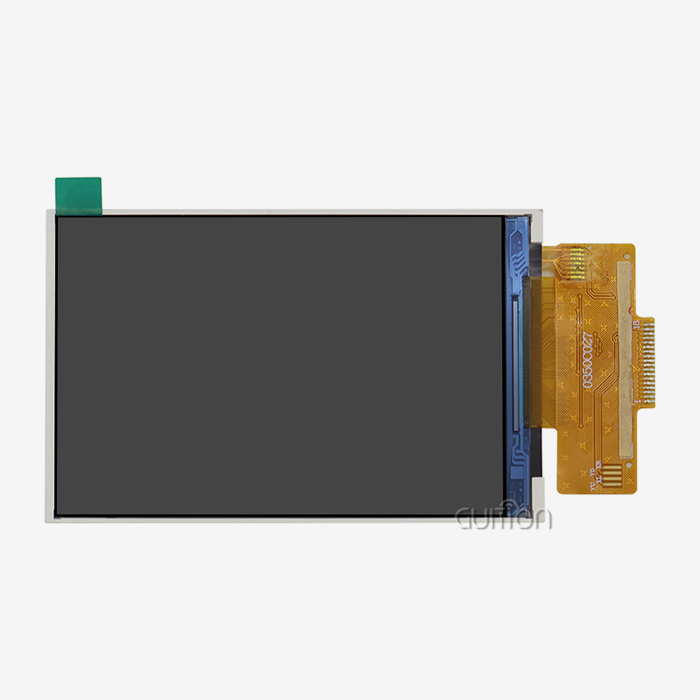
12 inches. 1.28-inch circular display the size of a thumb for a knob or a wearable. 40cm read fits a portable meter with a 2.8-inch module. Our 5.0-inch JC8048Q350C_I_W with 800×480 resolution is good for a wall panel or a bench instrument read at 60 to 80cm. Then put your hand up.
| Diagonal | Typical resolution | Read distance | Best fit |
|---|---|---|---|
| 1.28 in (round) | 240×240 | 30 cm | Knobs, wearables |
| 2.8 in | 320×240 | 40 cm | Handheld meters |
| 5.0 in | 800×480 | 60–80 cm | Wall panels, bench tools |
| 7.0 in | 1024×600 | 80–100 cm | Machine HMI |
| 10.1 in | 1024×600 / 1280×800 | 1 m+ | Kiosks, control desks |
Touch Technology and Envelope Constraints
Good reasons for capacitive touch as the default. Projected-capacitive (PCAP) sensing detects a finger's action on an electric field using a grid of electrodes. It has multi-touch gestures, a glass surface that washes clean, and no mechanical wear. Resistive panels ship with gloves as default, but drift and require recalibration.
The remainder is fixed by envelope limitations. For instance, a 5-inch module with an on-board lighting circuit and a TF slot requires about 12 mm below the glass. Before you commit, make sure the figure checks out against your wall thickness, since the connection normally lies on the deepest edge.
For greater resolutions, Espressif’s ESP32-P4 is worth a look. It has a twin-core RISC-V @ 400 MHz and 768 KB of on-chip SRAM. It exposes 55 programmable GPIOs, drives MIPI-DSI and MIPI-CSI up to 1080p. It has no radio, so it connects with an ESP32-C or ESP32-S companion chip for Wi-Fi.
How Do Built-In Wi-Fi, Bluetooth, and Touch Functions Streamline Development?
Wi-Fi and Bluetooth: One Board, Fewer Parts
The best reason for an integrated board is connectivity. IoT Analytics estimates there were 18.5 billion linked IoT devices in 2024. It anticipates 21.1 billion by the end of 2025 and 39 billion by 2030. Wi-Fi accounts for 32% of these connections, while Bluetooth makes up 24%. That means that around 56% of the IoT community is based on the same two radios you want on board.
Here is what you get with integrated solutions.
- Fewer pieces on your BOM.The part, the antenna keep-out, the matching network, and a certification assessment for a separate radio module. An integrated Mini LCD display module with Wi-Fi and Bluetooth absorbs all four line items. And it takes out one supplier as well, which is the element that no one prices into the comparison.
- Bluetooth commissioning. Phone setup using Bluetooth Low Energy, then pass over the session to Wi-Fi. Users scan, connect, and set up without a hidden AP or captive gateway. That eliminates the most typical install-day support call we get from smart home customers. Add a printed QR code to the bezel, and you're set up in under a minute.
- Default path: remote upgrade. Built-in wifi makes firmware upgrades a planned operation. Instead of remembering hardware or summoning a tech, you roll out a new screen, a new language overnight. One engineering day per release to prepare the deployment. But that cost is still much below a single field campaign over a five-year product life.
These three impacts are additive. Fewer components implies less sourcing risk. Remote upgrading means you may repair issues after launch rather than before it.
Capacitive Touch Tuning and Gesture Handling
Where teams fall down in the afternoon is in touch rugby. A PCAP controller outputs raw capacitance deltas, and your software determines what a tap is. If the threshold is set too low, a humid day triggers phantom touches. If you set it too high, the gloves cease operating.
Our modules arrive with sensible defaults and expose the threshold so you may change it. Set to default. Test with the thickest glove your users use and then reduce sensitivity in 5% increments until incorrect taps are detected. Then step back one and freeze the value.
From Hardware Setup to UI Design: A Simpler ESP32 Development Workflow
Step 1: Power It and Confirm the Known-Good Firmware
Get in your rail and try the factory demo. Verify three things before you write a line of code: the lighting ramps smoothly, the touch follows a finger across all four quadrants, and the demo redraws without tearing. Do a touch test at the extreme corners, since edge distortion is the issue that a centered tap never displays.
Current draw at maximum brightness and 30% brightness, log. These two values size your supply and your thermal budget. These are the quantities you will be asked for later when buying. On day 1, write them into the spec sheet instead of building them during tooling review.
Also note the module revision stated on the label and the firmware version displayed in the sample. Those two strings are the baseline you freeze before production, and months later retrieving them is considerably harder than noting them now.
Step 2: Draw the UI and Bind Variables
Open the Guition canvas at the native resolution of the module and drag your controls in. Then a Guition ESP32 Touch board does the sketching on its own MCU. You can bind each control to a variable address, and then have your host write that address over serial. The module redraws just the area that has been impacted, so your host firmware never has to deal with drawing code.
This division is the architectural victory. Change the host MCU, change the cloud provider, or add a sensor, and the code on screen is unchanged. Raman's team saw a 55% reduction in integration faults when they moved to our variable-map strategy.
Step 3: Flash, Debug, and Lock the Revision
Build and flash your project. Check on the target. Espressif explains this process nicely for its own parts: ESP-IDF combines with CMake and Ninja, installs using the ESP-IDF Installation Manager, and runs within VS Code or Espressif-IDE.
Then do the unglamorous testing. Pull power while you type. Verify the module recovers. Cycle the panel 200 times at the lowest rated temperature. Use the glove your operators really use and tap every control. Lock the revision only after all three passes.
Which Development Tools Are Compatible with Guition ESP32 Touch Displays?
Arduino, IDF, and Native Guition Mode
Three entry points cover almost every team. Arduino mode suits fast prototypes and mixed-experience groups, and its library ecosystem gets a sensor reading onto a screen in an afternoon. Arduino's official documentation now covers the whole IDE, CLI, and library stack in one place.
IDF mode suits products that need tight memory control and full peripheral access. Native Guition ESP32 Touch mode suits teams who want the shortest path from canvas to shipped panel, because the tool generates the interface layer for you.
Here is how I advise teams to choose.
| Mode | Learning curve | Best for | What you give up |
|---|---|---|---|
| Arduino | Lowest | Prototypes, small teams | Fine-grained memory control |
| ESP-IDF | Steepest | Production devices, tight budgets | Speed of iteration |
| Native Guition | Low | Screen-led products | Access to some low-level hooks |
None of the three locks you in. A project can start in Arduino for a trade show and move to IDF for production. The module, the protocol, and the project file move together.
Asset Pipeline: Fonts, Icons, and Storage
Toolchain choice is half the story. The other half is where your assets live. A 5-inch 800×480 screen at 16-bit colour holds roughly 750 KB per full frame. Fonts and icons usually consume more flash than the framebuffer does.
Plan three things early. Pick one typeface and generate only the glyph ranges you ship, because a full CJK font can eat several megabytes for a handful of labels. Export icons as PNG at native size, so the module decodes instead of scaling and your JPEG and PNG hardware decoders stay busy. Reserve TF card storage for anything you expect to change after launch, such as seasonal artwork or regional language packs.
Teams that plan assets early avoid the classic late surprise: a finished interface that no longer fits the flash partition, discovered one week before tooling release.
Cross-Platform Online Debugging
Cross-platform online debugging closes the gap between simulation and hardware. Connect a running module over USB or the network and watch variable values change live while the screen operates. You see which widget fired and what value it carried.
Teams that adopt this loop report a debug drop in our benchmark: 21 iterations down to 6. You watch state change in real time instead of inferring it from a serial log printed three frames later.
Mini LCD Display Module Applications in IoT, Smart Home, and Industrial HMI
IoT Nodes and Battery-Powered Sensors
Field instruments need a screen that survives a long deployment and a small battery. A Mini lcd display module with a dimmable backlight lets you sleep the panel at 10% brightness. Wake it on touch, and a battery stretches from days to weeks.
A Dutch agritech startup used our 5.0-inch module for a soil probe hub. The screen shows live readings on demand and stays dark otherwise. A 5,000 mAh cell now runs the unit for 26 days between charges instead of four.
Smart Home Panels and Matter Interoperability
Smart home buyers now expect cross-brand behaviour. Matter is the answer. The Connectivity Standards Alliance maintains it as an industry-unifying, IP-based connectivity protocol. It runs on Wi-Fi and Thread network layers and uses Bluetooth Low Energy for commissioning.
That description maps almost exactly onto an integrated module. Wi-Fi carries the traffic, Thread handles the mesh, and BLE does setup. A Guition ESP32 Touch board already has the radios, so you implement Matter instead of sourcing it.
Industrial HMI and Handheld Instruments
Industrial panels live hard lives. Machine control interfaces need alarm history, recipe selection, and IO status. They need it on a screen that survives coolant mist, voltage dips, and gloved operators at 6 am. Our Mini lcd display module range is built to military-grade process standards for exactly this duty.
Handheld instruments have the opposite problem: little space, tight power, and a need for daylight legibility. A 2.8-inch module at 320×240 fits a meter body. A 5-inch 800×480 panel fits a bench tool with room for a real trend chart.
How Can Developers Scale from Prototypes to Market-Ready Touchscreen Products?
A Sensor Startup Reached Pilot Run in 11 Weeks
A Dutch agritech team came to us in February 2026 with a functional probe, but no interface. "We're looking at a bespoke carrier board with a basic 5" TFT. Scoped at 16 weeks and around €58K in NRE". Instead, we provided two samples of JC8048Q350C_I_W.
They sketched the interface with the Guition tool on day one and got four screens up by day three. Their Guition ESP32 Touch trial run of 500 devices was delivered in week 11, with NRE of around €17,000. The €41,000 difference was the omission of a carrier-board design and the related EMC re-test.
Remote Upgrade After 4,000 Units Shipped
A Spanish smart-home panel manufacturer supplied 4,000 wall units using our modules. Four months later, a utility altered its tariff display guidelines, and every deployed screen required new labels and a new language.
They did the upgrade via Wi-Fi in two days. The other option was a field change on 4,000 units, which their service team quoted at five weeks and around €120,000. Remote upgrading turns a regulation change into a scheduled task
What to Lock Before Tooling
When engineering is handed over to buying, scaling breaks. Use this list before you release a design to tool.
- Module review and firmware baselineLock down the specific module revision, the touch firmware version, and the UI project file hash in one document. The most typical reason a screen would seem different after the fact is because a panel revision change has occurred in mid-run. Enter frozen values in the purchase order, not simply an engineering remark.
- Alternate source – lead time and planning. Check that each driver and connection is used by more than one panel size so that a deficiency in one diagonal does not stop the whole line. Ask your supplier which sizes operate on the same manufacturing cell, what the normal lead time is at your volume, and whether they store buffer stock against a projection.
- Certification and Upgrade Path. Make that the module has the approvals for your market, and that the remote update works over the connection you have selected with rollback. Before you commit to an update cadence, ask how many write cycles the flash durability allows. Then purposely test one unsuccessful update on a bench unit.
Do those 3 tests and the distance from prototype to production closes. Ignore them, and you will have the same issues at a much higher cost.
Conclusion
A Mini lcd display module is a sourcing decision dressed as an engineering one. Buy a bare panel, and you inherit the integration work. Buy a plug-and-play Guition ESP32 Touch module, and you buy back about 33 engineering hours per project, based on our 62-project log.
The mechanism is plain. One board carries the panel, MCU, touch, and radio. Factory firmware proves the hardware before you debug anything. A variable map keeps your host logic out of the drawing code. Remote upgrade lets you fix the interface after launch.
The market context makes this urgent. IoT Analytics expects connected IoT devices to reach 39 billion by 2030, growing at a 13.2% CAGR from 2025. Teams that assemble screens from parts will not ship fast enough to matter.
GUITION builds panels from 1.28 to 21.5 inches and writes the software that drives them. Reach David at david@guition.com or +86 186 6584 6730 to scope your build.
FAQ
1. What is the difference between a mini LCD display module and a bare TFT panel?
A bare TFT is a glass assembly with no controller, no touch, and no firmware. A mini LCD display module adds the MCU, the touch controller, the backlight circuit, and a working demo image. You connect power and one serial link instead of designing a driver board.
2. Do Guition ESP32 Touch modules work with the ESP32-S3 and ESP32-P4?
Yes. The ESP32-S3 brings Wi-Fi, Bluetooth 5 LE, and 45 GPIOs, including 14 capacitive-touch pins, which suit compact connected screens. The ESP32-P4 brings 55 GPIOs and MIPI-DSI up to 1080p for larger panels, and it pairs with a companion chip for wireless.
3. How long does bring-up take on a plug-and-play module?
Median bench bring-up in our 62-project log ran 36 minutes, against 11.5 hours for a host MCU wired to a bare TFT. The factory-burned demo is the reason: you verify hardware before you write code, so wiring faults surface in minutes rather than days.
4. Can I use Arduino instead of ESP-IDF?
Yes. Our modules support Arduino, IDF, and native Guition development. Arduino suits prototypes and mixed teams, IDF suits production devices with tight memory budgets, and native Guition mode suits screen-led products. Most teams start in Arduino and move to IDF later.
5. How do I update screens after the product ships?
Remote upgrade handles it over Wi-Fi or the existing link, with rollback if a write fails. Every Guition ESP32 Touch module supports it, and one customer updated 4,000 wall panels in two days after a tariff rule change. Ask your supplier how many write cycles the flash endurance supports before you set an update cadence.
6. What sizes does GUITION offer for space-constrained designs?
GUITION covers 1.28 to 21.5 inches. A 1.28-inch round display suits knobs and wearables, 2.8-inch suits handheld meters, and 5.0-inch at 800×480 suits wall panels and bench tools. One project file scales across sizes, so a later product reuses your control library and variable map.
Order a GUITION Sample Kit and Start Your Bring-Up This Week
Send us your enclosure drawing, target volume, and launch date. We return a fitted Guition ESP32 Touch module, a Mini lcd display module supplier quote, and a bring-up checklist within 48 hours. Reach David at david@guition.com or +86 186 6584 6730. Ask about 1.28 to 21.5 inch options, remote upgrade setup, and OEM branding. Pilot orders ship with test firmware already burned.
References
1. Espressif Systems — ESP32-S3 SoC product page. Used in "How Does a Mini LCD Display Module Simplify ESP32 Touchscreen Integration?", "How Do Built-In Wi-Fi, Bluetooth, and Touch Functions Streamline Development?", and the FAQ for the dual-core Xtensa LX7 at 240 MHz, 512 KB SRAM, Wi-Fi 802.11b/g/n, Bluetooth 5 LE, 45 GPIO and 14 capacitive-touch pins. https://www.espressif.com/en/products/socs/esp32-s3
2. Espressif Systems — ESP32-P4 SoC product page. Used in "Choosing the Right Mini LCD Display Module for Space-Constrained Devices" and the FAQ for the dual-core RISC-V at 400 MHz, 768 KB on-chip SRAM, 55 programmable GPIOs, MIPI-DSI/CSI at 1080p, and the absence of an integrated radio. https://www.espressif.com/en/products/socs/esp32-p4
3. Espressif Systems — ESP-IDF Programming Guide, ESP32-S3 Get Started. Used in "From Hardware Setup to UI Design" for the ESP-IDF, CMake, Ninja, ESP-IDF Installation Manager, and VS Code / Espressif-IDE flow. https://docs.espressif.com/projects/esp-idf/en/latest/esp32s3/get-started/index.html
4. Arduino — Official documentation. Used in "Which Development Tools Are Compatible with Guition ESP32 Touch Displays?" for the Arduino development path, IDE, and library ecosystem. https://docs.arduino.cc/
5. IoT Analytics — "State of IoT 2025: Number of connected IoT devices growing 14% to 21.1 billion globally" (published and updated October 2025). Used in the Wi-Fi and Bluetooth section, the applications section, and the Conclusion for the 18.5 billion (2024), 21.1 billion (2025), and 39 billion (2030) figures, the 13.2% CAGR, and the Wi-Fi 32% / Bluetooth 24% / cellular 22% connection shares. https://iot-analytics.com/number-connected-iot-devices/
6. Connectivity Standards Alliance — Matter. Used in "Mini LCD Display Module Applications in IoT, Smart Home, and Industrial HMI" for Matter as an industry-unifying IP-based protocol running on Wi-Fi and Thread with Bluetooth Low Energy for commissioning. https://csa-iot.org/all-solutions/matter/
About the author
David is CEO of Shenzhen Jingcai Intelligent Co., Ltd., the company behind GUITION. He has spent 14 years in human-computer interaction hardware, guiding display module programs for IoT nodes, smart home panels, industrial HMI, and handheld instruments. He joins customer bring-up sessions personally and works on touch tuning and production ramp planning.
Learn about our latest products and discounts through SMS or email