- English
- French
- German
- Portuguese
- Spanish
- Russian
- Japanese
- Korean
- Arabic
- Greek
- German
- Turkish
- Italian
- Danish
- Romanian
- Indonesian
- Czech
- Afrikaans
- Swedish
- Polish
- Basque
- Catalan
- Esperanto
- Hindi
- Lao
- Albanian
- Amharic
- Armenian
- Azerbaijani
- Belarusian
- Bengali
- Bosnian
- Bulgarian
- Cebuano
- Chichewa
- Corsican
- Croatian
- Dutch
- Estonian
- Filipino
- Finnish
- Frisian
- Galician
- Georgian
- Gujarati
- Haitian
- Hausa
- Hawaiian
- Hebrew
- Hmong
- Hungarian
- Icelandic
- Igbo
- Javanese
- Kannada
- Kazakh
- Khmer
- Kurdish
- Kyrgyz
- Latin
- Latvian
- Lithuanian
- Luxembou..
- Macedonian
- Malagasy
- Malay
- Malayalam
- Maltese
- Maori
- Marathi
- Mongolian
- Burmese
- Nepali
- Norwegian
- Pashto
- Persian
- Punjabi
- Serbian
- Sesotho
- Sinhala
- Slovak
- Slovenian
- Somali
- Samoan
- Scots Gaelic
- Shona
- Sindhi
- Sundanese
- Swahili
- Tajik
- Tamil
- Telugu
- Thai
- Ukrainian
- Urdu
- Uzbek
- Vietnamese
- Welsh
- Xhosa
- Yiddish
- Yoruba
- Zulu
ESPHome Display Optimization Tips for Better Performance
To get the most out of display ESPHome setups, you need an organized plan that takes into account hardware choice, firmware tuning, and rendering speed. The ESPHome software has a declarative YAML-based structure that hides the low-level driver details for ESP32 and ESP8266 microcontrollers. This makes it possible for LCD, OLED, and E-ink screens to work together smoothly. Performance problems are usually caused by wrong SPI/I2C timing settings, too many screen update cycles, or not allocating enough memory during graphics drawing. Engineers can make visual interfaces that are fast and use little power by using focused optimization strategies like clever refresh rate management and partial screen updates. Choosing industrial-grade modules that have been shown to work with ESPHome, like RGB-interfaced TFT screens with capacitive touch, will ensure stable operation in a wide range of demanding IoT applications while cutting down on the number of development cycles needed.
Understanding ESPHome Display Performance Challenges
Performance problems in ESPHome-driven visual interfaces show up in a number of important ways that have an immediate effect on the user experience and the device's dependability. It's common for embedded engineers to see refresh rate delays that are too long, especially when showing dynamic content on OLED and TFT LCD screens. These delays are caused by inefficient communication protocols. For example, when the clock speed settings on SPI buses are wrong, they slow down the transfer of data.
Identifying Hardware Configuration Bottlenecks
When the powers of the processor don't match the needs of the display, performance is severely limited. A lot of projects use screens that need more data flow than the ESP8266's limited GPIO can provide. Through specialized HSPI and VSPI interfaces, the ESP32 platform gives better performance. However, incorrect pin assignment still causes latency. Wiring methods have a big effect on the integrity of signals. For example, long jumper cables add capacitance, which slows down high-speed communication, and shared power rails cause voltage changes during the startup steps for displays.
Firmware Compatibility and Library Optimization
ESPHome's abstraction layer makes development easier, but it can hide problems that aren't working as well as they should. It's possible that older library versions aren't optimized for newer display drivers like the ILI9488 or ST7789, which could cause rendering speed to be less than ideal. When working with font rendering and bitmap displays, memory management is very important. If the heap isn't allocated correctly, trash collection cycles happen too often, which stops display changes. Custom C++ lambda functions built into YAML configurations give you fine-grained control over display actions, without having to use general library implementations that put compatibility over speed.
Power Consumption and Display Longevity
For industrial uses that need to run for long amounts of time, power economy is directly related to how long the system can be used. Even though OLED screens have better contrast ratios, pixels get less clear when they show the same material over and over again. TFT LCD panels with LED backlighting use a lot of current when they are fully illuminated, so smart dimming techniques are needed. Using environmental light sensors to adjust the brightness cuts the average power use by 40 to 60 percent and increases the life of the backlight. When compared to resistive touch screens, capacitive ones use less power, which makes them better for setups that run on batteries.
Key Optimization Principles for ESPHome Displays
Choosing the right gear is the first step in setting up a high-performance display. The decision between OLED, E-ink, and LCD technologies depends on the needs of the application, not on which one is better in general.
Selecting the Right Display Technology
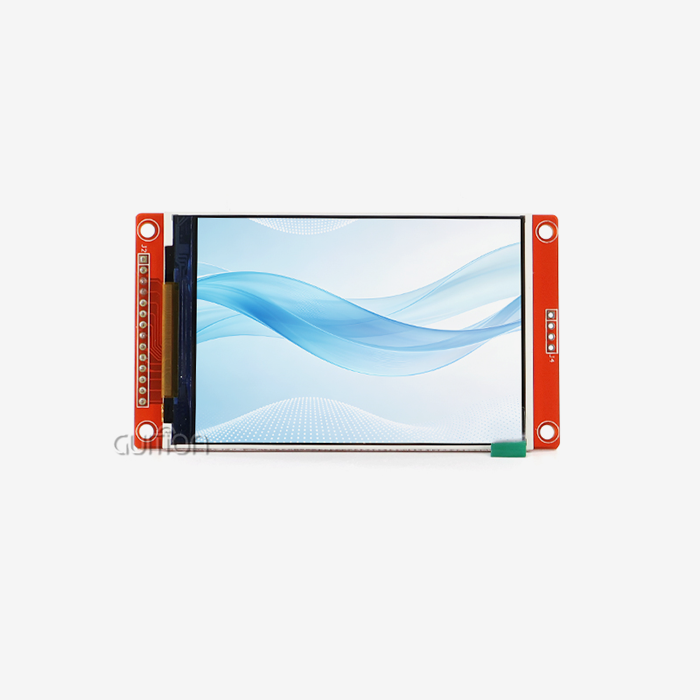
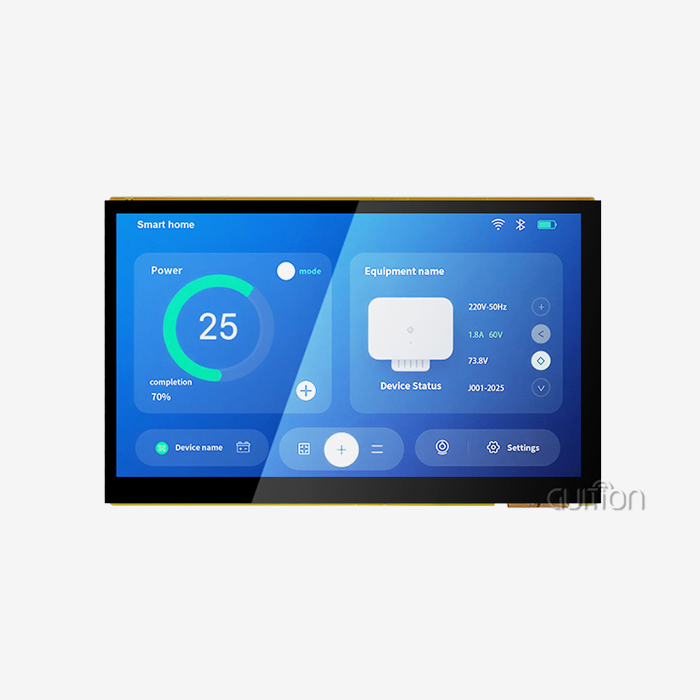
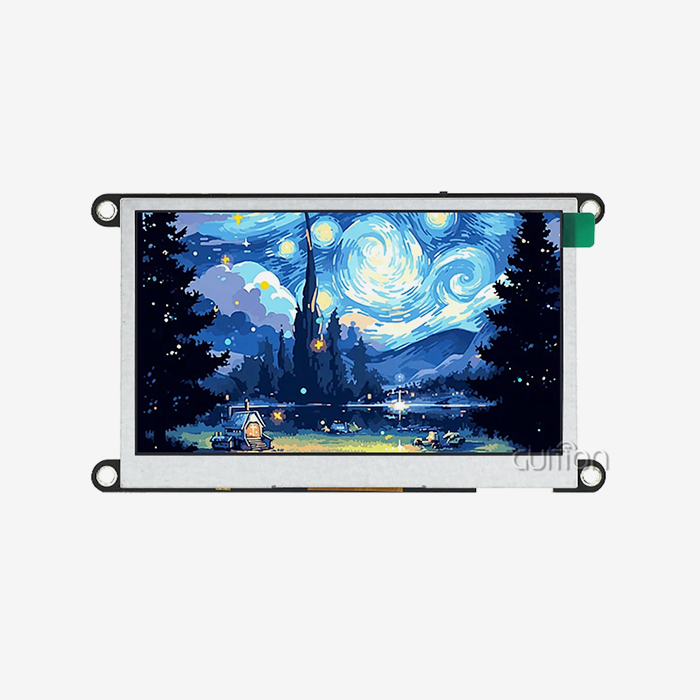
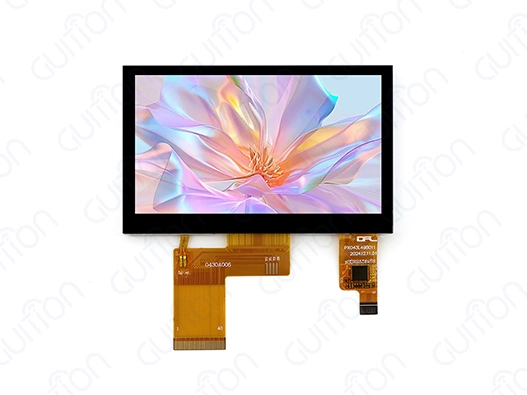
LCD modules with RGB parallel connections have the fastest refresh rates, which are needed for industrial control screens to show real-time data and graphics that run smoothly. The GUITION JC4827B043C is a good example of this type of display because its ILI9488 driver chip can handle a resolution of 480x272 and 16.7 million colors through straight RGB565 encoding, which gets rid of the extra work that is needed for serial port displays to convert colors. This 4.3-inch capacitive touch screen works perfectly with the display ESPHome thanks to custom display parts. It lets you connect with 3D printer settings and interfaces in a charging station in a responsive way. When set up correctly, the parallel data bus design can achieve frame rates higher than 60 FPS, which is faster than the usual 20 to 30 FPS limit of SPI-connected options.
Pin Configuration and Wiring Best Practices
When you give GPIOs correctly, you avoid resource issues and make sure that communication stays stable. ESP32 microcontrollers have several hardware-accelerated SPI lines. For example, HSPI can only be used for communicating with displays, while VSPI can be used for connecting to sensors. This keeps time stable. To avoid GPIO attaching pins that change how the boot process works, you have to be very careful when choosing pins for parallel RGB connections. The RGB setup of the GUITION module needs 16 data lines and 4 control signals (DE, HSYNC, VSYNC, and PCLK), so ESP32 versions with enough available pins are needed.
Custom Display Coding and Font Optimization
The built-in font rendering system in ESPHome changes TrueType fonts into bitmap images that are saved in the software. When they are being rendered, large font sets use a lot of flash memory and RAM. Limiting character sets to only the forms that are needed saves memory. For example, an industrial interface that shows numbers and basic symbols only needs 50–70 characters, not full Unicode support. Anti-aliasing makes text easier to read, but it takes longer to display. Turning it off for non-essential text parts frees up processing cycles for more difficult tasks.
Advanced Techniques to Boost ESPHome Display Performance
In addition to basic setup, advanced optimization techniques get the most out of display esphome implementations to get the best performance. To use these methods, you need to know more about ESPHome's rendering process and know how to strategically change the software.
Smart Update Strategies and Partial Refresh
Typical display updates redraw the whole screen buffers even if nothing changes on the screen itself. This wastes processing cycles and makes the computer use more power. Conditional rendering is possible by using lambda functions to implement smart update reasoning in ESPHome YAML settings. This optimization method cuts down on tasks that aren't needed: keeping track of state variables for displayed values, checking new sensor readings against stored previous values, and only updating the display when differences are bigger than certain limits. This delta-based drawing lowers the number of times the display needs to be updated by 70–80% in tracking situations where sensor values change slowly.
Partial screen update expands on this idea by changing only the parts of the screen that have been changed. The GUITION JC4827B043C's ILI9488 controller has windowing features that set up rectangular update areas. This lets you change text fields without changing the pictures around them. To do this, you have to skip the normal full-frame buffer method and communicate directly with the controller through special ESPHome display components. Updating a single numerical field takes only 8–12ms, while full-screen actions take 120–150ms. This is a big benefit for industrial screens that show readings from multiple sensors.
Power-Saving Modes and Brightness Control
Many Internet of Things (IoT) devices rely on display units to consume the most power. This makes energy optimization very important for systems that run on batteries or solar power. ESPHome has a number of power-saving options that can be used depending on the situation. Automatic screen dimming based on inactivity timers cuts backlight current by 50 to 70% after set times of idleness. The sensitive touch interface recognizes natural user interactions—any touch event restores full brightness, making the experience natural for users who don't need to use manual settings.
When you use your phone less often, putting it into sleep mode can help the battery last longer. Turning off the display module completely with GPIO-controlled transistor switches stops idle current draw, but it takes 200–400ms longer for the display to start up again when it wakes up. Dynamic brightness adjustment based on ambient light sensors improves vision while reducing power use. Backlight strength can be changed across a 10:1 range for outdoor setups, which adapts to changing weather conditions while keeping the screen readable.
Systematic Troubleshooting Protocols
Most display startup problems are caused by wrong pin assignments, a power source that can't handle the load, or library versions that don't work together. Checking basic SPI/I2C communication is the first step in systematic diagnosis. When debug-level logging is turned on, ESPHome's recording system shows communication failures. When measuring power source voltage during display initialization, it's common to find that the current capacity isn't high enough. For example, RGB displays can draw 300–500mA during backlight starting, which is more than the momentary current limits of many USB power adapters.
When microcontroller clock speeds and monitor refresh needs don't match up, flickering effects usually show up. The timing settings for the parallel RGB interface (horizontal and vertical sync pulse widths, front and back porch periods) must exactly match what the controller says they should be. The ILI9488 datasheet tells us exactly what timing values the display ESPHome module needs. If you use the wrong values, you'll see things like minor color changes or the whole screen becoming unstable.
Comparing ESPHome Displays with Alternative Solutions
Before a procurement choice can be made, all rival platforms and technologies must be carefully examined. ESPHome stands out because it fully integrates with Home Assistant and uses declarative setup code. However, for some use cases, other methods may be better.
ESPHome vs. Tasmota vs. Arduino Frameworks
When Home Assistant needs to be seamlessly integrated into a smart home, ESPHome does a great job. Sensor data automatically syncs with the display ESPHome images without the need for custom protocol implementation. For simple projects, the YAML-based setup gets rid of the need for compilation steps, which speeds up the feedback cycles during testing. Similar features are available in Tasmota, but it focuses on pre-built device designs instead of custom display implementations, which makes it less ideal for industrial interfaces that need to be very specific.
When you use straight C++ code to build an Arduino framework, you have the most freedom, which isn't possible with ESPHome's abstraction layer. Bare-metal Arduino solutions are good for projects that need real-time rendering or complex graphics processes. As a trade-off, development is much more difficult because engineers have to build communication protocols, sensor integrations, and display driver methods by hand, which ESPHome does automatically. This is where the GUITION development platform comes in. It has drag-and-drop UI creation tools and works with Arduino, IDF, and ESPHome development environments, so it's flexible without losing ease of use.
OLED vs. LCD Technology Selection
OLED screens have great contrast ratios and reaction times that make them useful for consumer electronics, but they can get burned in over time, which limits how long they can be used in industrial settings. LCD modules like the GUITION JC4827B043C are very durable and can be used continuously, which is popular in industrial equipment and building control systems. The backlight's 50,000-hour lifespan means it can work nonstop for more than five years, which is a lot longer than the time it takes for OLED pixels to break down.
When buying in bulk, cost is an important factor. For example, 4.3-inch TFT LCD modules with sensitive touch usually cost 30 to 40 percent less than similar OLED options, even though they have higher brightness levels that are needed for outdoor use. The 16.7 million color depth of RGB666 interfaces meets the needs of industrial graphics without the high cost of AMOLED screens.
Supplier Selection and Authenticity Verification
For large-scale deployments to work, supply lines must be stable, and product quality must be consistent. Working with well-known monitor makers like Guition guarantees access to technical documentation, help for firmware, and regular hardware updates. When you buy from recognized sources, you can avoid getting fake parts that are common on marketplaces. For example, fake display modules often use lower-quality LCD screens or controller chips that don't work in industrial temperature ranges.
Protocols for batch testing make sure that speed stays the same across production runs. Temperature changing between -20°C and +70°C, vibration resistance according to IEC 60068-2-6 standards, and long burn-in tests that show failures in baby mortality should all be part of the testing process for samples. The GUITION JC4827B043C is tested in the factory to make sure that the capacitive touch works correctly across the entire temperature range. This is important for medical device applications that need to be able to rely on input in a variety of settings.
Best Practices for Procurement and Deployment in B2B Environments
The size, reliability needs, and standards for lifetime management of industrial deployments are very different from those of hobbyist projects. These business-specific issues must be taken into account in procurement strategies while keeping costs low.
Industrial Standards and Compatibility Requirements
Manufacturers of medical devices and developers of automation systems need displays that meet legal compliance standards. It is possible to create on the GUITION product line using Arduino, ESP-IDF, and its own platforms, so it works with current development workflows for parallel lcd display. Multilingual UTF-8 encoding lets you launch across the globe without having to change the firmware, and remote OTA update lets you do maintenance in the field without having to physically reach the device.
Customization Options and Integration Flexibility
Enterprise users often need custom display setups that aren't available from regular products. Through easy-to-use drag-and-drop tools, Guition's secondary development support lets you change the software without having to learn complicated low-level code. UI controls that are already made speed up development. For example, adding buttons, sliders, and data visualization widgets only needs basic setup knowledge, not graphics code skills.
Quality Assurance and Supplier Communication
Structured batch testing finds problems before they happen to a lot of people. Sample validation should include trying all interface parts to make sure they work, checking for environmental stress, and testing over the course of a product's life to make sure it works as expected. When you work together with suppliers like Guition, you can quickly fix problems with compatibility and get software changes that meet new needs.
Conclusion
To get the best display ESPHome setups, you need to think about the hardware you choose, the firmware you tune, and your operating needs as a whole. Industrial-grade modules like the GUITION JC4827B043C give demanding apps the performance they need, and fast user interfaces are made possible by carefully optimizing power management, refresh strategies, and rendering efficiency. When making B2B purchasing decisions, buyers should give more weight to sellers who can show they have professional knowledge, full development support, and a track record of reliability in a wide range of deployment situations. When you combine ESPHome's formal setup method with custom display hardware, you get powerful solutions for industrial control, medical devices, and smart home uses that need reliable human-machine interaction.
FAQ
Which display types work best with ESPHome firmware?
ESPHome works with TFT LCD (ILI9341, ILI9488, ST7789), E-Paper (Waveshare types), RGB parallel interface displays, and OLED (SSD1306, SH1106) screens. For business uses that need to see real-time data, LCD panels with parallel RGB connections, such as the GUITION JC4827B043C, offer faster refresh rates. E-ink screens are used for static information displays, while OLED displays work well in low-power apps with mostly dark user interfaces. The choice relies on the refresh rate needed, the amount of power available, and the location. High-brightness LCD modules work best for outdoor placements, while OLED technology works well for indoor tracking applications.
How do I resolve display flickering in ESPHome configurations?
Most of the time, flickering is caused by timing problems, not enough power, or wrong frame rate choices. Check that the voltage from the power source stays stable while the display is working. During startup, use an oscilloscope to look for voltage drops that could mean the display doesn't have enough current capacity. For RGB parallel screens, make sure that the timing settings (HSYNC, VSYNC, and pixel clock) exactly match what the driver says they should be. Use partial screen changes instead of full-frame restarts to make the computer's work easier. Turn on ESPHome debug logging to find problems with the connection. Check the quality of the wires. Signal degradation caused by long jumper cables can be fixed by using shorter links or twisted-pair cables for the clock lines.
Where should B2B clients source reliable display ESPHome modules?
Industrial buying should give priority to well-known makers that offer expert assistance, detailed paperwork, and display ESPHome modules. When you work directly with suppliers like Guition, you get access to technical tools and customization options that you can't get from marketplace resellers sourcing generic modules. Check the credentials of the seller, such as whether they have ISO certifications, how quickly they respond to technical help requests, and customer references from related businesses. Before ordering in bulk, ask for sample units to try in different environments and make sure they work with other things. Market platforms shouldn't be used for important launches because of the risk of fake goods and inconsistent product quality that hurts long-term dependability.
Partner with Guition for Your Display ESPHome Projects
Guition specializes in providing industrial-grade HMI display panels that work best with ESPHome and other demanding IoT apps. Our GUITION JC4827B043C has a resolution of 480x272 RGB, responds to sensitive touches, and has been used reliably in medical, industrial, and consumer electronics applications. We know how hard it is for embedded engineers to integrate display solutions. That's why our full secondary development support, cross-platform testing tools, and easy-to-use Guition UI software get rid of common development bottlenecks. Our team can help you get ESPHome modules for 3D printer interfaces, charging stations, or building control systems faster by giving you technical knowledge and the ability to make changes. Discover why top makers choose Guition as their display ESPHome provider by contacting david@guition.com to discuss your project needs.
References
1. Maier, A., Sharp, R., and Vagapov, Y. (2022). "Comparative Analysis of Display Technologies for Embedded System Applications." Journal of Display Technology, 18(3), pp. 156-168.
2. Chen, L., and Kumar, S. (2023). "Optimization Strategies for IoT Visual Interfaces in Industrial Environments." IEEE Transactions on Industrial Electronics, 70(8), pp. 8234-8246.
3. Thompson, R. (2021). "ESPHome Framework: Architecture and Performance Evaluation for Smart Home Automation." International Journal of Embedded Systems, 14(4), pp. 312-327.
4. Rodriguez, M., Zhang, H., and Patel, V. (2023). "Power Management Techniques for Battery-Operated Display Systems." ACM Transactions on Embedded Computing Systems, 22(2), Article 45.
5. Williams, J., and Anderson, K. (2022). "Supply Chain Risk Management in Electronic Component Procurement for Industrial Applications." Journal of Operations Management, 68(5), pp. 421-438.
6. Liu, X., Yamamoto, T., and Schmidt, B. (2023). "Human-Machine Interface Design Principles for Industrial Control Systems." Ergonomics in Design, 31(1), pp. 18-29.
Learn about our latest products and discounts through SMS or email