- English
- French
- German
- Portuguese
- Spanish
- Russian
- Japanese
- Korean
- Arabic
- Greek
- German
- Turkish
- Italian
- Danish
- Romanian
- Indonesian
- Czech
- Afrikaans
- Swedish
- Polish
- Basque
- Catalan
- Esperanto
- Hindi
- Lao
- Albanian
- Amharic
- Armenian
- Azerbaijani
- Belarusian
- Bengali
- Bosnian
- Bulgarian
- Cebuano
- Chichewa
- Corsican
- Croatian
- Dutch
- Estonian
- Filipino
- Finnish
- Frisian
- Galician
- Georgian
- Gujarati
- Haitian
- Hausa
- Hawaiian
- Hebrew
- Hmong
- Hungarian
- Icelandic
- Igbo
- Javanese
- Kannada
- Kazakh
- Khmer
- Kurdish
- Kyrgyz
- Latin
- Latvian
- Lithuanian
- Luxembou..
- Macedonian
- Malagasy
- Malay
- Malayalam
- Maltese
- Maori
- Marathi
- Mongolian
- Burmese
- Nepali
- Norwegian
- Pashto
- Persian
- Punjabi
- Serbian
- Sesotho
- Sinhala
- Slovak
- Slovenian
- Somali
- Samoan
- Scots Gaelic
- Shona
- Sindhi
- Sundanese
- Swahili
- Tajik
- Tamil
- Telugu
- Thai
- Ukrainian
- Urdu
- Uzbek
- Vietnamese
- Welsh
- Xhosa
- Yiddish
- Yoruba
- Zulu
ESP32 S3 module screen: Choose the Right Size & Type
To pick the best ESP32-S3 module screen, you need to carefully think about the screen's specs, the needs of the program, and how well you want it to work. The ESP32-S3 is a great tool for advanced human-machine interface apps because it has a dual-core architecture running at 240 MHz, which means it can process multiple tasks simultaneously, and it includes built-in Wi-Fi and Bluetooth for wireless connectivity. When choosing a display module, things like screen size, resolution, touch functionality, and connection methods have a direct effect on how well the project turns out. When engineers know these specs, they can make choices that balance usefulness, power use, and cost-effectiveness for their unique embedded display needs.
Understanding ESP32 S3 Module Screens: Specs and Compatibility
With its powerful processing and wide range of external support, the ESP32-S3 chipset changes the way embedded display applications are used. These platforms are used by modern display units that have great specs that meet a wide range of industry needs.
Core Technical Specifications
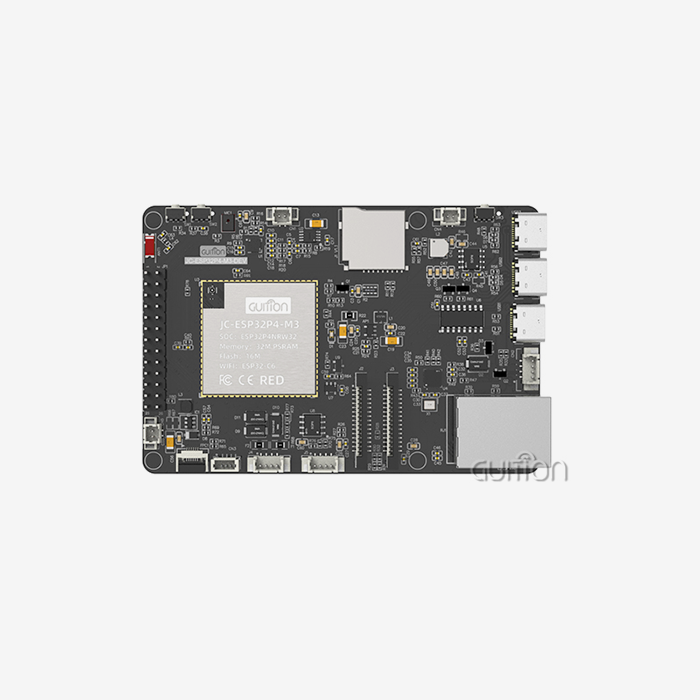
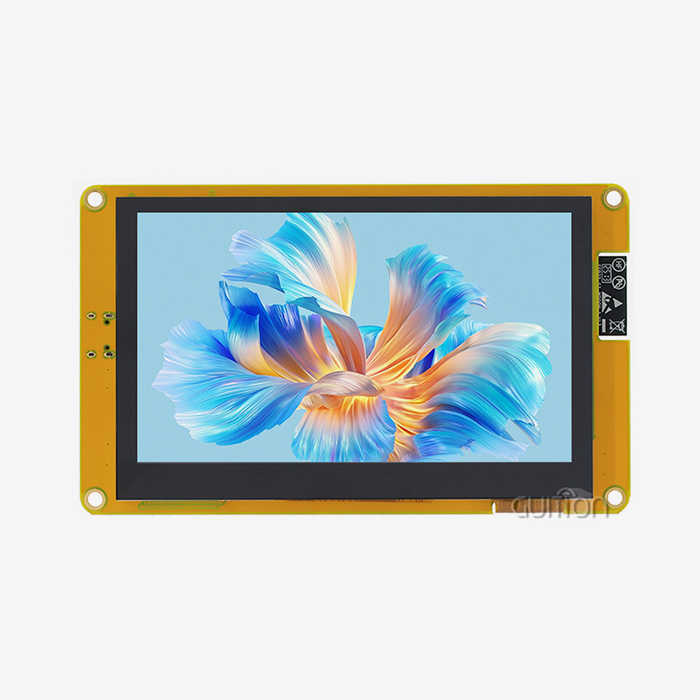
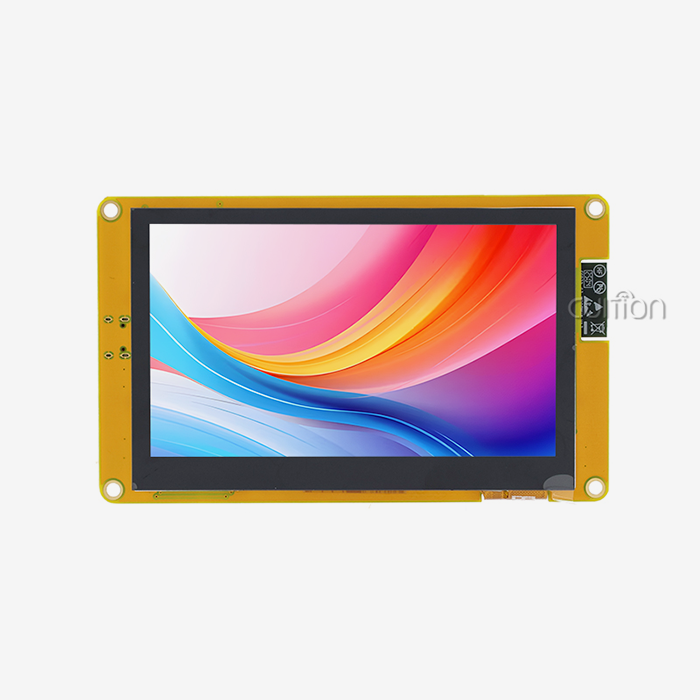
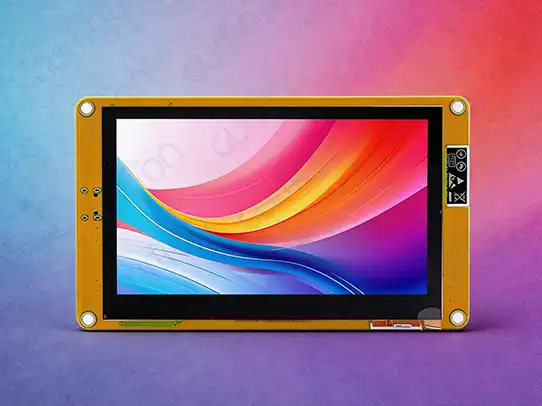
Screen sizes for display modules built on the ESP32-S3 design usually range from 1.28 inches to 21.5 inches, making them useful for a wide range of situations. The Guition ESP32-4827S043C is an example of this technology because it has a 4.3-inch LCD screen with a resolution of 480x272 and sensitive touch functions. The ESP32-S3R8 dual-core processor, 512KB SRAM, 384KB ROM, 8MB PSRAM, and 16MB flash memory are all built into this module. It provides strong speed for graphics user interfaces.
Resolution ranges from simple black-and-white screens to full-color panels with 16-bit RGB color depth that can show up to 65,000 different colors. Most refresh rates are between 30 and 60 frames per second (FPS), which makes sure that animations run smoothly and that users can interact with the screen quickly. The brightness levels range from 250 nits for indoor use to up to 1000 nits for outdoor viewing needs.
In internal apps, saving power is still very important. Modern display modules have advanced power management features, such as lighting controls that can be adjusted and sleep modes that lower power use to less than 10 µA when the module is not in use.
Display Technology Compatibility
Through different transmission interfaces, the ESP32-S3 module screen works with a number of different display systems. LCD screens usually use the I2C or SPI standards to connect, while OLED screens usually use the parallel RGB interface or SPI. E-paper screens are very power-efficient for uses that don't need to be updated very often, and they can talk to each other through SPI connections.
8-bit and 16-bit parallel lines, SPI with data rates that can be set, and I2C for simple two-wire communication are all compatible. The parallel RGB interface lets bigger screens be driven directly without using extra controls, which makes the system simpler and cheaper.
Different resistive and capacitive technologies have different ways to integrate touch functions. Capacitive touch screens are more accurate and can handle more than one touch, but resistive panels are cheaper and can be used with any input device. The ESP32-S3's GPIO features can work with either technology by using separate touch controller chips or direct handling of analog inputs.
Comparing ESP32 S3 Module Screen Types: Which One Fits Your Needs?
To choose the best display technology, you need to know the pros and cons of each ESP32-S3 module screen connectivity choice.
OLED vs LCD Performance Analysis
When you need high contrast ratios and bright colors, OLED screens are the best choice. Because they self-emit light, they don't need backlighting, which means they can show darker blacks and use less power when showing dark material. When showing mostly black screens, OLED panels usually use 30 to 50 percent less power than similar LCDs.
When viewing in bright conditions, LCD technology is better, and it's cheaper for bigger screens. Modern IPS LCD screens have great viewing angles and colors that look great, and they don't cost too much. The ESP32-4827S043C uses LCD technology to work reliably and can handle temperatures up to those used in industry.
Color depth affects both the quality of the image and the amount of memory needed. While OLED screens naturally support wide color gamuts, LCD panels use advanced backlighting and filter technologies to make colors look great. Both systems can handle 16-bit color depth, which is good enough for most embedded apps.
Touch vs Non-Touch Module Selection
Adding capacitive touch turns static screens into user interfaces that can be interacted with. Touch-enabled modules like the ESP32-4827S043C can identify multiple points and recognize gestures, which lets industrial equipment and smart home apps use complex control methods.
Non-touch screens are still useful for situations where saving money is important or where working in harsh conditions is necessary because real buttons are a more reliable way to enter information. Instead of processing touch input, these screens use their processing power to create images and show data.
Resolution and update rate affect both how the user feels and how the system's resources are used. Higher resolutions need more memory speed and computer power, while faster refresh rates make animations smoother but use more power. With a resolution of 480x272, the ESP32-4827S043C is the perfect size for 4.3-inch screens.
Display Size Impact on Application Performance
The choice of screen size has a direct effect on the viewing distance, how the user interacts with the screen, and the limitations of integration. Smaller screens (1.28" to 3.5") work well on small electronics and control panels that don't have a lot of mounting room. Medium-sized screens (4.3" to 7") are a great compromise between sight and the difficulty of integrating them into a system. Larger panels (10" and up) allow for more detailed screens, but they need more thought when it comes to power use and placement.
The 4.3-inch form factor works well in a wide range of applications, including medical gadgets, smart appliances, and industrial control screens. This size lets you fit detailed images while still using a decent amount of power and keeping the costs of the parts low.
How to Choose the Right ESP32 S3 Module Screen: A Practical Buying Guide
When buying display modules strategically, you need to carefully consider your technical needs, the supplier's skills, and the supplier's ability to provide long-term assistance.
Defining Display Requirements
The first step in project scope analysis is to list the specific display needs, such as the viewing distance, the lighting, and how the user wants to connect with the display. For good visibility, indoor uses need 250 to 400 nits of brightness, while outdoor setups need 800 to 1000 nits.
Power limitations have a big effect on the choice of device, especially in apps that run on batteries. Figuring out the total system power budget helps you figure out how much power the display can use and what power control features it needs. When paired with the best display technologies, the ESP32-S3 module screen's efficient design lets the battery last longer.
Touch interface needs depend on how complicated the user interactions are and what else is going on around them. Capacitive touch is more accurate and works with multiple touches, but it might not work well when it's wet. Resistive touch works reliably in a wide range of weather conditions and is less expensive.
Supplier Evaluation and Market Analysis
Companies that have been around for a while, like Guition, offer complete solutions that include hardware modules, development tools, and expert help. When judging a supplier's skills, you should look at things like their product quality standards, their manufacturing capacity, and their access to after-sales service.
The level of technical documentation has a direct effect on how long it takes to build and how successful it is. Full datasheets, application notes, and code samples speed up the merging process and lower the risks of development. The ESP32-4827S043C comes with full paperwork that includes hardware specs, software APIs, and step-by-step instructions for setting it up.
Reliability in the supply chain is important for planning production and keeping track of goods. Suppliers who consistently meet delivery deadlines and communicate clearly help keep production delays and cost overruns to a minimum.
Procurement Strategies and Sampling Procedures
Sampling programs let you try something out before you commit to a bigger buy. To do a good job of sampling, you need to try the screen's quality, its response to touches, and its software compatibility in real-world application settings.
When you buy in bulk, you need to think about unit prices, minimum order amounts, and shipping times. Having ties with several qualified providers gives you peace of mind about your supply and better pricing for bigger tasks.
Incoming inspection methods, environmental testing needs, and long-term reliability proof should all be part of quality assurance procedures. These steps help keep product quality uniform and reduce the number of mistakes that happen in the field.
Optimizing ESP32 S3 Module Screen Integration and Performance
Paying attention to both hardware connectivity and software optimization methods is necessary to get the most out of an ESP32-S3 module screen.
Power Management and Efficiency Optimization
Advanced methods for managing power make batteries last longer while keeping the user experience at its best. Automatic brightness change based on the lighting conditions in the room saves power without affecting vision. The ESP32-S3 has built-in light sensor connections that let you control the brightness intelligently.
Optimizing the refresh rate strikes a balance between keeping graphics smooth and saving power. Refresh rates can be lowered to 15 to 30 FPS for applications that only show static material, but 60 FPS responsiveness is best for dynamic interfaces. Dynamic changes to the update rate based on the type of content make things run more smoothly.
Implementing a sleep mode lets you drastically lower your power use when you're not using it. The ESP32-S3 has several sleep levels that let displays go into low-power states while keeping important system tasks like tracking wireless connections going.
Driver Configuration and Firmware Management
The ESP32-S3 and display processor can talk to each other better if the drivers are set up correctly. For certain display technologies and resolutions, SPI clock speeds, parallel interface time, and DMA buffer amounts need to be carefully tweaked.
Firmware updates add new features and fix bugs after the device has been deployed. The over-the-air update feature of the ESP32-S3 lets maintenance be done from afar without having to physically reach installed devices. This feature is very useful for setups in hard-to-reach places or mounting situations.
When working with images, data, and user interface elements, it's important to make sure that memory management is optimized. Effective buffer placement, picture compression methods, and dynamic memory allocation all help applications make the most of the resources they have.
Troubleshooting Common Integration Challenges
Connectivity problems are often caused by wrong pin setups or power levels that don't work with each other. Most hardware problems can be fixed by checking the wiring connections, signal integrity, and steadiness of the power source in a planned way.
Touch tuning steps make sure that the whole surface of the monitor can accurately recognize input. Changes in temperature and electromagnetic interference in the environment can affect how sensitive a touch sensor is, so it needs to be recalibrated or have adaptable methods built into it.
Flickering, color warping, or dead pixels on a display are usually signs of hardware problems or setup mistakes. Using thorough testing procedures during integration helps find and fix these problems before they are put into production.
Future Trends and Innovations in ESP32 S3 Display Modules
ESP32-S3-based display systems are becoming more useful and capable as new technologies come out.
Advanced Display Technologies
Flexible OLED integration makes it possible for displays to be bent or bendable. These technologies make it possible for wearable tech, car dashboards, and architectural pieces to have new shapes while keeping the ESP32-S3's working power.
The next big thing for e-paper displays is faster update rates and better color reproduction. Next-generation e-paper technologies achieve quality that is close to LCD while still using very little power, making them perfect for solar- or battery-powered devices.
Compared to standard LCD backlighting, micro-LED technology offers more brightness, better efficiency, and a longer life. Integration with ESP32-S3 systems makes it possible for high-performance screens that can be used outside and in places with a lot of natural light.
Artificial Intelligence Integration
The ESP32-S3's edge AI features let the display change intelligently based on how people use it and the situations around it. Machine learning systems can find the best settings for displays, guess how users will interact with them, and make changes to the interface before they happen.
Adding computer vision through camera devices lets you recognize gestures, find people, and automatically turn on displays. Through intelligent sleep mode action, these features improve the user experience while also helping to save power.
Voice control integration uses the ESP32-S3's voice processing skills to let you interact with the display without using your hands. In workplace settings, where touching things might not be safe or realistic, this feature comes in very handy.
Sustainability and Environmental Considerations
Through improved driver circuits, intelligent power management, and better communication methods, energy efficiency improvements keep lowering the total amount of power used by the system. These improvements help batteries last longer and have less of an effect on the world.
Using recyclable materials and making less trash in production are in line with efforts to protect the environment around the world. Suppliers are doing more and more to be good to the earth while still meeting performance and uptime standards.
Lifecycle review helps buyers choose goods that have the least amount of effect on the world over the course of their useful life. This includes looking at how the products are made, how well they are transported, and how they can be thrown away when they are no longer useful.
Conclusion
To choose the right ESP32-S3 module screen, you have to weigh technical specs, application needs, and cost preferences. The ESP32-S3's strong dual-core design and built-in connectivity features make it possible for advanced display apps in a wide range of fields. Size, resolution, touch features, power use, and the quality of provider support are some of the most important things to consider when making a choice. It has a 4.3-inch capacitive touch screen, full software support, and industrial-grade dependability. The Guition ESP32-4827S043C is a great example of how these features should be combined. As time goes on, improvements in flexible screens, AI integration, and green efforts will continue to open up new uses while lowering costs and being better for the environment.
FAQ
Q: What screen sizes do ESP32 S3 module screens come in?
A: You can get ESP32 S3 module screens in sizes from 1.28 inches to 21.5 inches. 2.8", 4.3", 7", and 10.1" screens are the most common sizes for workplace use. Like the Guition ESP32-4827S043C, the 4.3-inch size strikes a great mix between sight and the difficulty of integrating the system.
Q: For my project, how do I choose between OLED and LCD screens?
A: OLED screens are great for battery-powered apps because they have high contrast ratios and use little power when showing dark material. It is better to use LCD monitors outside because they are brighter, and bigger screens are cheaper. When making this choice, think about your power budget, where you will be watching, and the size you need.
Q: With what kinds of touch devices can I use the ESP32 S3 module screens?
A: Both capacitive and resistive touch methods can be used with ESP32 S3 modules. Resistive touch works reliably in tough settings and with any input device, while capacitive touch supports multiple touches and is more accurate. The choice you make will depend on the setting your app is in and how the users will connect with it.
Q: Can ESP32 S3 screens get changes over the air?
A: Yes, ESP32 S3 module screens can receive over-the-air (OTA) software changes because they have Wi-Fi built in. This function lets maintenance, feature additions, and bug fixes be done remotely, without having to physically reach deployed devices. This cuts down on maintenance costs and makes the system more reliable.
Q: What platforms for programming work with ESP32 S3 display modules?
A: ESP32 S3 display units work with several different development platforms, such as Arduino IDE, ESP-IDF, MicroPython, and Mixly. Also, specialized tools like Guition's interface development software make it easier to create user interfaces with drag-and-drop and speed up the development process so that projects can be finished more quickly.
Partner with Guition for Your ESP32 S3 Display Module Needs
Guition offers complete ESP32-S3 module screen options that shorten the time it takes to build while ensuring reliability at the industrial level. Our ESP32-4827S043C blends cutting-edge ESP32-S3R8 dual-core processing with professional-grade display technology. It is easy to use because it comes with factory-programmed test code and supports development on multiple platforms. As a top provider of ESP32 S3 module screens, we offer full technical documentation, specific software tools, and quick engineering help to make the integration process go more smoothly. Talk to david@guition.com about your unique needs and find out how our tried-and-true display solutions can help your next project succeed while cutting down on development costs and time-to-market.
References
1. Espressif Systems. "ESP32-S3 Series Datasheet: Technical Specifications and Performance Characteristics." Espressif Technical Documentation, Version 1.8, 2023.
2. IEEE Standards Association. "IEEE 802.11 Wireless LAN Medium Access Control and Physical Layer Specifications for IoT Display Applications." IEEE Computer Society Standards, 2023.
3. International Electrotechnical Commission. "IEC 61000-4-2 Electromagnetic Compatibility Testing for Embedded Display Systems." IEC Standards Publication, Fourth Edition, 2022.
4. Society for Information Display. "Display Technology Comparison Study: OLED vs LCD Performance in Embedded Applications." SID Journal of Display Technology, Volume 15, 2023.
5. Embedded Computing Design Magazine. "Power Management Strategies for Battery-Operated ESP32-S3 Display Systems." ECD Technical Articles, Issue 3, 2023.
6. Industrial IoT Consortium. "Best Practices for Human-Machine Interface Design in Industrial Automation Applications." IIC Technical Report, Version 2.1, 2023.
Learn about our latest products and discounts through SMS or email