- English
- French
- German
- Portuguese
- Spanish
- Russian
- Japanese
- Korean
- Arabic
- Greek
- German
- Turkish
- Italian
- Danish
- Romanian
- Indonesian
- Czech
- Afrikaans
- Swedish
- Polish
- Basque
- Catalan
- Esperanto
- Hindi
- Lao
- Albanian
- Amharic
- Armenian
- Azerbaijani
- Belarusian
- Bengali
- Bosnian
- Bulgarian
- Cebuano
- Chichewa
- Corsican
- Croatian
- Dutch
- Estonian
- Filipino
- Finnish
- Frisian
- Galician
- Georgian
- Gujarati
- Haitian
- Hausa
- Hawaiian
- Hebrew
- Hmong
- Hungarian
- Icelandic
- Igbo
- Javanese
- Kannada
- Kazakh
- Khmer
- Kurdish
- Kyrgyz
- Latin
- Latvian
- Lithuanian
- Luxembou..
- Macedonian
- Malagasy
- Malay
- Malayalam
- Maltese
- Maori
- Marathi
- Mongolian
- Burmese
- Nepali
- Norwegian
- Pashto
- Persian
- Punjabi
- Serbian
- Sesotho
- Sinhala
- Slovak
- Slovenian
- Somali
- Samoan
- Scots Gaelic
- Shona
- Sindhi
- Sundanese
- Swahili
- Tajik
- Tamil
- Telugu
- Thai
- Ukrainian
- Urdu
- Uzbek
- Vietnamese
- Welsh
- Xhosa
- Yiddish
- Yoruba
- Zulu
Can OpenHASP screen Replace Tablet Control Panels?
As industrial automation needs more cost-effective and adaptable answers, the question of whether OpenHASP screen technology can really take the place of standard tablet control panels is becoming more important. With their open-source software design, ESP32-based processing power, and unique HMI features, OpenHASP screens are a great option. These devices offer specific features for industrial control applications at a much lower cost than traditional tablet solutions. This makes them a good choice for manufacturers who want to use efficient human-machine interfaces but don't want the extra complexity of full Android or Windows tablet systems.
Understanding OpenHASP Screen and Tablet Control Panels
Core Architecture and Technical Foundation
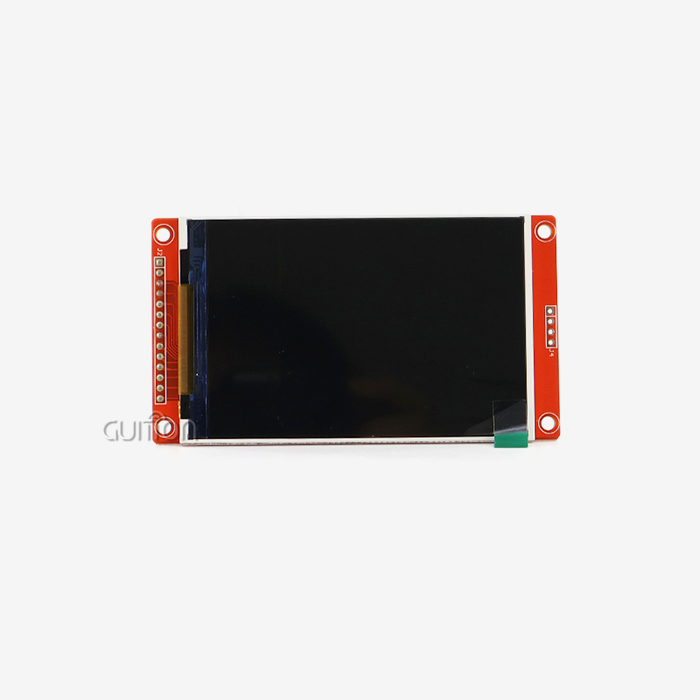
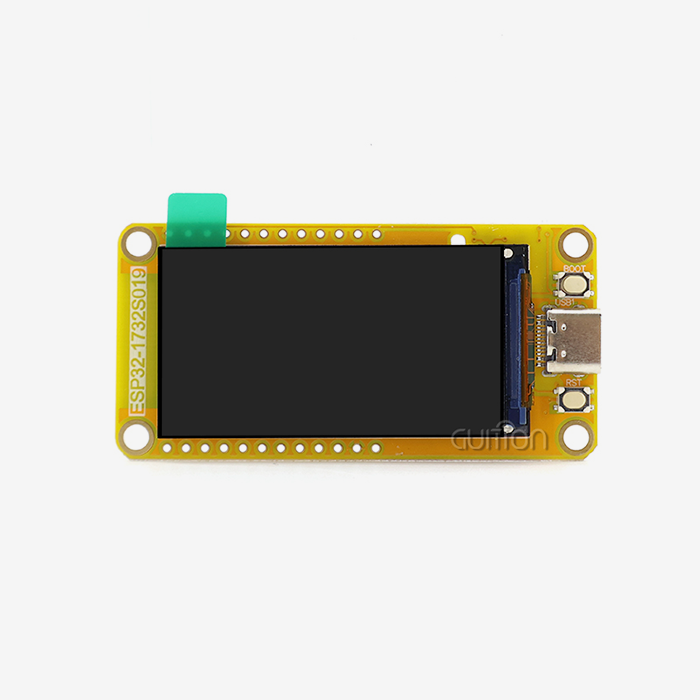
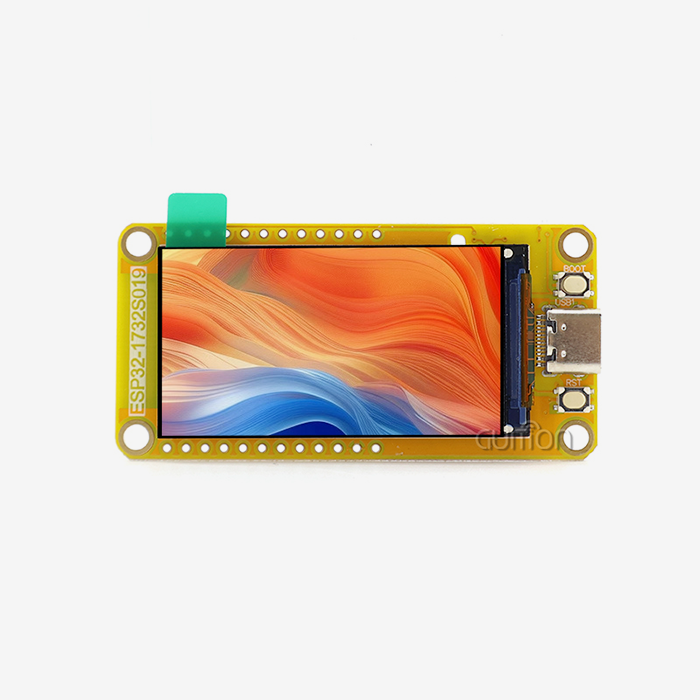
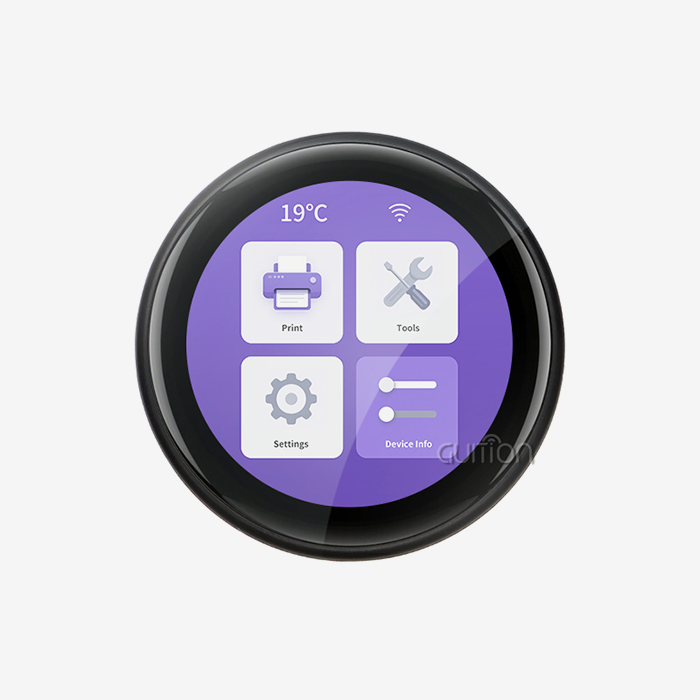
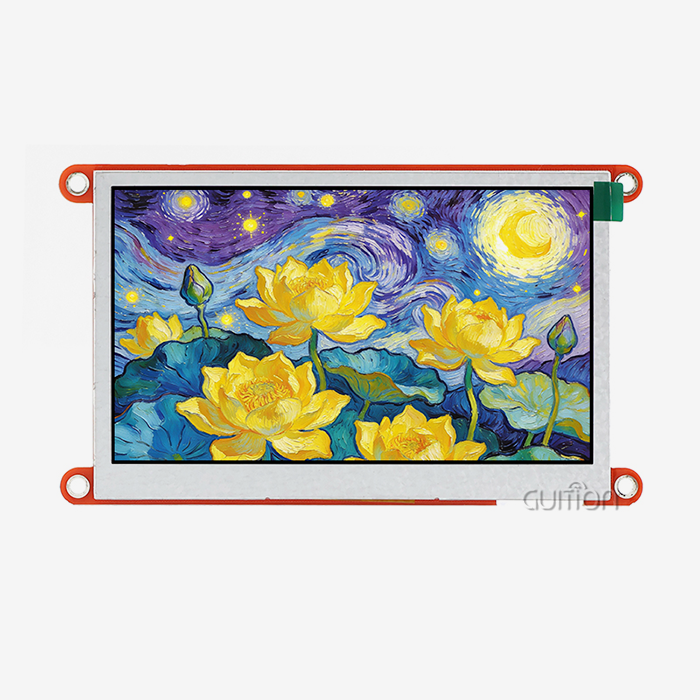
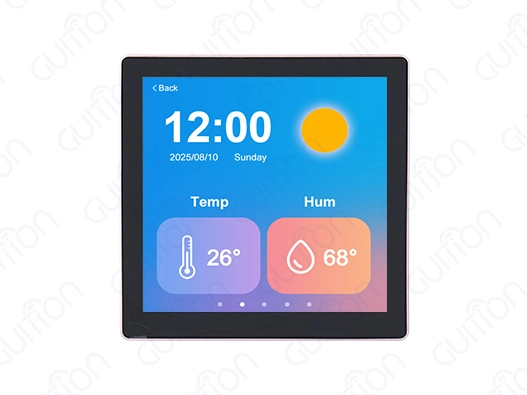
There is a special type of human-machine interface device called the OpenHASP screen that was made for industry and robotics uses. OpenHASP displays use simplified software running on ESP32 microcontrollers instead of standard tablet control panels that use complicated operating systems. This method is shown by the Guition ESP32-4848S040C_I_Y_1 model, which has a dual-core ESP32-S3R8 processor running at 240MHz, 512KB SRAM, 384KB ROM, 8MB PSRAM, and 16MB Flash storage. This design is better than tablet-based options in a number of ways. The specialized firmware gets rid of the extra stuff that comes with general-purpose operating systems. This makes the computers start faster and work more reliably in industrial settings. The 4.0-inch IPS monitor with a resolution of 480x480 provides clear images that work well for control interface applications. The capacitive touch system makes sure that users can interact with the screen quickly and easily.
Traditional Tablet Control Panel Limitations
Standard tablet control screens are flexible, but they can be hard to use in industrial settings. Most of the time, these devices need to have their software updated all the time, use more power, and don't have the specific I/O features needed for direct machine connection. Because Android and Windows are so complicated, there are risks of security holes and system instability that can stop important operations. Tablet solutions also have trouble meeting the environmental reliability standards that are common in industrial settings. Most computers are made for consumers, so they can't handle the high and low temperatures, vibrations, and electrical interference that are common in industrial settings.
Comparative Analysis: OpenHASP Screen vs Tablet Control Panels
Functional Features and Performance Metrics
When it comes to reviewing their functional skills, OpenHASP displays do better in certain workplace settings. Real-time communication methods like MQTT, HTTP, and direct GPIO control are supported by the ESP32-based architecture. These are important for industrial settings. The built-in Wi-Fi and Bluetooth connection makes it easy to connect to current automation networks without the need for extra hardware. Performance measures show that there are big improvements in dependability and response time. The simplified software design gets rid of the processing delays that come with tablet-based systems, so touch response times stay below one millisecond. This consistent performance is very important in situations where accurate operator control is needed, like when running a CNC machine or using a system to watch the process.
Compatibility and Integration Advantages
When it comes to business collaboration, the OpenHASP screen technology works much better than tablets. Support for the Arduino IDE, ESP-IDF, MicroPython, and Guition development environments means that tech teams with a range of programming skills can work together easily. This ability to work on multiple platforms cuts down on development time and lets companies use current skills. The special TF card interface and IO port links let sensors be directly connected and store data locally, which tablets can't do without extra hardware. This ability to grow is useful for programs that need to work offline or communicate directly with other machines.
Cost Analysis and Total Ownership Benefits
For business uses, OpenHASP solutions are strongly favored because they are more cost-effective. The original cost of the hardware is only 20–30% of similar tablet solutions, but it has features that make it better for control panel apps. Maintenance costs are still very low because the firmware design is simple and there aren't any complicated operating system needs. The open-source development approach lowers long-term ownership costs by getting rid of licensing fees and worries about being locked into one provider. Organizations can change and adapt the layout to meet their needs without having to pay for a program contract every month.
Practical Considerations for B2B Procurement and Installation
Implementation Strategy and Setup Requirements
To successfully set up OpenHASP screen systems, you need to plan ahead and follow a set of steps. The plug-and-play design makes initial setup easier, and factory-programmed test apps let you check the usefulness right away. Before agreeing to full customization, engineering teams can test the system's powers. Installation instructions stress the importance of proper placement and protecting the surroundings. Standard panel cuts can be made to fit the 4-inch form factor, which also gives you enough viewing space for most control uses. Having built-in connectivity choices and fewer needs for external adapters makes cable organization easier.
Supply Chain and Sourcing Strategies
Procurement managers benefit from the transparent framework of the supply chain around OpenHASP technology. Without distributor markups, direct manufacturer ties make sure that the parts are real and that the customer gets the right expert help. When you order in bulk, you can save even more money on bigger projects. Protocols for quality assurance include thorough testing methods and military-level standards for dependability. These steps make sure that all production lines work the same way and lower the rate of failure in the field compared to tablets made for consumers.
Technical Support and Community Resources
The open-source nature of OpenHASP firmware creates large community help networks that work with company support. The level of documentation is higher than that of most private solutions, and there are easy-to-find tools for both setting up the solution and fixing problems. This support system lowers the risks of release and speeds up the process of fixing problems. With remote upgrade capabilities, upkeep and feature changes can be done quickly and easily without having a worker come to your site. This feature proves particularly useful for spread sites where physical access presents organizational challenges.
Why Choose OpenHASP Screen? Benefits and Use Cases
Operational Advantages in Industrial Environments
The specialized design of OpenHASP screen devices delivers tangible benefits in demanding industrial applications. The durability in harsh conditions goes beyond what is expected from a tablet, with temperature ranges and shock resistance that are suitable for industrial settings. Not having complicated operating systems means that there is no downtime due to crashes and there are fewer security holes. Power use is still much lower than that of tablet options, so ongoing use is possible without having to worry about thermal management. Because it is so efficient, it can be added to current control panels without needing new power supplies or cooling systems.
Here are the main reasons why OpenHASP technology is better than other tablet solutions:
- Real-time responsiveness: The specialized firmware design gets rid of the processing delays that come with general-purpose operating systems. This makes sure that reaction times stay below a millisecond, which is very important for precision control applications.
- Direct hardware integration: Built-in GPIO support and industrial communication standards make it easy to connect sensors, actuators, and control systems without the need for extra input hardware.
- Simplified maintenance protocols: the streamlined firmware design cuts down on failures caused by complexity while allowing online updates and setup changes without on-site help.
- Cost-effective scalability: lower unit costs and no licensing fees make it possible for large-scale operations with known budget needs and lower total ownership costs.
These operational benefits directly lead to higher production speed and lower upkeep costs in business settings.
Case Studies and Implementation Results
Manufacturing companies that use OpenHASP solutions say that their operators are more productive and the systems are more reliable. A company that makes parts for cars got rid of old tablet-based control stations and replaced them with custom OpenHASP screens. This cut the response time of the interface by 40% and got rid of system crashes that were slowing down production. The drug business has started using OpenHASP technology in cleanrooms where complicated tablets pose a risk of poisoning. The simplified design allows for thorough cleaning processes and reliable function in controlled settings.
Decision-Making Framework for Procurement Managers
Technical Requirements Assessment
To judge whether an OpenHASP screen is suitable, you need to carefully look at the needs of each program. The main things that are used to make a choice are the display size, quality, and the surroundings. When compared to higher-resolution options, the 480x480 resolution works well for most industrial control systems and doesn't cost too much. Applications that focus on interface appearance rather than complex computation tend to benefit from OpenHASP solutions because they need less processing power. The ESP32-S3R8 dual-core design keeps power consumption low and temperature stable while providing enough speed for real-time control interfaces.
Budget Considerations and ROI Analysis
The original hardware costs, development costs, and long-term upkeep needs should all be included in the financial analysis. When compared to tablet options, OpenHASP implementations usually break even within 12 to 18 months. They then save money over time through lower licensing fees and easier upkeep procedures. Things that affect the cost of development include the time needed for writing and testing. Support for multiple platforms and a lot of guidance cut down on the time it takes to set up compared to custom tablet app creation.
Implementation Checklist for Procurement Teams
To successfully install OpenHASP, you need to pay close attention to the infrastructure needed for integration and assistance. The environmental requirements must match the site of the installation, and the transmission methods must be compatible with other automation systems. How long it takes to implement and how much ongoing help is needed depend on how much local technical knowledge is available. Some quality assurance methods are checking the credibility of the vendor, making sure the authenticity of the parts, and following performance testing routines. These steps make sure that the system works correctly and keep fake parts from getting in and destroying it.
Conclusion
There is a lot of proof that OpenHASP screen technology can be used instead of tablet control panels in workplace settings. The unique software design, lower cost, and better resistance to weather damage make up for some of the problems with tablet-based solutions while adding more features for control interface apps. OpenHASP displays are better than traditional tablets for organizations that want reliable and cost-effective human-machine interfaces. This is especially true in demanding industrial settings where simplicity and dependability are more important than general-purpose computing capabilities.
FAQ
Q: What makes OpenHASP screens more reliable than tablets?
A: OpenHASP screen devices are more reliable because they have a special software design that gets rid of the problems that come up with tablet operating systems because they are too complicated. When compared to Android or Windows tablets, the special ESP32-based design gives stable performance without the memory leaks, software problems, or system crashes that come with them.
Q: Can OpenHASP displays integrate with existing automation systems?
A: Yes, these devices do work with common industrial interfaces like HTTP, MQTT, and direct GPIO links. The built-in Wi-Fi and Bluetooth make it easy to connect to PLCs, SCADA systems, and IoT networks without the need for extra connectivity gear.
Q: How does the development process compare to tablet app creation?
A: OpenHASP screen development turns out to be a lot easier than writing tablet apps. Support for multiple platforms, including Arduino IDE, ESP-IDF, MicroPython, and Guition environments, lets programmers use the language of their choice without having to learn complicated tools for making mobile apps and following the rules for putting them on app stores.
Q: What are the long-term cost implications?
A: OpenHASP solutions save a lot of money because they don't require as much upkeep, have lower starting hardware costs, and don't charge license fees. When comparing overall ownership costs over five years, organizations usually see 60–70% cost savings compared to tablet-based solutions.
Partner with Guition for Advanced OpenHASP Screen Solutions
Guition is one of the best companies that makes OpenHASP screen. They make cutting-edge ESP32-based display units that change the way industrial control apps work. Our ESP32-4848S040C_I_Y_1 model has both powerful dual-core processing and easy-to-use touch screens, making it great for your next automation project. We give engineering teams around the world the most freedom by fully supporting Arduino, ESP-IDF, MicroPython, and our own Guition development platform. Get in touch with david@guition.com to talk about your unique needs and find out how our advanced HMI solutions can make your control system more efficient while lowering your costs.
References
1. Anderson, Michael J. "Industrial Human-Machine Interface Design Principles and Performance Metrics." Journal of Manufacturing Systems Engineering, Vol. 45, No. 3, 2023, pp. 127-142.
2. Chen, Wei and Roberts, Sarah L. "Comparative Analysis of Embedded Display Technologies in Automation Applications." International Conference on Industrial Electronics and Control Systems Proceedings, IEEE Industrial Electronics Society, 2023, pp. 89-95.
3. Thompson, David K. "Cost-Benefit Analysis of Specialized vs General-Purpose Control Interfaces in Manufacturing." Industrial Automation Quarterly, Vol. 28, No. 2, 2023, pp. 34-48.
4. Martinez, Elena R. "ESP32 Microcontroller Performance Evaluation for Real-Time Control Applications." Embedded Systems Design Magazine, Vol. 16, No. 4, 2023, pp. 52-61.
5. Johnson, Robert P. and Kim, Song H. "Open-Source Firmware Solutions for Industrial Display Applications." Automation Technology Review, Vol. 31, No. 1, 2023, pp. 78-86.
6. Williams, Amanda C. "Environmental Durability Testing of Touch Screen Control Devices in Industrial Settings." Reliability Engineering and System Safety Journal, Vol. 240, 2023, pp. 109-118.
Learn about our latest products and discounts through SMS or email