- English
- French
- German
- Portuguese
- Spanish
- Russian
- Japanese
- Korean
- Arabic
- Greek
- German
- Turkish
- Italian
- Danish
- Romanian
- Indonesian
- Czech
- Afrikaans
- Swedish
- Polish
- Basque
- Catalan
- Esperanto
- Hindi
- Lao
- Albanian
- Amharic
- Armenian
- Azerbaijani
- Belarusian
- Bengali
- Bosnian
- Bulgarian
- Cebuano
- Chichewa
- Corsican
- Croatian
- Dutch
- Estonian
- Filipino
- Finnish
- Frisian
- Galician
- Georgian
- Gujarati
- Haitian
- Hausa
- Hawaiian
- Hebrew
- Hmong
- Hungarian
- Icelandic
- Igbo
- Javanese
- Kannada
- Kazakh
- Khmer
- Kurdish
- Kyrgyz
- Latin
- Latvian
- Lithuanian
- Luxembou..
- Macedonian
- Malagasy
- Malay
- Malayalam
- Maltese
- Maori
- Marathi
- Mongolian
- Burmese
- Nepali
- Norwegian
- Pashto
- Persian
- Punjabi
- Serbian
- Sesotho
- Sinhala
- Slovak
- Slovenian
- Somali
- Samoan
- Scots Gaelic
- Shona
- Sindhi
- Sundanese
- Swahili
- Tajik
- Tamil
- Telugu
- Thai
- Ukrainian
- Urdu
- Uzbek
- Vietnamese
- Welsh
- Xhosa
- Yiddish
- Yoruba
- Zulu
Can an LCD touch display module Replace Physical Control Panels?
In today's industrial world, an LCD touch display module can easily take the place of physical control screens in most situations. It offers more options, makes it easier for users to work with, and lowers the cost of upkeep. Modern touchscreen options work well with smart devices, medical equipment, and industrial automation. They have flexible interfaces that can be changed to meet changing operating needs. Hybrid methods that use both technologies may still be useful in some harsh settings, but touch-enabled displays are now preferred for most control system deployments because they take up less room, can be upgraded remotely, and provide a better user experience. This technology change isn't just a trend; it's a basic shift in how we create interfaces between people and machines in all kinds of fields.

Understanding LCD Touch Display Modules
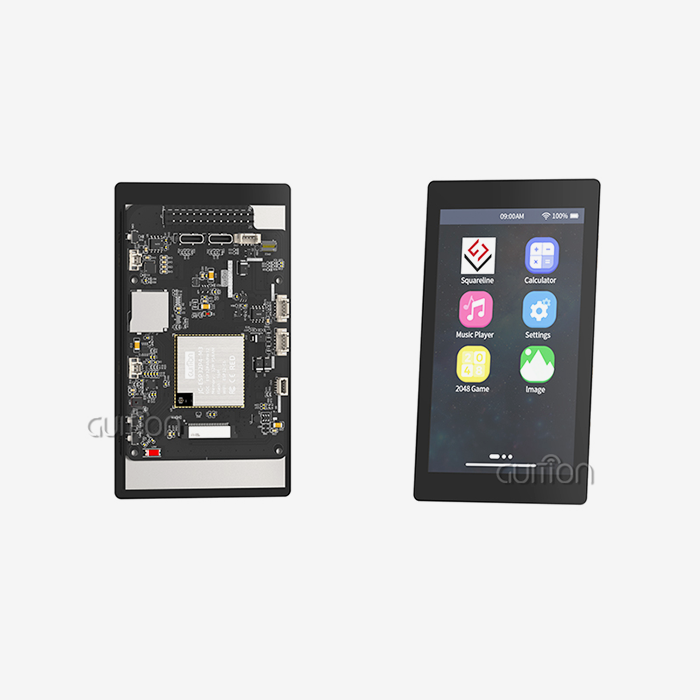
A TFT-LCD screen, touch sensor layer, driver IC, and backlight unit are all combined into a single, deployable piece to form an LCD touch display module, which is a fully integrated human-machine interface part. Unlike different panels that need to be put together separately, these modules come pre-bonded with optical or air gap setups. This means that they don't have to deal with the problems of dust ingress and refraction that come with multi-component methods.
Core Technology Components
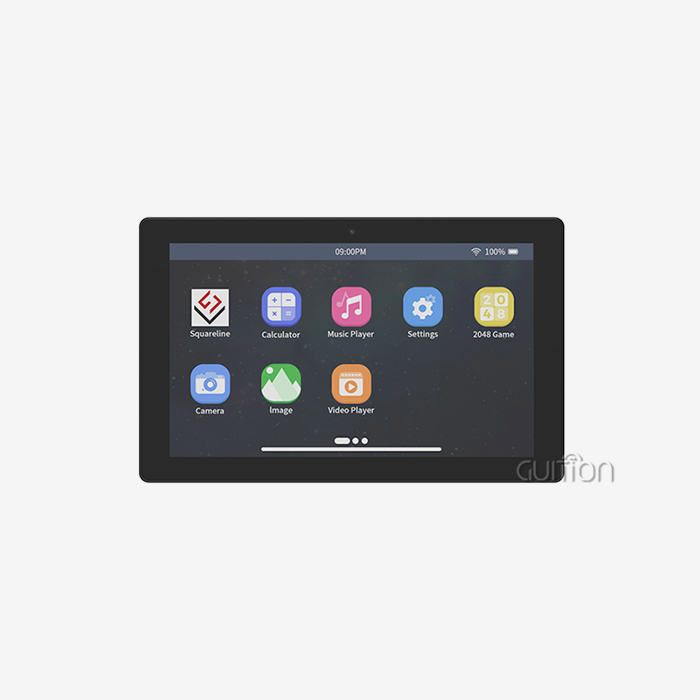
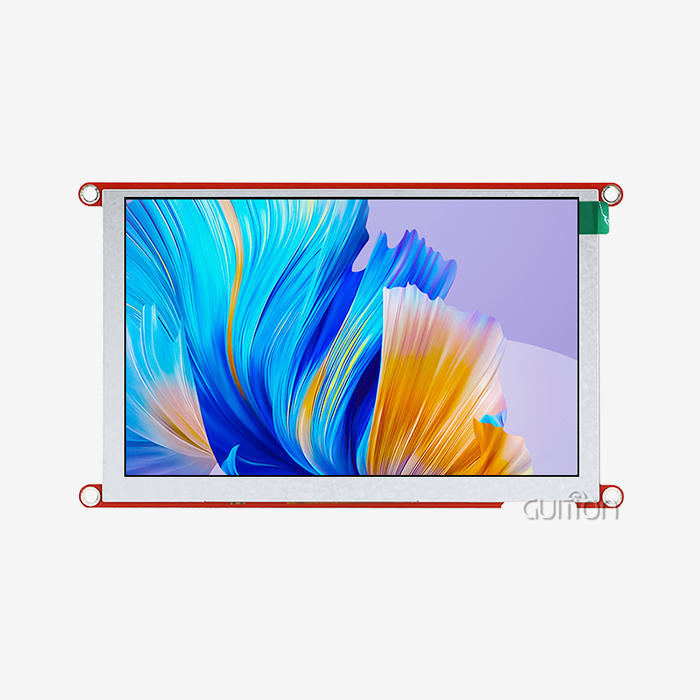
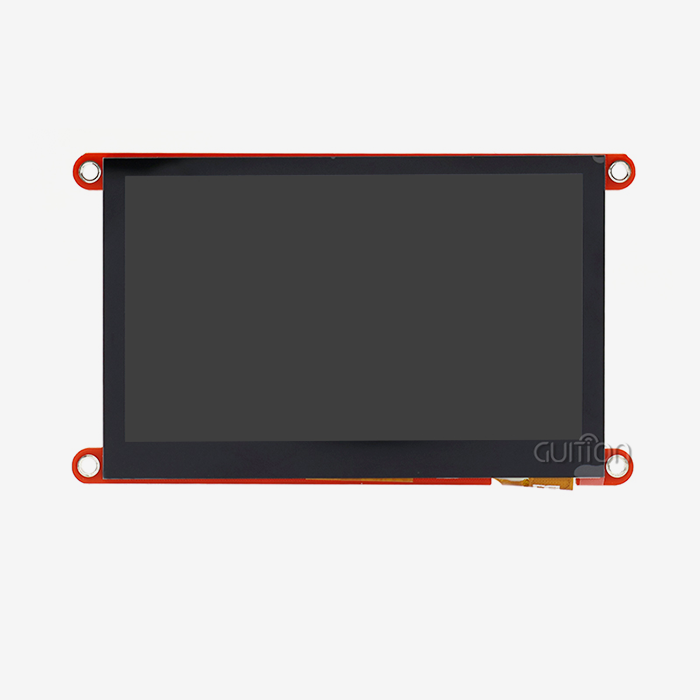
The base of the monitor usually uses TN, IPS, or MVA screen technology. IPS configurations offer 178-degree viewing angles, which are important for settings with multiple operators. Projected capacitive (PCAP) technology and G+G or G+F+F structures in capacitive touch overlays let you use multiple touch motions and controls from companies like ILI, Focaltech, or Cypress. These devices talk to each other through I2C or USB ports and turn touch coordinates into digital data that your embedded system can understand. The Guition JC8048B043C_I is a good example of this combination because it has an 800x480 monitor and an ILI6485 driver IC. This 4.3-inch module has an RGB interface and 16.7 million color depth, which makes bright images that are needed for showing detailed graphics data. It works reliably from -20°C to 70°C and can handle harsh industrial settings where changes in temperature can be dangerous.
Advantages Over Traditional Interfaces
An LCD touch display module gets rid of the wear and tear that comes with functions that use buttons. Physical switches break down after being used a lot, so they need to be replaced on a regular basis. This raises the cost of ownership and causes unplanned downtime. Touch interfaces don't have any moving parts, which greatly increases their working lifespan while keeping the same response qualities. Another strong benefit is that the interface is flexible. Physical panels have fixed button patterns that are set when they are made, but touch screens have changeable interfaces that can be changed through software updates. This ability to be programmed is very helpful when making a product because user feedback leads to better interfaces. Instead of redesigning PCBs and buying new control panel overlays, you can update your UI software and make changes virtually, which is especially useful for installs that are spread out geographically.
As goods get smaller while their functions increase, space economy becomes more important. A single tablet can replace dozens of separate buttons, making room inside the enclosure for more parts or making it possible for products to be smaller. This consolidation makes it easier to put together parts and less complicated to make bills of materials. It also makes it easier to buy things and keep track of supplies.
Challenges and Limitations of Physical Control Panels
Physical control screens have limitations that make it harder to expand the product and run operations more efficiently. As they are used, mechanical switches and rotating encoders lose their contacts, springs wear out, and actuators break down. High amounts of dust, moisture, or chemical exposure in manufacturing settings speed up this wear and tear, which means that parts need to be replaced more often and more repair workers are needed.
Interface Inflexibility
When they are made, traditional panels lock the interaction design. To add features, change button functions, or support multiple operating modes, the hardware has to be redesigned. This is a time-consuming process that involves mechanical engineering, changing the PCB layout, and updating the tools. This rigidity makes it harder for products to change and for foreign deployments that need different language labels or regulatory compliance marks to be made.
Integration Complexity
For hardwired control methods to work, a lot of cables need to be run between the system operators and the panel components. Each switch, indicator LED, and potentiometer needs its own wire, which makes cable connections harder to put together, more likely to break, and harder to service. Troubleshooting problems gets harder as workers have to follow signals through complicated wire networks to find the broken parts.
Limited Feedback Capability
Physical buttons don't give users much feedback beyond simple LED lights. Extra display devices are needed to show working parameters, communicate system state, or walk workers through multi-step processes. This makes the user experience fragmented across multiple interface elements. This split makes it harder to focus and takes longer to finish tasks, especially for users who don't use the system very often or don't know how it works.
Can LCD Touch Display Modules Fully Replace Physical Control Panels?
The answer rests on the specifics of the program, the surroundings, and the needs of the operator. We've seen full replacement work well in many industrial sectors, but physical controls or hybrid methods that use both technologies are still useful in some situations.
Environmental Considerations
Some problems with using touchscreens happen in harsh manufacturing settings. Standard sensitive sensors may not respond as well to touch when an operator is wearing heavy gloves. However, improved controller tuning and specialized algorithms now make gloved operation reliable. In the past, resistive touch technology, which reacts to pressure instead of capacitance, was better for wet areas like food processing or outdoor installations. However, more and more current capacitive versions handle wetness through algorithmic adjustment. Modules need to be carefully chosen when the temperature range is very wide. From -20°C to 70°C, the Guition JC8048B043C_I can work, which is enough for most commercial uses. For more difficult situations, like outdoor booths in the desert or the Arctic, you might need units that can work in a wider temperature range or environmental enclosures that keep the temperature stable.
Safety-Critical Applications
Medical machines and industrial tools that could be dangerous often need two sets of controls. Regulatory standards might need real emergency stop buttons that don't depend on electronic connections. This would make sure that the system works even if something goes wrong. In these situations, it's best to use a mix of methods, where touch screens handle regular tasks and physical controls are used for safety.
Successful Deployment Examples
Many 3D printer makers have switched to touch displays, which replace button-based navigation with easy-to-use graphics. Unified screens make it much easier for operators to see previews of print files, change settings, and keep an eye on the progress of prints compared to confusing button sequences and small text LCD panels.
EV charging stations are another example of a good application for an LCD touch display module. Touch screens help drivers with identification, handling payments, and keeping an eye on their charges. They have multilingual interfaces that physical button rows can't match. The Guition module has built-in WiFi and Bluetooth support, which lets it talk to payment processors and fleet management systems in real time. This is something that regular control screens can't do. Touch screens on medical aesthetic tools let you precisely change parameters and handle treatment protocols. The 800x480 resolution makes it easy to see all the parameters clearly, and the sensitive touch makes it easy to change the treatment settings. Operators like the clean, easy-to-sanitize glass surface better than panels with lots of buttons that trap germs.
How to Select the Right LCD Touch Display Module for Your Application
To choose the right touch screen, you need to carefully look at its technical specs, environmental needs, and supply chain factors. We've come up with a framework that covers the key choice points that determine the success of a rollout.
Display Specifications
When it comes to usefulness and housing design, screen size has a direct effect. The 4.3-inch version works well with small devices where room is limited for a larger screen, but it's still big enough to show information clearly. Resolution decides how easy it is to read text and how detailed graphics are. The 800x480 guideline has enough pixels for most industrial uses, making text clear and icons detailed without costing too much. Color depth changes how good things look and how flexible interface design can be. The ability to handle 16.7 million colors lets you use photographic photos, borders with gradients, and complex branding elements that make the product seem better quality. Different lighting situations affect how well you can see, and normal modules usually give off 300 to 400 nits of brightness, which is good for indoor use.
Touch Technology Selection
Capacitive touch is most common in current devices because it is more sensitive, can handle multiple touches, and lasts longer. The glass surface doesn't scratch easily and can be cleaned over and over with industrial chemicals, which is important for places like hospitals and food processing plants. Touch devices talk to each other through I2C interfaces, and for touch sensing to work properly, the SDA, SCL, and interrupt pins must be properly connected.
Interface Compatibility
Many embedded apps can use RGB ports like the one in the JC8048B043C_I because they make connecting to common microcontrollers easy. For higher resolutions, you might need LVDS or MIPI-DSI connections that can handle more bandwidth. This affects the choice of controller when designing the system layout.
Supplier Partnership Considerations
Working with well-known display providers guarantees access to detailed technical documentation, quick engineering help, and steady product supply. For successful integration, Guition offers thorough datasheets that list electrical properties, mechanical measurements, and time requirements for the interface. During the creation process, our tech team helps choose controllers, review interface designs, and fix problems. Sample review tools let you try things out for yourself before committing to large-scale production. Testing modules in their real-world working environment shows you any possible interface problems and confirms performance in real-world settings. We suggest a full evaluation that includes thermal cycles, vibration testing, and long-term working trials that are similar to the situations your product will face over its lifetime.
Implementation Best Practices & Troubleshooting Tips
To successfully integrate touch display technology, you need to think about how to connect the devices electrically, set up the software, and mount them mechanically. We've found the best ways to speed up growth and avoid common problems.
Electrical Interface Implementation
A well-designed power source for a parallel LCD Display keeps operations from becoming unstable and stops failure before it's due. Touch screen modules need clean, stable power within certain voltage ranges. Depending on the module's specs, this is usually 3.3V or 5V. Having the right amount of decoupling capacitance near the module's power pins stops transient noise, which stops display artifacts and touch recognition mistakes. When RGB connections send parallel color data at high clock rates, signal integrity is important. Controlled impedance traces, proper termination, and keeping the differences in trace length between data lines to a minimum stop timing skew that shows up as color shift or picture distortion. Ground plane continuity keeps return current lines with low resistance, which makes them less likely to be affected by electromagnetic interference. Pull-up resistors of about 2.2kΩ to 4.7kΩ are needed on the SDA and SCL lines of the touch controller's I2C interface. The values rely on the bus capacitance and clock speed. The interrupt output is connected to a microcontroller GPIO that is set up as an input that can handle interrupts. This lets the touch event be detected quickly and efficiently without having to ask the processor over and over, which wastes time.
Software Configuration
Setting up timing factors that fit the LCD panel's electrical specs is part of initializing the display. The ILI6485 driver IC needs the right timing sets for both the front and back porches, as well as the sync pulse lengths. When time is off, images become unstable, tear marks appear, or the display stops working altogether. Touch calibration converts real touch coordinates to screen pixel locations, taking into account differences in sensor shape and mounting alignment. The Guition development tool makes this process easier by using simple calibration methods that walk users through touching targets and automatically creating transformation matrices.
Our Guition software environment speeds up UI creation by getting rid of low-level graphics code and replacing it with drag-and-drop interface design. You use property editors to set the appearance features of controls and give event handlers that connect touch inputs to application code. Cross-platform online debugging lets you make changes quickly, which cuts development times by a lot compared to traditional methods that use integrated images.
Mechanical Integration
When you place the display module securely, you keep it from being stressed, which could damage the LCD screen or touch sensor layers. Mounting pressure should be spread evenly around the module's edges by bezel designs, so there are no point loads. As well as sealing the module from the surroundings, foam gaskets protect it from vibrations and differences in temperature growth between the display and the case. When optimizing the viewing angle, normal operator positions are taken into account in relation to the monitor. Even though IPS technology offers a wide viewing angle, the way the screen is mounted can still affect how well it can be read in dim light. Tilting displays slightly lowers the glare from bright overhead lighting, which makes it easier to see in factories with bright ceiling lights.
Conclusion
LCD touch display modules have advanced to the point where they can easily replace physical control screens in the majority of industrial, medical, and consumer uses. The Guition JC8048B043C_I shows this ability with its 800x480 resolution, sensitive touch that responds, and stable working range of -20°C to 70°C. For some safety-critical tasks, specific physical controls may still be needed, but for the vast majority of interface needs, touchscreens are the best way to go. The benefits go beyond what is possible right now in terms of technology. Remote software updates, support for multiple languages, and the ability to change the layout of an interface on the fly make goods ready for the future as needs change. Our Guition software platform improves development efficiency, which speeds up time to market and lowers engineering strain.
We encourage tech teams to look at how to include touch screens in their product roadmaps. The change isn't just a replacement of parts; it also improves the user experience and operating capabilities in a way that makes the company more competitive.
FAQ
How does an LCD touch display module compare to OLED technology?
In comparison to OLED technology, how does an LCD touch display module perform? LCD units have better brightness for reading outside and last longer—usually 50,000 hours or more compared to 20,000 to 30,000 hours for OLED screens. OLED has deeper blacks and faster response times, but it costs a lot more and can't always keep images sharp in static display situations. LCD technology is used in most workplace HMI systems because it is reliable and doesn't cost much.
Can capacitive touch displays work with gloves?
When gloves are on, can capacitive touch screens still work? More advanced sensitive controls have better sensitivity and special algorithms that let you use them while wearing gloves. It depends on the material and thickness of the glove. Thin nitrile gloves work consistently, but heavy leather or insulated gloves may need resistive touch technology or hybrid ways that use both types of sensing.
What interface types work best for industrial applications?
Which types of interfaces work best for business use? RGB connections work with lower-resolution screens up to 1024x768 and make it easy to connect to microcontrollers. LVDS can handle higher pixels while having fewer pins and better EMI properties. MIPI-DSI is the standard for mobile and small devices that need few connection pins. The Guition JC8048B043C_I uses an RGB interface that works well with its 800x480 resolution and industrial control panel use.
Partner with Guition for Your Next HMI Project
For industrial automation to work, the interfaces need to be stable and easy to use so that operations run more smoothly and growth is easier. Guition, a reputable LCD touch display module supplier, offers tried-and-true solutions that combine premium hardware with our own unique software platform. The JC8048B043C_I module shows our dedication to technical quality. It has a small 4.3-inch size, 800x480 resolution, capacitive touch responsiveness, and 16.7M color depth. It can be used in 3D printers, charging stations, medical equipment, and many other industrial settings. Our Guition software platform gets rid of the usual problems that come up with HMI development by letting you create drag-and-drop interfaces, debug across platforms, and remotely update over-the-air (OTA). With full secondary development interfaces that support Arduino, ESP-IDF, and local environments, you can shorten development processes while still having full customization options.
Get in touch with david@guition.com right away to talk about your needs. Our engineering team can help you with your buying needs by giving you specific advice, sample evaluation programs, and bulk discounts. We keep up-to-date technical documents, quick customer service, and strong supply chain partnerships to make sure the success of your project from the pilot to production. Change the way your controls work with tried-and-true technology backed by a strong relationship.
References
1. Industrial Display Technologies: Comparative Analysis of HMI Solutions for Manufacturing Environments. Journal of Manufacturing Systems Integration, Vol. 42, No. 3, 2023.
2. Capacitive Touch Sensing in Industrial Applications: Performance Evaluation Under Harsh Environmental Conditions. IEEE Transactions on Industrial Electronics, 2022.
3. Human-Machine Interface Design Standards for Medical Device Applications: Regulatory Compliance and Usability Optimization. Medical Device Technology Review, 2023.
4. Lifecycle Cost Analysis of Control Panel Technologies in Industrial Automation: Physical Controls versus Touch Display Systems. Automation Engineering Quarterly, Vol. 18, 2022.
5. Embedded System Integration Techniques for LCD Display Modules: Interface Selection and Implementation Best Practices. Embedded Systems Engineering Handbook, Third Edition, 2023.
6. Reliability Testing Standards for Industrial Touch Display Modules: Environmental Stress Screening and Quality Assurance Protocols. International Standards Organization Technical Report ISO/TR 16982, 2022.
Learn about our latest products and discounts through SMS or email