- English
- French
- German
- Portuguese
- Spanish
- Russian
- Japanese
- Korean
- Arabic
- Greek
- German
- Turkish
- Italian
- Danish
- Romanian
- Indonesian
- Czech
- Afrikaans
- Swedish
- Polish
- Basque
- Catalan
- Esperanto
- Hindi
- Lao
- Albanian
- Amharic
- Armenian
- Azerbaijani
- Belarusian
- Bengali
- Bosnian
- Bulgarian
- Cebuano
- Chichewa
- Corsican
- Croatian
- Dutch
- Estonian
- Filipino
- Finnish
- Frisian
- Galician
- Georgian
- Gujarati
- Haitian
- Hausa
- Hawaiian
- Hebrew
- Hmong
- Hungarian
- Icelandic
- Igbo
- Javanese
- Kannada
- Kazakh
- Khmer
- Kurdish
- Kyrgyz
- Latin
- Latvian
- Lithuanian
- Luxembou..
- Macedonian
- Malagasy
- Malay
- Malayalam
- Maltese
- Maori
- Marathi
- Mongolian
- Burmese
- Nepali
- Norwegian
- Pashto
- Persian
- Punjabi
- Serbian
- Sesotho
- Sinhala
- Slovak
- Slovenian
- Somali
- Samoan
- Scots Gaelic
- Shona
- Sindhi
- Sundanese
- Swahili
- Tajik
- Tamil
- Telugu
- Thai
- Ukrainian
- Urdu
- Uzbek
- Vietnamese
- Welsh
- Xhosa
- Yiddish
- Yoruba
- Zulu
Can a Custom CYD Screen Module Accelerate Smart Screen Mass Production?
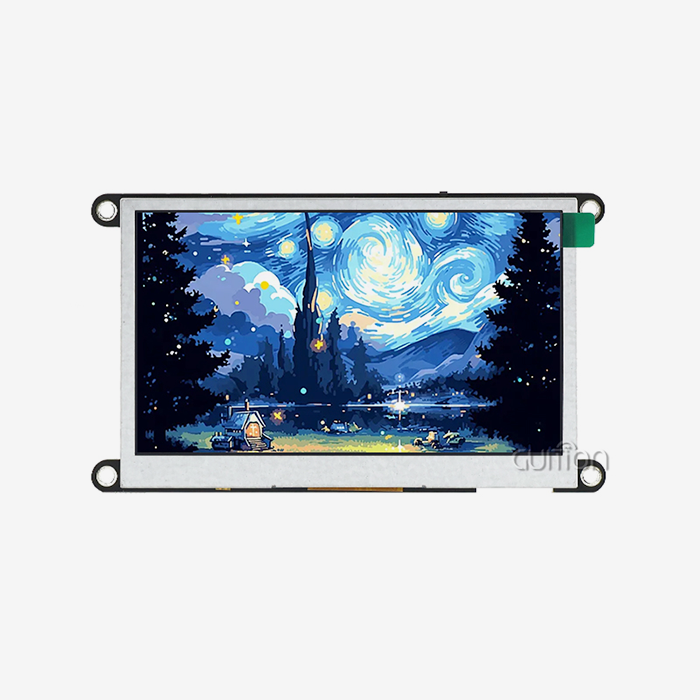
A bespoke CYD screen module may reduce the lead time from prototype to mass manufacturing for smart displays. CYD is short for "Cheap Yellow Display". It is the moniker for ESP32 boards with a TFT screen with touch input and wifi all on one PCB. The display, touch, and radio are pre-integrated, so your team may bypass weeks of wiring and driver work and utilize that time for testing and customisation. In this post, we'll discuss where those time savings come from, what you should check before running volume lots, and how to run a pilot lot that finds flaws early. I used our Guition ESP32-2432S024C as a functioning sample. Are you thinking about producing smart screens? Guition is a producer of CYD screen modules, and our ESP32-2432S024C is pre-loaded with sample code so your engineers may test it on day one. Email David at david@guition.com with your target quantity, screen size, and touch type. We will respond with sample options, a pilot-lot plan, and pricing that matches your schedule.

What Makes a Custom CYD Screen Module Suitable for Smart Screen Production?
Mass manufacturing favors designs with few components and few unknowns. A CYD screen module meets those criteria nicely. Each added part adds a supplier, a solder junction, and a test step. A CYD screen module tackles that issue by placing the major blocks on one board that is previously tested as a unit.
One Board Replaces a Pile of Parts
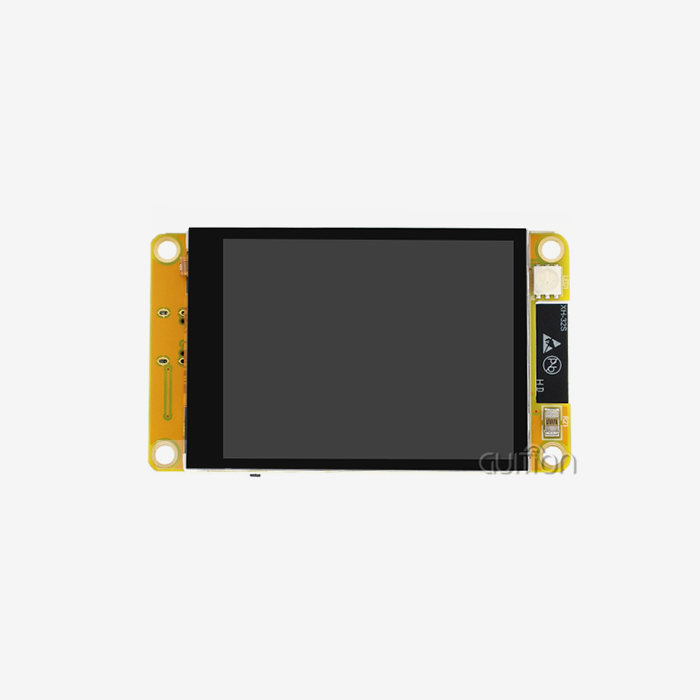
Think about the bill of materials for a discreet touch display device. You'll need an ESP32 module, a 2.4-inch screen, a touch controller, a backlight driver, a speaker amplifier, a light sensor, an RGB LED, and a TF card connector. That’s eight line items with eight sets of sourcing risk. That list includes GUITION ESP32-2432S024C short circuits. Its ESP32 is a dual-core microcontroller with speeds of up to 240 MHz, 520 KB SRAM, and 4 MB flash. The board includes the 2.4-inch LCD, backlight, touch control, speaker drive, light detection, and RGB LED control. It is replete with a TF card interface, serial port, DHT11 temperature and humidity interface, and spare IO pins.
Why CYD Boards Became a Common Starting Point
The CYD screen module family is widely recognized by the community. The ESP32-2432S024 is listed as a supported board by the esp32-smartdisplay project on GitHub, with choices for resistive, capacitive, and no-touch (esp32-smartdisplay README, GitHub, 2026). According to a public board database, the 2.4-inch version has an ILI9341 display controller and a 240 by 320 resolution, with the capacitive variation utilizing a CST820 touch controller (ESPBoards CYD ESP32-2432S024, 2026).
Shared documentation was needed for production. When several engineers already know a board, your team discovers answers quickly. Fewer unknowns = Less surprises on the shop floor.
How Do Display Size, Resolution, and Touch Options Affect Product Design?
Your screen selections define your enclosure, your software workload, and your cost per unit. A 2.4-inch 240 by 320 pixel screen is ideal for tiny controllers, portable equipment, and small status monitors. Bigger displays are more expensive and need more memory than many items need.
Resolution and Memory: The Buffer Math
Here’s a calculation I use for every display job. The 240 by 320 panel contains 76,800 pixels. With 16-bit color, each pixel is 2 bytes; therefore, a whole frame is 153600 bytes, or around 150 KB.
The ESP32 on this module features 520 KB of SRAM, the fast working memory on the chip. This would need something like 29% of a full frame buffer. Instead of drawing in rectangles, graphics libraries like LVGL, the Light and Versatile Graphics Library, may draw in strips. A 30-row strip only requires 240 x 30 x 2 = 14400 bytes, less than 3% of SRAM. That allows area for Wi-Fi, Bluetooth, and your product logic. LVGL’s literature states that the ideal way to link ESP32 devices to LVGL’s display system is by using the component manager provided by Espressif (LVGL manual, 2026). Then your firmware team can build off of that approach rather than building drivers from scratch.
Capacitive Versus Resistive Touch
The ESP32-2432S024C supports capacitive touch, much like a phone screen. It reacts to a gentle touch of the fingers and allows for smoother swipes. Resistive touch feels pressure and can operate with gloves and styluses, making it suitable for rough workshop usage. User, choose by the user. Capacitive touch is typically a plus on a kitchen controller, home hub, or lab equipment. Resistive is required for a machine panel operated with thick gloves. We have both flavors of this family of modules, so you may try each with actual users before committing to volume.
Which Hardware Features Matter Most When Developing Smart Screens?
Buyers will go line by line on spec sheets and yet overlook what slows manufacturing down. Features that save assembly processes and testing time are more important than sheer processor performance. The correct set is based on what your smart displays need to perform in the field.
Features That Reduce Assembly and Test Steps
Any peripheral already on the board is one you don’t have to independently solder, wire, or test. The CYD screen module contains the backlight circuit, speaker driver, light sensor, and RGB LED. Your line tests one board, not six little boards.
The following are the characteristics which save the greatest production effort on this class of modules:
- Integrated display and touch path. The display and the capacitive touch controller are pre-matched and tested together. You avoid the shared-bus and chip-select errors that cause intermittent touch failures, and your incoming inspection may utilize the same factory demo as a quick pass/fail test for every unit that comes in.
- Onboard audio, light sensor, and status LED. Speaker driver, photosensitive circuit, and RGB LED to make your product beep, dim itself in dark settings, and display status colors. You cut out superfluous modules, reduce your bill of materials, and simplify your enclosure design for industrial design assessments.
- Data and tools via TF card and serial interfaces. The TF card slot is used to store fonts, graphics, and logs. The serial interface is used to link to other controllers or test setups. Test fixtures are inexpensive, and the manufacturing process is straightforward to record. Your factory may load material and read results over standard ports.
These traits have one thing in common. They shift work from your assembly line to a board that was tested before it got to you. That reduces variance from unit to unit.
Display Quality for Real Users
The visual quality impacts the customers’ judgment of your goods. The module can display 65K colors, enough for crisp icons, charts, and status panels. Backlight control allows you to adjust the brightness and conserve power in battery-powered items. Test the Smart screens in the light the product will see. A panel that looks good on a desk could seem washed out next to a window. Early viewing tests are low cost and save expensive redesigns once tooling starts.
How Can ESP32 Integration Simplify Smart Screen Development?
The ESP32 is a single-chip solution including a processor, Wi-Fi, and Bluetooth. That means one platform manages the interface, network, and device logic for smart displays. Fewer chips mean less firmware interaction to debug.
Dual-Core Processing for Smooth Interfaces
Espressif’s datasheet shows 539.98 CoreMark for one core at 240 MHz. CoreMark is a typical microcontroller processing performance test. The ESP32 features two of such cores. You may execute the display job on one core and the network stack on the other. The screen remains smooth during Wi-Fi reconnection or a Bluetooth scan. Customers never encounter a frozen interface from a cloud request that takes more time than normal.
Four Development Environments Under One Roof
The module is supported by Arduino IDE, ESP-IDF, MicroPython, and Mixly. ESP-IDF is the official development framework for production firmware from Espressif. Arduino IDE is good for rapid proof-of-concept development, whereas MicroPython and Mixly are good for teaching and scripting. This range supports handoffs and hiring. A prototype made by a junior developer in Arduino may transfer to ESP-IDF later without a hardware update. Guition’s proprietary interface software has a drag-and-drop design option, one-click controls, and a WYSIWYG editor.
Custom Display Solutions for Different Smart Screen Applications
It is worth having a specialized CYD screen module for a clear job using the same hardware. In our product data, you will find several fields where this module class suits. Three examples illustrate how design options differ from one area to the next.
Application: Smart Home Control Panels
A home panel requires a nice interface, Wi-Fi, and a few sensors. Read temperature and humidity from the DHT11 port. The light sensor dims the screen when it is dark outside. Lighting and thermostats are controlled via Wi-Fi. Capacitive touch provides a smooth sensation that homeowners will like. A development board becomes a final product with a bespoke boot, smart screens with your logo, and a locked-down firmware image. With a remote update, you may repair interface flaws after you ship, without setting foot in a single house.
Application: Industrial and Laboratory Instruments
Readable displays and dependable data recording are essential for lab devices and testing equipment. The TF card slot saves readings, and the serial port connects to the sensor or controller. Operators in these environments often wear gloves, so test touch with caution. If your users wear heavy gloves, you may want to go for a resistive version. Our team can do either, and a short pilot with actual operators will illustrate which one works.
Application: Point-of-Sale Terminals and Commercial Kitchens
Financial terminals and commercial kitchen equipment are exposed to spills, grease, and regular use. Order displays and status panels may be driven by a tiny touch display with Wi-Fi. The CYD screen module also suits 3D printers, medical equipment, portable diagnostic instruments, warehouse terminals, EV charging interfaces, car dashboards, professional audio controllers, environmental monitors, and access control systems, according to Guition’s product data. The same demand exists in every field: a compact human-machine interface that functions as soon as it is powered.
How Do Flexible Interfaces and Connectivity Improve Product Compatibility?
Products hardly exist in a vacuum. It communicates with sensors, phones, cloud services, other boards. The more interfaces a module has, the more systems it can plug into without requiring additional adapters.
Wi-Fi and Bluetooth Built-In
The ESP32 has built-in Wi-Fi and Bluetooth. You can pair a device with a phone to get it set up, connect a device to the cloud, and chat to nearby accessories. And it all works without an additional radio module. Radio certification might impact launch timelines, so check it early. Espressif provides downloadable certifications for its CYD screen modules, including CE for Europe and FCC for the United States, and approvals for various additional areas (Espressif certifications site, 2026). Your finished product still requires its own compliance evaluation, so check requirements with a test lab for each target market.
Serial, TF Card, DHT11, and Spare IO
Serial connections enable your screen to talk to a main controller and pass on data. TF card slot for further storage of assets and logs. DHT11 Interface: The DHT11 is a simple temperature and humidity sensor. Reserved IO pins. Custom requirements. Plan these ports early. Different project, different power budget. Logging data to a TF card is different from a project that merely renders a screen. Mapping them beforehand eliminates a mid-project transfer to a bigger board.
Why Are Stable Performance and Consistent Quality Essential for Mass Production?
A flaky device may pass a prototype. A manufacturing run cannot. If 2% of 10,000 Smart screens fail in the field, you have 200 returns, 200 support requests, and a tarnished image.
Why Small Defect Rates Hurt at Volume
Multiplying defect rates makes them sound modest. 50,000 units with a 1% failure rate is 500 faulty devices. Each failure includes delivery, labor, and replacement stock. Consistency impacts software as well. If the touch reaction changes between batches, you require additional handling in your calibration code. Stable hardware means simple firmware and a minimal support crew.
Power Management and Long-Run Stability
The module comes with a lithium battery and a charging circuit with overcharge and over-discharge safety as detailed in our product documentation. This keeps your batteries and your clients safe. We have built the module with industrial reliability objectives. But check it against your own circumstances. Before you issue a production order, do prolonged testing at the temperature, humidity, and power cycles you anticipate.
What Should Buyers Check When Selecting a CYD Screen Module Manufacturer?
Selecting a provider is a wider choice than selecting a CYD screen module. On-time shipment, responses to technical queries, and stable quality can save you more than a cheaper unit price from your supplier.
Supplier Credentials and Documentation
Ask what quality management system your supplier uses. ISO 9001 is the worldwide standard for quality management systems that specifies standards for consistent procedures and constant improvement (ISO, ISO 9001:2015). A certificate means there is a procedure. It does not take the place of your own examination. Ask about documentation, too. Good providers give schematics, pin maps, sample code, and datasheets. Guition offers Arduino libraries and sample code, including secondary development interfaces and technical information.
Questions That Reveal Real Capability
These are the questions I would ask of any provider before I placed a bulk order:
- How do you test the units before they ship? Verify that each device has a functional test that covers display, touch, backlight, speaker, and wifi. A provider that has a clear explanation, a defined test technique, and a record of results provides you significantly more trust than one that just claims the product is tested.
- Can you have a constant bill of materials from batch to batch? Changes in components may affect touch responsiveness or color. Ask how they keep control of alterations and whether they will contact you before switching a part. Written change notifications safeguard your firmware and your product certification against unexpected variation, and offer your quality team a paper trail if a batch ever acts differently.
- What is your sample and lead time? Ask about sample turnaround for the ESP32-2432S024C, pilot lot scheduling, and how lead times will be impacted by volume increases. Clear responses allow you to plan your launch date with actual figures, not wishful assumptions, and demonstrate whether the supplier can expand with your demand over the following two or three years.
Honest responses to these questions differentiate partners from order-takers. A provider that welcomes them is often a source that has fixed the root issues.
How Can Prototype Testing Reduce Risks Before Large-Volume Production?
Testing is cheaper before tooling. Smart displays with touch and wifi have many things to test. A systematic prototype and pilot process catches issues while they are still cheap to solve.
A Three-Stage Test Plan
Start with functional testing: factory demo flash, then flash in your own firmware. Display, Touch, Wi-Fi, Bluetooth, TF Card, Sound Check. Then go to environment testing. And test the device at your hottest and coldest known operating temperatures, and at various battery cycles. End with user testing, in which actual consumers use the product in genuine conditions. Each step poses a new question. Function tests: To test whether the hardware works. We’ve confirmed in the environment it still works. User tests ask whether people want it.
How Big Should Your Pilot Lot Be? A Sample-Size Calculation
Many consumers choose a pilot by size and touch. Statistics provide a better response. If a defect affects a share p of units, the probability that a sample of n units has at least one flaw is 1 − (1 − p)n. If you want to catch a 5% failure rate with 95% certainty, you need around 59 units. At 2% you will require about 149 units. So for a 1% rate you need roughly 299 units. These are my own calculations using the above methodology, not supplier data. The lesson is experiential. A pilot of 10 or 20 units is safe, but catches only big faults. If your product can allow for nearly no failures, organize a pilot in the hundreds and test each unit.
Customization, Quality Control, and Scalable Manufacturing for Smart Screens
Customizing a conventional CYD screen module into your product. Quality control maintains all units consistent with the authorized sample. Scalable manufacturing ensures that the thousandth product is identical to the pilot sample.
What You Can Customize
Typical requests include a custom boot logo, a closed-down firmware image, a custom user interface, and adjustments to what interfaces are enabled. Guition’s interface software enables multi-language switching and Unicode text encoding, which allows a single firmware image to be used in many areas.
Please check with our staff the precise scope before you commit to a timetable. Varied modifications have varied lead times, and a brief stated spec minimizes subsequent misunderstandings.
Remote Upgrade and Lifecycle Support
Once the items are shipped, field repairs become your biggest expenditure. Remote update support means you can deploy repairs and new features over the network without requiring on-site visits. That cuts down on after-sales expense and allows you to enhance the product after launch.
Jingcai Intelligence is a technology business that blends research, development, manufacturing, and sales, and produces Guition. The product series has screens ranging from 1.28 inches to 21.5 inches. That variety allows you to start off with a 2.4-inch module and migrate to a bigger screen in the future, all within one supplier relationship.
A solid manufacturing plan is basic in its sequence. Lock down the hardware decision after pilot testing. Freeze firmware and record the version number. Retain a golden sample from the authorized lot for comparison with subsequent batches.
Conclusion
CYD screen module customization speeds up smart displays manufacturing by eliminating integration effort, cutting down test procedures and parts. The ESP32-2432S024C is a dual-core ESP32, 2.4-inch capacitive touch display, Wi-Fi, and expansion connectors all on one board. This means your team can test actual behavior in days.
Speed alone is not enough for a smooth launch. Validate credentials, test in your actual environment, and size your pilot lot using the formula above. Choose a provider that can properly answer technical inquiries and will support updates after shipping.
FAQ
1. What does CYD mean in a CYD screen module?
CYD stands for Cheap Yellow Display. It is a community nickname for low-cost ESP32 boards that combine a TFT screen, touch input, and wireless on one PCB. Over time, the term has come to describe a whole family of integrated ESP32 display boards.
2. Is the GUITION ESP32-2432S024C suitable for mass production?
It suits production when you validate it for your use. The module integrates the display, capacitive touch, and wireless, which reduces parts and assembly steps. Run pilot testing in your environment, then confirm quantities, lead times, and customization scope with Guition before placing a volume order.
3. How many sample units should I test before a large order?
It depends on your acceptable failure rate. To catch a 2% defect rate with 95% confidence, you need roughly 149 units. For a 1% rate, you need about 299 units. If a small pilot passes, you have only ruled out large problems.
4. Which development tools work with this module?
The module supports Arduino IDE, ESP-IDF, MicroPython, and Mixly. Many teams prototype in Arduino IDE and move to ESP-IDF for production firmware. Guition's own interface software adds drag-and-drop screen design with built-in controls.
5. Should I choose capacitive or resistive touch for smart screens?
Choose capacitive for a smooth, phone-like feel in homes, labs, and consumer products. Choose resistive if users wear thick gloves or use a stylus. Test both variants with real users, because comfort in a meeting room can differ from comfort on a factory floor.
6. Can I update firmware after the product ships?
Yes. Guition's tools support remote upgrades of user projects, so you can push fixes over the network. Plan your flash layout and update process before release, and test the update path on pilot units.
Move from Prototype to Production with a Trusted CYD Screen Module Supplier
Ready to scale your smart screens? Guition works as a direct CYD screen module supplier for engineers, integrators, and product teams. Email David at david@guition.com with your screen size, touch preference, firmware needs, and volume target. We will recommend a model, share documentation, arrange samples, and help you plan a pilot lot that exposes problems before mass production begins.
References
1. Espressif Systems, ESP32 Series Datasheet v4.9 (accessed 2026). Used for the CoreMark figure. https://www.espressif.com/sites/default/files/documentation/esp32_datasheet_en.pdf
2. LVGL, Espressif (ESP32) Integration Overview (documentation, accessed 2026). Used for the recommended porting route. https://docs.lvgl.io/latest/en/html/integration/chip_vendors/espressif/overview.html
3. ESPBoards, CYD ESP32-2432S024 (board database, accessed 2026). Used for display and touch controller details. https://www.espboards.dev/esp32/cyd-esp32-2432s024/
4. rzeldent, esp32-smartdisplay README (GitHub, accessed 2026). Used for supported CYD board variants. https://github.com/rzeldent/esp32-smartdisplay/blob/main/README.md
5. Espressif Systems, Certificates (accessed 2026). Used for module certification availability. https://www.espressif.com/en/certificates
6. International Organization for Standardization, ISO 9001:2015, Quality management systems — Requirements. Used for the quality standard description. https://www.iso.org/contents/data/standard/06/20/62085.html
About the author
David is the CEO of Guition, the brand of Jingcai Intelligence, a technology company that integrates research and development, production, and sales of human-machine interface display solutions. His team builds esp32 display modules and USART-HMI displays from 1.28 to 21.5 inches, plus the Guition interface design software. He works directly with engineers and buyers on prototyping, firmware options, and volume supply.
Learn about our latest products and discounts through SMS or email