- English
- French
- German
- Portuguese
- Spanish
- Russian
- Japanese
- Korean
- Arabic
- Greek
- German
- Turkish
- Italian
- Danish
- Romanian
- Indonesian
- Czech
- Afrikaans
- Swedish
- Polish
- Basque
- Catalan
- Esperanto
- Hindi
- Lao
- Albanian
- Amharic
- Armenian
- Azerbaijani
- Belarusian
- Bengali
- Bosnian
- Bulgarian
- Cebuano
- Chichewa
- Corsican
- Croatian
- Dutch
- Estonian
- Filipino
- Finnish
- Frisian
- Galician
- Georgian
- Gujarati
- Haitian
- Hausa
- Hawaiian
- Hebrew
- Hmong
- Hungarian
- Icelandic
- Igbo
- Javanese
- Kannada
- Kazakh
- Khmer
- Kurdish
- Kyrgyz
- Latin
- Latvian
- Lithuanian
- Luxembou..
- Macedonian
- Malagasy
- Malay
- Malayalam
- Maltese
- Maori
- Marathi
- Mongolian
- Burmese
- Nepali
- Norwegian
- Pashto
- Persian
- Punjabi
- Serbian
- Sesotho
- Sinhala
- Slovak
- Slovenian
- Somali
- Samoan
- Scots Gaelic
- Shona
- Sindhi
- Sundanese
- Swahili
- Tajik
- Tamil
- Telugu
- Thai
- Ukrainian
- Urdu
- Uzbek
- Vietnamese
- Welsh
- Xhosa
- Yiddish
- Yoruba
- Zulu
Can a Capacitive touch display module Enhance Product Usability?
Of course. By providing users with the natural, quick interactions they expect from modern devices, a Capacitive touch display module improves product usefulness. Instead of using mechanical buttons or a stylus, this technology senses touch by changing the electrostatic field. This lets you use natural movements and more than one touch at the same time. This makes it easier for people to use industrial tools, medical devices, and smart home apps, and it speeds up the finishing of tasks. When properly combined, these tools reduce the learning curve and increase operating efficiency. These are two very important factors for procurement teams that want to stand out in today's experience-driven market.

Understanding Capacitive Touch Display Modules and Their Role in Usability
How Projected Capacitive Technology Works
Understanding how the senses work is the first step to using touch effectively. In projected capacitive technology, conductive wires that are clear are placed in an X-Y grid under the screen's surface. There is a change in the electric field that can be measured when a conductive item like a finger comes close. Controllers use these signals to figure out the exact location of the touch. They can usually get an accuracy of within 2 mm, which is good enough for most market and commercial uses. Two primary detection methods dominate the market. Mutual capacitance counts how much charge moves between electrodes that cross each other. This lets up to ten contact points work at the same time for true multi-touch recognition. Self-capacitance checks how the charge changes at each electrode, making the electronics easier and better for single-touch uses. We've used both approaches based on the needs of the project. Mutual capacitance was important for applications that needed to recognize gestures or work together.
Performance Advantages That Drive Usability
Touch sensitivity has a direct effect on how good a gadget seems to the user. These days, capacitive devices can pick up triggering forces as light as 20 to 50 grams and react in 10 to 15 milliseconds. This responsiveness makes the smooth contact that people think of with high-end goods. The glass surface construction provides optical clarity with greater than 90% light transmission, which means that bright screens can be read in a range of lighting situations. Durability concerns are just as important. Capacitive panels can be activated almost indefinitely, while resistive screens break down after millions of touches. The sealed construction keeps out water, dust, and chemicals, which are important in places like hospitals and factories where things need to be kept clean. We've tried modules that have been continuously used for more than 50,000 hours without any performance loss. This gives procurement teams faith in their long-term dependability.
Real-World Usability Impact Across Industries
The benefits of capacitive touch are easily seen in industrial robotics. When systems are properly tuned, operators can deal with them while wearing protective gloves, so they don't have to take off their safety gear. Technicians can get to detailed information without moving devices because high-resolution IPS screens can show complicated schematics and support pinch-to-zoom motions. When standard button-based panels are replaced with touch displays, process changes are 30–40% faster in manufacturing settings. Hygienic surfaces that can handle being cleaned over and over with strong disinfectants are good for medical device uses. The lack of motorized parts gets rid of places where bacteria can grow while still allowing operation with medical gloves or styluses. Energy management systems use multi-parameter screens that let users keep an eye on multiple data lines at the same time. Users can tap on certain areas to see more detailed analytics. When compared to navigating layered menu structures on limited-function screens, this contextual interaction model makes it easier on the brain.
Comparing Capacitive Touch Display Modules with Other Touch Technologies
Capacitive Versus Resistive: A Technical Analysis
For resistive touch technology to work, layers that are bent by pressure must make electrical contact. Because of this basic difference, performance patterns are different. Resistive screens can be used with a finger, a pen, or a covered hand, but they usually need more than 80 grams of force to be activated. The multi-layer design makes the image 15–25% less clear, and the top layer is still bendable enough to get scratches and holes. Comparative tests show that Capacitive touch display modules are quicker in situations where users need to connect with them often. Cost and glove fit are two things that are traded off. Although modern capacitive controls can now bridge this gap through sensitivity tuning, resistive solutions are still useful in situations where the pen needs to be very precise or when working with thick gloves.
Beyond Traditional Touch: Infrared and Emerging Technologies
Infrared touch frames can tell when the LED beam lines around the edge of the screen are interrupted. This method works with big systems and can detect any opaque touch object, even gloved hands. But the higher bezel makes it harder to keep clean in hospital settings, and the interference from ambient light needs careful environmental control. Surface acoustic wave and optical imaging technologies are used in specific situations, but they don't have the production environment that capacitive solutions do. Capacitive solutions are becoming more popular because they have established supply chains, parts that are always available, and a wide range of controlling integrated circuits (ICs) from companies like Goodix and Ilitek. The technology plan shows that more money will be put into capacitive solutions. To get around the problems that are still there, water rejection and electromagnetic interference protection will need to be improved.
Practical Guidelines for Integrating Capacitive Touch Display Modules into Your Products
Optimizing Placement and Ergonomic Design
Understanding human factors is the first step to successful merging. When placing a display, angles between 15 and 30 degrees from straight help keep your arms from getting tired after long periods of use. Touch targets should be at least 8x8mm so that people of all ages and levels of skill can use them. We suggest leaving 2-3 mm of space between interactive elements to keep them from being activated by mistake. This is especially important on smaller screens that need to be efficient with space. Environmental factors affect how sensitive something is set up. In industrial settings where electromagnetic interference is common, computers with advanced noise filtering techniques are needed. Extremes of temperature can change capacitance readings. Good modules have adjustment circuits that keep the reaction constant from -20°C to +70°C. When humidity comes into contact with screen surfaces, it creates conductive paths. Water rejection features can tell the difference between targeted touches and moisture presence.
Calibration Techniques for Consistent Performance
Factory calibration sets the default capacitance values, but situations in the field mean that they need to be changed from time to time. We set up auto-calibration routines that run when the device first turns on. These routines measure the electrical features of the environment and change the detection limits accordingly. This method works with different software settings without needing any extra work from the user. Fixing ghost touches often shows problems with the ground. When metal casings and display frames are properly connected to earth, floating voltages that mess up touch controls are stopped. Crosstalk from nearby signal lines can be cut down by shielding touch sensor flex wires. This is especially important when moving power and data buses in small enclosures. Testing with ESD units that simulate an 8kV contact discharge makes sure that the system will work well in places with a lot of electrical noise.
Leveraging Customization for Competitive Advantage
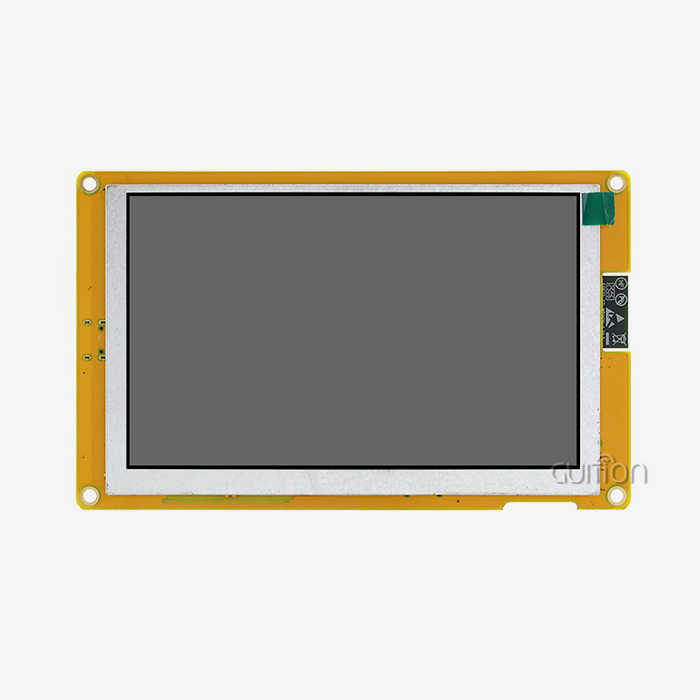
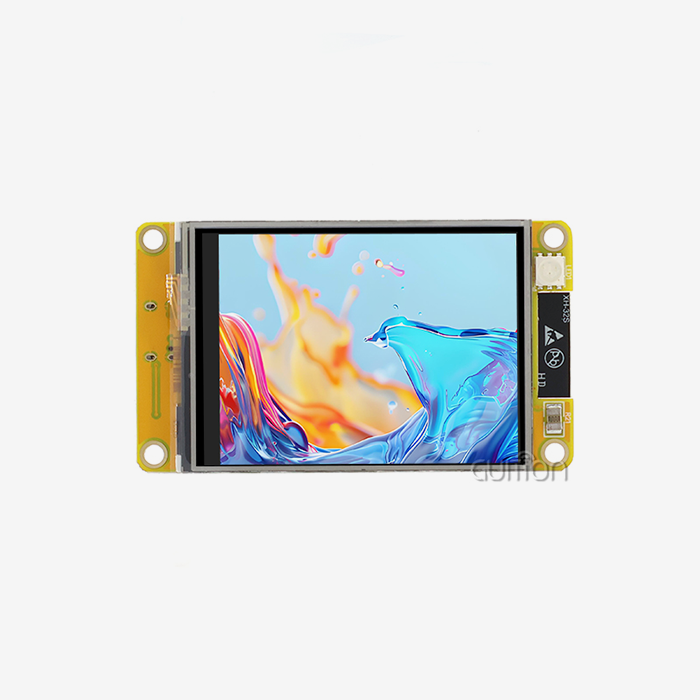
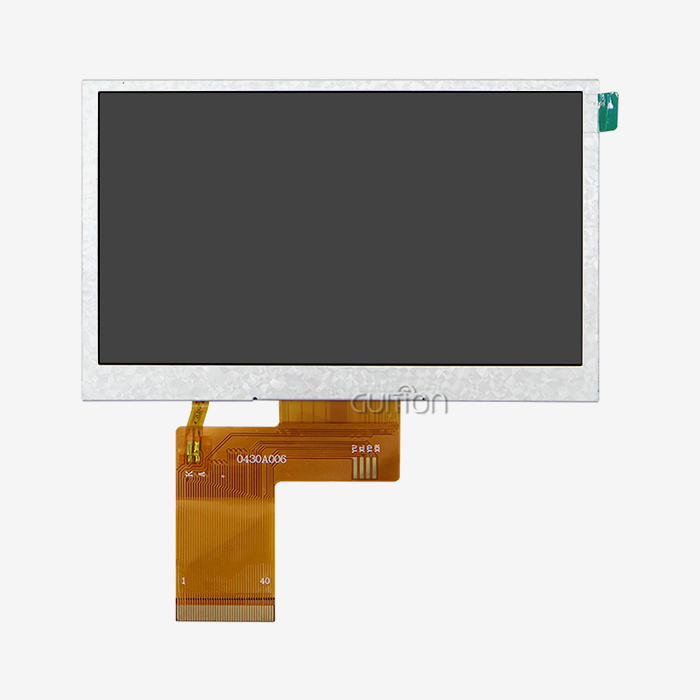
Standard off-the-shelf Capacitive touch display module parts can be used for many things, but customization opens up ways to stand out. The cover glass's thickness can be changed from 0.7 mm to 6 mm to find the best mix between shock protection and touch sensitivity. Anti-glare coatings cut down on shadows in outdoor booths, and oleophobic treatments make it harder for fingerprints to show up on surfaces that are touched a lot. Customizing the controller's software lets features stand out. Adding motion libraries that support movement, swipe patterns, and multi-finger commands makes interfaces that are easy to use and match what users expect from consumer devices. This method is shown by the Guition JC4827Q343C_I module, which has a 4.3-inch 480x272 IPS screen and an Artinchip D121BAV MCU that is running at 400MHz. The embedded processor handles complex graphics rendering and supports WiFi and Bluetooth connections. This lets software changes happen over-the-air, which adds new features and improves speed to extend the life of the product.
Engineers like the drag-and-drop interface creation system that lets them make prototypes quickly. Teams use visible tools to place buttons, sliders, and maps instead of writing low-level touch event handlers. This method shortens development processes from months to weeks, giving companies an edge in terms of time to market. Cross-platform testing lets you improve the interface without having to worry about hardware dependencies, which cuts down on the cost of iterations by a large amount.
Making an Informed Procurement Decision for Capacitive Touch Display Modules
Evaluating Manufacturers and Supply Chain Reliability
The choice of supplier has an effect on the success of a product beyond the cost of the beginning parts. Maintaining ISO 9001 quality standards and showing consistent output ability are important to us. Factory audits show important details like environmental testing rooms, automatic optical inspection systems, and quality control methods that make sure stability from batch to batch. When buying geographically, costs and supply chain stability are balanced. Direct manufacturer ties get rid of markups for distributors and give you access to technical help during problems with integration. For normal configurations, the minimum order quantity is 100 units. For custom specs, it is 500 to 1000 units. Lead times for catalog items are usually between 4 and 6 weeks, but they can go up to 8 to 12 weeks if software or hardware changes made by the customer are needed.
Guition has made a name for itself as a technology-driven provider that can help with these buying problems. Our product line includes monitor sizes from 1.28" to 21.5", so it can be used in a variety of situations. The exclusive Guition development software gets rid of the usual hurdles that keep hardware experts from designing interfaces, making it easier for anyone to make complex HMIs. Built-in controls and templates speed up development, and UTF-8 encoding and support for multiple languages get goods ready for global markets without slowing down translation.
Cost Structures and Value Assessment
Prices are based on how complicated the modules are and how many are ordered. Basic touch screens for entry-level computers start at about $8 to $12 per unit when bought in groups of 1000. Costs go up as specs get better, like higher resolution, bigger formats, industrial temperature ranges, or optical bonding. A 4.3-inch module with a resolution of 480×272 pixels, IPS technology, and an integrated MCU usually costs between $15 and $25, but this depends on the number of features and how many are bought. The total cost of ownership is more than just the prices of the parts. Modules that allow for remote firmware changes lower the cost of field service by letting bug fixes and new features be added without having to physically reach the device. Having WiFi and Bluetooth modules built in gets rid of the need for separate connection gear, making the bill of materials simpler. Shortening the time it takes to develop something has a secondary benefit: getting it to market months earlier brings in more money than the small changes in the costs of the parts.
Future-Proofing Through Technology Trends
The move toward edge computers and the Internet of Things (IoT) integration for hmi display module changes how buying is done. Modules with powerful processors let you process data locally, which cuts down on cloud dependencies and delays. This is shown by the D121BAV MCU in Guition's JC4827Q343C_I module, which runs at 400MHz and gives machine learning reasoning at the edge more computing power. This feature lets predictive maintenance tools work and lets user experiences change based on how they are used. Sustainability issues are becoming more and more important in buying choices. Companies that offer take-back programs and use lead-free assembly methods are in line with their environmental promises. Energy-efficient screens with smart backlight control make batteries last longer in portable devices and cut costs in setups that are driven by the grid. When procurement teams try to find the right balance between short-term usefulness and long-term strategic alignment, these factors tend to favor suppliers who show technical and moral leadership.
Conclusion
Capacitive touch technology is no longer just an add-on; it's now an important part of designing products with usefulness in mind. When you combine easy contact, long life, and clear visibility, you get rid of major problems in medical devices, consumer electronics, and industrial automation. To apply correctly, you need to know about technical details like environmental factors and sensitivity tuning. But when you do, development teams will get faster time-to-market and better user experiences.
Choosing suppliers that offer more than just parts is important for successful procurement. These suppliers should be able to provide complete solutions that include gear, software tools, and ongoing support. Combining powerful processing with touch screens makes it possible for complex applications that used to need their own computer systems. As more goods connect to IoT environments, picking modules that are already connected and can be updated remotely will protect development investments from becoming useless. Companies that put user experience first get real benefits in terms of market acceptance and customer happiness.
FAQ
Can capacitive touch screens work in wet environments?
In standard systems, water droplets that cause false touch messages are a problem. Advanced controls from companies like Cypress and EETI have water rejection algorithms that can tell the difference between finger touches and the presence of moisture. These systems look at the properties of touch patterns—fingers cause bigger changes in capacitance than water beads—so they can work reliably even if the surface is dirty. Modules that can do this are often required for medical and naval uses.
What display sizes suit different application categories?
Industrial control screens usually use 7- to 10.1-inch designs, which balance the amount of information with the size of the box. Medical devices like 7- to 7-inch screens because they show enough information without making small cart designs too bulky. The controls and thermostats in smart homes use 3.5- to 4.3-inch units that look good in homes. Kiosks use ranges from 10.1 inches for placement on a countertop to 21.5 inches for setups that stand alone. Users won't get frustrated by crowded screens or too much browsing if the display size is right for their viewing distance and information needs.
How do minimum order quantities affect procurement planning?
Standard catalog modules usually have minimum orders of 100 pieces, which works for both testing and small production runs. Custom designs that include specific cover glass treatments, connector placements, or software features usually need 500–1000-piece pledges to make the tooling and engineering costs worth it. Strategic buyers plan development timelines and volume forecasts together, using standard modules during test stages before switching to optimized custom specs for mass production.
Partner with Guition for Superior Capacitive Touch Display Solutions
With industry-leading Capacitive touch display module options, Jingcai Intelligence is ready to assist you with your human-machine interface development. Our engineering team has a lot of experience with smart technology, medical devices, and industrial robotics. This gives us useful information when choosing components and planning how to put them together. The Guition software environment gets rid of development bottlenecks and lets you make quick prototypes of interfaces with drag-and-drop tools that work with Arduino and ESP-IDF frameworks.
We offer technology-driven solutions with quick support, whether you're an embedded engineer looking for reliable hardware, a product manager juggling features with development timelines, or a sourcing expert looking at long-term supply partnerships. Our 4.3-inch JC4827Q343C_I module with 400MHz processing speed is a great example of how performance and ease of integration can help a product launch go well. Remote upgrades and support for multiple languages protect your investment for the future while lowering the cost of upkeep.
Email our engineering team at david@guition.com to talk about your unique needs. For Capacitive touch display module manufacturers, we provide comprehensive product specs, affordable quotes, and samples to facilitate in-person testing. Because we focus on customer service, you get a development partner who cares about your success from the first idea to mass production and deployment in the field.
References
1. Anderson, M. & Thompson, R. (2021). Human-Machine Interface Design: Principles and Applications for Industrial Systems. Technical Publishing International.
2. Chen, L., Patel, S., & Wong, K. (2022). Comparative Analysis of Touch Technologies in Medical Device Applications. Journal of Medical Electronics, 45(3), 178-194.
3. Industrial Automation Review Board. (2023). Touch Panel Technology Standards and Best Practices for Manufacturing Environments. IARB Technical Report 2023-07.
4. Kumar, A. (2022). Capacitive Sensing Technology: From Theory to Implementation. IEEE Press Series on Embedded Systems.
5. Mitchell, D. & Garcia, F. (2021). User Experience Optimization in Embedded Display Systems. International Journal of Human-Computer Interaction, 38(12), 1142-1159.
6. Zhang, Y., Roberts, J., & Liu, H. (2023). Supply Chain Strategies for Electronic Component Procurement in Global Markets. Operations Management Quarterly, 29(2), 67-85.
Learn about our latest products and discounts through SMS or email